







XIRO Robot MT4 (Latest version) - Unlimited

Subscriptions for Special Plan
- 30 EA package is more economical!
- Special package with 99%
- Download 1 EA/Day

Subscriptions for Premium Membership
- Download Unlimited in 1 Year
- Get 100% Discount
- Get free access to all

Subscriptions for Gold Membership
- 1 Year Membership
- Get 100% Discount
- Access EA+Indicator+Course
Frequently bought together 🎁
Add these products to enhance your purchase




What is XIRO Robot MT4?
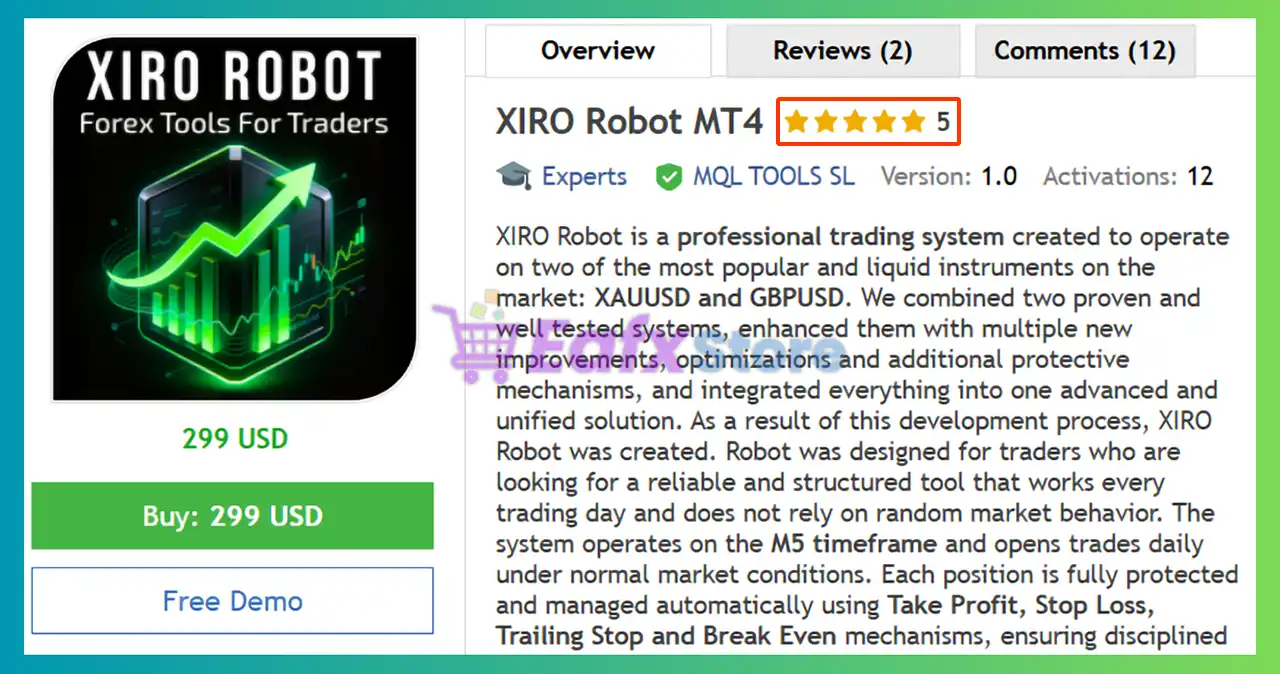
XIRO Robot MT4 is a professional Expert Advisor (EA) built for automated trading on XAUUSD, BTCUSD and GBPUSD using structured market logic. It combines proven strategies with advanced position management, adaptive protection mechanisms, and strict risk management controls. Designed for stability and consistency, it executes trades daily under normal conditions while protecting capital through disciplined automation.
 Vendor Website: View here
About the Author
This product is compiled by Marzena Maria Szmit. This author has more than +4 years of experience working on MQL5 with many famous products such as XIRO Robot MT4, XG Gold Robot MT5, XIRO Robot MT5, AI Prop Firms MT5, AI Forex Robot MT4, AI Forex Robot MT5 and other advisors. Among them, XIRO Robot MT4 is his best performing products.
🔶 Delivery time 24h-48h after payment.
🔶 Refund if not delivered.
🔶 You will receive the current version without any limitations (ID+Time).
Why Choose & Use XIRO Robot MT4?
🔹 Dual-Asset Optimized Trading Engine: Precisely calibrated for XAUUSD and GBPUSD volatility behavior.
🔹 Complete Automated Protection Suite: Integrates Stop Loss (SL), Take Profit (TP), Trailing Stop and Break Even logic.
🔹 Controlled Daily Exposure System: Limits maximum positions to manage intraday risk.
🔹 Flexible Order Split Functionality: Allows division of trades into multiple smaller entries.
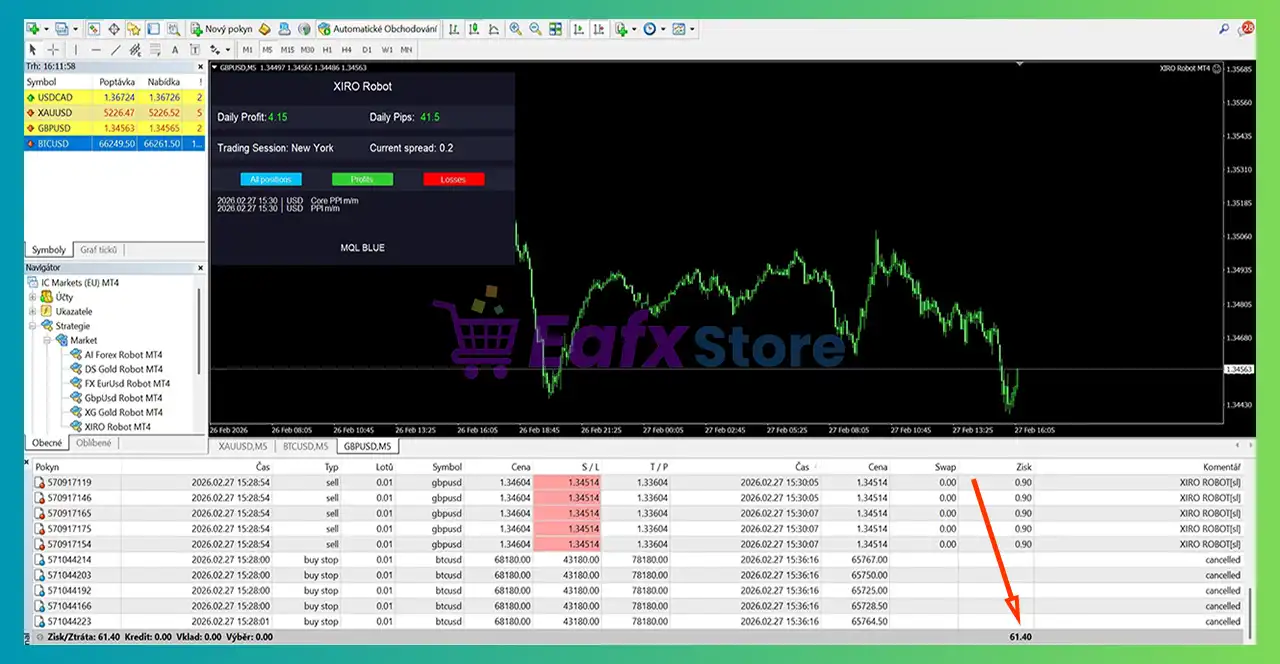
🔹 Integrated Market Monitoring Panel: Displays pips, session data and calendar updates live.
What is the XIRO Robot MT4 Trading Strategy?
🔹 Structured M5 Intraday Execution Model: Trades consistently during active market hours.
🔹 Momentum & Trend Alignment Framework: Filters entries based on directional confirmation.
🔹 Adaptive Position Lifecycle Management: Dynamically adjusts exits as price evolves.
🔹 Economic News Protection Filter: Suspends entries during high-impact announcements.
🔹 Disciplined Risk-Based Lot Control: Applies controlled sizing aligned with account balance.
XIRO Robot MT4 Review
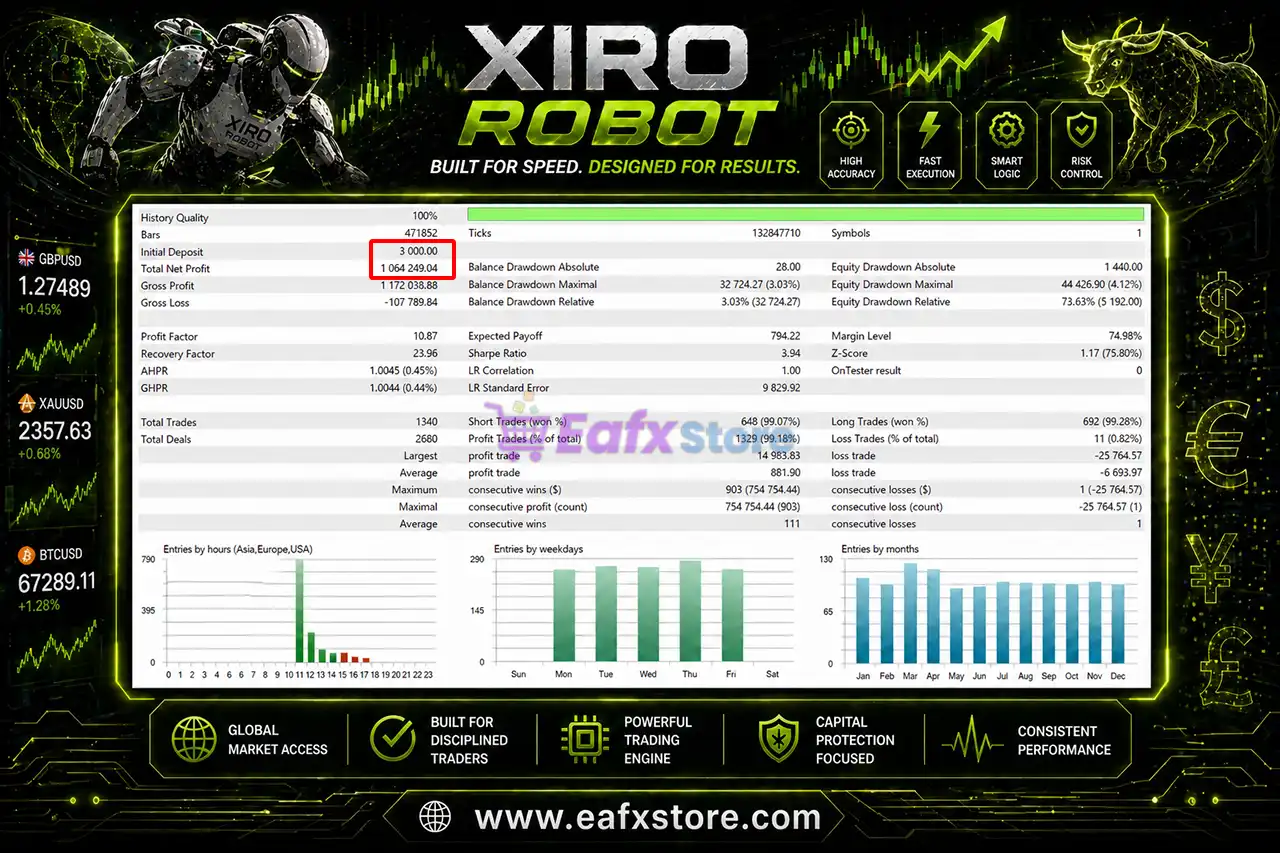
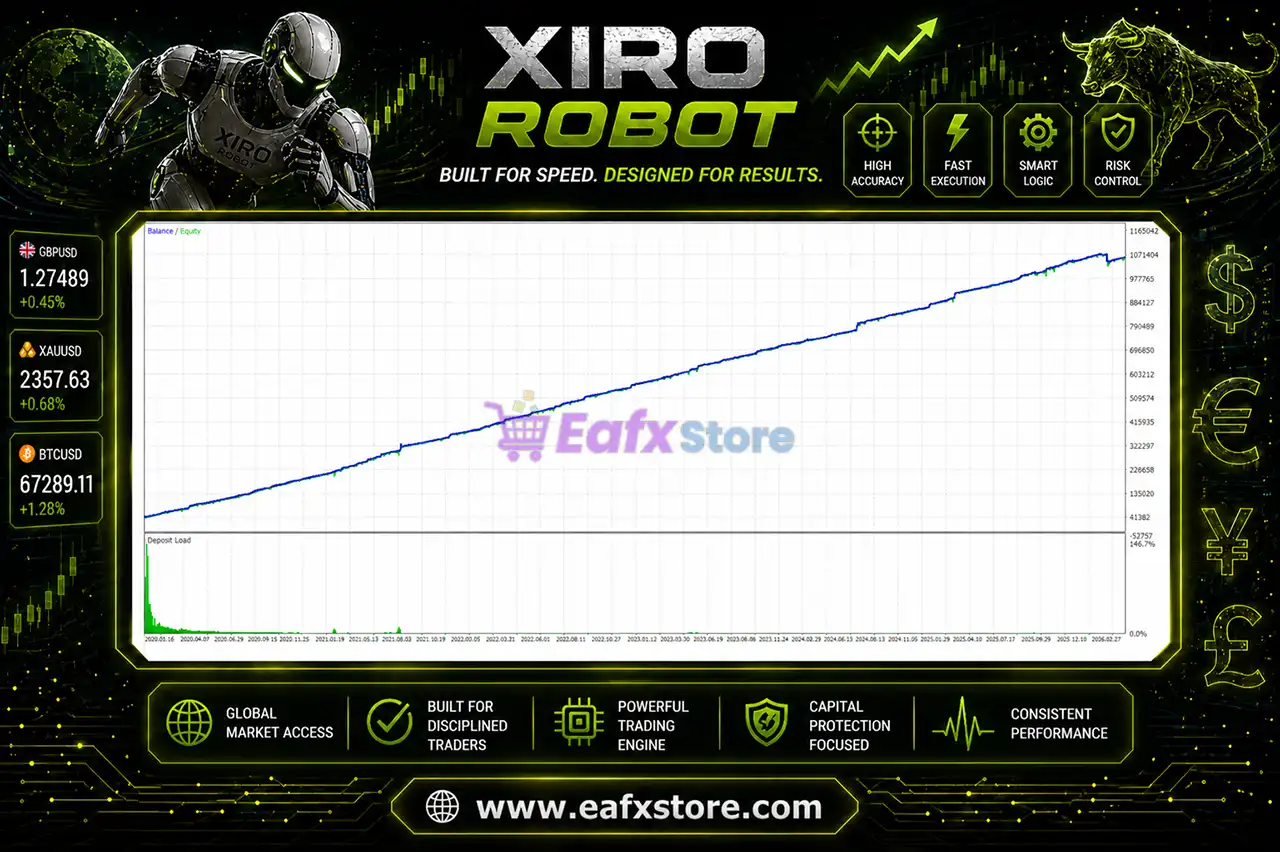
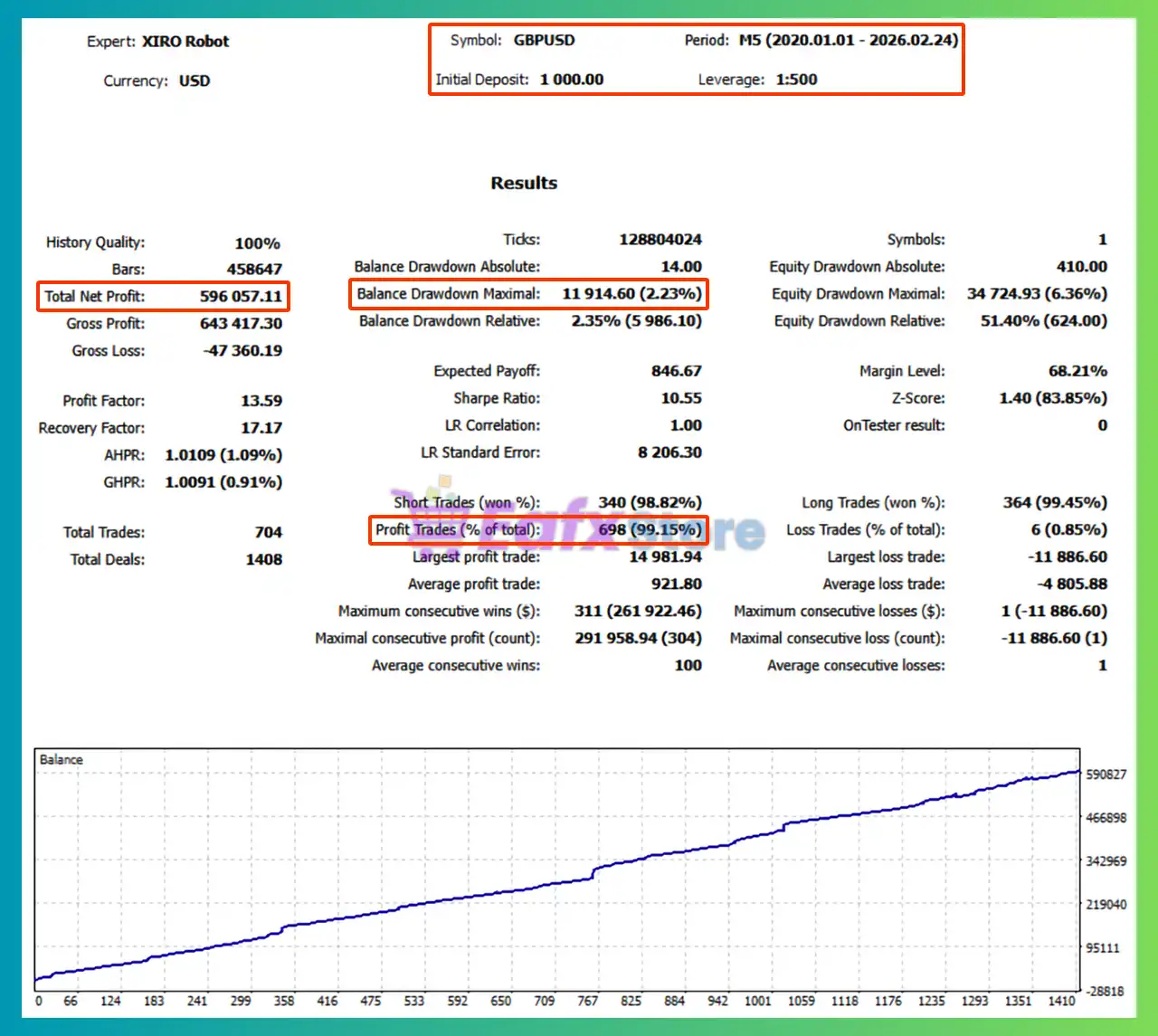
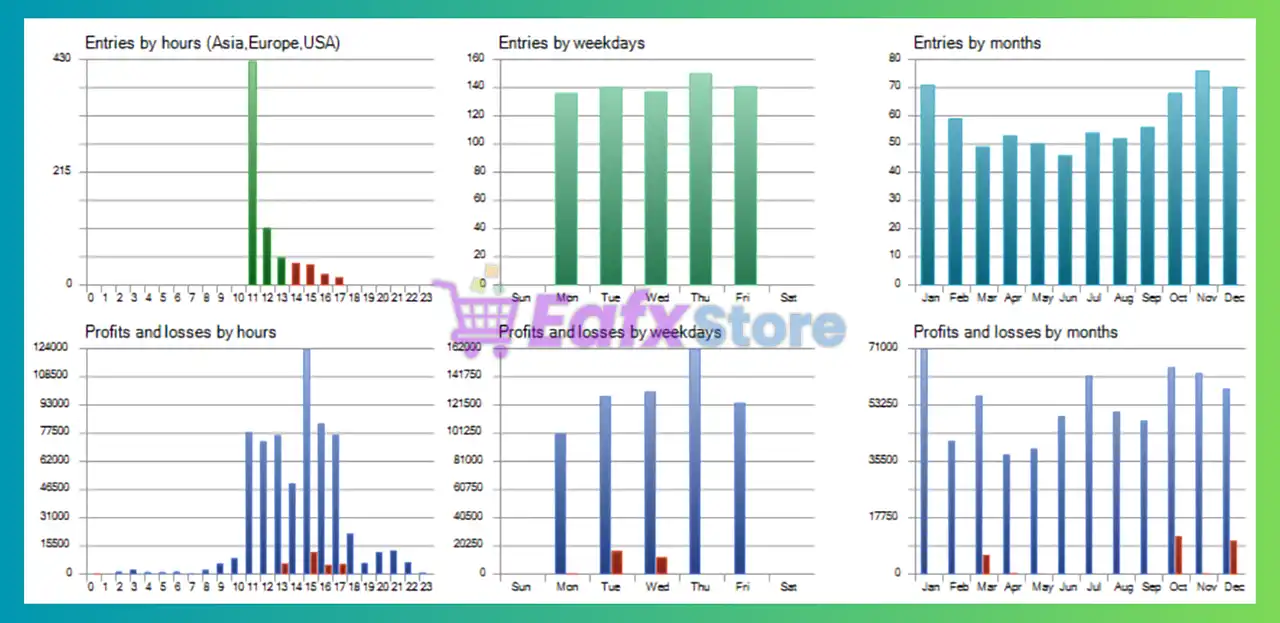
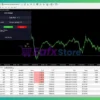
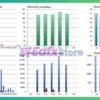
The XIRO Robot MT4 has achieved impressive profit performance over many years of trading reversion tests with GBPUSD. This EA demonstrates excellent ability to master the market and increase profits.
✅ Initial Deposit: $3,000
✅ Total Net Profit: $1.06 million
✅ Win Rate (% of total): 99.18%
✅ Maximum Drawdown: 3.03%
XIRO Robot MT4 Test
XIRO Robot MT4 Tests
Why Choose & Use XIRO Robot MT4?
🔹 Consistency-Driven Trading Architecture: Designed for stable and repeatable performance.
🔹 Capital Preservation Priority System: Reduces uncontrolled drawdowns with safeguards.
🔹 User-Friendly Deployment Structure: Requires minimal setup beyond lot configuration.
🔹 Broad Broker Compatibility Design: Operates efficiently across ECN and standard accounts.
🔹 Supported by Active Trading Community: Includes guidance, updates and direct assistance.
Is XIRO Robot MT4 safe?
XIRO Robot MT4 shows significant potential in providing stable and reliable profits, making it a reliable tool in the forex market. The advisor is highly appreciated by the MQL5 community in many aspects and has won the trust of users.
⭐⭐⭐⭐⭐ Kevin Andres (2026.02.27)
“I have been using XIRO Robot now and I am really satisfied with how it works. I like that it focuses on controlled risk and does not open random positions. For me it is a solid and structured system that works consistently in real market conditions. Perfect!”
⭐⭐⭐⭐⭐ Michal Fojtl (2026.02.25)
“I am the proud owner of several EAs from these developers and I am satisfied. You can find my live results under the relevant EAs, and I am convinced that this new XIRO will also be amazing.”
⭐⭐⭐⭐⭐ Wei Rui De (2026.06.19)
“I have been using XIRO Robot on a real trading account for over a month now, and the results have been impressive. My account has achieved more than 50% profit during this period, which honestly exceeded my expectations.”
Recommended settings
Recommended settings and parameters to pay attention to from developers and experts:
| Features | Type |
|---|---|
| Trading platform | MetaTrader 4 (MT4) |
| Time frames | M5 (5 minute chart) |
| Currency pairs | GBPUSD, XAUUSD, BTCUSD |
| Minimum / Recommended deposit | $1,000 |
| Minimum / Recommended leverage | 1:10 up to 1:1000 |
| Account types | Hedging, Netting, Zero, Cent, Micro, Standard, Premium or ECN |
| Product type | NoDLL / Unlimited / Unlocked |
| Additional services | Unlock and Decompile |
| Recommended brokers | Exness Broker, Icmarkets Broker |
| Recommended VPS | MyfxVPS.com (Blue VPS, Golden VPS). Lowest Latency, 2 week Free Trial, 100% Free for 12-18 Months. |
Product Download Package?
The download package of the product suite includes:
 Experts: XIRO Robot MT4_fix.ex4
 Reviewed by David Easton
Conclusion
In short, XIRO Robot MT4 stands out as a consistency-focused automated trading solution optimized for the M5 timeframe. With integrated stop-loss protection, economic news filtering, and adaptive exit management, it ensures transparent and controlled exposure. Designed for both beginner and experienced traders, it promotes stable performance without aggressive recovery systems.
🔢 XIRO Robot MT4 Settings Guide
XIRO Robot MT4 is a professional multi-asset Expert Advisor designed to trade XAUUSD, BTCUSD, and GBPUSD on the M5 timeframe. It features advanced volatility filtering, automatic recovery cycles, trailing stop management, break-even protection, news filters and flexible risk management.
With customizable trading sessions and intelligent recovery controls, XIRO Robot MT4 provides traders with a robust automated trading solution suitable for various market conditions.
🔢 XIRO Robot MT4 Settings Explained
Below are the details of the parameters in the advisor’s trading system settings table:
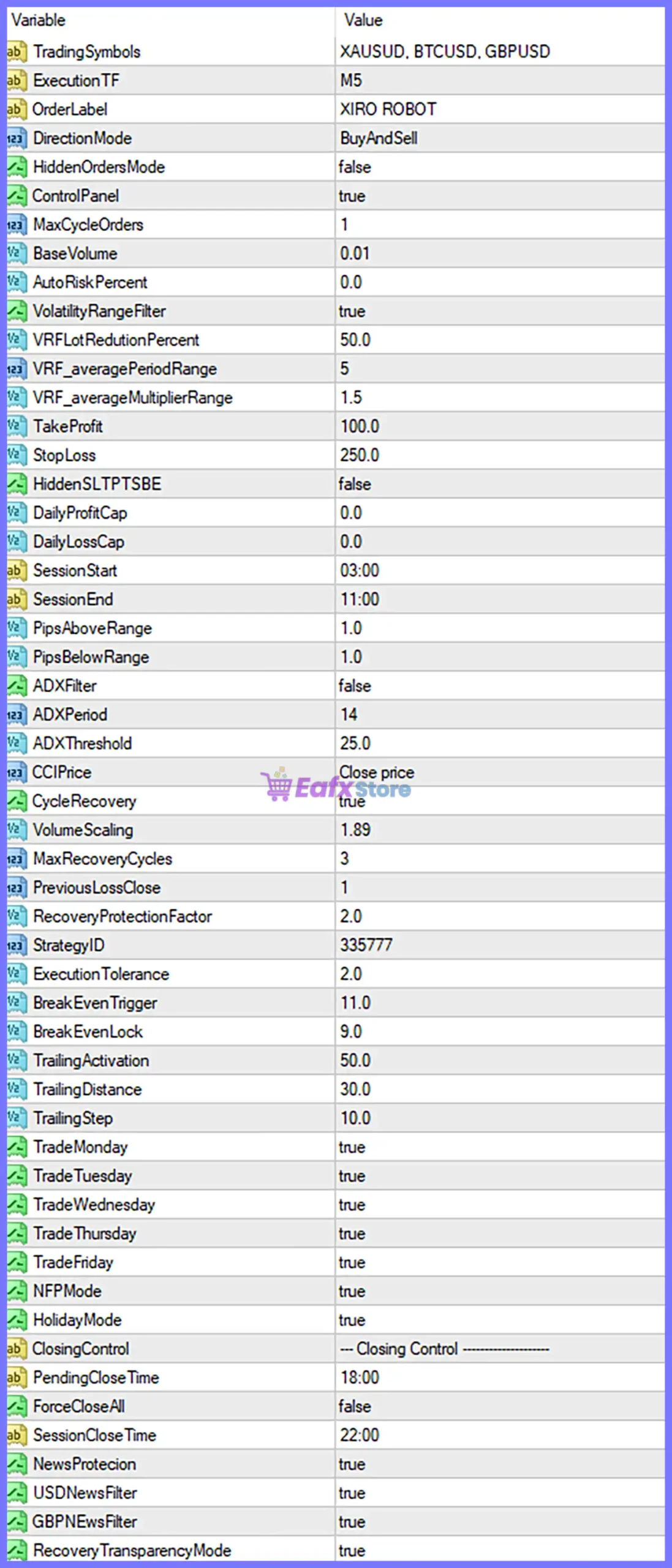
XIRO Robot MT4 Settings Panel
🔄 General Settings
🔹 TradingSymbols = XAUUSD, BTCUSD, GBPUSD – Specifies the instruments traded by the EA: Gold, Bitcoin, and GBPUSD.
🔹 ExecutionTF = M5 – Executes all trading operations on the M5 (5-Minute) timeframe.
🔹 OrderLabel = XIRO ROBOT – Sets XIRO ROBOT as the order comment for all trades.
🔹 DirectionMode = BuyAndSell – Allows the EA to open both Buy and Sell positions.
🔹 HiddenOrdersMode = false – Disables hidden order execution; orders are visible to the broker.
🔹 ControlPanel = true – Displays the on-chart control panel.
🔹 MaxCycleOrders = 1 – Limits each trading cycle to 1 order.
🔄 Money Management
🔹 BaseVolume = 0.01 – Sets the default starting lot size to 0.01 lots.
🔹 AutoRiskPercent = 0.0 – Automatic risk calculation is disabled; fixed lot sizing is used.
🔄 Volatility Filter
🔹 VolatilityRangeFilter = true – Enables the volatility range filter before opening trades.
🔹 VRFLotReductionPercent = 50.0 – Reduces trading volume by 50.0% during high-volatility conditions.
🔹 VRF_averagePeriodRange = 5 – Uses 5 periods to calculate the average market range.
🔹 VRF_averageMultiplierRange = 1.5 – Applies a volatility multiplier of 1.5 for filtering conditions.
🔄 Trade Parameters
🔹 TakeProfit = 100.0 – Sets the Take Profit target to 100.0 points.
🔹 StopLoss = 250.0 – Sets the Stop Loss distance to 250.0 points.
🔹 HiddenSLTPTSBE = false – Uses visible Stop Loss, Take Profit, and Break Even levels.
🔹 DailyProfitCap = 0.0 – No daily profit limit is applied.
🔹 DailyLossCap = 0.0 – No daily loss limit is applied.
🔄 Trading Session
🔹 SessionStart = 03:00 – Trading begins at 03:00.
🔹 SessionEnd = 11:00 – Trading ends at 11:00.
🔄 Entry Filters
🔹 PipsAboveRange = 1.0 – Entry trigger is 1.0 pip above the reference range.
🔹 PipsBelowRange = 1.0 – Entry trigger is 1.0 pip below the reference range.
🔹 ADXFilter = false – ADX trend filter is disabled.
🔹 ADXPeriod = 14 – Uses an ADX calculation period of 14.
🔹 ADXThreshold = 25.0 – ADX threshold is set to 25.0.
🔹 CCIPrice = Close price – Uses the Close price for CCI calculations.
🔄 Recovery System
🔹 CycleRecovery = true – Enables the automatic recovery trading system.
🔹 VolumeScaling = 1.89 – Multiplies lot size by 1.89 during recovery trades.
🔹 MaxRecoveryCycles = 3 – Allows a maximum of 3 recovery cycles.
🔹 PreviousLossClose = 1 – Recovery logic references the previous losing trade before initiating recovery.
🔹 RecoveryProtectionFactor = 2.0 – Applies a protection factor of 2.0 during recovery management.
🔄 Strategy Settings
🔹 StrategyID = 335777 – Unique identifier for the trading strategy configuration.
🔹 ExecutionTolerance = 2.0 – Maximum execution tolerance is 2.0 points.
🔄 Break Even & Trailing Stop
🔹 BreakEvenTrigger = 11.0 – Activates Break Even after 11.0 points of profit.
🔹 BreakEvenLock = 9.0 – Locks in 9.0 points of profit once Break Even activates.
🔹 TrailingActivation = 50.0 – Starts trailing after 50.0 points of profit.
🔹 TrailingDistance = 30.0 – Maintains a trailing distance of 30.0 points.
🔹 TrailingStep = 10.0 – Updates the trailing stop every 10.0 points.
🔄 Trading Days
🔹 TradeMonday = true – Enables trading on Monday.
🔹 TradeTuesday = true – Enables trading on Tuesday.
🔹 TradeWednesday = true – Enables trading on Wednesday.
🔹 TradeThursday = true – Enables trading on Thursday.
🔹 TradeFriday = true – Enables trading on Friday.
🔄 News & Holiday Filters
🔹 NFPMode = true – Enables Non-Farm Payroll (NFP) trading protection.
🔹 HolidayMode = true – Activates holiday trading protection.
🔹 NewsProtection = true – Enables the built-in economic news protection system.
🔹 USDNewsFilter = true – Filters important USD economic news.
🔹 GBPNewsFilter = true – Filters important GBP economic news.
🔄 Closing Controls
🔹 ClosingControl = — Closing Control —————- – Section header for trade closing management.
🔹 PendingCloseTime = 18:00 – Cancels pending orders at 18:00.
🔹 ForceCloseAll = false – Does not force-close all positions automatically.
🔹 SessionCloseTime = 22:00 – Closes trading activities at 22:00.
🔄 Recovery Display
🔹 RecoveryTransparencyMode = true – Displays recovery information with transparent visualization on the trading chart.
🔢 Risk Level
🔹 Fixed Lot – Uses a constant lot size (0.01) regardless of account balance.
🔹 Safe – Low-risk configuration focused on capital preservation and stable long-term performance.
🔹 Balanced – Moderate risk setting that balances consistent growth with controlled drawdowns.
🔹 Aggressive – Higher exposure designed for faster account growth while accepting increased trading risk.
🔢 Conclusion
XIRO Robot MT4 is a comprehensive automated trading system that combines multi-symbol trading, intelligent volatility filtering, adaptive recovery cycles, trailing stop management, economic news protection, and flexible session control. Its configurable risk management and recovery features make it suitable for traders seeking a reliable MT4 Expert Advisor capable of handling Gold, Bitcoin, and Forex markets with disciplined automation.
🔢 FAQs
❓ What markets can XIRO Robot MT4 trade?
XIRO Robot MT4 supports XAUUSD, BTCUSD, and GBPUSD, allowing automated trading across Gold, cryptocurrency, and Forex markets.
❓ Does XIRO Robot MT4 include automatic recovery trading?
Yes. The EA features an advanced recovery system with configurable volume scaling, protection factors, and recovery cycle limits.
❓ Can I control the trading session?
Yes. You can define custom trading hours using the SessionStart and SessionEnd parameters.
❓ Does XIRO Robot MT4 include news protection?
Yes. It includes built-in filters for USD news, GBP news, NFP events, and holiday trading conditions.
❓ Can I use fixed lots or automatic risk management?
Yes. The EA supports fixed lot trading by default and also allows automatic risk management through the AutoRiskPercent parameter when configured.
User Reviews
Only logged in customers who have purchased this product may leave a review.
❓ What markets does XIRO Robot MT4 trade?
XIRO Robot MT4 is designed for XAUUSD and GBPUSD, using structured intraday logic on M5.
❓ What timeframe is recommended for XIRO Robot MT4?
XIRO Robot MT4 operates on the M5 timeframe to capture daily momentum opportunities.
❓ How does XIRO Robot MT4 manage trading risk?
XIRO Robot MT4 applies disciplined lot sizing, adaptive exits, and strict capital safeguards.
❓ Does XIRO Robot MT4 use martingale or grid strategies?
No, XIRO Robot MT4 focuses on controlled execution without random recovery stacking.
❓ Is XIRO Robot MT4 suitable for different broker types?
XIRO Robot MT4 works on ECN, Standard, Micro, Raw, and other common account types.
❓ Does XIRO Robot MT4 include news protection?
Yes, XIRO Robot MT4 blocks trades during high-impact economic announcements.
❓ Can beginners use XIRO Robot MT4 easily?
XIRO Robot MT4 requires minimal setup, mainly adjusting lot size for account balance.
❓ How often does XIRO Robot MT4 trade?
XIRO Robot MT4 executes trades daily under normal market conditions.
❓ Is XIRO Robot MT4 designed for stability?
XIRO Robot MT4 emphasizes consistency, structured entries, and controlled drawdown.
❓ What is the recommended deposit for XIRO Robot MT4?
XIRO Robot MT4 recommends starting from $1,000 for optimal risk flexibility.
-
 Original price was: $499.00.$249.00Current price is: $249.00.
 -
 Original price was: $30,000.00.$249.00Current price is: $249.00.
 -
 Original price was: $30,000.00.$249.00Current price is: $249.00.
 -
 Original price was: $30,000.00.$249.00Current price is: $249.00.
-
 0Original price was: $230.00.$179.00Current price is: $179.00.
 -
 0Original price was: $350.00.$189.00Current price is: $189.00.
 -
 0Original price was: $1,299.00.$249.00Current price is: $249.00.
 -
 1Original price was: $500.00.$249.00Current price is: $249.00.
There are no reviews yet.