




🔢 Big Forex Players MT4 – Complete Settings Guide for Automated Forex Trading
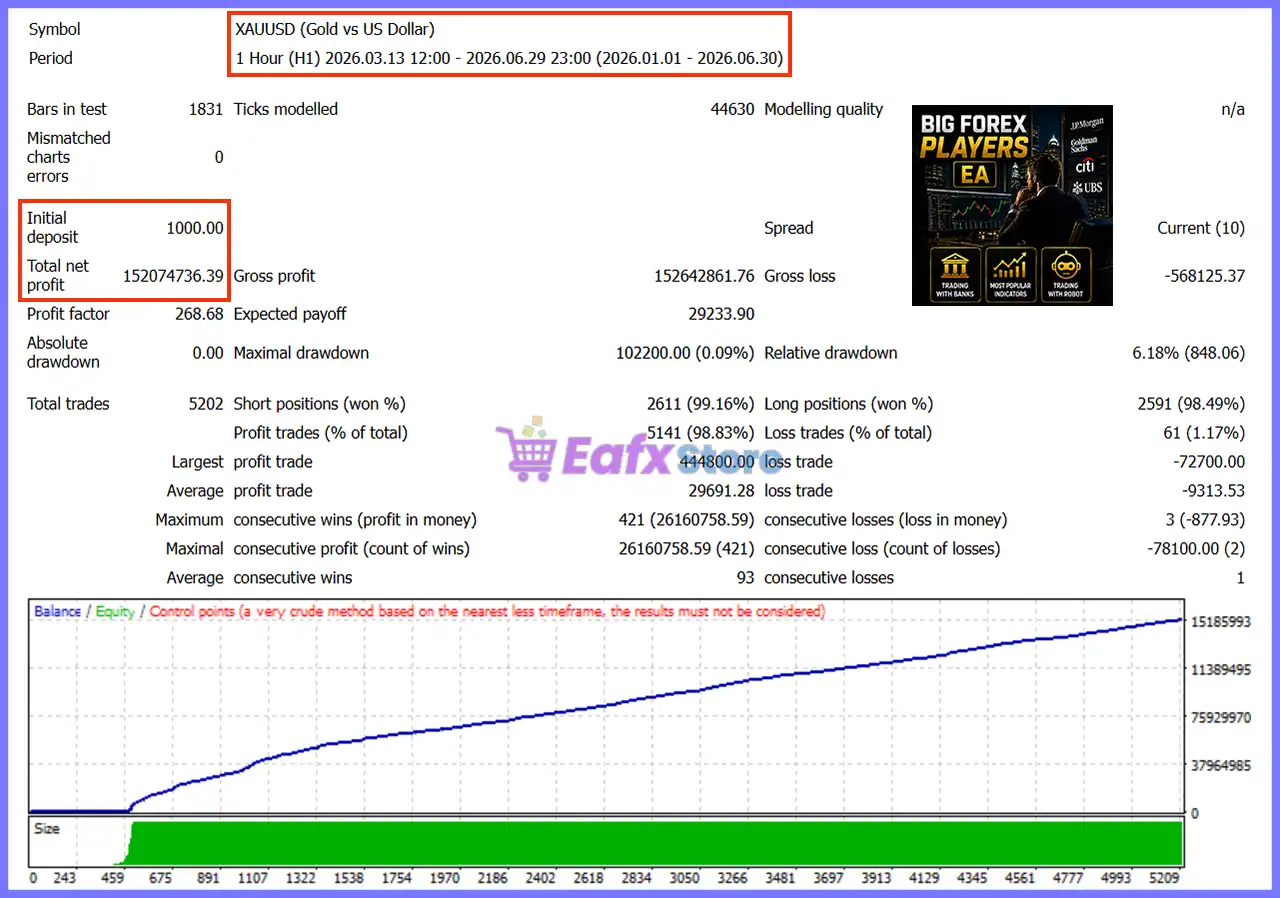
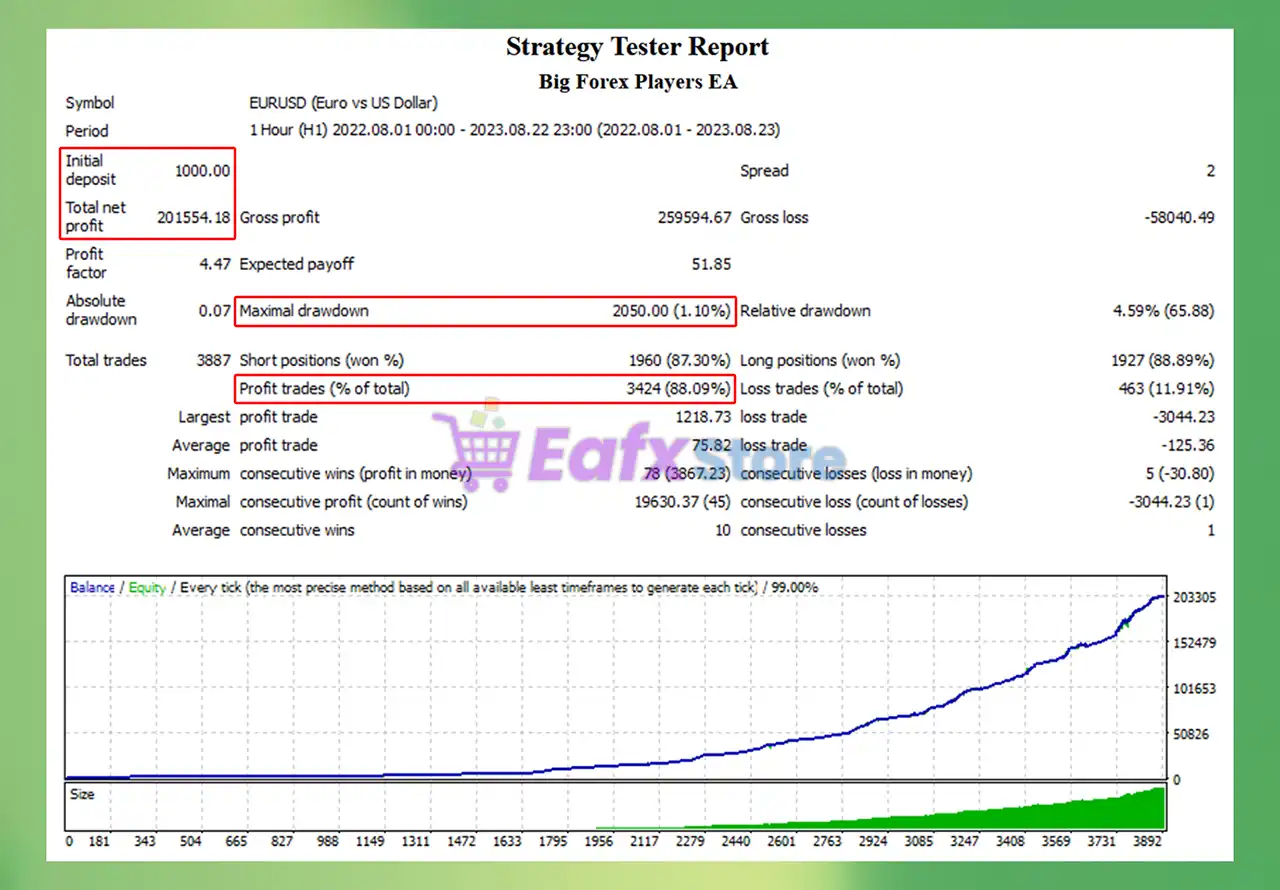
Big Forex Players MT4 is a professional automated Forex trading Expert Advisor designed for MetaTrader 4 (MT4). The EA combines institutional bank analysis, indicator-based strategies, pending order systems, news filters, recovery modes and advanced risk management tools.
It supports multi-currency trading and provides traders with flexible configurations for both medium-term and long-term automated trading strategies.

🔢 Installation Panel Parameters
Below are the details of the parameters in the advisor’s trading system settings table:


🔶 General Settings
🔹 Fixed Lot (for Banks/Indicators) = 0.1 — Sets the fixed lot size for bank and indicator trading strategies to 0.1 lots.
🔹 Risk Percent (for Banks/Indicators) = 0.0 — Disables percentage-based risk calculation for bank and indicator strategies.
🔹 MagicNumber = 654745 — Assigns the unique Magic Number 654745 for identifying EA trades.
🔶 Trading with Banks Settings
🔹 Trading with Banks = true — Enables institutional bank and investment fund analysis trading mode.
🔹 trailingStartBanks = 0.0 — Sets trailing stop activation level for bank trades to 0.0.
🔹 trailingDistanceBanks = 0.0 — Sets trailing stop distance for bank trades to 0.0.
🔹 trailingStepBanks = 0.0 — Sets trailing stop step movement for bank trades to 0.0.
🔶 Trading with Indicators Settings
🔹 Trading with Indicators = true — Enables trading based on RSI, MACD, and Stochastic indicators on the H4 timeframe.
🔹 trailingStartIndicators = 0.0 — Sets trailing stop activation level for indicator trades to 0.0.
🔹 trailingDistanceIndicators = 0.0 — Sets trailing stop distance for indicator trades to 0.0.
🔹 trailingStepIndicators = 0.0 — Sets trailing stop step movement for indicator trades to 0.0.
🔶 Trading with Robot Settings
🔹 Trading with Robot = true — Enables fully automated EA trading functionality.
🔹 TradingEURUSD = true — Allows trading on the EURUSD currency pair.
🔹 TradingGBPUSD = true — Allows trading on the GBPUSD currency pair.
🔹 TradingUSDJPY = true — Allows trading on the USDJPY currency pair.
🔹 TradingXAUUSD = true — Allows trading on the XAUUSD (Gold) pair.
🔶 Pending System Settings
🔹 PendingSection = ----- Pending System ----- — Displays the pending order system configuration section.
🔹 TradeComment = BFP Robot — Adds the comment “BFP Robot” to EA trades.
🔹 PendingOrders = true — Enables pending order trading functionality.
🔹 FixedLot = 0.0 — Disables fixed lot size for pending orders.
🔹 RiskPercent = 1.0 — Uses 1.0% account risk for pending order calculations.
🔹 BreakEvenTrigger = 60 — Activates break-even protection after 60 points/pips.
🔹 BreakEvenTo = 40 — Moves Stop Loss to 40 points/pips in profit after break-even activation.
🔹 MagicNumberPend = 541276 — Assigns Magic Number 541276 for pending order management.
🔹 PendingDuringNews = false — Disables pending order placement during news events.
🔶 Additional System Settings
🔹 AdditionalSection = ----- Additional System ----- — Displays additional EA system configuration settings.
🔹 AdditionalSystem = true — Enables additional trading system features.
🔹 CustomComment = BFP_Robot — Uses “BFP_Robot” as the custom trade comment.
🔹 tradeDirection = BuyAndSell — Allows both BUY and SELL trading directions.
🔶 Orders Parameters
🔹 OrdersParams = ----- Orders Params ----- — Displays order parameter configuration section.
🔹 SelectRisk = Medium — Uses Medium risk management mode.
🔹 OrdersStep = 12.0 — Sets the distance between orders to 12.0 points/pips.
🔹 OrdersProfit = 25.0 — Defines order profit target at 25.0 points/pips.
🔹 TrailingStopStart = 0.0 — Disables trailing stop activation.
🔹 TrailingStopStep = 0.0 — Disables trailing stop movement step.
🔹 FixedTotalSLTP (Medium/High) = false — Disables fixed total Stop Loss and Take Profit mode.
🔶 SL & TP Settings
🔹 TakeProfitParams = ----- SL & TP ----- — Displays Stop Loss and Take Profit settings section.
🔹 TPSLHidden = false — Disables hidden Stop Loss and Take Profit functionality.
🔹 TakeProfit = 30.0 — Sets Take Profit level to 30.0 points/pips.
🔹 StopLoss = 30.0 — Sets Stop Loss level to 30.0 points/pips.
🔹 MaxDD (% of Balance) = 100.0 — Allows a maximum drawdown of 100.0% of account balance.
🔹 Stop at profit (% of OrdersProfit) = 0.0 — Disables profit-stop percentage protection.
🔹 DisableAfterLoss = false — Keeps EA active after losing trades.
🔶 News Filter Settings
🔹 NewsFilterParams = ----- NewsFilter Params ----- — Displays news filter configuration section.
🔹 NewsFilter = true — Enables economic news filtering.
🔹 doNotTradeBeforeInMinutes = 60 — Stops trading 60 minutes before news events.
🔹 doNotTradeAfterInMinutes = 60 — Resumes trading 60 minutes after news events.
🔹 Report for USD = true — Enables USD-related economic news filtering.
🔹 Report for EUR = true — Enables EUR-related economic news filtering.
🔹 Report for GBP = false — Disables GBP-related news filtering.
🔹 Report for NZD = false — Disables NZD-related news filtering.
🔹 Report for JPY = false — Disables JPY-related news filtering.
🔹 Report for AUD = false — Disables AUD-related news filtering.
🔹 Report for CHF = false — Disables CHF-related news filtering.
🔹 Report for CAD = false — Disables CAD-related news filtering.
🔹 Report for CNY = false — Disables CNY-related news filtering.
🔹 AllowTradingOnHolidays = false — Prevents trading during holidays.
🔹 FindKeyword = false — Disables keyword-based news filtering.
🔹 FindKeywordsList = ECB, FOMC, Fed, Federal Funds Rate, Non-Farm — Defines monitored economic keywords for news analysis.
🔹 MaxDD during news (% of Balance) = 100.0 — Allows maximum drawdown of 100.0% during news trading.
🔹 Stop at profit during news (% of OrdersProfit) = 0.0 — Disables profit-stop protection during news events.
🔶 Closing Orders Settings
🔹 ClosingOrders = ----- Closing Orders ----- — Displays order closing configuration section.
🔹 Closing All Orders = false — Disables automatic closing of all trades.
🔹 Closing Local Time = 22:00 — Sets trade closing time to 22:00 local time.
🔹 DailyProfitTargetMode = Currency — Uses currency-based daily profit targets.
🔹 DailyProfitTarget = 0.0 — Disables daily profit target limitation.
🔶 Trade Parameters
🔹 TradeSection = ----- Trade Params ----- — Displays trade parameter settings.
🔹 MaxSpread = 3.0 — Allows maximum spread of 3.0 pips.
🔹 Lots = 0.05 — Sets default trading lot size to 0.05 lots.
🔹 LotStep = 0.01 — Defines lot increment step as 0.01.
🔹 RecoveryMode [for Low Risk] = false — Disables low-risk recovery mode.
🔹 RecoveryMultiplier = 1.59 — Multiplies lot size by 1.59 for recovery trades.
🔹 RecoveryMaxCycle = 3 — Limits recovery trading cycles to 3.
🔹 Slippage = 2.0 — Sets maximum allowed slippage to 2.0 points.
🔹 MagicNumberADT = 717368 — Assigns Magic Number 717368 for additional trade management.
🔶 Trade Hours Settings
🔹 TradeHoursParams = ----- Trade Hours (local time) ----- — Displays local trading schedule configuration.
🔹 Trading24h = false — Disables 24-hour trading mode.
🔹 Monday = true — Enables trading on Monday.
🔹 MondayStartTime = 08:00 — Starts trading Monday at 08:00 local time.
🔹 MondayEndTime = 22:00 — Stops trading Monday at 22:00 local time.
🔹 Tuesday = true — Enables trading on Tuesday.
🔹 TuesdayStartTime = 08:00 — Starts trading Tuesday at 08:00 local time.
🔹 TuesdayEndTime = 22:00 — Stops trading Tuesday at 22:00 local time.
🔹 Wednesday = true — Enables trading on Wednesday.
🔹 WednesdayStartTime = 08:00 — Starts trading Wednesday at 08:00 local time.
🔹 WednesdayEndTime = 22:00 — Stops trading Wednesday at 22:00 local time.
🔹 Thursday = true — Enables trading on Thursday.
🔹 ThursdayStartTime = 08:00 — Starts trading Thursday at 08:00 local time.
🔹 ThursdayEndTime = 22:00 — Stops trading Thursday at 22:00 local time.
🔹 Friday = true — Enables trading on Friday.
🔹 FridayStartTime = 08:00 — Starts trading Friday at 08:00 local time.
🔹 FridayEndTime = 20:00 — Stops trading Friday at 20:00 local time.
🔹 showPanel = true — Displays the EA information panel on the chart.
🔢 Conclusion
Big Forex Players MT4 is a comprehensive automated Forex trading Expert Advisor (EA) that combines institutional trading analysis, indicator-based strategies, pending order systems, recovery modes and advanced news filtering.
With support for multiple currency pairs, customizable risk management, and flexible trading schedules, the EA provides traders with powerful automation tools for medium-term and long-term Forex trading. Proper optimization of lot sizing, recovery settings, and news filters is essential for achieving stable and consistent trading performance.
🔢 FAQs
❓ What is Big Forex Players MT4?
Big Forex Players MT4 is an automated Forex trading Expert Advisor for MT4 that combines bank analysis, technical indicators, and advanced risk management systems.
❓ Which currency pairs does Big Forex Players MT4 support?
The EA supports EURUSD, GBPUSD, USDJPY, and XAUUSD trading.
❓ Does Big Forex Players MT4 include a news filter?
Yes, the EA includes a built-in news filter with configurable trading pauses before and after economic events.
❓ Can Big Forex Players MT4 use pending orders?
Yes, the PendingOrders feature is enabled and supports risk-based pending order execution.
❓ Does Big Forex Players MT4 support recovery trading strategies?
Yes, the EA includes a configurable Recovery Mode with RecoveryMultiplier and RecoveryMaxCycle settings.



