


🔢 Blazzers Squid MT4 – Complete Settings & Input Parameters Guide
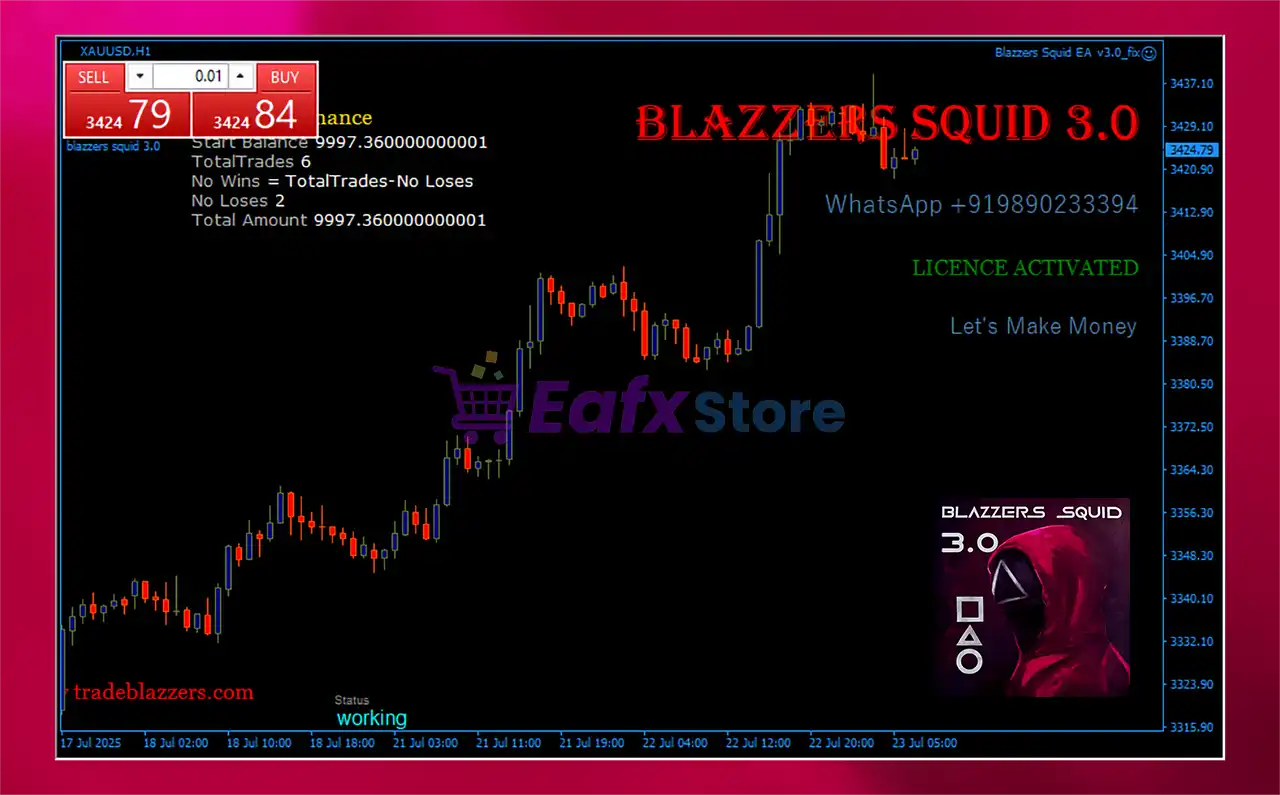
Blazzers Squid MT4 is an advanced automated Forex trading Expert Advisor (EA) designed for MetaTrader 4 traders seeking precision-based trend analysis and fully automated order execution.
The EA uses multiple trend quality filters, candle analysis systems, customizable Stop Loss (SL) and Take Profit (TP) settings, and optimized lot sizing to improve trading performance.
Blazzers Squid MT4 is suitable for traders who prefer structured risk management combined with algorithmic market analysis.
🔢 Blazzers Squid MT4 Settings Explained
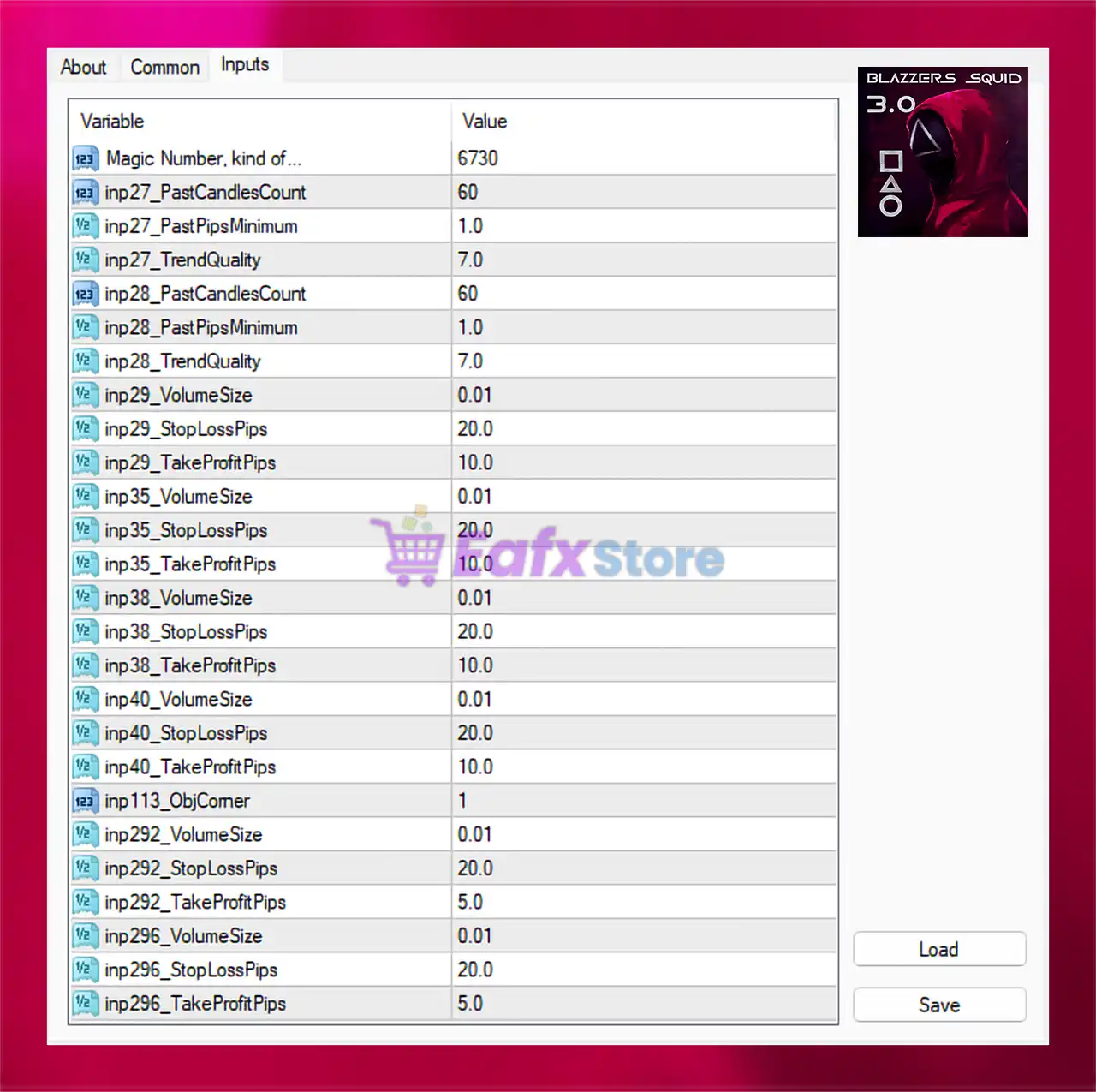
Below are the details of the parameters in the advisor’s trading system settings table:
🔶 General Trading Parameters
🔹 Magic Number, kind of... = 6730: Unique identifier 6730 used by the EA to manage and track its own trades independently from other EAs.
🔶 Trend & Market Analysis Settings
🔹 inp27_PastCandlesCount = 60: The EA analyzes the previous 60 candles for strategy condition calculations.
🔹 inp27_PastPipsMinimum = 1.0: Minimum required historical movement is 1.0 pip before validating a trading condition.
🔹 inp27_TrendQuality = 7.0: Trend quality filter level is set to 7.0 for entry validation.
🔹 inp28_PastCandlesCount = 60: Uses 60 previous candles for additional market trend analysis.
🔹 inp28_PastPipsMinimum = 1.0: Requires at least 1.0 pip movement in historical candle analysis.
🔹 inp28_TrendQuality = 7.0: Additional trend strength filter is configured at 7.0.
🔶 Trade Configuration – Strategy Set 29
🔹 inp29_VolumeSize = 0.01: Trade lot size for configuration 29 is 0.01.
🔹 inp29_StopLossPips = 20.0: Stop Loss for strategy set 29 is 20.0 pips.
🔹 inp29_TakeProfitPips = 10.0: Take Profit for strategy set 29 is 10.0 pips.
🔶 Trade Configuration – Strategy Set 35
🔹 inp35_VolumeSize = 0.01: Trade volume for strategy set 35 is 0.01 lots.
🔹 inp35_StopLossPips = 20.0: Stop Loss value for set 35 is 20.0 pips.
🔹 inp35_TakeProfitPips = 10.0: Take Profit target for set 35 is 10.0 pips.
🔶 Trade Configuration – Strategy Set 38
🔹 inp38_VolumeSize = 0.01: Trading volume for strategy set 38 equals 0.01 lots.
🔹 inp38_StopLossPips = 20.0: Stop Loss for configuration 38 is 20.0 pips.
🔹 inp38_TakeProfitPips = 10.0: Take Profit level for set 38 is 10.0 pips.
🔶 Trade Configuration – Strategy Set 40
🔹 inp40_VolumeSize = 0.01: Lot size for configuration 40 is 0.01.
🔹 inp40_StopLossPips = 20.0: Stop Loss value for strategy set 40 is 20.0 pips.
🔹 inp40_TakeProfitPips = 10.0: Take Profit value for strategy set 40 is 10.0 pips.
🔶 Visual & Object Settings
🔹 inp113_ObjCorner = 1: Chart object corner alignment is set to position 1.
🔶 Trade Configuration – Strategy Set 292
🔹 inp292_VolumeSize = 0.01: Trading volume for strategy set 292 is 0.01 lots.
🔹 inp292_StopLossPips = 20.0: Stop Loss for set 292 equals 20.0 pips.
🔹 inp292_TakeProfitPips = 5.0: Take Profit target for strategy set 292 is 5.0 pips.
🔶 Trade Configuration – Strategy Set 296
🔹 inp296_VolumeSize = 0.01: Lot size for strategy configuration 296 is 0.01.
🔹 inp296_StopLossPips = 20.0: Stop Loss level for set 296 is 20.0 pips.
🔹 inp296_TakeProfitPips = 5.0: Take Profit target for strategy set 296 is 5.0 pips.
🔢 Conclusion
Blazzers Squid MT4 is a highly customizable Forex Expert Advisor that combines candle pattern analysis, trend quality filtering, and precise risk management. With multiple independent strategy configurations, adjustable stop loss and take profit values, and optimized trade volume settings, the EA offers traders flexibility and control in automated Forex trading. Its structured input parameters make it suitable for both conservative and aggressive trading styles.
🔢 FAQs
❓ What is Blazzers Squid MT4?
Blazzers Squid MT4 is an automated Forex trading Expert Advisor for MetaTrader 4 focused on trend-based trading strategies and risk-controlled order management.
❓ What does the Magic Number 6730 mean in Blazzers Squid MT4?
The Magic Number 6730 uniquely identifies trades opened by the EA so they can be managed separately from manual trades or other EAs.
❓ Can I customize the Stop Loss and Take Profit values?
Yes, Blazzers Squid MT4 allows full customization of Stop Loss and Take Profit settings for each trading strategy configuration.
❓ What is the purpose of TrendQuality settings?
TrendQuality settings help the EA evaluate market strength and filter out low-quality trade setups.
❓ Is Blazzers Squid MT4 suitable for low-risk trading?
Yes, with configurable lot sizes like 0.01 and fixed Stop Loss parameters, the EA can be adjusted for conservative trading strategies.