
🔢 BTMM Swing Trader EA MT4 – Complete Settings & Input Parameters Guide
BTMM Swing Trader EA is an automated swing trading Expert Advisor (EA) developed for MetaTrader 4 traders who want to capture medium- to long-term market movements using moving averages, stochastic indicators and advanced trade management tools.
The EA combines trend-following logic with risk management features such as Stop Loss, Take Profit, Trailing Stop, and BreakEven functions, making it suitable for Forex traders seeking systematic swing trading automation.
🔢 BTMM Swing Trader EA MT4 Settings Explained
Below are the details of the parameters in the advisor’s trading system settings table:
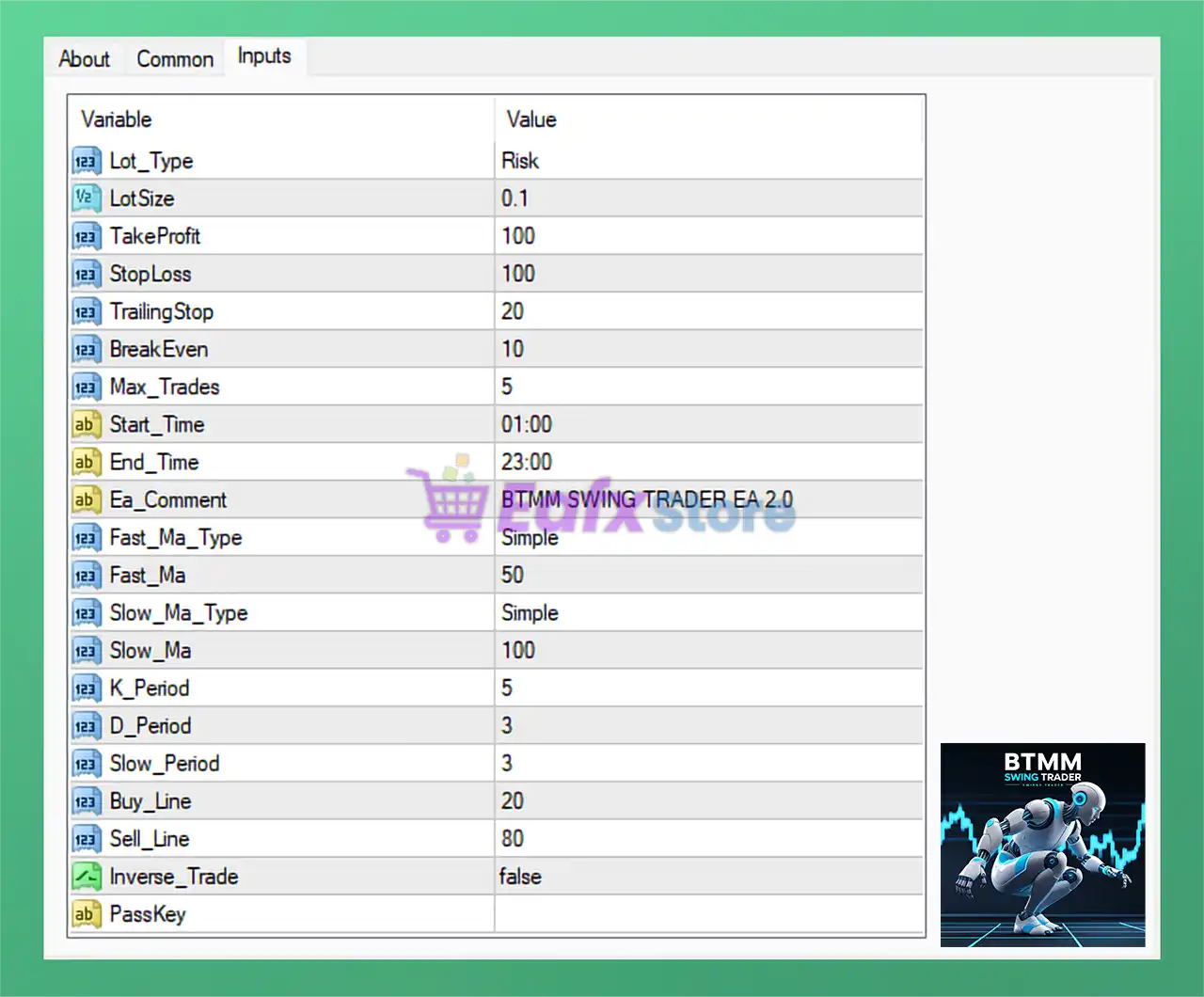
🔶 Lot & Risk Management Settings
🔹 Lot_Type = Risk: The EA uses Risk mode for lot size calculation instead of fixed lot trading.
🔹 LotSize = 0.1: Base trading lot size is set to 0.1.
🔶 Profit & Loss Management Settings
🔹 TakeProfit = 100: Take Profit target is configured at 100 points/pips.
🔹 StopLoss = 100: Stop Loss protection is set to 100 points/pips.
🔹 TrailingStop = 20: Trailing Stop activates with a distance of 20 points/pips.
🔹 BreakEven = 10: Break-even function activates after 10 points/pips in profit.
🔹 Max_Trades = 5: Maximum simultaneous open trades allowed is 5.
🔶 Trading Session Settings
🔹 Start_Time = 01:00: Trading session begins at 01:00.
🔹 End_Time = 23:00: Trading session ends at 23:00.
🔶 Expert Advisor Identification Settings
🔹 Ea_Comment = BTMM SWING TRADER EA 2.0: Trade comment displayed on all EA positions is BTMM SWING TRADER EA 2.0.
🔹 PassKey: Security or license authentication field used for EA activation.
🔶 Moving Average Settings
Fast Moving Average Parameters
🔹 Fast_Ma_Type = Simple: Fast Moving Average uses the Simple Moving Average (SMA) method.
🔹 Fast_Ma = 50: Fast Moving Average period is set to 50.
Slow Moving Average Parameters
🔹 Slow_Ma_Type = Simple: Slow Moving Average uses the Simple Moving Average (SMA) method.
🔹 Slow_Ma = 100: Slow Moving Average period is set to 100.
🔶 Stochastic Indicator Settings
🔹 K_Period = 5: Stochastic %K period is configured to 5.
🔹 D_Period = 3: Stochastic %D period is set to 3.
🔹 Slow_Period = 3: Stochastic slowing period is configured at 3.
🔶 Buy & Sell Signal Levels
🔹 Buy_Line = 20: Buy signal level is set to 20, typically representing oversold conditions.
🔹 Sell_Line = 80: Sell signal level is set to 80, typically representing overbought conditions.
🔶 Trading Direction Settings
🔹 Inverse_Trade = false: Inverse trading logic is disabled, meaning the EA trades with the original strategy direction.
🔢 Conclusion
BTMM Swing Trader EA MT4 is a professional swing trading Expert Advisor that combines Moving Averages and Stochastic indicators to identify trend reversals and momentum opportunities. With built-in risk management tools such as Take Profit, Stop Loss, BreakEven, and Trailing Stop, the EA offers traders a balanced solution for automated swing trading on the MetaTrader 4 platform. Its customizable trading hours and flexible risk-based lot sizing make it suitable for both conservative and aggressive trading strategies.
🔢 FAQs
❓ What is BTMM Swing Trader EA MT4?
BTMM Swing Trader EA MT4 is an automated swing trading robot designed for MetaTrader 4 using Moving Average and Stochastic strategies.
❓ Does BTMM Swing Trader EA MT4 support risk-based lot sizing?
Yes, the EA uses Lot_Type = Risk to calculate lot sizes dynamically based on risk settings.
❓ What indicators are used in BTMM Swing Trader EA MT4?
The EA uses Moving Averages and Stochastic Oscillator indicators for trade entries and exits.
❓ Can I customize trading hours in BTMM Swing Trader EA MT4?
Yes, traders can define custom trading sessions using the Start_Time and End_Time settings.
❓ Does BTMM Swing Trader EA MT4 include trailing stop and break-even features?
Yes, the EA includes both Trailing Stop and BreakEven functions for automated trade protection.



