

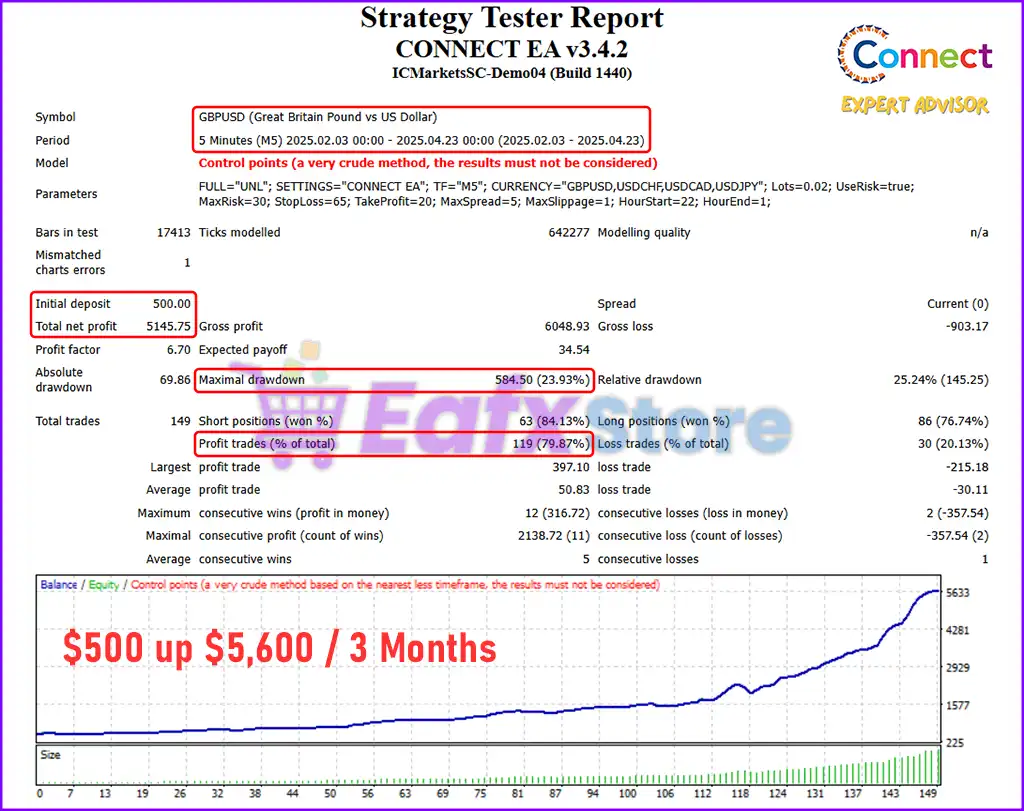
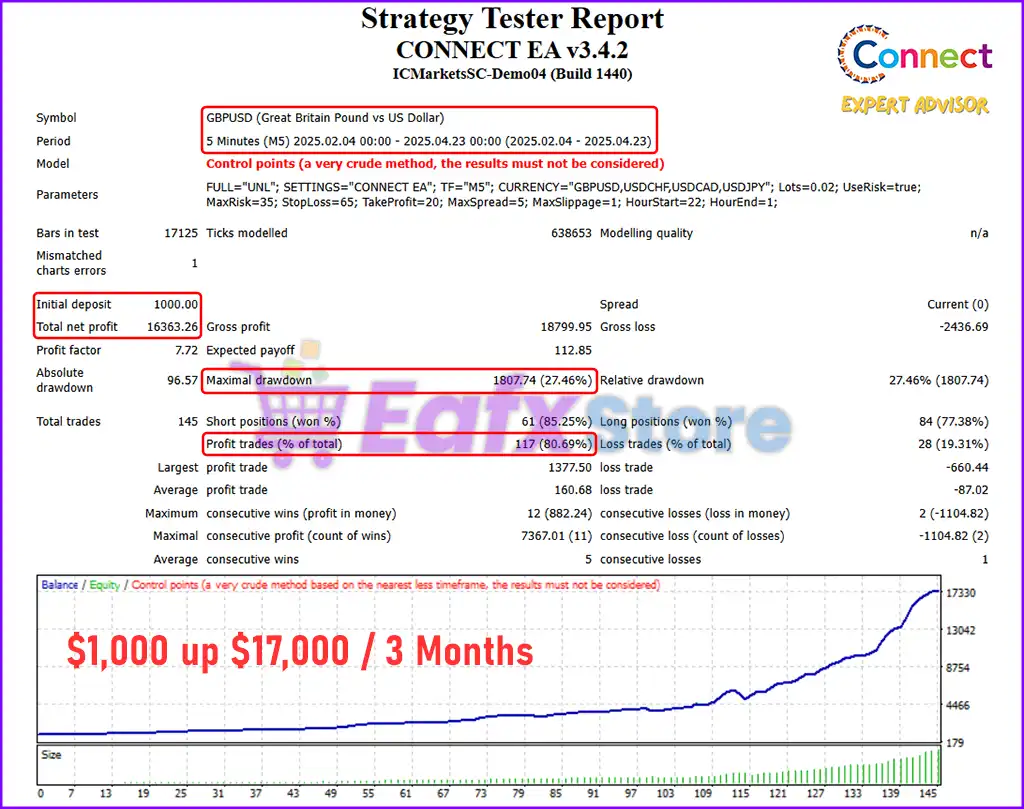
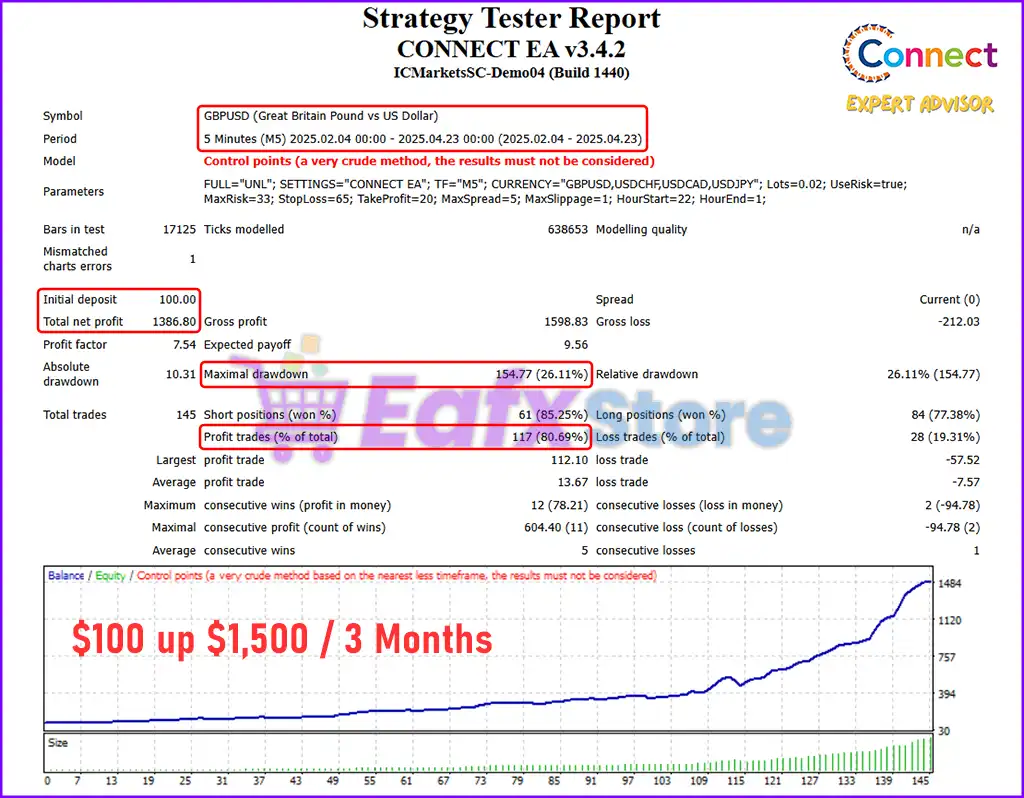
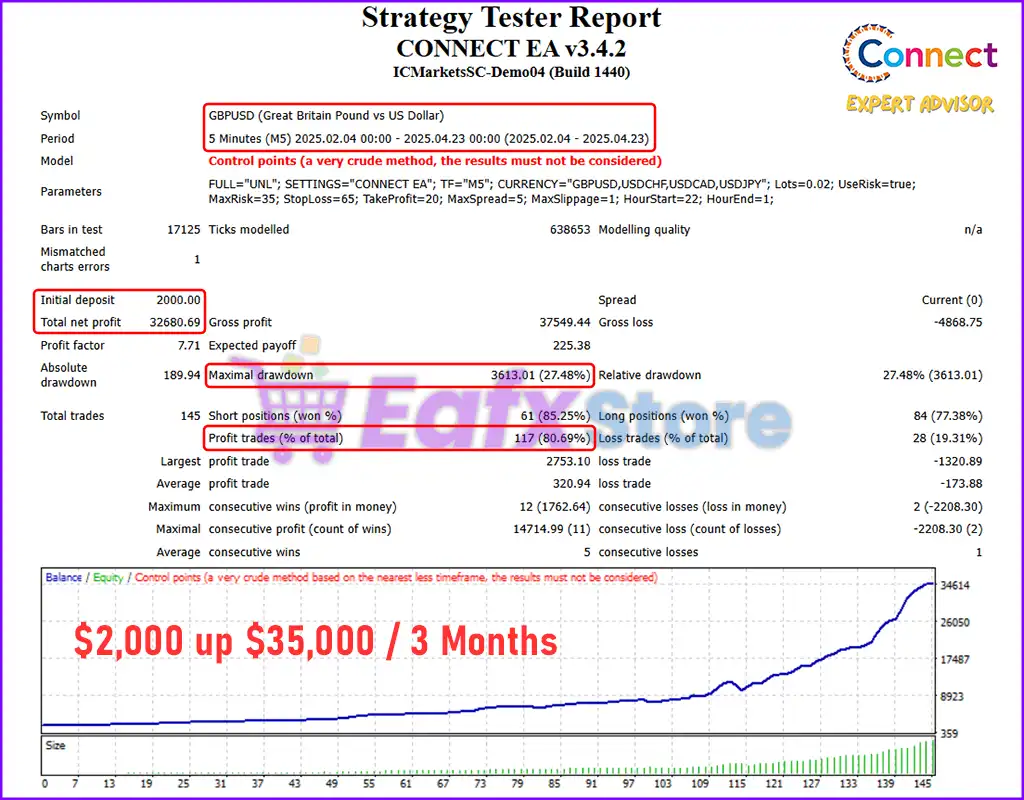
🔢 Connect EA MT4 – Complete EA Settings Explanation
Connect EA MT4 is an automated Forex trading Expert Advisor (EA) developed for the MetaTrader 4 platform. The EA is designed to trade multiple currency pairs using predefined risk management, spread filtering, Stop Loss (SL) control and time-based trading sessions.
With customizable settings such as fixed lot sizing, risk percentage, slippage limits, and trading hours, Connect EA MT4 helps traders automate trading operations while maintaining better control over market exposure.
🔢 Connect EA MT4 Input Parameters Explained
Below are the details of the parameters in the advisor’s trading system settings table:

🔹 FULL = UNL — Indicates the EA license or activation status. The value “UNL” commonly represents an unlimited version of the Expert Advisor.
🔹 SETTINGS = CONNECT EA — Displays the current configuration profile or preset name loaded into the EA.
🔹 TF = M5 — Defines the trading timeframe used by the EA. The value M5 means the robot operates on the 5-minute chart timeframe.
🔹 CURRENCY = GBPUSD, USDCHF, USDCAD, USDJPY — Specifies the currency pairs supported or monitored by the EA for automated trading operations.
🔹 FIXED LOT = 0.01 — Sets the fixed trade volume used when opening positions. A value of 0.01 represents micro lot trading.
🔹 USE RISK = true — Enables the automatic risk management system for dynamic lot calculation based on account risk percentage.
🔹 RISK = 2.0 — Defines the percentage of account balance or equity risked per trade. The EA is configured to use 2.0% risk management.
🔹 SL = 65 — Specifies the Stop Loss value used to limit potential losses on each trade. The configured Stop Loss is 65 pips or points depending on broker settings.
🔹 TP = 20 — Defines the Take Profit target used to automatically close profitable trades. The configured target is 20 pips or points.
🔹 MAX SPREAD = 5.0 — Sets the maximum spread allowed for opening new trades. The EA avoids trading if the spread exceeds 5.0.
🔹 MAX SLIPPAGE = 1.0 — Determines the maximum acceptable slippage during order execution. Trades exceeding 1.0 slippage may be rejected.
🔹 HourStart = 22 — Defines the trading session start hour. The EA begins automated trading at hour 22.
🔹 HourEnd = 1 — Specifies the trading session end hour. The EA stops opening new trades after hour 1.
🔢 Conclusion
Connect EA MT4 is a flexible automated trading system that combines risk management, spread filtering, and time-controlled execution to optimize Forex trading performance.
With configurable settings such as RISK, SL, TP, MAX SPREAD, and trading session hours, traders can adapt the EA to different market conditions and risk preferences. Understanding all configuration parameters is essential for maximizing EA efficiency and maintaining controlled automated trading operations.
🔢 FAQs
❓ What is Connect EA MT4 used for?
Connect EA MT4 is an automated Forex trading Expert Advisor designed to trade multiple currency pairs using predefined risk and execution settings.
❓ What does TF = M5 mean?
It means the EA operates on the 5-minute chart timeframe for trade analysis and execution.
❓ Why is USE RISK set to true?
The value true enables dynamic risk management, allowing the EA to calculate trade sizes based on the configured account risk percentage.
❓ What is the purpose of MAX SPREAD = 5.0?
It prevents the EA from opening trades when market spreads become too high, helping reduce trading costs.
❓ What does HourStart = 22 and HourEnd = 1 represent?
These settings define the EA’s active trading session, allowing trading operations between hour 22 and hour 1.