
🔢 EA Black Dragon – Complete Settings & Input Parameters Guide
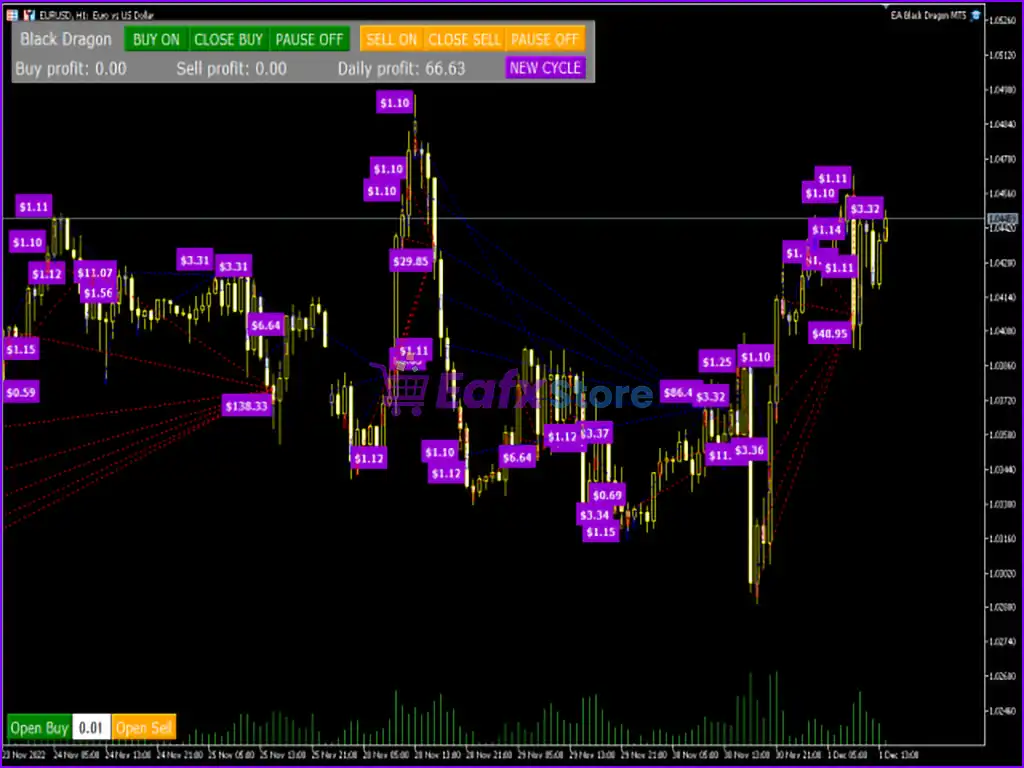
EA Black Dragon is a powerful MetaTrader Expert Advisor (EA) designed for automated Forex trading with advanced grid management, stochastic filtering, trailing stop control and dynamic lot scaling.
The EA combines flexible money management with customizable entry filters, making it suitable for traders who want both automated execution and advanced trade optimization on MT4.
🔢 EA Black Dragon MT4 Settings Explained
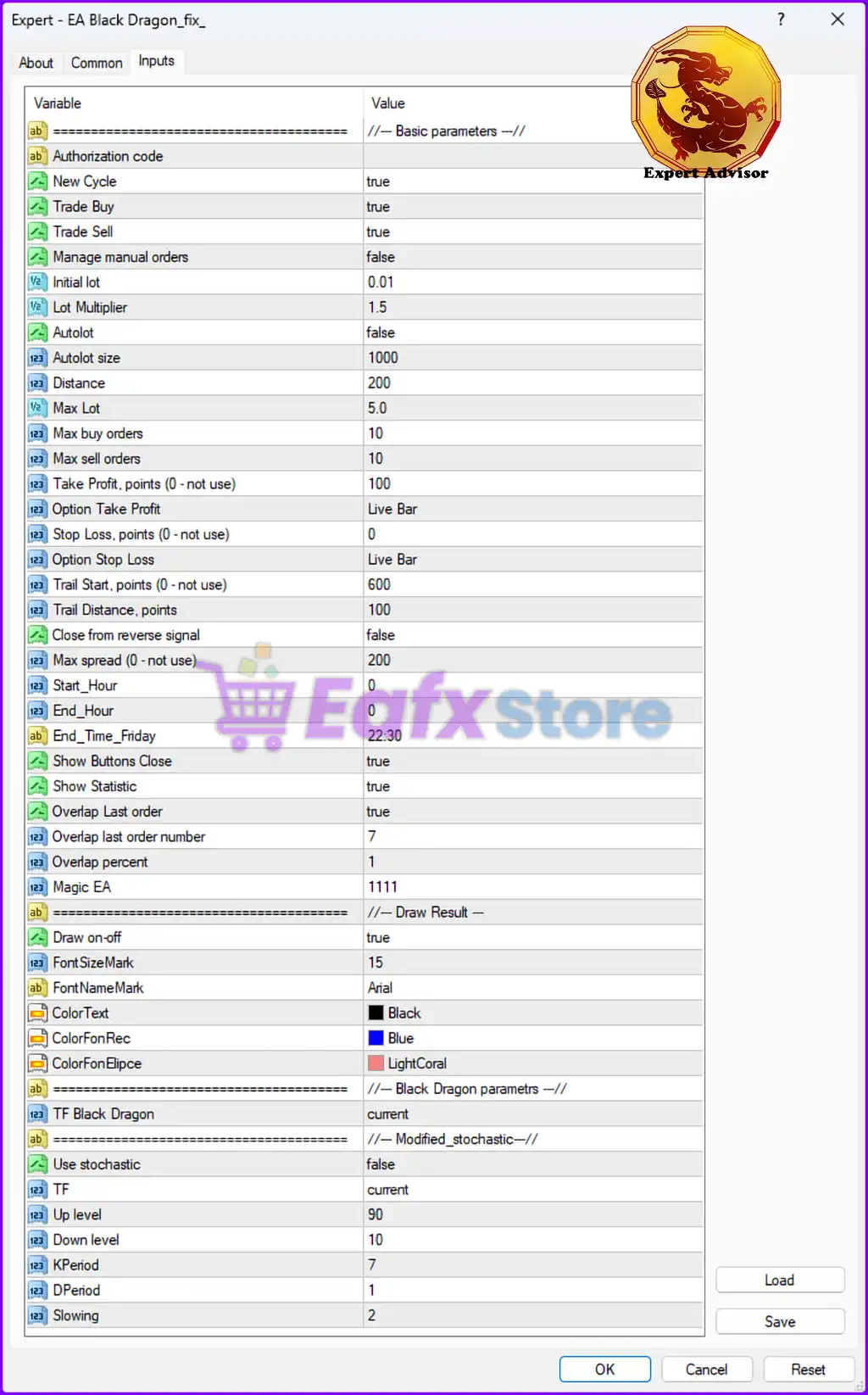
Below are the details of the parameters in the advisor’s trading system settings table:
🔶 Basic Parameters
🔹 Authorization code: License authentication field used to activate EA Black Dragon on MT4.
🔹 New Cycle = true: Enables the EA to automatically start a new trading cycle after the previous cycle is completed.
🔹 Trade Buy = true: Allows the EA to open BUY positions.
🔹 Trade Sell = true: Allows the EA to open SELL positions.
🔹 Manage manual orders = false: Disables management of manually opened trades by the EA.
🔹 Initial lot = 0.01: Sets the starting lot size to 0.01.
🔹 Lot Multiplier = 1.5: Multiplies the lot size by 1.5 for subsequent orders in the trading sequence.
🔹 Autolot = false: Disables automatic lot size calculation.
🔹 Autolot size = 1000: Defines the balance scaling value of 1000 when Autolot is enabled.
🔹 Distance = 200: Sets the distance between grid orders to 200 points.
🔹 Max Lot = 5.0: Limits the maximum trading lot size to 5.0.
🔹 Max buy orders = 10: Allows a maximum of 10 BUY trades simultaneously.
🔹 Max sell orders = 10: Allows a maximum of 10 SELL trades simultaneously.
🔶 Take Profit & Stop Loss Settings
🔹 Take Profit, points (0 - not use) = 100: Sets Take Profit to 100 points.
🔹 Option Take Profit = Live Bar: Uses live candle/bar conditions for Take Profit handling.
🔹 Stop Loss, points (0 - not use) = 0: Stop Loss is disabled because the value is 0.
🔹 Option Stop Loss = Live Bar: Uses live candle/bar logic for Stop Loss control.
🔶 Trailing Stop Settings
🔹 Trail Start, points (0 - not use) = 600: Trailing Stop activates after 600 points profit.
🔹 Trail Distance, points = 100: Maintains a trailing distance of 100 points from current price.
🔹 Close from reverse signal = false: Prevents trades from closing when an opposite signal appears.
🔶 Spread & Trading Time Settings
🔹 Max spread (0 - not use) = 200: Maximum allowed spread is 200 points.
🔹 Start_Hour = 0: Trading starts at hour 0.
🔹 End_Hour = 0: Trading session ends at hour 0.
🔹 End_Time_Friday = 22:30: EA stops trading on Friday at 22:30.
🔶 Interface & Visualization Settings
🔹 Show Buttons Close = true: Displays manual close buttons on the trading panel.
🔹 Show Statistic = true: Enables display of trading statistics.
🔹 Overlap Last order = true: Enables overlap management for the latest order.
🔹 Overlap last order number = 7: Applies overlap logic after 7 orders.
🔹 Overlap percent = 1: Uses 1% overlap percentage for order handling.
🔹 Magic EA = 1111: Assigns Magic Number 1111 for trade identification.
🔶 Draw Result Settings
🔹 Draw on-off = true: Enables graphical drawing and display on the chart.
🔹 FontSizeMark = 15: Sets display font size to 15.
🔹 FontNameMark = Arial: Uses Arial font for chart information.
🔹 ColorText = Black: Text color is set to Black.
🔹 ColorFonRec = Blue: Background rectangle color is Blue.
🔹 ColorFonElipce = LightCoral: Ellipse background color is LightCoral.
🔶 Black Dragon Parameters
🔹 TF Black Dragon = current: Uses the current chart timeframe for Black Dragon calculations.
🔶 Modified Stochastic Settings
🔹 Use stochastic = false: Disables the stochastic indicator filter.
🔹 TF = current: Uses the current timeframe for stochastic calculations.
🔹 Up level = 90: Upper stochastic level is set to 90.
🔹 Down level = 10: Lower stochastic level is set to 10.
🔹 KPeriod = 7: Sets stochastic %K period to 7.
🔹 DPeriod = 1: Sets stochastic %D period to 1.
🔹 Slowing = 2: Uses stochastic slowing value of 2.
🔢 Conclusion
EA Black Dragon is a feature-rich MT4 Expert Advisor built for traders who prefer automated grid trading with advanced lot management and customizable stochastic filtering. With adjustable trailing stops, overlap controls, visual chart management, and flexible risk parameters, the EA provides a comprehensive solution for both aggressive and conservative Forex trading strategies.
🔢 FAQs
❓ What is EA Black Dragon?
EA Black Dragon is an automated MT4 trading robot designed for Forex trading with grid strategies and advanced money management.
❓ Does EA Black Dragon support both BUY and SELL trading?
Yes, both Trade Buy = true and Trade Sell = true are enabled.
❓ What is the purpose of the Lot Multiplier in EA Black Dragon?
The Lot Multiplier = 1.5 increases lot sizes progressively during trading cycles.
❓ Can I use stochastic filtering in EA Black Dragon?
Yes, the EA includes a stochastic filter, although it is currently disabled with Use stochastic = false.
❓ What is the maximum lot size allowed in EA Black Dragon?
The EA limits trade volume with Max Lot = 5.0.