🔢 Eternal Engine EA MT5 Settings Explained – Complete Parameter Guide
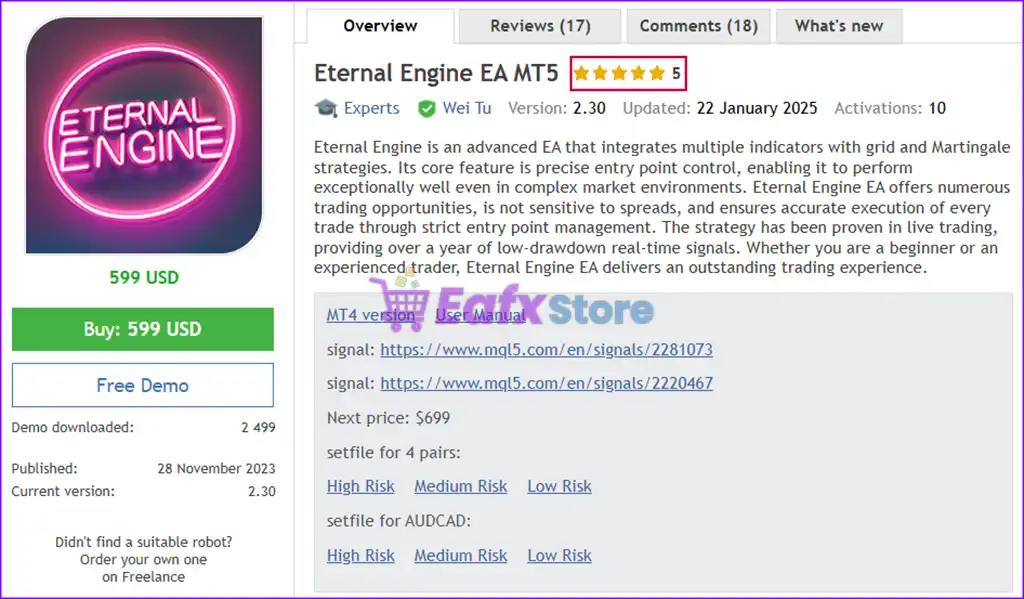
Eternal Engine EA MT5 is a fully automated MetaTrader 5 Expert Advisor designed to provide intelligent trade execution with dynamic lot sizing, configurable grid management, comprehensive risk controls and flexible money management.
It supports automatic lot calculation based on account balance, customizable drawdown protection, and multiple position scaling options, making it suitable for traders seeking a balance between automation and controlled risk exposure.
🔢 Eternal Engine EA MT5 Parameters Explained
Below are the details of the parameters in the advisor’s trading system settings table:
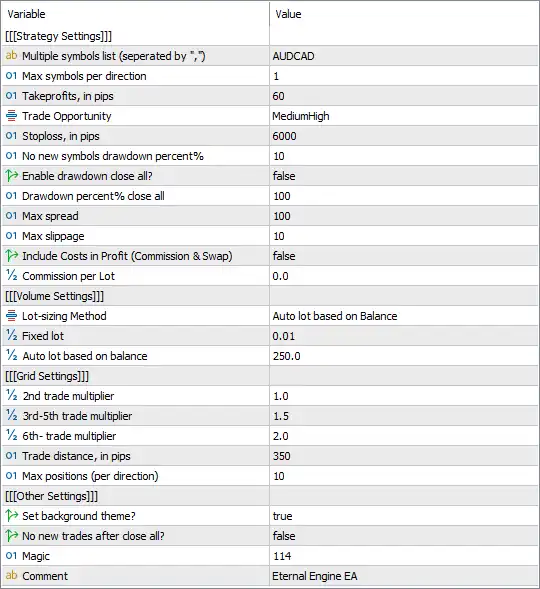
🔶 Strategy Settings
🔹 Multiple Symbols List (separated by ",") = AUDCAD – Specifies that the EA trades the AUDCAD currency pair.
🔹 Max Symbols per Direction = 1 – Limits the EA to trading 1 symbol per direction (Buy or Sell) simultaneously.
🔹 TakeProfits, in pips = 60 – Sets the Take Profit target to 60 pips for each completed trade.
🔹 Trade Opportunity = MediumHigh – Configures the EA to use the MediumHigh trade opportunity profile, balancing trading frequency and signal quality.
🔹 Stoploss, in pips = 6000 – Sets the Stop Loss distance to 6000 pips, providing wide protection for long-term trade management.
🔹 No New Symbols Drawdown Percent % = 10 – Prevents opening trades on new symbols once account drawdown reaches 10%.
🔹 Enable Drawdown Close All? = false – Disables automatic closing of all open positions during excessive drawdown.
🔹 Drawdown Percent % Close All = 100 – If enabled, all trades would close automatically when drawdown reaches 100%.
🔹 Max Spread = 100 – Prevents new trades if the market spread exceeds 100 points.
🔹 Max Slippage = 10 – Limits order execution slippage to 10 points.
🔹 Include Costs in Profit (Commission & Swap) = false – Excludes commissions and swap fees from profit calculations.
🔹 Commission per Lot = 0.0 – Sets the commission value used by the EA to 0.0 per lot.
🔶 Volume Settings
🔹 Lot-sizing Method = Auto lot based on Balance – Automatically calculates trade volume according to the account balance.
🔹 Fixed Lot = 0.01 – Uses 0.01 lots whenever fixed lot mode is selected.
🔹 Auto Lot Based on Balance = 250.0 – Calculates lot size using a ratio of 0.01 lot per 250.0 balance units.
🔶 Grid Settings
🔹 2nd Trade Multiplier = 1.0 – Uses a 1.0× multiplier for the second grid position.
🔹 3rd–5th Trade Multiplier = 1.5 – Applies a 1.5× lot multiplier to the third, fourth, and fifth grid trades.
🔹 6th+ Trade Multiplier = 2.0 – Increases lot size by a 2.0× multiplier from the sixth grid trade onward.
🔹 Trade Distance, in Pips = 350 – Opens additional grid positions every 350 pips of price movement.
🔹 Max Positions (per Direction) = 10 – Limits each Buy or Sell grid cycle to a maximum of 10 positions.
🔶 Other Settings
🔹 Set Background Theme? = true – Enables the EA's customized chart background theme.
🔹 No New Trades After Close All? = false – Allows the EA to continue opening new trades after all positions have been closed.
🔹 Magic = 114 – Uses Magic Number 114 to uniquely identify and manage the EA's trades.
🔹 Comment = EternalEngine EA – Adds "EternalEngine EA" as the comment attached to every order.
🔢 Conclusion
Eternal Engine EA MT5 is a versatile automated trading system that combines adaptive money management, grid trading functionality, and robust risk controls into a single Expert Advisor. Its automatic balance-based lot sizing, configurable grid multipliers, spread and slippage protection, and flexible drawdown management allow traders to tailor the EA to different account sizes and market conditions. Proper configuration of these parameters helps improve trading consistency while maintaining disciplined risk management.
🔢 FAQs
❓ What trading symbol is configured in Eternal Engine EA MT5?
The current configuration is optimized for AUDCAD trading.
❓ Does Eternal Engine EA MT5 support automatic lot sizing?
Yes. The EA uses Auto lot based on Balance, allowing position sizes to adjust automatically according to account equity.
❓ How many grid positions can the EA open?
The EA can open up to 10 positions per trading direction, based on the configured grid settings.
❓ Does Eternal Engine EA MT5 include drawdown protection?
Yes. It can restrict new trades after 10% drawdown, and it also supports an optional Close All drawdown protection feature.
❓ What is the purpose of the Magic Number?
The Magic Number (114) uniquely identifies trades opened by Eternal Engine EA MT5, ensuring it manages only its own positions independently from other Expert Advisors.