
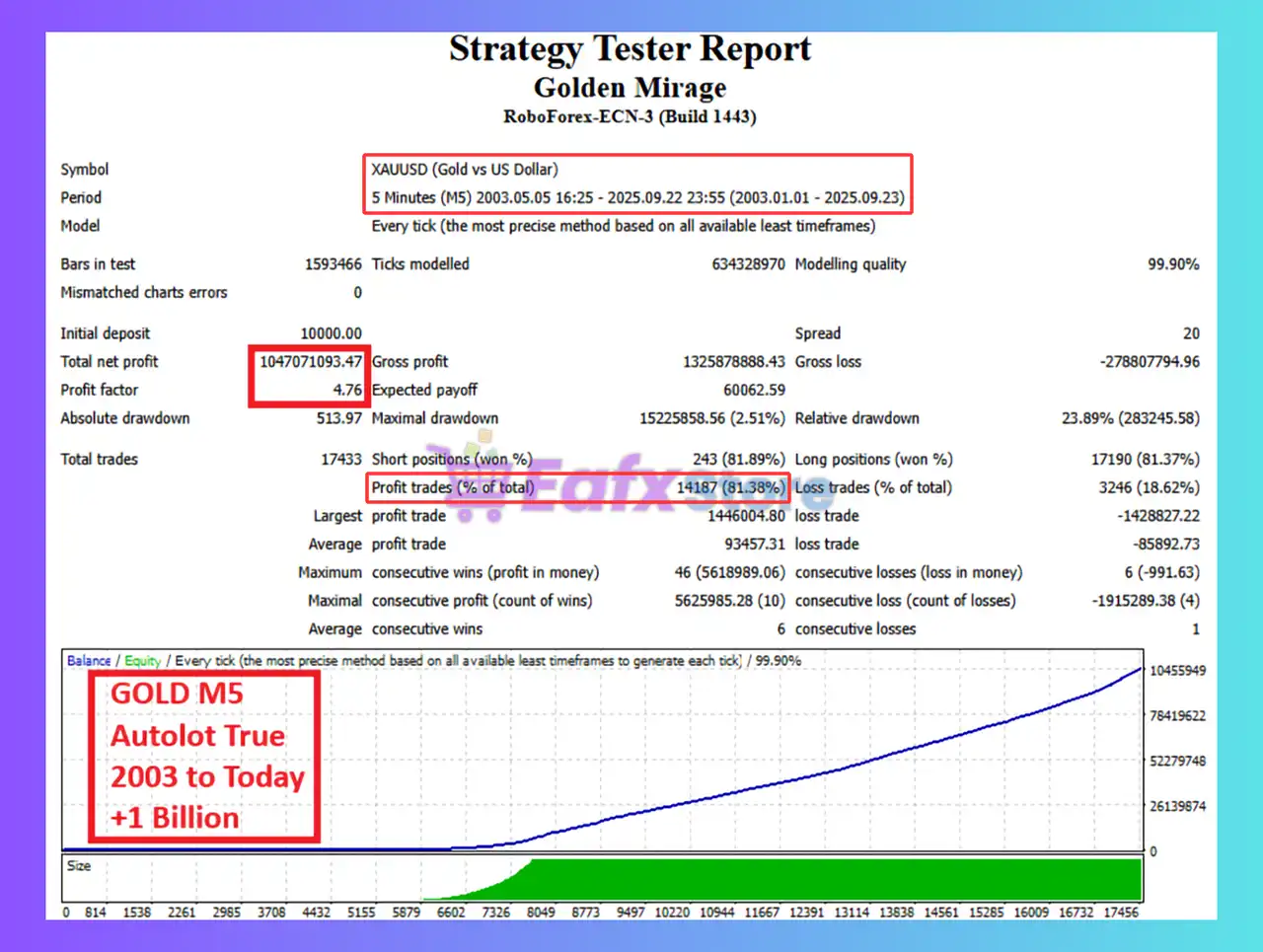
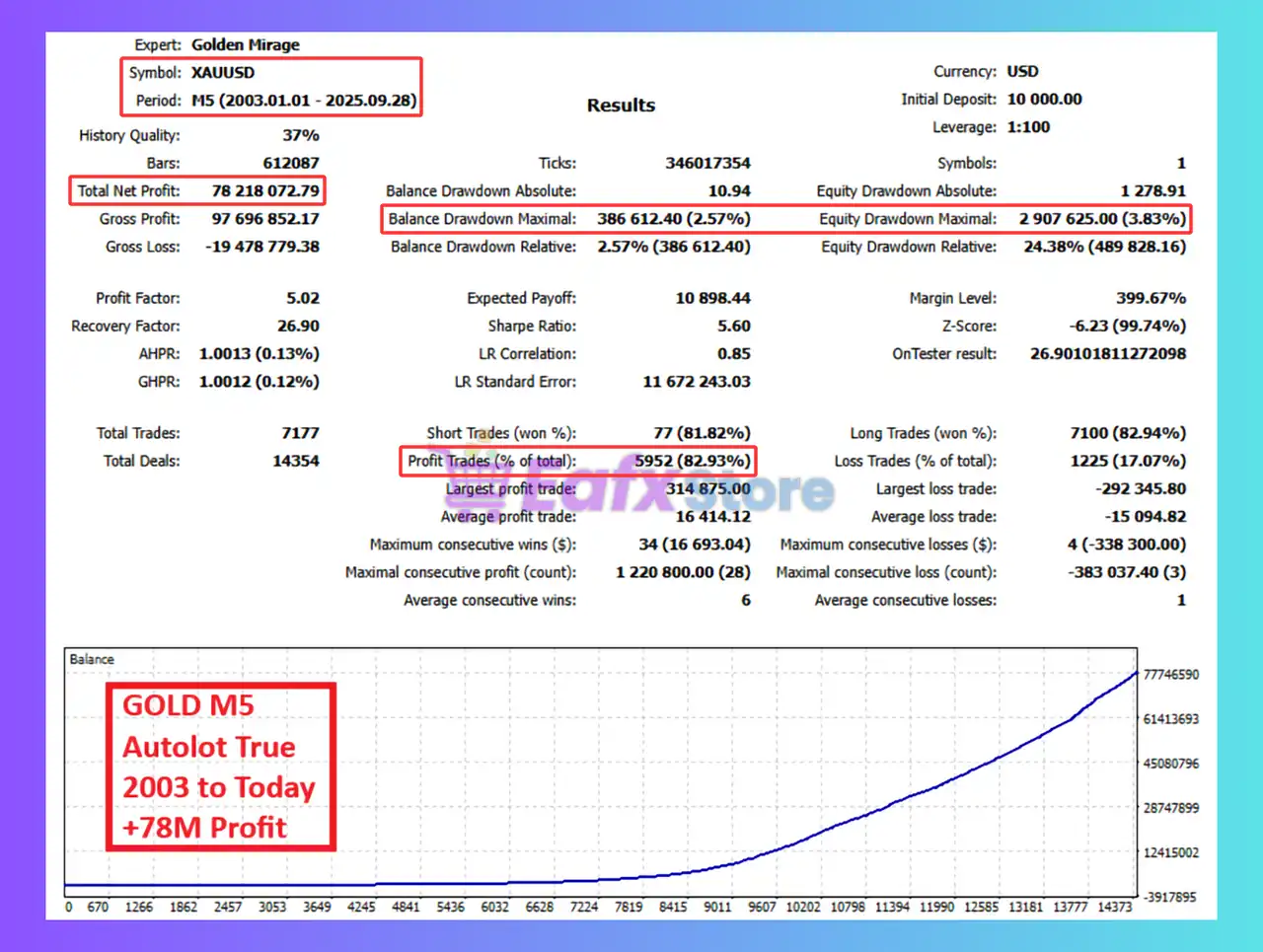
Golden Mirage MT4 Settings Explained – Complete Configuration Guide
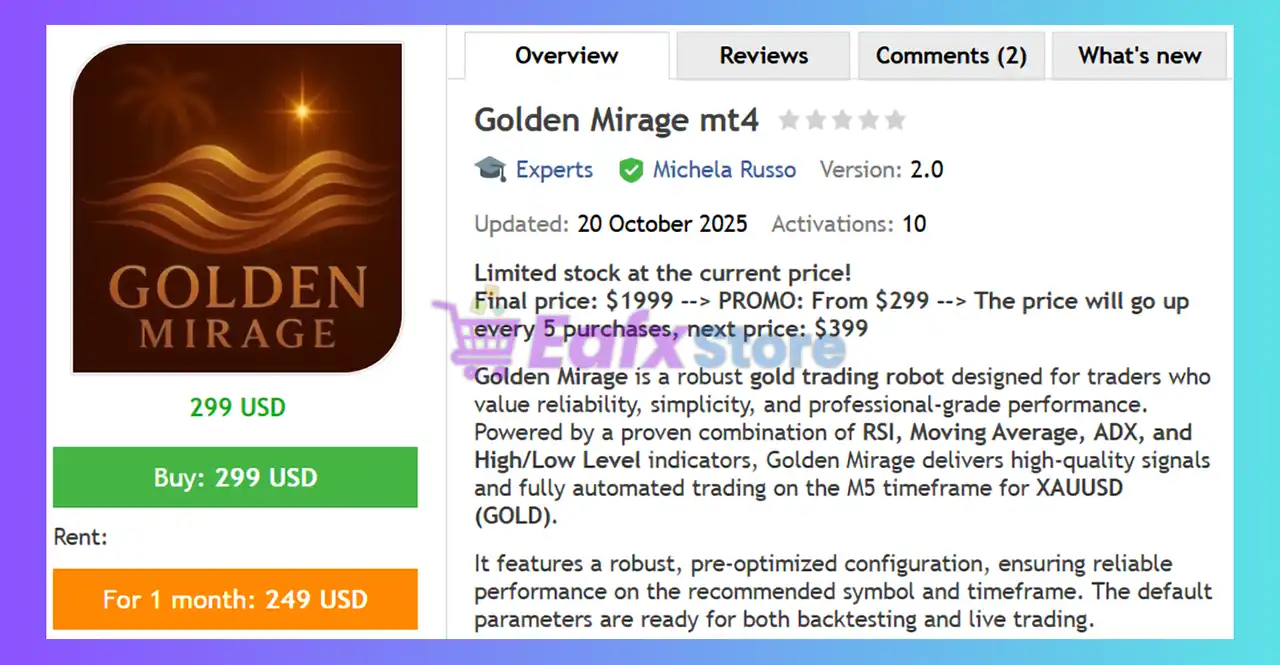
Golden Mirage MT4 is a professional automated trading Expert Advisor (EA) for MetaTrader 4 designed with advanced grid trading, RSI filtering, ADX strength analysis, Moving Average confirmation and intelligent risk management systems.
The EA supports auto lot sizing, prop firm protection, adaptive trigger logic, and scheduled trading windows, making it suitable for both retail traders and funded account strategies.
With extensive configuration options, Golden Mirage MT4 allows traders to customize market entries, grid spacing, trend detection and loss management for optimized performance.

Golden Mirage MT4 Full Settings Explanation
Below are the details of the parameters in the advisor’s trading system settings table:


Trading Days Settings
🔹 Trade on Monday = true: Enables trading activity on Monday.
🔹 Trade on Tuesday = true: Enables trading activity on Tuesday.
🔹 Trade on Wednesday = true: Enables trading activity on Wednesday.
🔹 Trade on Thursday = true: Enables trading activity on Thursday.
🔹 Trade on Friday = true: Enables trading activity on Friday.
🔹 Trade on Saturday = false: Disables trading activity on Saturday.
🔹 Trade on Sunday = false: Disables trading activity on Sunday.
🔹 Avoid First Day of Month = false: Allows trading during the first day of the month.
Trade Directions Settings
🔹 Allow New Series = true: Allows the EA to start new trading series.
🔹 Permit Buy Orders = true: Enables opening BUY positions.
🔹 Permit Sell Orders = true: Enables opening SELL positions.
🔹 Allow Buy and Sell at the same time = true: Allows simultaneous BUY and SELL positions.
🔹 Fifo Closing = false: FIFO closing rule is disabled.
Secondary Entry Rules
🔹 Max Concurrent Orders = 100: Maximum simultaneous open orders allowed is 100.
🔹 Increment Factor for Grid Position Sizing = 0.0: Grid position size increment factor is disabled with value 0.0.
🔹 Grid Minimum Gap Percentage = 0.1: Minimum gap percentage between grid positions is 0.1.
🔹 Grid Gap Multiplier = 1.0: Multiplier applied to grid spacing is 1.0.
🔹 Grid Single Trade Per Bar = true: Allows only one trade per candle/bar.
🔹 Grid Order Execution Timeframe = 5 Minutes: Grid trades execute on the 5 Minutes timeframe.
Close Rules Settings
🔹 Take Profit Percentage = 0.08: Take Profit target percentage is 0.08.
🔹 Modify Take Profit For First Order = true: Enables custom Take Profit for the first order.
🔹 Take Profit Percentage First Order = 0.06: First order Take Profit percentage is 0.06.
🔹 Terminate Position At Candle Completion = true: Closes positions when the current candle finishes.
🔹 Timeframe for close orders = 5 Minutes: Uses the 5 Minutes timeframe for closing logic.
Financial Management Settings
🔹 Activate Loss Cap = true: Enables maximum loss cap protection.
🔹 Scale Loss Cap With Lot Size = true: Loss cap scales dynamically with lot size.
🔹 Disable Trading After Loss Cap = false: Trading continues even after reaching loss cap.
🔹 Closes across all pairs when loss limit reached = true: Closes all positions across symbols after reaching loss limit.
🔹 Loss Cap Amount = 300: Maximum allowed loss amount is 300.
Display Settings
🔹 Modify Chart Appearance = true: Allows the EA to modify chart visuals.
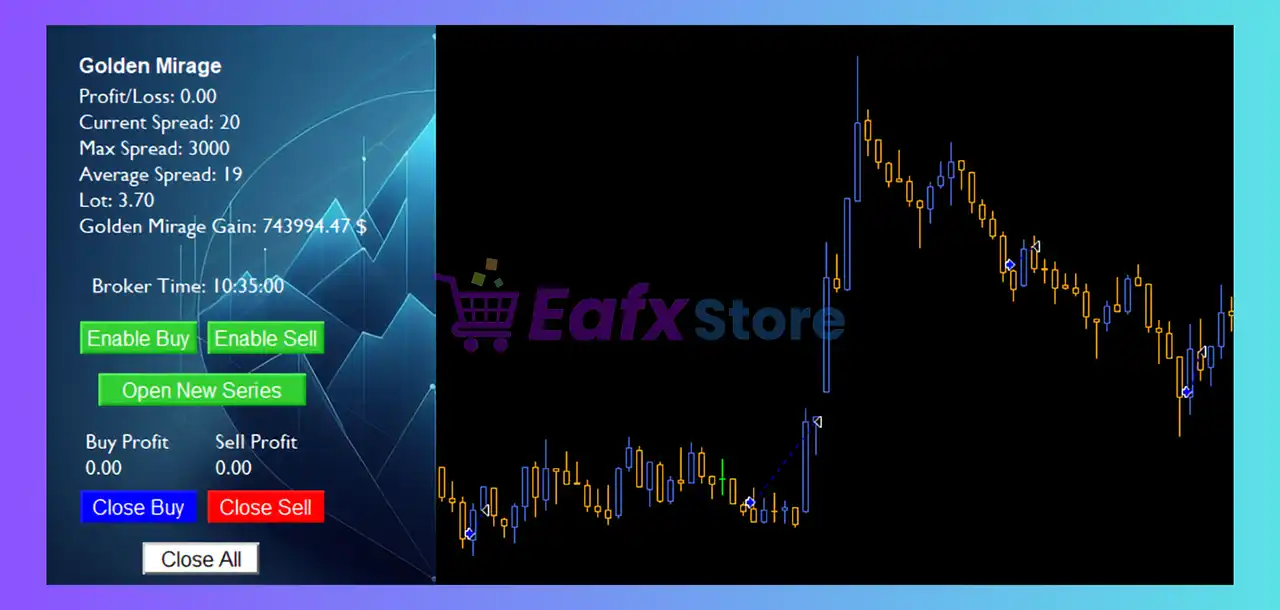
🔹 Display Control Panel = true: Displays the EA control panel on the chart.
🔹 Conceal Information = false: Information display remains visible.
🔹 Conceal Buttons = false: Control buttons remain visible.
🔹 Conceal Recommendations = false: Trading recommendations remain visible.
🔹 Trade Comment = Sample Comment: Custom comment added to trades.
General Trading Settings
🔹 Start Trade Volume = 0.01: Initial trading lot size is 0.01.
🔹 Autolot = true: Enables automatic lot size calculation.
🔹 Sqrt lot (Switch to true if you use more then 7000 usd) = false: Square root lot calculation is disabled.
🔹 Risk Level = 8.0: Trading risk level is set to 8.0.
🔹 Unique Magic Number = 483726: Unique Magic Number assigned to EA trades.
🔹 Spread Allowed = 3000: Maximum allowed spread is 3000.
Prop Firm Settings
🔹 Enable Prop Firm Settings = false: Prop firm protection mode is disabled.
🔹 Prop Firm Randomize Trades (Live Only) = false: Trade randomization is disabled.
🔹 Prop Firm Max DD Percentage (only with Autolot) = 9.0: Maximum drawdown percentage is 9.0.
🔹 Prop Firm Max DD Daily Percentage = 4.0: Daily maximum drawdown percentage is 4.0.
RSI Settings
🔹 Activate RSI Filtering Condition = true: Enables RSI-based trade filtering.
🔹 RSI Calculation Length = 7: RSI calculation period is 7.
🔹 RSI Short Calculation Length = 11: Short RSI period is 11.
🔹 Overbought RSI Level = 75: RSI overbought threshold is 75.
🔹 Oversold RSI Level = 40: RSI oversold threshold is 40.
🔹 RSI Evaluation Timeframe = 5 Minutes: RSI analysis timeframe is 5 Minutes.
🔹 Source Price for RSI = Close price: RSI uses candle closing prices.
🔹 Invert RSI Entry Direction = false: RSI signal inversion is disabled.
ADX Strength Filter Settings
🔹 Activate ADX Filtering Condition = true: Enables ADX strength filtering.
🔹 ADX Calculation Length = 6: ADX indicator period is 6.
🔹 Long Minimum ADX Value for Forced Filter = 55: Minimum ADX strength for BUY filtering is 55.
🔹 Short Minimum ADX Value for Forced Filter = 45: Minimum ADX strength for SELL filtering is 45.
🔹 Invert ADX Entry Direction = true: Inverts ADX trade entry logic.
🔹 ADX Evaluation Timeframe = 5 Minutes: ADX analysis timeframe is 5 Minutes.
Moving Average Filter Settings
🔹 Turn On Moving Average Filter = true: Enables Moving Average filtering system.
🔹 Short-term Moving Average Window = 60: Short MA period is 60.
🔹 Long-term Moving Average Window = 55: Long MA period is 55.
🔹 Sell Side Short-term Moving Average Window = 40: SELL-side short MA period is 40.
🔹 Sell Side Long-term Moving Average Window = 30: SELL-side long MA period is 30.
🔹 Type of Average to Calculate = Simple: Uses Simple Moving Average (SMA).
🔹 Source Price for Average = Close price: MA calculations use closing prices.
🔹 Timeframe for Average Calculation = 5 Minutes: Moving Average timeframe is 5 Minutes.
High/Low Levels Detection Settings
🔹 Activate Identification of High/Low Levels = true: Enables support/resistance level detection.
🔹 Scan for High/Low over past N candles = 7: Scans previous 7 candles for high/low levels.
🔹 Reference timeframe for High/Low = 5 Minutes: Uses the 5 Minutes timeframe for level detection.
🔹 Activate Trend Following Logic = false: Trend-following mode is disabled.
🔹 Use Adaptive Trigger Logic = true: Enables adaptive trigger system.
Operation Schedule Settings
🔹 Enable Scheduled Trading = false: Scheduled trading mode is disabled.
🔹 Trading Window Open Hour = 15: Trading window starts at hour 15.
🔹 Trading Window Open Minute = 0: Trading window starts at minute 0.
🔹 Trading Window Close Hour = 21: Trading window closes at hour 21.
🔹 Trading Window Close Minute = 0: Trading window closes at minute 0.
🔹 Close Friday (close all on breakeven, do not open anything else) = false: Friday forced close protection is disabled.
🔹 Close Friday Hour = 10: Friday close hour is 10.
🔹 Close Friday Night also if our trades are in loss = false: Does not force close losing trades on Friday night.
🔹 Strong Close Friday Hour = 21: Strong Friday closing hour is 21.
Conclusion
Golden Mirage MT4 is a highly advanced MetaTrader 4 Expert Advisor that combines grid trading, RSI and ADX filtering, moving average analysis, adaptive triggers and extensive risk management tools into one complete automated trading solution.
Its support for auto lot sizing, loss caps, prop firm controls, and intelligent scheduling makes it suitable for both aggressive and conservative trading styles. Proper optimization of grid settings, risk parameters, and technical filters is essential for maximizing trading performance and controlling drawdown.
FAQs
❓ What is Golden Mirage MT4?
Golden Mirage MT4 is an automated trading Expert Advisor for MetaTrader 4 that combines grid trading with advanced technical filtering systems.
❓ Does Golden Mirage MT4 support auto lot sizing?
Yes, the EA includes an Autolot feature for automatic position sizing based on risk settings.
❓ Can Golden Mirage MT4 trade both BUY and SELL positions simultaneously?
Yes, the EA allows BUY and SELL trades at the same time.
❓ What indicators are included in Golden Mirage MT4?
The EA uses RSI, ADX, Moving Averages, and High/Low level detection filters.
❓ Does Golden Mirage MT4 include risk protection features?
Yes, the EA includes loss caps, drawdown protection, prop firm settings, and spread management tools.