
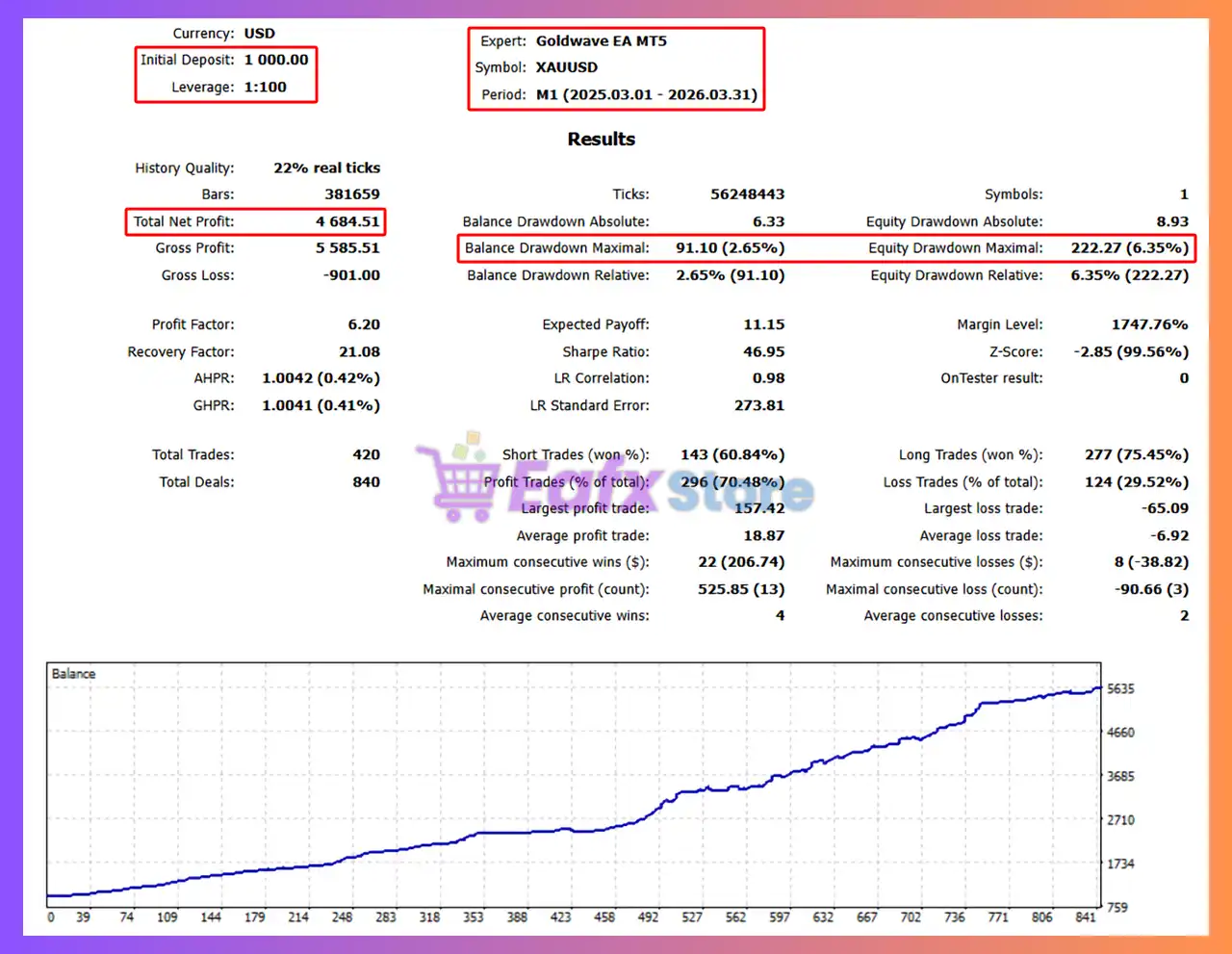
Goldwave EA MT5 Settings Explained – Complete Configuration Guide
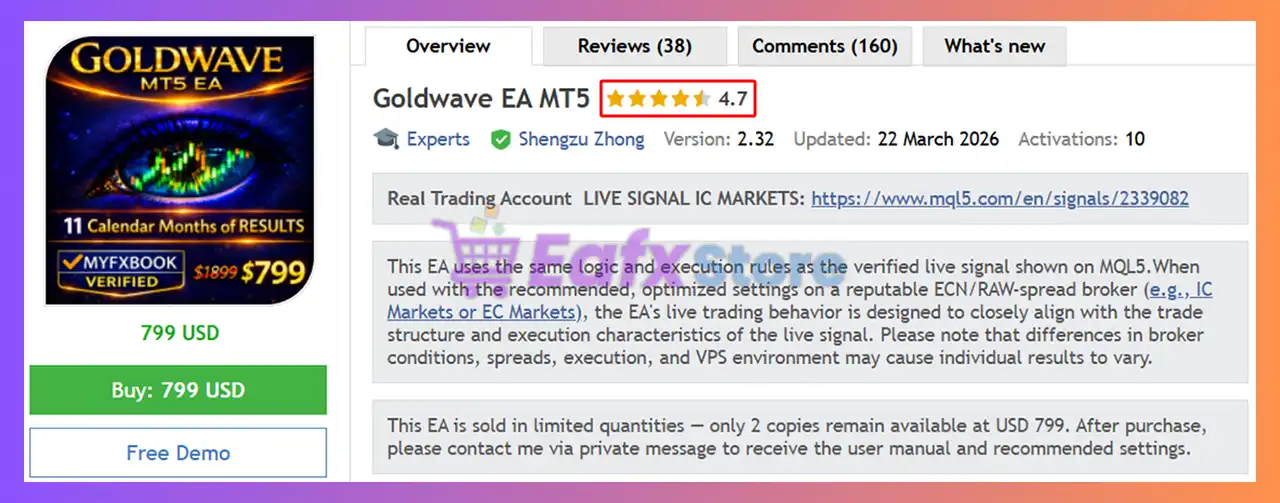
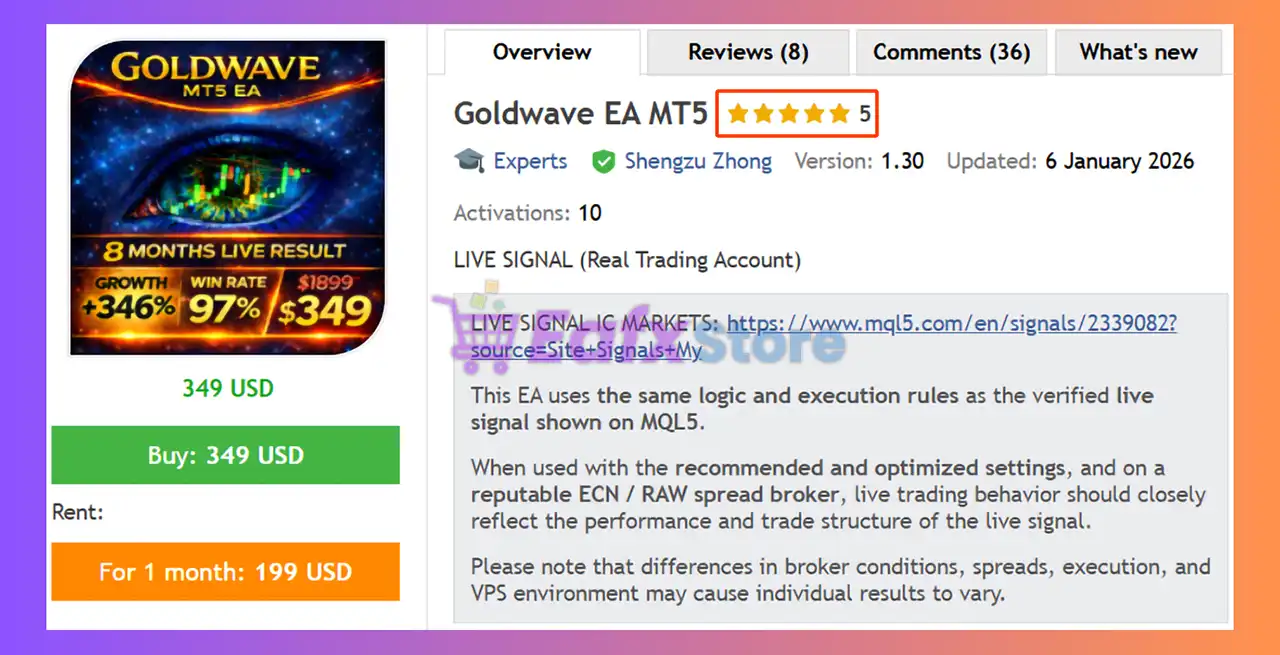
Goldwave EA MT5 is an automated trading robot developed for the MetaTrader 5 platform, focusing on gold and Forex market trading with advanced money management, spread filtering, prop firm protection and news filtering capabilities.
The EA is designed for both conservative and aggressive traders by offering flexible lot sizing, fixed SL/TP controls and customizable risk protection settings. Goldwave EA MT5 is especially useful for traders looking for a “set and forget” automated trading experience with built-in risk controls.

Goldwave EA MT5 Full Settings Explanation
Below are the details of the parameters in the advisor’s trading system settings table:
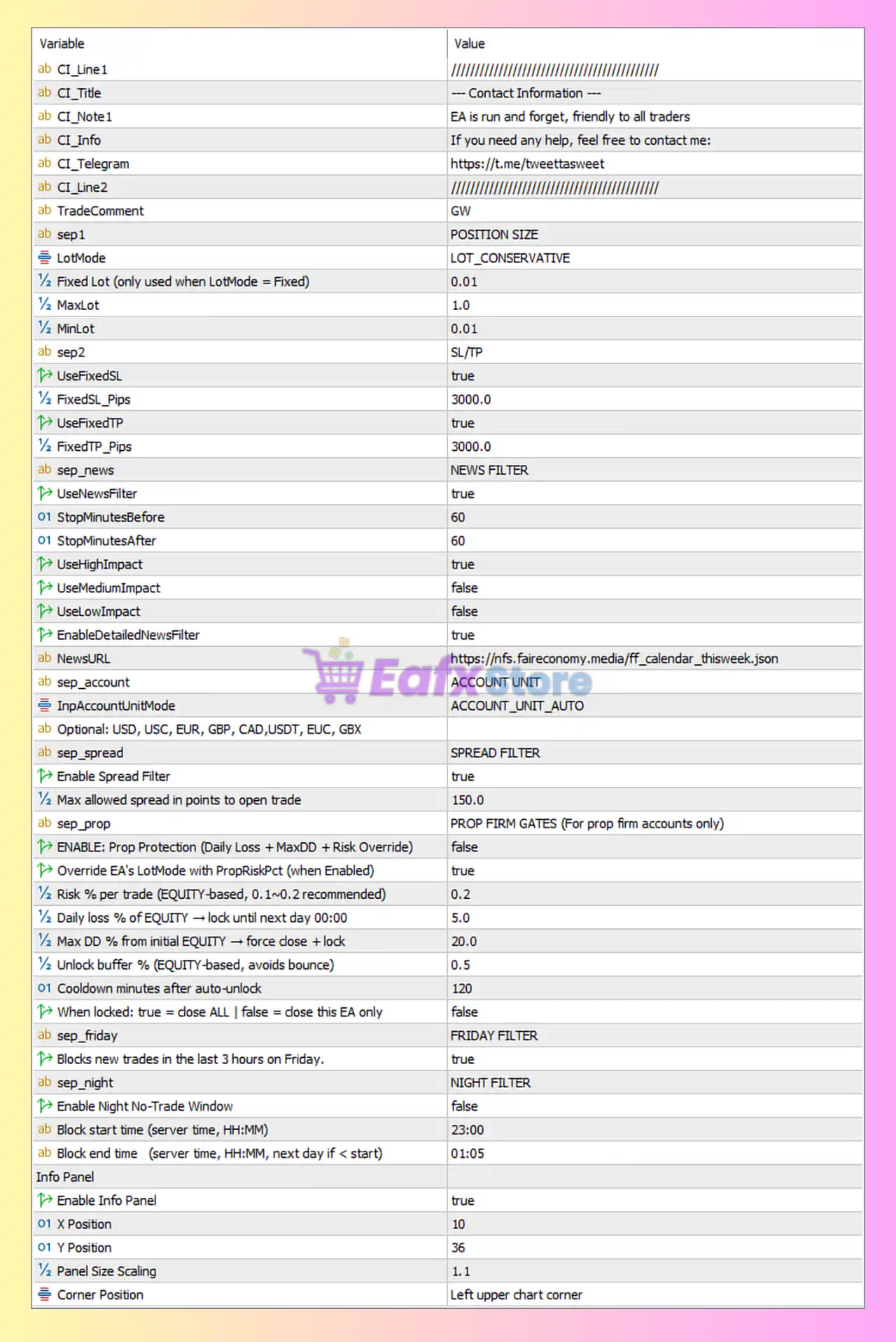
General Trading Settings
🔹 TradeComment = GW: Trade comment label attached to all positions opened by the EA.
Position Size Settings
🔹 sep1 = POSITION SIZE: Section title for lot sizing configuration.
🔹 LotMode = LOT_CONSERVATIVE: Uses conservative automatic lot sizing mode.
🔹 Fixed Lot (only used when LotMode = Fixed) = 0.01: Sets fixed lot size to 0.01 when fixed mode is enabled.
🔹 MaxLot = 1.0: Maximum lot size allowed is 1.0.
🔹 MinLot = 0.01: Minimum lot size allowed is 0.01.
Stop Loss & Take Profit Settings
🔹 sep2 = SL/TP: Section title for Stop Loss and Take Profit configuration.
🔹 UseFixedSL = true: Enables fixed Stop Loss values.
🔹 FixedSL_Pips = 3000.0: Fixed Stop Loss distance is 3000.0 pips.
🔹 UseFixedTP = true: Enables fixed Take Profit values.
🔹 FixedTP_Pips = 3000.0: Fixed Take Profit distance is 3000.0 pips.
News Filter Settings
🔹 sep_news = NEWS FILTER: Section title for economic news protection settings.
🔹 UseNewsFilter = true: Enables the built-in economic news filter.
🔹 StopMinutesBefore = 60: Stops opening trades 60 minutes before important news events.
🔹 StopMinutesAfter = 60: Stops trading 60 minutes after news releases.
🔹 UseHighImpact = true: Filters high-impact news events.
🔹 UseMediumImpact = false: Medium-impact news events are ignored.
🔹 UseLowImpact = false: Low-impact news events are ignored.
🔹 EnableDetailedNewsFilter = true: Enables advanced detailed news filtering.
🔹 NewsURL = https://nfs.faireconomy.media/ff_calendar_thisweek.json: News calendar source URL used by the EA.
Account Unit Settings
🔹 sep_account = ACCOUNT UNIT: Section title for account currency settings.
🔹 InpAccountUnitMode = ACCOUNT_UNIT_AUTO: Automatically detects account currency units.
🔹 Optional: USD, USC, EUR, GBP, CAD, USDT, EUC, GBX: Supported account currency/unit types.
Spread Filter Settings
🔹 sep_spread = SPREAD FILTER: Section title for spread protection.
🔹 Enable Spread Filter = true: Enables spread checking before trade execution.
🔹 Max allowed spread in points to open trade = 150.0: Maximum spread allowed for opening trades is 150.0 points.
Prop Firm Protection Settings
🔹 sep_prop = PROP FIRM GATES (For prop firm accounts only): Section title for prop firm safety controls.
🔹 ENABLE: Prop Protection (Daily Loss + MaxDD + Risk Override) = false: Prop firm protection system is disabled.
🔹 Override EA's LotMode with PropRiskPct (when Enabled) = true: Allows prop risk percentage to override default lot mode when enabled.
🔹 Risk % per trade (EQUITY-based, 0.1~0.2 recommended) = 0.2: Risks 0.2% equity per trade.
🔹 Daily loss % of EQUITY → lock until next day 00:00 = 5.0: Locks trading if daily equity loss reaches 5.0%.
🔹 Max DD % from initial EQUITY → force close + lock = 20.0: Maximum overall drawdown allowed is 20.0%.
🔹 Unlock buffer % (EQUITY-based, avoids bounce) = 0.5: Requires 0.5% recovery buffer before unlocking trading again.
🔹 Cooldown minutes after auto-unlock = 120: Waits 120 minutes after unlock before resuming trades.
🔹 When locked: true = close ALL | false = close this EA only = false: Only this EA stops trading during protection lock.
https://eafxstore.com/blog/propfirm-trading-guide/
Friday Filter Settings
🔹 sep_friday = FRIDAY FILTER: Section title for Friday risk control.
🔹 Blocks new trades in the last 3 hours on Friday = true: Prevents opening trades during the final 3 trading hours on Friday.
Night Filter Settings
🔹 sep_night = NIGHT FILTER: Section title for overnight trading control.
🔹 Enable Night No-Trade Window = false: Night trading restriction is disabled.
🔹 Block start time (server time, HH:MM) = 23:00: Start time for blocking trades is 23:00.
🔹 Block end time (server time, HH:MM, next day if < start) = 01:05: End time for blocking trades is 01:05.
Info Panel Settings
🔹 Info Panel =: Section title for chart display settings.
🔹 Enable Info Panel = true: Displays the EA information panel on the chart.
🔹 X Position = 10: Horizontal position of the panel is 10.
🔹 Y Position = 36: Vertical position of the panel is 36.
🔹 Panel Size Scaling = 1.1: Scales the panel size by 1.1.
🔹 Corner Position = Left upper chart corner: Displays the panel in the upper-left chart corner.
Conclusion
Goldwave EA MT5 offers a robust automated trading framework with strong emphasis on risk management, spread control and news event protection. With flexible lot sizing modes, fixed SL/TP controls, prop firm safety systems, and advanced filters, the EA is suitable for traders seeking stable and disciplined automated trading performance on MetaTrader 5.
FAQs
❓ What is Goldwave EA MT5?
Goldwave EA MT5 is an automated Expert Advisor for MetaTrader 5 focused on gold and Forex trading with advanced risk management features.
❓ Does Goldwave EA MT5 include a news filter?
Yes, the EA includes a detailed economic news filter with high-impact event protection.
❓ What is the default fixed lot size in Goldwave EA MT5?
The default fixed lot size is 0.01.
❓ Can Goldwave EA MT5 be used on prop firm accounts?
Yes, it includes prop firm protection features such as daily loss limits and drawdown controls.
❓ What is the maximum spread allowed for trading?
The EA allows trades only when the spread is below 150.0 points.