


Medici EA MT4 Settings Explained – Complete Configuration Guide
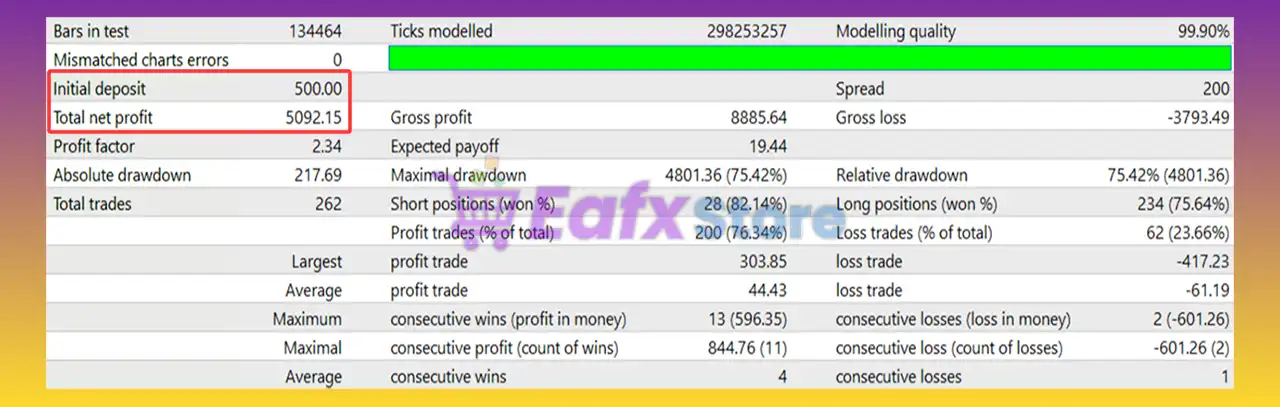
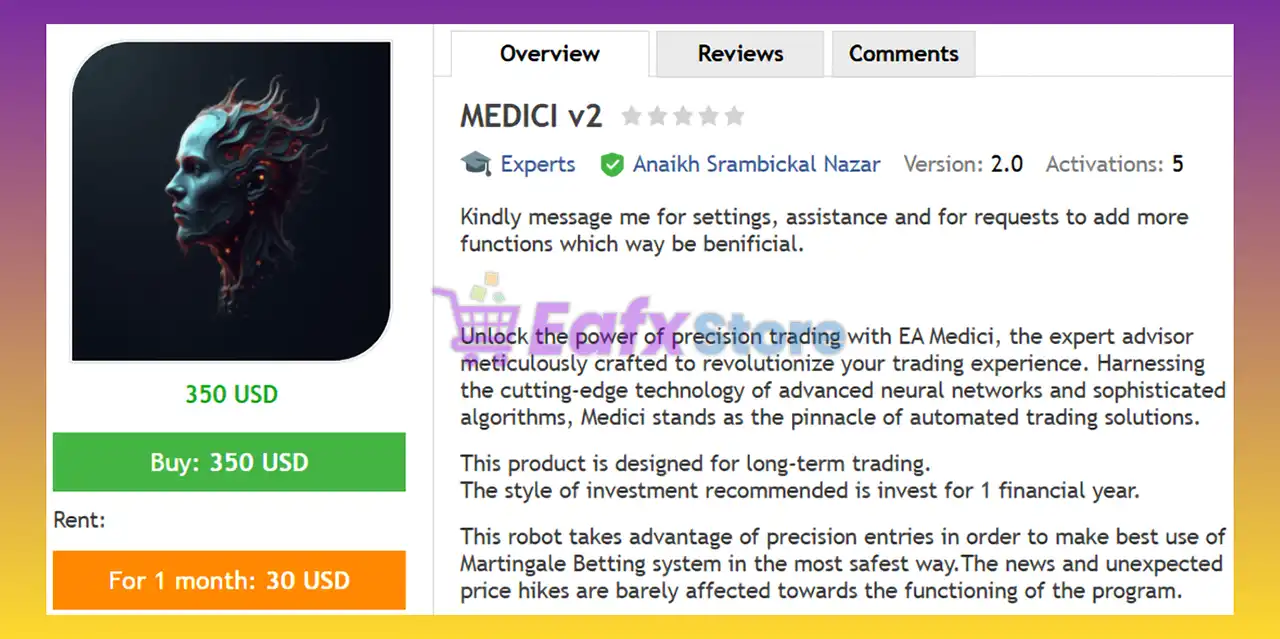
Medici EA is an advanced automated trading robot developed for MetaTrader 4 traders who want to combine smart Martingale systems, Stochastic indicators, RSI filtering, ZigZag analysis, and dynamic trailing management into a single trading solution.
The EA is designed to automate trade entries, optimize risk management, and improve market timing using multiple technical filters.
With flexible lot sizing, emergency protection tools, and customizable trading sessions, Medici EA is suitable for forex and gold traders looking for a professional automated trading experience.

Medici EA MT4 Full Settings Explanation
Below are the details of the parameters in the advisor’s trading system settings table:
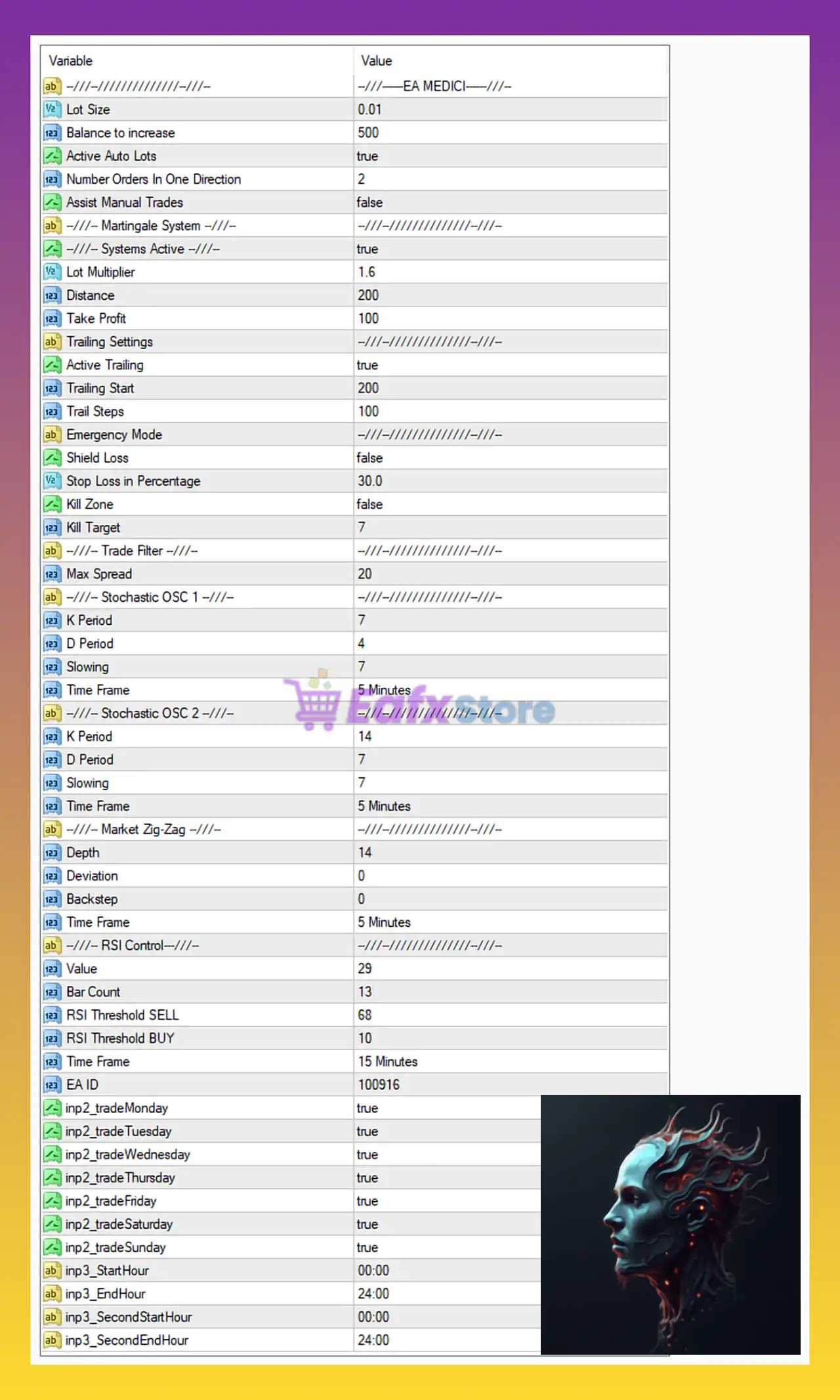
EA Medici Main Settings
🔹 Lot Size = 0.01: Sets the default trading lot size to 0.01.
🔹 Balance to increase = 500: Increases the lot sizing level every 500 balance units.
🔹 Active Auto Lots = true: Enables automatic lot size calculation.
🔹 Number Orders In One Direction = 2: Allows a maximum of 2 orders in the same trade direction.
🔹 Assist Manual Trades = false: Disables assistance for manually opened trades.
Martingale System Settings
🔹 Systems Active = true: Activates the martingale trading system.
🔹 Lot Multiplier = 1.6: Multiplies the lot size by 1.6 after each martingale order.
🔹 Distance = 200: Sets the grid distance between martingale trades to 200 points.
🔹 Take Profit = 100: Sets the martingale basket take profit to 100 points.
Trailing Settings
🔹 Active Trailing = true: Enables trailing stop management.
🔹 Trailing Start = 200: Starts trailing after price moves 200 points into profit.
🔹 Trail Steps = 100: Moves trailing stop in steps of 100 points.
Emergency Mode Settings
🔹 Shield Loss = false: Disables emergency shield loss protection.
🔹 Stop Loss in Percentage = 30.0: Sets emergency stop loss protection at 30.0%.
🔹 Kill Zone = false: Disables kill zone emergency mode.
🔹 Kill Target = 7: Sets the kill target value to 7.
Trade Filter Settings
🔹 Max Spread = 20: Maximum allowed spread for trading is 20.
Stochastic OSC 1 Settings
🔹 K Period = 7: Sets the stochastic %K period to 7.
🔹 D Period = 4: Sets the stochastic %D period to 4.
🔹 Slowing = 7: Sets stochastic slowing to 7.
🔹 Time Frame = 5 Minutes: Uses the M5 timeframe for Stochastic OSC 1.
Stochastic OSC 2 Settings
🔹 K Period = 14: Sets the second stochastic %K period to 14.
🔹 D Period = 7: Sets the second stochastic %D period to 7.
🔹 Slowing = 7: Sets stochastic slowing to 7.
🔹 Time Frame = 5 Minutes: Uses the M5 timeframe for Stochastic OSC 2.
Market Zig-Zag Settings
🔹 Depth = 14: Sets the ZigZag depth parameter to 14.
🔹 Deviation = 0: Sets ZigZag deviation to 0.
🔹 Backstep = 0: Sets ZigZag backstep value to 0.
🔹 Time Frame = 5 Minutes: Uses the M5 timeframe for ZigZag calculations.
RSI Control Settings
🔹 Value = 29: Sets the RSI base value to 29.
🔹 Bar Count = 13: Uses 13 bars for RSI calculations.
🔹 RSI Threshold SELL = 68: Defines the RSI sell threshold at 68.
🔹 RSI Threshold BUY = 10: Defines the RSI buy threshold at 10.
🔹 Time Frame = 15 Minutes: Uses the M15 timeframe for RSI filtering.
🔹 EA ID = 100916: Unique Expert Advisor identifier set to 100916.
Trading Days Settings
🔹 inp2_tradeMonday = true: Enables trading on Monday.
🔹 inp2_tradeTuesday = true: Enables trading on Tuesday.
🔹 inp2_tradeWednesday = true: Enables trading on Wednesday.
🔹 inp2_tradeThursday = true: Enables trading on Thursday.
🔹 inp2_tradeFriday = true: Enables trading on Friday.
🔹 inp2_tradeSaturday = true: Enables trading on Saturday.
🔹 inp2_tradeSunday = true: Enables trading on Sunday.
Trading Hours Settings
🔹 inp3_StartHour = 00:00: Main trading session starts at 00:00.
🔹 inp3_EndHour = 24:00: Main trading session ends at 24:00.
🔹 inp3_SecondStartHour = 00:00: Secondary trading session starts at 00:00.
🔹 inp3_SecondEndHour = 24:00: Secondary trading session ends at 24:00.
Conclusion
Medici EA MT4 is a feature-rich automated trading robot that combines martingale systems, RSI filtering, stochastic oscillators, ZigZag analysis, and trailing stop management into one complete MT4 trading solution.
With configurable risk controls, smart trade filtering, and flexible trading sessions, the EA provides traders with powerful automation capabilities for forex and gold trading.
The wide range of settings allows traders to customize the EA according to their preferred trading strategy and risk profile.
FAQs
❓ What is Medici EA MT4?
Medici EA MT4 is an automated trading Expert Advisor for MetaTrader 4 that uses martingale, RSI, stochastic, and ZigZag trading logic.
❓ Does Medici EA MT4 support auto lot sizing?
Yes, the EA includes an automatic lot sizing system through the Active Auto Lots feature.
❓ Can Medici EA MT4 trade all week?
Yes, trading can be enabled individually for all days from Monday through Sunday.
❓ Does Medici EA MT4 include trailing stop functionality?
Yes, the EA includes customizable trailing stop settings with start and step controls.
❓ Is Medici EA MT4 suitable for gold trading?
Yes, Medici EA MT4 can be configured for forex pairs and gold trading depending on broker conditions and settings.



