


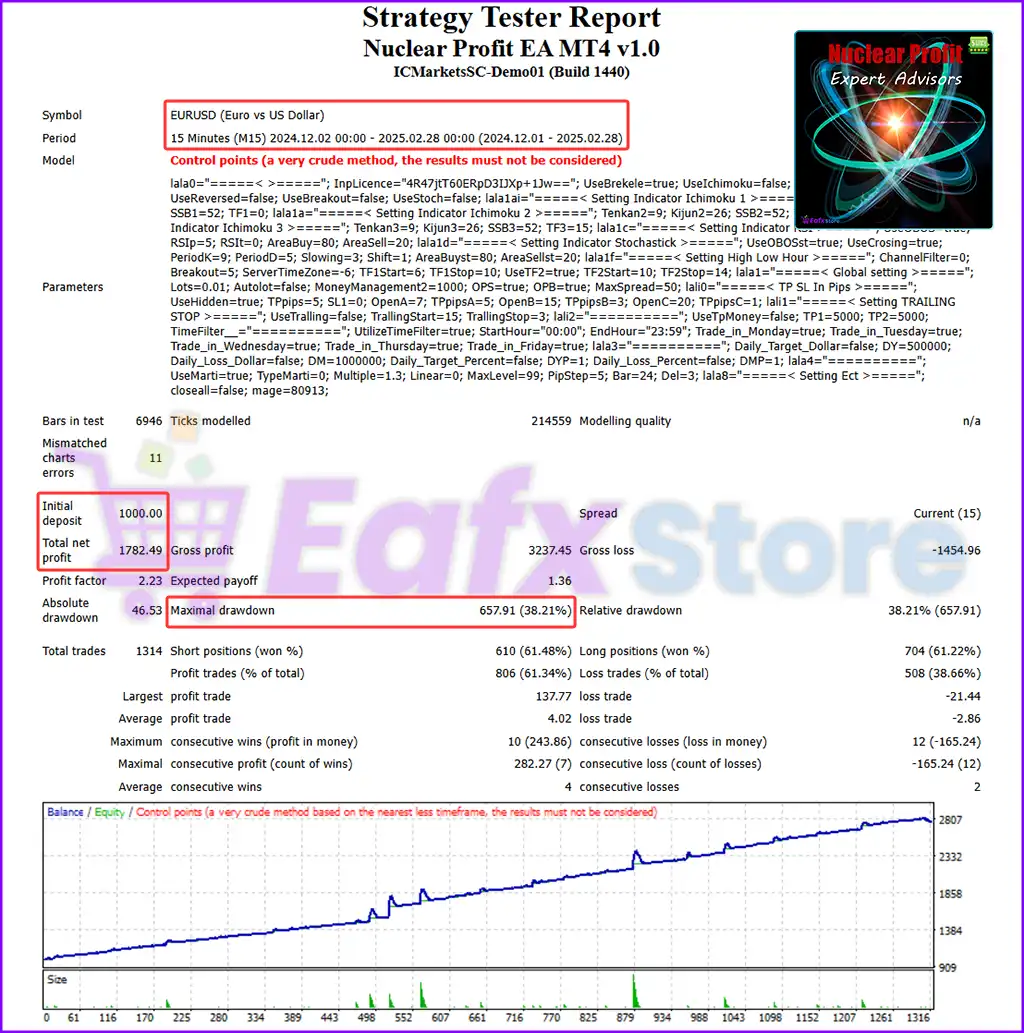
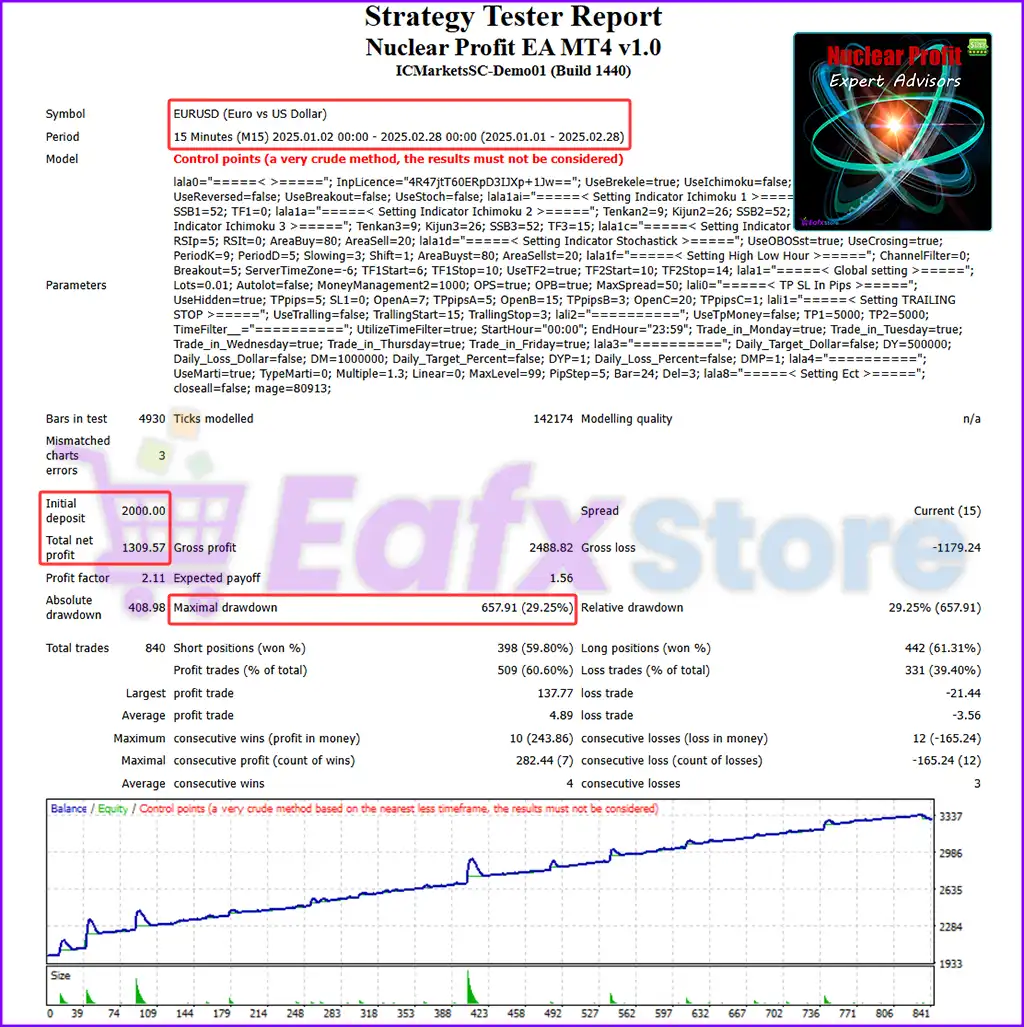
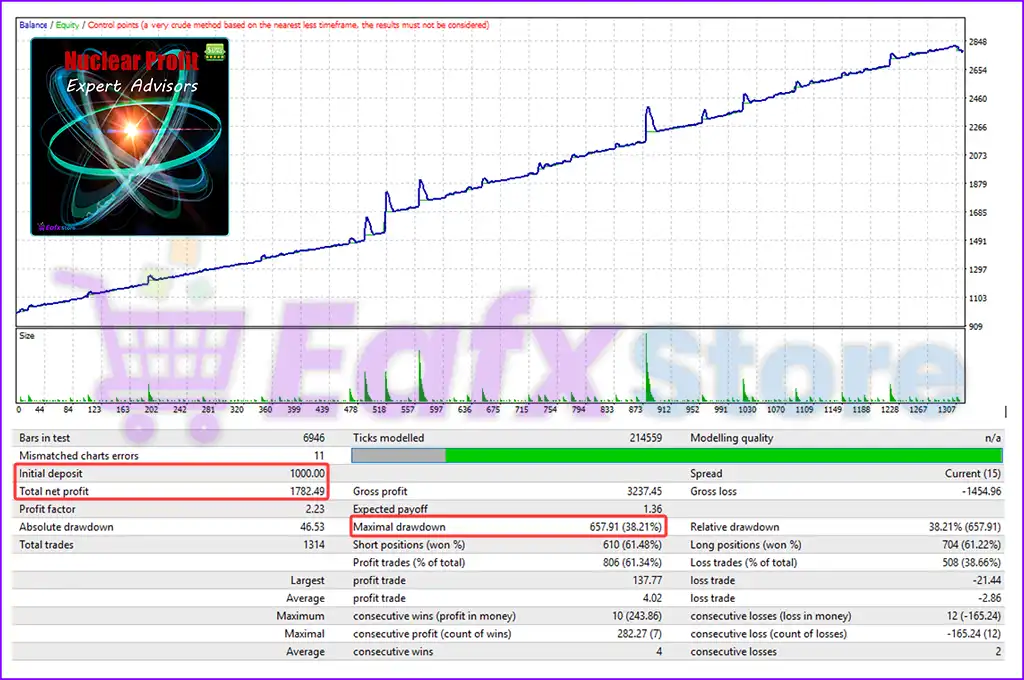
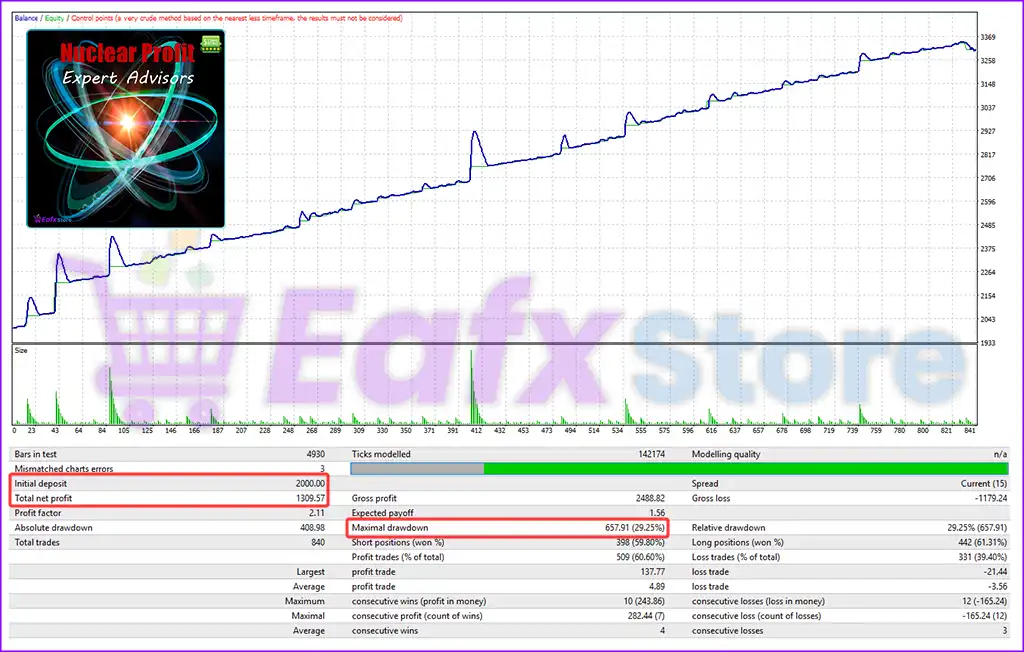

🔢 Nuclear Profit EA MT4 Settings Guide
Nuclear Profit EA is an automated MetaTrader 4 Expert Advisor that combines breakout detection, grid recovery, martingale management, and multiple technical filters including Ichimoku, RSI, Stochastic, and breakout sessions.
The EA offers extensive customization for money management, trading sessions, profit targets, trailing stop, and risk controls, allowing traders to optimize the system for different market conditions and trading styles.


🔢 Nuclear Profit EA MT4 Settings Explained
🔶 General Strategy Settings
🔹 Licence Key = 4R47jtT60ERpD3IJXp+J1w== – Stores the EA license key required for activation.
🔹 Use Brekele = true – Enables the primary Brekele trading strategy.
🔹 Use Ichimoku = false – Disables Ichimoku confirmation for trade entries.
🔹 Use RSI = false – Disables RSI filtering in the trading strategy.
🔹 Use Reversal = false – Disables reversal signal trading.
🔹 Use BreakOut Time Box = false – Disables breakout trading based on predefined time windows.
🔹 Use Stochastic = false – Disables Stochastic indicator confirmation.
🔶 Ichimoku Indicator Settings 1
🔹 Tenkan-Sen = 9 – Sets the Tenkan-Sen period to 9.
🔹 Kijun-Sen = 26 – Sets the Kijun-Sen period to 26.
🔹 Senkou Span B = 52 – Sets Senkou Span B to 52 periods.
🔹 TF Ichimoku = current – Uses the current chart timeframe for Ichimoku calculations.
🔶 Ichimoku Indicator Settings 2
🔹 Tenkan-Sen = 9 – Uses a Tenkan-Sen value of 9.
🔹 Kijun-Sen = 26 – Uses a Kijun-Sen value of 26.
🔹 Senkou Span B = 52 – Uses a Senkou Span B value of 52.
🔹 TF Ichimoku = 5 Minutes – Calculates Ichimoku on the M5 timeframe.
🔶 Ichimoku Indicator Settings 3
🔹 Tenkan-Sen = 9 – Uses a Tenkan-Sen period of 9.
🔹 Kijun-Sen = 26 – Uses a Kijun-Sen period of 26.
🔹 Senkou Span B = 52 – Uses Senkou Span B of 52.
🔹 TF Ichimoku = 15 Minutes – Calculates Ichimoku on the M15 timeframe.
🔶 RSI Indicator Settings
🔹 Use OBOS = true – Enables Overbought and Oversold filtering.
🔹 RSI Periode = 5 – Uses a 5-period RSI.
🔹 TF RSI = current – Calculates RSI on the current chart timeframe.
🔹 Over Bought = 80 – Sets the RSI overbought level to 80.
🔹 Over Sold = 20 – Sets the RSI oversold level to 20.
🔶 Stochastic Indicator Settings
🔹 Use OBOS = true – Enables Overbought/Oversold filtering for Stochastic.
🔹 Use Stoch Cros = true – Enables Stochastic crossover confirmation.
🔹 Period %K = 9 – Sets %K period to 9.
🔹 Period %D = 5 – Sets %D period to 5.
🔹 Slowing = 3 – Uses a slowing value of 3.
🔹 Shift = 1 – Uses a shift value of 1.
🔹 Over Bought = 80 – Defines the overbought level as 80.
🔹 Over Sold = 20 – Defines the oversold level as 20.
🔶 High-Low Hour Settings
🔹 If > 0, breakout channel exceeds channel = 0 – Breakout channel filter is disabled because the value is 0.
🔹 Pip distance = 5 – Uses a breakout distance of 5 pips.
🔹 Server's time zone = -6 – Broker server operates at UTC -6.
🔹 Start Hour 1 = 6 – First trading session begins at 06:00.
🔹 End Hour 1 = 10 – First trading session ends at 10:00.
🔹 Use Time 2 = true – Enables a second trading session.
🔹 Start Hour 2 = 10 – Second trading session begins at 10:00.
🔹 End Hour 2 = 14 – Second trading session ends at 14:00.
🔶 Global Settings
🔹 Start Lots = 0.01 – Sets the initial trading volume to 0.01 lots.
🔹 Use Auto Compound = false – Disables automatic compounding.
🔹 Auto Lots Per Dollar = 1000.0 – Calculates automatic lot scaling using $1000.0 increments.
🔹 Order Sell = true – Allows Sell orders.
🔹 Order Buy = true – Allows Buy orders.
🔹 Max Spread = 50 – Prevents trading when spread exceeds 50 points.
🔶 TP / SL in Pips
🔹 Use Hidden Take Profit = true – Uses hidden Take Profit instead of broker-side TP.
🔹 Take Profit = 5 – Sets Take Profit to 5 pips.
🔹 Stop Loss = 0 – No fixed Stop Loss is used.
🔹 Grid A <= Grid B = 7 – Grid A settings apply up to 7 levels.
🔹 Take Profit Grid A = 5 – Uses 5 pips TP for Grid A.
🔹 Grid B <= Grid C = 15 – Grid B settings apply up to 15 levels.
🔹 Take Profit Grid B = 3 – Uses 3 pips TP for Grid B.
🔹 Grid C <= Max Level = 20 – Grid C settings apply up to 20 levels.
🔹 Take Profit Grid C = 1 – Uses 1 pip TP for Grid C.
🔶 Trailing Stop
🔹 Use Trailing Stop = false – Disables trailing Stop Loss.
🔹 Ts Start In Pips = 15.0 – Trailing would begin after 15.0 pips if enabled.
🔹 Ts Stop In Pips = 3.0 – Trailing distance would be 3.0 pips.
🔶 Take Profit in Money
🔹 Use Take Profit Money = false – Disables profit target based on account currency.
🔹 Take Profit Money Averging = 5000.0 – Basket averaging target is 5000.0 currency units.
🔹 Take Profit Money = 5000.0 – Money-based TP target equals 5000.0.
🔶 Trading Time Filter
🔹 Use Filter Time = true – Enables trading time filtering.
🔹 Start Time To Trade = 00:00 – Trading begins at 00:00.
🔹 End Time To Trade = 23:59 – Trading ends at 23:59.
🔹 Trade in Monday = true – Enables Monday trading.
🔹 Trade in Tuesday = true – Enables Tuesday trading.
🔹 Trade in Wednesday = true – Enables Wednesday trading.
🔹 Trade in Thursday = true – Enables Thursday trading.
🔹 Trade in Friday = true – Enables Friday trading.
🔶 Daily Target Settings
🔹 Use Daily Target In Dollar = false – Disables daily dollar profit target.
🔹 Daily Target In Dollar = 500000.0 – Daily dollar target is 500000.0.
🔹 Use Daily Loss In Dollar = false – Disables daily dollar loss limit.
🔹 Daily Loss In Dollar = 1000000.0 – Daily loss limit is 1000000.0.
🔹 Use Daily Target In Percent = false – Disables percentage profit target.
🔹 Daily Target In Percent = 1.0 – Percentage target is 1.0%.
🔹 Use Daily Loss In Percent = false – Disables percentage loss protection.
🔹 Daily Loss In Percent = 1.0 – Percentage loss limit is 1.0%.
🔶 Martingale Settings
🔹 Use Martingale = true – Enables Martingale recovery.
🔹 Martingale By = Close Candel – Applies Martingale after the candle closes.
🔹 Lots Exponent = 1.8 – Multiplies lot sizes by 1.8 after each recovery trade.
🔹 Lots Increase = 0.0 – No fixed lot increment is added.
🔹 Max Level = 99 – Allows up to 99 Martingale levels.
🔹 Pips Step = 5 – Opens the next recovery order every 5 pips.
🔹 Number Of Bar = 24 – Uses 24 bars in the recovery calculation.
🔹 HigLow Divider = 3 – Uses a High-Low divider value of 3.
🔶 Miscellaneous Settings
🔹 Use Close All = true – Enables the Close All function for emergency position management.
🔹 ID EA = 80913 – Assigns internal EA identification number 80913.
🔢 Conclusion
Nuclear Profit EA MT4 is a highly configurable automated trading system that combines breakout logic, grid trading, Martingale recovery, and multiple technical filters into one flexible Expert Advisor. With extensive customization for indicators, trading sessions, money management, hidden Take Profit, and risk controls, traders can optimize the EA for various market conditions while maintaining structured position management.
🔢 FAQs
❓ What trading strategies are available in Nuclear Profit EA MT4?
The EA supports Brekele, Ichimoku, RSI, Stochastic, Reversal, and Breakout Time Box strategies, allowing traders to enable or disable each module individually.
❓ Does Nuclear Profit EA MT4 support Martingale?
Yes. The EA includes a configurable Martingale system with adjustable lot exponent, pip step, and maximum recovery levels.
❓ Can I limit trading to specific hours?
Yes. The built-in trading time filter allows you to specify trading sessions, multiple trading windows, and individual trading days.
❓ What is the purpose of the hidden Take Profit?
Hidden Take Profit keeps the target level inside the EA instead of placing it with the broker, which can reduce visibility of exit levels.
❓ Can Nuclear Profit EA MT4 automatically manage daily profit and loss limits?
Yes. The EA includes configurable daily profit and daily loss controls based on either account currency or percentage, although these features are disabled in the current configuration.



