
Quantum Queen MT5 Settings Explained – Complete Configuration Guide
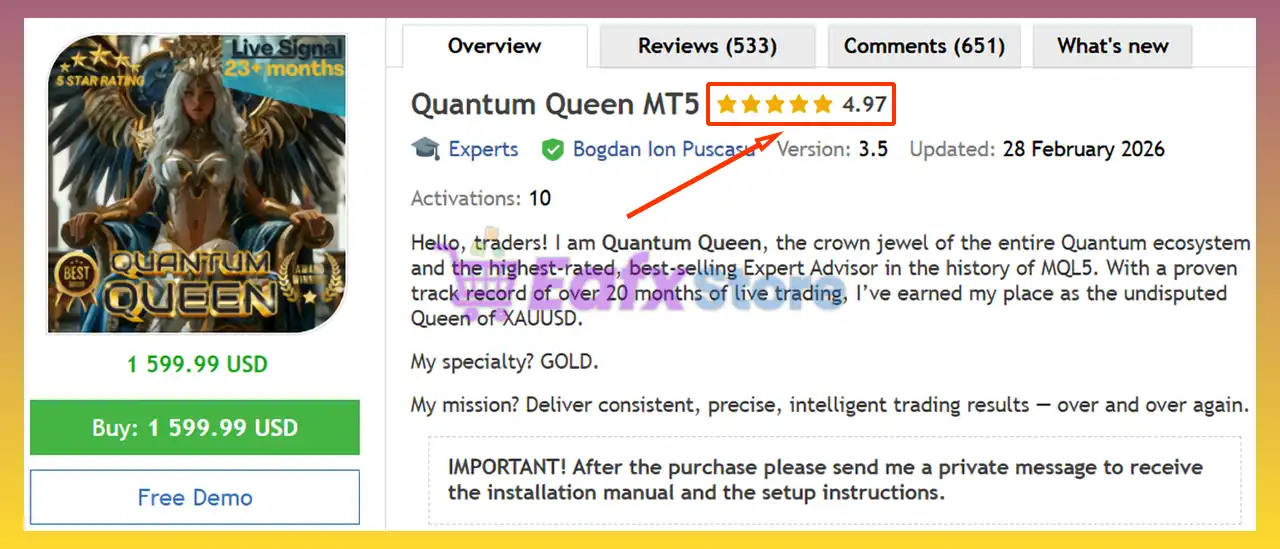
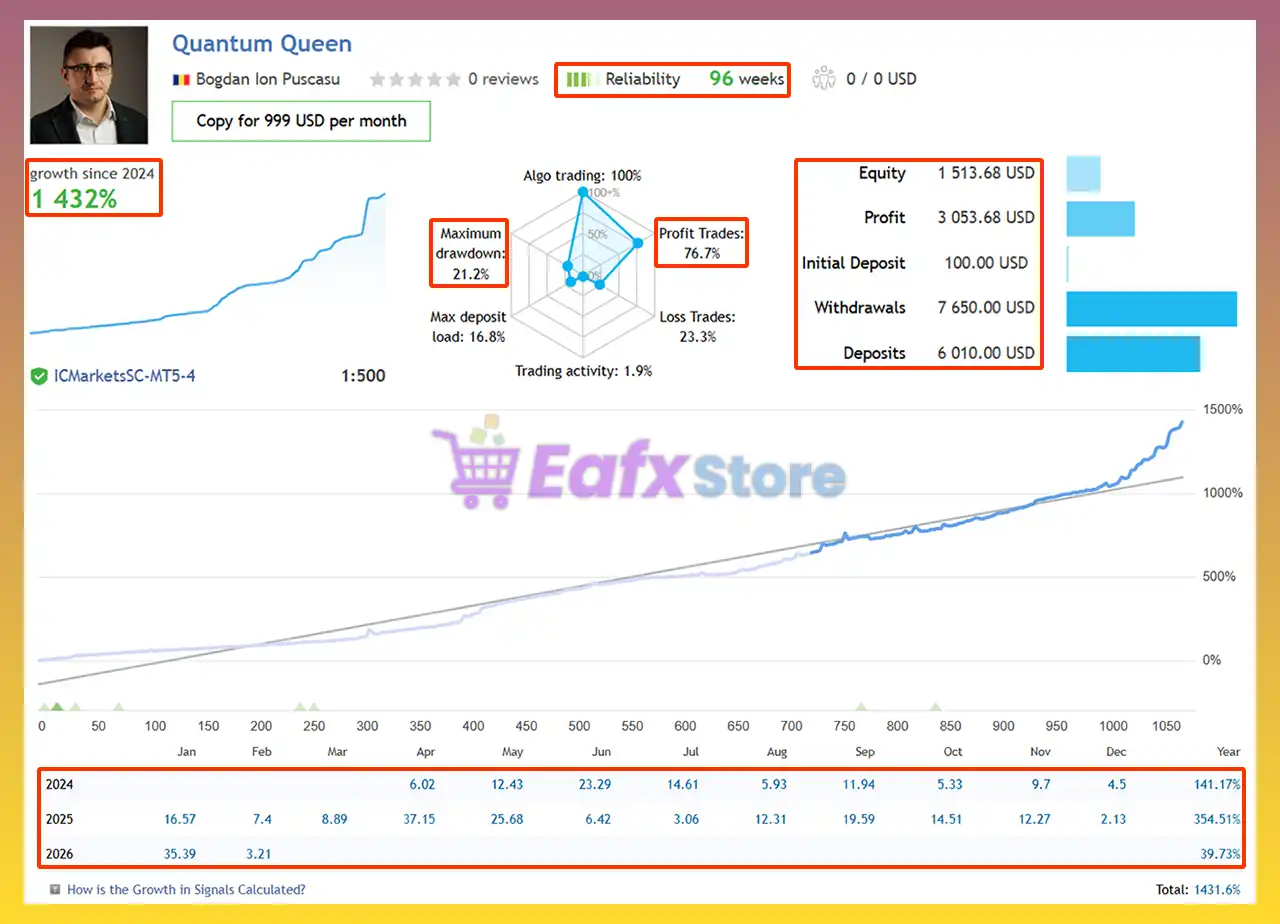
Quantum Queen MT5 is an advanced automated trading Expert Advisor (EA) designed specifically for XAUUSD trading on the MetaTrader 5 platform. The EA focuses on intelligent risk management, automated lot sizing, spread protection and flexible visual customization.
With built-in broker optimization presets and internal timeframe management, Quantum Queen MT5 is suitable for traders seeking a stable and optimized gold trading solution for both prop firms and personal accounts.
Quantum Queen MT5 Full Settings Explanation
Below are the details of the parameters in the advisor’s trading system settings table:
General Settings
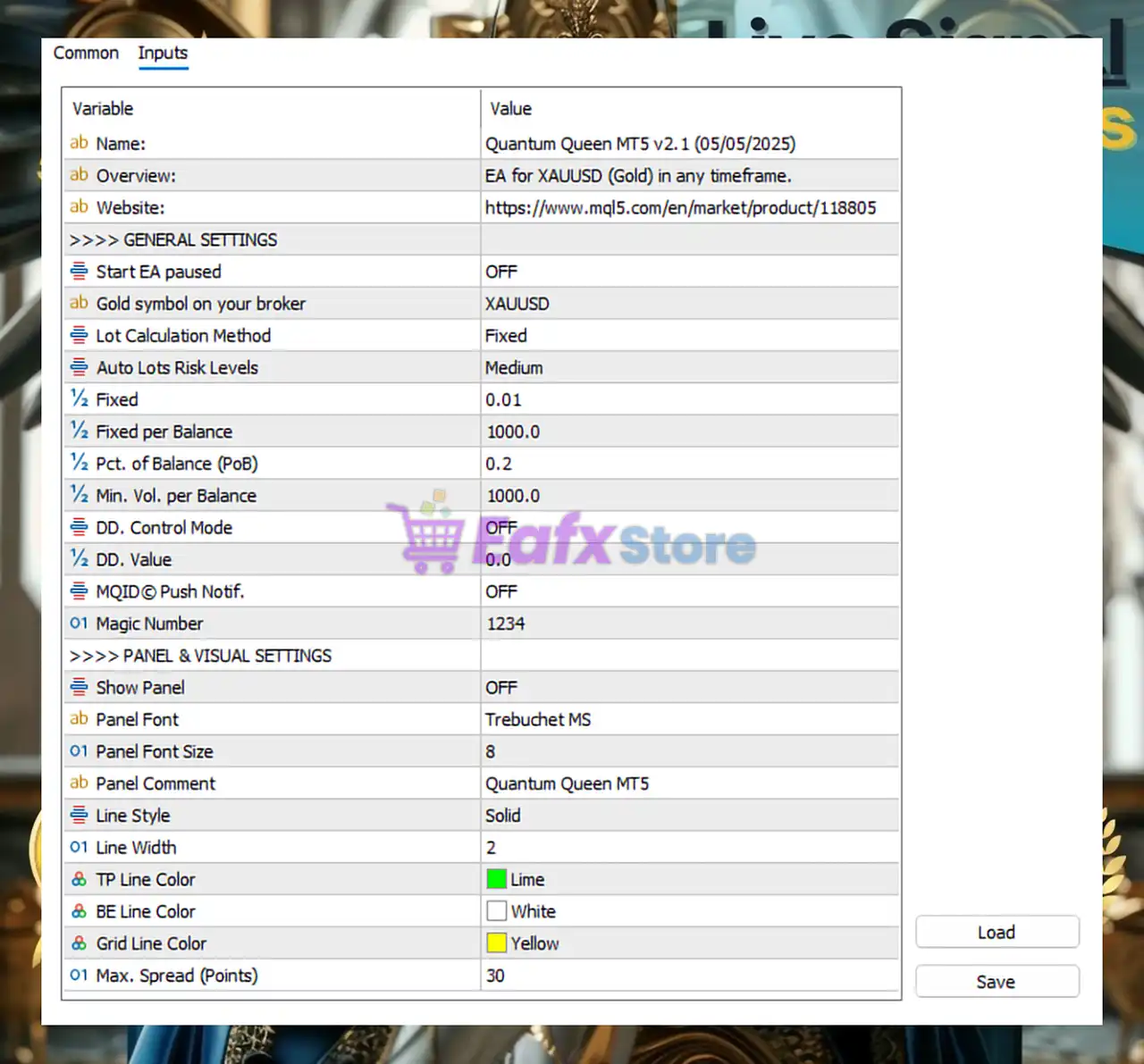
🔹 Name = Quantum Queen MT5 v3.52 (17/03/2026): Displays the EA version v3.52 released on 17/03/2026.
🔹 Overview = XAUUSD. Chart timeframe doesn't matter; the EA manages it internally.: Indicates the EA is optimized for XAUUSD and automatically handles timeframe logic internally.
🔹 Start EA Paused = OFF: The EA starts trading immediately after activation without pause mode.
🔹 Lot Calculation Method = Automatic: Enables automatic lot size calculation based on account conditions.
🔹 Auto Lots Risk Levels = Medium: Uses the predefined Medium risk profile for automatic lot sizing.
🔹 Fixed = 0.01: Sets the fixed lot size to 0.01 when fixed lot mode is used.
🔹 Fixed per Balance = 500.0: Uses 0.01 lots for every $500.0 account balance increment.
🔹 DD. Control Mode = OFF: Disables drawdown control protection mode.
🔹 DD. Value = 0.0: Drawdown limit is set to 0.0, meaning no active drawdown restriction.
🔹 MQID@Push Notif. = OFF: Disables push notifications to mobile MetaTrader devices.
🔹 MagicNumber = 1234: Unique trade identifier used by the EA to manage its own positions.
🔹 Max. Spread (Points) = 100: Maximum allowed spread is 100 points.
🔹 Max. Slippage (Points) = 100: Maximum execution slippage allowed is 100 points.
🔹 Holiday Trading Off (Dec 15–Jan 15) = OFF: Holiday trading filter is disabled, allowing trading between Dec 15 and Jan 15.
Sets & Strategies
🔹 Sets = IC Markets/VT Markets (RAW)- Medium Risk: Uses optimized preset settings for IC Markets and VT Markets RAW accounts with Medium Risk.
Panel & Visual Settings
🔹 Show Panel = OFF: Disables the on-chart information panel.
🔹 Panel Font = Trebuchet MS: Uses Trebuchet MS as the panel font style.
🔹 Panel Font Size = 8: Sets the panel font size to 8.
🔹 Panel Comment = Quantum Queen MT5: Displays Quantum Queen MT5 as the panel label/comment.
🔹 Line Style = Solid: Uses solid-style lines for chart objects.
🔹 Line Width = 2: Sets chart line thickness to 2.
🔹 TP Line Color = Lime: Take Profit lines are displayed in Lime color.
🔹 BE Line Color = White: Break-even lines are displayed in White.
🔹 Grid Line Color = Yellow: Grid trading lines are displayed in Yellow.
Conclusion
Quantum Queen MT5 is a professional gold trading Expert Advisor built for traders who want automated XAUUSD trading with smart risk management and optimized broker presets.
The EA simplifies trading by internally managing timeframe logic while offering flexible lot sizing, spread protection, drawdown management and customizable chart visuals.
With support for RAW spread brokers and medium-risk optimization, Quantum Queen MT5 is suitable for both beginner and advanced MT5 traders.
FAQs
❓ What is Quantum Queen MT5?
Quantum Queen MT5 is an automated gold trading Expert Advisor developed for MetaTrader 5 and optimized for XAUUSD trading.
❓ Which trading pair is recommended for Quantum Queen MT5?
The EA is specifically designed and optimized for XAUUSD.
❓ Does Quantum Queen MT5 require a specific timeframe?
No, the EA automatically manages timeframe calculations internally.
❓ Can Quantum Queen MT5 automatically calculate lot sizes?
Yes, the EA includes automatic lot sizing with configurable risk levels.
❓ Which brokers are recommended for Quantum Queen MT5?
The provided preset is optimized for IC Markets and VT Markets RAW accounts.