
🔢 TRADE BOOSTER Premium EA MT4 – Complete Settings & Input Parameters Guide
TRADE BOOSTER Premium EA is an automated Forex trading robot designed for MetaTrader 4 traders who want efficient session-based trading with built-in profit targets, trailing stop management and daily risk controls.
The EA offers flexible money management settings, trading session filters, and customizable Stop Loss (SL) / Take Profit (TP) options to help traders optimize performance while maintaining risk discipline.
🔢 TRADE BOOSTER Premium EA MT4 Settings Explained
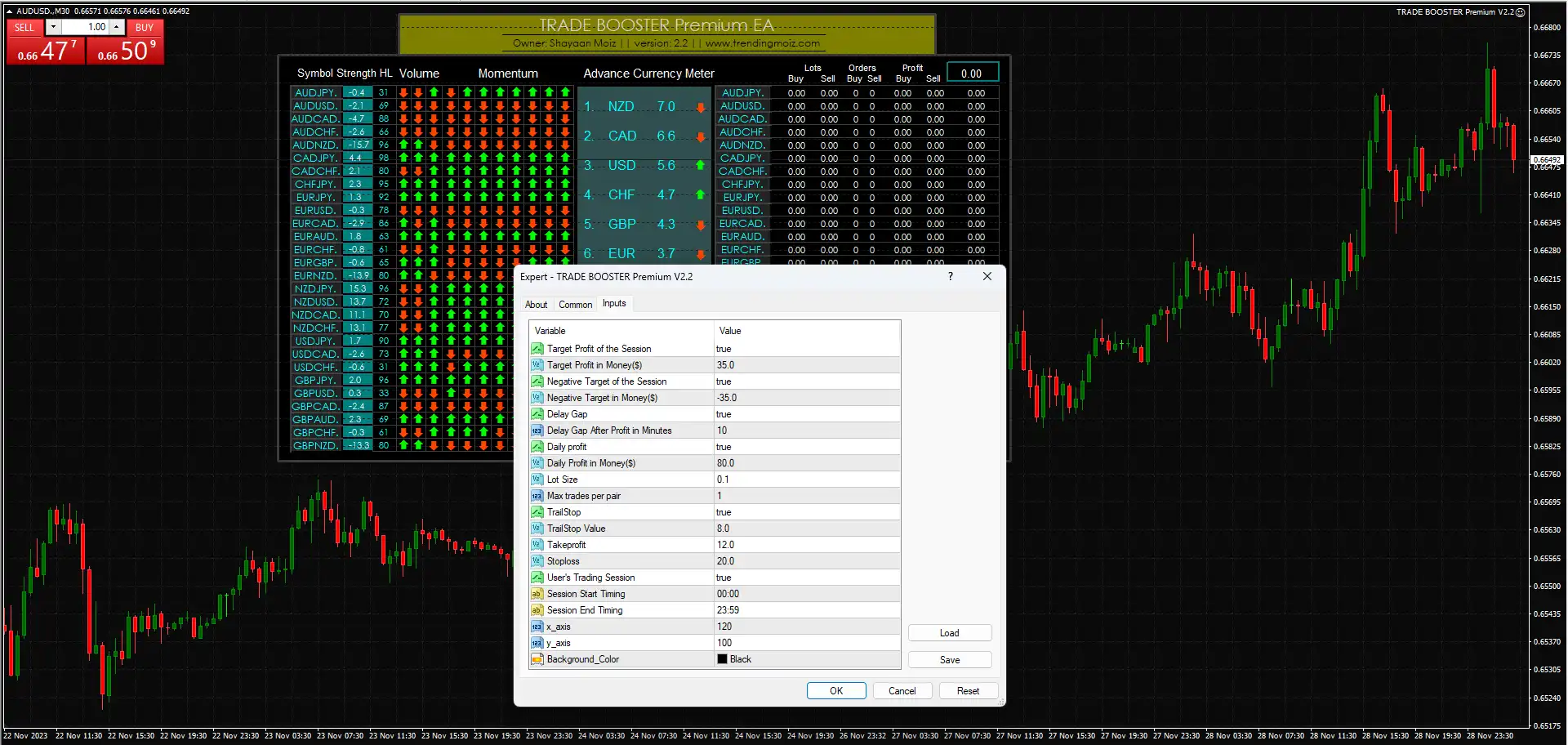
Below are the details of the parameters in the advisor’s trading system settings table:
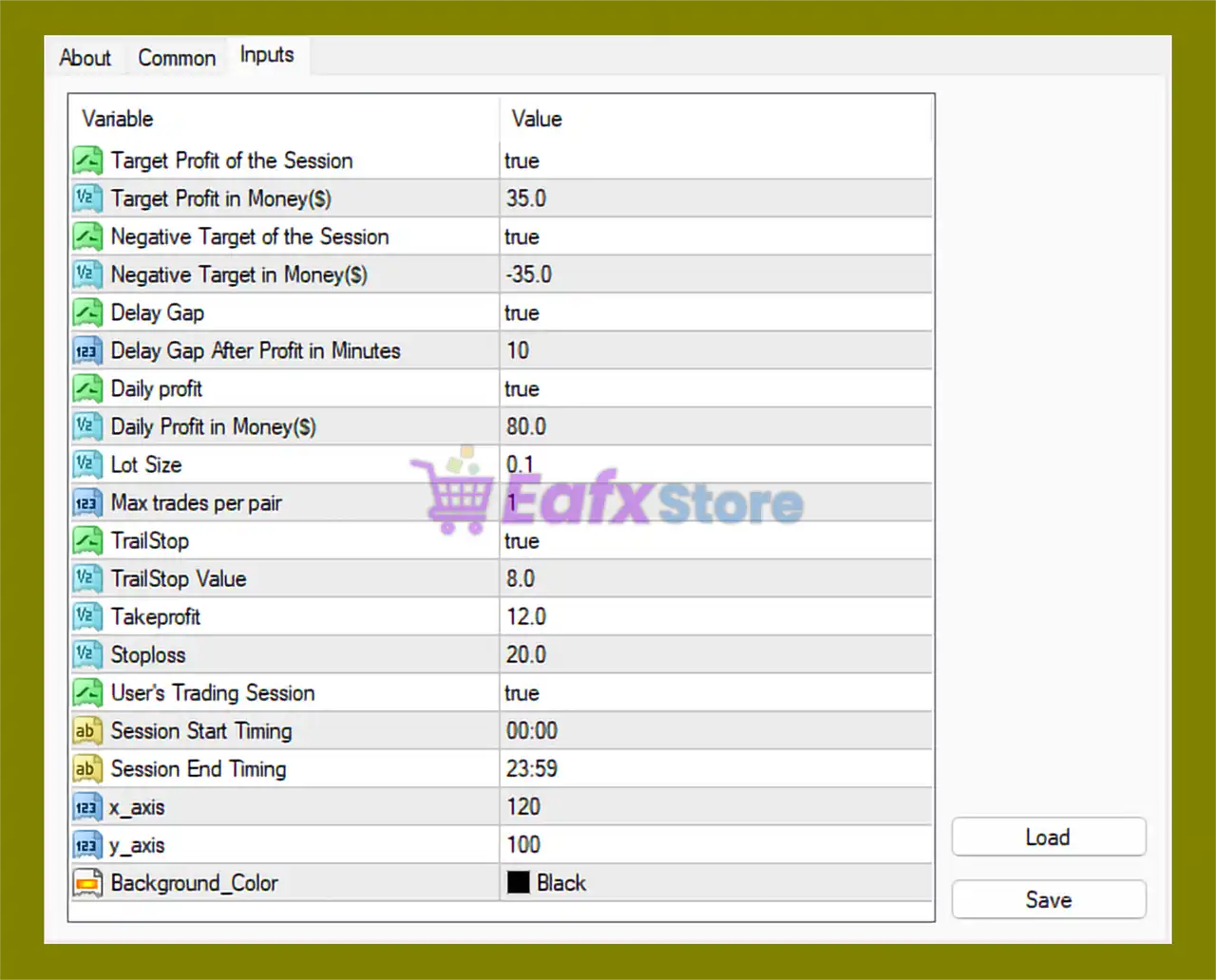
🔹 Target Profit of the Session = true: Enables the session profit target feature to automatically manage trading after reaching the target profit.
🔹 Target Profit in Money($) = 35.0: Sets the session profit target to $35.0.
🔹 Negative Target of the Session = true: Activates the maximum session loss limitation feature.
🔹 Negative Target in Money($) = -35.0: Defines the maximum allowable session loss at -$35.0.
🔹 Delay Gap = true: Enables a waiting period after profitable trades before opening new positions.
🔹 Delay Gap After Profit in Minutes = 10: Sets the delay time after profit to 10 minutes.
🔹 Daily profit = true: Enables daily profit target management.
🔹 Daily Profit in Money($) = 80.0: Sets the maximum daily profit target to $80.0.
🔹 Lot Size = 0.1: Defines the fixed trading lot size as 0.1.
🔹 Max trades per pair = 1: Limits the EA to only 1 active trade per currency pair.
🔹 TrailStop = true: Enables the trailing stop feature for dynamic profit protection.
🔹 TrailStop Value = 8.0: Sets the trailing stop distance to 8.0 points/pips.
🔹 Takeprofit = 12.0: Defines the take-profit target at 12.0 points/pips.
🔹 Stoploss = 20.0: Defines the stop-loss distance at 20.0 points/pips.
🔹 User's Trading Session = true: Enables custom trading session scheduling.
🔹 Session Start Timing = 00:00: Specifies the trading session start time at 00:00.
🔹 Session End Timing = 23:59: Specifies the trading session end time at 23:59.
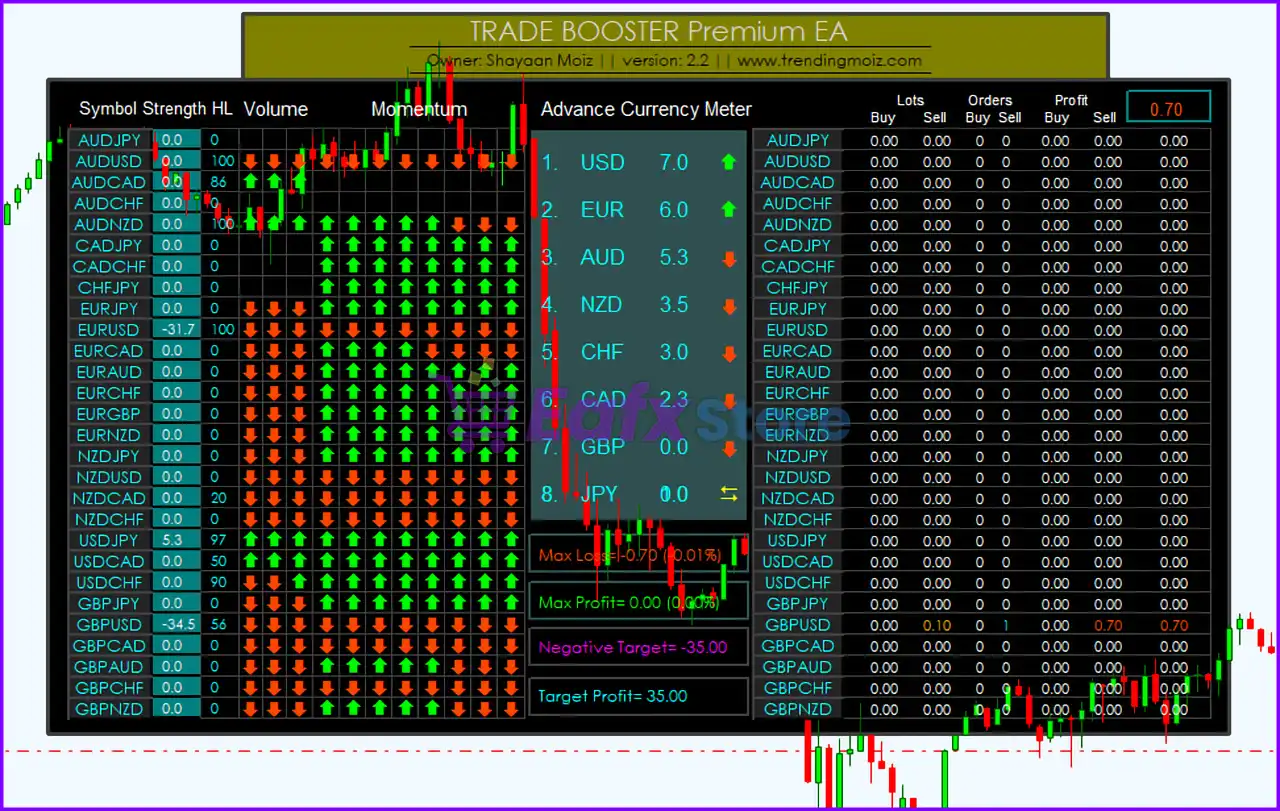
🔹 x_axis = 120: Controls the horizontal position of the EA information panel on the chart.
🔹 y_axis = 100: Controls the vertical position of the EA information panel on the chart.
🔹 Background_Color = Black: Sets the chart panel or interface background color to Black.
🔢 Conclusion
TRADE BOOSTER Premium EA MT4 is a flexible and beginner-friendly Forex robot that focuses on controlled session trading, daily profit management, and automated risk protection. With configurable trailing stops, profit targets, session timing filters, and lot size settings, the EA provides traders with a structured framework for automated trading on the MT4 platform.
🔢 FAQs
❓ What is TRADE BOOSTER Premium EA MT4?
TRADE BOOSTER Premium EA MT4 is an automated trading robot for MetaTrader 4 designed for session-based Forex trading and profit management.
❓ Can I customize the lot size in TRADE BOOSTER Premium EA MT4?
Yes, the EA allows traders to manually set the Lot Size parameter.
❓ Does the EA support trailing stop functionality?
Yes, the EA includes a configurable trailing stop system using the TrailStop and TrailStop Value settings.
❓ Can I limit the number of trades opened per currency pair?
Yes, the Max trades per pair setting controls the maximum number of simultaneous trades.
❓ Does TRADE BOOSTER Premium EA MT4 include daily profit protection?
Yes, the EA supports daily profit targets and session loss limitations for improved risk management.



