
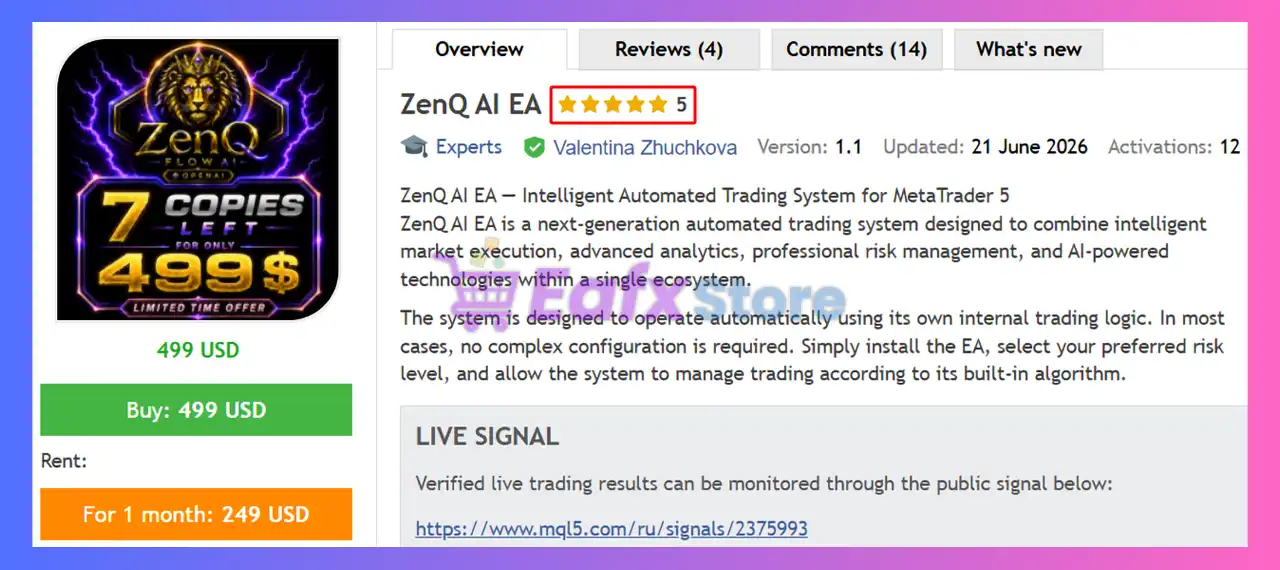
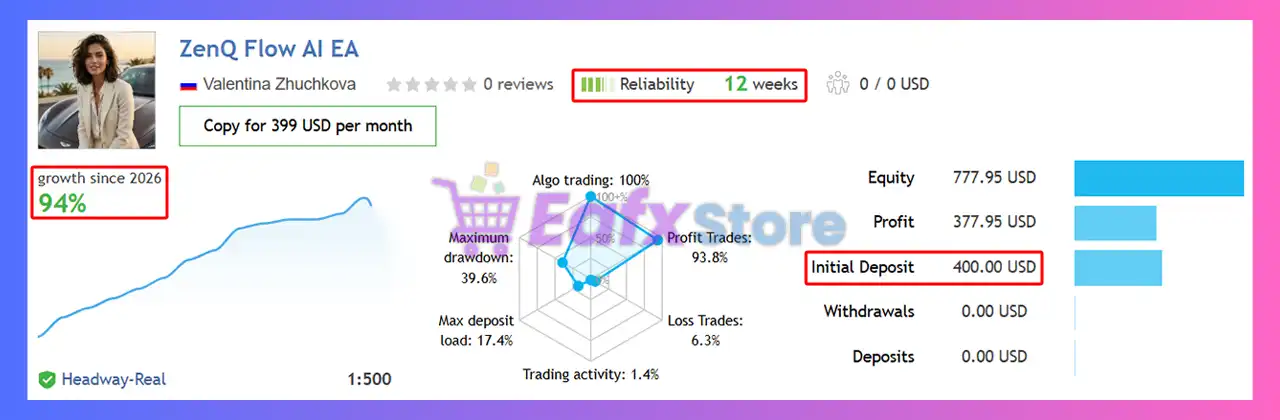
🔢 ZenQ AI EA MT5 – Complete Settings Guide and Parameter Explanation
ZenQ AI EA is an advanced automated trading system designed for XAUUSD trading with integrated risk management, smart trade execution, account protection features, session analysis tools and AI-enhanced dashboard functionality.
The EA combines automated lot sizing, trend-following logic, trailing stop management, spread protection, news monitoring, and extensive chart visualization options to provide traders with a complete trading environment.
🔢 ZenQ AI EA MT5 Parameters Explained
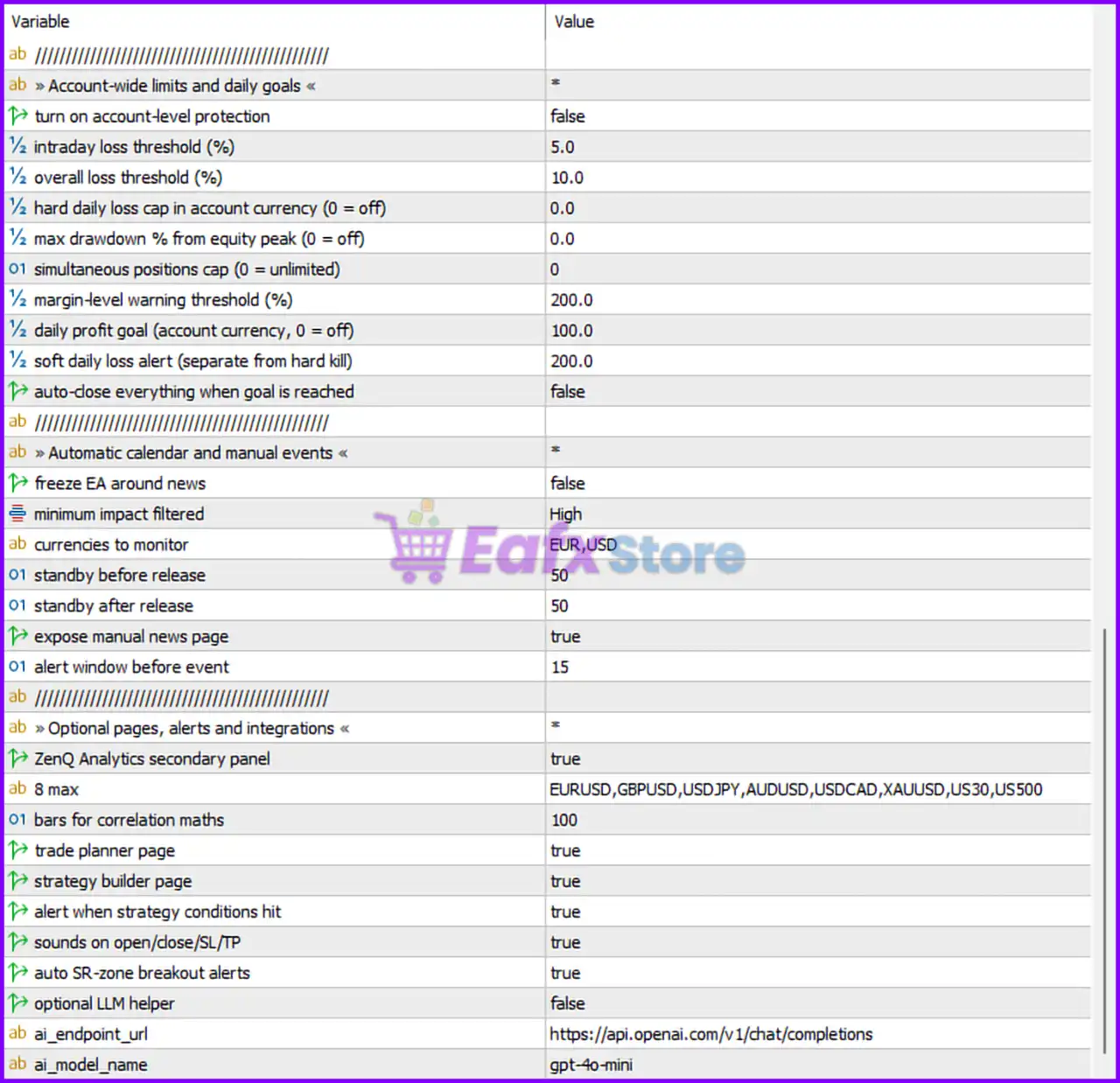
Below are the details of the parameters in the advisor’s trading system settings table:
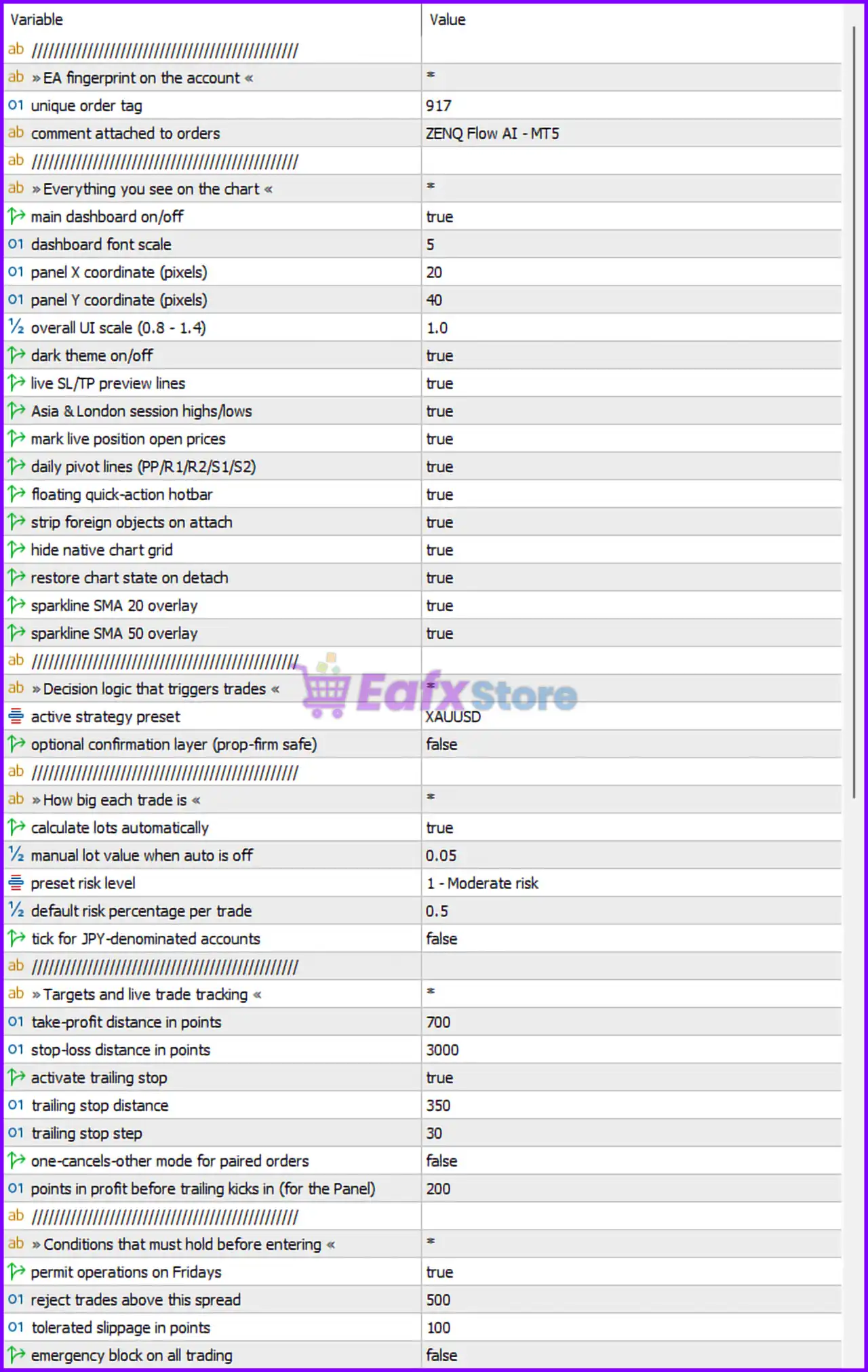
🔶 EA Identification Settings
🔹 unique order tag = 917 – Unique identifier used by the EA to distinguish its trades from other Expert Advisors.
🔹 comment attached to orders = ZENQ Flow AI - MT5 – Custom comment automatically added to all orders opened by the EA.
🔶 Dashboard & Chart Display Settings
🔹 main dashboard on/off = true – Enables the primary dashboard displayed on the trading chart.
🔹 dashboard font scale = 5 – Sets the dashboard text size scaling factor to 5.
🔹 panel X coordinate (pixels) = 20 – Positions the dashboard 20 pixels from the left side of the chart.
🔹 panel Y coordinate (pixels) = 40 – Positions the dashboard 40 pixels from the top of the chart.
🔹 overall UI scale (0.8 - 1.4) = 1.0 – Sets the user interface scale to the default value of 1.0.
🔹 dark theme on/off = true – Enables dark mode for the EA interface.
🔹 live SL/TP preview lines = true – Displays real-time Stop Loss and Take Profit preview levels on the chart.
🔹 Asia & London session highs/lows = true – Shows session high and low levels for Asian and London trading sessions.
🔹 mark live position open prices = true – Displays entry prices for currently open positions.
🔹 daily pivot lines (PP/R1/R2/S1/S2) = true – Displays daily pivot point support and resistance levels.
🔹 floating quick-action hotbar = true – Enables the floating shortcut toolbar for quick trading actions.
🔹 strip foreign objects on attach = true – Removes unrelated chart objects when the EA is attached.
🔹 hide native chart grid = true – Hides the standard MetaTrader chart grid.
🔹 restore chart state on detach = true – Restores chart settings when the EA is removed.
🔹 sparkline SMA 20 overlay = true – Displays a mini SMA 20 trend visualization.
🔹 sparkline SMA 50 overlay = true – Displays a mini SMA 50 trend visualization.
🔶 Trading Strategy Settings
🔹 active strategy preset = XAUUSD – Loads the trading logic preset optimized for Gold (XAUUSD).
🔹 optional confirmation layer (prop-firm safe) = false – Additional confirmation filtering is disabled.
🔶 Position Sizing Settings
🔹 calculate lots automatically = true – Enables automatic lot size calculation.
🔹 manual lot value when auto is off = 0.05 – Uses a fixed lot size of 0.05 when auto-sizing is disabled.
🔹 preset risk level = 1 - Moderate risk – Applies the predefined Moderate Risk profile.
🔹 default risk percentage per trade = 0.5 – Risks 0.5% of account balance per trade.
🔹 tick for JPY-denominated accounts = false – JPY account adjustment mode is disabled.
🔶 Trade Management Settings
🔹 take-profit distance in points = 700 – Sets the Take Profit target at 700 points.
🔹 stop-loss distance in points = 3000 – Sets the Stop Loss distance at 3000 points.
🔹 activate trailing stop = true – Enables dynamic trailing stop management.
🔹 trailing stop distance = 350 – Trailing Stop follows price at a distance of 350 points.
🔹 trailing stop step = 30 – Trailing Stop updates every 30 points of favorable movement.
🔹 one-cancels-other mode for paired orders = false – OCO functionality is disabled.
🔹 points in profit before trailing kicks in (for the Panel) = 200 – Trailing Stop activates after 200 points of profit.
🔶 Entry Protection Settings
🔹 permit operations on Fridays = true – Allows trading activity on Fridays.
🔹 reject trades above this spread = 500 – Blocks trade entries when spread exceeds 500 points.
🔹 tolerated slippage in points = 100 – Allows execution slippage up to 100 points.
🔹 emergency block on all trading = false – Global trading shutdown is disabled.
🔶 Account Protection & Daily Goal Settings
🔹 turn on account-level protection = false – Advanced account protection system is disabled.
🔹 intraday loss threshold (%) = 5.0 – Daily loss warning threshold is set to 5.0%.
🔹 overall loss threshold (%) = 10.0 – Total account loss threshold is 10.0%.
🔹 hard daily loss cap in account currency (0 = off) = 0.0 – Hard daily loss limit is disabled.
🔹 max drawdown % from equity peak (0 = off) = 0.0 – Maximum drawdown protection is disabled.
🔹 simultaneous positions cap (0 = unlimited) = 0 – Unlimited open positions allowed.
🔹 margin-level warning threshold (%) = 200.0 – Margin warning triggers below 200%.
🔹 daily profit goal (account currency, 0 = off) = 100.0 – Daily profit target set to 100.0 account currency units.
🔹 soft daily loss alert (separate from hard kill) = 200.0 – Generates alerts when losses reach 200.0 currency units.
🔹 auto-close everything when goal is reached = false – Positions remain open after reaching profit targets.
🔶 News Filter Settings
🔹 freeze EA around news = false – News-based trading suspension is disabled.
🔹 minimum impact filtered = High – Only high-impact economic events are monitored.
🔹 currencies to monitor = EUR,USD – Tracks economic news related to EUR and USD.
🔹 standby before release = 50 – Pre-news protection activates 50 minutes before release.
🔹 standby after release = 50 – Post-news protection remains active for 50 minutes.
🔹 expose manual news page = true – Displays manual news monitoring page.
🔹 alert window before event = 15 – News alerts appear 15 minutes before events.
🔶 Analytics & Integration Settings
🔹 ZenQ Analytics secondary panel = true – Enables the secondary analytics dashboard.
🔹 8 max = EURUSD,GBPUSD,USDJPY,AUDUSD,USDCAD,XAUUSD,US30,US500 – List of instruments monitored for analytics and correlation calculations.
🔹 bars for correlation maths = 100 – Uses the last 100 bars for correlation analysis.
🔹 trade planner page = true – Enables the built-in trade planning module.
🔹 strategy builder page = true – Enables the strategy builder interface.
🔹 alert when strategy conditions hit = true – Sends alerts when strategy criteria are met.
🔹 sounds on open/close/SL/TP = true – Plays audio notifications for trade events.
🔹 auto SR-zone breakout alerts = true – Generates alerts when support/resistance zones break.
🔹 optional LLM helper = false – AI assistant module is disabled.
🔹 ai_endpoint_url = https://api.openai.com/v1/chat/completions – API endpoint configured for AI integration.
🔹 ai_model_name = gpt-4o-mini – Selected AI model for optional AI-assisted features.
🔢 Conclusion
ZenQ AI EA MT5 is a feature-rich automated trading solution that combines advanced trade execution, smart risk management, detailed chart analytics, session monitoring, news awareness and optional AI integration.
With automatic lot sizing, trailing stop management, account protection controls, and extensive dashboard customization, the EA offers a flexible framework suitable for both independent traders and prop-firm-oriented users. Proper optimization of these settings can help align the EA with individual trading objectives and risk tolerance.
🔢 FAQs
❓ What market is ZenQ AI EA MT5 optimized for?
ZenQ AI EA MT5 is configured with an XAUUSD strategy preset, making it primarily optimized for Gold trading.
❓ Does ZenQ AI EA MT5 support automatic lot sizing?
Yes, the EA uses automatic lot calculation and risks 0.5% per trade by default.
❓ Can the EA automatically trail profits?
Yes, trailing stop functionality is enabled with a 350-point trailing distance and 30-point step.
❓ Does ZenQ AI EA MT5 include news filtering?
Yes, it can monitor high-impact EUR and USD news events, although the freeze-around-news function is currently disabled.
❓ Does ZenQ AI EA MT5 use artificial intelligence?
The EA includes an optional AI integration framework with support for gpt-4o-mini, although the LLM helper feature is disabled by default.




