This article provides a professional review of the NKV EA MT5 input parameters, explaining how each setting affects trading behavior, risk management, and overall strategy performance. The configuration shown is based on an MFI (Money Flow Index) reversal trading logic, suitable for automated trading on MetaTrader 5.
📌📌📌 Buy this unlimited NKV EA MT5 product here 📌📌📌
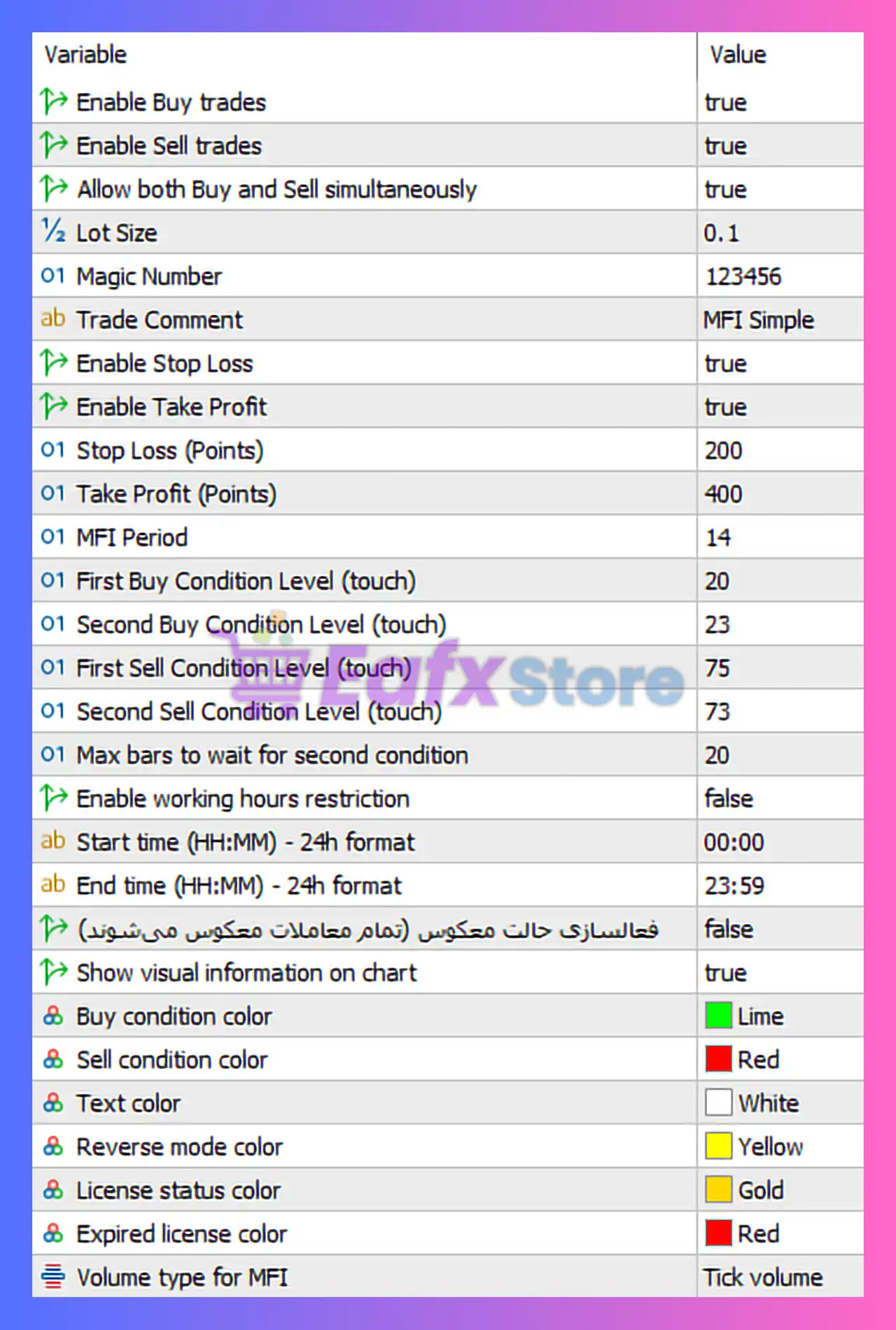
🧩 Trade Execution Controls
🔶 Enable Buy Trades: true
- Allows the EA to open BUY positions
- Confirms the strategy supports bullish market entries
🔶 Enable Sell Trades: true
- Enables SELL positions
- Ensures the EA trades both market directions
🔶 Allow Both Buy and Sell Simultaneously: true
- EA can hedge or open opposing trades at the same time
- Useful in ranging or volatile markets
- ⚠️ Recommended only for brokers that support hedging
🧩 Risk & Money Management
🔶 Lot Size: 0.1
- Fixed lot trading
- Suitable for small to medium accounts
- Not dynamic (no risk-based lot sizing)
🔶 Magic Number: 123456
- Unique identifier for EA trades
- Essential for managing multiple EAs or manual trades safely
🔶 Trade Comment: MFI Simple
- Identifies trades in terminal history
- Confirms the EA is based on Money Flow Index logic
🧩 Stop Loss & Take Profit Settings
🔶 Enable Stop Loss: true
- Risk protection is active
🔶 Stop Loss (Points): 200
- Moderate stop loss
- Balances drawdown control with market flexibility
🔶 Enable Take Profit: true
🔶 Take Profit (Points): 400
- Risk-to-reward ratio ≈ 1:2
- Positive expectancy when win rate > 34%
✅ This SL/TP ratio is healthy and professional for automated systems.
🧩 MFI Indicator Parameters
🔶 MFI Period: 14
- Industry-standard MFI setting
- Balanced sensitivity and stability
🔶 Buy Conditions:
- First Buy Level (Touch): 20
- Second Buy Level (Touch): 23
➡️ Indicates oversold conditions
➡️ Two-step confirmation reduces false signals
🔶 Sell Conditions:
- First Sell Level (Touch): 75
- Second Sell Level (Touch): 73
➡️ Indicates overbought conditions
➡️ Confirms bearish reversal zones
🔶 Max Bars to Wait for Second Condition: 20
- Ensures signals remain relevant
- Prevents delayed or invalid entries
🧩 Time Filter & Trading Sessions
🔶 Enable Working Hours Restriction: false
- EA trades 24/7
- Suitable for Forex pairs with continuous liquidity
🔶 Start Time: 00:00
🔶 End Time: 23:59
- Full-day trading window
🔍 Note: For optimization, session-based filtering (London/New York) could improve performance.
🧩 Reverse Mode & Strategy Flexibility
🔶 Reverse Mode (Vietnamese description): false
- Normal trading logic
- Does NOT invert buy/sell signals
➡️ Reverse mode can be useful for strategy testing or adapting to changing market behavior, but is currently disabled.
🧩 Visual & Chart Display Settings
🔶 Show Visual Information on Chart: true
- Displays Expert Advisor (EA) status and signals directly on the chart
🔶 Color Settings:
- Buy Condition Color: Lime
- Sell Condition Color: Red
- Text Color: White
- Reverse Mode Color: Yellow
- License Status Color: Gold
- Expired License Color: Red
🎨 These colors are clear, intuitive, and trader-friendly.
🧩 Volume Source for MFI
🔶 Volume Type for MFI: Tick Volume
- Standard choice in Forex trading
- Reliable where real volume data is unavailable
- Fully compatible with MT5
✅ Final Conclusion – Is This NKV EA MT5 Configuration Good?
Yes, this configuration is technically sound and professionally structured.
🔶 Key Strengths:
✔ Balanced risk-to-reward ratio.
✔ Clear MFI-based reversal logic.
✔ Dual-condition confirmation reduces false trades.
✔ Proper risk protection (SL/TP enabled).
✔ Supports both Buy & Sell with hedging.
✔ Clean visualization and trade identification.
🔶 Potential Improvements:
🔧 Add dynamic lot sizing (risk % per trade).
🔧 Use time filters for high-liquidity sessions.
🔧 Optimize MFI levels per symbol and timeframe.