

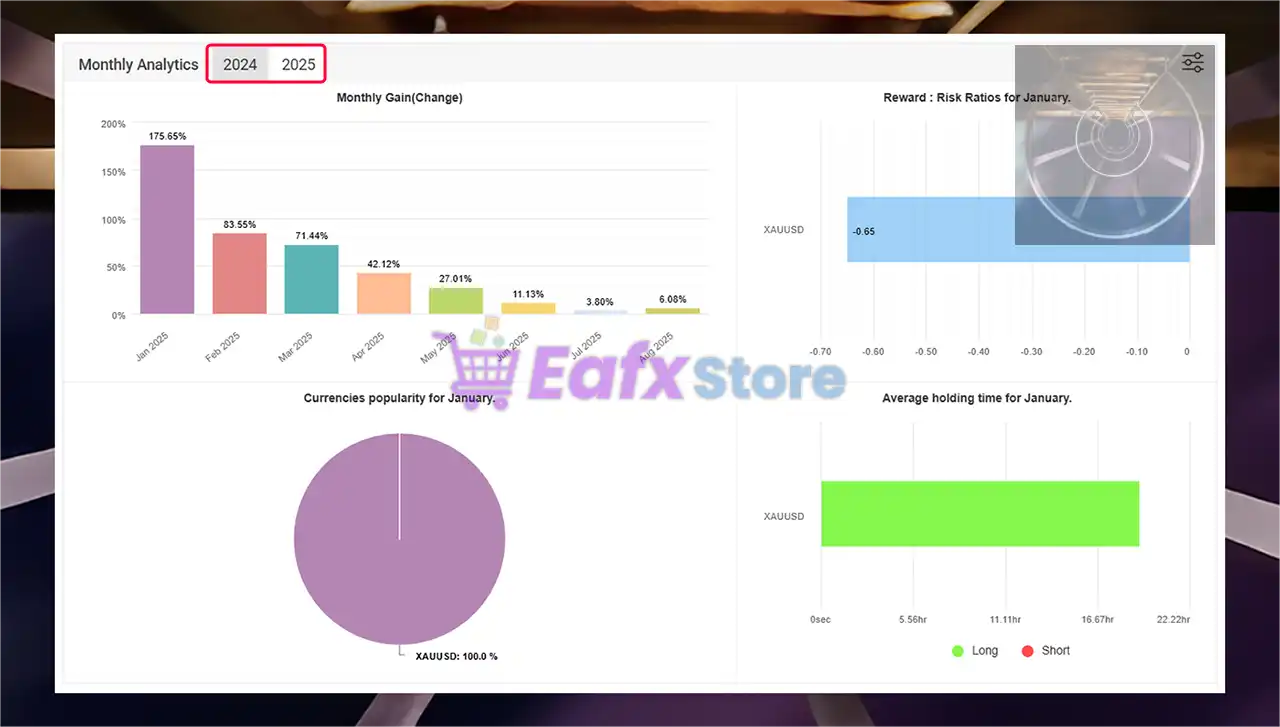
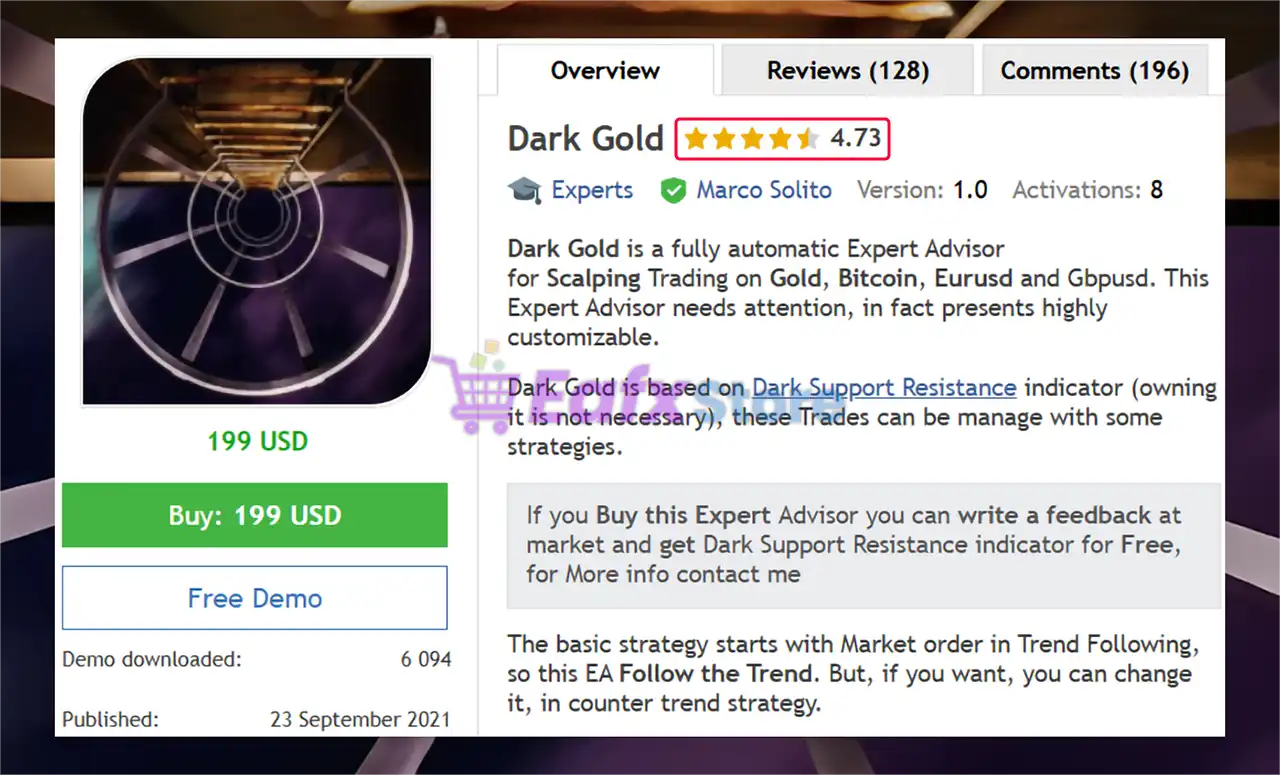
🔢 Dark Gold EA MT4 Settings Guide – Full Configuration Explained
Dark Gold EA MT4 is a sophisticated automated trading robot for MetaTrader 4 designed for gold and Forex traders who want advanced grid trading, support and resistance analysis, smart trade management and automated trailing systems.
The EA combines trend-following logic, dynamic grid strategies, monetary protection features, and indicator-based closures to provide traders with flexible automation and powerful market control.
🔢 Installation Panel Parameters
Below are the details of the parameters in the advisor’s trading system settings table:
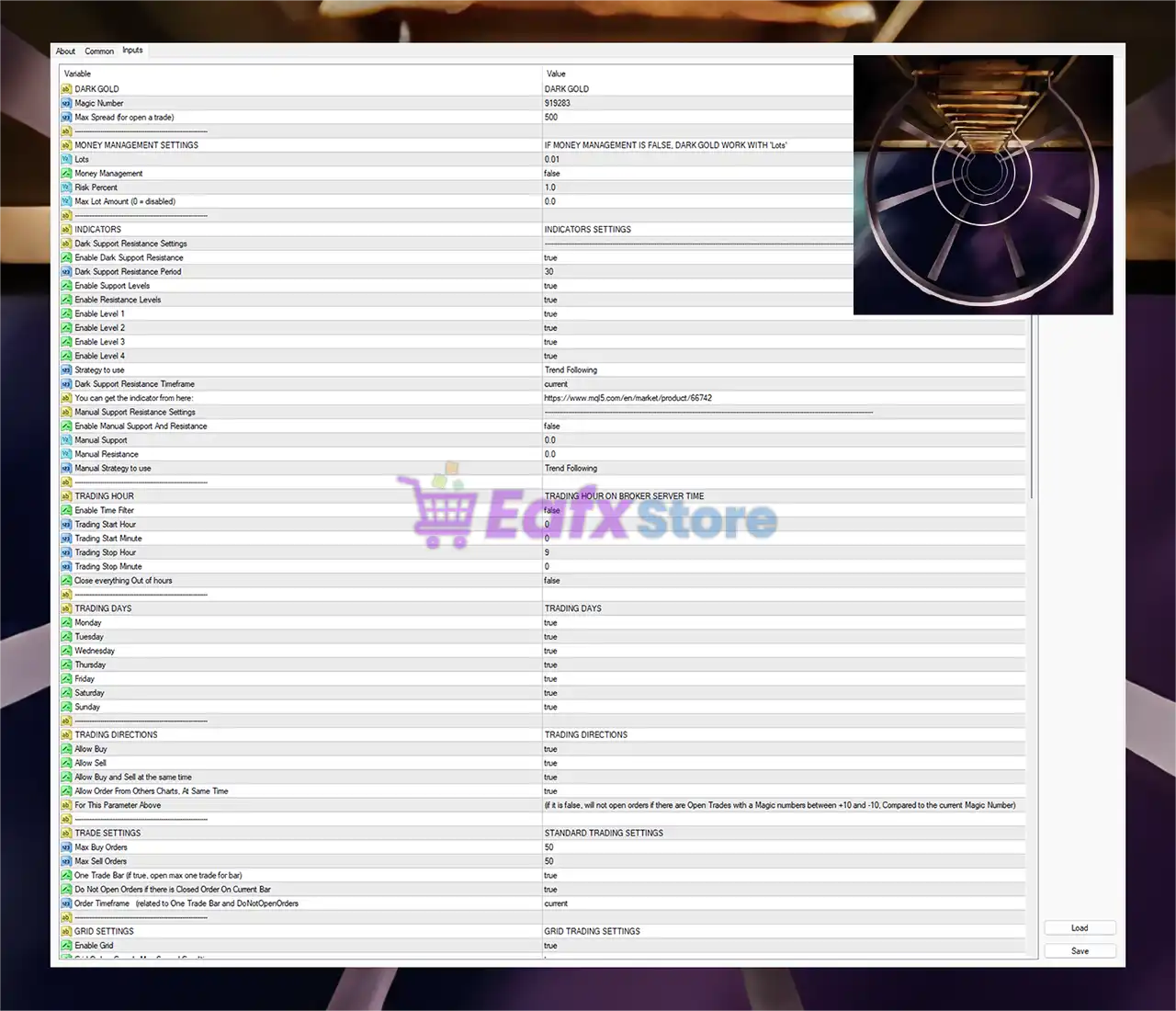
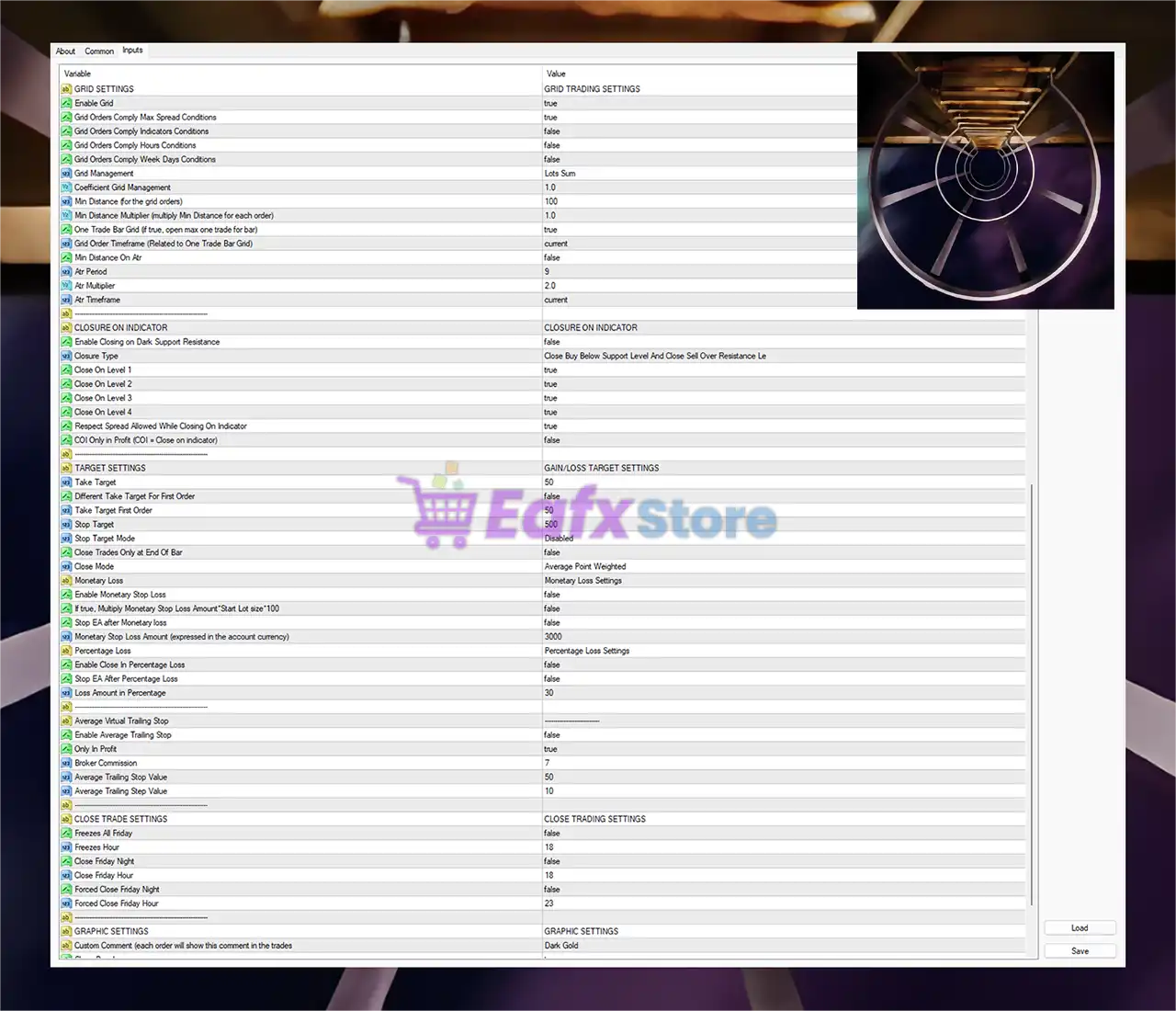
🔶 General Settings
🔹 DARK GOLD = DARK GOLD: Main Expert Advisor identification name is set to DARK GOLD.
🔹 Magic Number = 919283: Unique identifier assigned to all trades opened by the EA is 919283.
🔹 Max Spread (for open a trade) = 500: Maximum allowed spread for opening trades is 500.
🔶 Money Management Settings
🔹 Lots = 0.01: Default fixed lot size is configured at 0.01.
🔹 Money Management = false: Automatic money management system is disabled.
🔹 Risk Percent = 1.0: Risk percentage per trade is configured at 1.0%.
🔹 Max Lot Amount (0 = disabled) = 0.0: Maximum lot size limitation is disabled with value 0.0.
🔶 Indicators Settings
Dark Support Resistance Settings:
🔹 Enable Dark Support Resistance = true: Activates Dark Support and Resistance indicator logic.
🔹 Dark Support Resistance Period = 35: Support and resistance calculation period is 35.
🔹 Period Start Bar = 6: Indicator begins calculations from bar 6.
🔹 Enable Support Levels = true: Support levels display and usage are enabled.
🔹 Enable Resistance Levels = true: Resistance levels display and usage are enabled.
🔹 Enable Level 1 = true: First support/resistance level is active.
🔹 Enable Level 2 = true: Second support/resistance level is active.
🔹 Enable Level 3 = true: Third support/resistance level is active.
🔹 Enable Level 4 = true: Fourth support/resistance level is active.
🔹 Strategy to use = Trend Following: EA uses a trend-following strategy model.
🔹 Dark Support Resistance Timeframe = current: Indicator operates on the current chart timeframe.
🔶 Manual Support Resistance Settings
🔹 Enable Manual Support And Resistance = false: Manual support/resistance mode is disabled.
🔹 Manual Support = 0.0: Manual support level value is 0.0.
🔹 Manual Resistance = 0.0: Manual resistance level value is 0.0.
🔹 Manual Strategy to use = Trend Following: Manual strategy mode uses trend-following logic.
🔶 Trading Hour Settings
🔹 Enable Time Filter = false: Trading hour filter is disabled.
🔹 Trading Start Hour = 0: Trading session starts at hour 0.
🔹 Trading Start Minute = 0: Trading starts at minute 0.
🔹 Trading Stop Hour = 9: Trading session stops at hour 9.
🔹 Trading Stop Minute = 0: Trading stops at minute 0.
🔹 Close everything Out of hours = false: EA does not close trades outside trading hours.
🔶 Trading Days Settings
🔹 Monday = true: Trading is enabled on Monday.
🔹 Tuesday = true: Trading is enabled on Tuesday.
🔹 Wednesday = true: Trading is enabled on Wednesday.
🔹 Thursday = true: Trading is enabled on Thursday.
🔹 Friday = true: Trading is enabled on Friday.
🔹 Saturday = true: Trading is enabled on Saturday.
🔹 Sunday = true: Trading is enabled on Sunday.
🔶 Trading Directions Settings
🔹 Allow Buy = true: Buy trading positions are allowed.
🔹 Allow Sell = true: Sell trading positions are allowed.
🔹 Allow Buy and Sell at the same time = true: Simultaneous buy and sell positions are permitted.
🔹 Allow Order From Others Charts, At Same Time = true: EA accepts trades from multiple charts simultaneously.
🔹 For This Parameter Above: If disabled, the EA will not open trades when other trades exist with magic numbers between +10 and -10.
🔶 Standard Trade Settings
🔹 Max Buy Orders = 50: Maximum number of buy orders allowed is 50.
🔹 Max Sell Orders = 50: Maximum number of sell orders allowed is 50.
🔹 One Trade Bar (if true, open max one trade for bar) = true: Only one trade per candle/bar is allowed.
🔹 Do Not Open Orders if there is Closed Order On Current Bar = true: Prevents new trades after a closed trade on the same candle.
🔹 Order Timeframe (related to One Trade Bar and DoNotOpenOrders) = current: Current timeframe controls one-trade-per-bar logic.
🔶 Grid Trading Settings
🔹 Enable Grid = true: Grid trading functionality is enabled.
🔹 Grid Orders Comply Max Spread Conditions = true: Grid orders follow spread limitation rules.
🔹 Grid Orders Comply Indicators Conditions = false: Grid orders ignore indicator conditions.
🔹 Grid Orders Comply Hours Conditions = false: Grid orders ignore trading hour filters.
🔹 Grid Orders Comply Week Days Conditions = false: Grid orders ignore weekday restrictions.
🔹 Grid Management = Lots Sum: Grid management mode uses cumulative lot sizing.
🔹 Coefficient Grid Management = 1.0: Grid lot coefficient multiplier is 1.0.
🔹 Min Distance (for the grid orders) = 100: Minimum distance between grid trades is 100.
🔹 Min Distance Multiplier (multiply Min Distance for each order) = 1.0: Distance multiplier is configured at 1.0.
🔹 One Trade Bar Grid (if true, open max one trade for bar) = true: Grid mode allows one order per candle.
🔹 Grid Order Timeframe (Related to One Trade Bar Grid) = current: Grid trade timing uses the current timeframe.
🔹 Min Distance On Atr = false: ATR-based distance calculation is disabled.
🔹 Atr Period = 9: ATR indicator period is 9.
🔹 Atr Multiplier = 2.0: ATR multiplier is configured at 2.0.
🔹 Atr Timeframe = current: ATR calculations use the current timeframe.
🔶 Closure On Indicator Settings
🔹 Enable Closing on Dark Support Resistance = false: Indicator-based automatic closure is disabled.
🔹 Closure Type = Close Buy Below Support Level And Close Sell Over Resistance Level: Closing logic uses support and resistance break conditions.
🔹 Close On Level 1 = true: Closure on level 1 is enabled.
🔹 Close On Level 2 = true: Closure on level 2 is enabled.
🔹 Close On Level 3 = true: Closure on level 3 is enabled.
🔹 Close On Level 4 = true: Closure on level 4 is enabled.
🔹 Respect Spread Allowed While Closing On Indicator = true: Spread protection remains active during indicator-based closures.
🔹 COI Only in Profit (COI = Close on indicator) = false: Trades can close on indicator even without profit.
🔶 Gain/Loss Target Settings
🔹 Take Target = 50: Main take-profit target is 50.
🔹 Different Take Target For First Order = false: First order uses the same target as all other trades.
🔹 Take Target First Order = 50: First order take-profit is 50.
🔹 Stop Target = 500: Global stop target is set to 500.
🔹 Stop Target Mode = Disabled: Stop target feature is disabled.
🔹 Close Trades Only at End Of Bar = false: Trades can close anytime during the candle.
🔹 Close Mode = Average Point Weighted: Trade closure logic uses weighted average points.
🔶 Monetary Loss Settings
🔹 Enable Monetary Stop Loss = false: Monetary stop-loss protection is disabled.
🔹 If true, Multiply Monetary Stop Loss Amount * Start Lot size * 100 = false: Dynamic monetary loss multiplication is disabled.
🔹 Stop EA after Monetary loss = false: EA continues trading after monetary losses.
🔹 Monetary Stop Loss Amount (expressed in the account currency) = 3000: Monetary loss limit is 3000 account currency units.
🔶 Percentage Loss Settings
🔹 Enable Close In Percentage Loss = false: Percentage-based loss closure is disabled.
🔹 Stop EA After Percentage Loss = false: EA does not stop after percentage drawdown.
🔹 Loss Amount in Percentage = 30: Maximum allowed percentage loss is 30%.
🔶 Average Virtual Trailing Stop Settings
🔹 Enable Average Trailing Stop = false: Average trailing stop system is disabled.
🔹 Only In Profit = true: Trailing activates only when positions are profitable.
🔹 Broker Commission = 7: Broker commission parameter is configured at 7.
🔹 Average Trailing Stop Value = 50: Average trailing stop distance is 50.
🔹 Average Trailing Step Value = 10: Trailing step adjustment is 10.
🔶 Close Trade Settings
🔹 Freezes All Friday = false: Trading freeze on Friday is disabled.
🔹 Freezes Hour = 18: Freeze hour is configured at 18.
🔹 Close Friday Night = false: Friday night auto-close is disabled.
🔹 Close Friday Hour = 18: Friday close hour is 18.
🔹 Forced Close Friday Night = false: Forced Friday closure is disabled.
🔹 Forced Close Friday Hour = 23: Forced closure hour is 23.
🔶 Graphic Settings
🔹 Custom Comment (each order will show this comment in the trades) = Dark Gold: Trade comment label is Dark Gold.
🔹 Show Panel = true: Trading information panel is enabled.
🔹 Show Buttons = true: On-chart control buttons are enabled.
🔹 Custom Chart = true: Custom chart styling is activated.
🔶 Optimization Settings
🔹 Minimum Trades for "OnTester" result = 100: Minimum required trades for optimization testing is 100.
🔢 Conclusion
Dark Gold EA MT4 is a highly customizable automated trading robot that combines grid trading, support and resistance analysis, trailing stop systems, and advanced money management into one comprehensive MT4 solution. With flexible risk controls, trend-following strategies, and smart trade management features, the EA is suitable for traders seeking powerful automation and detailed configuration control.
🔢 FAQs
❓ What is Dark Gold EA MT4?
Dark Gold EA MT4 is an automated trading Expert Advisor for MetaTrader 4 using grid and trend-following strategies.
❓ Does Dark Gold EA MT4 support grid trading?
Yes, the EA includes a fully configurable grid trading system.
❓ Can Dark Gold EA MT4 trade both buy and sell orders simultaneously?
Yes, simultaneous buy and sell trading is enabled.
❓ Does Dark Gold EA MT4 include support and resistance indicators?
Yes, the EA integrates Dark Support and Resistance indicator logic.
❓ What is the default lot size in Dark Gold EA MT4?
The default fixed lot size is 0.01.



