






TrippaTrading AI EA MT4 v5.30 + SetFiles (Original version)

Subscriptions for Special Plan
- 30 EA package is more economical!
- Special package with 99%
- Download 1 EA/Day

Subscriptions for Premium Membership
- Download Unlimited in 1 Year
- Get 100% Discount
- Get free access to all

Subscriptions for Gold Membership
- 1 Year Membership
- Get 100% Discount
- Access EA+Indicator+Course
Frequently bought together 🎁
Add these products to enhance your purchase



What is TrippaTrading AI EA?
TrippaTrading AI EA is a powerful Expert Advisor (EA) built for automated trading with Bollinger Bands logic, adaptive grid execution and advanced risk management. Using intelligent Indicators, volatility filters, and flexible trade controls, it delivers stable performance, market adaptability and optimized execution across changing Forex conditions.
🔶 Vender Website: View here
About the Author TrippaTrading
TrippaTrading is a leader in developing AI solutions for forex trading. Focused on innovation and simplicity, they aim to empower traders with cutting-edge tools that deliver consistent results. TrippaTrading AI EA is a testament to their commitment to making profitable trading accessible to everyone. TrippaTrading AI is also their top performing advisors.
Key Features of TrippaTrading AI MT4
🔹 Advanced Bollinger Bands Logic: Detects reversal zones using upper and lower band confirmations precisely.
🔹 Adaptive Grid Management: Supports controlled grid spacing with customizable distance and ATR calculations.
🔹 Flexible Risk Management: Combines fixed lots, percentage risk and trade exposure control tools.
🔹 Smart Trading Filters: Includes spread, session, and candle-based filters for safer market execution.
🔹 Automated Trade Protection: Uses trailing systems and weighted closing logic for profit optimization.
🔹 Multi-Session Compatibility: Supports simultaneous buy and sell management across multiple charts.
What is the TrippaTrading AI EA Trading Strategy?
🔹 Bollinger Reversal Trading: Buys below lower bands and sells above upper bands for precision entries.
🔹 Grid Recovery Execution: Opens structured positions with controlled spacing during volatile market moves.
🔹 Bar Close Confirmation Logic: Confirms signals at candle close to reduce false market entries.
🔹 ATR-Based Volatility Analysis: Measures price movement strength for adaptive trade positioning accuracy.
🔹 Weighted Basket Closing System: Uses average weighted pricing to optimize group trade exits safely.
🔹 Spread & Timing Filters: Avoids unstable market conditions using spread and trading session controls.
TrippaTrading AI EA MT4 Review
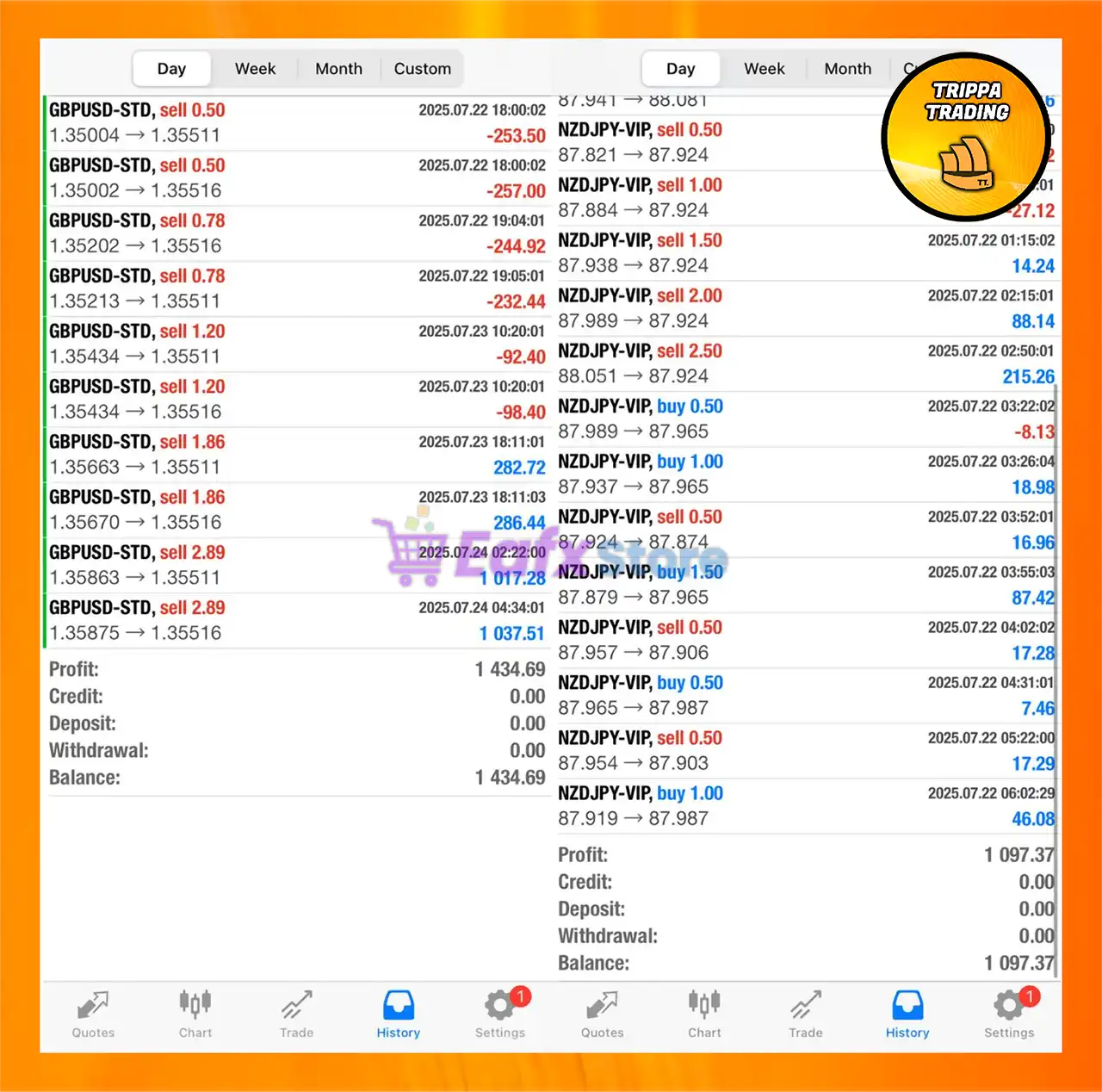
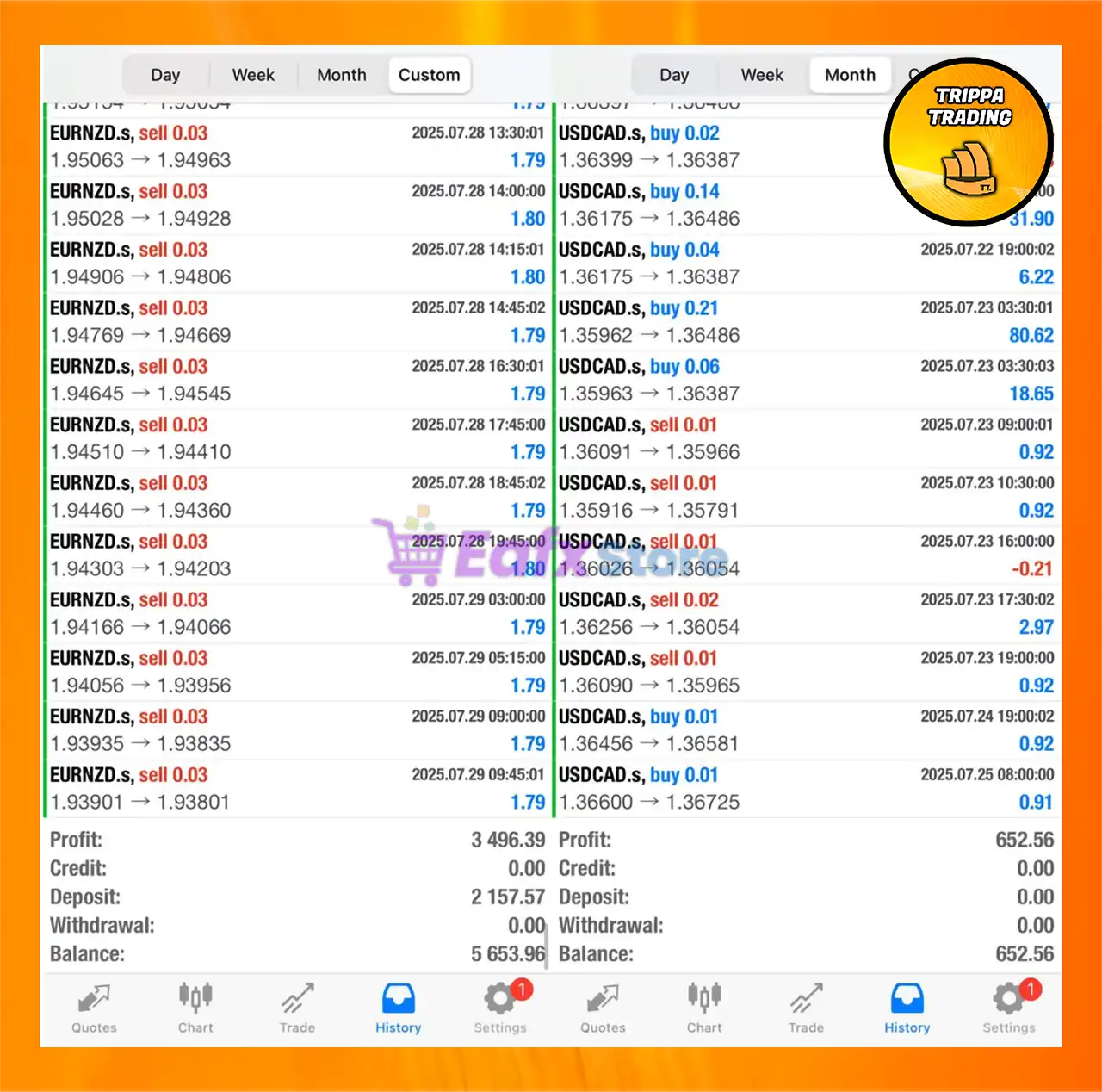
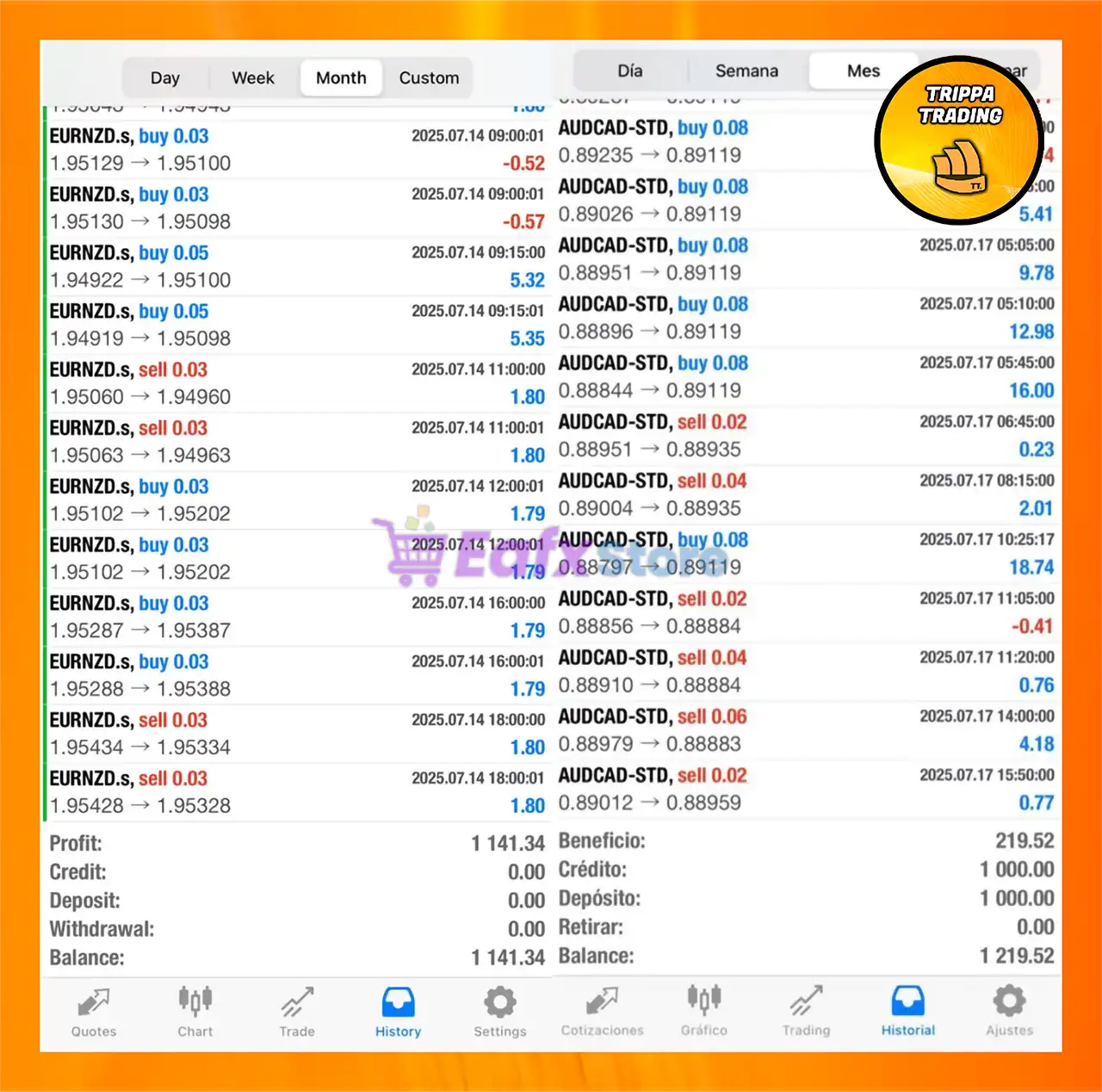
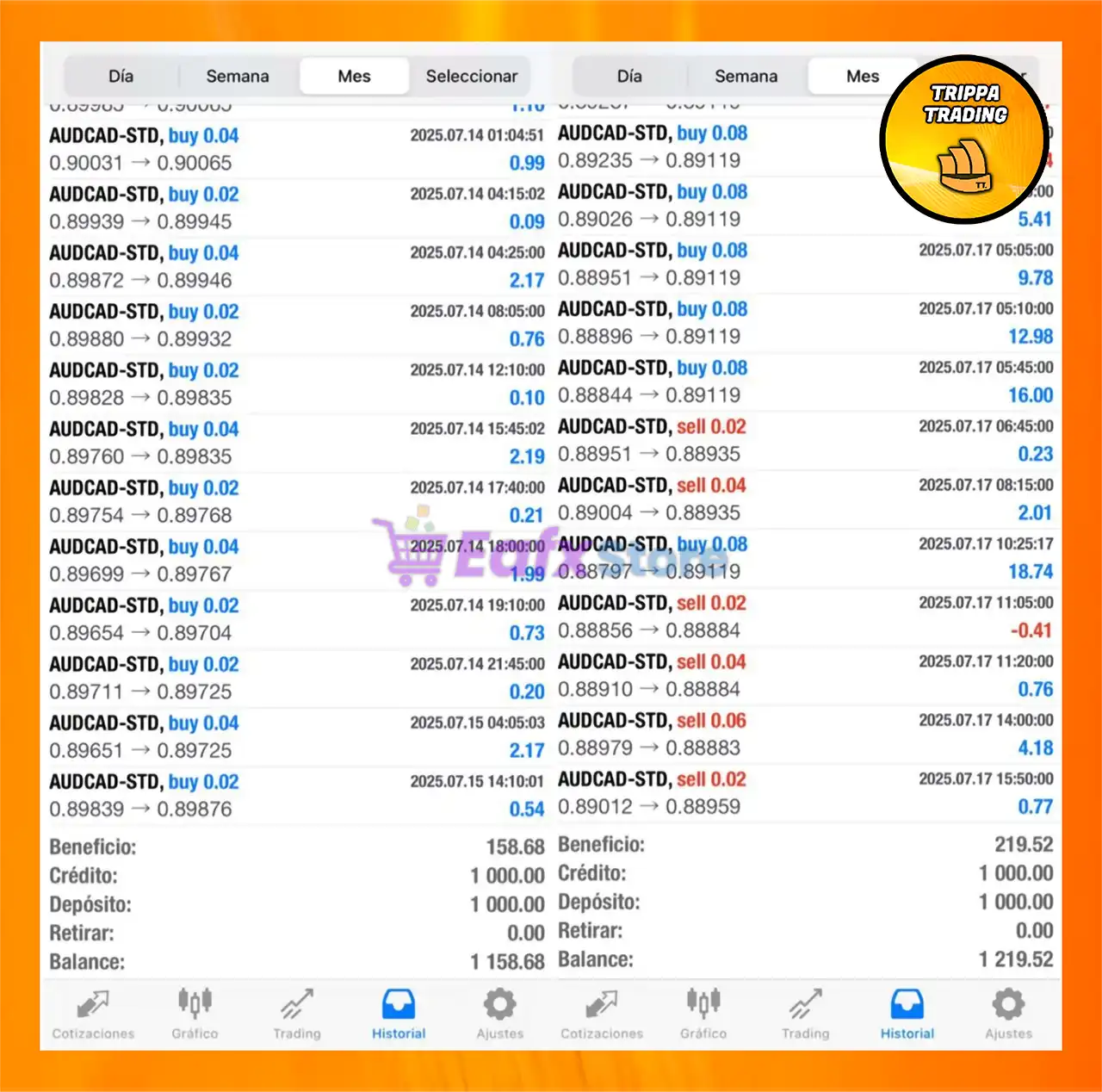
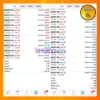
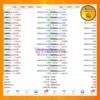
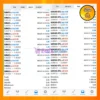
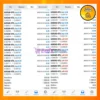
TrippaTrading AI EA for MT4 has demonstrated consistent profitability across various accounts and timeframes. With a robust trading strategy that blends scalping and intraday logic, the EA is capable of executing low-risk trades on major and minor currency pairs.
The intelligent use of lot sizing, hedging, and active session timing shows the EA is designed for precision and safety. Results from multiple trading histories reveal total combined profits exceeding $8,300+, all while maintaining low drawdowns and no withdrawals, showcasing strong equity growth.
TrippaTrading AI MT4 Live Trading Results
TrippaTrading AI MT4 Live Results
Why Choose TrippaTrading AI EA?
🔹 Stable Automated Trading: Designed for traders seeking balanced growth with controlled execution logic.
🔹 Highly Customizable Framework: Flexible settings adapt easily to different trading styles and accounts.
🔹 Advanced Market Adaptability: Combines volatility analysis and indicators for dynamic trade management.
🔹 Efficient Risk Control Tools: Integrates exposure filters, lot management and structured trade handling.
🔹 Marketplace-Ready Performance: Optimized for consistent Forex automation and long-term trading resilience.
🔹 Suitable For All Traders: User-friendly setup with professional features for beginners and experts alike.
Trustpilot Reviews
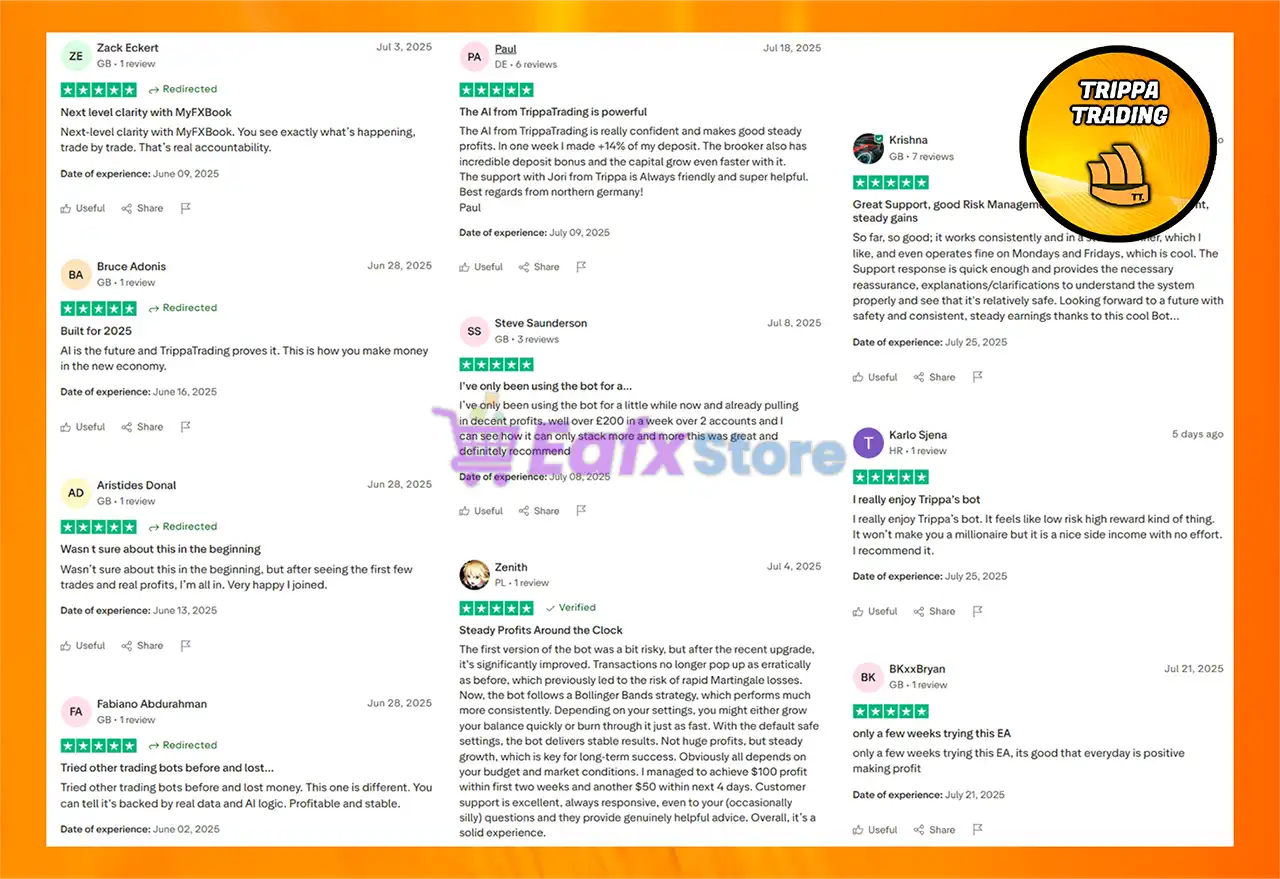
This expert advisor is highly rated by users, and is well-rated by the Trustpilot community for trading performance.
➡️ PAUL.N.DHR: “Better Risk management by EA and Amazing team. While I am using multiple EA last 2 years, this one comes on top. latest version increased risk management, lower DD without reducing profitability.”
➡️ Krishna: “Good Risk Management mechanisms and Consistent, steady gains. So far, so good; it works consistently and in a stable manner, which I like, and even operates fine on Mondays and Fridays, which is cool.”
➡️ Karlo Sjena: “I really enjoy Trippa’s bot. It feels like low risk high reward kind of thing. It won’t make you a millionaire but it is a nice side income with no effort. I recommend it.”
TrippaTrading AI Trustpilot Reviews
Recommended Settings
Recommended settings and parameters to pay attention to from developers and experts:
| Features | Type |
|---|---|
| Trading platform | MetaTrader 4 (MT4) |
| Time frames | M5, M15, M30, H1 |
| Minimum / Recommended deposit | $500 |
| Minimum / Recommended leverage | 1:30+ |
| Currency pairs | GBPUSD, EURUSD, AUDCAD (Any) |
| Product type | NoDLL / Fix |
| Additional services | Unlock and Decompile |
| Recommended brokers | Exness Broker, Icmarkets Broker |
| Recommended VPS | MyfxVPS.com ( Blue VPS, Golden VPS). Lowest Latency, 2 week Free Trial, 100% Free for 12-18 Months. |
➡️ Reviewed by David Easton
Product Download Package?
The download package of the product suite includes:
✅ Experts: TrippaTradingAI.ex4
✅ SetFiles: SettingsB1000.set
Conclusion
In short, TrippaTrading AI EA stands out as a highly adaptable and intelligent trading solution for MetaTrader 4, expertly combining Bollinger Bands strategy with grid logic to deliver optimal performance in sideways or mean-reversion markets. Its powerful automation and robust risk control features—such as indicator-based trade exits, maximum spread filtering, and optional Friday shutdown—make it an ideal choice for traders seeking precision, safety, and hands-free operation.
🔢 TrippaTrading AI EA MT4 – Complete Settings & Input Parameters Guide
TrippaTrading AI EA is an advanced automated Forex trading robot for MetaTrader 4 that combines Bollinger Bands strategies, grid trading logic, smart money management and customizable trade filters.
Designed for traders seeking flexible automation, this EA includes powerful features such as ATR-based grid spacing, trading hour filters, trailing stop management, and multiple risk-control systems to optimize trading performance across different market conditions.
TrippaTrading AI Settings
🔢 TrippaTrading AI EA MT4 Settings Explained
Below are the details of the parameters in the advisor’s trading system settings table:
TrippaTrading AI EA Settings Panel
TrippaTrading AI Settings Panel
🔶 General Settings
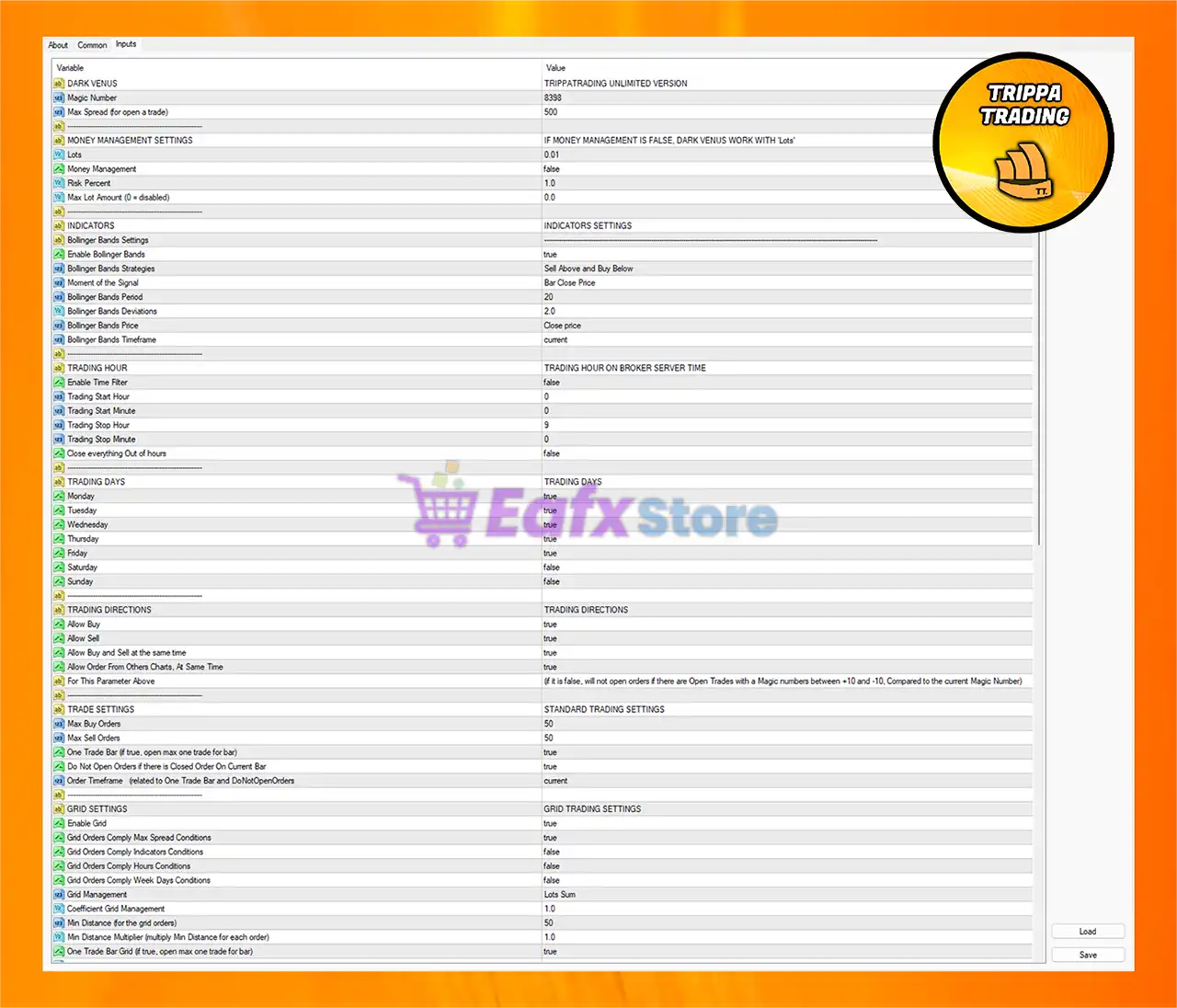
🔹 DARK VENUS = TRIPPATRADING UNLIMITED VERSION: Displays the EA version and identification name.
🔹 Magic Number = 8393: Unique identifier used by the EA to manage and track trades.
🔹 Max Spread (for open a trade) = 500: Maximum spread allowed before opening a trade.
🔶 Money Management Settings
🔹 Lots = 0.01: Fixed trading lot size set to 0.01.
🔹 Money Management = false: Disables automatic lot sizing based on account balance or risk percentage.
🔹 Risk Percent = 1.0: Risk percentage per trade set to 1.0%.
🔹 Max Lot Amount (0 = disabled) = 0.0: No maximum lot size limitation is applied.
🔶 Indicators Settings
🔹 Enable Bollinger Bands = true: Activates Bollinger Bands as the main trading indicator.
🔹 Bollinger Bands Strategies = Sell Above and Buy Below: EA sells near the upper band and buys near the lower band.
🔹 Moment of the Signal = Bar Close Price: Trading signals are confirmed at candle close.
🔹 Bollinger Bands Period = 20: Bollinger Bands calculation period is 20.
🔹 Bollinger Bands Deviations = 2.0: Standard deviation value for Bollinger Bands set to 2.0.
🔹 Bollinger Bands Price = Close price: Bollinger Bands are calculated using candle closing prices.
🔹 Bollinger Bands Timeframe = current: Uses the current chart timeframe for indicator calculations.
🔶 Trading Hour Settings
🔹 Enable Time Filter = false: Trading hour restrictions are disabled.
🔹 Trading Start Hour = 0: Trading session starts at hour 0.
🔹 Trading Start Minute = 0: Trading starts at minute 0.
🔹 Trading Stop Hour = 9: Trading session stops at hour 9.
🔹 Trading Stop Minute = 0: Trading session ends at minute 0.
🔹 Close everything Out of hours = false: EA will not close trades outside trading hours.
🔶 Trading Days Settings
🔹 Monday = true: Trading is enabled on Monday.
🔹 Tuesday = true: Trading is enabled on Tuesday.
🔹 Wednesday = true: Trading is enabled on Wednesday.
🔹 Thursday = true: Trading is enabled on Thursday.
🔹 Friday = true: Trading is enabled on Friday.
🔹 Saturday = false: Trading is disabled on Saturday.
🔹 Sunday = false: Trading is disabled on Sunday.
🔶 Trading Directions
🔹 Allow Buy = true: Buy orders are permitted.
🔹 Allow Sell = true: Sell orders are permitted.
🔹 Allow Buy and Sell at the same time = true: Allows simultaneous buy and sell positions.
🔹 Allow Order From Others Charts, At Same Time = true: Permits trade management across multiple charts.
🔹 For This Parameter Above: If disabled, the EA avoids opening trades when similar Magic Numbers between +10 and -10 already exist.
🔶 Trade Settings
🔹 Max Buy Orders = 50: Maximum allowed buy orders is 50.
🔹 Max Sell Orders = 50: Maximum allowed sell orders is 50.
🔹 One Trade Bar (if true, open max one trade for bar) = true: EA opens only one trade per candle.
🔹 Do Not Open Orders if there is Closed Order On Current Bar = true: Prevents re-entry on the same candle after trade closure.
🔹 Order Timeframe (related to One Trade Bar and DoNotOpenOrders) = current: Uses the current timeframe for trade restrictions.
🔶 Grid Trading Settings
🔹 Enable Grid = true: Activates grid trading functionality.
🔹 Grid Orders Comply Max Spread Conditions = true: Grid trades obey spread limitations.
🔹 Grid Orders Comply Indicators Conditions = false: Grid orders ignore indicator conditions.
🔹 Grid Orders Comply Hours Conditions = false: Grid orders ignore trading hour filters.
🔹 Grid Orders Comply Week Days Conditions = false: Grid orders ignore weekday filters.
🔹 Grid Management = Lots Sum: Uses cumulative lot management for grid orders.
🔹 Coefficient Grid Management = 1.0: Grid lot multiplier coefficient set to 1.0.
🔹 Min Distance (for the grid orders) = 50: Minimum distance between grid trades is 50.
🔹 Min Distance Multiplier (multiply Min Distance for each order) = 1.0: Distance multiplier remains fixed at 1.0.
🔹 One Trade Bar Grid (if true, open max one trade for bar) = true: Restricts grid entries to one trade per candle.
🔹 Grid Order Timeframe (Related to One Trade Bar Grid) = current: Uses current timeframe for grid timing.
🔹 Min Distance On Atr = false: ATR-based distance calculation is disabled.
🔹 Atr Period = 9: ATR indicator period set to 9.
🔹 Atr Multiplier = 2.0: ATR multiplier value is 2.0.
🔹 Atr Timeframe = current: ATR uses the current chart timeframe.
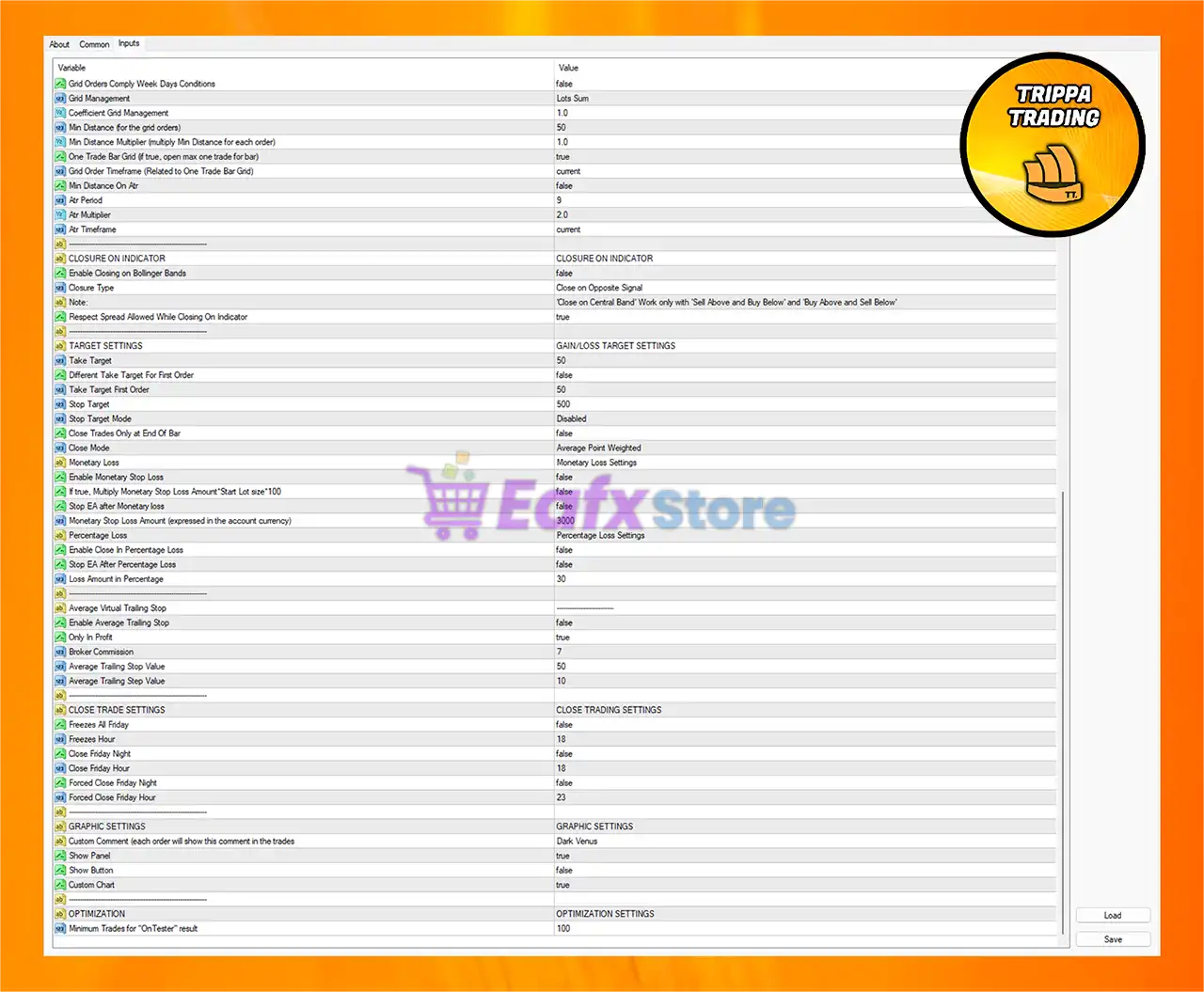
🔶 Closure On Indicator Settings
🔹 Enable Closing on Bollinger Bands = false: Indicator-based automatic trade closing is disabled.
🔹 Closure Type = Close on Opposite Signal: Trades close when an opposite trading signal appears.
🔹 Note: Close on Central Band works only with “Sell Above and Buy Below” or “Buy Above and Sell Below”.
🔹 Respect Spread Allowed While Closing On Indicator = true: Spread conditions apply during indicator-based closing.
🔶 Gain/Loss Target Settings
🔹 Take Target = 50: Global take-profit target set to 50.
🔹 Different Take Target For First Order = false: First trade uses the same TP as all others.
🔹 Take Target First Order = 50: First order TP value is 50.
🔹 Stop Target = 500: Global stop-loss target set to 500.
🔹 Stop Target Mode = Disabled: Stop target mode is disabled.
🔹 Close Trades Only at End Of Bar = false: Trades can close anytime, not only at candle close.
🔹 Close Mode = Average Point Weighted: Uses weighted average price for closing logic.
🔶 Monetary Loss Settings
🔹 Enable Monetary Stop Loss = false: Monetary stop-loss protection is disabled.
🔹 *If true, Multiply Monetary Stop Loss Amount * Start Lot size 100 = false: Multiplication logic is disabled.
🔹 Stop EA after Monetary loss = false: EA continues trading after reaching loss threshold.
🔹 Monetary Stop Loss Amount (expressed in the account currency) = 3000: Monetary stop-loss value set to 3000.
🔶 Percentage Loss Settings
🔹 Enable Close In Percentage Loss = false: Percentage-based loss closure is disabled.
🔹 Stop EA After Percentage Loss = false: EA will not stop after percentage drawdown.
🔹 Loss Amount In Percentage = 30: Percentage loss threshold set to 30%.
🔶 Average Virtual Trailing Stop Settings
🔹 Enable Average Trailing Stop = false: Average trailing stop feature is disabled.
🔹 Only In Profit = true: Trailing stop activates only when trades are profitable.
🔹 Broker Commission = 7: Broker commission value used in calculations is 7.
🔹 Average Trailing Stop Value = 50: Average trailing stop distance is 50.
🔹 Average Trailing Step Value = 10: Trailing stop adjustment step is 10.
🔶 Close Trade Settings
🔹 Freezes At Friday = false: Friday trade freezing feature is disabled.
🔹 Freezes Hour = 18: Freeze hour set to 18.
🔹 Close Friday Night = false: Friday night auto-close feature is disabled.
🔹 Close Friday Hour = 18: Friday closing hour set to 18.
🔹 Forced Close Friday Night = false: Forced Friday closure is disabled.
🔹 Forced Close Friday Hour = 23: Forced close hour is 23.
🔶 Graphic Settings
🔹 Custom Comment (each order will show this comment in the trades) = Dark Venus: Custom trade comment displayed on all orders.
🔹 Show Panel = true: Enables the EA information panel on the chart.
🔹 Show Buttons = false: Trading control buttons are hidden.
🔹 Custom Chart = true: Enables customized chart appearance.
🔶 Optimization Settings
🔹 Minimum Trades for “OnTester” result = 100: Requires at least 100 trades for optimization testing results.
🔢 Conclusion
TrippaTrading AI EA MT4 is a feature-rich automated trading system that combines Bollinger Bands logic, grid trading strategies, ATR calculations and flexible money management tools.
With advanced trade filters, customizable risk settings, and comprehensive session controls, the EA is suitable for traders looking for an adaptive and highly configurable MT4 trading solution.
🔢 FAQs
❓ What is TrippaTrading AI EA MT4?
TrippaTrading AI EA MT4 is an automated Forex trading robot for MetaTrader 4 using Bollinger Bands and grid trading strategies.
❓ Does TrippaTrading AI EA MT4 support grid trading?
Yes, the EA includes a fully customizable grid trading system with ATR and distance management.
❓ Can I use automatic money management in this EA?
Yes, by enabling the Money Management option, the EA can calculate lot sizes automatically.
❓ Does the EA include trading session filters?
Yes, traders can configure trading hours and weekday filters directly in the settings.
❓ Is TrippaTrading AI EA MT4 suitable for beginners?
Yes, the EA provides simple configurable inputs while still offering advanced features for experienced traders.
User Reviews
Only logged in customers who have purchased this product may leave a review.
❓ What trading strategy does TrippaTrading AI EA use?
TrippaTrading AI uses a Bollinger Bands-based strategy, placing "Buy Below and Sell Above" trades when price touches the outer bands, suggesting a potential market reversal.
❓ Is TrippaTrading AI EA fully automated?
Yes, the EA is 100% automated, meaning it handles entries, exits, risk management, and trade logic without manual intervention.
❓ Can this EA trade multiple pairs and charts at the same time?
Absolutely. TrippaTrading AI supports multi-chart and multi-symbol trading, executing Buy and Sell orders simultaneously across various markets.
❓ What is the recommended account size and leverage?
The recommended minimum deposit is $500, and the EA can operate with any leverage setting depending on your broker's offering.
❓ Is the EA suitable for trending markets?
TrippaTrading AI is optimized for sideways or mean-reverting markets, not strong trends. It performs best when price fluctuates within a range.
❓ Does TrippaTrading AI use a grid system? Is it dangerous?
Yes, it uses a grid-style logic with adjustable spacing and risk settings. When used correctly, and especially with its built-in risk filters, the grid can be relatively safe in sideways markets.
❓ How does the EA manage risk and close trades?
The EA uses indicator-based closing, exiting trades when the price hits the central Bollinger Band, and offers optional currency loss limits for extra protection.
❓ Can I turn off trading on Fridays or specific times?
Yes. The EA has a Disable Friday trading option and allows you to set specific trading hours and days, helping avoid weekend gaps and high-risk sessions.
❓ Does it include Trailing Stop or other dynamic exit tools?
Trailing Stop is disabled by default but can be manually enabled in the settings for more flexible exit strategies.
❓ What currency pairs work best with TrippaTrading AI?
It’s been tested and optimized for pairs like GBPUSD, EURUSD, and AUDCAD, but it can technically trade any currency pair that suits the Bollinger Bands logic.
🔥 Get This EA for FREE with Our Membership! 🚀🚀
Unlock access to this EA, premium Indicators, and exclusive trading tools completely FREE with any of our Membership Plans! Thousands of traders already benefit from our VIP library—join them and level up your trading instantly. Choose Your Membership:
- SPECIAL – 1 Month Membership
- GOLD – 1 Year Membership
- PREMIUM – 1 Year Membership
-
 Original price was: $379.00.$89.00Current price is: $89.00.
 -
 Original price was: $1,300.00.$69.00Current price is: $69.00.
 -
 Price range: $89.00 through $599.00
 -
 Price range: $80.00 through $599.00
-
 10Original price was: $499.00.$69.00Current price is: $69.00.
 -
 1Original price was: $1,599.00.$59.00Current price is: $59.00.
 -
 10Original price was: $2,100.00.$69.00Current price is: $69.00.
 -
 3Original price was: $999.00.$69.00Current price is: $69.00.
There are no reviews yet.