


🔢 IS New Project EA MT4 Settings Guide – Full Input Parameters Explained
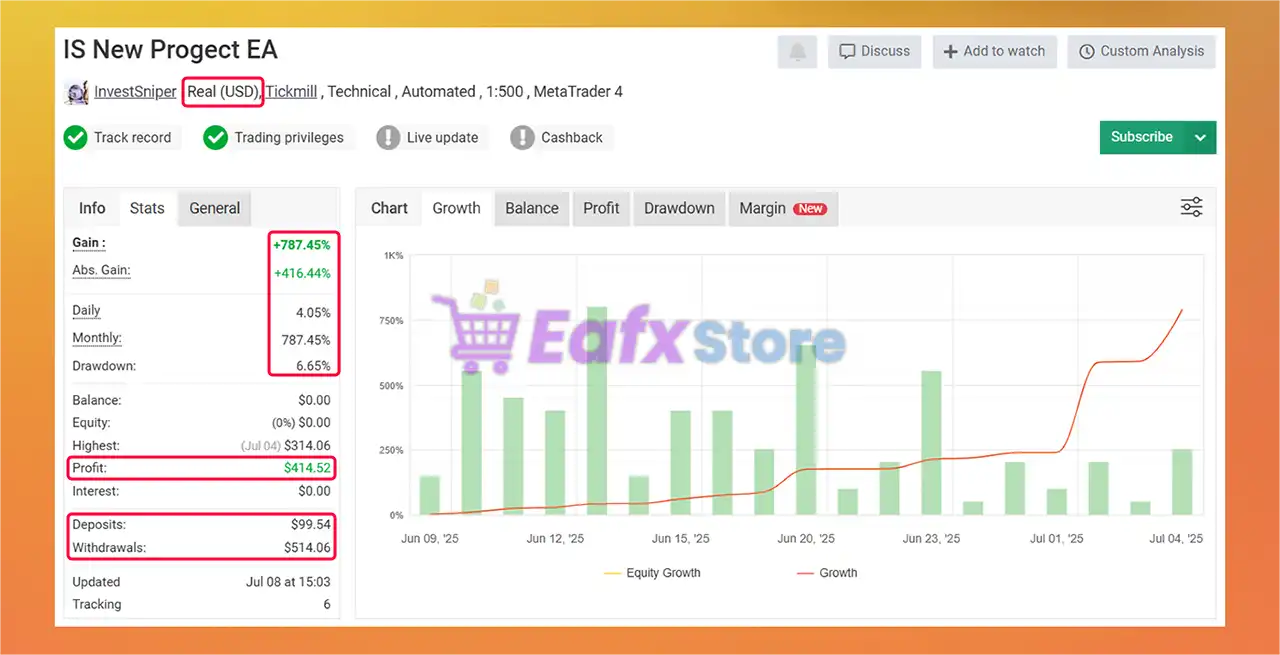
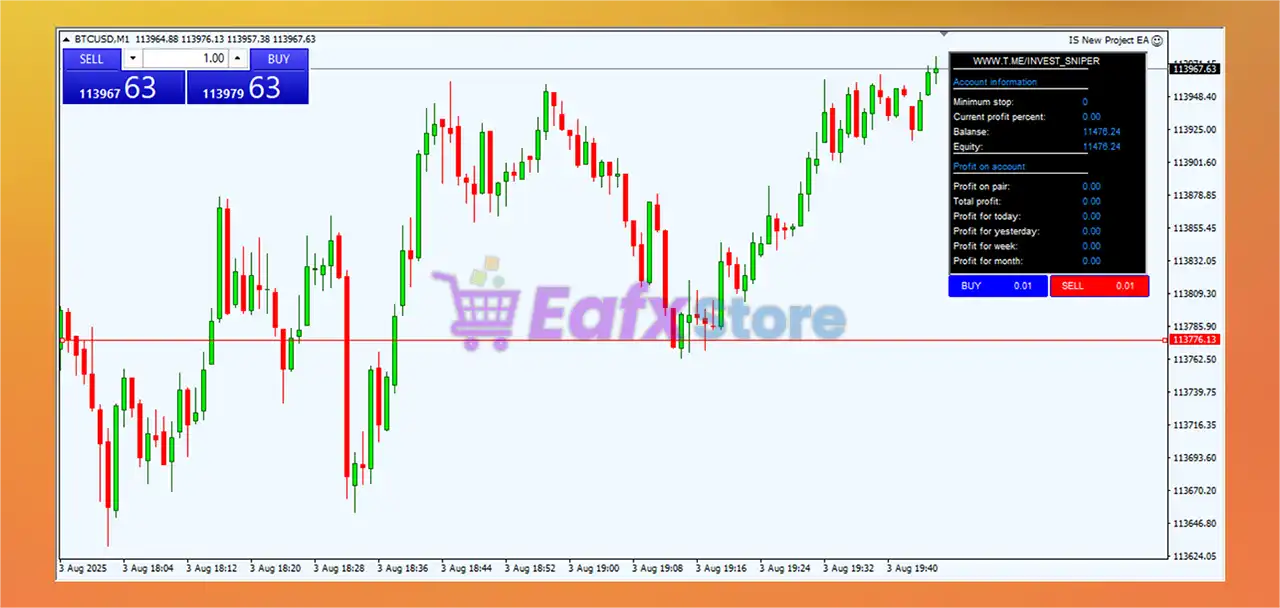
IS New Project EA is an automated trading Expert Advisor developed for the MetaTrader 4 platform. The EA focuses on trend-based execution, dynamic trailing stop management, spread control, and candle/bar analysis for automated forex trading.
With customizable profit targets, bar processing filters, and visual chart tools, IS New Project EA MT4 provides traders with flexible settings suitable for both conservative and aggressive trading styles.
🔢 IS New Project EA MT4 Input Settings
Below are the details of the parameters in the advisor’s trading system settings table:
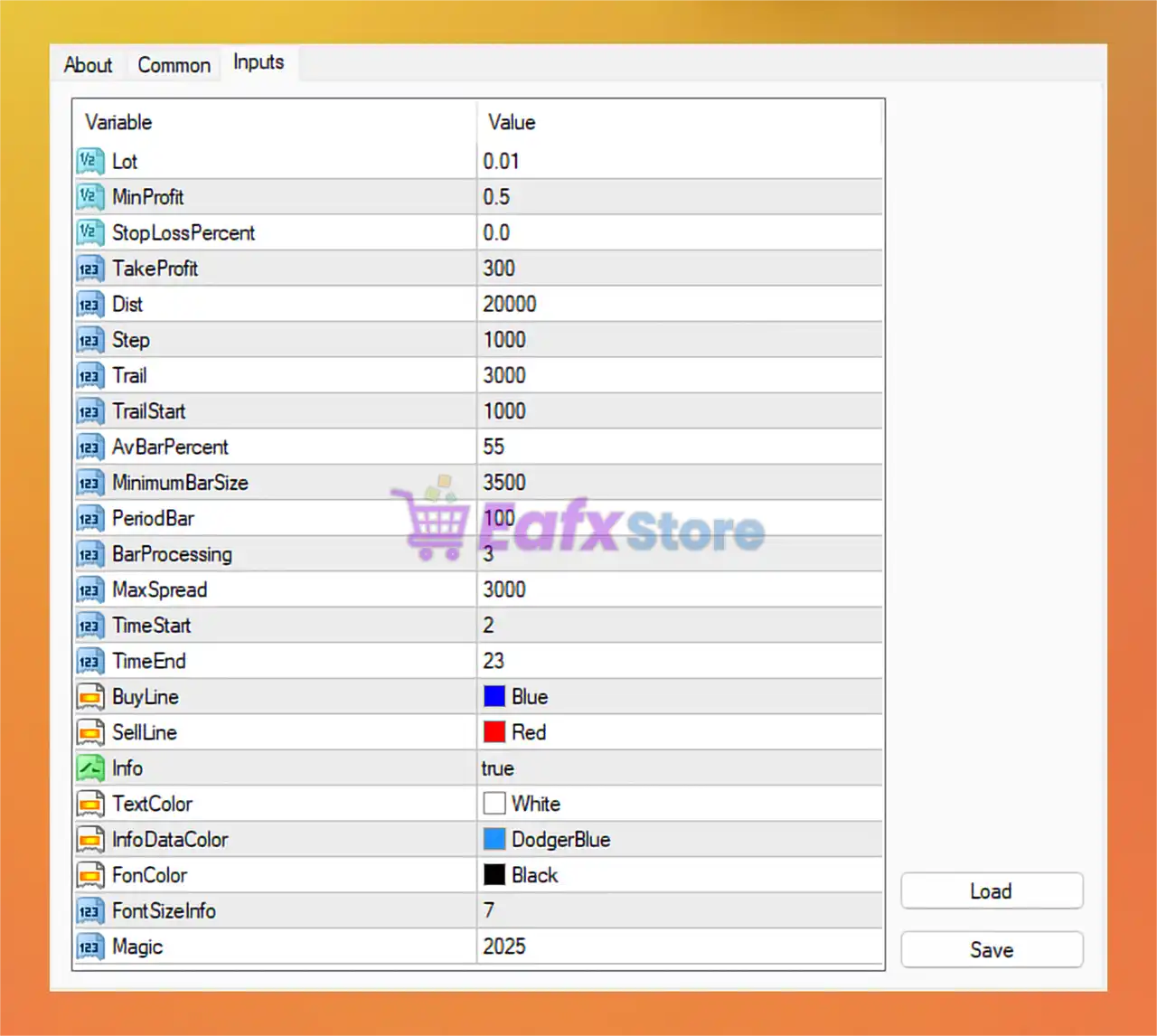
🔹 Lot = 0.01: Sets the fixed trading lot size to 0.01.
🔹 MinProfit = 0.5: Defines the minimum profit threshold before the EA manages or closes positions.
🔹 StopLossPercent = 0.0: Stop-loss percentage protection is disabled because the value is 0.0.
🔹 TakeProfit = 300: Sets the take-profit target at 300 points.
🔹 Dist = 20000: Defines the main trade distance parameter used in order calculations.
🔹 Step = 1000: Sets the step distance between trading levels or orders to 1000 points.
🔹 Trail = 3000: Configures the trailing stop distance at 3000 points.
🔹 TrailStart = 1000: Activates trailing stop after the trade reaches 1000 points in profit.
🔹 AvBarPercent = 55: Uses 55% average bar percentage as part of the market condition filter.
🔹 MinimumBarSize = 3500: Minimum required candle/bar size for trade validation is 3500.
🔹 PeriodBar = 100: Uses 100 bars/candles for market analysis calculations.
🔹 BarProcessing = 3: Defines the bar processing mode or candle handling method.
🔹 MaxSpread = 3000: Maximum allowable spread is set to 3000 points before opening trades.
🔹 TimeStart = 2: Trading session starts at hour 2.
🔹 TimeEnd = 23: Trading session ends at hour 23.
🔹 BuyLine = Blue: Buy trade lines are displayed in Blue color on the chart.
🔹 SellLine = Red: Sell trade lines are displayed in Red color on the chart.
🔹 Info = true: Enables the EA information panel on the chart.
🔹 TextColor = White: Sets the information text color to White.
🔹 InfoDataColor = DodgerBlue: Information data values are displayed in DodgerBlue.
🔹 FonColor = Black: Background or font panel color is set to Black.
🔹 FontSizeInfo = 7: Information panel font size is configured to 7.
🔹 Magic = 2025: Unique magic number identifier assigned to all EA trades.
🔢 Conclusion
IS New Project EA MT4 is a customizable automated trading robot designed for MetaTrader 4 users who want flexible trade management and bar-based market analysis. The EA combines trailing stop systems, spread protection, visual chart tools, and advanced candle filtering to improve automated trading efficiency.
With adjustable trade timing and risk settings, IS New Project EA MT4 can be adapted to different trading conditions and strategies.
🔢 FAQs
❓ What is IS New Project EA MT4?
IS New Project EA MT4 is an automated forex trading Expert Advisor for the MetaTrader 4 platform.
❓ Does IS New Project EA MT4 support trailing stop?
Yes, the EA includes customizable trailing stop and trailing start parameters.
❓ What is the purpose of the MaxSpread setting?
The MaxSpread parameter prevents trading during high spread market conditions.
❓ Can I customize the lot size in IS New Project EA MT4?
Yes, traders can manually adjust the trading lot size using the Lot parameter.
❓ Does IS New Project EA MT4 include chart visualization tools?
Yes, the EA provides visual trade lines, information panels, and customizable chart colors.



