


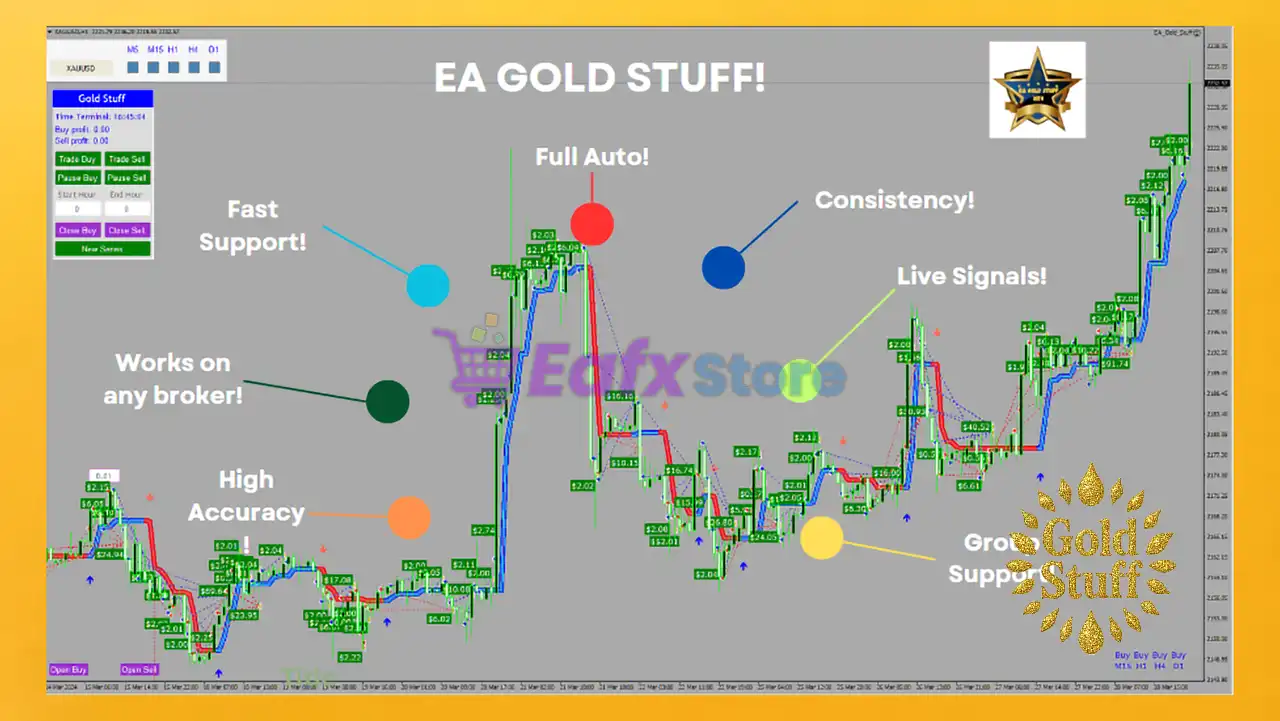
🔢 EA Gold Stuff MT4 – Complete Settings & Input Parameters Guide
EA Gold Stuff MT4 is a fully automated MetaTrader 4 Expert Advisor (EA) specifically optimized for Gold trading strategies. The EA combines hedging, money management, dynamic distance calculations, trailing systems, and drawdown reduction algorithms to improve trading stability and risk control.
With customizable panel settings, order management tools, and flexible trade execution logic, EA Gold Stuff MT4 is suitable for both beginner and advanced Forex traders looking for automated Gold market opportunities.
🔢 EA Gold Stuff MT4 Settings Explained
Below are the details of the parameters in the advisor’s trading system settings table:
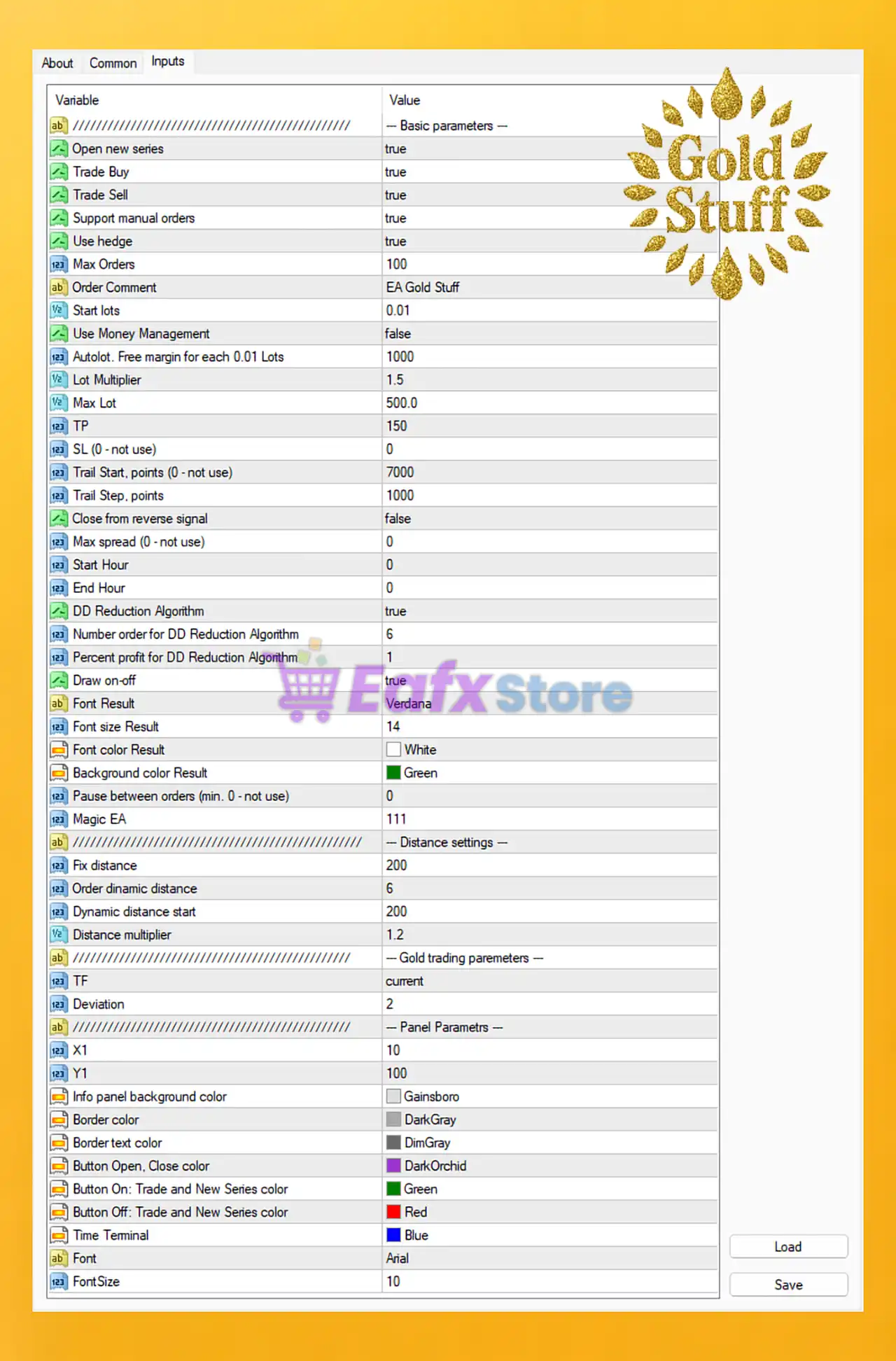
🔶 Basic Parameters
🔹 Open new series = true: Enables the EA to open a new trading series automatically.
🔹 Trade Buy = true: Allows the EA to execute Buy trades.
🔹 Trade Sell = true: Allows the EA to execute Sell trades.
🔹 Support manual orders = true: Enables support and management for manually opened orders.
🔹 Use hedge = true: Activates hedging functionality to open opposite-direction trades.
🔹 Max Orders = 100: Maximum number of simultaneously opened orders is limited to 100.
🔹 Order Comment = EA Gold Stuff: Adds the comment "EA Gold Stuff" to all EA trades.
🔹 Start lots = 0.01: Initial trading lot size starts at 0.01.
🔹 Use Money Management = false: Disables automatic money management calculations.
🔹 Autolot. Free margin for each 0.01 Lots = 1000: Requires 1000 free margin for every 0.01 lot increment.
🔹 Lot Multiplier = 1.5: Multiplies lot size by 1.5 for subsequent positions.
🔹 Max Lot = 500.0: Maximum allowed lot size is 500.0.
🔹 TP = 150: Take Profit target is set to 150 points.
🔹 SL (0 - not use) = 0: Stop Loss is disabled because the value is 0.
🔹 Trail Start, points (0 - not use) = 7000: Trailing Stop activates after 7000 points.
🔹 Trail Step, points = 1000: Trailing Stop moves in steps of 1000 points.
🔹 Close from reverse signal = false: Trades are not closed on reverse trading signals.
🔹 Max spread (0 - not use) = 0: No spread limitation is applied.
🔹 Start Hour = 0: Trading session starts at broker hour 0.
🔹 End Hour = 0: Trading session end hour is set to 0, meaning no time restriction.
🔶 Drawdown Reduction Settings
🔹 DD Reduction Algorithm = true: Enables automatic drawdown reduction logic.
🔹 Number order for DD Reduction Algorithm = 6: Drawdown reduction activates after 6 orders.
🔹 Percent profit for DD Reduction Algorithm = 1: Uses 1% profit threshold for drawdown reduction.
🔶 Interface & Display Settings
🔹 Draw on-off = true: Enables graphical display controls on the chart.
🔹 Font Result = Verdana: Uses Verdana font for panel results.
🔹 Font size Result = 14: Result display font size is 14.
🔹 Font color Result = White: Result text color is White.
🔹 Background color Result = Green: Background panel color is Green.
🔹 Pause between orders (min. 0 - not use) = 0: No delay between opening orders.
🔹 Magic EA = 111: Magic Number assigned to EA trades is 111.
🔶 Distance Settings
🔹 Fix distance = 200: Fixed order distance is set to 200 points.
🔹 Order dynamic distance = 6: Dynamic distance calculation uses level 6.
🔹 Dynamic distance start = 200: Dynamic distance begins from 200 points.
🔹 Distance multiplier = 1.2: Distance between orders increases by multiplier 1.2.
🔶 Gold Trading Parameters
🔹 TF = current: The EA uses the current chart timeframe.
🔹 Deviation = 2: Maximum allowed slippage/deviation is 2.
🔶 Panel Parameters
🔹 X1 = 10: Horizontal panel position is set to 10.
🔹 Y1 = 100: Vertical panel position is set to 100.
🔹 Info panel background color = Gainsboro: Information panel background color is Gainsboro.
🔹 Border color = DarkGray: Panel border color is DarkGray.
🔹 Border text color = DimGray: Border text color is DimGray.
🔹 Button Open, Close color = DarkOrchid: Open/Close button color is DarkOrchid.
🔹 Button On: Trade and New Series color = Green: Active button color for trading/new series is Green.
🔹 Button Off: Trade and New Series color = Red: Inactive button color for trading/new series is Red.
🔹 Time Terminal = Blue: Terminal time display color is Blue.
🔹 Font = Arial: Panel font type is Arial.
🔹 FontSize = 10: Panel font size is 10.
🔢 Conclusion
EA Gold Stuff MT4 is a powerful Gold trading Expert Advisor offering advanced hedging, dynamic grid spacing, drawdown reduction, and flexible order management features. With customizable panel controls, trailing mechanisms, and risk management tools, the EA provides traders with a scalable automated trading solution for the MetaTrader 4 platform. Its configurable settings allow both conservative and aggressive traders to optimize performance based on their personal trading strategies.
🔢 FAQs
❓ What is EA Gold Stuff MT4?
EA Gold Stuff MT4 is an automated Expert Advisor for MetaTrader 4 designed mainly for Gold trading.
❓ Does EA Gold Stuff MT4 support hedging?
Yes, the EA includes a built-in hedging system with Use hedge = true.
❓ Can I use manual trades with EA Gold Stuff MT4?
Yes, the EA supports manual orders through the Support manual orders feature.
❓ Does EA Gold Stuff MT4 include money management?
Yes, the EA supports money management settings, although it is currently disabled with Use Money Management = false.
❓ What is the purpose of the DD Reduction Algorithm?
The DD Reduction Algorithm helps reduce account drawdown by managing orders after a defined number of positions and profit percentage.



