




Global Trade Plan EA MT5 v2.90 with SetFiles (Unlimited)

Subscriptions for Special Plan
- 30 EA package is more economical!
- Special package with 99%
- Download 1 EA/Day

Subscriptions for Premium Membership
- Download Unlimited in 1 Year
- Get 100% Discount
- Get free access to all

Subscriptions for Gold Membership
- 1 Year Membership
- Get 100% Discount
- Access EA+Indicator+Course
Frequently bought together 🎁
Add these products to enhance your purchase




Quick Verdict
Global Trade Plan EA is a feature-rich automated trading system focused on flexible money management, structured H1 trading, automated trade protection, trailing management, session controls and account-level safeguards. Its strong backtest results make it an interesting option for traders seeking a highly configurable EA.
Best For
✅ XAUUSD automated trading.
✅ H1 strategy-based trading.
✅ Flexible lot and risk management.
✅ Traders wanting automated trade protection.
✅ Users who prefer configurable trading schedules.
✅ Experienced EA traders seeking advanced controls.
Overall Rating
8.7/10 ⭐⭐⭐⭐⭐
| Category | Rating |
|---|---|
| Strategy & Automation | 8.5/10 |
| Risk Management | 8.5/10 |
| Trade Management | 9/10 |
| Customization | 9/10 |
| Performance Results | 9/10 |
| Ease of Use | 8/10 |
| Overall Rating | 8.7/10 |
What is Global Trade Plan EA?
Global Trade Plan EA is an automated MetaTrader 5 Expert Advisor (EA) designed for structured H1 trading with flexible money management and comprehensive trade protection. It combines automated BUY/SELL execution, risk-based position sizing, Stop Loss and Take Profit controls, trailing management, trading schedules, news filtering, and account-level safeguards to help traders manage positions systematically with less manual intervention.
⭐ Vendor Website: View here
How Does Global Trade Plan EA Work?
Selects the Trading Strategy
The EA uses ST1 (TF-H1) as the configured strategy, giving the system a structured H1-based trading framework.
Manages Position Size
Global Trade Plan EA can calculate position size through the XBalance method, while also providing fixed-lot and risk-percentage controls.
Opens BUY and SELL Trades
The current setup allows Both trade directions, giving the EA flexibility to participate in bullish or bearish market conditions.
Uses Defined Trade Protection
Each setup includes configurable Take Profit and Stop Loss parameters. The supplied configuration uses a 6440-point Take Profit and 300-point Stop Loss.
Manages Profitable Positions
The Break-Even function is currently disabled, while the trailing-stop system is enabled.
This allows the EA to manage positions as they develop and protect profits according to its trailing logic.
Controls When the EA Can Trade
Trading is restricted to the configured schedule, with normal trading from 05:00 to 19:00, an earlier Friday end time and Monday-to-Friday trading enabled.
Key Features of Global Trade Plan EA
H1 Automated Trading Strategy
Uses the ST1 (TF-H1) strategy to analyze market conditions and execute trades automatically without constant manual monitoring.
Flexible Money Management
Supports XBalance-based sizing, fixed lots, and risk-based position sizing, allowing traders to adapt exposure to their account and risk preferences.
Advanced Trade Protection
Combines predefined Stop Loss (SL), Take Profit (TP), Trailing management, spread controls, and slippage protection to help manage individual positions.
Trading Schedule & News Controls
Provides configurable trading hours, weekday controls, Friday restrictions, and protection around selected economic events.
Account-Level Risk Controls
Includes Stop & Kill, equity and drawdown protection, floating-loss controls, and trading limits to help restrict excessive account exposure.
Highly Configurable Trading Environment
Offers extensive settings for execution, position management, trade filtering, alerts, dashboard information, and other operational preferences, giving experienced traders greater control over the EA.
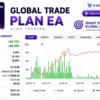
Profit Performance Verified by MyFxBook
The supplied performance data shows a positive account-growth profile with a 64.12% Gain.
The displayed monthly growth is 10.10%, while the reported drawdown is 18.89%.
The account also shows a recorded profit of $137.64 alongside deposits and withdrawals during the displayed tracking period.
These figures should be interpreted together with the drawdown and account-flow information rather than viewed as a standalone performance guarantee.
Global Trade Plan EA Myfxbook
| Metric | Result |
|---|---|
| Gain | +64.12% |
| Absolute Gain | +68.39% |
| Daily | 0.32% |
| Monthly Growth | 10.10% |
| Drawdown | 18.89% |
| Deposits | $201.25 |
Historical Trading Results Performance
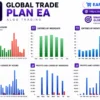
The supplied historical reports provide two separate XAUUSD H1 test periods for Global Trade Plan EA.
12-Month Backtest Results
Global Trade Plan EA MT5 Backtest
| Metric | Result |
|---|---|
| Initial Deposit | $500 |
| Period | 2025.07.01 – 2026.07.31 |
| Total Net Profit | $989,896.43 |
| Balance Drawdown Maximal | 3.20% |
| Equity Drawdown Maximal | 3.49% |
| Profit Trades | 92.17% |
7-Month Backtest Results
Global Trade Plan EA Backtest
| Metric | Result |
|---|---|
| Initial Deposit | $1,000 |
| Period | 2026.01.01 – 2026.07.31 |
| Total Net Profit | $65,282.57 |
| Balance Drawdown Maximal | 3.20% |
| Equity Drawdown Maximal | 3.49% |
| Total Trades | 165 |
| Profit Trades | 91.52% |
What the Historical Results Suggest
Both supplied reports show a strongly upward balance curve and a high proportion of profitable trades. The second test also covers a more recent period and maintains a similar winning-trade profile.
However, these are historical test results rather than a promise of future returns. Actual performance can differ because of spreads, execution, liquidity, broker conditions, slippage, and market behavior.
Risk Management Features
Position Sizing Control
The EA provides several position-sizing options, including XBalance-based sizing, fixed lots, risk percentage and maximum-margin controls.
Stop Loss Protection
A predefined Stop Loss is included in the trading configuration, giving each position a defined protective exit.
Trailing Stop
Trailing protection is enabled in the supplied configuration, helping the EA manage profitable positions as price moves in its favor.
Stop & Kill Controls
The EA includes several Stop & Kill mechanisms covering daily results, drawdown, equity levels and floating losses.
These features give advanced users additional ways to restrict account exposure.
Spread & Slippage Protection
The system includes spread-related controls, Stop Loss spread adjustment, slippage settings and additional execution safeguards.
Recommended Trading Conditions
For optimal performance, the developer recommends:
| Features | Type |
|---|---|
| Trading platform | MetaTrader 5 (MT5) |
| Time frames | H1 (60 minute chart) |
| Currency pairs | XAUUSD (Gold) |
| Minimum / Recommended deposit | $100+ |
| Minimum / Recommended leverage | 1:50+ |
| Account type | Any |
| Additional services | Unlock and Decompile |
| Recommended brokers | Exness Broker, Icmarkets Broker |
| Recommended VPS | MyfxVPS.com (Blue VPS, Golden VPS). Lowest Latency, 2 week Free Trial, 100% Free for 12-18 Months. |
Product Download Package?
The download package of the product suite includes:
Experts
✅ Global Trade Plan EA v2.90.ex5
SetFiles
✅ XAUUSD_Risk1%.set
✅ XAUUSD_Risk2%.set
✅ XAUUSD_Risk3%.set
✅ XAUUSD_Risk4%.set
✅ XAUUSD_Risk5%.set
✅ XAUUSD_Fixed Lot_Low Risk.set
➡️ Reviewed by David Easton
Weaknesses and Risk Warnings
High Configuration Complexity
Global Trade Plan EA contains many parameters.
Beginners may need time to understand how the different money-management, trading, filtering, and protection settings interact.
Risk Settings Require Attention
The supplied configuration uses a 5.0 risk percentage, so traders should carefully evaluate whether this level is appropriate for their account size and risk tolerance.
Historical Results Are Not Guaranteed
The impressive historical results should not be interpreted as guaranteed future performance.
Market conditions can change significantly, and live results may differ from testing.
News Protection Is Not Fully Enabled
The general news filter is disabled in the supplied configuration, although custom-news functionality remains enabled.
Traders should understand this distinction before deploying the EA.
Broker Conditions Matter
Spreads, slippage, liquidity, execution speed, and broker server conditions can affect the real-world performance of an automated strategy.
Who Should Use Global Trade Plan EA?
Global Trade Plan EA may be suitable for:
🔹 Traders interested in automated XAUUSD strategies.
🔹 Users who prefer H1-based systems.
🔹 Traders wanting flexible money-management options.
🔹 Experienced users who understand EA configuration.
🔹 Traders looking for advanced trade-protection controls.
🔹 Users who want automated trading with customizable schedules.
It may be less suitable for beginners who want a completely hands-off product without first understanding risk and configuration settings.
Final Verdict
Global Trade Plan EA MT5 is a powerful and highly configurable Expert Advisor built for traders who want more control over automated trading. Its combination of structured strategy logic, flexible position sizing, trade protection, trailing management, schedule controls, and account-level safeguards gives it a strong overall package.
For experienced EA users seeking a versatile automated trading solution with extensive customization, Global Trade Plan EA deserves serious consideration.
🔢 Global Trade Plan EA MT5 – Complete Settings & Configuration Guide
Global Trade Plan EA is a comprehensive automated trading Expert Advisor designed to provide traders with flexible control over lot sizing, risk management, entry and exit conditions, break-even protection, trailing stops, trading schedules, economic-news filters, spread and slippage handling, daily/weekly/monthly trading limits and advanced account protection.
Its configuration includes both standard trade-management functions and sophisticated Stop & Kill, equity protection, session control, XBalance-based lot management, and trade-filtering mechanisms. The following guide covers every parameter visible in the supplied settings panels, preserving all numerical values and exact configuration details.
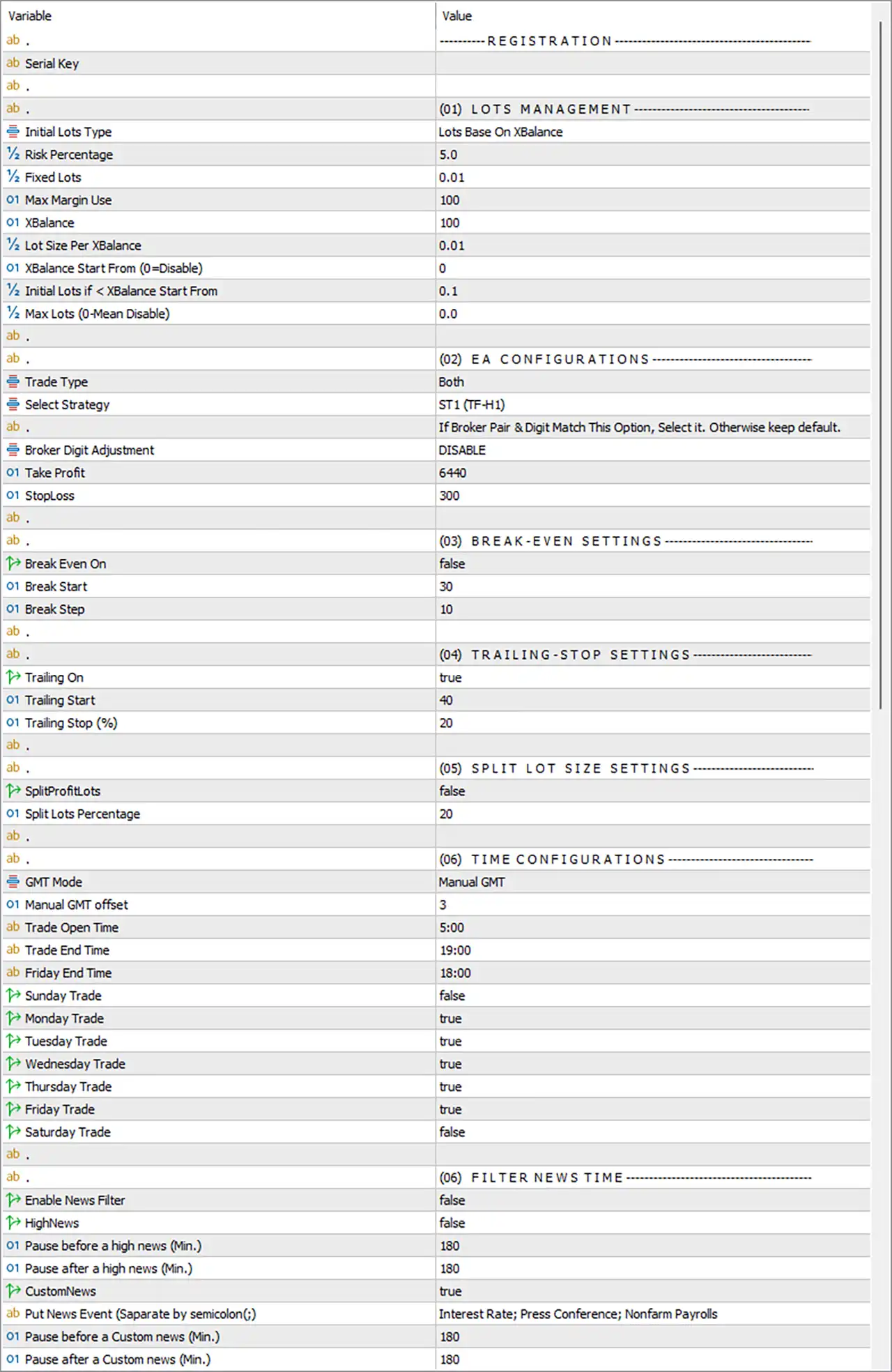
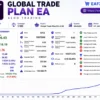
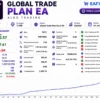
Global Trade Plan EA MT5 Settings Panel
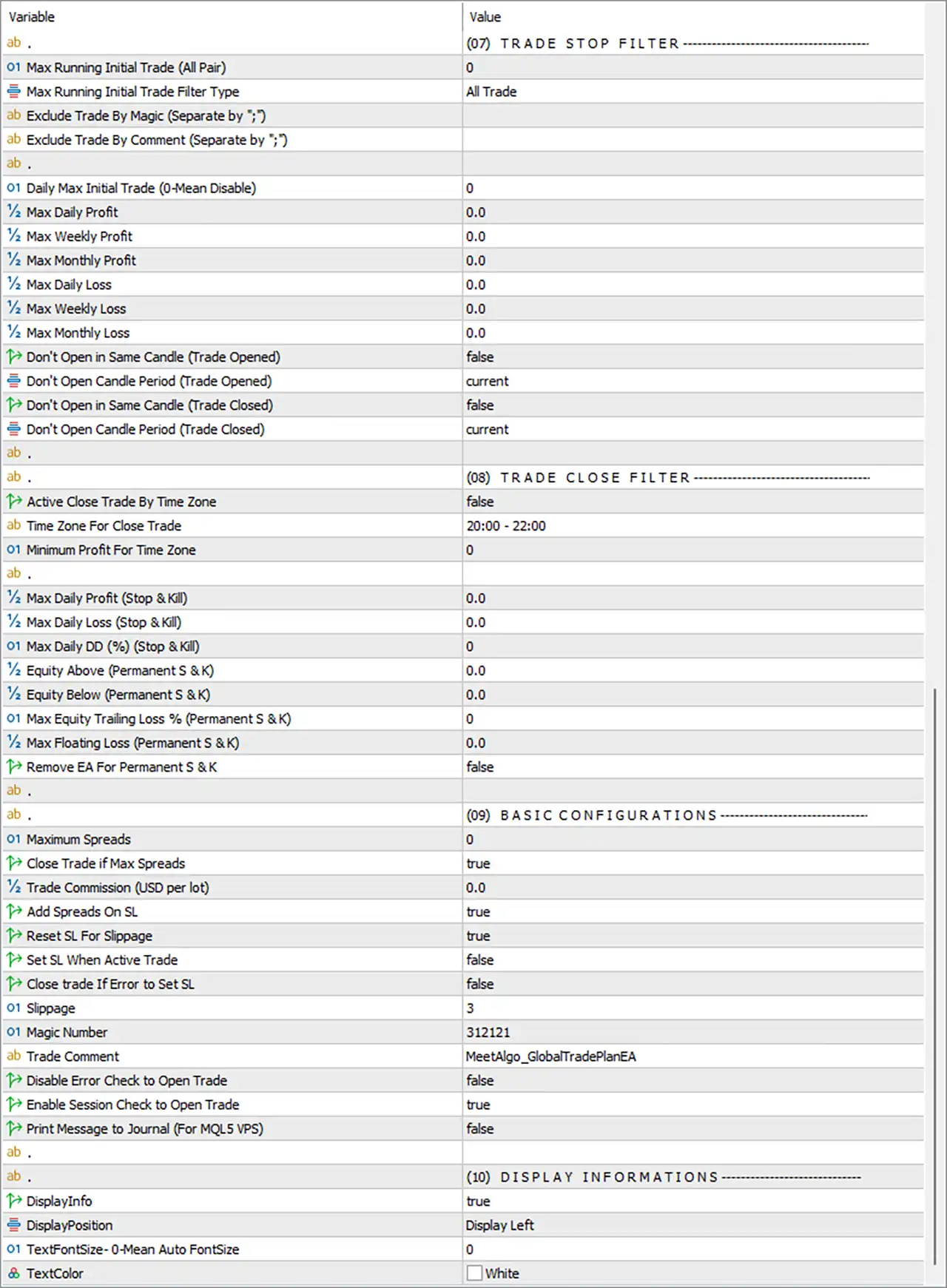
Global Trade Plan EA Settings Panel
🔄 Lots Management
🔹 Initial Lots Type = Lots Base On XBalance — Selects Lots Base On XBalance as the initial position-sizing method, allowing lot calculations to be based on the configured XBalance framework.
🔹 Risk Percentage = 5.0 — Sets the configured risk percentage to 5.0.
🔹 Fixed Lots = 0.01 — Sets the fixed-lot reference size to 0.01 lots.
🔹 Max Margin Use = 100 — Sets the maximum configured margin-use value to 100.
🔹 XBalance = 100 — Sets the XBalance reference value to 100.
🔹 Lot Size Per XBalance = 0.01 — Defines 0.01 lots as the configured lot size per XBalance unit.
🔹 XBalance Start From (0=Disable) = 0 — Sets the XBalance starting threshold to 0; according to the parameter description, 0 = Disable.
🔹 Initial Lots if < XBalance Start From = 0.1 — Sets the initial lot value to 0.1 when the account is below the configured XBalance starting threshold.
🔹 Max Lots (0=Mean Disable) = 0.0 — Sets the maximum-lot restriction to 0.0; according to the description, 0 = Disable.
🔄 EA Configurations
🔹 EA Configurations = — — Section containing the main trading strategy and execution parameters.
🔹 Trade Type = Both — Allows the EA to trade both BUY and SELL directions.
🔹 Select Strategy = ST1 (TF-H1) — Selects strategy ST1 (TF-H1), indicating the configured strategy uses the H1 timeframe.
🔹 Broker Digit Adjustment = DISABLE — Disables automatic broker-digit adjustment.
🔹 Take Profit = 6440 — Sets the Take Profit distance to 6440 points.
🔹 StopLoss = 300 — Sets the Stop Loss distance to 300 points.
🔄 Break-Even Settings
🔹 Break-Even On = false — Disables the Break-Even function in the current configuration.
🔹 Break Start = 30 — Sets the configured Break-Even activation level to 30 points when Break-Even is enabled.
🔹 Break Step = 10 — Sets the Break-Even adjustment step to 10 points.
🔄 Trailing-Stop Settings
🔹 Trailing On = true — Enables the trailing-stop function.
🔹 Trailing Start = 40 — Configures trailing protection to start at 40 according to the EA’s trailing logic.
🔹 Trailing Stop (%) = 20 — Sets the trailing-stop percentage to 20%.
🔄 Split Lot Size Settings
🔹 SplitProfitLots = false — Disables splitting profitable positions/lots according to the configured split-lot logic.
🔹 Split Lots Percentage = 20 — Sets the configured split-lot percentage to 20.
🔄 Time Configurations
🔹 GMT Mode = Manual GMT — Uses manually configured GMT settings rather than automatic GMT detection.
🔹 Manual GMT offset = 3 — Sets the manual GMT offset to 3.
🔹 Trade Open Time = 5:00 — Sets the trading start time to 05:00 according to the configured GMT mode.
🔹 Trade End Time = 19:00 — Sets the regular trading end time to 19:00.
🔹 Friday End Time = 18:00 — Sets the Friday trading end time to 18:00.
🔹 Sunday Trade = false — Disables trading on Sunday.
🔹 Monday Trade = true — Enables trading on Monday.
🔹 Tuesday Trade = true — Enables trading on Tuesday.
🔹 Wednesday Trade = true — Enables trading on Wednesday.
🔹 Thursday Trade = true — Enables trading on Thursday.
🔹 Friday Trade = true — Enables trading on Friday.
🔹 Saturday Trade = false — Disables trading on Saturday.
🔄 Filter News Time
🔹 Filter News Time = — — Section containing the economic-news filtering parameters.
🔹 Enable News Filter = false — Disables the news-filter function in the current configuration.
🔹 HighNews = false — Disables the specific HighNews protection switch.
🔹 Pause before a high news (Min.) = 180 — Configures a 180-minute pause before a high-impact news event when the relevant news protection is activated.
🔹 Pause after a high news (Min.) = 180 — Configures a 180-minute pause after a high-impact news event.
🔹 CustomNews = true — Enables the custom-news configuration.
🔹 Put News Event (Separate by semicolon(;)) = Interest Rate; Press Conference; Nonfarm Payrolls — Defines the custom news events as Interest Rate, Press Conference, and Nonfarm Payrolls.
🔹 Pause before a Custom news (Min.) = 180 — Configures a 180-minute pause before a custom news event.
🔹 Pause after a Custom news (Min.) = 180 — Configures a 180-minute pause after a custom news event.
🔄 Trade Stop Filter
🔹 Trade Stop Filter = (07) TRADE STOP FILTER — Section controlling restrictions on new trades, daily/weekly/monthly performance limits, and candle-based entry restrictions.
🔹 Max Running Initial Trade (All Pair) = 0 — Sets the maximum running initial trades across all pairs to 0.
🔹 Max Running Initial Trade Filter Type = All Trade — Applies the running-initial-trade filter to All Trade.
🔹 Exclude Trade By Magic (Separate by ‘;’) = [blank] — No Magic Numbers are specified for exclusion.
🔹 Exclude Trade By Comment (Separate by ‘;’) = [blank] — No trade comments are specified for exclusion.
🔹 Daily Max Initial Trade (0-Mean Disable) = 0 — Sets the daily maximum initial-trade limit to 0; the parameter description indicates 0 = Disable.
🔹 Max Daily Profit = 0.0 — Sets the maximum daily-profit threshold to 0.0.
🔹 Max Weekly Profit = 0.0 — Sets the maximum weekly-profit threshold to 0.0.
🔹 Max Monthly Profit = 0.0 — Sets the maximum monthly-profit threshold to 0.0.
🔹 Max Daily Loss = 0.0 — Sets the maximum daily-loss threshold to 0.0.
🔹 Max Weekly Loss = 0.0 — Sets the maximum weekly-loss threshold to 0.0.
🔹 Max Monthly Loss = 0.0 — Sets the maximum monthly-loss threshold to 0.0.
🔹 Don’t Open in Same Candle (Trade Opened) = false — Allows the EA to open another trade within the same candle after a trade has been opened.
🔹 Don’t Open Candle Period (Trade Opened) = current — Uses the current candle period for the corresponding trade-opened candle restriction.
🔹 Don’t Open in Same Candle (Trade Closed) = false — Allows the EA to open another trade within the same candle after a trade has been closed.
🔹 Don’t Open Candle Period (Trade Closed) = current — Uses the current candle period for the corresponding trade-closed candle restriction.
🔄 Trade Close Filter
🔹 Trade Close Filter = (08) TRADE CLOSE FILTER — Section controlling scheduled position closing and permanent Stop & Kill conditions.
🔹 Active Close Trade By Time Zone = false — Disables scheduled closing of trades based on the configured time zone.
🔹 Time Zone For Close Trade = 20:00 – 22:00 — Defines 20:00–22:00 as the configured time-zone closing window when the feature is enabled.
🔹 Minimum Profit For Time Zone = 0 — Sets the minimum required profit for the time-zone closing function to 0.
🔹 Max Daily Profit (Stop & Kill) = 0.0 — Sets the Stop & Kill daily-profit threshold to 0.0.
🔹 Max Daily Loss (Stop & Kill) = 0.0 — Sets the Stop & Kill daily-loss threshold to 0.0.
🔹 Max Daily DD (%) (Stop & Kill) = 0 — Sets the maximum daily drawdown Stop & Kill threshold to 0%.
🔹 Equity Above (Permanent S & K) = 0.0 — Sets the permanent Stop & Kill equity-above threshold to 0.0.
🔹 Equity Below (Permanent S & K) = 0.0 — Sets the permanent Stop & Kill equity-below threshold to 0.0.
🔹 Max Equity Trailing Loss % (Permanent S & K) = 0 — Sets the permanent equity trailing-loss threshold to 0%.
🔹 Max Floating Loss (Permanent S & K) = 0.0 — Sets the permanent floating-loss threshold to 0.0.
🔹 Remove EA For Permanent S & K = false — Prevents the EA from automatically removing itself when permanent Stop & Kill conditions are triggered.
🔄 Basic Configurations
🔹 Basic Configurations = (09) BASIC CONFIGURATIONS — Section containing execution, spread, Stop Loss, identification, and session-check settings.
🔹 Maximum Spreads = 0 — Sets the maximum spread parameter to 0.
🔹 Close Trade if Max Spreads = true — Enables closing a trade if the maximum-spread condition is triggered.
🔹 Trade Commission (USD per lot) = 0.0 — Sets the configured trading commission to 0.0 USD per lot.
🔹 Add Spreads On SL = true — Adds the spread component to the Stop Loss calculation.
🔹 Reset SL For Slippage = true — Enables Stop Loss resetting when slippage-related execution conditions occur.
🔹 Set SL When Active Trade = false — Disables the function that sets the Stop Loss when a trade becomes active.
🔹 Close trade If Error to Set SL = false — Does not close the trade if the EA encounters an error while attempting to set the Stop Loss.
🔹 Slippage = 3 — Sets the allowed/configured slippage value to 3.
🔹 Magic Number = 312121 — Uses 312121 as the EA’s Magic Number for trade identification.
🔹 Trade Comment = MeetAlgo_GlobalTradePlanEA — Uses MeetAlgo_GlobalTradePlanEA as the order/trade comment.
🔹 Disable Error Check to Open Trade = false — Keeps the error-checking mechanism active before opening trades.
🔹 Enable Session Check to Open Trade = true — Enables session validation before allowing a new trade to open.
🔹 Print Message to Journal (For MQL5 VPS) = false — Disables the additional journal-message printing option intended for MQL5 VPS usage.
🔄 Display Informations
🔹 Display Informations = (10) DISPLAY INFORMATIONS — Section controlling the EA’s on-chart information display.
🔹 DisplayInfo = true — Enables the information display on the chart.
🔹 DisplayPosition = Display Left — Places the information panel on the left side of the chart.
🔹 TextFontSize: 0-Mean Auto FontSize = 0 — Sets the text font size to 0, which according to the parameter description means Auto FontSize.
🔹 TextColor = White — Sets the information-panel text color to White.
🔢 Key Settings at a Glance
🔹 Trading Direction = Both — Both BUY and SELL trading is permitted.
🔹 Strategy = ST1 (TF-H1) — The selected strategy is ST1 (TF-H1).
🔹 Lot Method = Lots Base On XBalance — Position sizing uses the XBalance framework.
🔹 Risk Percentage = 5.0 — Configured risk percentage is 5.0.
🔹 Fixed Lots = 0.01 — Fixed-lot reference is 0.01.
🔹 XBalance = 100 — XBalance reference is 100.
🔹 Lot Size Per XBalance = 0.01 — Configured lot amount is 0.01 per XBalance.
🔹 Take Profit = 6440 points — The configured TP is 6440 points.
🔹 Stop Loss = 300 points — The configured SL is 300 points.
🔹 Break-Even = false — Break-Even is currently disabled.
🔹 Trailing Stop = true — Trailing protection is enabled.
🔹 Trailing Start = 40 — Trailing begins at the configured 40 level.
🔹 Trailing Stop = 20% — Trailing-stop percentage is 20%.
🔹 GMT Mode = Manual GMT — Manual GMT configuration is selected.
🔹 Manual GMT Offset = 3 — GMT offset is 3.
🔹 Trading Hours = 05:00–19:00 — Normal trading window is 05:00 to 19:00.
🔹 Friday End = 18:00 — Friday trading ends at 18:00.
🔹 Trading Days = Monday–Friday — Monday, Tuesday, Wednesday, Thursday, and Friday are enabled; Sunday and Saturday are disabled.
🔹 News Filter = false — The general news filter is currently disabled.
🔹 Custom News = true — Custom news-event recognition is enabled.
🔹 Custom News Events = Interest Rate; Press Conference; Nonfarm Payrolls — These three event types are configured for custom-news protection.
🔹 Custom News Protection = 180 / 180 minutes — The configured pause is 180 minutes before and 180 minutes after custom news.
🔹 Magic Number = 312121 — EA trades are identified using 312121.
🔹 Trade Comment = MeetAlgo_GlobalTradePlanEA — Orders use the specified comment.
🔢 Conclusion
Global Trade Plan EA MT5 offers a broad set of controls for traders seeking a configurable automated trading system with detailed money management, strategy selection, trade timing, news protection, trailing management, execution safeguards, and account-level protection.
The current setup selects ST1 (TF-H1) and permits Both trade directions. Position sizing is based on XBalance, with Risk Percentage = 5.0, XBalance = 100, and Lot Size Per XBalance = 0.01. The fixed-lot reference remains 0.01, while Max Lots = 0.0 indicates that the maximum-lot restriction is disabled according to the parameter description.
Trade management uses a 6440-point Take Profit and 300-point Stop Loss. Break-Even is disabled, while trailing is enabled with Trailing Start = 40 and Trailing Stop = 20%.
The EA operates under Manual GMT with a GMT offset of 3, trading from 05:00 to 19:00, with a special Friday closing time of 18:00. Monday through Friday are enabled, while Sunday and Saturday are disabled.
The general news filter is disabled, but CustomNews = true and the EA is configured to recognize Interest Rate, Press Conference, and Nonfarm Payrolls, with 180 minutes before and 180 minutes after protection.
For execution management, the EA uses Magic Number 312121, Slippage = 3, Maximum Spreads = 0, Add Spreads On SL = true, and Reset SL For Slippage = true. Session checking before trade entry is enabled.
Traders should pay particular attention to the 5.0 risk percentage, 6440-point Take Profit, 300-point Stop Loss, and the numerous Stop & Kill parameters before moving from backtesting to live trading. Proper optimization and demo testing under the intended broker’s conditions are recommended.
🔢 FAQs
❓ What trading strategy does Global Trade Plan EA MT5 currently use?
The selected strategy is ST1 (TF-H1), and Trade Type = Both, allowing both BUY and SELL operations.
❓ How is the lot size calculated?
The selected method is Lots Base On XBalance, with Risk Percentage = 5.0, XBalance = 100, and Lot Size Per XBalance = 0.01. The fixed-lot reference is 0.01.
❓ What are the Take Profit and Stop Loss settings?
The EA uses Take Profit = 6440 points and StopLoss = 300 points. Break-Even is disabled, while trailing is enabled with Trailing Start = 40 and Trailing Stop = 20%.
❓ What are the trading hours?
The EA uses Manual GMT with a GMT offset of 3. Normal trading hours are 05:00–19:00, while Friday ends at 18:00. Monday through Friday are enabled; Sunday and Saturday are disabled.
❓ How does Global Trade Plan EA MT5 handle news events?
The general Enable News Filter = false, but CustomNews = true. The configured events are Interest Rate; Press Conference; Nonfarm Payrolls, with 180 minutes before and 180 minutes after custom-news protection.
User Reviews
Only logged in customers who have purchased this product may leave a review.
❓ What trading strategy does Global Trade Plan EA use?
Global Trade Plan EA uses a structured automated trading strategy designed to identify market opportunities and manage both BUY and SELL positions systematically.
❓ How does Global Trade Plan EA manage position sizing?
Global Trade Plan EA provides flexible lot-sizing and risk-management options, allowing traders to configure position sizes according to their preferred trading approach.
❓ Does Global Trade Plan EA provide risk management?
Yes. Global Trade Plan EA includes multiple risk-management and account-protection features designed to help control exposure and manage trading activity.
❓ Does Global Trade Plan EA use a Stop Loss and Take Profit?
Yes. Global Trade Plan EA supports predefined Stop Loss and Take Profit management, helping establish clear trade protection and exit conditions.
❓ Does Global Trade Plan EA use a Trailing Stop?
Yes. Global Trade Plan EA includes automated trailing protection that can manage open positions as market conditions develop and help protect accumulated profits.
❓ Can Global Trade Plan EA control trading hours?
Yes. Global Trade Plan EA includes configurable trading schedules, allowing traders to control when automated trading is permitted during the trading week.
❓ Does Global Trade Plan EA support news filtering?
Yes. Global Trade Plan EA includes economic-news protection and custom news-event filtering to help manage trading activity around potentially significant market events.
❓ Does Global Trade Plan EA include account protection?
Yes. Global Trade Plan EA provides Stop & Kill, equity protection, trade filters, and other safeguards designed to help control account exposure and trading activity.
❓ Can Global Trade Plan EA manage trading automatically?
Yes. Global Trade Plan EA is designed for automated execution, allowing the system to analyze conditions, open and manage positions, and apply its configured trading rules.
❓ Is Global Trade Plan EA suitable for live trading?
Global Trade Plan EA should be thoroughly backtested and tested on a demo account first, allowing traders to evaluate its behavior under their broker and account conditions.
🔥 Get This EA for FREE with Our Membership! 🚀🚀
Unlock access to this EA, premium Indicators, and exclusive trading tools completely FREE with any of our Membership Plans! Thousands of traders already benefit from our VIP library—join them and level up your trading instantly. Choose Your Membership:
- SPECIAL – 1 Month Membership
- GOLD – 1 Year Membership
- PREMIUM – 1 Year Membership
-
 Original price was: $8,000.00.$249.00Current price is: $249.00.
-
 Original price was: $7,000.00.$249.00Current price is: $249.00.
-
 Original price was: $8,000.00.$249.00Current price is: $249.00.
-
 Original price was: $25,000.00.$249.00Current price is: $249.00.
-
 1Original price was: $599.00.$59.00Current price is: $59.00.
-
 1Original price was: $950.00.$59.00Current price is: $59.00.
-
 3Original price was: $999.00.$69.00Current price is: $69.00.
-
 2Original price was: $3,500.00.$59.00Current price is: $59.00.
There are no reviews yet.