







Harmonia MT5 with SetFiles (Latest version) – GroupBuy
Select a variant to see availability.
What is Harmonia MT5?
Harmonia MT5 is an advanced Expert Advisor (EA) developed for automated Gold trading using adaptive market analysis, intelligent indicators and strict risk management. By combining eight independent strategies, dynamic trade management, and disciplined execution, it delivers stability, adaptability and consistent performance across changing XAUUSD market conditions.
 Vendor Website: View here
This is GroupBuy ==> How to Join
About the Author
This product is compiled by Mauro Augello. This author has more than +1 years of experience working on MQL5 with many famous products such as Harmonia MT5, Minerva Aurea MT5, Minerva Aurea MT4, Harmonia MT4 and other advisors. Among them, Harmonia MT5 is his best performing products.
Harmonia MT5 Review
Key Features of Harmonia MT5
🔹 Eight Independent Strategies: Combines multiple trading models to capture diverse market opportunities.
🔹 Advanced Risk Management: Every trade includes predefined Stop Loss (SL) and Take Profit (TP) protection.
🔹 Adaptive Market Analysis: Evaluates volatility, momentum and directional flow for trade selection.
🔹 Flexible Strategy Control: Allows individual configuration of strategies, lots and trading parameters.
🔹 Prop Firm Ready Design: Built with disciplined execution and transparent risk exposure principles.
Why Choose & Use Harmonia MT5?
🔹 Stable Automated Trading: Designed to maintain consistency through changing Gold market cycles.
🔹 Enhanced Capital Protection: Prioritizes controlled drawdowns with strict risk management rules.
🔹 High Market Adaptability: Responds efficiently to volatility shifts and evolving price action.
🔹 Diversified Trading Approach: Uses multiple strategies to reduce dependence on a single setup.
🔹 Professional Trading Solution: Combines automation, resilience and disciplined market execution.
Harmonia MT5 Review
Harmonia MT5 Signal Results
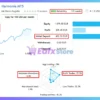
The Harmonia MT5 achieved impressive profit performance when trading with XAUUSD (Gold). Trading results on real account for 10 weeks of trading.
✅ Initial Deposit: €800
✅ Growth Rate: +38%
✅ Win Rate (% of total): 77.5%
✅ Maximum Drawdown: 8.9%
Harmonia MT5 Signal
Harmonia MT5 Backtest Results
Harmonia MT5 has achieved impressive profit performance over many years of trading reversion tests with Gold (XAUUSD). This EA demonstrates excellent ability to master the market and increase profits.
✅ Initial Deposit: $1,000
✅ Total Net Profit: $7,866.85
✅ Win Rate (% of total): 62.80%
✅ Maximum Drawdown: 24.15%
Harmonia MT5 Backtest
Harmonia MT5 Backtests
What is the Harmonia MT5 Trading Strategy?:
🔹 Multi-Strategy Execution: Activates specific trading models according to current market conditions.
🔹 Volatility-Based Analysis: Monitors changing market activity to refine entries and exits dynamically.
🔹 Momentum And Trend Evaluation: Uses directional flow analysis to identify high-probability setups.
🔹 Independent Trade Structure: Each position operates with its own predefined risk parameters.
🔹 Adaptive SL And TP Logic: Adjusts protection and profit objectives based on market behavior.
Is Harmonia MT5 safe?
Harmonia MT5 shows significant potential in providing stable and reliable profits, making it a reliable tool in the forex market. The advisor is highly appreciated by the MQL5 community in many aspects and has won the trust of users.
 Jason Chang (2026.06.10): “Running this EA on a Raw account has been a smooth and profitable experience. The strategy is solid, and it performs exactly as predicted by the signals without any unexpected surprises.”
Xaxotf (2026.06.09): “10 stars for this project! Harmonia has a very coherent logic and I really like how configurable it is, adapting to each user’s risk profile. Its creator is very attentive and responds to any suggestions, constantly updating this wonderful tool.”
Pikachu88 (2026.06.06): “I’ve been running Harmonia for 18 days and although it is still early days, I am really impressed by its performance. For a single position EA and not a grid/martingale EA, it is hard to find a really good one and this is a good one. Its amongst the best single position EAs I have come across.”
Recommended settings
Recommended settings and parameters to pay attention to from developers and experts:
| Features | Type |
|---|---|
| Trading platform | MetaTrader 5 (MT5) |
| Time frames | M5 (5 minute chart) |
| Currency pairs | XAUUSD (Gold) |
| Minimum / Recommended deposit | $500 |
| Minimum / Recommended leverage | 1:100+ |
| Account type | ECN / Raw Spread |
| Product type | Original version |
| Additional services | Unlock and Decompile |
| Recommended brokers | Exness Broker, Icmarkets Broker |
| Recommended VPS | MyfxVPS.com (Blue VPS, Golden VPS). Lowest Latency, 2 week Free Trial, 100% Free for 12-18 Months. |
Reviewed by David Easton
Product Download Package?
The download package of the product suite includes:
1. Experts:
 Setting (If Any).docx
Installation Guide.docx
2. SetFiles:
Fixlot Lot_Low Risk.set
Harmonia_High Risk_$500.set
Harmonia_Medium Risk_$1k.set
Harmonia_Low Risk_$1.5k.set
Harmonia_Very Low Risk_$2k.set
Conclusion
In short, Designed for traders who value consistency and risk control, Harmonia MT5 uses eight specialized trading strategies to analyze Gold market volatility, momentum and directional flow. The system avoids dangerous recovery methods and maintains transparent risk management through fixed trade protection. Harmonia MT5 provides a structured, diversified, and fully automated approach to XAUUSD trading in changing market conditions.
🔢 Harmonia MT5 – Complete Settings Guide & Parameter Explanation
Harmonia MT5 is a multi-strategy Expert Advisor designed for MetaTrader 5 that combines up to eight independent trading engines (Core, Vector, Pulse, Nexus, Prime, Orbit, Vega, and Apex) within a single EA.
It includes advanced risk management, prop-firm compliance controls, trading session filters, ATR-based stop-loss and take-profit systems, trailing stop functionality, news filtering, and strategy-specific lot allocation. This architecture allows traders to diversify trading logic while maintaining centralized risk control.
Harmonia MT5 Settings
🔢 Installation Panel Parameters
Below are the details of the parameters in the advisor’s trading system settings table:
🔶 General Information
🔹 EA Version = Harmonia 1.6 — Current version of the Harmonia MT5 Expert Advisor.
🔹 Magic Number = 714118 — Unique identifier used by the EA to manage its own trades.
🔹 Trade Comment = Harmonia — Comment attached to all orders opened by the EA.
🔹 Enable Debug Log = false — Debug logging is disabled.
🔶 Enabled Strategies
🔹 Core = true — Core strategy is enabled.
🔹 Vector = true — Vector strategy is enabled.
🔹 Pulse = true — Pulse strategy is enabled.
🔹 Nexus = true — Nexus strategy is enabled.
🔹 Prime = true — Prime strategy is enabled.
🔹 Orbit = true — Orbit strategy is enabled.
🔹 Vega = true — Vega strategy is enabled.
🔹 Apex = true — Apex strategy is enabled.
🔶 Trade Direction Settings
🔹 Global Direction = Both – Buy and Sell — All enabled strategies can trade both long and short positions.
🔶 Trade Protection Settings
🔹 One Strategy At A Time = false — Multiple strategies may trade simultaneously.
🔹 Pause Dec 20 – Jan 5 = false — Trading remains active during the holiday period.
🔹 Close winning trades before USD news = false — Profitable trades are not automatically closed before USD news.
🔹 Close X minutes before news = 5 — Stops trading 5 minutes before high-impact news.
🔹 Keep monitoring X minutes after = 20 — News monitoring continues for 20 minutes after release.
🔹 Min profit to close (account currency) = 0.0 — No minimum profit requirement for news-related closing actions.
🔹 Min News Importance = High Only — Only high-impact news events are considered.
🔹 Close positions before weekend = false — Trades remain open through weekends.
🔹 Friday close hour (broker time) = 20 — Friday shutdown hour is 20.
🔹 Friday close minute = 30 — Friday shutdown minute is 30.
🔹 Max Spread = 50 — Maximum allowed spread for opening trades.
🔹 Min margin level after entry (%) = 150.0 — Minimum required margin level after trade entry.
🔹 Limit concurrent losing positions = false — No limit on simultaneous losing positions.
🔹 Max open positions in floating loss = 1 — Maximum 1 floating-loss position allowed.
🔹 False Breakout Filter = false — False breakout filtering disabled globally.
🔹 Enable Quick False Breakout Response = false — Quick reaction mode disabled.
🔶 Lot Management Settings
🔹 Auto Lot = Disabled – Use Fixed Lot — Automatic lot sizing is disabled.
🔹 Custom Capital per 0.01 (Balance-based) = 2000.0 — Reference balance amount per 0.01 lot.
🔹 Use Fixed Lot = true — Fixed lot trading is enabled.
🔹 Fixed Lot Size = 0.01 — All strategies use 0.01 lots by default.
🔶 Custom Lot Size Per Strategy
🔹 Core custom lot = 0.01 — Fixed lot size for Core strategy.
🔹 Vector custom lot = 0.01 — Fixed lot size for Vector strategy.
🔹 Pulse custom lot = 0.01 — Fixed lot size for Pulse strategy.
🔹 Nexus custom lot = 0.01 — Fixed lot size for Nexus strategy.
🔹 Prime custom lot = 0.01 — Fixed lot size for Prime strategy.
🔹 Orbit custom lot = 0.01 — Fixed lot size for Orbit strategy.
🔹 Vega custom lot = 0.01 — Fixed lot size for Vega strategy.
🔹 Apex custom lot = 0.01 — Fixed lot size for Apex strategy.
🔶 Risk Percentage Per Strategy
🔹 Core risk % = 1.0 — Risk allocation for Core strategy.
🔹 Vector risk % = 1.0 — Risk allocation for Vector strategy.
🔹 Pulse risk % = 1.0 — Risk allocation for Pulse strategy.
🔹 Nexus risk % = 1.0 — Risk allocation for Nexus strategy.
🔹 Prime risk % = 1.0 — Risk allocation for Prime strategy.
🔹 Orbit risk % = 1.0 — Risk allocation for Orbit strategy.
🔹 Vega risk % = 1.0 — Risk allocation for Vega strategy.
🔹 Apex risk % = 1.0 — Risk allocation for Apex strategy.
🔶 Prop Firm Compliance Settings
🔹 Enable Prop Firm rules = false — Prop firm protection mode disabled.
🔹 Enforce one trade at a time = true — Only one trade can be active simultaneously.
🔹 Disable DD/TAL lot escalation = true — Drawdown-based lot escalation disabled.
🔹 Max daily loss (% of day start balance) = 4.0 — Daily loss limit set to 4%.
🔹 Max overall loss (% of initial balance) = 8.0 — Maximum total account loss limited to 8%.
🔹 Daily reset hour (broker time) = 0 — Daily risk calculations reset at midnight.
🔹 Force close all on DD breach = true — All positions close if drawdown limit is exceeded.
🔹 Close all before weekend = true — Positions closed before weekend.
🔹 Friday close hour (broker time) = 20 — Friday closing hour.
🔹 Friday close minute = 30 — Friday closing minute.
🔹 Randomize Pending Order Prices = false — Pending order randomization disabled.
🔹 Min Randomization (pips) = 50 — Minimum randomization value.
🔹 Max Randomization (pips) = 100 — Maximum randomization value.
🔶 News Filter Settings
🔹 Enable USD News Filter = false — USD news filter disabled.
🔹 Daily News Scan Hour (broker time) = 3 — News scanning occurs at hour 3.
🔹 Minutes Before News = 30 — News protection begins 30 minutes before release.
🔹 Minutes After News = 30 — News protection remains active 30 minutes after release.
🔹 Min News Importance = High Only — Only high-impact events are filtered.
🔶 Trading Days Filter
🔹 Enable Trading Days Filter = false — Day filter disabled.
🔹 Monday = true — Monday trading allowed.
🔹 Tuesday = true — Tuesday trading allowed.
🔹 Wednesday = true — Wednesday trading allowed.
🔹 Thursday = true — Thursday trading allowed.
🔹 Friday = true — Friday trading allowed.
🔶 Trading Sessions Filter
🔹 Enable Trading Sessions Filter = false — Session filter disabled.
🔹 Asia (22:00 – 08:00) = true — Asian session available.
🔹 Europe (07:00 – 16:00) = true — European session available.
🔹 US (13:00 – 22:00) = true — US session available.
🔶 Panel Settings
🔹 Dashboard = true — Dashboard displayed on chart.
🔹 Premium Chart Colors = true — Premium color theme enabled.
🔹 Profit Labels = true — Profit labels displayed.
🔹 Draw Levels On Chart = true — Trading levels shown on chart.
🔹 Label Font Size = 12 — Dashboard font size.
🔹 Label Color – Profit = RGB(0,210,180) — Profit label color.
🔹 Label Color – Loss = RGB(255,85,85) — Loss label color.
🔶 Core Strategy Settings
🔹 Direction Override = Use Global Direction — Uses Buy & Sell mode.
🔹 False Breakout Filter = Low — Low-level false breakout filtering.
🔹 Enable EMA Trend Filter = true — EMA trend filter enabled.
🔹 EMA Period = 200 — Trend filter EMA period.
🔹 Trend Timeframe = 1 Hour — Trend analysis timeframe.
🔹 Stop Loss Mode = ATR-Based (dynamic) — Dynamic ATR stop-loss calculation.
🔹 ATR Multiplier for SL = 2.5 — SL = ATR × 2.5.
🔹 Custom SL Pips = 800 — Used if custom SL mode selected.
🔹 ATR Period = 14 — ATR calculation period.
🔹 Take Profit Mode = ATR Multiplier (dynamic) — Dynamic TP based on ATR.
🔹 ATR Multiplier for TP = 4.5 — TP = ATR × 4.5.
🔹 Range Multiplier (if Range mode) = 2.0 — Range-based TP multiplier.
🔹 Enable Breakeven = false — Breakeven disabled.
🔹 Activation Distance (pips) = 400 — Breakeven trigger distance.
🔹 Lock Above Entry (pips) = 50 — Breakeven lock distance.
🔹 Enable Trailing Stop = true — Trailing stop enabled.
🔹 Buy Trailing Activation (pips) = 1500 — Buy trailing starts after 1500 pips.
🔹 Buy Trailing Distance Base (pips) = 300 — Buy trailing distance.
🔹 Sell Trailing Activation (pips) = 1100 — Sell trailing trigger.
🔹 Sell Trailing Distance Base (pips) = 500 — Sell trailing distance.
🔹 Enable Partial Close = false — Partial close disabled.
🔹 Partial Close at X Pips = 700 — Partial close trigger level.
🔹 Percent to Close = 40.0 — Partial close percentage.
🔹 Double Lot After Win = false — No lot increase after winning trades.
🔹 Triple Lot After 3 Consecutive Losses = false — Recovery mode disabled.
🔹 Enable Time Window = false — No time restriction.
🔹 Start Hour = 0 — Time window start.
🔹 End Hour = 0 — Time window end.
🔶 Vector Strategy Settings
🔹 Timeframe = 15 Minutes — Operates on M15.
🔹 EMA Period = 200 — EMA trend filter.
🔹 Take Profit (pips) = 4000 — Fixed TP.
🔹 SL Mode (1=Fixed, 2=ATR) = 1 — Fixed stop-loss mode.
🔹 Fixed SL (pips) = 2500 — Fixed stop-loss size.
🔹 ATR SL Multiplier = 1.5 — ATR multiplier if ATR mode selected.
🔹 SL Floor (pips) = 200 — Minimum stop-loss size.
🔹 SL Cap (pips) = 500 — Maximum stop-loss size.
🔹 ATR Period = 14 — ATR period.
🔹 Breakeven Activation (pips) = 2000 — Breakeven trigger.
🔹 Breakeven Lock (pips) = 300 — Breakeven lock amount.
🔹 Trailing Step (pips) = 500 — Trailing stop step size.
🔹 Enable Time Window = false — No trading-hour limitation.
🔹 Start Hour = 0 — Start hour.
🔹 End Hour = 0 — End hour.
🔶 Pulse Strategy Settings
🔹 Direction Override = Use Global Direction — Uses global trade direction.
🔹 False Breakout Filter = Low — Low false-breakout sensitivity.
🔹 ATR Period = 14 — ATR calculation period.
🔹 Buy TP ATR Multiplier = 2.0 — Buy TP multiplier.
🔹 Buy SL ATR Multiplier = 1.5 — Buy SL multiplier.
🔹 Sell TP ATR Multiplier = 2.0 — Sell TP multiplier.
🔹 Sell SL ATR Multiplier = 1.5 — Sell SL multiplier.
🔹 Max SL (pips) = 1000 — Maximum stop-loss.
🔹 Enable Time Window = false — No time restriction.
🔹 Start Hour = 0 — Start hour.
🔹 End Hour = 0 — End hour.
🔶 Nexus Strategy Settings
🔹 Direction Override = Use Global Direction — Uses global direction.
🔹 False Breakout Filter = Low — Low breakout filtering.
🔹 Buy SL ATR Multiplier = 1.5 — Buy SL ATR multiplier.
🔹 Sell SL ATR Multiplier = 1.5 — Sell SL ATR multiplier.
🔹 TP ATR Multiplier = 3.5 — ATR-based TP multiplier.
🔹 Max Trades Per Day = 3 — Maximum daily trades.
🔹 Enable Breakeven = false — Breakeven disabled.
🔹 Buy BE Activation (pips) = 1300 — Buy breakeven trigger.
🔹 Sell BE Activation (pips) = 1000 — Sell breakeven trigger.
🔹 Lock Above Entry (pips) = 200 — Breakeven lock level.
🔹 Buy Trailing Activation (pips) = 1500 — Buy trailing activation.
🔹 Buy Trailing Distance (pips) = 100 — Buy trailing distance.
🔹 Sell Trailing Activation (pips) = 1200 — Sell trailing activation.
🔹 Sell Trailing Distance (pips) = 100 — Sell trailing distance.
🔹 Enable Time Window = false — No time filter.
🔹 Start Hour = 0 — Start hour.
🔹 End Hour = 0 — End hour.
🔶 Prime Strategy Settings
🔹 Direction Override = Use Global Direction — Uses global direction.
🔹 False Breakout Filter = Low — Low breakout filtering.
🔹 ATR Period = 14 — ATR period.
🔹 Buy TP ATR Multiplier = 2.0 — Buy TP multiplier.
🔹 Buy SL ATR Multiplier = 1.5 — Buy SL multiplier.
🔹 Sell TP ATR Multiplier = 2.0 — Sell TP multiplier.
🔹 Sell SL ATR Multiplier = 1.5 — Sell SL multiplier.
🔹 Max SL (pips) = 400 — Maximum stop-loss.
🔹 Use Entry Buffer = false — Entry buffer disabled.
🔹 Entry Buffer (pips) = 50 — Entry offset if enabled.
🔹 Enable Time Window = false — No session filter.
🔹 Start Hour = 0 — Start hour.
🔹 End Hour = 0 — End hour.
🔶 Orbit Strategy Settings
🔹 Direction Override = Use Global Direction — Uses global direction.
🔹 False Breakout Filter = Low — Low breakout filter.
🔹 Take Profit (pips) = 3000 — Fixed TP target.
🔹 Stop Loss (pips) = 3500 — Fixed SL level.
🔹 Buy Trailing Activation (pips) = 900 — Buy trailing trigger.
🔹 Buy Trailing Step (pips) = 400 — Buy trailing step.
🔹 Sell Trailing Activation (pips) = 600 — Sell trailing trigger.
🔹 Sell Trailing Step (pips) = 200 — Sell trailing step.
🔹 Delete pending orders Friday EOD = true — Removes pending orders at week end.
🔹 Enable Time Window = false — No time restriction.
🔹 Start Hour = 0 — Start hour.
🔹 End Hour = 0 — End hour.
🔶 Vega Strategy Settings
🔹 Direction Override = Use Global Direction — Uses Buy & Sell mode.
🔹 False Breakout Filter = Low — Low filtering.
🔹 SL/TP Mode = ATR-Based (SL + TP from Daily ATR) — Dynamic ATR-based exits.
🔹 ATR Period (Daily) = 14 — Daily ATR period.
🔹 SL ATR Multiplier = 1.5 — Stop-loss multiplier.
🔹 TP ATR Multiplier = 4.5 — Take-profit multiplier.
🔹 Fixed SL (pips) = 3500 — Fixed SL backup value.
🔹 Fixed TP (pips) = 10000 — Fixed TP backup value.
🔹 Buy Trailing Activation (pips) = 2500 — Buy trailing trigger.
🔹 Buy Trailing Step (pips) = 1500 — Buy trailing step.
🔹 Sell Trailing Activation (pips) = 1000 — Sell trailing trigger.
🔹 Sell Trailing Step (pips) = 750 — Sell trailing step.
🔹 Delete pending orders Friday EOD = true — Deletes pending orders before weekend.
🔹 Enable Time Window = false — No session restriction.
🔹 Start Hour = 0 — Start hour.
🔹 End Hour = 0 — End hour.
🔶 Apex Strategy Settings
🔹 Direction Override = Use Global Direction — Uses Buy & Sell mode.
🔹 False Breakout Filter = Low — Low breakout sensitivity.
🔹 Inside Bar Filter (only if prev day is inside bar) = false — Inside-bar filter disabled.
🔹 SL/TP Mode = Hybrid (Fixed SL in pips, ATR-Based TP) — Mixed stop-loss and take-profit model.
🔹 ATR Period (Daily) = 14 — Daily ATR calculation period.
🔹 SL ATR Multiplier = 1.0 — ATR stop multiplier.
🔹 TP ATR Multiplier = 3.0 — ATR take-profit multiplier.
🔹 Fixed SL (pips) = 2500 — Fixed stop-loss size.
🔹 Fixed TP (pips) = 4500 — Fixed take-profit size.
🔹 Buy Trailing Activation (pips) = 1500 — Buy trailing activation.
🔹 Buy Trailing Step (pips) = 1500 — Buy trailing step.
🔹 Sell Trailing Activation (pips) = 500 — Sell trailing activation.
🔹 Sell Trailing Step (pips) = 1000 — Sell trailing step.
🔹 Delete pending orders Friday EOD = true — Pending orders removed at week end.
🔹 Enable Time Window = false — No trading session filter.
🔹 Start Hour = 0 — Start hour.
🔹 End Hour = 0 — End hour.
🔢 Conclusion
Harmonia MT5 is a highly diversified multi-strategy Expert Advisor that combines eight independent trading systems under one risk-management framework. The EA provides extensive control over position sizing, ATR-based exits, trailing stops, prop-firm compliance, news protection, and session management. With all strategies enabled and a fixed lot size of 0.01, this configuration focuses on broad market participation while maintaining conservative risk controls through spread limits, margin protection, and drawdown safeguards.
User Reviews
Only logged in customers who have purchased this product may leave a review.
❓ What is Harmonia MT5 designed to trade?
Harmonia MT5 is developed exclusively for XAUUSD, using eight independent strategies to identify high-probability Gold trading opportunities with controlled risk.
❓ How many strategies are included in Harmonia MT5?
Harmonia MT5 combines eight separate trading strategies, each designed to capture different market conditions and improve diversification.
❓ Does Harmonia MT5 use martingale or grid systems?
No. Harmonia MT5 does not use martingale, grid, averaging, or recovery methods, ensuring transparent risk management on every trade.
❓ Is Harmonia MT5 suitable for prop firm accounts?
Yes. Harmonia MT5 is fully prop-firm ready, featuring predefined Stop Loss and Take Profit levels with disciplined risk control.
❓ How does Harmonia MT5 manage risk?
Every position in Harmonia MT5 opens with a predefined Stop Loss and Take Profit, keeping risk measurable and controlled from entry to exit.
❓ Can I customize the strategies in Harmonia MT5?
Yes. Harmonia MT5 allows users to enable or disable individual strategies, adjust lot sizes, and customize settings to match their goals.
❓ What timeframe is recommended for Harmonia MT5?
Harmonia MT5 is optimized for the M5 timeframe, where its multi-strategy engine can efficiently analyze momentum and volatility.
❓ What is the recommended account setup for Harmonia MT5?
Harmonia MT5 performs best on ECN or Raw Spread accounts with at least $500 deposit, though $1,000 is recommended for stability.
❓ Does Harmonia MT5 require external indicators?
No. Harmonia MT5 is a fully self-contained trading system and does not require any external indicators or additional tools.
❓ Is Harmonia MT5 a set-and-forget Expert Advisor?
Yes. Harmonia MT5 is designed for a set-and-forget approach, automatically managing entries, exits, and strategy execution 24/7.
-
 Price range: $80.00 through $599.00
 -
 Original price was: $899.00.$89.00Current price is: $89.00.
 -
 Price range: $70.00 through $599.00
 -
 Original price was: $699.00.$89.00Current price is: $89.00.
-
 4
4 -
 7Original price was: $1,199.00.$229.00Current price is: $229.00.
 -
 2
2 -
 1Price range: $89.00 through $599.00
There are no reviews yet.