


🔢 Invictus X EA Settings Guide
Invictus X EA is a professional institutional-style Expert Advisor designed for automated XAUUSD trading with multiple breakout strategies, flexible preset profiles, advanced lot management, Prop Firm compatibility, Ultra Turbo execution, and built-in daily risk controls. Its preset-based architecture allows traders to quickly switch between different risk profiles while maintaining intelligent trade management and consistent execution.

🔢 Invictus X EA Settings Explained
🔶 General Information
🔹 Invictus X – Turbo Edition – Indicates the Turbo Edition of the Invictus X Expert Advisor.
🔹 Institutional Execution Engine – The EA utilizes an institutional-grade execution engine designed for precise order management and automated trade execution.
🔶 Trading Mode (Preset)
🔹 Trading mode / preset profile = XAUUSD – Med Risk – Selects the predefined XAUUSD Medium Risk trading profile as the active configuration.
🔶 Strategies ON/OFF (USE_PRESET = Follow Preset)
🔹 S1 Swing Breakout (Fast) = Use preset value – Enables or disables the fast breakout strategy according to the selected preset.
🔹 S2 Swing Breakout (Mid) = Use preset value – Uses the preset configuration for the medium-speed swing breakout strategy.
🔹 S3 Swing Breakout (Slow) = Use preset value – Uses the preset configuration for the slower breakout strategy.
🔹 S4 Extreme Level Hunter = Use preset value – Controls the Extreme Level Hunter strategy according to the selected preset.
🔶 Maximum Trades Per Side
🔹 Max pending orders per strategy/side = -1 – A value of -1 means the EA follows the maximum pending order limit defined by the selected preset.
🔶 Risk / Lot Mode (LotMode Always Applies)
🔹 Lot sizing mode (always applied) = Fixed lot (Risk_BaseLot) – Uses the Fixed Lot money management model based on the configured Risk_BaseLot.
🔹 Base lot (Fixed & ByBalance) = -1.0 (follow preset) – A value of -1.0 instructs the EA to use the preset base lot size.
🔹 Balance step $ (ByBalance) = -1.0 (follow preset) – Uses the preset balance increment for automatic lot scaling.
🔹 Risk % per trade (DynamicPct) = -1.0 (follow preset) – Uses the preset percentage risk per trade when Dynamic Risk mode is active.
🔶 Magic Numbers
🔹 Magic number S1 = -1 – Uses the preset Magic Number for Strategy S1.
🔹 Magic number S2 = -1 – Uses the preset Magic Number for Strategy S2.
🔹 Magic number S3 = -1 – Uses the preset Magic Number for Strategy S3.
🔹 Magic number S4 = -1 – Uses the preset Magic Number for Strategy S4.
🔶 Order Label
🔹 Comment prefix on all orders = Invictus X – Adds the comment "Invictus X" to every trade opened by the EA.
🔶 Dashboard
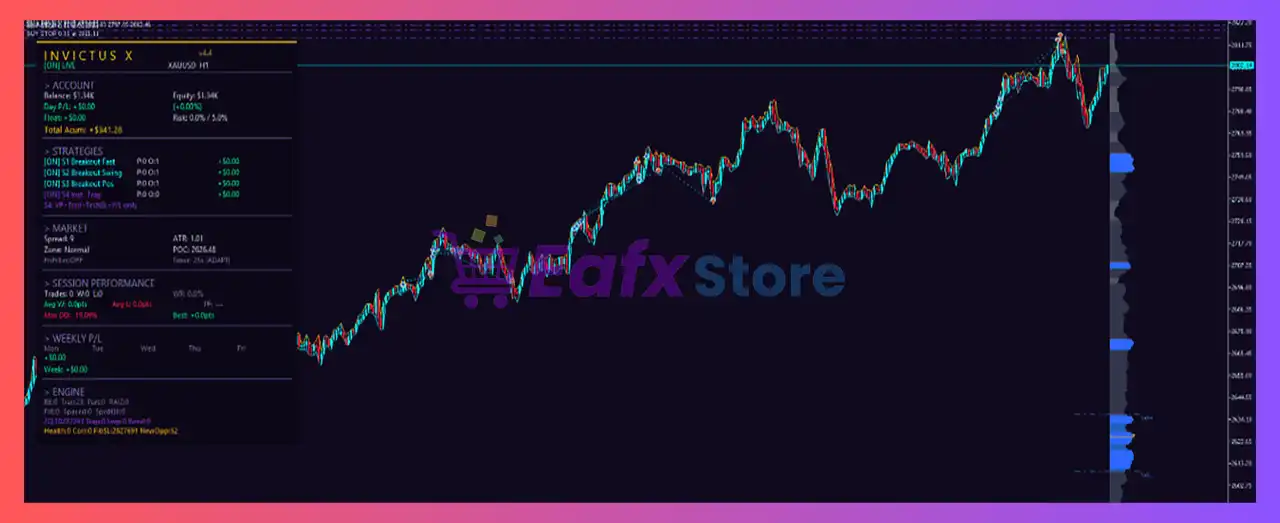
🔹 On-chart dashboard (preset forces ON) = Use preset value – Displays the trading dashboard according to the selected preset configuration.
🔶 Prop Firm Mode
🔹 Prop-firm compliant execution = Use preset value – Enables Prop Firm compatible execution rules based on the active preset.
🔶 Mode Ultra (Ultra Turbo)
🔹 Ultra Turbo (extra-TP pendings) = Use preset value – Controls Ultra Turbo execution and additional Take Profit pending orders according to the preset.
🔶 Hard Stop / Take (Airbag)
🔹 Place real hard SL/TP at broker (safety net) = Use preset value – Places actual broker-side Stop Loss and Take Profit orders as a safety mechanism based on the preset.
🔹 Place hard SL/TP also on the PENDING order (visible before trigger) = Use preset value – Applies broker-side SL/TP directly to pending orders before they become active, following the preset.
🔶 Daily Limits
🔹 Enable daily loss limit = Use preset value – Enables or disables the daily loss protection according to the selected preset.
🔹 Daily loss % (-1 = follow preset) = -1.0 – A value of -1.0 instructs the EA to use the preset daily loss percentage.
🔹 Enable daily profit target = Use preset value – Uses the preset configuration for daily profit target management.
🔹 Daily profit % (-1 = follow preset) = -1.0 – A value of -1.0 instructs the EA to use the preset daily profit percentage.
🔢 Conclusion
Invictus X EA is built around an intelligent preset-driven architecture that simplifies advanced trading configuration while maintaining institutional-level execution quality. With multiple breakout strategies, dynamic money management, Prop Firm compatibility, Ultra Turbo execution, broker-side safety protections, and automatic daily risk controls, the EA offers a flexible solution for traders seeking both convenience and professional-grade automation in XAUUSD trading.
🔢 FAQs
❓ What does the "XAUUSD – Med Risk" preset mean?
It loads a predefined configuration optimized for Gold trading with a medium risk profile, automatically configuring multiple internal parameters.
❓ Why do many parameters show "-1" as their value?
A value of -1 means the EA automatically follows the settings stored in the selected preset instead of using a manually defined value.
❓ Can I enable or disable individual trading strategies?
Yes. The EA includes four independent strategies (S1–S4) that can follow the preset or be customized depending on the EA version.
❓ Is Invictus X EA suitable for Prop Firm trading?
Yes. It includes a dedicated Prop Firm execution mode designed to comply with common proprietary trading firm requirements.
❓ Does Invictus X EA include built-in daily risk management?
Yes. The EA supports configurable daily loss limits and daily profit targets, which can either use preset values or customized settings.



