


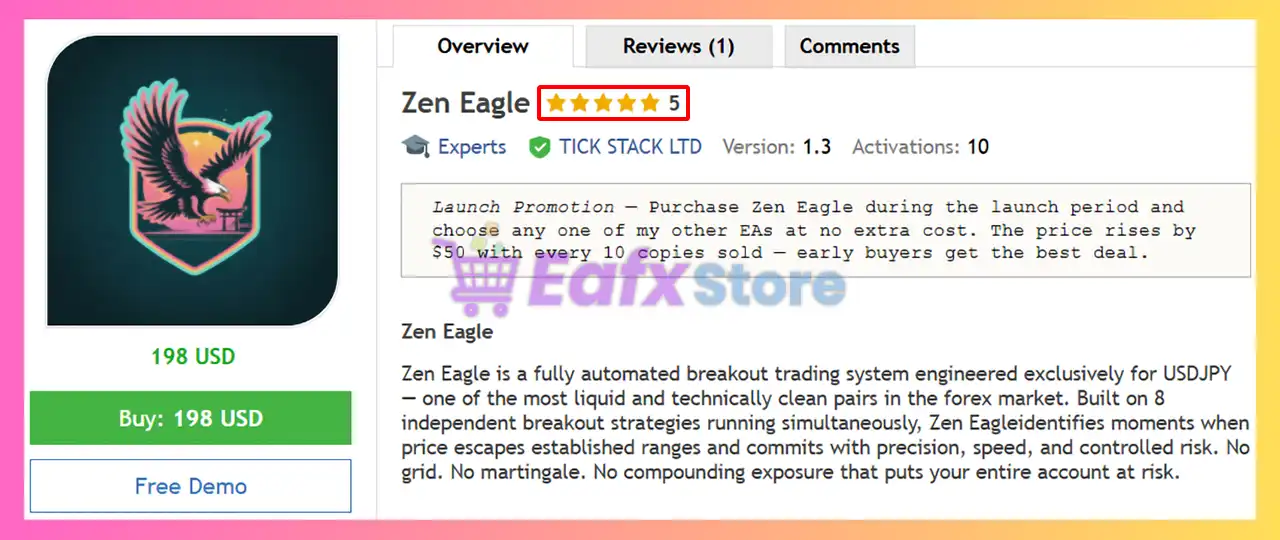
🔢 Zen Eagle EA MT5 Settings Guide
Zen Eagle EA is a professional multi-strategy Expert Advisor for MetaTrader 5 that combines intelligent risk management, multiple independent trading strategies, session scheduling, Friday position management and broker compatibility settings.
The EA allows traders to allocate risk individually across up to 8 trading strategies, while maintaining strict money management and automated trade execution for long-term trading consistency.

🔢 Zen Eagle EA MT5 Settings Explained
Display Settings
🔹 Show debug prints in journal = false – Disables debug messages in the MT5 Journal to keep logs clean during normal operation.
Money Management
🔹 Allow buy entries (all strategies) = true – Enables BUY trades across all active trading strategies.
🔹 Allow sell entries (all strategies) = true – Enables SELL trades across all active trading strategies.
Strategy Enable & Risk %
🔹 Use same risk % for all strategies = true – Applies the same risk percentage to every enabled strategy.
🔹 Risk level (all strategies) = Low (0.1%) – Uses the predefined Low Risk profile with 0.1% account risk.
🔹 Custom risk % (only if Custom selected) = 0.1 – Defines a manual risk value of 0.1% when the Custom Risk option is selected.
🔹 Strategy 1 enabled = true – Activates Strategy 1 for automated trading.
🔹 Strategy 1 risk % (0 = fixed lots) = 0.2 – Assigns 0.2% risk to Strategy 1; 0 would use fixed lots instead.
🔹 Strategy 2 enabled = true – Activates Strategy 2.
🔹 Strategy 2 risk % = 0.2 – Sets Strategy 2 risk to 0.2%.
🔹 Strategy 3 enabled = true – Activates Strategy 3.
🔹 Strategy 3 risk % = 0.2 – Sets Strategy 3 risk to 0.2%.
🔹 Strategy 4 enabled = true – Activates Strategy 4.
🔹 Strategy 4 risk % = 0.2 – Sets Strategy 4 risk to 0.2%.
🔹 Strategy 5 enabled = true – Activates Strategy 5.
🔹 Strategy 5 risk % = 0.2 – Sets Strategy 5 risk to 0.2%.
🔹 Strategy 6 enabled = true – Activates Strategy 6.
🔹 Strategy 6 risk % = 0.2 – Sets Strategy 6 risk to 0.2%.
🔹 Strategy 7 enabled = true – Activates Strategy 7.
🔹 Strategy 7 risk % = 0.2 – Sets Strategy 7 risk to 0.2%.
🔹 Strategy 8 enabled = true – Activates Strategy 8.
🔹 Strategy 8 risk % = 0.2 – Sets Strategy 8 risk to 0.2%.
Margin Safety
🔹 Min free margin % before placing order = 20.0 – Requires at least 20.0% free margin before opening a new trade, helping prevent overleveraging.
Friday Close
🔹 Close all positions & delete orders on Friday = true – Automatically closes all open positions and removes pending orders before the weekend.
🔹 Friday close hour (server time) = 21 – Executes Friday closing procedures at 21:00 server time.
🔹 Friday close minute = 0 – Executes Friday closing exactly at 21:00.
FIFO Settings
🔹 FIFO compliance — blocks opposite-direction entry (US/NFA) = false – FIFO compliance is disabled, allowing opposite-direction positions when supported by the broker.
Session Settings
🔹 Session time mode = Server time (broker time, no conversion) – Uses the broker's server time directly without GMT conversion.
🔹 GMT offset (EST mode only) = 2 – Applies a GMT +2 offset when EST mode is used.
🔹 Session start hour = 1 – Trading session begins at 01:00.
🔹 Session start minute = 30 – Trading session starts at 01:30.
🔹 Session end hour = 22 – Trading session finishes at 22:00.
🔹 Session end minute = 0 – Trading session ends precisely on the hour.
🔹 Friday session end hour = 18 – Friday trading session ends early at 18:00.
Expert Settings
🔹 Base magic number — strategy N uses MagicBase + N = 575659 – Sets the base Magic Number to 575659, with each strategy automatically receiving a unique identifier by adding its strategy number.
🔹 Trade comment = Zen Eagle – Adds "Zen Eagle" as the order comment for every trade opened by the EA.
🔹 Append strategy number to comment = true – Appends the strategy number to the order comment, making it easier to identify which strategy generated each trade.
🔢 Conclusion
Zen Eagle EA MT5 is a highly configurable multi-strategy Expert Advisor that emphasizes portfolio diversification, intelligent risk allocation, and disciplined trade management. With support for 8 independent strategies, unified or custom risk settings, automatic Friday position management, broker session scheduling, and unique Magic Numbers for each strategy, the EA provides a flexible framework suitable for both retail traders and prop firm environments.
🔢 FAQs
❓ How many trading strategies does Zen Eagle EA MT5 support?
Zen Eagle EA MT5 supports up to 8 independent trading strategies, each of which can be enabled, disabled, and assigned its own risk percentage.
❓ Can I assign different risk levels to each strategy?
Yes. You can disable the shared risk option and configure individual risk percentages for every strategy separately.
❓ Why is the Friday Close feature useful?
The Friday Close function automatically closes trades and deletes pending orders before the weekend to reduce exposure to market gaps after the weekend reopening.
❓ What is the purpose of the Base Magic Number?
The Base Magic Number (575659) allows each strategy to generate unique trade identifiers, making trade management and analysis much easier.
❓ Does Zen Eagle EA MT5 work with broker server time?
Yes. By default, the EA operates using Server Time (broker time), ensuring trading sessions follow the broker's market schedule accurately.



