


🔢 LuminaFX EA MT5 Settings Explained – Complete Parameter Guide
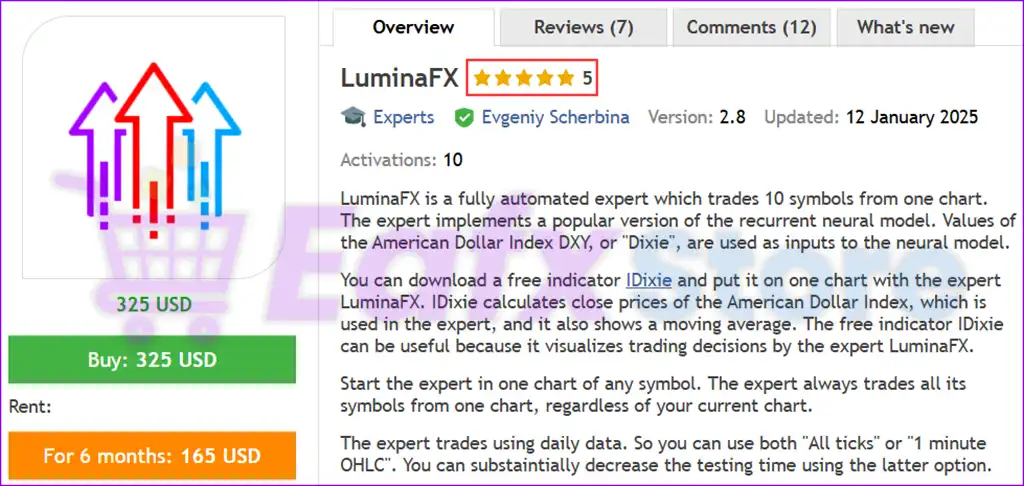
LuminaFX EA is a fully automated Forex Expert Advisor (EA) designed to trade multiple currency pairs with built-in risk management, profit protection, and flexible trade management. It provides configurable trade limits, equity-based position sizing, customizable Stop Loss (SL) and Take Profit (TP) levels, trailing stop functionality, and multi-symbol trading support, making it suitable for traders seeking a simple yet effective automated MT5 trading solution.

🔢 LuminaFX EA MT5 Parameters Explained
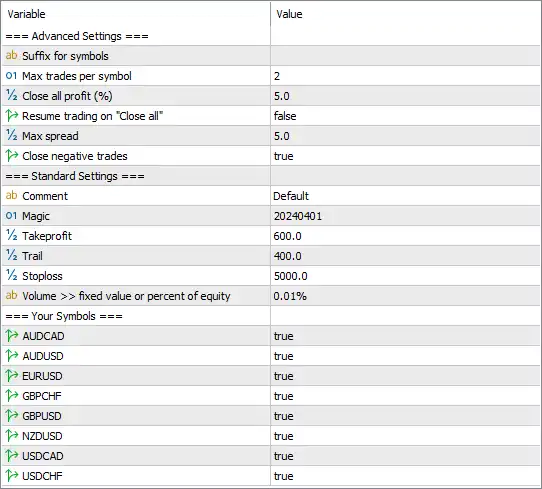
🔶 Advanced Settings
🔹 Suffix for symbols – Allows you to enter your broker's symbol suffix (for example: .m, .pro, .ecn) if required; the default value is blank.
🔹 Max trades per symbol = 2 – Limits the EA to a maximum of 2 simultaneous open positions for each enabled currency pair.
🔹 Close all profit (%) = 5.0 – Closes all open positions once the total floating profit reaches 5.0% of the account.
🔹 Resume trading on "Close all" = false – Prevents the EA from immediately opening new trades after executing the global Close All function.
🔹 Max spread = 5.0 – Allows new trades only when the market spread is 5.0 or lower, helping reduce trading costs.
🔹 Close negative trades = true – Enables automatic closing of losing positions when the EA's management conditions are met.
🔶 Standard Settings
🔹 Comment = Default – Adds "Default" as the trade comment for positions opened by LuminaFX EA MT5.
🔹 Magic = 20240401 – Assigns Magic Number 20240401 to uniquely identify and manage the EA's trades.
🔹 Takeprofit = 600.0 – Sets the default Take Profit target to 600.0 points.
🔹 Trail = 400.0 – Activates the trailing stop after the position reaches 400.0 points of profit.
🔹 Stoploss = 5000.0 – Sets the default Stop Loss to 5000.0 points for each trade.
🔹 Volume >> fixed value or percent of equity = 0.01% – Uses 0.01% of account equity as the position sizing method according to the selected money management mode.
🔶 Enabled Trading Symbols
🔹 AUDCAD = true – Enables automated trading on the AUDCAD currency pair.
🔹 AUDUSD = true – Enables automated trading on the AUDUSD currency pair.
🔹 EURUSD = true – Enables automated trading on the EURUSD currency pair.
🔹 GBPCHF = true – Enables automated trading on the GBPCHF currency pair.
🔹 GBPUSD = true – Enables automated trading on the GBPUSD currency pair.
🔹 NZDUSD = true – Enables automated trading on the NZDUSD currency pair.
🔹 USDCAD = true – Enables automated trading on the USDCAD currency pair.
🔹 USDCHF = true – Enables automated trading on the USDCHF currency pair.
🔢 Conclusion
LuminaFX EA MT5 provides a streamlined yet powerful automated trading system with configurable risk controls, multi-symbol support, equity-based position sizing, spread protection, trailing stop management, and automatic profit handling. Its flexible settings allow traders to customize trading behavior while maintaining disciplined risk management across multiple Forex pairs.
🔢 FAQs
❓ What is the default Magic Number in LuminaFX EA MT5?
The default Magic Number is 20240401, allowing the EA to uniquely identify and manage its own trades.
❓ How many trades can LuminaFX EA MT5 open per currency pair?
By default, the EA allows a maximum of 2 simultaneous trades for each enabled symbol.
❓ Does LuminaFX EA MT5 include a trailing stop?
Yes. The default configuration activates the trailing stop after 400.0 points of profit.
❓ Which currency pairs are enabled by default?
The default setup enables AUDCAD, AUDUSD, EURUSD, GBPCHF, GBPUSD, NZDUSD, USDCAD, and USDCHF.
❓ Can LuminaFX EA MT5 automatically close all profitable positions?
Yes. The Close all profit (%) feature closes all open positions once the combined floating profit reaches 5.0% of the account balance or equity threshold configured by the EA.



