



Mean Machine EA MT5 (Latest version) – GroupBuy
Select a variant to see availability.
What is Mean Machine EA?
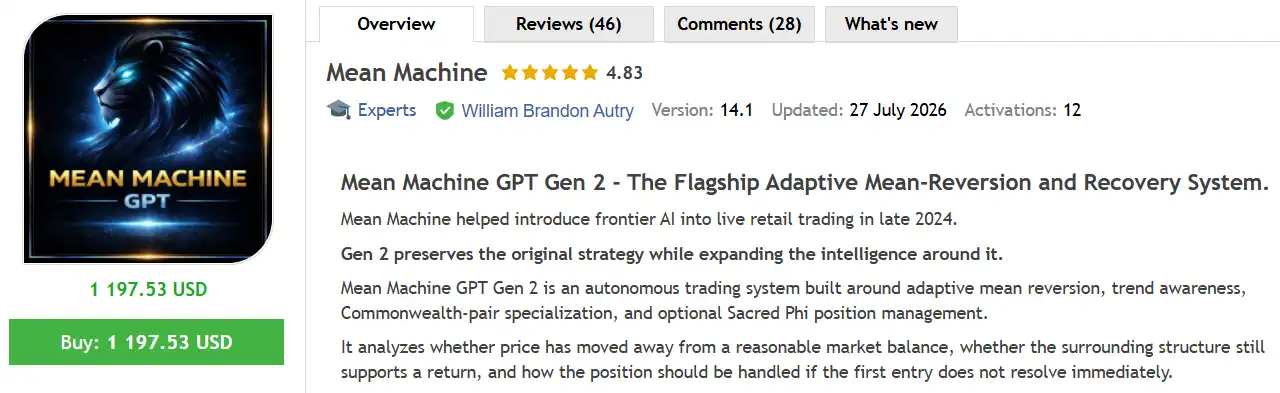
Mean Machine EA is an advanced forex trading Expert Advisor (EA) designed to revolutionize market analysis and trading decision making. Leveraging enterprise-grade AI integration and direct API access to leading AI providers such as OpenAI, Google, Anthropic, etc., it delivers superior accuracy and efficiency to professional traders.
🔶 Vendor Website: View here
🔶 This is GroupBuy ==> How to Join
About the Author
This product is compiled by William Brandon Autry. This author has more than +5 years of experience working on MQL5 with many famous products such as Mean Machine EA MT5, Byrdi EA MT5, Nano Machine EA MT5, Syna EA MT5, AiQ EA MT5 and other advisors. Among them, Mean Machine MT5 is his best performing products.
Mean Machine MT5 Review
Key Features of Mean Machine EA for MT5
🔹 300+ AI Model Ecosystem: Multi-model integration with consensus-based decision logic.
🔹 Sacred Phi Position Management: Proprietary mathematical scaling for structured exits.
🔹 Neural Network Weight Training: Continuously refines strategy weights using trade outcomes.
🔹 Advanced Position Management Profiles: Relaxed, Balanced and Strict risk configurations.
🔹 API Cost Optimization Layer: Intelligent batching reduces operational overhead efficiently.
What is the Mean Machine MT5 trading strategy?
The core strategy is a specialized, adaptive, multi-model consensus approach focusing on low-volatility sessions of specific Commonwealth currency pairs, enhanced by real-time market intelligence.
🔹 Specialized Mean Reversion Logic: Optimized for low-volatility Commonwealth currency pairs.
🔹 Trend-Following Regime Switching: Dynamically adapts to market structure shifts.
🔹 Multi-Model Consensus Decisions: Uses unanimous, majority or weighted AI validation.
🔹 Adaptive Risk & Exposure Control: Includes drawdown limits and net currency monitoring.
🔹 Neural Learning Feedback Loop: Improves performance incrementally over live deployment.
Mean Machine EA MT5 Review
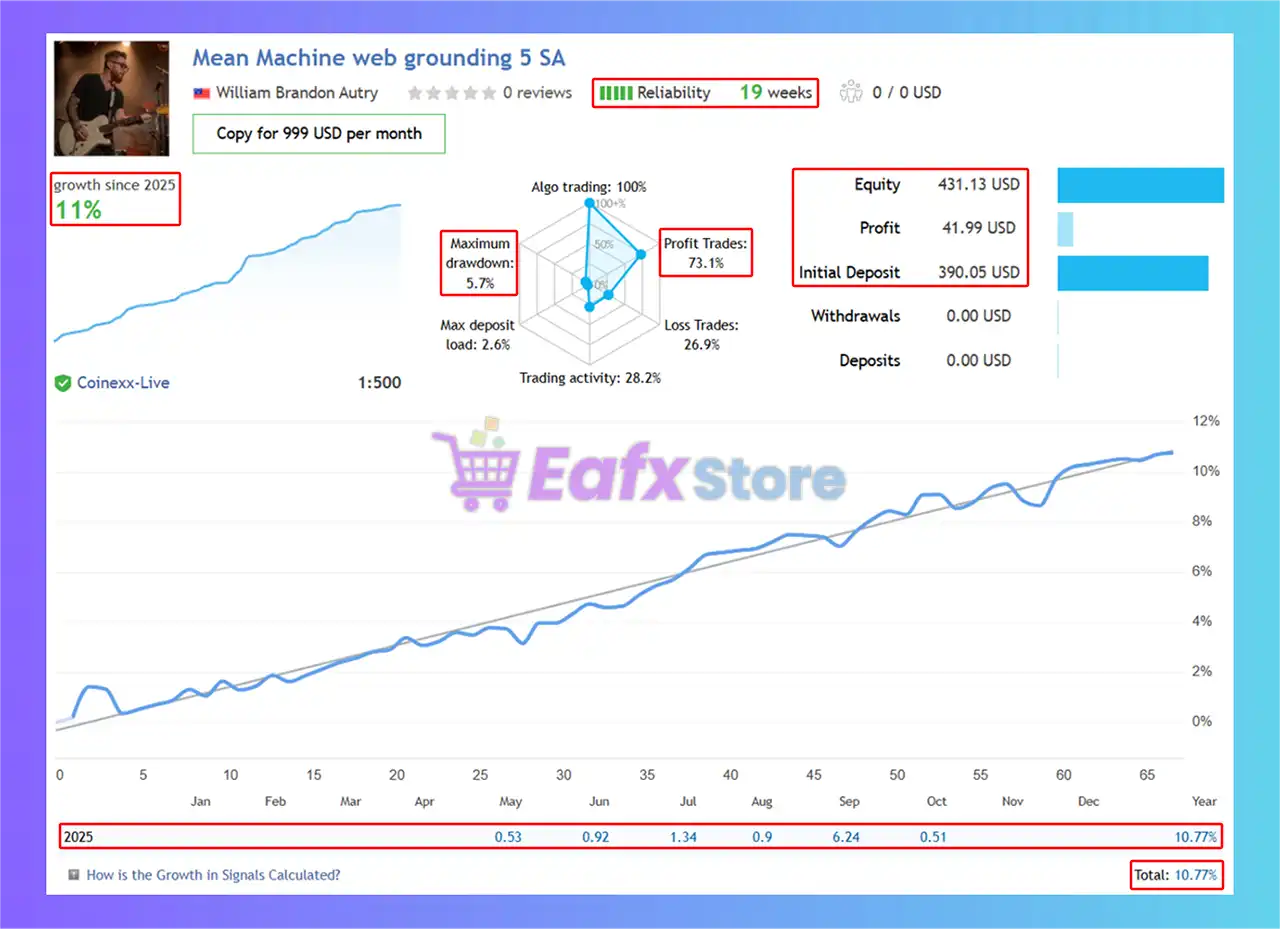
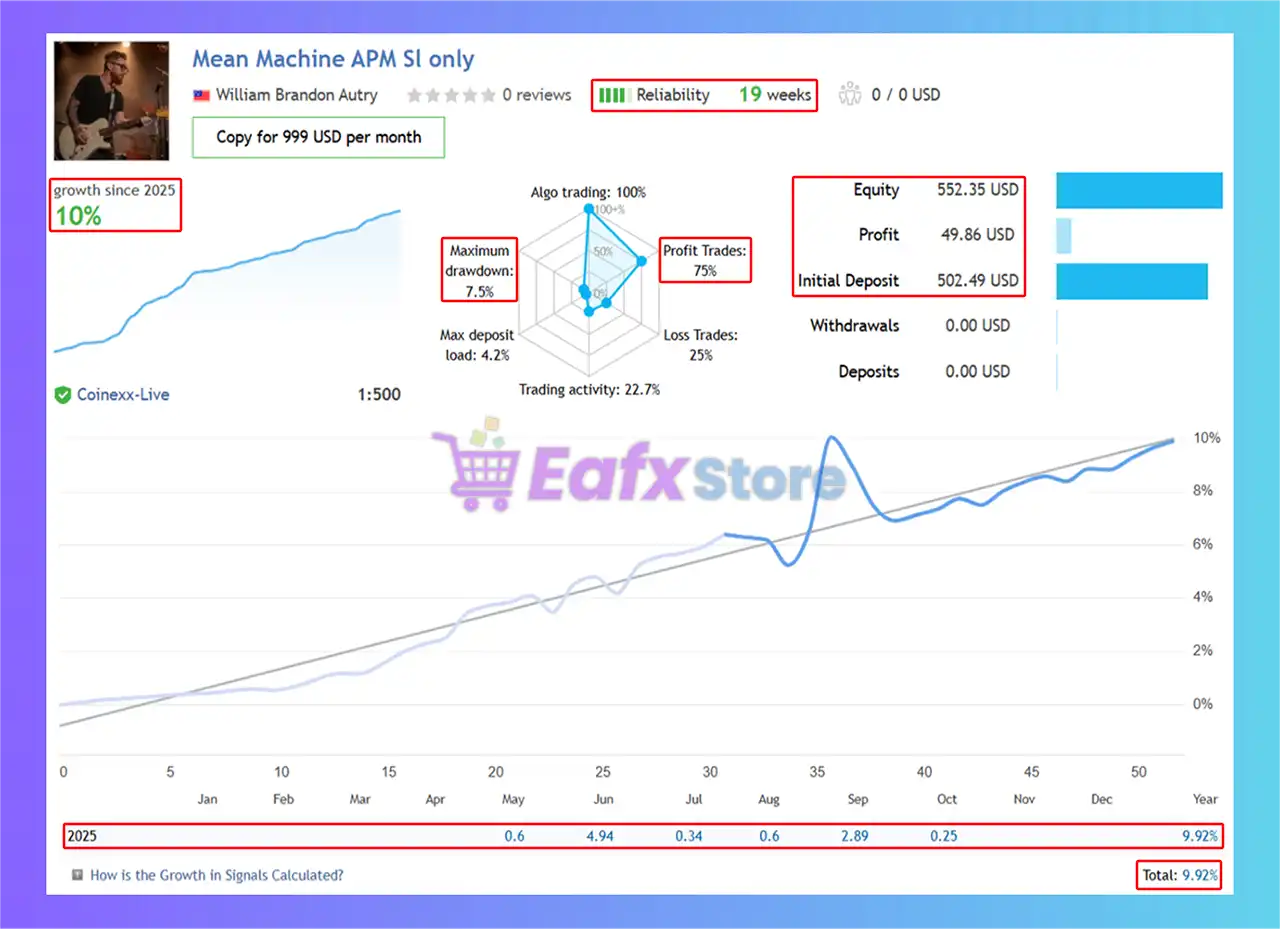
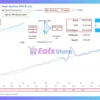
Mean Machine EA Live Results
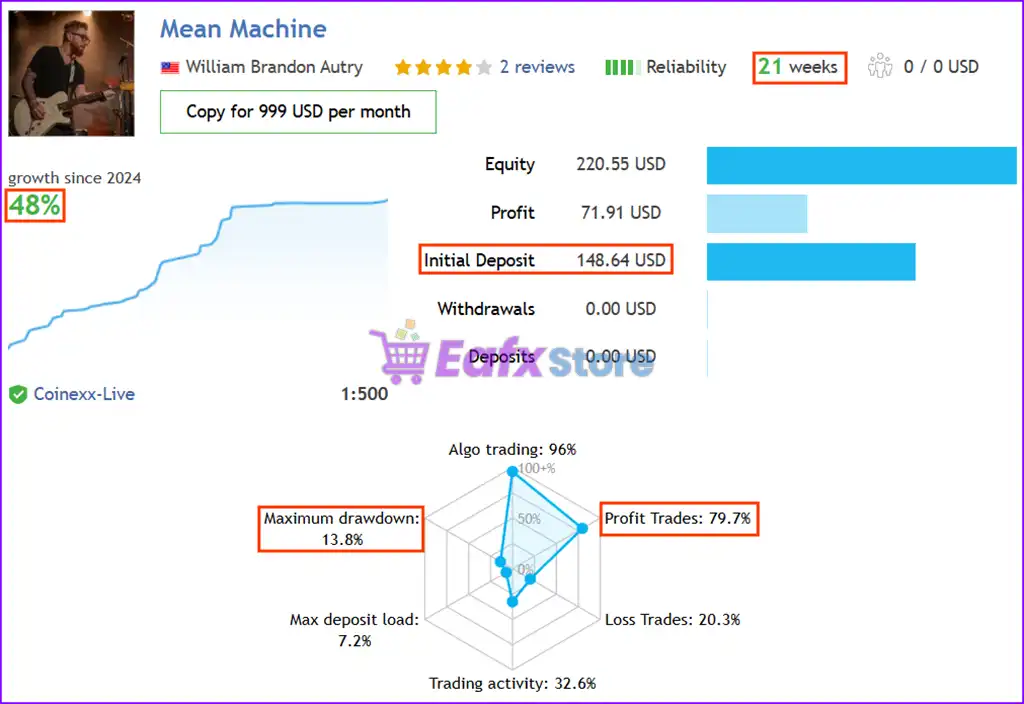
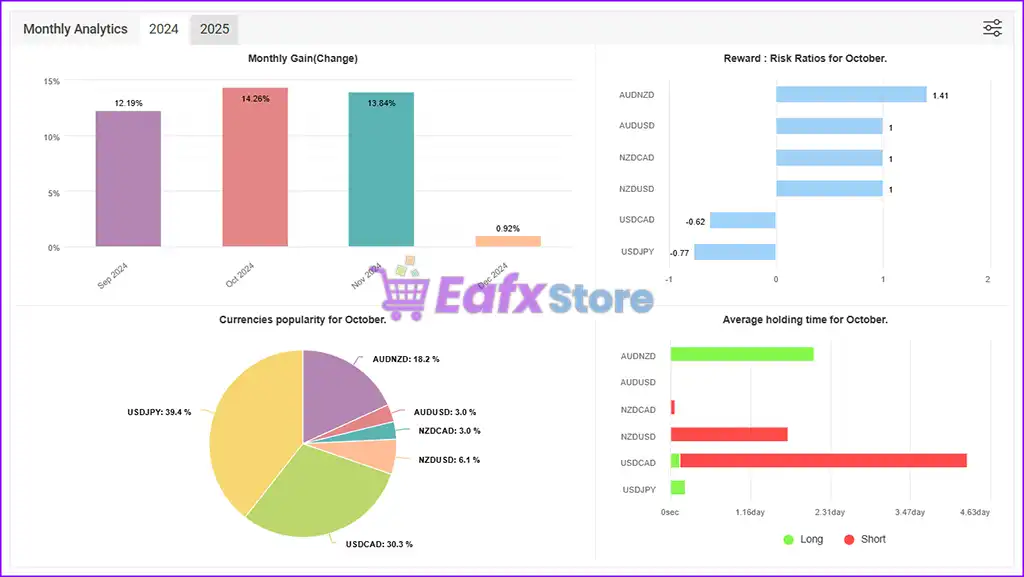
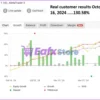
Mean Machine EA shows solid live account trading results with steady growth and solid risk management. After 19 weeks of live trading, the EA has generated impressive growth, becoming a promising option for traders looking for steady profits.
✅ Initial Deposit: $390
✅ Growth: +11%
✅ Win Rate: 73.1%
✅ Maximum Drawdown: 5.7%
Mean Machine MT5 Live Results
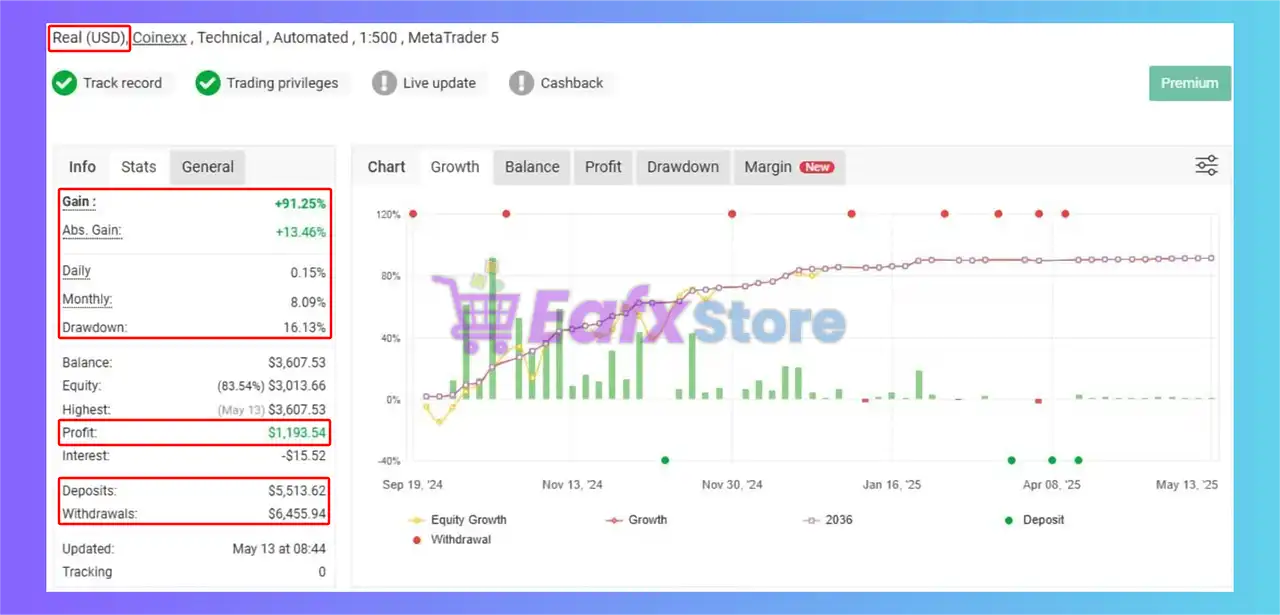
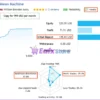
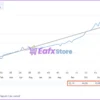
Mean Machine EA MyFxBook Results
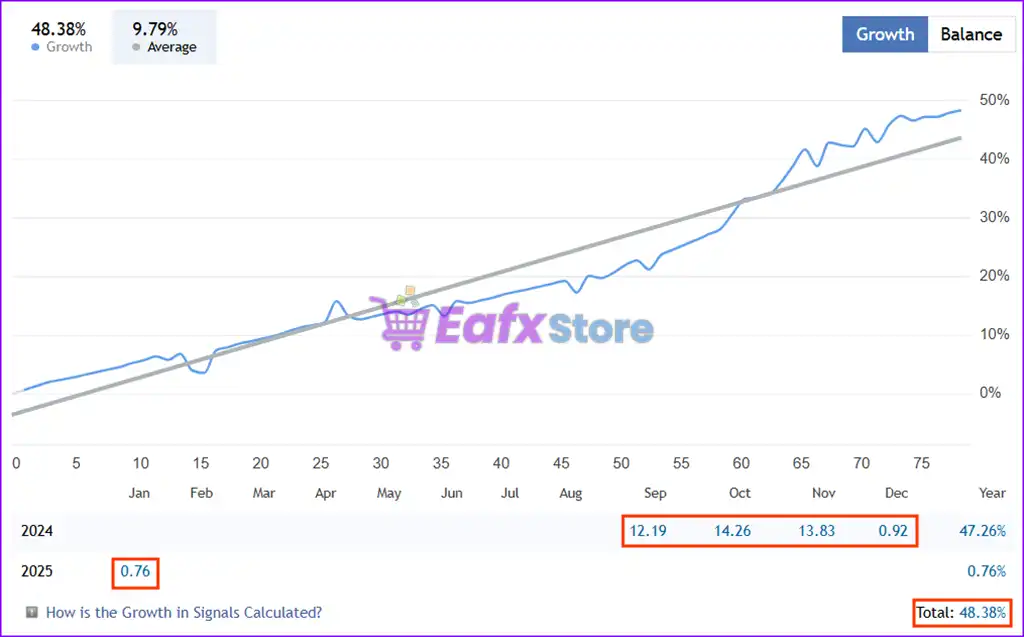
Mean Machine EA’s trading performance is officially verified and transparently displayed on MyFxBook. Its live account results highlight its superior performance and risk management, making it a top choice for forex traders.
✅ Total Profit: +91.25%
✅ Average Monthly Return: 8.09%
✅ Maximum Drawdown: 16.13%
Mean Machine EA Myfxbook Results
Why Choose and Use Mean Machine EA?
🔹 Institutional-Grade Architecture: Designed for professional, long-term deployment.
🔹 Stability Through Specialization: Focused pair selection enhances statistical edge.
🔹 Transparent Risk Management: Emphasizes controlled growth over curve-fitted hype.
🔹 Operational Reliability Tools: API validation and exposure controls ensure stability.
🔹 Marketplace-Ready AI System: Ideal for disciplined traders seeking adaptive automation.
Is Mean Machine EA Safe?
Mean Machine EA shows significant potential in providing stable and reliable profits, becoming a reliable tool in the forex market. This advisor is highly appreciated by the community in many aspects and has won the trust of users.
⭐⭐⭐⭐⭐ P.IM (2025.01.17)
“This Forex EA is a breakthrough, integrating multiple AI models to maximize profits. Worth using.”
⭐⭐⭐⭐⭐ Brzdz (2025.01.12)
“This is definitely the best EA on the market with real AI and lots of configurable options.”
⭐⭐⭐⭐⭐ Imaniel (2025.01.21)
“Although the number of trades is not high, the AI-driven EA is refreshing and extremely accurate. It seems like it will continue to evolve, so I’m looking forward to it.”
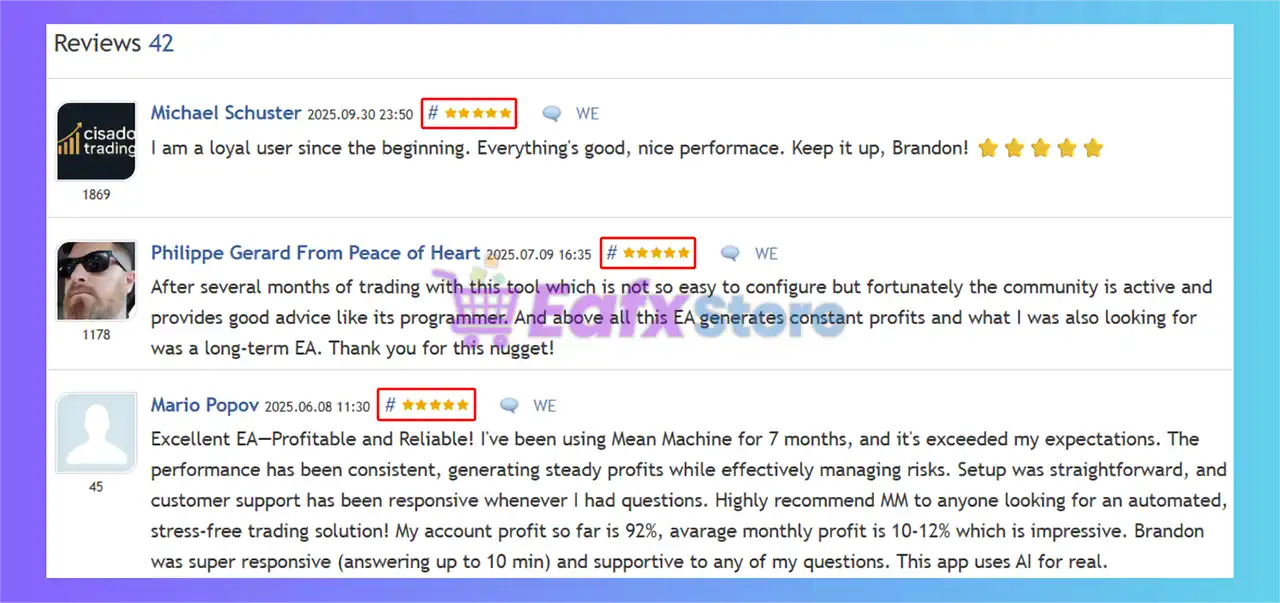
⭐⭐⭐⭐⭐ Michael Schuster (2025.09.30)
“I am a loyal user since the beginning. Everything’s good, nice performace.”
⭐⭐⭐⭐⭐ Mario Popov (2025.06.08)
“Excellent EA—Profitable and Reliable! I’ve been using Mean Machine for 7 months, and it’s exceeded my expectations. The performance has been consistent, generating steady profits while effectively managing risks.”
Recommended settings
Recommended settings and parameters to pay attention to from developers and experts:
| Features | Type |
|---|---|
| Trading platform | MetaTrader 5 (MT5) |
| Time frames | M15 (15 minute chart) |
| Currency pairs | AUDCAD, AUDNZD, NZDCAD |
| Minimum / Recommended leverage | 1:100+ |
| Minimum / Recommended deposit | $100+ |
| Product type | Original version |
| Additional services | Unlock and Decompile |
| Recommended brokers | Exness Broker, Icmarkets Broker |
| Recommended VPS | MyfxVPS.com ( Blue VPS, Golden VPS). Lowest Latency, 2 week Free Trial, 100% Free for 12-18 Months. |
Product Download Package?
The download package of the product suite includes:
✅ Setting (If Any).docx
✅ Installation Guide.docx
➡️ Reviewed by David Easton
Conclusion
In short, Mean Machine EA is not just another forex trading Expert Advisor (EA). it’s a transformative solution designed for serious traders seeking advanced, AI-powered tools to navigate the complexities of the forex market. With enterprise-grade AI integration, real-time API connectivity to elite providers, and robust multi-symbol analysis, it stands out as an innovative and reliable choice for traders aiming to achieve consistent profitability.
🔢 Mean Machine EA MT5 – Complete Settings & Parameters Guide
Mean Machine EA MT5 is an advanced AI-powered MetaTrader 5 Expert Advisor designed for automated forex trading with integrated GPT models, AI prediction systems, volatility filters, news filtering, adaptive lot scaling and multi-strategy trade management.
The EA combines artificial intelligence, machine learning, and recovery systems to optimize trading performance while maintaining strict risk management for prop firm and live trading environments.
Mean Machine EA MT5 Settings
🔢 Installation Panel Parameters
Below are the details of the parameters in the advisor’s trading system settings table:
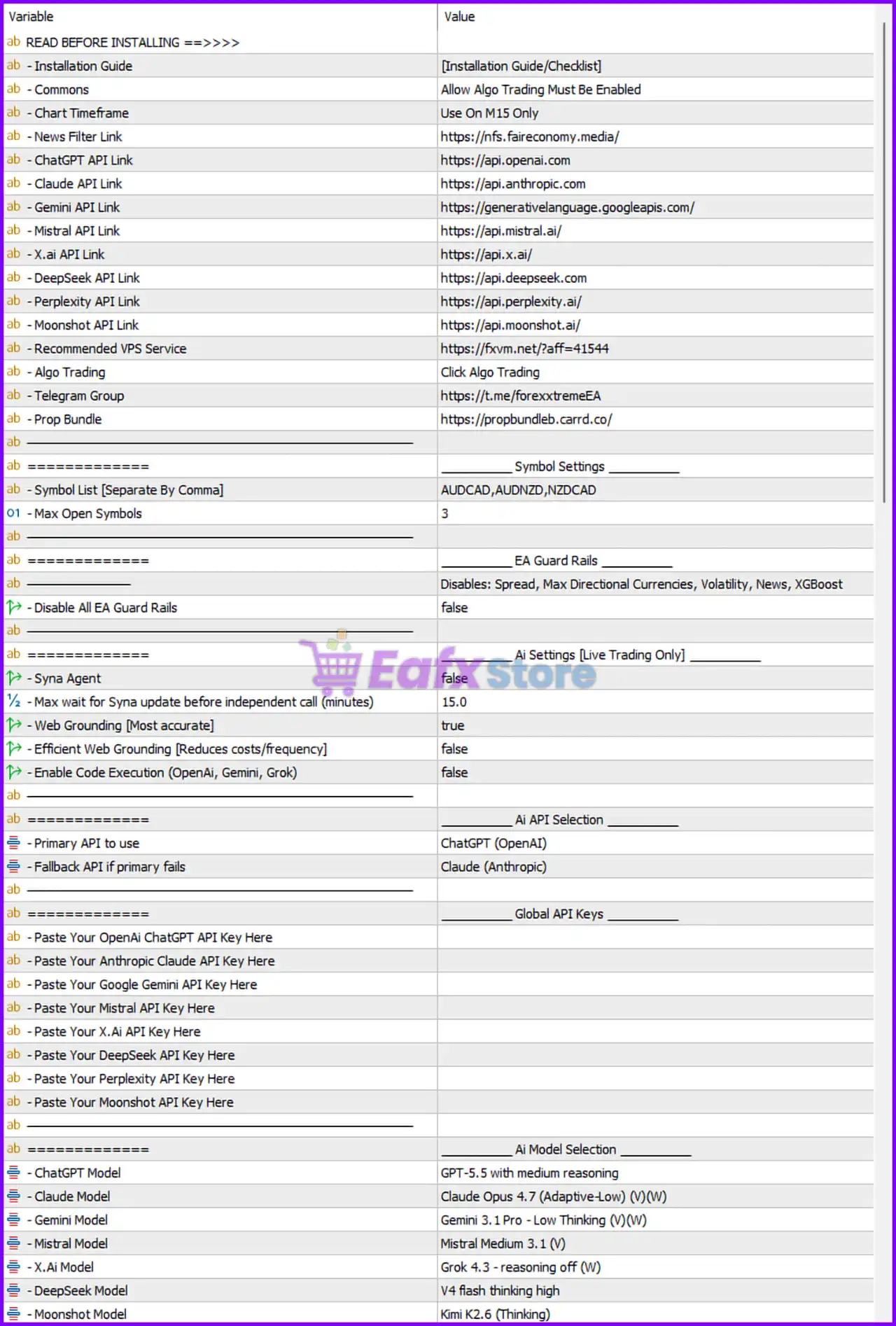
Mean Machine EA MT5 Settings Panel
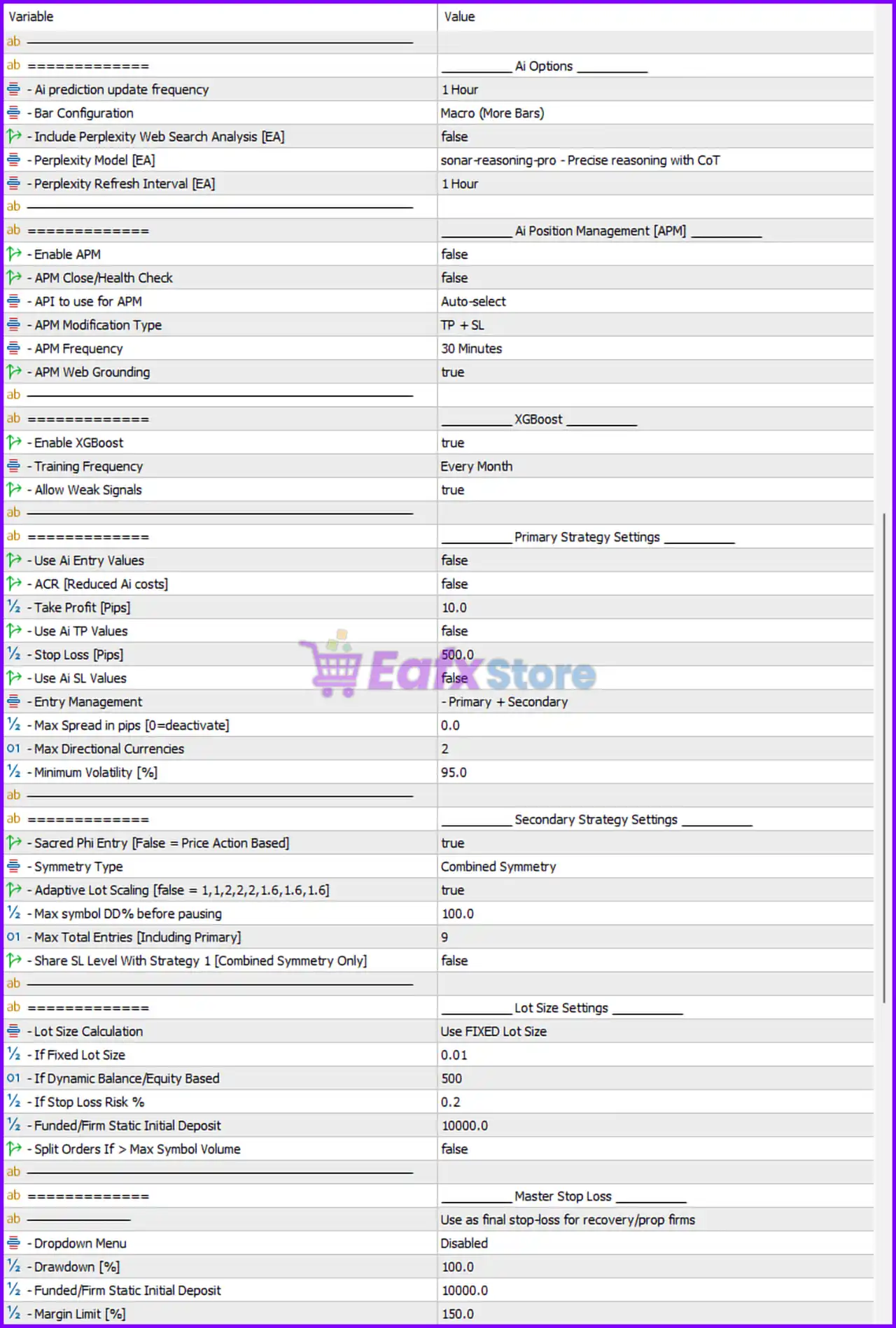
Mean Machine MT5 Settings Panel
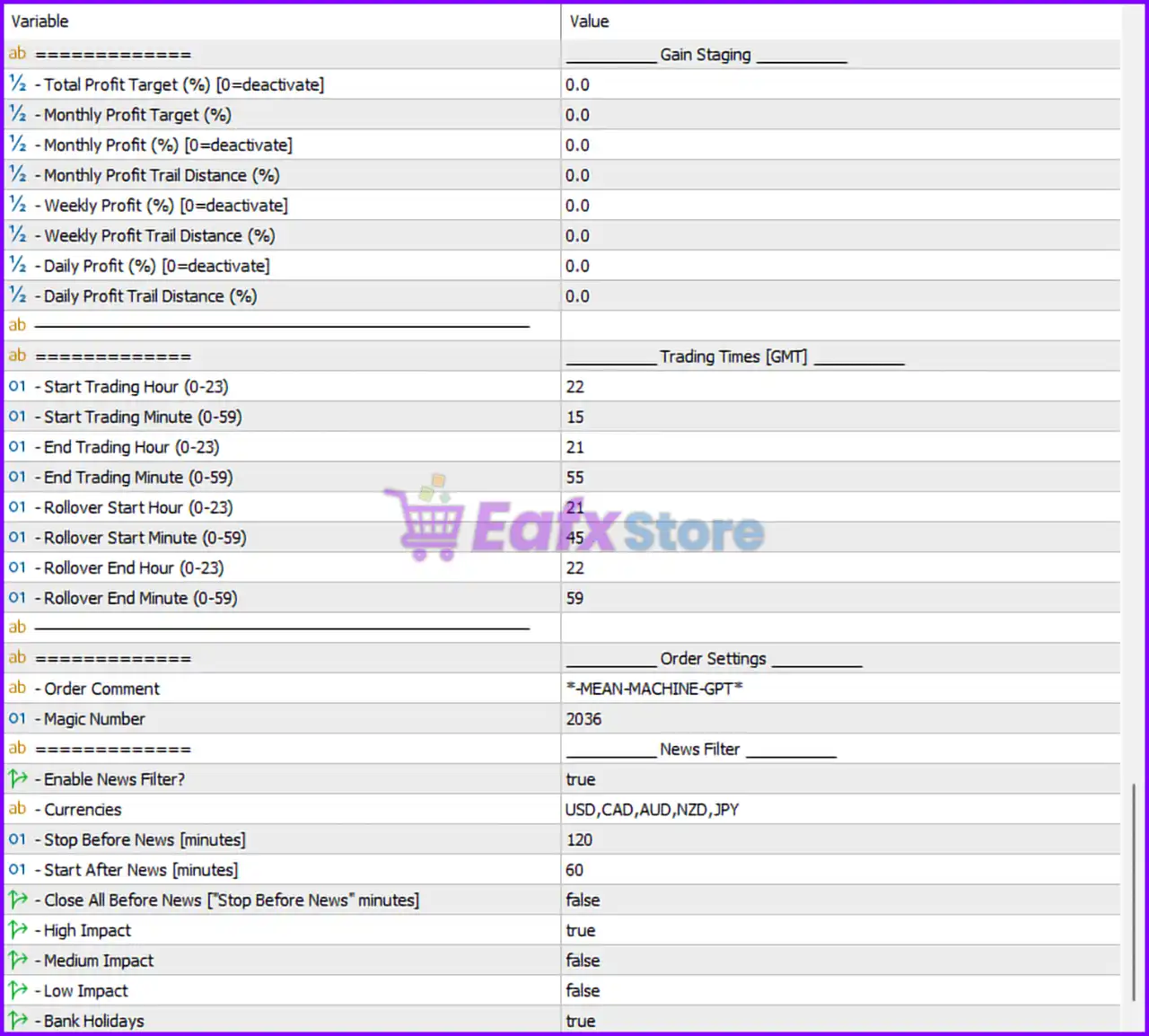
Mean Machine EA Settings Panel
🔶 Mean Machine EA MT5 Installation & Basic Settings
🔹 Installation Guide = [Installation Guide/Checklist] — Provides setup instructions and checklist before running the EA.
🔹 Commons = Allow Algo Trading Must Be Enabled — Requires MetaTrader 5 algorithmic trading permission to be enabled.
🔹 Chart Timeframe = Use On M15 Only — The EA is optimized specifically for the M15 timeframe.
🔹 News Filter Link = https://nfs.faireconomy.media/ — External source used for economic news filtering.
🔹 ChatGPT API Link = https://api.openai.com — API endpoint for OpenAI ChatGPT integration.
🔹 Claude API Link = https://api.anthropic.com — API endpoint for Anthropic Claude integration.
🔹 Gemini API Link = https://generativelanguage.googleapis.com/ — API endpoint for Google Gemini integration.
🔹 Mistral API Link = https://api.mistral.ai/ — API endpoint for Mistral AI services.
🔹 X.Ai API Link = https://api.x.ai/ — API endpoint for X.AI model integration.
🔹 DeepSeek API Link = https://api.deepseek.com — API endpoint for DeepSeek AI model access.
🔹 Perplexity API Link = https://api.perplexity.ai/ — API endpoint for Perplexity AI services.
🔹 Moonshot API Link = https://api.moonshot.ai/ — API endpoint for Moonshot AI integration.
🔹 Recommended VPS Service = https://fxvm.net/?aff=41544 — Recommended VPS provider for stable EA hosting.
🔹 Algo Trading = Click Algo Trading — Reminder to activate MetaTrader automated trading.
🔹 Telegram Group = https://t.me/forextremeEA — Official Telegram support/community group.
🔹 Prop Bundle = https://propbundleb.carrd.co/ — External prop trading resource link.
🔶 Symbol Settings
🔹 Symbol List [Separate By Comma] = AUDCAD,AUDNZD,NZDCAD — Currency pairs monitored and traded by the EA.
🔹 Max Open Symbols = 3 — Limits the maximum simultaneously traded symbols to 3.
🔶 EA Guard Rails
🔹 Disable All EA Guard Rails = false — Safety protection systems remain active.
🔹 EA Guard Rails = Disables: Spread, Max Directional Currencies, Volatility, News, XGBoost — Defines active protection filters.
🔶 AI Settings [Live Trading Only]
🔹 Syna Agent = false — AI synchronization agent is disabled.
🔹 Max wait for Syna update before independent call (minutes) = 15.0 — Wait time before fallback AI execution.
🔹 Web Grounding [Most accurate] = true — Enables internet-based contextual grounding for AI decisions.
🔹 Efficient Web Grounding [Reduces costs/frequency] = false — Cost-saving grounding optimization is disabled.
🔹 Enable Code Execution (OpenAI, Gemini, Grok) = false — AI code execution functionality is disabled.
🔶 AI API Selection
🔹 Primary API to use = ChatGPT (OpenAI) — Main AI provider selected for analysis.
🔹 Fallback API if primary fails = Claude (Anthropic) — Backup AI provider if primary service fails.
🔶 Global API Keys
🔹 Paste Your OpenAi ChatGPT API Key Here — Field for entering OpenAI API credentials.
🔹 Paste Your Anthropic Claude API Key Here — Field for entering Claude API credentials.
🔹 Paste Your Google Gemini API Key Here — Field for entering Gemini API credentials.
🔹 Paste Your Mistral API Key Here — Field for entering Mistral API credentials.
🔹 Paste Your X.Ai API Key Here — Field for entering X.AI API credentials.
🔹 Paste Your DeepSeek API Key Here — Field for entering DeepSeek API credentials.
🔹 Paste Your Perplexity API Key Here — Field for entering Perplexity API credentials.
🔹 Paste Your Moonshot API Key Here — Field for entering Moonshot API credentials.
🔶 AI Model Selection
🔹 ChatGPT Model = GPT-5.5 with medium reasoning — Selected OpenAI model configuration.
🔹 Claude Model = Claude Opus 4.7 (Adaptive-Low) (V)(W) — Selected Anthropic AI model.
🔹 Gemini Model = Gemini 3.1 Pro – Low Thinking (V)(W) — Selected Google Gemini model.
🔹 Mistral Model = Mistral Medium 3.1 (V) — Selected Mistral AI model.
🔹 X.Ai Model = Grok 4.3 – reasoning off (W) — Selected X.AI Grok model.
🔹 DeepSeek Model = V4 flash thinking high — Selected DeepSeek model configuration.
🔹 Moonshot Model = Kimi K2.6 (Thinking) — Selected Moonshot AI model.
🔶 AI Options
🔹 AI prediction update frequency = 1 Hour — AI prediction refresh interval.
🔹 Bar Configuration = Macro (More Bars) — Uses broader candle/bar analysis.
🔹 Include Perplexity Web Search Analysis [EA] = false — Perplexity web analysis disabled.
🔹 Perplexity Model [EA] = sonar-reasoning-pro – Precise reasoning with CoT — Selected Perplexity reasoning model.
🔹 Perplexity Refresh Interval [EA] = 1 Hour — Web analysis refresh rate.
🔶 AI Position Management [APM]
🔹 Enable APM = false — AI position management system disabled.
🔹 APM Close/Health Check = false — Position health monitoring disabled.
🔹 API to use for APM = Auto-select — Automatic API selection for position management.
🔹 APM Modification Type = TP + SL — AI can modify Take Profit and Stop Loss.
🔹 APM Frequency = 30 Minutes — Position management refresh interval.
🔹 APM Web Grounding = true — Web-assisted AI management enabled.
🔶 XGBoost Settings
🔹 Enable XGBoost = true — Machine learning XGBoost model enabled.
🔹 Training Frequency = Every Month — Monthly AI retraining schedule.
🔹 Allow Weak Signals = true — Allows weaker trading signals to be executed.
🔶 Primary Strategy Settings
🔹 Use Ai Entry Values = false — AI-based entry values disabled.
🔹 ACR [Reduced Ai costs] = false — AI cost-reduction mode disabled.
🔹 Take Profit [Pips] = 10.0 — Profit target set to 10.0 pips.
🔹 Use Ai TP Values = false — AI-generated TP disabled.
🔹 Stop Loss [Pips] = 500.0 — Stop Loss distance configured at 500.0 pips.
🔹 Use Ai SL Values = false — AI-generated SL disabled.
🔹 Entry Management = Primary + Secondary — Uses combined entry management strategies.
🔹 Max Spread in pips [0=deactivate] = 0.0 — Spread filtering disabled.
🔹 Max Directional Currencies = 2 — Limits exposure to 2 correlated directional currencies.
🔹 Minimum Volatility [%] = 95.0 — Minimum market volatility requirement.
🔶 Secondary Strategy Settings
🔹 Sacred Phi Entry [False = Price Action Based] = true — Uses Phi-based market entry logic.
🔹 Symmetry Type = Combined Symmetry — Trading symmetry mode configuration.
🔹 Adaptive Lot Scaling [false = 1,1,2,2,2,1.6,1.6,1.6] = true — Dynamic lot scaling enabled.
🔹 Max symbol DD% before pausing = 100.0 — Drawdown threshold before symbol trading pause.
🔹 Max Total Entries [Including Primary] = 9 — Maximum simultaneous entries allowed.
🔹 Share SL Level With Strategy 1 [Combined Symmetry Only] = false — Separate SL management between strategies.
🔶 Lot Size Settings
🔹 Lot Size Calculation = Use FIXED Lot Size — Uses fixed trading volume calculation.
🔹 If Fixed Lot Size = 0.01 — Fixed trade lot size set to 0.01.
🔹 If Dynamic Balance/Equity Based = 500 — Balance scaling threshold value.
🔹 If Stop Loss Risk % = 0.2 — Risk percentage tied to stop loss exposure.
🔹 Funded/Firm Static Initial Deposit = 10000.0 — Base account balance reference for funded accounts.
🔹 Split Orders If > Max Symbol Volume = false — Large order splitting disabled.
🔶 Master Stop Loss
🔹 Master Stop Loss = Use as final stop-loss for recovery/prop firms — Global emergency stop-loss system.
🔹 Dropdown Menu = Disabled — Master stop-loss dropdown disabled.
🔹 Drawdown [%] = 100.0 — Maximum overall account drawdown limit.
🔹 Funded/Firm Static Initial Deposit = 10000.0 — Static funded account baseline.
🔹 Margin Limit [%] = 150.0 — Minimum margin percentage requirement.
🔶 Gain Staging Settings
🔹 Total Profit Target (%) [0=deactivate] = 0.0 — Global profit target disabled.
🔹 Monthly Profit Target (%) = 0.0 — Monthly profit target disabled.
🔹 Monthly Profit (%) [0=deactivate] = 0.0 — Monthly profit limiter disabled.
🔹 Monthly Profit Trail Distance (%) = 0.0 — Monthly trailing profit disabled.
🔹 Weekly Profit (%) [0=deactivate] = 0.0 — Weekly profit target disabled.
🔹 Weekly Profit Trail Distance (%) = 0.0 — Weekly trailing protection disabled.
🔹 Daily Profit (%) [0=deactivate] = 0.0 — Daily profit target disabled.
🔹 Daily Profit Trail Distance (%) = 0.0 — Daily trailing profit disabled.
🔶 Trading Times [GMT]
🔹 Start Trading Hour (0-23) = 22 — Trading begins at GMT hour 22.
🔹 Start Trading Minute (0-59) = 15 — Trading starts at minute 15.
🔹 End Trading Hour (0-23) = 21 — Trading stops at GMT hour 21.
🔹 End Trading Minute (0-59) = 55 — Trading stops at minute 55.
🔹 Rollover Start Hour (0-23) = 21 — Rollover protection begins at hour 21.
🔹 Rollover Start Minute (0-59) = 45 — Rollover protection begins at minute 45.
🔹 Rollover End Hour (0-23) = 22 — Rollover protection ends at hour 22.
🔹 Rollover End Minute (0-59) = 59 — Rollover protection ends at minute 59.
🔶 Order Settings
🔹 Order Comment = MEAN-MACHINE-GPT — Custom comment label for all EA trades.
🔹 Magic Number = 2036 — Unique identifier assigned to EA trades.
🔶 News Filter
🔹 Enable News Filter? = true — Economic news filtering enabled.
🔹 Currencies = USD,CAD,AUD,NZD,JPY — News filtering applies to these currencies.
🔹 Stop Before News [minutes] = 120 — Stops trading 120 minutes before news releases.
🔹 Start After News [minutes] = 60 — Resumes trading 60 minutes after news events.
🔹 Close All Before News [“Stop Before News” minutes] = false — Existing trades remain open before news.
🔹 High Impact = true — Filters high-impact economic news.
🔹 Medium Impact = false — Medium-impact news ignored.
🔹 Low Impact = false — Low-impact news ignored.
🔹 Bank Holidays = true — Trading restrictions apply during bank holidays.
🔢 Conclusion
Mean Machine EA MT5 is a highly sophisticated AI-integrated Expert Advisor designed for advanced automated trading on MetaTrader 5. By combining GPT-powered market analysis, XGBoost machine learning, adaptive lot scaling, multi-layer strategy systems, and professional-grade risk management, the EA offers a powerful solution for traders seeking intelligent automation and prop-firm compatible trading performance.
🔢 FAQs
❓ What is Mean Machine EA MT5?
Mean Machine EA MT5 is an AI-powered automated forex trading robot for MetaTrader 5 using GPT models and machine learning systems.
❓ Does Mean Machine EA MT5 support AI APIs?
Yes, the EA supports OpenAI, Claude, Gemini, Mistral, DeepSeek, Perplexity, Moonshot, and X.AI integrations.
❓ Can Mean Machine EA MT5 trade multiple currency pairs?
Yes, the EA supports multi-symbol trading with configurable symbol lists and maximum open symbols.
❓ Does Mean Machine EA MT5 include news filtering?
Yes, the EA includes advanced economic news filtering with configurable impact levels and timing restrictions.
❓ Is Mean Machine EA MT5 suitable for prop firm trading?
Yes, the EA includes prop-firm risk controls, drawdown limits, and funded account management settings.
User Reviews
Only logged in customers who have purchased this product may leave a review.
1. What is Mean Machine EA?
Mean Machine EA is an advanced forex trading Expert Advisor powered by enterprise-grade AI. It leverages real-time API integration with elite providers like OpenAI and Google for precise market analysis and decision-making.
2. What trading platform is Mean Machine EA compatible with?
Mean Machine EA is designed for use on MetaTrader 5 (MT5), one of the most popular platforms for forex trading.
3. What currency pairs does it work best with?
Mean Machine EA performs exceptionally well with AUDCAD, AUDNZD, and NZDCAD currency pairs.
4. What are the minimum deposit and leverage requirements?
The recommended minimum deposit is $100, and the minimum leverage requirement is 1:100.
5. Does it support fully automated trading?
Yes, Mean Machine EA supports fully automated trading. It also offers semi-automated and manual modes with AI analysis for flexible trading options.
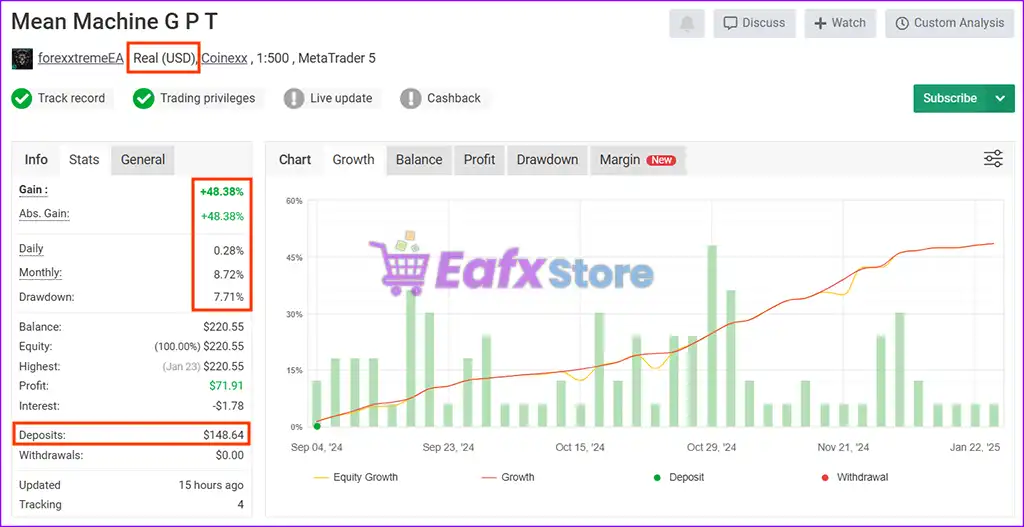
6. What is the average monthly return and maximum drawdown?
Based on verified results, the average monthly return is 8.72%, and the maximum drawdown is 7.71%, highlighting its strong risk management.
7. Who developed Mean Machine EA?
It was developed by William Brandon Autry, an experienced MQL5 developer known for creating high-performing trading solutions.
8. Is Mean Machine EA suitable for prop firm trading accounts?
The package includes the Mean Machine EA v6.52.ex5, a comprehensive Setting Guide.pdf, and other essential setup files.
-
 Price range: $89.00 through $599.00
 -
 Price range: $89.00 through $6,600.00
 -
 Price range: $89.00 through $1,100.00
 -
 Price range: $80.00 through $599.00
-
 7Original price was: $1,199.00.$229.00Current price is: $229.00.
 -
 2
2 -
 5Price range: $89.00 through $599.00
 -
 1
1
There are no reviews yet.