


PythonX PipStorm USDCAD EA MT5 (Latest version) – GroupBuy
Select a variant to see availability.
Quick Verdict
PythonX PipStorm USDCAD EA is a fully automated MT5 scalping Expert Advisor (EA) engineered specifically for USDCAD on the M1 timeframe. By combining long-term trend filtering with breakout confirmation and price action analysis, it aims to capture high-probability intraday momentum while maintaining disciplined risk management through fixed Stop Loss and Take Profit levels.
Best For
✅ USDCAD scalping traders
✅ Trend-following Forex traders
✅ ECN and RAW spread account users
✅ Traders seeking fully automated execution
✅ VPS-based trading environments
✅ Beginners looking for a simple MT5 setup
Overall Rating
9.4/10 ⭐⭐⭐⭐⭐
| Category | Rating |
|---|---|
| Trading Strategy | 9.5/10 |
| Automation | 9.5/10 |
| Risk Management | 9.3/10 |
| Ease of Use | 9.4/10 |
| Scalping Performance | 9.5/10 |
| Backtest Results | 9.4/10 |
| Overall Rating | 9.4/10 |
What is PythonX PipStorm USDCAD EA?
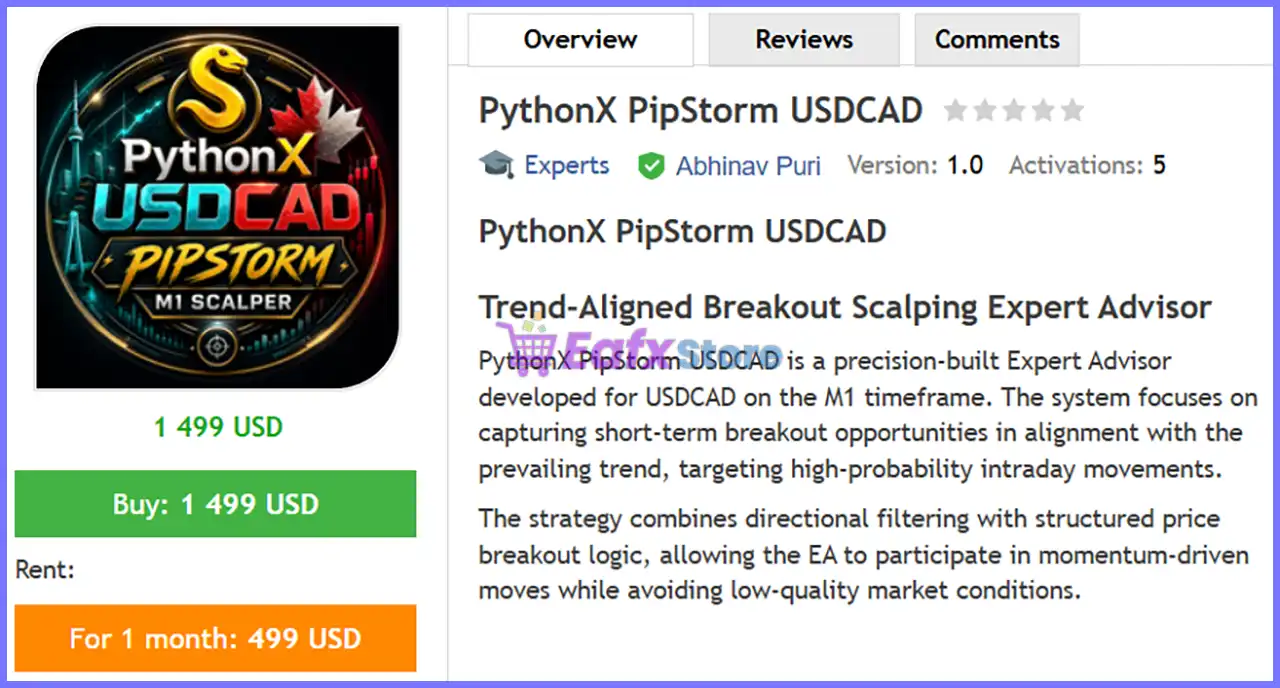
PythonX PipStorm USDCAD EA is a professional MetaTrader 5 Expert Advisor developed exclusively for trading the USDCAD currency pair on the M1 timeframe. The EA is designed to identify high-probability breakout opportunities while ensuring every trade follows the prevailing market trend.
Instead of relying on numerous lagging indicators, the strategy combines a 530-period EMA trend filter, structured breakout confirmation, and price action analysis to locate strong momentum-driven moves. This disciplined approach helps filter out weak market conditions while maintaining fast execution suitable for intraday scalping.
 Vendor Website: View here
This is GroupBuy ==> How to Join
PythonX PipStorm USDCAD EA MT5 Review
How Does PythonX PipStorm USDCAD EA Work?
Long-Term Trend Filtering
The EA begins by identifying the dominant market direction using a 530-period Exponential Moving Average (EMA).
Trades are executed only in the direction of the prevailing trend, reducing exposure to counter-trend setups.
Breakout Confirmation
Instead of entering trades immediately, PythonX PipStorm waits for a confirmed breakout beyond key price levels.
This helps avoid false signals and improves overall entry quality.
Price Action Analysis
The EA relies heavily on market structure rather than complex technical indicators.
Its decision-making process focuses on breakout behavior, candle structure and directional momentum.
Momentum Alignment
A trade is opened only when breakout conditions align with the detected market trend, increasing the probability of successful entries.
Fully Automated Trade Management
Each position includes predefined:
🔹 Stop Loss (SL)
🔹 Take Profit (TP)
🔹 Fixed Lot Size
Once a trade is opened, the EA manages the position automatically until completion.
Key Features of PythonX PipStorm USDCAD
Trend-Aligned Trading
Trades only in the direction of the long-term market trend.
Breakout-Based Entry Logic
Uses confirmed price breakouts to trigger high-quality entries.
Price Action Driven
Reduces dependence on lagging indicators by focusing on real market behavior.
Optimized for USDCAD
Specifically designed around the characteristics and volatility of the USDCAD currency pair.
Fast M1 Scalping
Built for rapid execution on the M1 timeframe while maintaining disciplined trade selection.
Flexible Configuration
Supports optional breakout buffers and candle-size filters for advanced optimization.
Simple Installation
Only a few key settings are required before the EA is ready for automated trading.
Backtest Trading Results Performance
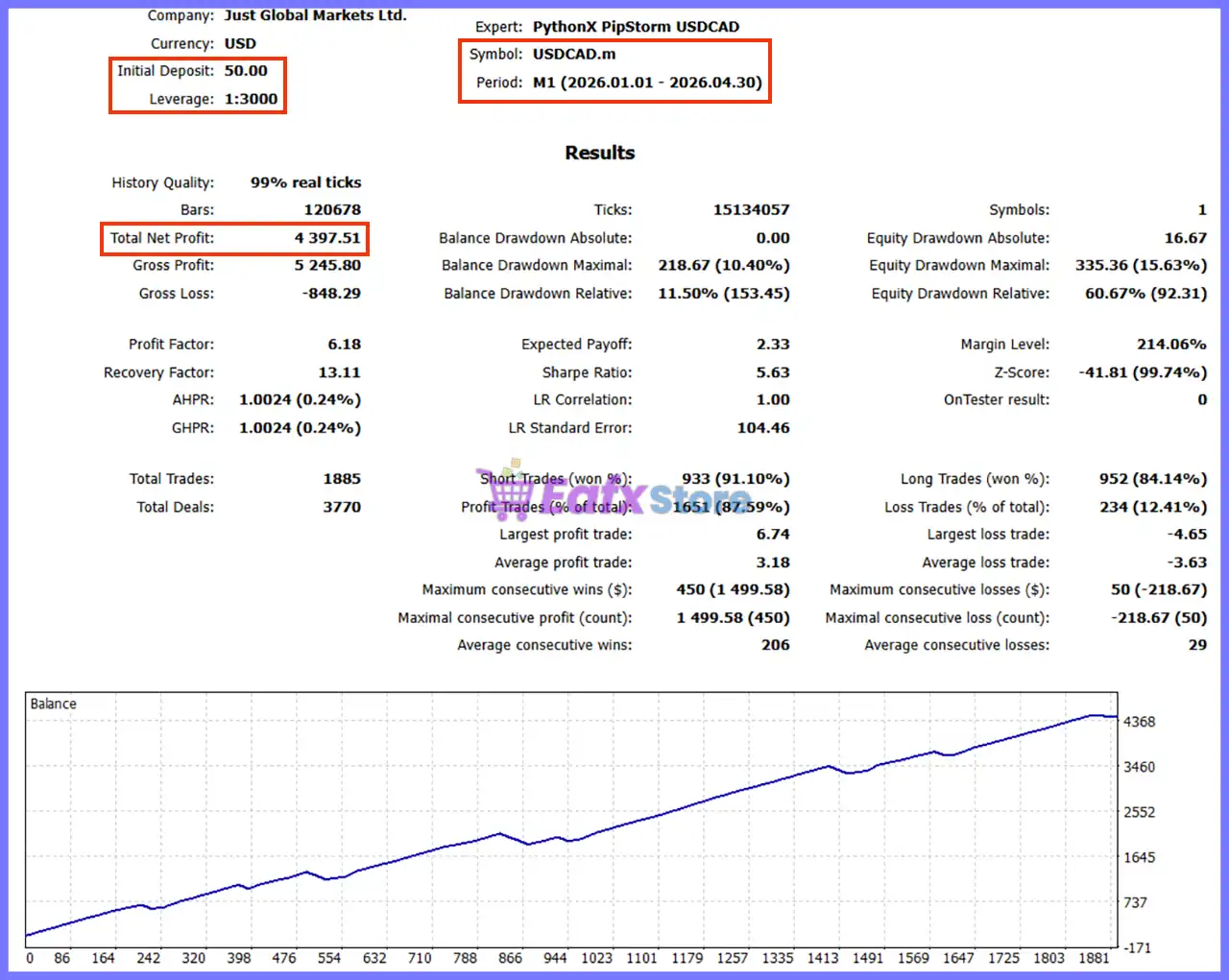
The developer provides MetaTrader 5 Strategy Tester results using historical USDCAD market data.
Test Configuration
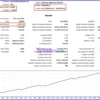
PythonX PipStorm USDCAD EA MT5 Backtest
| Parameter | Value |
|---|---|
| Platform | MetaTrader 5 |
| Symbol | USDCAD.m |
| Timeframe | M1 |
| Test Period | 01 Jan 2026 – 20 Apr 2026 |
| Initial Deposit | $50 |
| Leverage | 1:3000 |
| Modeling Quality | 99% Real Ticks |
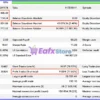
Performance Summary
| Metric | Result |
|---|---|
| Total Net Profit | $4,397.51 |
| Gross Profit | $5,245.80 |
| Gross Loss | -$848.29 |
| Profit Factor | 6.18 |
| Recovery Factor | 13.11 |
| Expected Payoff | 2.33 |
| Sharpe Ratio | 5.63 |
| Total Trades | 1,885 |
| Total Deals | 3,770 |
| Winning Trades | 87.59% |
Drawdown Statistics
| Metric | Result |
|---|---|
| Balance Drawdown Max | 10.40% |
| Equity Drawdown Max | 15.63% |
| Balance Drawdown Relative | 11.50% |
| Equity Drawdown Relative | 60.67% |
Performance Analysis
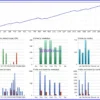
PythonX PipStorm USDCAD EA Backtest
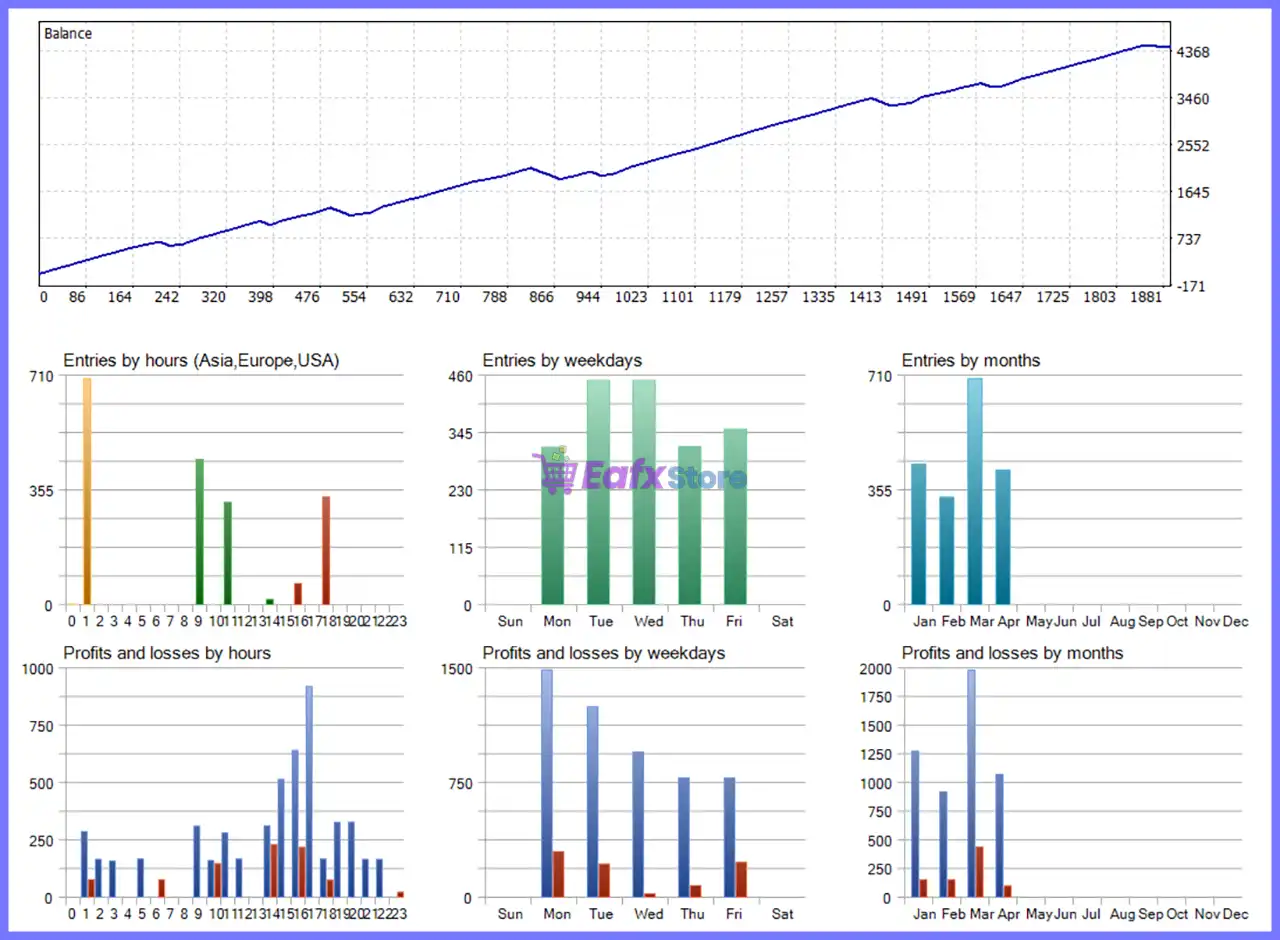
The historical backtest demonstrates a consistent upward equity curve with relatively controlled drawdowns throughout the testing period. Starting from an initial deposit of $50, the EA generated $4,397.51 in net profit while maintaining an impressive Profit Factor of 6.18 and a high 87.59% winning trade rate.
The combination of disciplined trend filtering and breakout confirmation appears to contribute to stable performance under trending market conditions. Although the reported maximum balance drawdown remained around 10.40%, traders should remember that actual live results will depend on broker execution, spread conditions, slippage, and changing market volatility. Historical backtests should always be considered as reference rather than a guarantee of future profitability.
Why PythonX PipStorm USDCAD EA Stands Out
Built Specifically for USDCAD
The EA is optimized exclusively for USDCAD, allowing its trading logic to adapt to the pair’s unique behavior.
High-Quality Trade Filtering
Combining long-term EMA filtering with breakout confirmation helps eliminate many low-probability setups.
Price Action Focus
The strategy emphasizes market structure rather than relying on excessive technical indicators.
High Win Rate
The historical backtest reports a winning percentage of 87.59%, reflecting the EA’s selective entry process.
Beginner-Friendly
The straightforward parameter set allows traders to install and operate the EA with minimal configuration.
Risk Management Features
PythonX PipStorm USDCAD EA incorporates several built-in safety mechanisms.
EMA Trend Filter
Only allows trades in the direction of the dominant trend.
Fixed Stop Loss
Each position is protected using a predefined 600-point Stop Loss.
Large Take Profit Target
The EA uses a 4,500-point Take Profit, allowing winning trades to maximize favorable market moves.
Fixed Lot Size
Default trading volume starts at 0.01 lots, providing conservative initial risk exposure.
Optional Breakout Filters
Additional breakout confirmation and candle-size filters can be enabled for stricter trade selection.
Structured Trade Logic
Multiple internal conditions must align before any trade is executed.
Recommended Trading Conditions
| Features | Type |
|---|---|
| Trading platform | MetaTrader 5 (MT5) |
| Time frames | M1 (1 minute chart) |
| Currency pairs | USDCAD |
| Minimum / Recommended deposit | $50+ |
| Minimum / Recommended leverage | 1:20+ |
| Type of account | ECN / RAW accounts |
| Additional services | Unlock and Decompile |
| Recommended brokers | Exness Broker, Icmarkets Broker |
| Recommended VPS | MyfxVPS.com ( Blue VPS, Golden VPS). Lowest Latency, 2 week Free Trial, 100% Free for 12-18 Months. |
Product Download Package?
The download package of the product suite includes:
 Setting (If Any).docx
Installation Guide.docx
 Reviewed by David Easton
Weaknesses and Risk Warnings
While PythonX PipStorm USDCAD EA offers a robust trend-following breakout strategy, traders should be aware of several considerations:
🔹 The EA is optimized exclusively for USDCAD and may not perform similarly on other currency pairs.
🔹 Scalping systems require low spreads and high-speed execution to achieve optimal performance.
🔹 Performance may vary between brokers due to differences in pricing, liquidity and slippage.
🔹 The strategy is designed for trending markets and may experience reduced efficiency during prolonged ranging conditions.
🔹 A VPS is highly recommended to ensure uninterrupted execution and minimal latency.
🔹 Forward testing on a demo account is advisable before trading with real capital.
🔹 Historical backtest performance should not be interpreted as a guarantee of future live results.
Who Should Use PythonX PipStorm USDCAD EA?
Ideal Users
PythonX PipStorm USDCAD EA is well suited for:
🔹 USDCAD scalpers
🔹 Trend-following Forex traders
🔹 Traders seeking fully automated MT5 execution
🔹 ECN and RAW spread account users
🔹 VPS users focused on low-latency trading
🔹 Traders looking for disciplined breakout strategies
Not Recommended For
This EA may not be suitable for:
🔹 Traders seeking multi-currency support
🔹 Long-term position traders
🔹 Users trading with high-spread brokers
🔹 Investors expecting passive income without monitoring risk
🔹 Traders unwilling to optimize execution quality or test the EA before live deployment
Final Verdict
PythonX PipStorm USDCAD EA is a specialized MetaTrader 5 Expert Advisor designed to capitalize on short-term breakout opportunities while remaining aligned with the dominant market trend. By integrating a 530-period EMA filter, structured breakout confirmation, and price action analysis, it delivers a disciplined approach to automated scalping on the USDCAD pair.
The historical backtest results are particularly impressive, showing a Profit Factor of 6.18, an 87.59% win rate, and strong net profit growth with moderate balance drawdown. Its simple configuration, fully automated execution, and flexible breakout filters make it suitable for both newer and experienced Forex traders. When paired with a reliable ECN broker, low spreads, and VPS hosting, PythonX PipStorm USDCAD EA offers a compelling solution for traders seeking consistent, trend-following intraday performance on MetaTrader 5.
PythonX PipStorm USDCAD EA MT5 Settings Explained – Complete Configuration Guide
PythonX PipStorm USDCAD EA is an automated Expert Advisor for MetaTrader 5 designed to trade the USDCAD currency pair using a combination of EMA trend filtering, breakout confirmation and configurable price-action filters.
The EA provides flexible entry conditions while allowing traders to customize breakout behavior, candle validation, lot sizing and risk management. With straightforward settings, it is suitable for both conservative and advanced Forex traders seeking consistent automated trading performance.
PythonX PipStorm USDCAD EA Settings
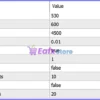
PythonX PipStorm USDCAD EA MT5 Settings
Below are the details of the parameters in the advisor’s trading system settings table:
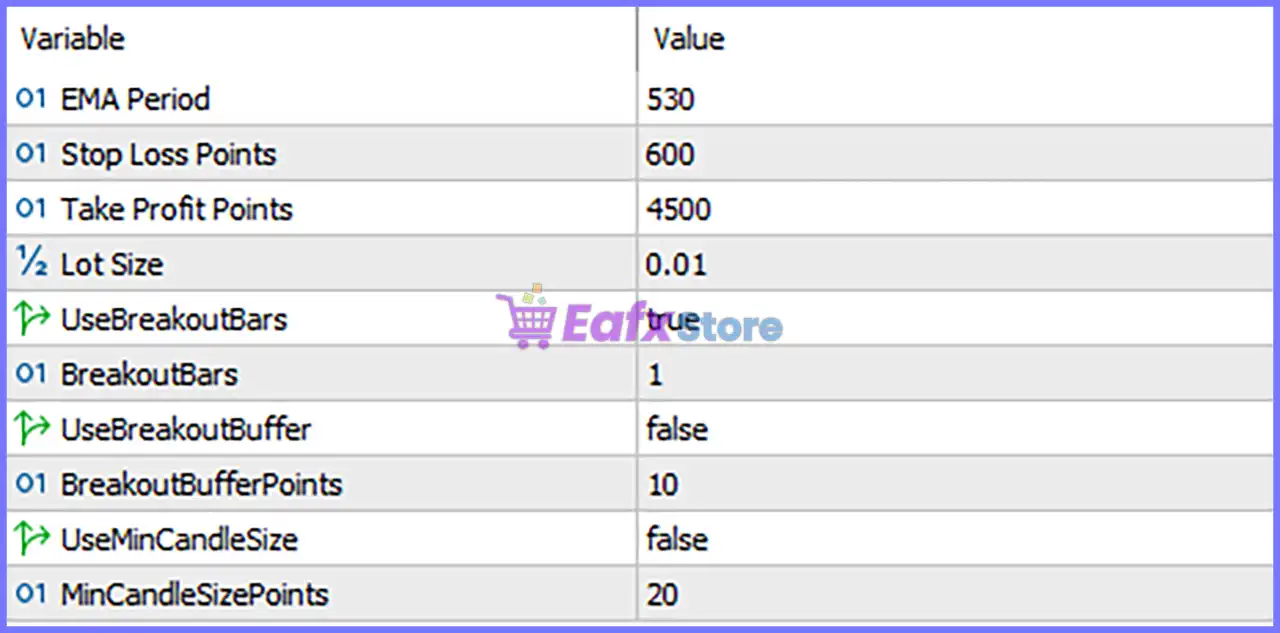
PythonX PipStorm USDCAD EA MT5 Settings Panel
🔹 EMA Period = 530 – Sets the Exponential Moving Average period to 530, allowing the EA to identify the long-term market trend before opening positions.
🔹 Stop Loss Points = 600 – Defines the Stop Loss distance at 600 points, helping limit the maximum loss for each trade.
🔹 Take Profit Points = 4500 – Sets the Take Profit target to 4500 points, allowing profitable trades to capture larger market movements.
🔹 LotSize = 0.01 – Uses a fixed trading volume of 0.01 lots, making the default configuration suitable for smaller trading accounts and conservative risk management.
🔹 UseBreakoutBars = true – Enables breakout confirmation based on completed candle bars before the EA executes a trade.
🔹 BreakoutBars = 1 – Requires 1 completed breakout bar to confirm the breakout signal before opening a position.
🔹 UseBreakoutBuffer = false – Disables the breakout buffer filter, meaning the EA enters immediately after a valid breakout without requiring additional price distance.
🔹 BreakoutBufferPoints = 10 – Sets the breakout buffer distance to 10 points if the breakout buffer feature is enabled in the future.
🔹 UseMinCandleSize = false – Disables the minimum candle size filter, allowing trades regardless of candle body size.
🔹 MinCandleSizePoints = 20 – Specifies a minimum candle size of 20 points when the candle size filter is enabled.
Conclusion
PythonX PipStorm USDCAD EA combines long-term trend filtering with breakout-based trade execution to identify high-probability opportunities on USDCAD.
The default configuration features a 530-period EMA, 600-point Stop Loss, 4500-point Take Profit, and a 0.01 fixed lot size, offering a balanced approach to automated Forex trading.
Additional breakout and candle-size filters provide flexibility, allowing traders to fine-tune the EA according to changing market conditions and personal risk preferences.
FAQs
❓ What strategy does PythonX PipStorm USDCAD EA MT5 use?
The EA combines a long-term EMA trend filter with breakout confirmation to identify strong trading opportunities on the USDCAD pair.
❓ Why is the EMA Period set to 530?
A 530-period EMA helps identify the dominant long-term market trend and reduces the likelihood of trading against major price direction.
❓ Can I modify the Lot Size?
Yes. The default LotSize = 0.01 can be adjusted to match your account balance, leverage, and preferred risk level.
❓ What happens when UseBreakoutBuffer is disabled?
With UseBreakoutBuffer = false, the EA executes trades immediately after a confirmed breakout without waiting for additional price movement beyond the breakout level.
❓ Should I enable the Minimum Candle Size filter?
Enabling UseMinCandleSize can help filter out weaker breakout candles by requiring a minimum candle size of 20 points, potentially improving signal quality during volatile market conditions.
User Reviews
Only logged in customers who have purchased this product may leave a review.
❓ What is PythonX PipStorm USDCAD EA designed to trade?
PythonX PipStorm USDCAD EA is built specifically for USDCAD on the M1 timeframe, targeting short-term breakout opportunities with trend confirmation.
❓ How does PythonX PipStorm USDCAD EA generate trade entries?
PythonX PipStorm USDCAD EA combines trend filtering with price action breakout confirmation, entering trades only when momentum supports the setup.
❓ Is PythonX PipStorm USDCAD EA suitable for scalping?
Yes. PythonX PipStorm USDCAD EA is optimized for M1 scalping, capturing rapid intraday price movements with structured trade management.
❓ Does PythonX PipStorm USDCAD EA trade against the market trend?
No. PythonX PipStorm USDCAD EA opens positions only in the direction of the prevailing trend, helping reduce counter-trend trading risks.
❓ Why does PythonX PipStorm USDCAD EA focus on price action?
PythonX PipStorm USDCAD EA uses price action and breakout analysis instead of relying heavily on lagging indicators for faster market responses.
❓ Which broker type is recommended for PythonX PipStorm USDCAD EA?
PythonX PipStorm USDCAD EA performs best on low-spread ECN accounts where fast execution and competitive trading costs improve performance.
❓ Should I use a VPS with PythonX PipStorm USDCAD EA?
Yes. PythonX PipStorm USDCAD EA benefits from a VPS because stable connectivity and low latency improve execution consistency on M1 trading.
❓ Can PythonX PipStorm USDCAD EA filter weak market conditions?
Yes. PythonX PipStorm USDCAD EA applies structured trend and breakout filters to avoid low-quality setups and improve trading consistency.
❓ Should I test PythonX PipStorm USDCAD EA before live trading?
Yes. PythonX PipStorm USDCAD EA should be forward tested on a demo account to verify broker conditions and optimize real trading performance.
❓ What timeframe is recommended for PythonX PipStorm USDCAD EA?
PythonX PipStorm USDCAD EA is specifically optimized for the USDCAD M1 timeframe, where its breakout and trend-following strategy performs best.
-
 Price range: $89.00 through $599.00
 -
 Price range: $89.00 through $599.00
 -
 Price range: $60.00 through $599.00
 -
 Price range: $89.00 through $599.00
-
 3
3 -
 0
0 -
 1Price range: $89.00 through $599.00
 -
 0Price range: $89.00 through $599.00
There are no reviews yet.