

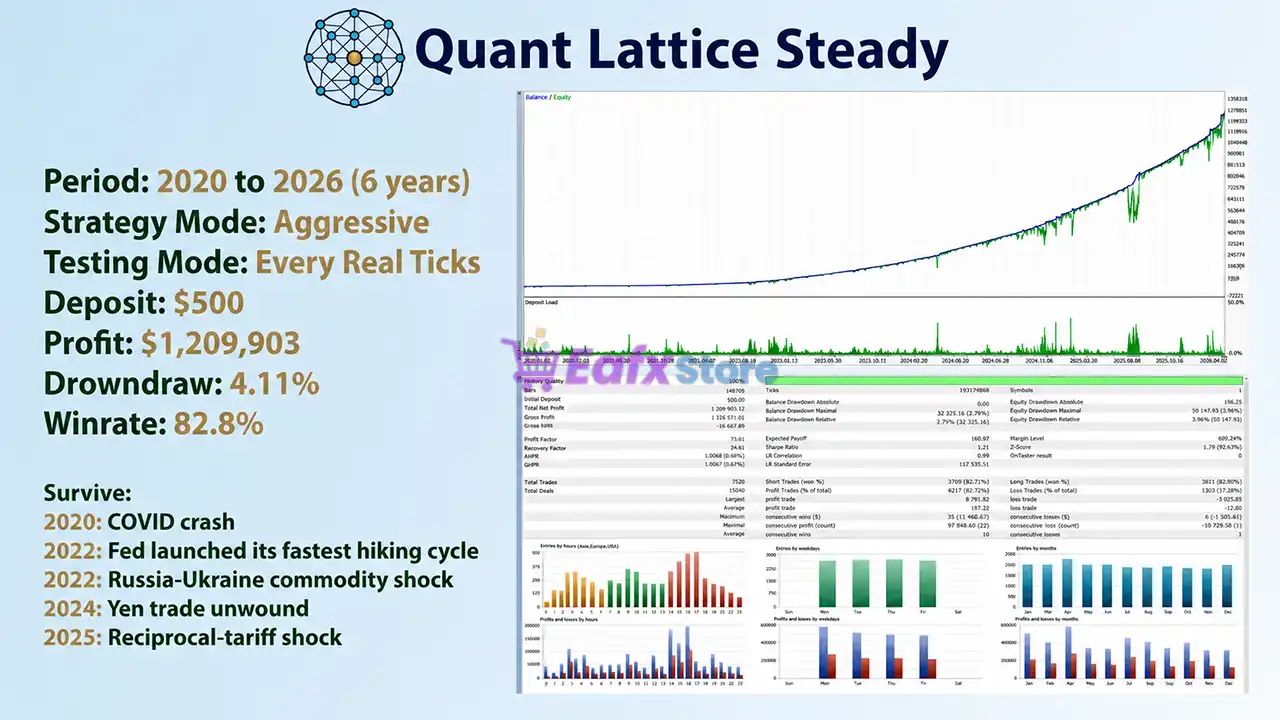
Quant Lattice EA MT5 Settings Explained – Complete Parameter Guide
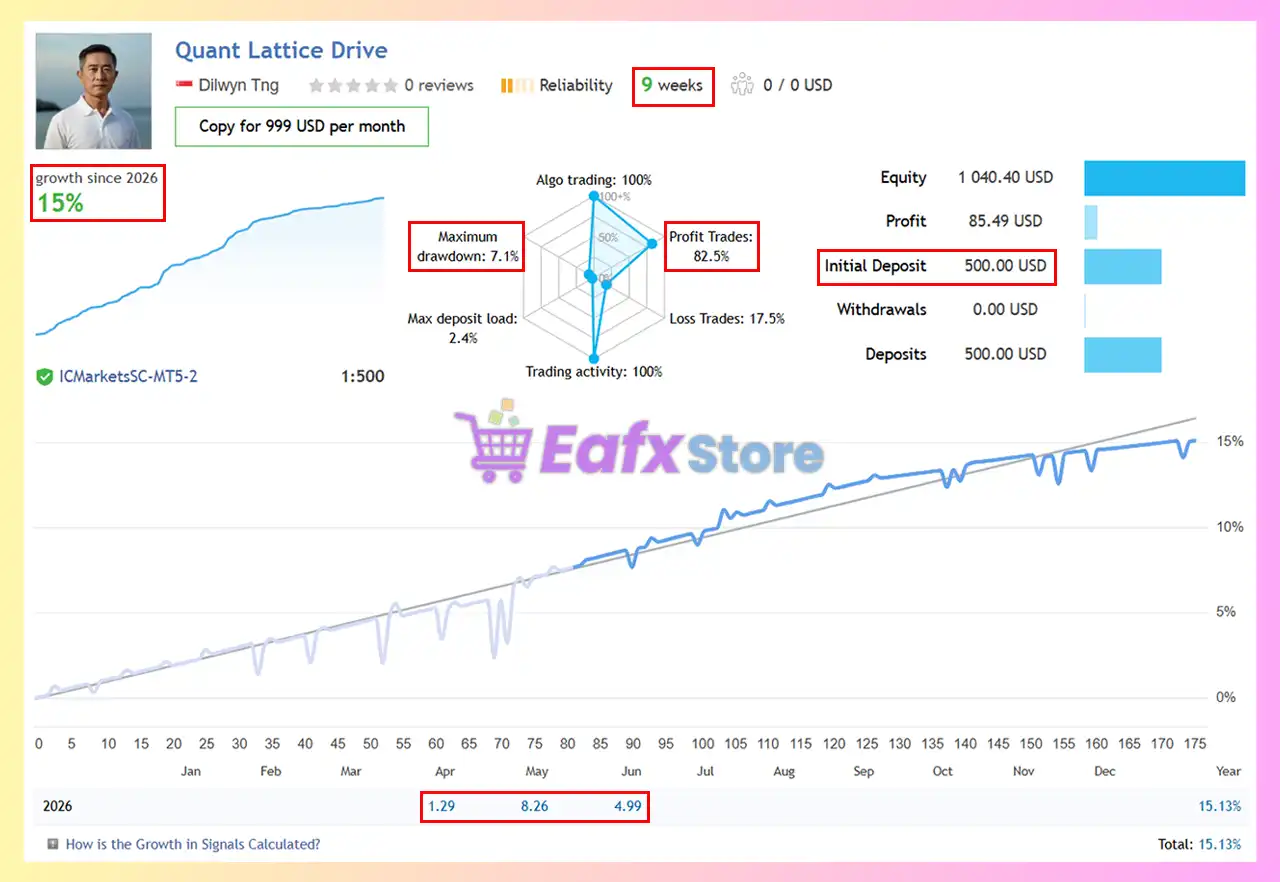
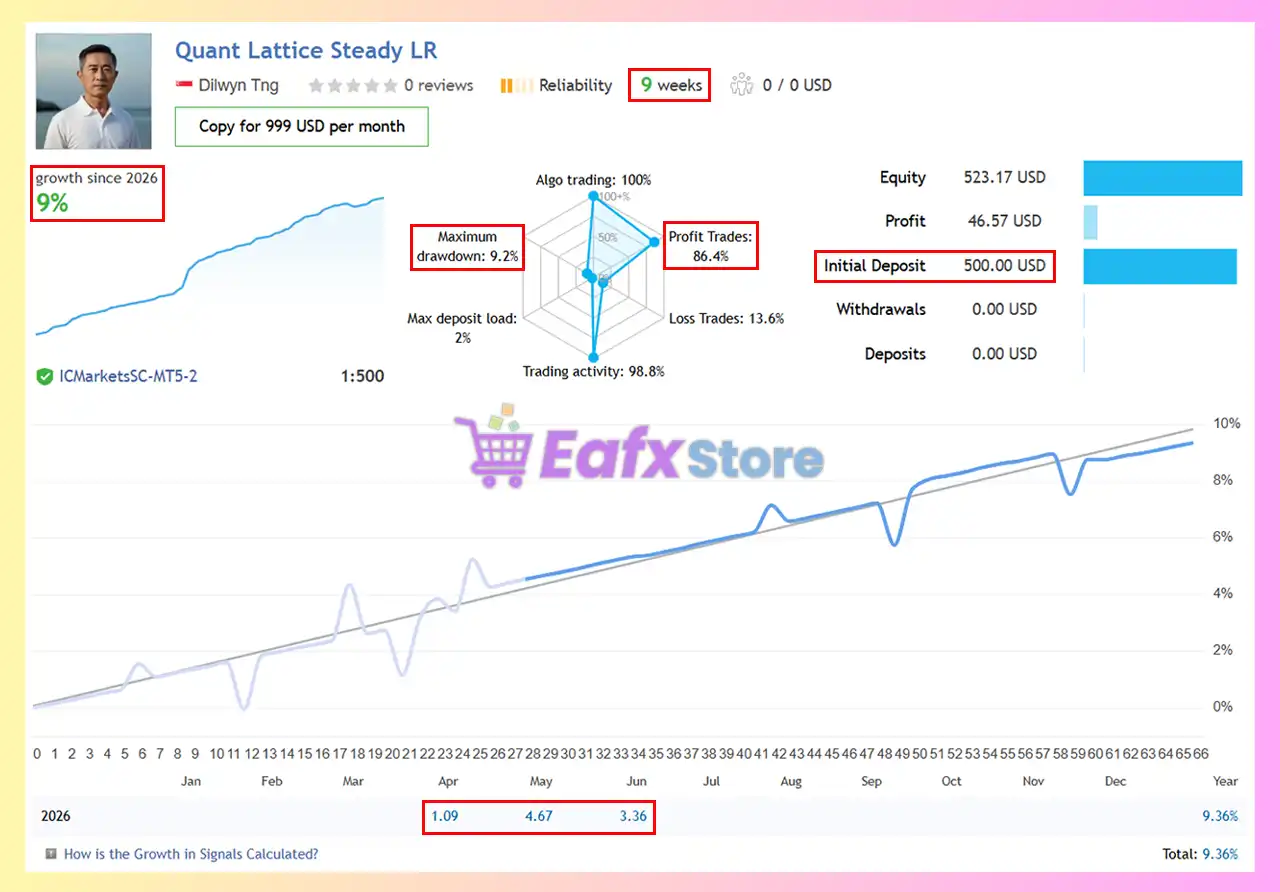
Quant Lattice EA is a professional automated trading system for MetaTrader 5 that focuses on controlled portfolio growth through intelligent money management, flexible execution settings, built-in news filtering, prop firm protection, and comprehensive dashboard monitoring.
The EA provides multiple configuration options, allowing traders to optimize performance while maintaining disciplined risk management.

Quant Lattice EA MT5 Settings
Below are the details of the parameters in the advisor’s trading system settings table:
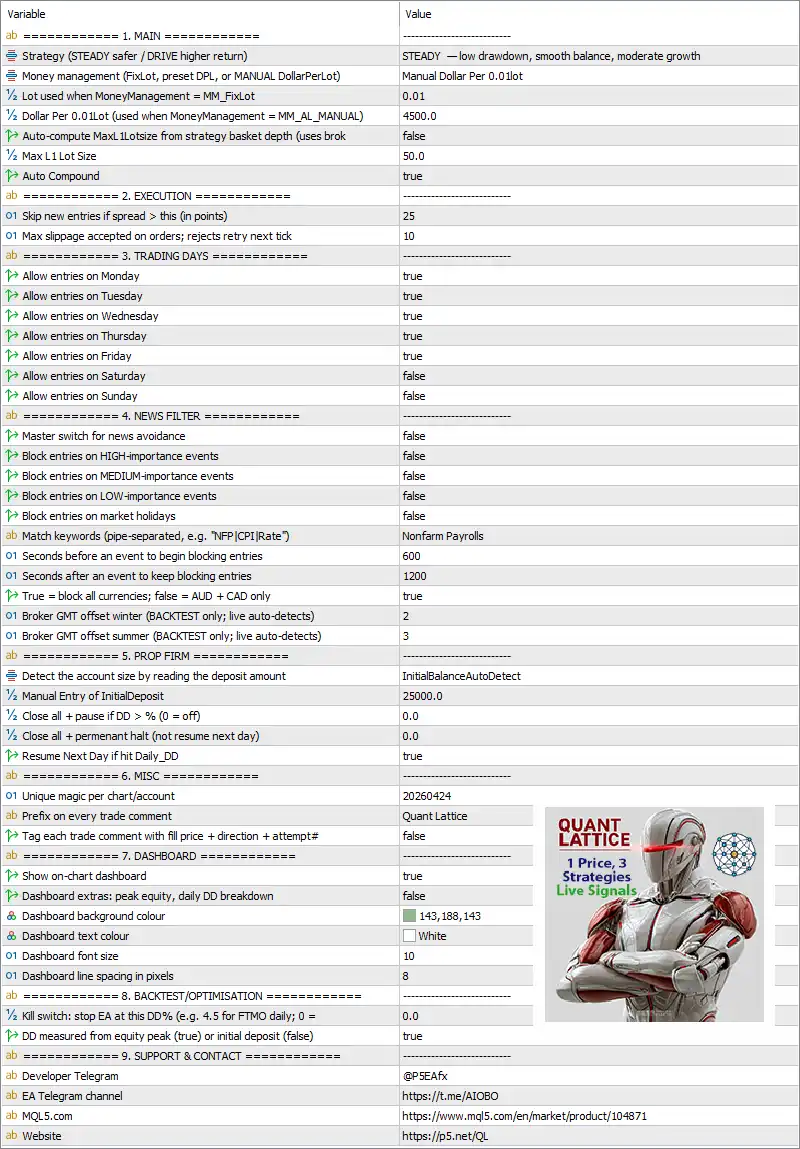
1. Main Settings
🔹 Strategy (STEADY safer / DRIVE higher return) = STEADY – Selects the STEADY strategy profile, prioritizing low drawdown, smooth balance growth, and moderate returns.
🔹 Money management (FixLot, preset DPL, or MANUAL DollarPerLot) = Manual Dollar Per 0.01lot – Uses manual Dollar Per Lot money management instead of fixed lots or preset risk.
🔹 Lot used when MoneyManagement = MM_FixLot = 0.01 – Sets a fixed lot size of 0.01 lots when Fixed Lot mode is enabled.
🔹 Dollar Per 0.01 lot (used when MoneyManagement = MM_AL_MANUAL) = 4500.0 – Allocates 0.01 lot for every $4,500 of account balance when using Manual Dollar Per Lot mode.
🔹 Auto-compute MaxLotsize from strategy basket depth = false – Disables automatic calculation of the maximum lot size based on basket depth.
🔹 Max L1 Lot Size = 50.0 – Limits the maximum initial Level-1 trade size to 50.0 lots.
🔹 Auto Compound = true – Automatically increases trading volume as account equity grows.
2. Execution Settings
🔹 Skip new entries if spread > (points) = 25 – Prevents opening new trades when the spread exceeds 25 points.
🔹 Max slippage accepted on orders; rejects retry next tick = 10 – Rejects order execution if slippage exceeds 10 points and retries on the next market tick.
3. Trading Days
🔹 Allow entries on Monday = true – Enables trading on Monday.
🔹 Allow entries on Tuesday = true – Enables trading on Tuesday.
🔹 Allow entries on Wednesday = true – Enables trading on Wednesday.
🔹 Allow entries on Thursday = true – Enables trading on Thursday.
🔹 Allow entries on Friday = true – Enables trading on Friday.
🔹 Allow entries on Saturday = false – Disables trading on Saturday.
🔹 Allow entries on Sunday = false – Disables trading on Sunday.
4. News Filter
🔹 Master switch for news avoidance = false – Disables the complete news filtering system.
🔹 Block entries on HIGH-importance events = false – Does not block trades during high-impact news.
🔹 Block entries on MEDIUM-importance events = false – Does not block trades during medium-impact news.
🔹 Block entries on LOW-importance events = false – Does not block trades during low-impact news.
🔹 Block entries on market holidays = false – Allows trading during market holidays.
🔹 Match keywords (pipe-separated, e.g. "NFP|CPI|Rate") = Nonfarm Payrolls – Uses Nonfarm Payrolls as the monitored economic event keyword.
🔹 Seconds before an event to begin blocking entries = 600 – Begins blocking new trades 600 seconds (10 minutes) before the selected event.
🔹 Seconds after an event to keep blocking entries = 1200 – Continues blocking entries for 1200 seconds (20 minutes) after the event.
🔹 True = block all currencies; false = AUD + CAD only = true – Applies the news filter to all currencies.
🔹 Broker GMT offset winter (BACKTEST only; live auto-detects) = 2 – Uses a GMT offset of 2 during winter for backtesting.
🔹 Broker GMT offset summer (BACKTEST only; live auto-detects) = 3 – Uses a GMT offset of 3 during summer for backtesting.
5. Prop Firm Settings
🔹 Detect the account size by reading the deposit amount = InitialBalanceAutoDetect – Automatically detects the account size from the initial deposit.
🔹 Manual Entry of InitialDeposit = 25000.0 – Sets the manual initial deposit value to 25,000.0 if required.
🔹 Close all + pause if DD > % (0 = off) = 0.0 – Disables temporary trading suspension based on drawdown percentage.
🔹 Close all + permanent halt (not resume next day) = 0.0 – Disables permanent trading shutdown after drawdown.
🔹 Resume Next Day if hit Daily_DD = true – Allows trading to resume automatically on the next day after reaching the daily drawdown limit.
6. Miscellaneous
🔹 Unique magic per chart/account = 20260424 – Assigns the unique Magic Number 20260424 for trade identification.
🔹 Prefix on every trade comment = Quant Lattice – Adds "Quant Lattice" as the default trade comment prefix.
🔹 Tag each trade comment with fill price + direction + attempt# = false – Disables detailed trade comment tagging.
7. Dashboard
🔹 Show on-chart dashboard = true – Displays the information dashboard directly on the trading chart.
🔹 Dashboard extras: peak equity, daily DD breakdown = false – Hides extended dashboard statistics.
🔹 Dashboard background colour = 143,188,143 – Sets the dashboard background color to RGB 143,188,143.
🔹 Dashboard text colour = White – Displays dashboard text using the White color.
🔹 Dashboard font size = 10 – Sets the dashboard font size to 10.
🔹 Dashboard line spacing in pixels = 8 – Uses 8-pixel spacing between dashboard lines.
8. Backtest & Optimization
🔹 Kill switch: stop EA at this DD% (e.g. 4.5 for FTMO daily; 0 = off) = 0.0 – Disables the drawdown-based emergency kill switch.
🔹 DD measured from equity peak (true) or initial deposit (false) = true – Measures drawdown from the highest recorded account equity.
Conclusion
Quant Lattice EA MT5 is a comprehensive Expert Advisor that combines flexible money management, automatic compounding, execution safeguards, advanced news filtering, prop firm protection, and an integrated monitoring dashboard. With configurable trading schedules, customizable risk controls, and optimization features, it offers traders a well-balanced framework for achieving consistent and disciplined automated trading performance.
FAQs
❓ What money management options are available in Quant Lattice EA MT5?
The EA supports Fixed Lot, Manual Dollar Per Lot, preset Dollar Per Lot (DPL), and automatic compounding to suit different trading styles.
❓ Can Quant Lattice EA MT5 avoid trading during major news events?
Yes. It includes a configurable news filter that can block trading before and after important economic events such as Nonfarm Payrolls.
❓ Does Quant Lattice EA MT5 support prop firm risk management?
Yes. The EA includes automatic account size detection, drawdown controls, daily recovery options, and prop firm-friendly safety settings.
❓ What is the purpose of the on-chart dashboard?
The dashboard provides real-time trading information, account statistics, and configurable visual monitoring directly on the MT5 chart.
❓ Does Quant Lattice EA MT5 automatically increase lot sizes as the account grows?
Yes. When Auto Compound is enabled, the EA automatically adjusts trading volume based on account growth while respecting the configured money management rules.