


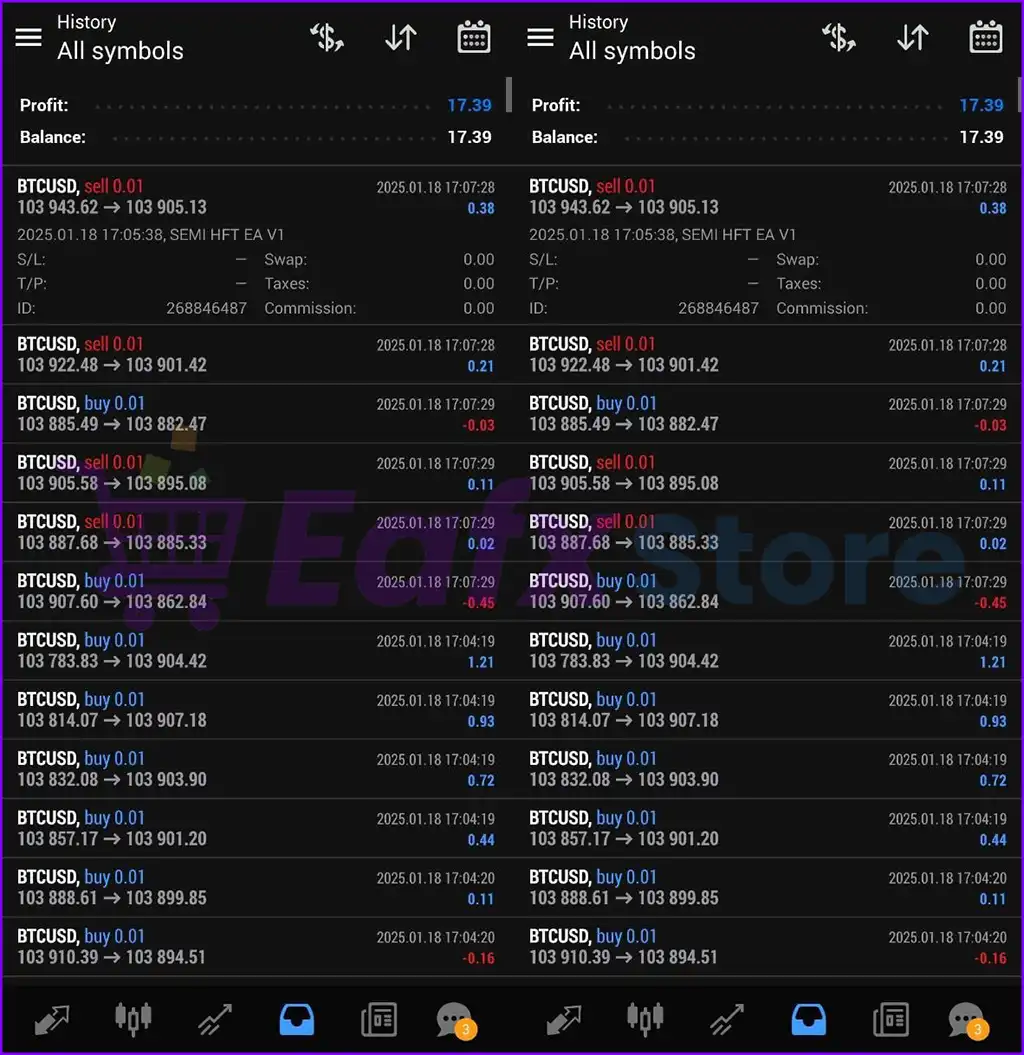
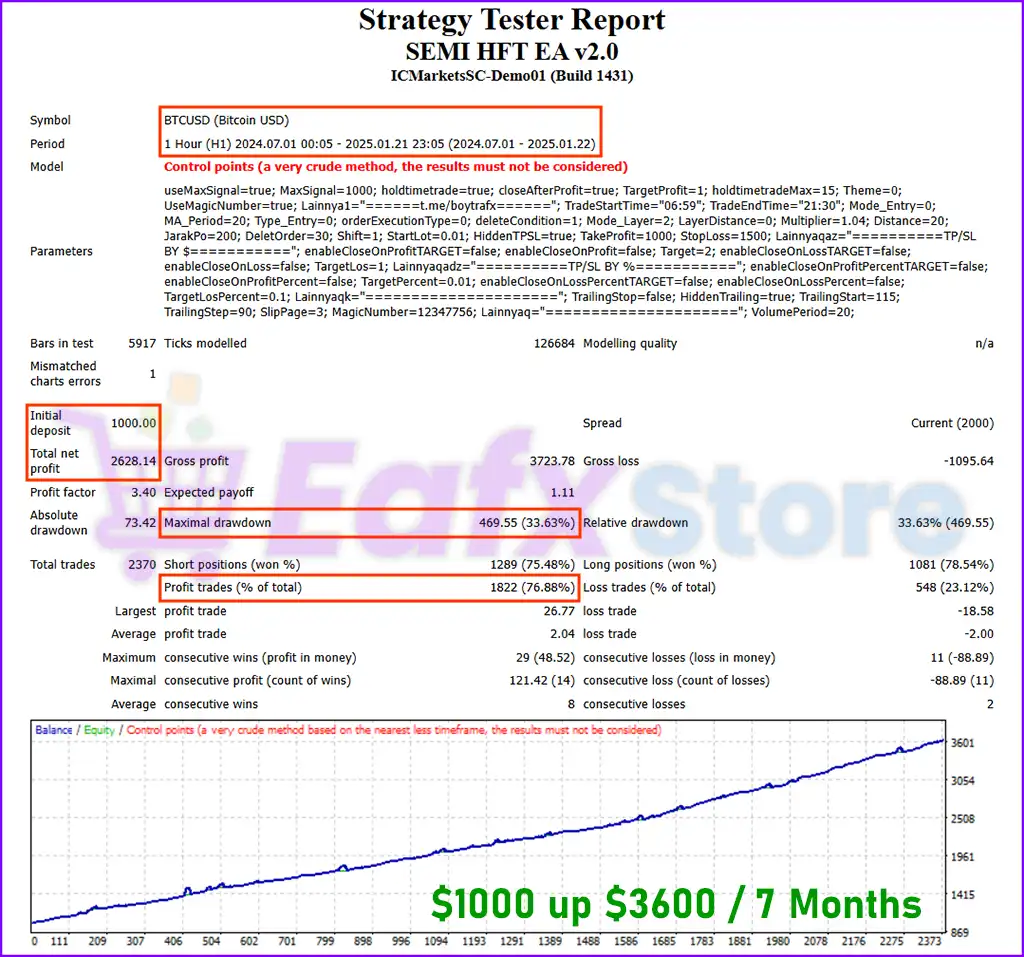
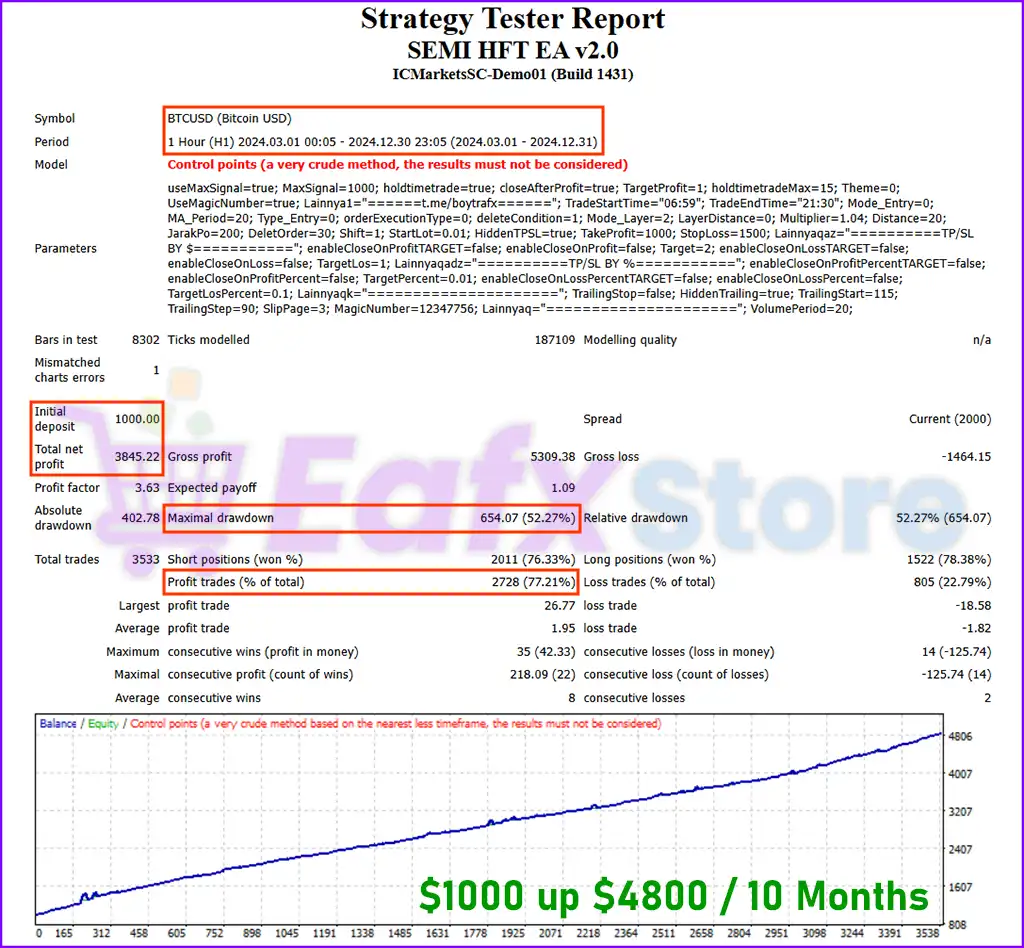
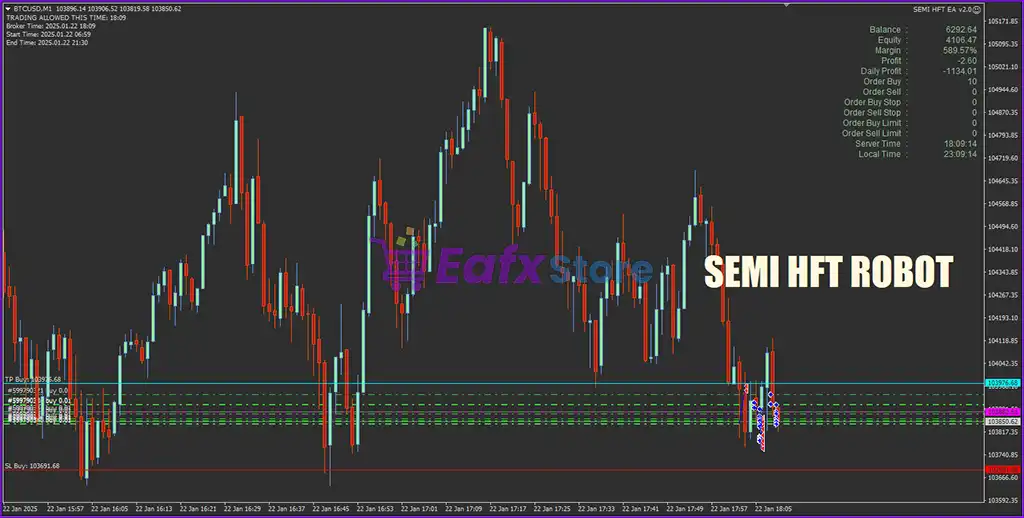
Instructions for installing and using SEMI HFT EA MT4
SEMI HFT EA Overview
SEMI HFT EA is a cutting-edge Expert Advisor (EA) designed specifically for the MetaTrader 4 (MT4) trading platform. Utilizing semi-high-frequency trading (HFT) strategies, this EA enables rapid trade execution, far surpassing the speed of manual trading methods.
By harnessing powerful algorithms and executing orders at lightning-fast speeds, SEMI HFT EA aims to capitalize on short-term market fluctuations, providing traders with a strategic edge. Enhance your trading performance with SEMI HFT EA, the ultimate tool for exploiting market opportunities in real-time.
Installation panel Parameters
Below are the details of the parameters in the advisor’s trading system settings table:
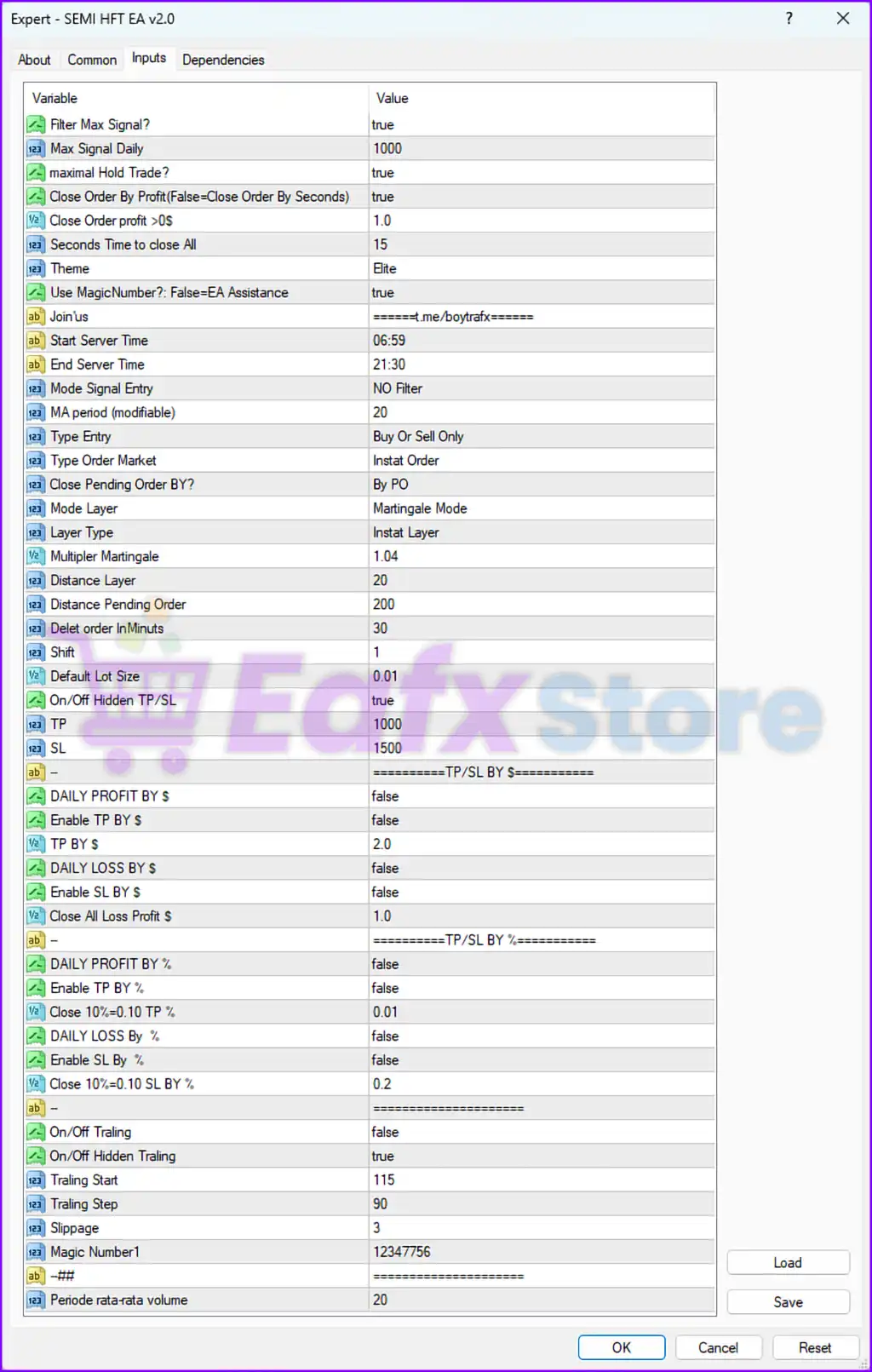
Instructions for installing and using SEMI HFT EA MT4 4
1. General Settings
Filter Max Signal?:
trueLimits the number of signals processed, preventing overtrading during high signal frequency periods.
Max Signal Daily:
1000The EA can handle up to 1000 trading signals per day, suitable for high-frequency trading (HFT).
Maximal Hold Trade?:
trueEnsures trades are not held indefinitely, enforcing exit rules.
Close Order By Profit (False=Close Order By Seconds):
trueTrades are closed based on profit levels instead of a fixed time duration.
Close Order Profit >0$:
1.0Trades are closed when they reach a profit of $1.
Seconds to Close All:
15If closing trades by time is enabled, the EA will close all trades after 15 seconds.
Theme:
EliteAesthetic or UI preference for displaying EA-related data.
Use MagicNumber? False=EA Assistance:
trueEnsures the EA uses a unique magic number to track its trades.
2. Trading Time
Start Server Time:
06:59End Server Time:
21:30The EA operates between 6:59 AM and 9:30 PM server time, covering active trading hours but avoiding potential low-liquidity periods.
3. Signal Entry and Strategy Settings
Mode Signal Entry:
NO FilterNo additional filters are applied to signals, ensuring the EA reacts to all detected opportunities.
MA Period (modifiable):
20The EA uses a 20-period moving average, likely for trend determination or signal confirmation.
Type Entry:
Buy Or Sell OnlyAllows for a directional bias, limiting the EA to either buy or sell trades as configured.
Type Order Market:
Instant OrderTrades are executed as market orders for immediate execution.
Close Pending Order BY?:
By POPending orders are closed based on specific conditions or triggers.
4. Layer and Martingale Settings
Mode Layer:
Martingale ModeThe EA uses a Martingale strategy for recovery, increasing lot size after losses.
Layer Type:
Instant LayerAdditional positions in the Martingale sequence are opened instantly.
Multiplier Martingale:
1.04Lot sizes increase by 4% for each layer in the sequence, a conservative Martingale setting.
Distance Layer:
20The distance between Martingale layers is set to 20 points.
Distance Pending Order:
200Pending orders are placed 200 points away from the current price.
Delete order InMinutes:
30Pending orders are deleted if not triggered within 30 minutes.
5. Lot Size and Risk Management
Default Lot Size:
0.01The EA starts with a fixed lot size of 0.01.
On/Off Hidden TP/SL:
trueTake-profit (TP) and stop-loss (SL) levels are hidden from the broker to avoid interference.
TP:
1000The take-profit level is set to 1000 points.
SL:
1500The stop-loss level is set to 1500 points, resulting in a risk-to-reward ratio of 1.5:1.
6. Profit and Loss Management by Dollar
Enable TP BY $:
falseTP BY $:
2.0If enabled, the EA would close trades when the cumulative profit reaches $2.
Enable SL BY $:
falseClose All Loss Profit $:
1.0If enabled, all trades would be closed if cumulative losses exceed $1.
7. Profit and Loss Management by Percentage
Enable TP BY %:
falseClose 10%>0.10 TP %:
0.01If enabled, the EA would close trades when profits reach 0.01% of the account balance.
Enable SL BY %:
falseClose 10%>0.10 SL BY %:
0.2If enabled, trades would be closed when losses reach 0.2% of the account balance.
8. Trailing Stop Settings
On/Off Trailing:
falseTrailing stop functionality is disabled.
On/Off Hidden Trailing:
trueIf trailing is enabled, trailing stops are hidden from the broker.
Trailing Start:
115Trailing stops would activate after 115 points of profit.
Trailing Step:
90The trailing stop moves in 90-point increments as the price moves favorably.
9. Other Settings
Slippage:
3The EA allows for a maximum slippage of 3 points when executing trades.
Magic Number1:
12347756A unique identifier for the EA’s trades, ensuring no conflict with other strategies.
Periode rata-rata volume:
20The EA calculates average volume over 20 periods, potentially for signal filtering or trade confirmation.
Analysis and Recommendations
1. Risk Management
High SL and Low TP:
The stop-loss (1500 points) is significantly larger than the take-profit (1000 points), leading to an unfavorable risk-to-reward ratio. Adjust these values to align with a safer strategy.
Martingale Strategy:
While the 1.04 multiplier is conservative, Martingale strategies inherently carry significant risk. Test this feature thoroughly under varying market conditions.
2. Profit and Loss Features
Enable TP/SL by Dollar or Percentage:
Consider enabling dollar or percentage-based TP/SL features for better control over account equity and risk management.
3. Layer and Pending Orders
Layer Distance:
A 20-point distance between Martingale layers may lead to rapid drawdowns in trending markets. Increase this value to reduce exposure.
Pending Order Deletion:
Deleting pending orders after 30 minutes is reasonable for high-frequency trading but may need adjustment based on market conditions.
4. Trailing Stop
Enable Trailing Stop:
Enable trailing stops to lock in profits during favorable market movements.
Widen Trailing Step:
A 90-point trailing step might be too narrow for volatile markets. Consider increasing this value to avoid premature stopouts.
Recommendations
Backtest Thoroughly:
Test the EA with historical data to evaluate its performance, particularly the Martingale mode and risk-reward setup.
Adjust Risk-to-Reward Ratio:
Reduce the stop-loss or increase the take-profit to achieve a more favorable risk-to-reward ratio.
Enable Profit and Loss Controls:
Activate dollar or percentage-based TP/SL to better manage account equity and minimize drawdowns.
Monitor Signal and Martingale Performance:
Evaluate the effectiveness of “No Filter” signal entry and Martingale strategies under different market conditions.
Summary
The SEMI HFT EA is a high-frequency trading tool with Martingale and layered order strategies. While its features are robust, the current settings carry high risk due to an unfavorable risk-to-reward ratio and the inherent risks of Martingale strategies. Proper testing, optimization, and cautious use are essential for successful deployment.



