









Stability Pro MT5 (Latest version) – GroupBuy
Select a variant to see availability.
Quick Verdict
Grid trading systems often receive criticism because many of them rely on aggressive recovery techniques that can eventually lead to large drawdowns or account blowups. Stability Pro MT5 was developed to challenge that perception by introducing a smarter and safer approach to grid trading.
Powered by the proprietary SVG (Smart Variable Grid) Algorithm, Stability Pro MT5 dynamically adjusts grid placement based on real market conditions rather than fixed distances. Combined with multiple drawdown protection mechanisms, configurable risk levels, and a verified live trading record, this EA aims to deliver stable long-term growth while maintaining strict control over risk.
For traders looking for a professionally designed grid system with safety as its top priority, Stability Pro MT5 deserves serious consideration.
Best For
Stability Pro MT5 is ideal for:
✅ Traders seeking a low-risk grid trading system.
✅ Investors focused on long-term account growth.
✅ Users who want configurable drawdown protection.
✅ Traders looking for portfolio diversification.
✅ Beginners who prefer a simple setup process.
✅ Traders who want automated trading across multiple currency pairs.
✅ Investors comfortable with controlled grid strategies.
Overall Rating
⭐⭐⭐⭐⭐ 9.3/10
| Category | Score |
|---|---|
| Strategy Design | 9.4/10 |
| Risk Management | 9.6/10 |
| Ease of Use | 9.3/10 |
| Live Performance | 9.2/10 |
| Backtest Quality | 9.3/10 |
| Long-Term Stability | 9.4/10 |
Stability Pro MT5 successfully combines the growth potential of grid trading with risk controls that are rarely found in traditional grid EAs.
🔶 Vendor Website: View here
🔶 This is GroupBuy ==> How to Join
Stability Pro MT5 Overview
What is Stability Pro MT5?
Stability Pro MT5 is a fully automated Expert Advisor for MetaTrader 5 that trades a portfolio of carefully selected currency pairs using a proprietary Smart Variable Grid (SVG) strategy.
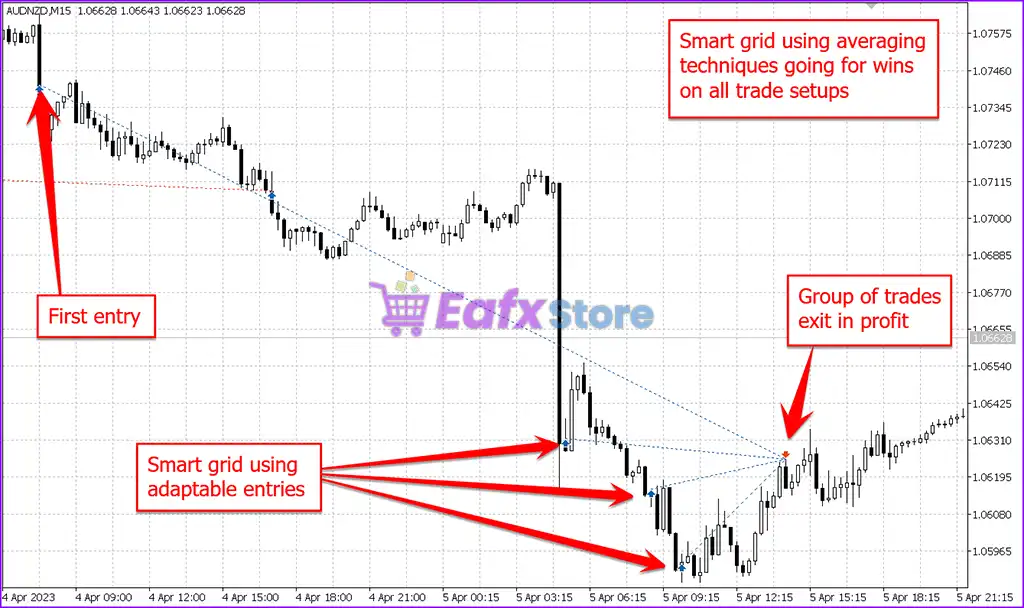
Unlike conventional grid systems that place trades at fixed intervals, Stability Pro MT5 analyzes market behavior and dynamically determines optimal grid placement based on current price action.
Smart Variable Grid Technology
The EA uses an adaptive grid system that:
🔹 Adjusts grid distances dynamically
🔹 Responds to changing market conditions
🔹 Avoids rigid fixed-step grid structures
🔹 Improves recovery efficiency
Multi-Pair Trading
The system trades only three carefully selected currency pairs:
🔹 AUDCAD
🔹 AUDNZD
🔹 NZDCAD
These pairs were chosen specifically because of their suitability for grid-based trading.
One-Chart Setup
Users only need to:
🔹 Open a EURUSD M5 chart
🔹 Attach the EA
🔹 Enable OneChartSetup
🔹 Select a risk profile
The EA automatically manages all supported pairs from a single chart.
Designed for Stability
The primary goal is not aggressive gains but rather:
🔹 Consistent growth
🔹 Controlled drawdowns
🔹 Faster recovery
🔹 Long-term account protection
About the Developer
Stability Pro MT5 was created by Wim Schrynemakers, a well-known algorithmic trader and EA developer with more than two decades of experience building automated trading systems.
His products are known for:
🔹 Strong risk management
🔹 Portfolio diversification
🔹 Adaptive algorithms
🔹 Long-term stability
🔹 Low drawdown trading
Other Popular EAs by the Same Developer
Some of the developer’s most recognized products include:
🔹 Bitcoin Reaper MT5
🔹 Gold Reaper MT5
🔹 Gold Reaper PRO
🔹 Bitcoin Scalp Pro MT5
🔹 Stability Pro MT5
Each EA focuses on balancing profitability with capital preservation.
How Does Stability Pro MT5 Work?
SVG (Smart Variable Grid) Algorithm
Traditional grid EAs often place trades every fixed number of pips.
Stability Pro MT5 takes a completely different approach.
The SVG algorithm:
🔹 Analyzes market movement
🔹 Calculates dynamic grid spacing
🔹 Adapts to volatility
🔹 Improves entry positioning
This helps reduce unnecessary exposure during unfavorable conditions.
Portfolio-Based Trading
Rather than relying on a single pair, the EA diversifies across:
🔹 AUDCAD
🔹 AUDNZD
🔹 NZDCAD
This helps smooth performance and reduce dependency on any single market.
Automated Recovery Logic
The system is designed to recover losses efficiently while maintaining controlled risk exposure.
The focus is on:
🔹 Recovery Factor optimization
🔹 Drawdown reduction
🔹 Capital preservation
Flexible Risk Profiles
Users can choose:
🔹 Low Risk
🔹 Medium Risk
🔹 High Risk
🔹 Custom Risk Settings
allowing the strategy to fit different account sizes and risk tolerances.
Verified Live Signal Performance
One of the most impressive aspects of Stability Pro MT5 is its verified live trading performance.
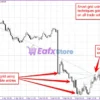
Stability Pro MT5 Live Signal
Live Signal Highlights
| Metric | Result |
|---|---|
| Verified Live Duration | 19 Months |
| Total Growth | 74.8% |
| Average Monthly Growth | 3.67% |
| Initial Capital | $643.45 |
| Withdrawals | $0 |
| Trading Period | 2023–2025 |
Performance Analysis
Consistent Growth Curve
The live signal demonstrates a remarkably smooth upward equity curve over nearly two years.
Low Volatility Performance
Unlike many grid systems that show large fluctuations, Stability Pro MT5 maintains relatively stable progression.
Strong Capital Preservation
The absence of severe equity collapses suggests the EA’s risk controls are functioning effectively.
Long-Term Reliability
A verified track record spanning 19 months provides significantly more confidence than short-term signals.
Overall, the live account performance supports the developer’s claim of focusing on stability rather than aggressive speculation.
Historical Backtest Performance
The developer has published several long-term backtests covering different risk configurations.
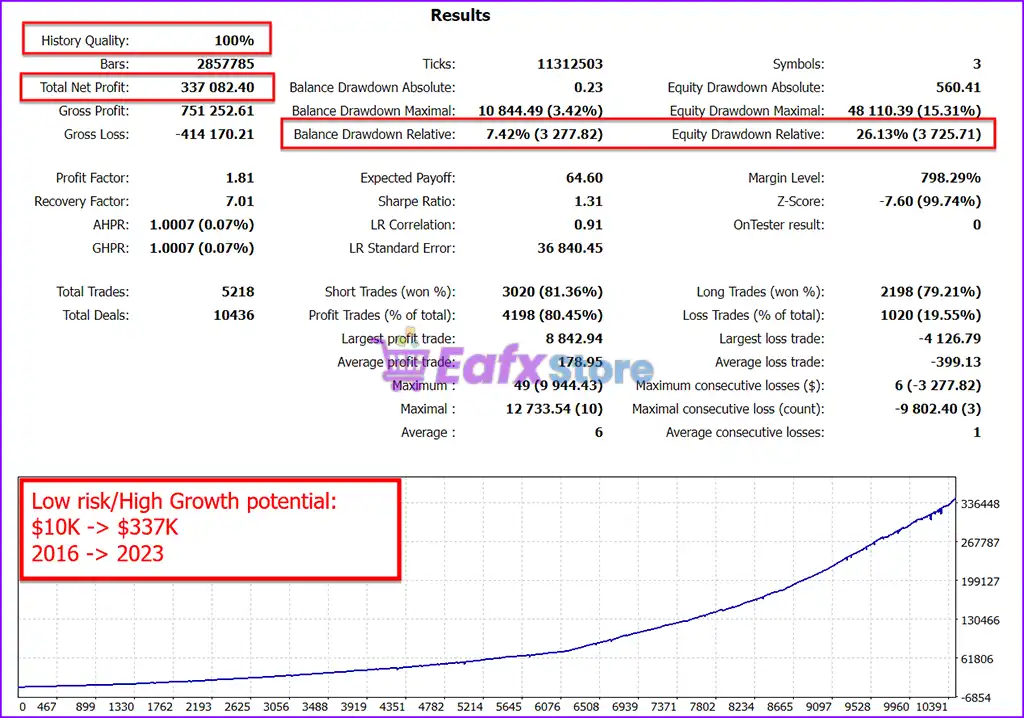
Low Risk / High Growth Setup (2016–2023)
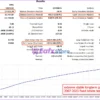
Stability Pro MT5 Backtest Results
Key Results
| Metric | Result |
|---|---|
| Initial Deposit | $10,000 |
| Total Net Profit | $337,082.40 |
| Profit Factor | 1.81 |
| Winning Trades | 80.45% |
| Maximum Drawdown | 7.42% |
| History Quality | 100% |
🔹 Analysis: This setup achieved substantial long-term growth while maintaining a remarkably low balance drawdown.
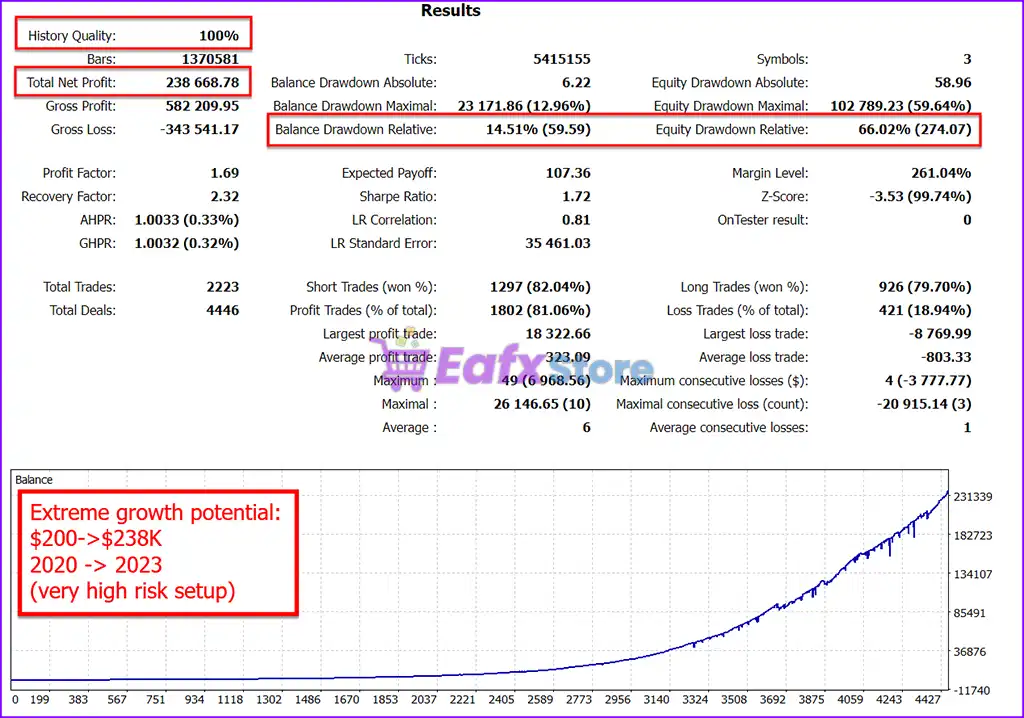
Extreme Growth Setup (2020–2023)
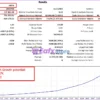
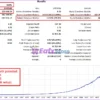
Stability Pro MT5 Backtests Results
Key Results
| Metric | Result |
|---|---|
| Initial Deposit | $200 |
| Total Net Profit | $238,668.78 |
| Profit Factor | 1.69 |
| Winning Trades | 81.06% |
| Maximum Drawdown | 12.96% |
| History Quality | 100% |
🔹 Analysis: This aggressive profile demonstrates the EA’s growth potential but comes with significantly higher risk exposure.
Backtest Summary
Across multiple configurations, several strengths consistently appear:
🔹 High win rates above 80%
🔹 Long-term profitability
🔹 Strong recovery characteristics
🔹 Stable equity curves
🔹 Flexible risk profiles
🔹 High-quality historical data
What Real Users Are Saying
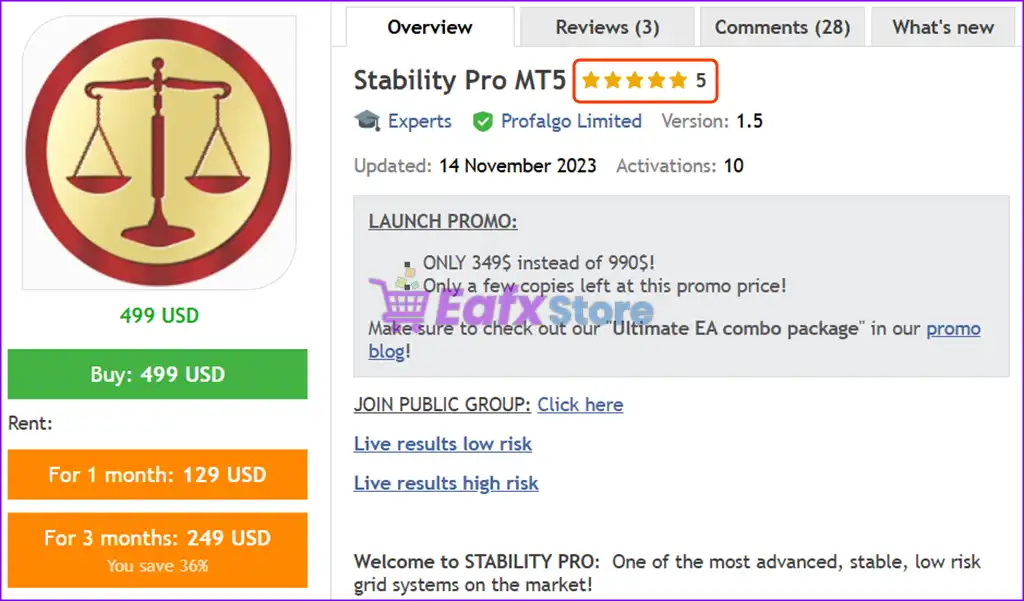
User feedback highlights the EA’s stability, flexibility, and risk management.
User reviews of Stability Pro MT5
Example #1 – Flexible Risk Control
“One trader stated that the ability to adjust both risk levels and trading pairs made Stability Pro MT5 their favorite EA and helped eliminate the stress commonly associated with automated trading.”
Example #2 – Real Account Performance
“Another user reported moving directly to a live account after purchase and noted that early results closely matched the historical backtests.”
Example #3 – Smart Grid Technology
“A long-term customer praised the developer’s unique approach to grid trading, describing it as a smarter and safer evolution of traditional grid systems.”
Common Themes from Reviews
Positive reviews frequently mention:
🔹 Excellent risk management.
🔹 Reliable performance.
🔹 Flexible settings.
🔹 Stable growth.
🔹 Responsive developer support.
🔹 Continuous updates.
Why Stability Pro MT5 Stands Out
Advanced Smart Variable Grid Technology
Most grid systems rely on static spacing.
Stability Pro MT5 dynamically adapts to market conditions, creating a more intelligent trading structure.
Multiple Safety Layers
The EA includes several mechanisms to prevent catastrophic losses, something rarely found in conventional grid systems.
Proven Long-Term Performance
Both live trading and historical testing demonstrate stability over extended periods.
Extremely Easy Setup
No complicated optimization or set files are required.
Most users can start trading within minutes.
Portfolio Diversification
Trading multiple correlated pairs helps reduce single-market dependency.
Risk Management Features
Risk management is arguably the strongest component of Stability Pro MT5.
Multiple Drawdown Protection Systems
Users can define:
🔹 Maximum Drawdown Percentage.
🔹 Maximum Drawdown Currency Amount.
🔹 Historical Drawdown Limits.
Safety Stop Loss
The EA includes “worst-case scenario” stop-loss mechanisms designed to prevent account blowups.
Adjustable Risk Profiles
Users can select risk levels ranging from conservative to aggressive.
Auto Lot Sizing
Position sizes can automatically adapt to:
🔹 Equity
🔹 Selected risk profile
EA-Specific Drawdown Tracking
The system can monitor only its own drawdown when multiple EAs are running on the same account.
Recommended Trading Conditions
Recommended settings and parameters to pay attention to from developers and experts:
| Features | Type |
|---|---|
| Trading platform | MetaTrader 5 (MT5) |
| Time frames | M5 (5 minute chart) |
| Currency pairs | AUDCAD, AUDNZD and NZDCAD |
| Minimum / Recommended deposit | $200 |
| Minimum / Recommended leverage | 1:30 |
| Product type | Original version |
| Additional services | Unlock and Decompile |
| Recommended brokers | Exness Broker, Icmarkets Broker |
| Recommended VPS | MyfxVPS.com ( Blue VPS, Golden VPS). Lowest Latency, 2 week Free Trial, 100% Free for 12-18 Months. |
Product Download Package?
The download package of the product suite includes:
✅ Setting (If Any).docx
✅ Installation Guide.docx
➡️ Reviewed by David Easton
Potential Risks
No automated strategy is completely risk-free.
Grid Trading Still Carries Risk
Although significantly safer than many alternatives, Stability Pro MT5 remains a grid-based system.
Extended market trends can still create drawdowns.
Aggressive Settings Increase Risk
Higher risk profiles may generate larger returns but can also produce deeper drawdowns.
Capital Requirements Matter
While the minimum deposit is $200, larger balances generally provide better risk management flexibility.
Historical Performance Is Not a Guarantee
Past performance does not guarantee future results.
Future market conditions may differ from historical data.
Who Should Use Stability Pro MT5?
Conservative Investors
Ideal for traders prioritizing:
🔹 Capital preservation.
🔹 Stable growth.
🔹 Lower drawdowns.
Grid Trading Enthusiasts
Perfect for traders who appreciate grid systems but want stronger safety controls.
Passive Traders
The simple setup process makes it suitable for hands-off investing.
Portfolio Builders
The multi-pair design helps diversify trading exposure within a single EA.
Final Verdict
Stability Pro MT5 is one of the most sophisticated low-risk grid EAs currently available for MetaTrader 5.
Its greatest strengths include:
🔹 Proprietary Smart Variable Grid technology.
🔹 Verified 19-month live trading record.
🔹 Strong drawdown controls.
🔹 Flexible risk management.
🔹 Multi-pair diversification.
🔹 High historical win rates.
🔹 Beginner-friendly setup.
While all grid systems carry some level of risk, Stability Pro MT5 distinguishes itself through its focus on capital protection and long-term sustainability.
🔢 Stability Pro MT5 Settings Explained – Complete Parameter Guide
Stability Pro MT5 is an advanced automated trading Expert Advisor for MetaTrader 5 designed to provide stable multi-pair trading with intelligent money management, automatic lot sizing, spread protection, and comprehensive drawdown control. Its flexible configuration allows traders to optimize risk, manage multiple symbols efficiently, and maintain consistent performance under various market conditions.

Stability Pro MT5 Settings
🔢 Installation Panel Parameters
Below are the details of the parameters in the advisor’s trading system settings table:
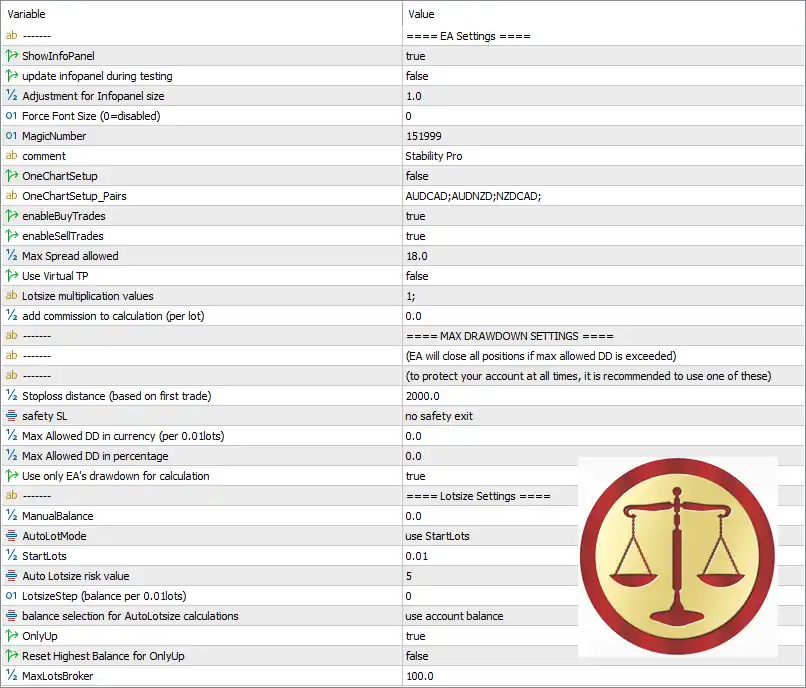
Stability Pro MT5 Settings Panel
🔶 Stability Pro MT5 Parameters Explained
🔹 ShowInfoPanel = true – Displays the EA information panel on the chart for real-time monitoring of trading activity and account statistics.
🔹 update infopanel during testing = false – Disables updating the information panel while running strategy backtests to improve testing performance.
🔹 Adjustment for Infopanel size = 1.0 – Sets the scaling factor of the information panel to 1.0, keeping the default display size.
🔹 Force Font Size (0=disabled) = 0 – Uses the default chart font size since 0 disables forced font sizing.
🔹 MagicNumber = 151999 – Assigns the unique identifier 151999 to every order opened by Stability Pro MT5.
🔹 comment = Stability Pro – Adds the trade comment “Stability Pro” to all EA positions for easy identification.
🔹 OneChartSetup = false – Disables multi-symbol trading from a single chart.
🔹 OneChartSetup_Pairs = AUDCAD;AUDNZD;NZDCAD; – Defines the available symbol list for One Chart Setup as AUDCAD, AUDNZD, and NZDCAD.
🔹 enableBuyTrades = true – Allows the EA to open Buy positions.
🔹 enableSellTrades = true – Allows the EA to open Sell positions.
🔹 Max Spread allowed = 18.0 – Prevents opening new trades when the current spread exceeds 18.0 points.
🔹 Use Virtual TP = false – Uses broker-side Take Profit orders instead of virtual Take Profit management.
🔹 Lotsize multiplication values = 1; – Uses a lot multiplication coefficient of 1, meaning no lot scaling progression is applied.
🔹 add commission to calculation (per lot) = 0.0 – Does not include any additional commission cost in trading calculations.
🔶 Maximum Drawdown Settings
🔹 Stoploss distance (based on first trade) = 2000.0 – Sets the emergency Stop Loss distance to 2000.0 points based on the first opened position.
🔹 safety SL = no safety exit – Disables the additional safety Stop Loss exit mechanism.
🔹 Max Allowed DD in currency (per 0.01 lots) = 0.0 – Currency-based drawdown protection is disabled with a value of 0.0.
🔹 Max Allowed DD in percentage = 0.0 – Percentage-based drawdown protection is disabled with a value of 0.0.
🔹 Use only EA’s drawdown for calculation = true – Calculates drawdown using only the trades opened by Stability Pro MT5 rather than the entire account.
🔶 Lotsize Settings
🔹 ManualBalance = 0.0 – Uses the actual trading account balance instead of a manually specified balance.
🔹 AutoLotMode = use StartLots – Configures automatic lot sizing to begin with the StartLots value.
🔹 StartLots = 0.01 – Opens the initial position with a lot size of 0.01.
🔹 Auto Lotsize risk value = 5 – Sets the automatic lot sizing risk coefficient to 5.
🔹 LotsizeStep (balance per 0.01 lots) = 0 – No balance increment is required before increasing lot size because the value is 0.
🔹 balance selection for AutoLotsize calculations = use account balance – Calculates automatic lot sizes using the current account balance.
🔹 OnlyUp = true – Allows automatic lot sizes to increase with account growth while preventing reductions after temporary balance decreases.
🔹 Reset Highest Balance for OnlyUp = false – Keeps the highest historical account balance for future OnlyUp calculations without resetting it.
🔹 MaxLotsBroker = 100.0 – Limits the maximum position size to 100.0 lots, matching the broker’s maximum allowable lot size.
🔢 Conclusion
Stability Pro MT5 combines intelligent money management, automatic lot sizing, spread filtering, and dedicated drawdown protection into a flexible trading system. Features such as independent EA drawdown calculations, configurable lot sizing, Buy/Sell trade controls, and broker-compatible maximum lot limits make it suitable for traders seeking a balanced and reliable automated trading solution on MetaTrader 5.
🔢 FAQs
❓ What is the purpose of the MagicNumber in Stability Pro MT5?
The MagicNumber (151999) uniquely identifies trades opened by Stability Pro MT5, preventing conflicts with other Expert Advisors.
❓ Does Stability Pro MT5 support automatic lot sizing?
Yes. The EA supports automatic lot sizing through AutoLotMode, using StartLots, account balance, and configurable risk values.
❓ How does the spread filter improve trading performance?
The EA blocks new trades whenever the spread exceeds 18.0 points, helping reduce trading costs during volatile market conditions.
❓ Can Stability Pro MT5 trade both Buy and Sell positions?
Yes. Both enableBuyTrades and enableSellTrades are set to true, allowing the EA to trade in both market directions.
❓ What does the OnlyUp feature do?
The OnlyUp option allows position sizes to increase as the account balance grows while preventing lot sizes from decreasing after temporary drawdowns, helping maintain long-term position sizing consistency.
User Reviews
Only logged in customers who have purchased this product may leave a review.
1. What is Stability Pro MT5 and how does it work?
Stability Pro MT5 is a smart grid Expert Advisor (EA) for MetaTrader 5, powered by the SVG (Smart Variable Grid) algorithm. It dynamically adapts grid levels based on live market conditions to minimize drawdowns and optimize trade entries and exits.
2. Which forex pairs does Stability Pro MT5 trade?
It is specifically optimized for low-volatility pairs: AUDCAD, AUDNZD, and NZDCAD—offering stable performance across various market conditions.
3. What makes the SVG algorithm different from traditional grid systems?
Unlike fixed grid distances, the SVG algorithm analyzes price action in real-time to determine strategic entry points, improving recovery speed and reducing exposure during adverse market movements.
4. Is this EA suitable for beginners?
Yes. Stability Pro is beginner-friendly, with a plug-and-play setup—no configuration files required. It comes with default settings that work out of the box, making it easy for new traders to get started.
5. What is the minimum recommended deposit and leverage?
The EA works with a minimum deposit of $200, but $1,000 or more is recommended for better stability. The recommended minimum leverage is 1:30.
6. Can I choose different risk levels?
Absolutely. Stability Pro MT5 supports multiple risk profiles, from ultra-conservative to aggressive, and includes both fixed and dynamic lot sizing based on balance or equity.
7. How has Stability Pro performed in historical tests?
Backtests from 2007 to 2023 show profitable results every single month. In one 7-year test, a $10,000 deposit grew to over $337,000 with a maximum drawdown of only 7.42%.
8. Does Stability Pro MT5 use Martingale or arbitrage strategies?
No. It does not use Martingale or arbitrage. Instead, it relies on a smart adaptive grid with built-in risk management features for sustainable growth.
9. Can I run this EA on a live account safely?
Yes. Many users are already running Stability Pro on live accounts with strong performance and low drawdown, supported by advanced stop-loss logic, equity-based protection, and drawdown limits.
-
 Price range: $89.00 through $599.00
 -
 Price range: $89.00 through $6,600.00
 -
 Price range: $89.00 through $1,100.00
 -
 Price range: $80.00 through $599.00
-
 4
4 -
 7Original price was: $1,199.00.$229.00Current price is: $229.00.
 -
 2
2 -
 3Price range: $89.00 through $599.00
There are no reviews yet.