





Taurus Pro EA MT4 Unlimited

Subscriptions for Special Plan
- 30 EA package is more economical!
- Special package with 99%
- Download 1 EA/Day

Subscriptions for Premium Membership
- Download Unlimited in 1 Year
- Get 100% Discount
- Get free access to all

Subscriptions for Gold Membership
- 1 Year Membership
- Get 100% Discount
- Access EA+Indicator+Course
Frequently bought together 🎁
Add these products to enhance your purchase




What is Taurus Pro EA?
Taurus Pro EA is a professional Expert Advisor (EA) built for automated Forex trading with adaptive Indicators, dynamic risk management and intelligent trade execution. Designed for stability and market adaptability, the EA combines automated Stop Loss and Take Profit calculation, flexible lot sizing and structured execution logic to improve long-term trading consistency.
Key Features of Taurus Pro EA MT4
🔹 Percentage-Based Risk Management System: Automatically adjusts lot sizes based on account exposure.
🔹 Indicator-Driven Stop Loss Protection: Calculates adaptive Stop Loss (SL) levels using market conditions.
🔹 Automated Take Profit Optimization: Uses indicator logic for dynamic and structured profit targeting.
🔹 Flexible Trading Execution Framework: Supports both fixed lot and risk-based trading approaches.
🔹 Low Slippage Execution Protection: Controls trade execution quality during volatile market conditions.
Why Choose FX Taurus Pro EA?
🔹 Built for Stable Long-Term Trading: Prioritizes consistency, adaptability and controlled drawdown.
🔹 Professional Automated Risk Management: Helps traders maintain disciplined account protection rules.
🔹 Flexible for Conservative or Active Traders: Adapts easily to different trading preferences and goals.
🔹 Simple Setup with Advanced Execution Logic: Combines easy configuration with intelligent automation.
🔹 Marketplace-Ready Trading Solution: Ideal for traders seeking reliable and scalable automated systems.
Taurus Pro EA MT4 Review
Taurus Pro has demonstrated a track record of consistent profitability, showcasing its ability to navigate different market conditions and deliver positive results over time. The EA is designed with a user-friendly interface, making it accessible to traders with varying levels of experience. Its intuitive design allows for easy installation and configuration.
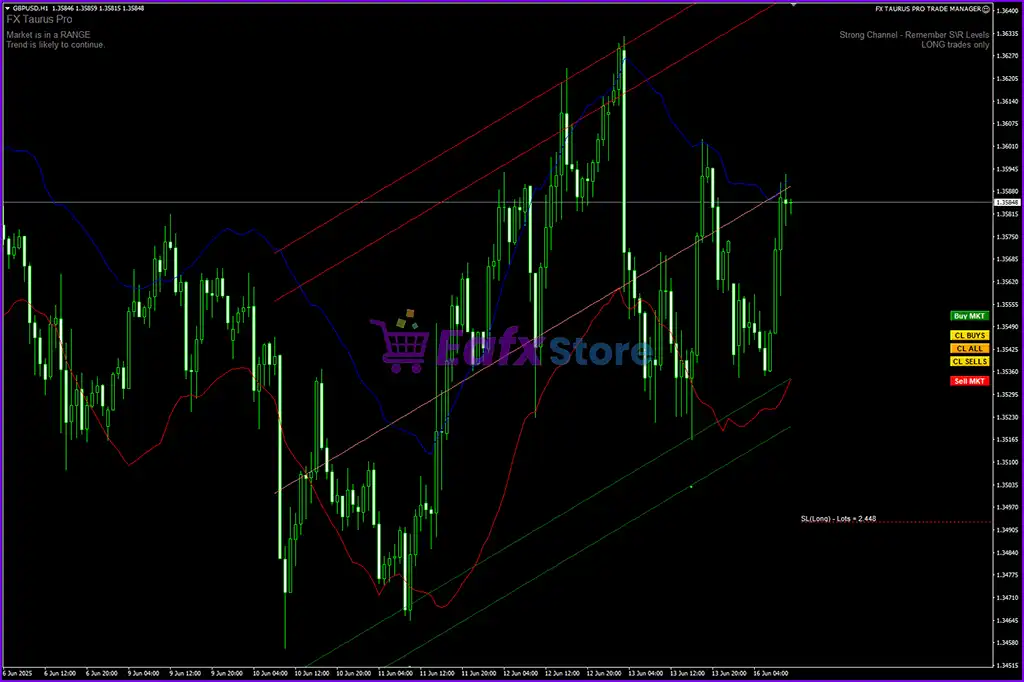
Taurus Pro EA MT4 Review
Taurus Pro EA MT4
What is the Taurus Pro EA Trading Strategy?
🔹 Indicator-Based Market Analysis Logic: Uses adaptive indicators to confirm trading opportunities.
🔹 Dynamic Risk-Controlled Trade Execution: Balances position sizing with structured account protection.
🔹 Automated Stop Loss and TP Calculation: Adjusts protection and profit levels to market volatility.
🔹 Flexible Scalping and Intraday Framework: Supports stable execution across changing Forex conditions.
🔹 Precision Entry and Exit Management: Focuses on disciplined trading with controlled risk exposure.
Trading Specifications
Recommended settings and parameters to pay attention to from developers and experts:
| Features | Type |
|---|---|
| Trading platform | MetaTrader 4 (MT4) |
| Minimum / Recommended deposit | $500 |
| Minimum / Recommended leverage | 1:30+ |
| Time frames | H1 (60 minute chart) |
| Currency pairs | Any pairs |
| Product type | NoDLL / Unlimited |
| Additional services | Unlock And Decompile |
| Recommended brokers | Exness Broker, Icmarkets Broker |
| Recommended VPS | MyfxVPS.com ( Blue VPS, Golden VPS). Lowest Latency, 2 week Free Trial, 100% Free for 12-18 Months. |
➡️ Reviewed by David Easton
Product Download Package?
The download package of the product suite includes:
1. Experts:
✅ FX TAURUS PRO TRADE MANAGER.ex4
2. Indicators:
✅ Candle_Timer.ex4
✅ FXTAURUS PRO.ex4
Conclusion
In short, Taurus Pro EA stands as a testament to the power of automated trading in the forex market. With its advanced features, dynamic risk management, and consistent profitability, this EA offers traders a tool to enhance their trading strategies. Whether you are a seasoned trader or just starting, the precision and adaptability of Taurus Pro make it a noteworthy addition to the arsenal of automated trading solutions.
Taurus Pro EA MT4 Settings Explained (Full Parameters)
Taurus Pro EA is a professional automated trading Expert Advisor designed for the MetaTrader 4 platform. The EA combines indicator-based Stop Loss and Take Profit management with flexible risk controls and trailing stop functionality. With support for percentage-based lot sizing, customizable trailing logic, and low-slippage execution settings, Taurus Pro EA is suitable for traders looking for disciplined and automated forex trading performance.
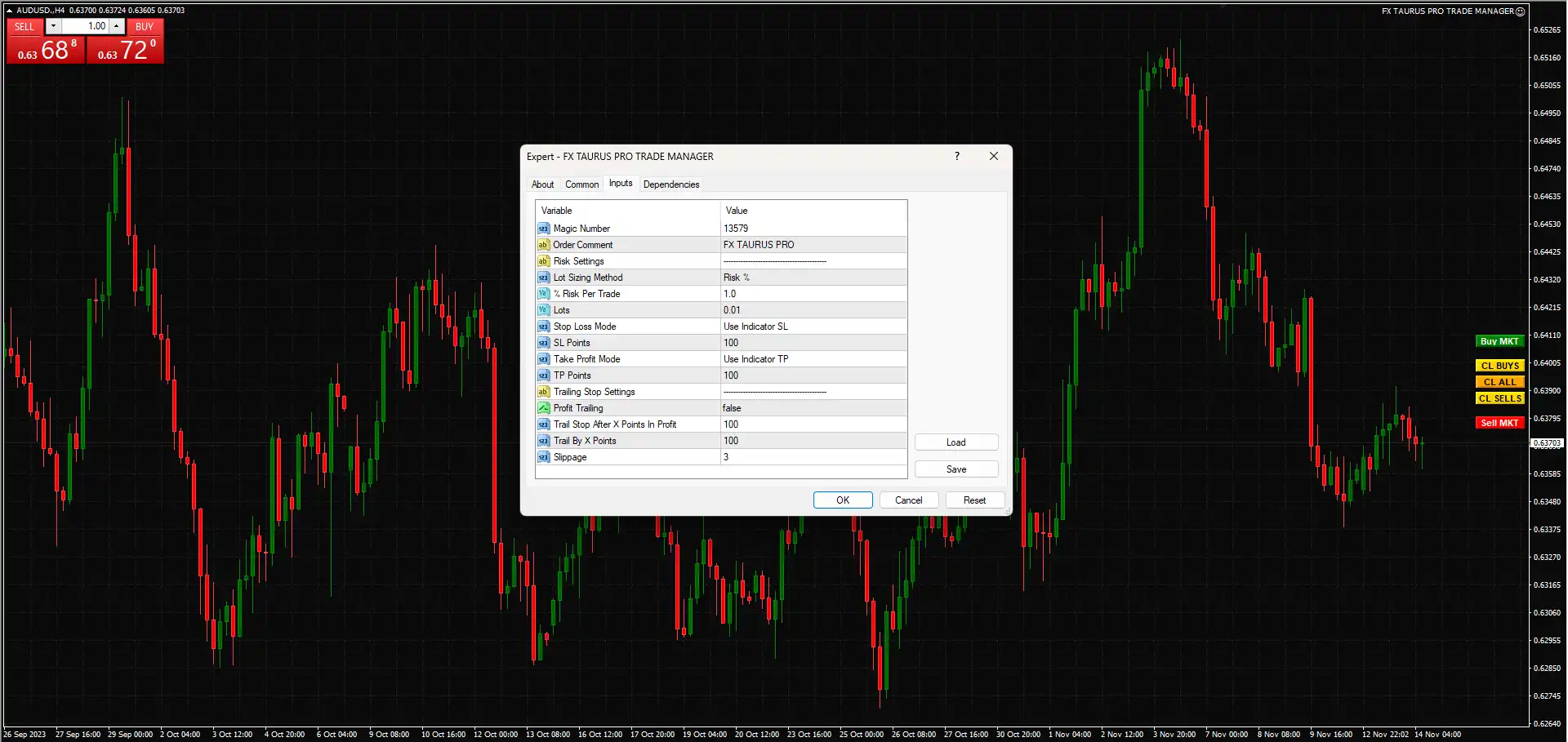
Taurus Pro EA MT4 Settings
Risk Settings
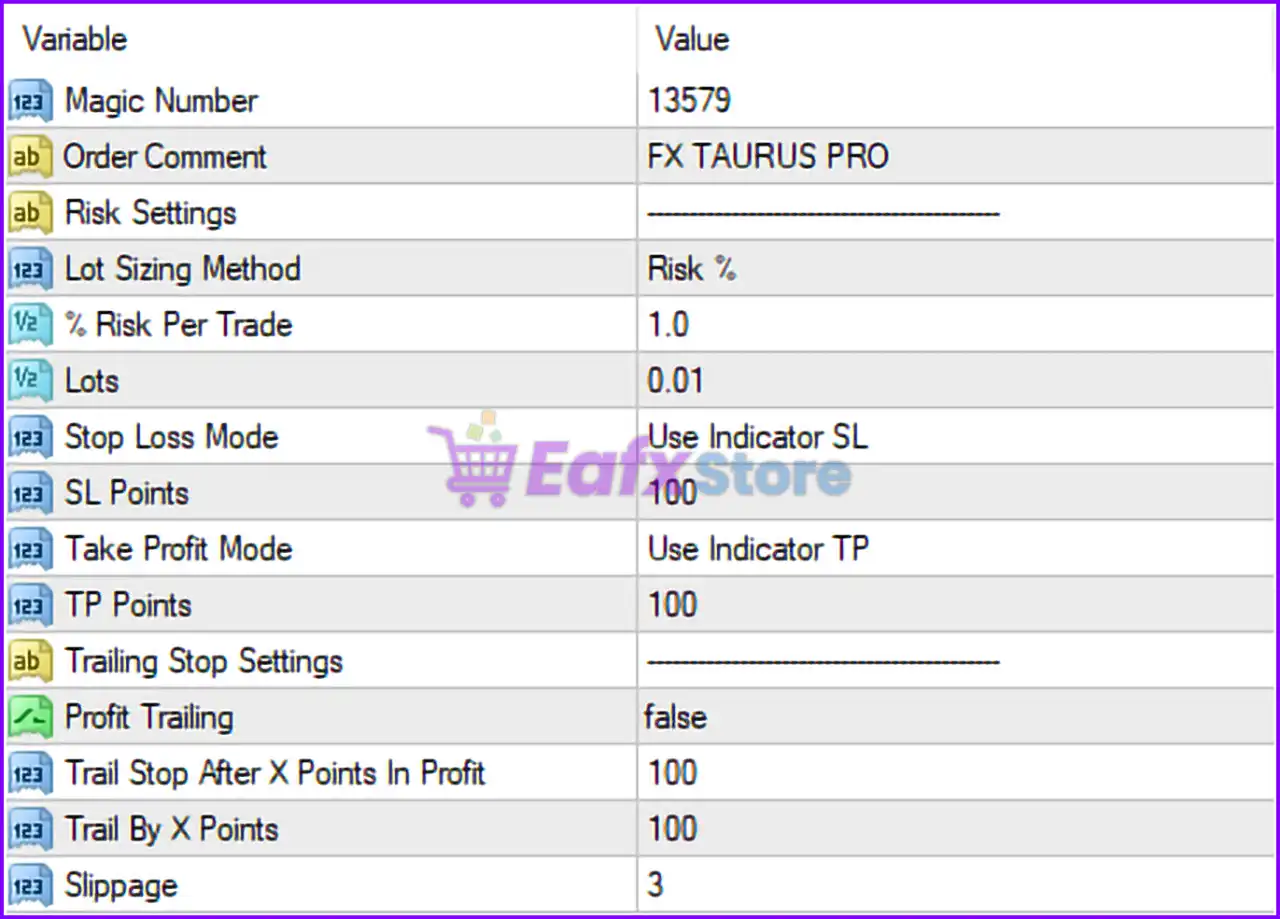
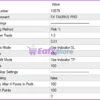
🔹 Magic Number = 13579: Unique identifier (13579) used to manage and track all trades opened by the EA.
🔹 Order Comment = FX TAURUS PRO: Adds “FX TAURUS PRO” as the trade comment for positions and orders.
🔹 Lot Sizing Method = Risk %: Uses percentage-based money management for automatic lot size calculation.
🔹 % Risk Per Trade = 1.0: Risks 1.0% of the account balance per trade.
🔹 Lots = 0.01: Sets the fixed trading lot size to 0.01 lots when fixed lot mode is used.
🔹 Stop Loss Mode = Use Indicator SL: Uses the trading indicator to calculate Stop Loss levels automatically.
🔹 SL Points = 100: Sets Stop Loss distance to 100 points if manual SL mode is applied.
🔹 Take Profit Mode = Use Indicator TP: Uses the trading indicator to calculate Take Profit levels automatically.
🔹 TP Points = 100: Sets Take Profit distance to 100 points if manual TP mode is applied.
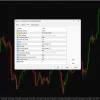
Taurus Pro EA MT4 Settings Panel
Trailing Stop Settings
🔹 Profit Trailing = false: Disables trailing stop functionality.
🔹 Trail Stop After X Points In Profit = 100: Trailing stop would activate after reaching 100 points in profit if enabled.
🔹 Trail By X Points = 100: Trailing stop would move by 100 points if trailing functionality is enabled.
🔹 Slippage = 3: Maximum allowed slippage set to 3 points during order execution.
Conclusion
The Taurus Pro EA settings provide a balanced automated trading framework with indicator-based trade management and percentage-based risk control. By combining dynamic Stop Loss (SL) and Take Profit (TP) calculation with customizable trailing stop parameters, the EA offers flexibility for both conservative and aggressive trading styles. Understanding these settings helps traders optimize trade execution, manage account risk effectively and improve long-term trading consistency.
FAQs
❓ What does Lot Sizing Method = Risk % mean?
It automatically calculates lot size based on the selected account risk percentage.
❓ Why is % Risk Per Trade = 1.0 important?
It limits each trade risk to 1.0% of the account balance for safer money management.
❓ What is the purpose of Stop Loss Mode = Use Indicator SL?
It allows the EA to determine Stop Loss levels automatically using trading indicators.
❓ Why is Profit Trailing = false set by default?
The EA currently operates without trailing stop management unless manually enabled.
❓ What does Slippage = 3 do?
It limits acceptable price slippage during trade execution to 3 points.
User Reviews
Only logged in customers who have purchased this product may leave a review.
❓1. What is Taurus Pro EA and how does it work?
Taurus Pro EA is an automated trading robot (Expert Advisor) for MetaTrader 4 (MT4) that uses an advanced algorithm to analyze market conditions, identify trading opportunities, and execute trades automatically with precision. It adapts to live market dynamics and includes built-in risk management.
❓2. Does Taurus Pro EA work on any currency pair?
Yes, Taurus Pro EA is designed to work on any currency pair, although it is recommended to use it with the most liquid and stable pairs for optimal performance. The default setup is typically optimized for H1 timeframe.
❓3. What is the recommended minimum deposit?
The minimum recommended deposit for Taurus Pro EA is $500 to ensure sufficient margin and proper risk management when executing trades.
❓4. Does Taurus Pro EA repaint or use dangerous strategies like Martingale?
No. Taurus Pro EA does not repaint, and the documentation does not mention using grid or martingale strategies. It focuses on dynamic risk management and real-time analysis to make calculated trading decisions.
❓5. Can beginners use Taurus Pro EA?
Yes. Taurus Pro EA features a user-friendly interface and simple setup instructions, making it suitable for both beginner and experienced traders. It includes customizable settings for various trading preferences.
❓6. What files are included in the Taurus Pro EA package?
The download package includes:
FX TAURUS PRO TRADE MANAGER.ex4 (Expert Advisor)
FXTAURUS PRO.ex4 (Main Indicator)
Candle_Timer.ex4 (Optional utility for candle timing)
❓7. What VPS and broker are recommended for Taurus Pro EA?
The recommended brokers are Exness and HTFX, and the suggested VPS providers include MyfxVPS.com with low latency options (Blue VPS, Golden VPS), offering free trials and extended free usage.
🔥 Get This EA for FREE with Our Membership! 🚀🚀
Unlock access to this EA, premium Indicators, and exclusive trading tools completely FREE with any of our Membership Plans! Thousands of traders already benefit from our VIP library—join them and level up your trading instantly. Choose Your Membership:
- SPECIAL – 1 Month Membership
- GOLD – 1 Year Membership
- PREMIUM – 1 Year Membership
-
 Original price was: $249.00.$70.00Current price is: $70.00.
 -
 Original price was: $209.00.$75.00Current price is: $75.00.
 -
 Original price was: $588.00.$135.00Current price is: $135.00.
 -
 Original price was: $888.00.$195.00Current price is: $195.00.
-
 1Original price was: $599.00.$59.00Current price is: $59.00.
 -
 3Original price was: $999.00.$69.00Current price is: $69.00.
 -
 3Original price was: $499.00.$59.00Current price is: $59.00.
 -
 3Original price was: $999.00.$69.00Current price is: $69.00.
There are no reviews yet.