




Titan Scalper EA MT4 v2.12 Unlimited

Subscriptions for Special Plan
- 30 EA package is more economical!
- Special package with 99%
- Download 1 EA/Day

Subscriptions for Premium Membership
- Download Unlimited in 1 Year
- Get 100% Discount
- Get free access to all

Subscriptions for Gold Membership
- 1 Year Membership
- Get 100% Discount
- Access EA+Indicator+Course
Frequently bought together 🎁
Add these products to enhance your purchase



What is Titan Scalper EA?
Titan Scalper EA is a professional Expert Advisor (EA) built for automated Forex scalping with advanced indicators, adaptive trade filtering and structured risk management. Designed for low-spread trading environments, it combines precision execution, trading stability, automatic lot sizing, and flexible safety controls to improve consistency and adaptability in volatile market conditions.
Titan Scalper EA overview
Key Features of Titan Scalper EA for MT4
🔹 Advanced Automated Scalping Engine: Executes precision-based trades with low-latency market analysis tools.
🔹 Adaptive Risk Management Controls: Includes automatic lot sizing and configurable Stop Loss (SL) settings.
🔹 Smart Volume and Spread Filters: Trades only under optimal liquidity and low-spread market conditions.
🔹 Consecutive Loss Protection System: Restricts trading activity after multiple losing trades automatically.
🔹 Session-Based Trading Safety Logic: Avoids risky Friday sessions and unstable market conditions.
Why Choose Titan Scalper EA?
🔹 Professional Automated Scalping Solution: Suitable for traders seeking stable and structured forex automation.
🔹 Strong Stability and Risk Control Focus: Designed to improve resilience during fast-moving market sessions.
🔹 Flexible and Adaptive Trading Settings: Supports multiple risk profiles and personalized execution control.
🔹 Optimized for Precision Market Execution: Combines filtering tools with disciplined trade management logic.
🔹 Marketplace-Ready Expert Advisor Design: Built for consistent performance and scalable automated trading.
Titan Scalper EA Review
Titan Scalper EA has demonstrated precision in scalping, capitalizing on short-term market fluctuations and generating consistent profits. The EA is designed with a user-friendly interface, facilitating easy installation and configuration. Traders of all experience levels can navigate the setup process with ease.
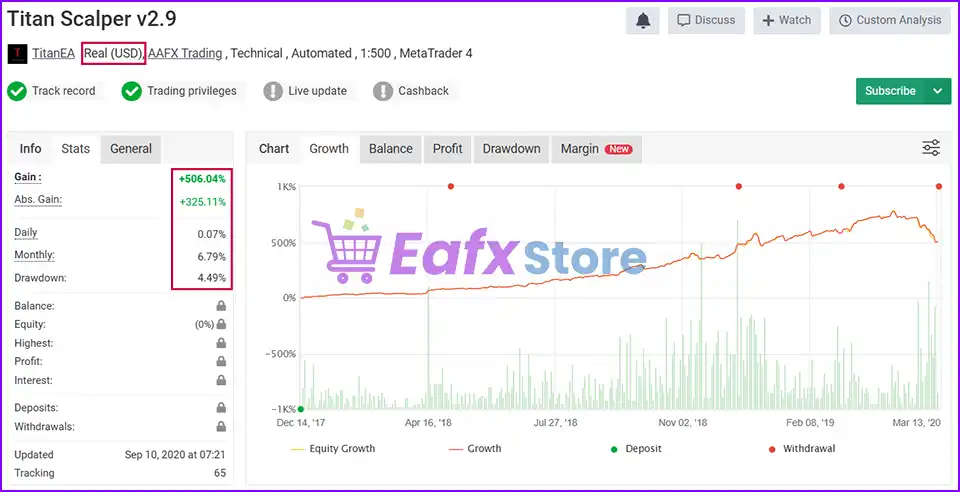
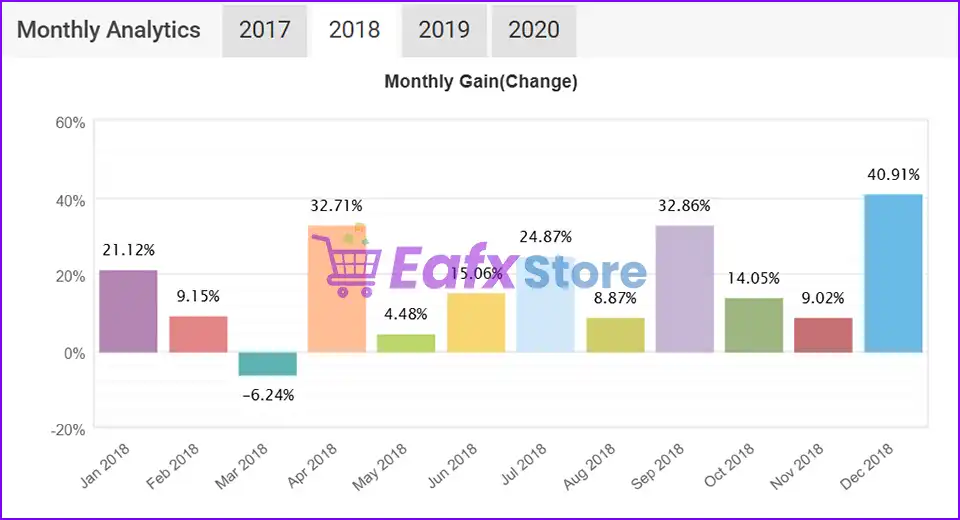
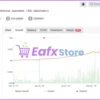
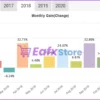
✅ Live Signal Myfxbook: Click here
Titan Scalper MT4 Myfxbook
Titan Scalper EA Myfxbook
What is the Titan Scalper EA Trading Strategy?
🔹 High-Speed Forex Scalping Methodology: Targets short-term price movements with strict execution precision.
🔹 Volume-Filtered Trade Entry System: Uses market volume analysis to improve signal quality consistency.
🔹 Low-Spread Scalping Optimization Logic: Opens trades only during favorable spread conditions dynamically.
🔹 Adaptive Timeout and Exit Management: Adjusts profit targets during changing market volatility phases.
🔹 Structured Risk and Trade Protection: Combines safety filters with disciplined money management rules.
Trading Specifications
Recommended settings and parameters to pay attention to from developers and experts:
| Features | Type |
|---|---|
| Trading platform | MetaTrader 4 (MT4) |
| Minimum / Recommended deposit | $500 |
| Minimum / Recommended leverage | 1:30+ |
| Time frames | M5 (5 minute chart) |
| Currency pairs | EURUSD, GBPUSD, USDCHF, EURCHF |
| Product type | NoDLL / Unlimited |
| Additional services | Unlock And Decompile |
| Recommended brokers | Exness Broker, Icmarkets Broker |
| Recommended VPS | MyfxVPS.com ( Blue VPS, Golden VPS). Lowest Latency, 2 week Free Trial, 100% Free for 12-18 Months. |
➡️ Reviewed by David Easton
Conclusion
In short, Designed for fast-paced forex trading, Titan Scalper EA combines advanced scalping logic with robust money management and market safety filters. By integrating low-spread execution, volume filters, configurable risk settings, and session protection controls, the EA supports disciplined and efficient trading automation. Titan Scalper EA is ideal for traders seeking structured MetaTrader 4 scalping strategies with enhanced execution precision.
Titan Scalper EA MT4 Settings Explained
Titan Scalper EA is a professional automated scalping Expert Advisor created for the MetaTrader 4 platform. Developed by the Titan Scalper Team, the EA focuses on low-spread trading conditions, intelligent money management, and advanced trade safety controls. With features such as automatic lot sizing, trade filtering, volume analysis, and customizable risk/reward parameters, Titan Scalper EA is designed for traders seeking fast and disciplined forex scalping automation.
Titan Scalper EA MT4 Settings
Full Parameters
The detailed settings are below:
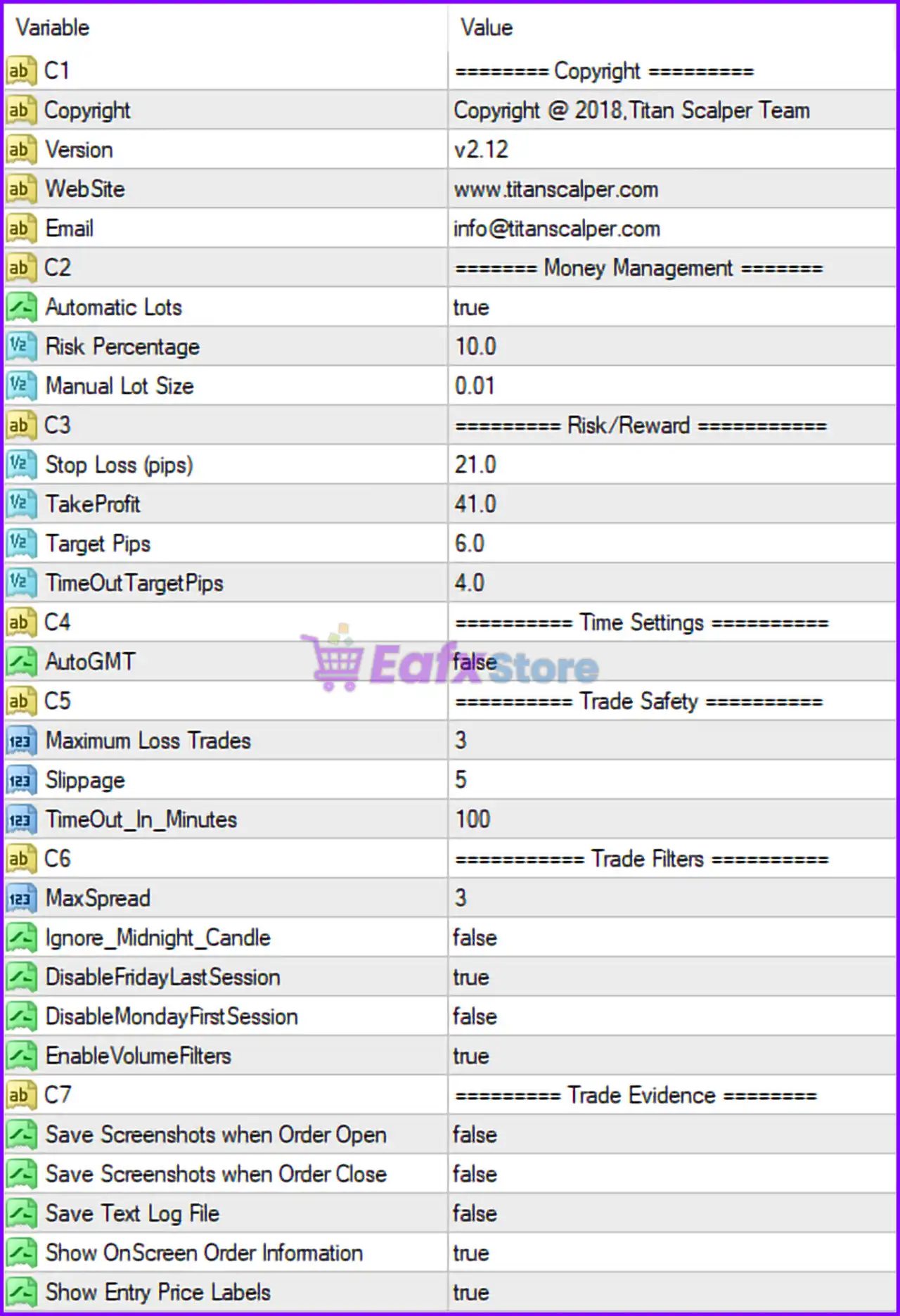
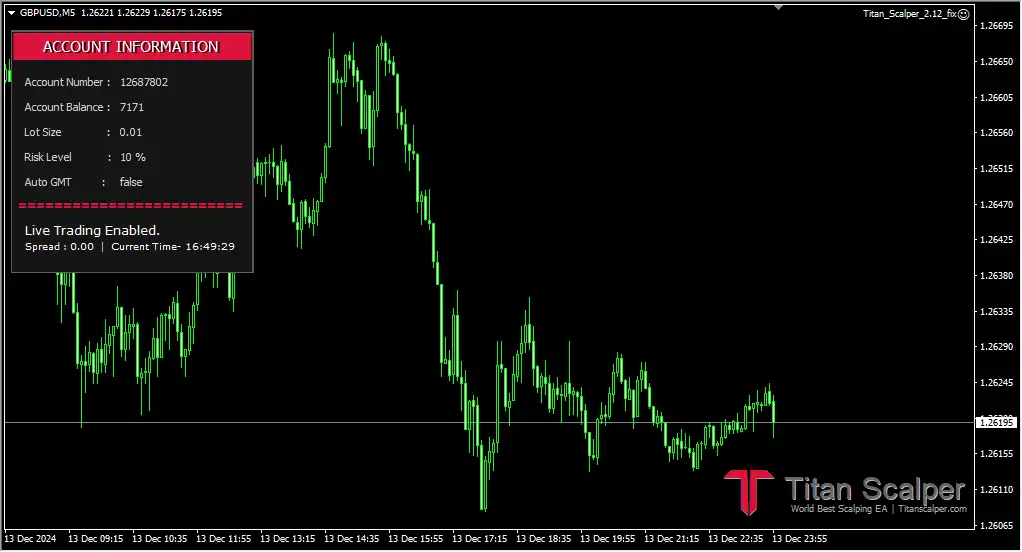
Titan Scalper EA MT4 Settings Panel
========= Money Management =========
🔹 Automatic Lots = true: Enables automatic lot size calculation based on account risk settings.
🔹 Risk Percentage = 10.0: Sets the trading risk to 10.0% of the account balance per trade.
🔹 Manual Lot Size = 0.01: Defines the fixed lot size as 0.01 lots when manual lot sizing is used.
========= Risk/Reward =========
🔹 Stop Loss (pips) = 21.0: Sets the Stop Loss distance to 21.0 pips.
🔹 TakeProfit = 41.0: Sets the Take Profit target to 41.0 pips.
🔹 Target Pips = 6.0: Defines the primary scalping profit target at 6.0 pips.
🔹 TimeOutTargetPips = 4.0: Sets a fallback Take Profit target of 4.0 pips during timeout conditions.
========= Time Settings =========
🔹 AutoGMT = false: Disables automatic GMT offset detection.
========= Trade Safety =========
🔹 Maximum Loss Trades = 3: Stops or limits trading activity after 3 consecutive losing trades.
🔹 Slippage = 5: Maximum allowed slippage configured at 5 points/pips.
🔹 TimeOut_In_Minutes = 100: Trade timeout duration set to 100 minutes.
========= Trade Filters =========
🔹 MaxSpread = 3: Maximum allowed spread restricted to 3 points/pips.
🔹 Ignore_Midnight_Candle = false: Midnight candle analysis remains enabled.
🔹 DisableFridayLastSession = true: Disables trading during the final Friday trading session.
🔹 DisableMondayFirstSession = false: Allows trading during the first Monday trading session.
🔹 EnableVolumeFilters = true: Activates volume-based trade filtering.
========= Trade Evidence =========
🔹 Save Screenshots when Order Open = false: Disables automatic screenshot capture when opening trades.
🔹 Save Screenshots when Order Close = false: Disables automatic screenshot capture when closing trades.
🔹 Save Text Log File = false: Disables saving detailed text log files.
🔹 Show OnScreen Order Information = true: Displays active order information directly on the chart.
🔹 Show Entry Price Labels = true: Displays trade entry price labels on the chart.
Conclusion
The Titan Scalper EA MT4 settings provide a professional and structured scalping environment with advanced risk controls and intelligent trade filtering. By combining automatic lot sizing, low-spread execution, volume analysis, and trade safety protections, the EA is optimized for fast-paced forex trading conditions. Understanding these settings helps traders improve execution quality, manage account risk effectively and maintain disciplined automated trading performance.
FAQs
❓ What does Automatic Lots = true mean?
It automatically calculates lot size based on the selected account risk percentage.
❓ Why is MaxSpread = 3 important?
It ensures trades are only opened under low-spread market conditions.
❓ What is the purpose of Maximum Loss Trades = 3?
It helps protect the account by limiting trading after 3 consecutive losing trades.
❓ Why is DisableFridayLastSession = true used?
It avoids trading during the final Friday session to reduce weekend gap risks.
❓ What does EnableVolumeFilters = true do?
It uses market volume analysis to filter and improve trade entry quality.
User Reviews
Only logged in customers who have purchased this product may leave a review.
❓ What trading style does Titan Scalper EA use?
Titan Scalper EA uses a high-speed forex scalping strategy with low-spread filtering and precision trade execution.
❓ Does Titan Scalper EA support automatic lot sizing?
Yes, Titan Scalper EA automatically calculates lot sizes based on account balance and selected risk percentage.
❓ Why is MaxSpread = 3 important in Titan Scalper EA?
Titan Scalper EA only opens trades in low-spread conditions to improve execution quality and reduce trading costs.
❓ How does Titan Scalper EA manage trading risk?
Titan Scalper EA combines Stop Loss, Take Profit, and maximum loss trade controls for disciplined risk management.
❓ What is the purpose of EnableVolumeFilters in Titan Scalper EA?
Titan Scalper EA uses volume filters to improve trade quality by avoiding weak or low-activity market conditions.
❓ Can Titan Scalper EA stop trading after consecutive losses?
Yes, Titan Scalper EA limits trading activity after 3 consecutive losing trades for additional account protection.
❓ Why does Titan Scalper EA disable the last Friday session?
Titan Scalper EA avoids late Friday trading to reduce exposure to weekend gaps and unstable market conditions.
❓ Does Titan Scalper EA display trade information on charts?
Yes, Titan Scalper EA shows order details and entry price labels directly on the MetaTrader 4 trading chart.
🔥 Get This EA for FREE with Our Membership! 🚀🚀
Unlock access to this EA, premium Indicators, and exclusive trading tools completely FREE with any of our Membership Plans! Thousands of traders already benefit from our VIP library—join them and level up your trading instantly. Choose Your Membership:
- SPECIAL – 1 Month Membership
- GOLD – 1 Year Membership
- PREMIUM – 1 Year Membership
-
 Price range: $70.00 through $599.00
 -
 Price range: $80.00 through $599.00
 -
 Original price was: $299.00.$89.00Current price is: $89.00.
 -
 Price range: $60.00 through $599.00
-
 10Original price was: $499.00.$69.00Current price is: $69.00.
 -
 1Original price was: $11,000.00.$89.00Current price is: $89.00.
 -
 0Original price was: $500.00.$69.00Current price is: $69.00.
 -
 3Original price was: $999.00.$69.00Current price is: $69.00.
There are no reviews yet.