






Trade Explorer EA MT4 with SetFiles (Platform build 1476+)

Subscriptions for Special Plan
- 30 EA package is more economical!
- Special package with 99%
- Download 1 EA/Day

Subscriptions for Premium Membership
- Download Unlimited in 1 Year
- Get 100% Discount
- Get free access to all

Subscriptions for Gold Membership
- 1 Year Membership
- Get 100% Discount
- Access EA+Indicator+Course
Frequently bought together 🎁
Add these products to enhance your purchase



What is Trade Explorer EA?
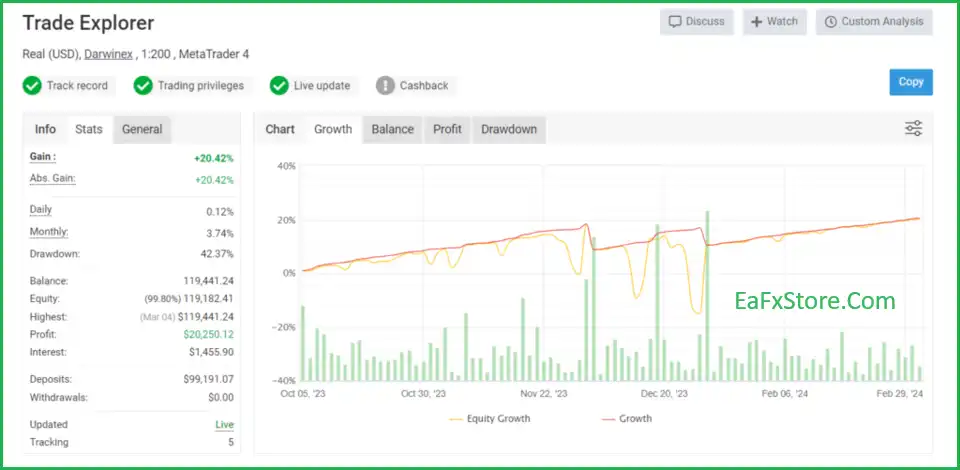
Trade Explorer EA is an Expert Advisor (EA) optimized for trading on 27 currency pairs and compatible with the MetaTrader 4 (MT4) platform. EA integrates professional and effective trading features, trusted by many Traders. Real trading profit performance has been verified by MyFxBook.
🔶 Vendor Website: View here
Key Features of Trade Explorer EA for MT4
🔹 Automatic installation: The software has been optimized, users only need to download, install and use without adjustment.
🔹 24/7 monitoring: The software automatically scans and trades on 27 currency pairs, looking for profit opportunities.
🔹 Optimize profits: Expert Advisor (EA) provides recommendations for maximum efficiency, based on practical experience and testing.
🔹 Risk management system: Use Grid, Martingale system with low risk settings to manage and recover losses.
🔹 Actual results: Has a trading history on MyFxBook with more than 2 years of success.
Outstanding Advantages
🔹 Save time: Automate the entire trading process, users do not need to monitor the market continuously.
🔹 Increase profits: Monitor and take advantage of opportunities on many currency pairs, optimize profits.
🔹 Reduce risks: Risk management system helps protect capital and increase the possibility of success.
🔹 Proven results: Many years of successful trading history on MyFxBook.
Trade Explorer EA MT4 Review
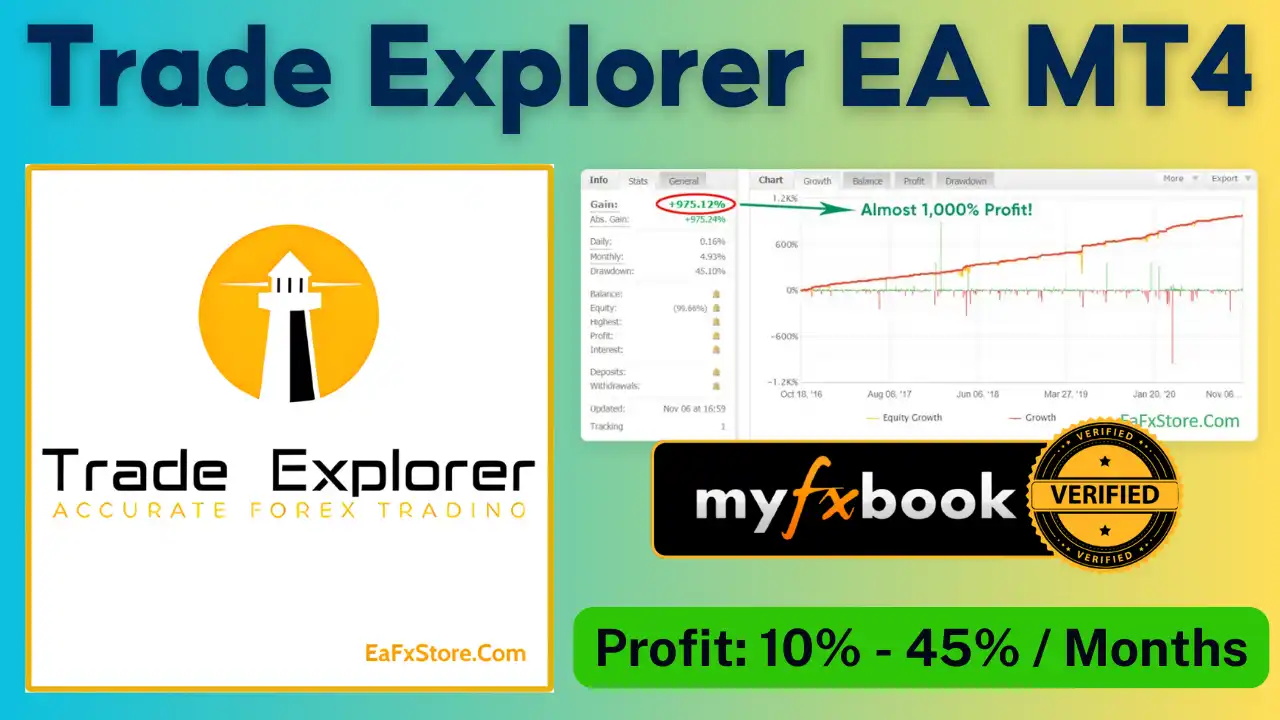
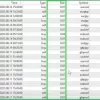
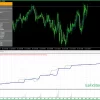
Trade Explorer MT4 Myfxbook Results
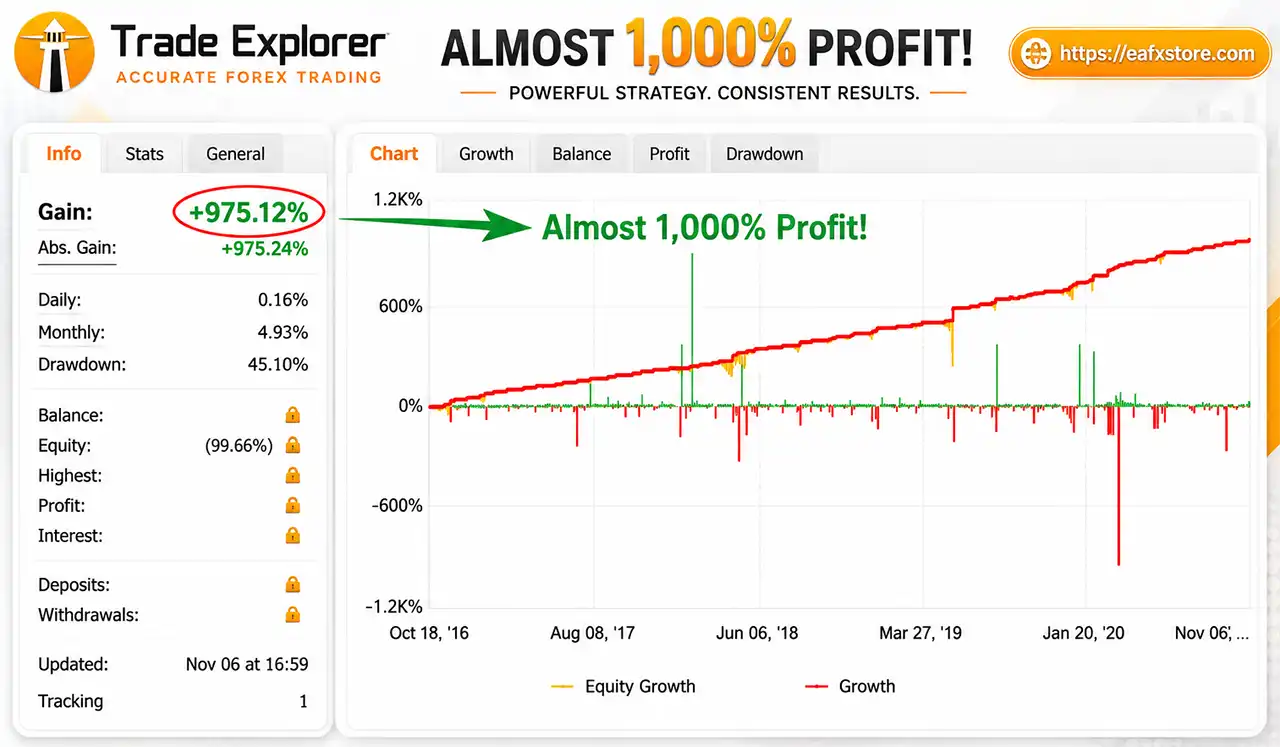
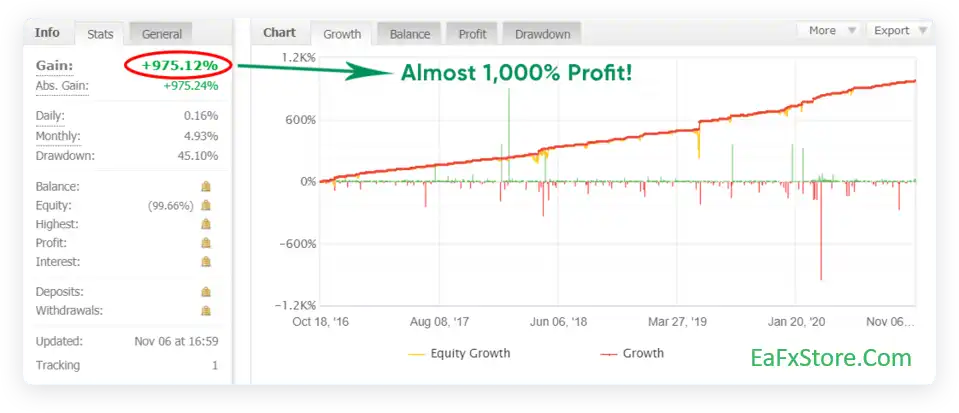
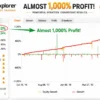
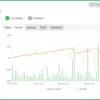
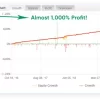
Trade Explorer EA has been verified profitable by MyFxBook in the long term and has achieved impressive returns. The advisor shows good Fx pairs trading potential and high profit rate.
✅ Total Gain: +975.12%
✅ Average Monthly Profit: 4.93%
✅ Maximum Drawdown: 45.10%
✅ Live Results: View here
Trade Explorer EA Myfxbook Results
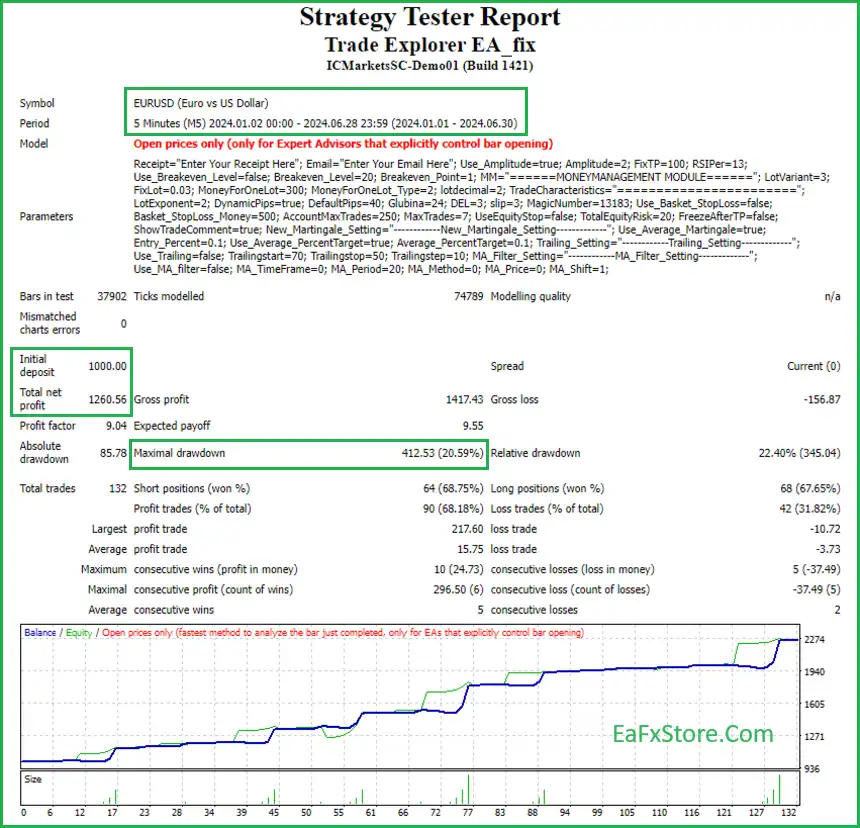
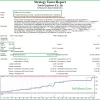
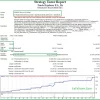
Trade Explorer EA Backtest Results
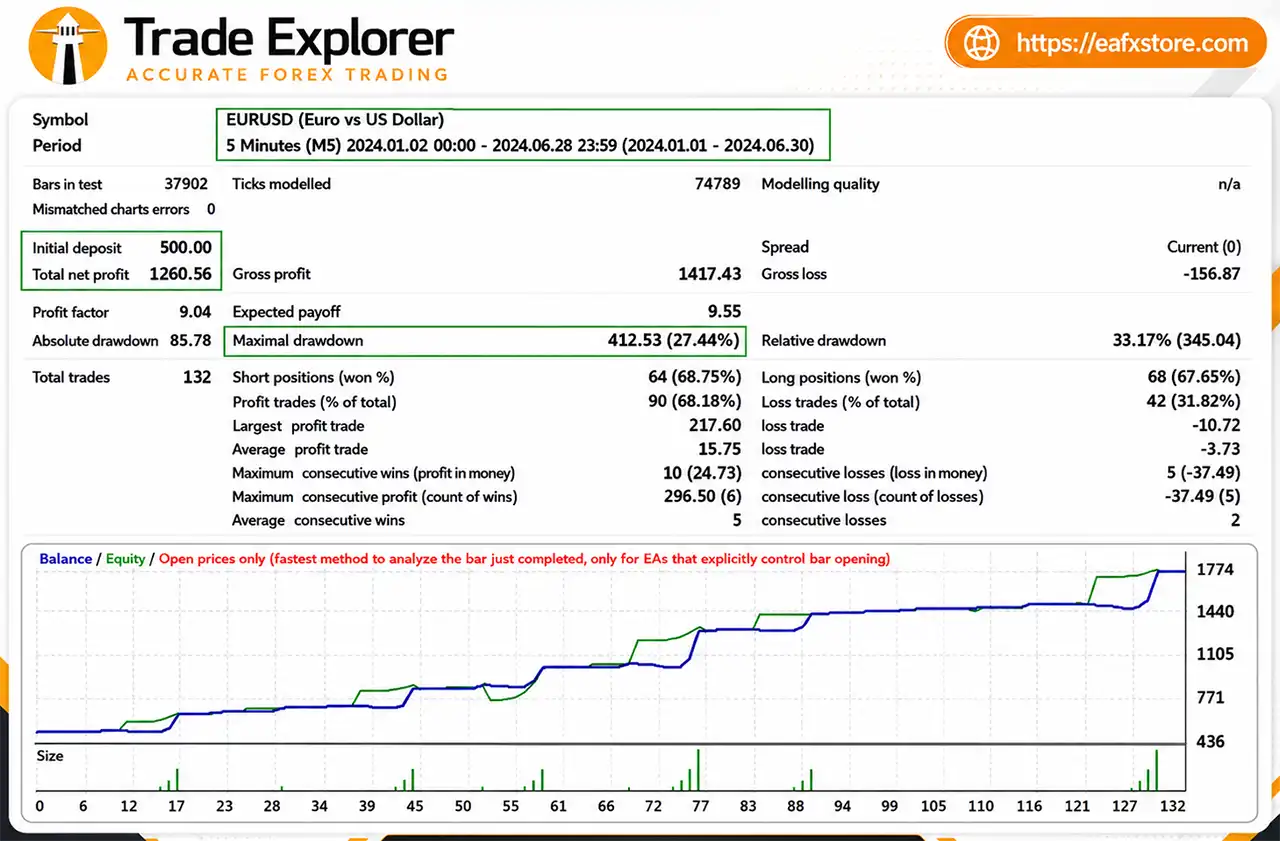
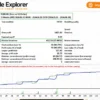
🔶 The Trade Explorer EA backtest trading results achieved impressive profit performance for 6 consecutive months on the EURUSD pair. The advisor showed the ability to maintain safe stars on the 5-minute chart.
✅ Initial Deposit: $500
✅ Total Net Profit: $1,260.56
✅ Win Rate: 68.14%
✅ Maximum Drawdown: 27.44%
Trade Explorer EA Backtest Results
Recommended Settings
Recommended settings and parameters to pay attention to from developers and experts:
| Features | Type |
|---|---|
| Trading platform | MetaTrader 4 (MT4) |
| Time frames | Any times |
| Minimum / Recommended deposit | $500 |
| Currency pairs | 27 Current Pairs |
| Setup files | Available |
| Product type | NoDLL / Fix |
| Additional services | Unlock and Decompile |
| Recommended brokers | Exness Broker, Icmarkets Broker |
| Recommended VPS | MyfxVPS.com ( Blue VPS, Golden VPS). Lowest Latency, 2 week Free Trial, 100% Free for 12-18 Months. |
Product Download Package?
The download package of the product suite includes:
Experts
✅ Trade Explorer EA v6.2_fix.ex4
Indicators
✅ Explorerindi.ex4
SetFiles
✅ AUDCAD_TradeExplorer_M5.set
✅ AUDCHF_TradeExplorer_M5.set
✅ AUDJPY_TradeExplorer_M5.set
✅ AUDNZD_TradeExplorer_M5.set
✅ AUDUSD_TradeExplorer_M5.set
✅ CADCHF_TradeExplorer_M5.set
✅ CADJPY_TradeExplorer_M5.set
✅ CHFJPY_TradeExplorer_M5.set
✅ EURAUD_TradeExplorer_M5.set
✅ EURCAD_TradeExplorer_M5.set
✅ EURCHF_TradeExplorer_M5.set
✅ EURGBP_TradeExplorer_M5.set
✅ EURJPY_TradeExplorer_M5.set
✅ EURNZD_TradeExplorer_M5.set
✅ EURUSD_TradeExplorer_M5.set
✅ GBPAUD_TradeExplorer_M5.set
✅ GBPCAD_TradeExplorer_M5.set
✅ GBPJPY_TradeExplorer_M5.set
✅ GBPUSD_TradeExplorer_M5.set
✅ NZDCAD_TradeExplorer_M5.set
✅ NZDJPY_TradeExplorer_M5.set
✅ NZDUSD_TradeExplorer_M5.set
✅ USDCAD_TradeExplorer_M5.set
✅ USDCHF_TradeExplorer_M5.set
✅ USDJPY_TradeExplorer_M5.set
✅ USDNOK_TradeExplorer_M5.set
✅ USDSEK_TradeExplorer_M5.set
➡️ Reviewed by David Easton
Conclusion
In short, Trade Explorer EA is a fully automated MT4 trading system optimized for 27 currency pairs, delivering consistent profits with verified MyFxBook performance. Featuring 24/7 market monitoring, advanced Grid and Martingale risk control, and effortless setup, it helps traders maximize returns safely. Trade Explorer EA — your trusted partner for smart, diversified, and profitable forex trading.
🔢 Trade Explorer EA MT4 Settings Guide
Trade Explorer EA is a configurable automated trading Expert Advisor that combines amplitude-based signal settings, money management, trade limits, averaging/martingale controls, trailing-stop options, and a moving-average filter. Its configuration panel provides detailed control over entry behavior, lot sizing, basket protection, recovery logic, and trade management.
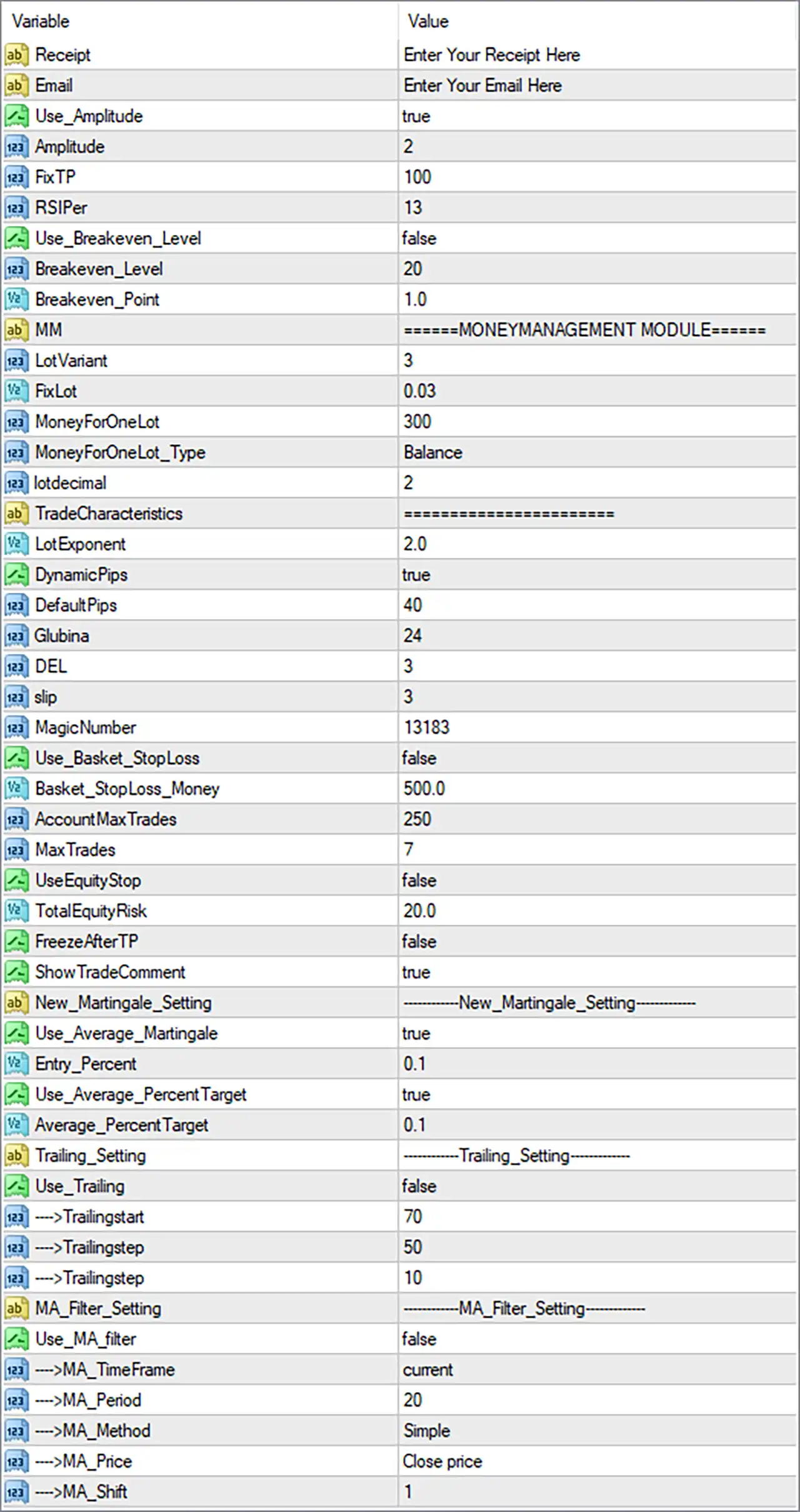
Trade Explorer EA MT4 Settings Panel
🔶 General & Signal Settings
🔹 Receipt: Enter Your Receipt Here — A receipt or license-related field where the required receipt information can be entered.
🔹 Email: Enter Your Email Here — A field for entering the user’s email address when required by the EA.
🔹 Use_Amplitude: true — Enables the amplitude-based trading component of the EA.
🔹 Amplitude: 2 — Sets the amplitude parameter to 2, controlling the configured amplitude threshold or signal sensitivity.
🔹 FixTP: 100 — Sets the fixed Take Profit parameter to 100.
🔹 RSIPer: 13 — Sets the RSI-related period/parameter to 13.
🔹 Use_Breakeven_Level: false — Disables the break-even level management function.
🔹 Breakeven_Level: 20 — Sets the break-even trigger level to 20 when the feature is enabled.
🔹 Breakeven_Point: 1.0 — Sets the break-even adjustment/offset to 1.0.
🔶 Money Management Module
🔹 LotVariant: 3 — Selects money-management lot calculation variant 3.
🔹 FixLot: 0.03 — Sets the fixed lot reference to 0.03 lots.
🔹 MoneyForOneLot: 300 — Defines 300 as the account-money reference associated with one lot under the selected money-management configuration.
🔹 MoneyForOneLot_Type: Balance — Uses account Balance as the basis for the MoneyForOneLot calculation.
🔹 lotdecimal: 2 — Sets the lot-size decimal precision to 2.
🔶 Trade Characteristics
🔹 LotExponent: 2.0 — Sets the lot multiplier/exponent parameter to 2.0, affecting how position size can scale according to the EA’s internal trade-management logic.
🔹 DynamicPips: true — Enables dynamic pip-distance calculations.
🔹 DefaultPips: 40 — Sets the default pip-distance value to 40.
🔹 Dubina: 24 — Sets the Dubina parameter to 24, which can be used by the EA’s internal trading logic for depth-related calculations.
🔹 DEL: 3 — Sets the DEL parameter to 3.
🔹 slip: 3 — Sets the allowed slippage parameter to 3.
🔹 MagicNumber: 13183 — Sets the unique Magic Number to 13183, allowing the EA to identify and manage its own trades.
🔶 Basket & Trade Protection
🔹 Use_Basket_StopLoss: false — Disables the basket-level Stop Loss mechanism.
🔹 Basket_StopLoss_Money: 500.0 — Sets the basket Stop Loss monetary threshold to 500.0 if basket protection is enabled.
🔹 AccountMaxTrades: 250 — Sets the maximum account-level trade/order capacity parameter to 250.
🔹 MaxTrades: 7 — Limits the EA to a maximum of 7 trades according to its configured trade-management logic.
🔹 UseEquityStop: false — Disables the equity-based stop mechanism.
🔹 TotalEquityRisk: 20.0 — Sets the total equity-risk parameter to 20.0 when equity protection is used.
🔹 FreezeAfterTP: false — Disables the freeze function after Take Profit is reached.
🔹 ShowTradeComment: true — Enables the display/use of trade comments associated with EA positions.
🔶 New Martingale Settings
🔹 New_Martingale_Setting: New_Martingale_Setting — A configuration heading for the EA’s new martingale/recovery-related parameters.
🔹 Use_Average_Martingale: true — Enables the averaging/martingale function.
🔹 Entry_Percent: 0.1 — Sets the entry percentage parameter to 0.1.
🔹 Use_Average_PercentTarget: true — Enables the percentage-based average target mechanism.
🔹 Average_PercentTarget: 0.1 — Sets the average percentage target to 0.1.
🔶 Trailing Settings
🔹 Trailing_Setting: Trailing_Setting — A configuration heading for the EA’s trailing-stop parameters.
🔹 Use_Trailing: false — Disables the trailing-stop system in the supplied configuration.
🔹 →Trailingstart: 70 — Sets the trailing-start threshold to 70 when trailing is enabled.
🔹 →Trailingstep: 50 — Sets the main trailing step parameter to 50.
🔹 →Trailingstep: 10 — Sets the additional/second trailing-step parameter to 10.
Note: The screenshot contains two parameters displayed with the same label
→Trailingstep, with values50and10. Both are preserved exactly as shown.
🔶 MA Filter Settings
🔹 MA_Filter_Setting: MA_Filter_Setting — A configuration heading for the Moving Average filter.
🔹 Use_MA_filter: false — Disables the Moving Average filter in the supplied configuration.
🔹 →MA_TimeFrame: current — Configures the MA filter to use the current chart timeframe if the filter is enabled.
🔹 →MA_Period: 20 — Sets the Moving Average period to 20.
🔹 →MA_Method: Simple — Uses the Simple Moving Average (SMA) calculation method.
🔹 →MA_Price: Close price — Calculates the Moving Average using the Close price.
🔹 →MA_Shift: 1 — Sets the Moving Average shift to 1.
🔢 Trade Explorer EA MT4 Settings Summary
🔹 Amplitude Trading: true — The amplitude-based component is enabled.
🔹 Amplitude: 2 — Configured amplitude value.
🔹 Fixed Take Profit: 100 — Configured FixTP value.
🔹 RSI Parameter: 13 — Configured RSI value.
🔹 Break-Even: false — Break-even management is disabled.
🔹 Break-Even Level: 20 — Trigger value when break-even is enabled.
🔹 Break-Even Point: 1.0 — Break-even adjustment value.
🔹 Lot Variant: 3 — Selected lot-management variant.
🔹 Fixed Lot: 0.03 — Configured fixed lot value.
🔹 Money For One Lot: 300 — Account-money reference for lot calculation.
🔹 Lot Decimal: 2 — Lot precision setting.
🔹 Lot Exponent: 2.0 — Position-size scaling parameter.
🔹 Dynamic Pips: true — Dynamic pip calculation is enabled.
🔹 Default Pips: 40 — Default pip parameter.
🔹 Dubina: 24 — Configured depth-related value.
🔹 DEL: 3 — Configured DEL value.
🔹 Slippage: 3 — Maximum configured slippage value.
🔹 Magic Number: 13183 — Unique EA trade identifier.
🔹 Basket Stop Loss: false — Basket-level monetary Stop Loss is disabled.
🔹 Basket Stop Loss Money: 500.0 — Configured basket loss threshold.
🔹 Account Maximum Trades: 250 — Account-level trade capacity parameter.
🔹 Maximum Trades: 7 — EA trade limit.
🔹 Equity Stop: false — Equity protection is disabled.
🔹 Total Equity Risk: 20.0 — Configured total equity-risk parameter.
🔹 Freeze After TP: false — Post-TP freezing is disabled.
🔹 Show Trade Comment: true — Trade comments are enabled.
🔹 Average Martingale: true — Averaging/martingale management is enabled.
🔹 Entry Percent: 0.1 — Configured entry percentage.
🔹 Average Percent Target: 0.1 — Configured average percentage target.
🔹 Trailing: false — Trailing management is disabled.
🔹 Trailing Start: 70 — Trailing activation threshold.
🔹 Trailing Steps: 50 and 10 — Both values shown in the supplied panel.
🔹 MA Filter: false — Moving Average filtering is disabled.
🔹 MA Timeframe: current — Uses the active chart timeframe when enabled.
🔹 MA Period: 20 — Moving Average period.
🔹 MA Method: Simple — Uses SMA calculation.
🔹 MA Price: Close price — Uses closing prices.
🔹 MA Shift: 1 — Moving Average shift.
🔢 Conclusion
Trade Explorer EA MT4 provides an extensive set of controls for automated trading, combining amplitude-based signals, RSI parameters, configurable Take Profit, money management, averaging/martingale logic, basket protection, equity controls, trailing management, and Moving Average filtering.
The supplied configuration has Use_Amplitude = true, FixTP = 100, RSIPer = 13, and DynamicPips = true. Its money-management section uses LotVariant 3, FixLot 0.03, and LotExponent 2.0, while the EA’s MagicNumber is 13183.
Several protective features are currently disabled, including Break-Even, Basket Stop Loss, Equity Stop, and Trailing, while Use_Average_Martingale = true is enabled. The MA filter is also disabled, although it is configured with Period 20, Simple method, Close price, and Shift 1 for potential use.
Because averaging/martingale functionality is enabled, traders should carefully evaluate the resulting exposure and drawdown characteristics through backtesting and forward testing before considering live deployment.
User Reviews
Only logged in customers who have purchased this product may leave a review.
❓ What is Trade Explorer EA and how does it work?
Trade Explorer EA is an automated trading system designed for the MetaTrader 4 (MT4) platform. It executes trades automatically across 27 currency pairs, using smart algorithms that scan markets 24/7 for profitable opportunities, without requiring manual input from the trader.
❓ Which trading platform does Trade Explorer EA support?
Trade Explorer EA works exclusively on MetaTrader 4 (MT4), one of the most popular platforms used by forex traders worldwide. It is easy to install and fully compatible with brokers that support MT4.
❓ How many currency pairs can Trade Explorer EA trade?
The EA is optimized to trade 27 major and minor currency pairs, allowing it to diversify trading opportunities and reduce risk exposure. This wide coverage ensures that the EA can find potential setups in different market conditions.
❓ Does Trade Explorer EA use Grid or Martingale strategies?
Yes — Trade Explorer EA applies a low-risk Grid and Martingale system, designed to manage drawdowns and recover potential losses gradually. These strategies are fine-tuned to ensure account safety and stable long-term growth.
❓ What are the minimum and recommended deposit requirements?
Developers recommend a minimum deposit of $500 to operate Trade Explorer EA efficiently. A higher deposit allows more flexibility in managing open positions and ensures the EA has enough margin for Grid-based trading methods.
❓ What kind of performance has been verified on MyFxBook?
Trade Explorer EA’s real trading performance has been verified on MyFxBook, showing an impressive total gain of +975.12%, with an average monthly profit of 4.93% and a maximum drawdown of 45.10% — proving long-term profitability and resilience.
❓ Can I run Trade Explorer EA on multiple timeframes?
Yes — Trade Explorer EA is flexible and can be used on any timeframe, depending on your preferred trading style. Many traders use it on lower timeframes like M5 for frequent trades or higher timeframes for more stable signals.
❓ Do I need to manually adjust settings or strategies?
No — Trade Explorer EA is built for automatic installation and operation. Users only need to download, install, and attach it to their MT4 chart. The system is already optimized, but advanced traders can still customize parameters if they wish.
❓ What risk management features are included?
The EA includes a built-in risk management system that combines Grid and Martingale recovery methods, Stop Loss protection, and position control to maintain low risk while maximizing profit potential across multiple pairs.
❓ Can I use Trade Explorer EA without monitoring it 24/7?
Yes — once installed, Trade Explorer EA operates fully automatically, scanning and executing trades 24/7 across 27 pairs. Traders only need to check occasionally to ensure stable internet connection, proper broker execution, and account performance.
🔥 Get This EA for FREE with Our Membership! 🚀🚀
Unlock access to this EA, premium Indicators, and exclusive trading tools completely FREE with any of our Membership Plans! Thousands of traders already benefit from our VIP library—join them and level up your trading instantly. Choose Your Membership:
- SPECIAL – 1 Month Membership
- GOLD – 1 Year Membership
- PREMIUM – 1 Year Membership
-
 Original price was: $2,000.00.$199.00Current price is: $199.00.
 -
 Original price was: $30,000.00.$599.00Current price is: $599.00.
 -
 Original price was: $3,750.00.$599.00Current price is: $599.00.
 -
 Original price was: $30,000.00.$599.00Current price is: $599.00.
-
 1Original price was: $1,599.00.$59.00Current price is: $59.00.
 -
 0Original price was: $500.00.$69.00Current price is: $69.00.
 -
 3Original price was: $999.00.$69.00Current price is: $69.00.
 -
 3Original price was: $499.00.$59.00Current price is: $59.00.
There are no reviews yet.