🧩 What is Turbina EA?
Turbina EA is an automated trading system (Expert Advisor) designed for the MetaTrader 4 (MT4) platform. It focuses on semi-mechanical price action logic, using trendlines and pending/market orders to capture market movements with predefined risk and money management rules.
One of Turbina EA’s strengths is its simple yet flexible parameter structure, allowing traders to adapt the EA to different symbols, timeframes, and risk profiles.
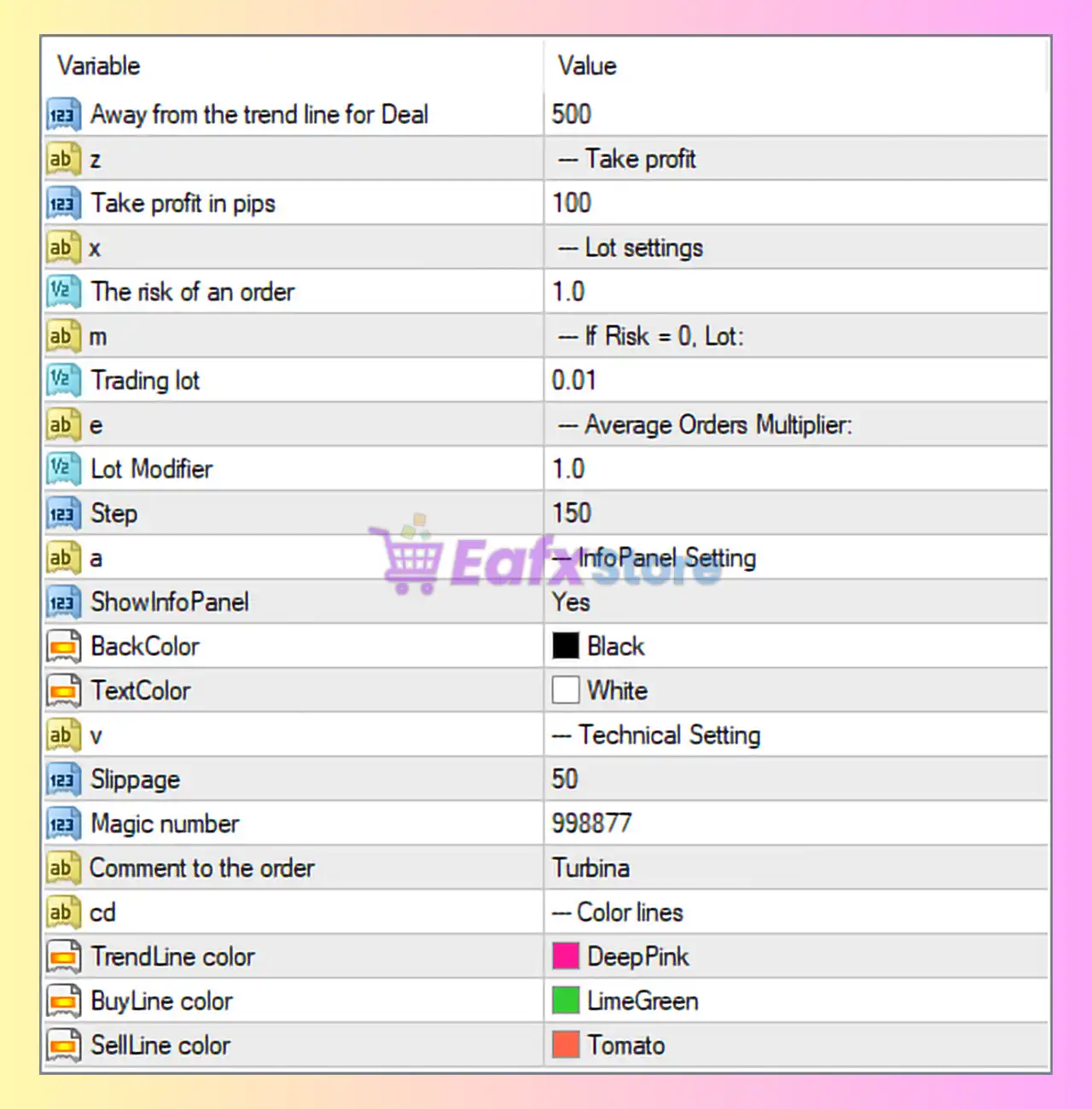
🧩 Trading Parameters Overview
🔶 Entry & Take Profit Settings
| Parameter | Value | Description |
|---|---|---|
| Away from the trend line for Deal | 500 | Distance (in points) from the trendline where an order is placed. Larger values mean more conservative entries. |
| Take profit in pips | 100 | Fixed take-profit target per trade, measured in pips. |
👉 These parameters define how far price must move from the trendline to trigger an order and where profits are locked in.
🔶 Lot Size & Risk Management
| Parameter | Value | Description |
|---|---|---|
| The risk of an order | 1.0 | Risk percentage per trade. If set to 0, fixed lot size is used. |
| Trading lot | 0.01 | Fixed lot size used when risk = 0. |
| Lot Modifier | 1.0 | Multiplier for lot size progression (used in averaging or scaling strategies). |
| Step | 150 | Distance (in points) between additional averaging orders. |
👉 This section controls money management. Conservative traders typically keep risk ≤ 1% and Lot Modifier = 1 to avoid martingale behavior.
🔶 Information Panel Settings
| Parameter | Value | Description |
|---|---|---|
| ShowInfoPanel | Yes | Enables the on-chart information panel. |
| BackColor | Black | Background color of the info panel. |
| TextColor | White | Text color for readability. |
👉 The Info Panel helps traders monitor EA status, open trades, and key metrics directly on the chart.
🔶 Technical Execution Settings
| Parameter | Value | Description |
|---|---|---|
| Slippage | 50 | Maximum allowed slippage (in points) when executing trades. |
| Magic number | 998877 | Unique identifier for EA trades, preventing conflicts with other EAs. |
| Comment to the order | Turbina | Custom comment displayed in MT4 trade history. |
👉 Proper slippage and a unique magic number are essential for stable EA operation, especially on volatile symbols.
🔶 Trendline & Visual Settings
| Parameter | Value | Description |
|---|---|---|
| TrendLine color | DeepPink | Color of the main trendline. |
| BuyLine color | LimeGreen | Color for buy-direction lines. |
| SellLine color | Tomato | Color for sell-direction lines. |
👉 Clear color separation improves visual clarity and reduces manual trading errors when monitoring the EA.
🧩 Practical Notes & Optimization Tips
- Best suited for trend-based strategies on higher timeframes (H1–H4).
- Avoid increasing Lot Modifier above 1 unless you fully understand drawdown risks.
- Always test new settings using a demo account or MT4 Strategy Tester.
- Broker conditions (spread, execution speed) strongly affect performance.
🧩 Conclusion
The Turbina EA settings shown in the image represent a low-risk, conservative configuration focused on controlled entries, fixed take profit, and stable money management. With proper optimization and disciplined risk control, Turbina EA can be a reliable automated trading assistant for trend-following strategies.
Before using it on a live account, always backtest and forward-test the Expert Advisor (EA) under real market conditions to ensure it aligns with your trading goals and risk tolerance.