




Quantturbo EA MT5 (Latest version) – GroupBuy
Select a variant to see availability.
 Vendor Website:
  Setting (If Any).docx
 Reviewed by
 Quantturbo EA MT5 Settings Explained – Complete Configuration Guide
Quantturbo EA is an automated trading Expert Advisor designed for MetaTrader 5 that simplifies trading through an intelligent automatic configuration system. Instead of requiring dozens of manual parameters, the EA focuses on a few essential settings that control its operating mode, protection status, money management profile and trading lot size.
This streamlined approach makes Quantturbo suitable for both beginners and experienced traders who want a quick and efficient setup while maintaining flexibility in risk management.
Quantturbo EA MT5 Settings
Quantturbo EA MT5 Settings
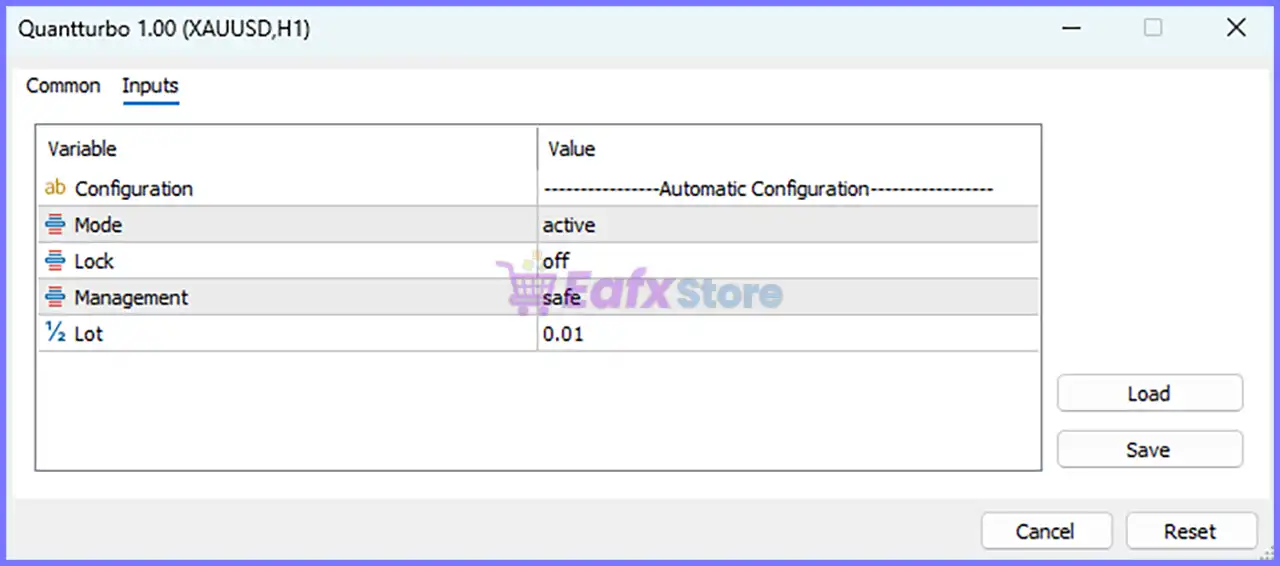
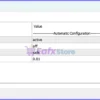
Below are the details of the parameters in the advisor’s trading system settings table:
Quantturbo EA MT5 Settings Panel
Automatic Configuration
🔹 Configuration = Automatic Configuration – Indicates that the EA uses an Automatic Configuration profile to simplify setup and optimize its internal trading parameters.
🔹 Mode = active – Enables the EA and allows it to execute its automated trading strategy in real market conditions.
🔹 Lock = off – Disables the configuration lock, allowing users to modify the EA settings whenever necessary.
🔹 Management = safe – Selects the Safe money management profile, prioritizing conservative risk control and stable position sizing.
🔹 Lot = 0.01 – Sets the initial trading volume to 0.01 lots, making it suitable for small accounts or conservative trading.
Conclusion
Quantturbo EA offers a minimalist yet practical configuration interface that emphasizes ease of use and efficient risk management. With only a handful of essential settings—including Mode, Lock, Management, and Lot Size—the EA can be configured quickly while still allowing traders to control its operational status and trading risk.
The Safe management mode combined with a 0.01 lot size provides a conservative starting point, making the EA suitable for traders who prefer automated trading with controlled exposure.
FAQs
❓ What does the Mode parameter do in Quantturbo EA MT5?
It controls whether the Expert Advisor is active and allowed to execute automated trades.
❓ What is the purpose of the Lock option?
The Lock parameter protects the current configuration. When set to off, users can freely modify the EA settings.
❓ What does the Safe Management mode mean?
Safe Management applies a conservative money management profile designed to reduce trading risk and improve capital preservation.
❓ Can I change the default lot size?
Yes. The Lot parameter can be adjusted according to your account balance, leverage, and personal risk tolerance.
❓ Is Quantturbo EA MT5 suitable for beginners?
Yes. Its automatic configuration system and simplified settings make it easy to install, configure, and operate without extensive manual adjustments.
User Reviews
Only logged in customers who have purchased this product may leave a review.
❓ What markets can Quantturbo EA MT5 trade?
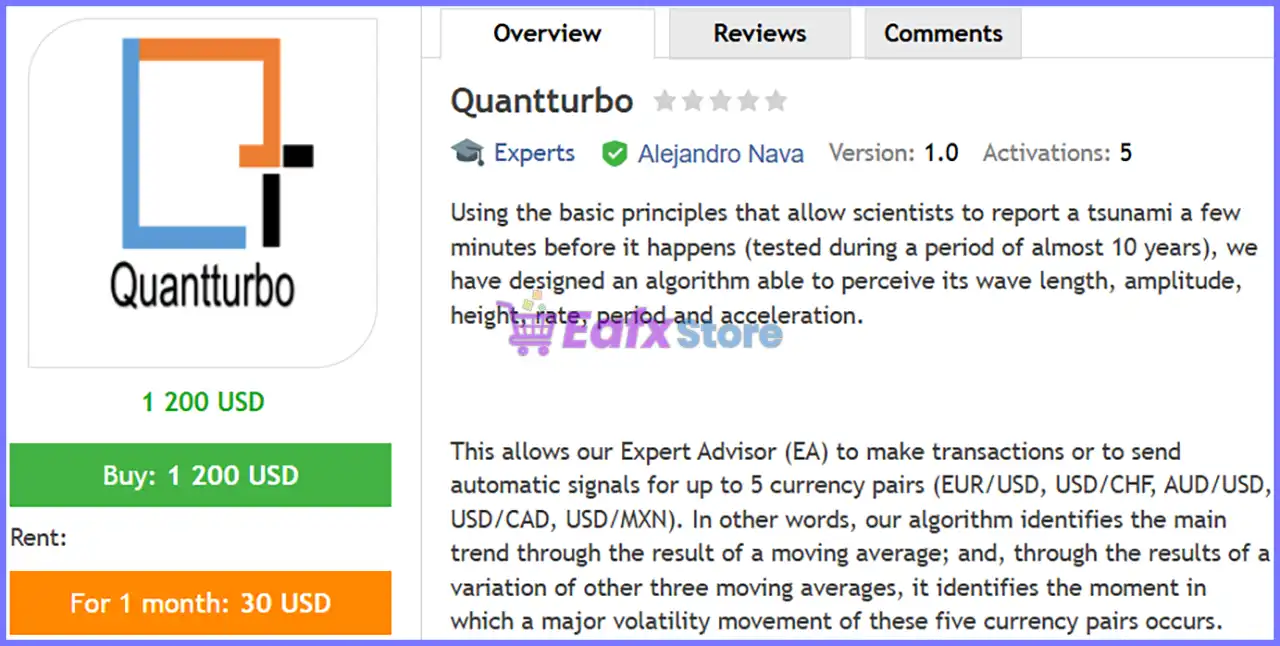
Quantturbo EA MT5 can automatically trade or generate signals for EUR/USD, USD/CHF, AUD/USD, USD/CAD, and USD/MXN using one installation.
❓ How does Quantturbo EA MT5 identify trading opportunities?
Quantturbo EA MT5 combines moving averages with volatility analysis to detect major market trends and identify high-probability trading opportunities.
❓ What trading modes are available in Quantturbo EA MT5?
Quantturbo EA MT5 offers Active, Signals, and Single Signal modes, allowing traders to automate trading or receive alerts for selected currency pairs.
❓ What is the Safe management mode in Quantturbo EA MT5?
Quantturbo EA MT5 Safe mode keeps the lot size fixed, helping traders maintain conservative risk management and consistent capital protection.
❓ How does Smart management work in Quantturbo EA MT5?
Quantturbo EA MT5 Smart mode gradually increases the lot size after every 50 completed trading cycles to balance growth with controlled risk.
❓ What is the purpose of Shark mode in Quantturbo EA MT5?
Quantturbo EA MT5 Shark mode increases lot size every 25 trading cycles, offering a more aggressive money management approach for experienced traders.
❓ What does the Lock feature do in Quantturbo EA MT5?
Quantturbo EA MT5 Lock can protect account equity by limiting drawdown, helping prevent equity from falling below predefined protection levels.
❓ Can I change the starting lot size in Quantturbo EA MT5?
Yes. Quantturbo EA MT5 lets you customize the initial lot size based on your account balance, leverage, and preferred level of trading risk.
❓ Is Quantturbo EA MT5 suitable for beginners?
Yes. Quantturbo EA MT5 uses automatic configuration with simple settings, making installation and daily operation easy for traders of all experience levels.
❓ Has Quantturbo EA MT5 been tested with real tick data?
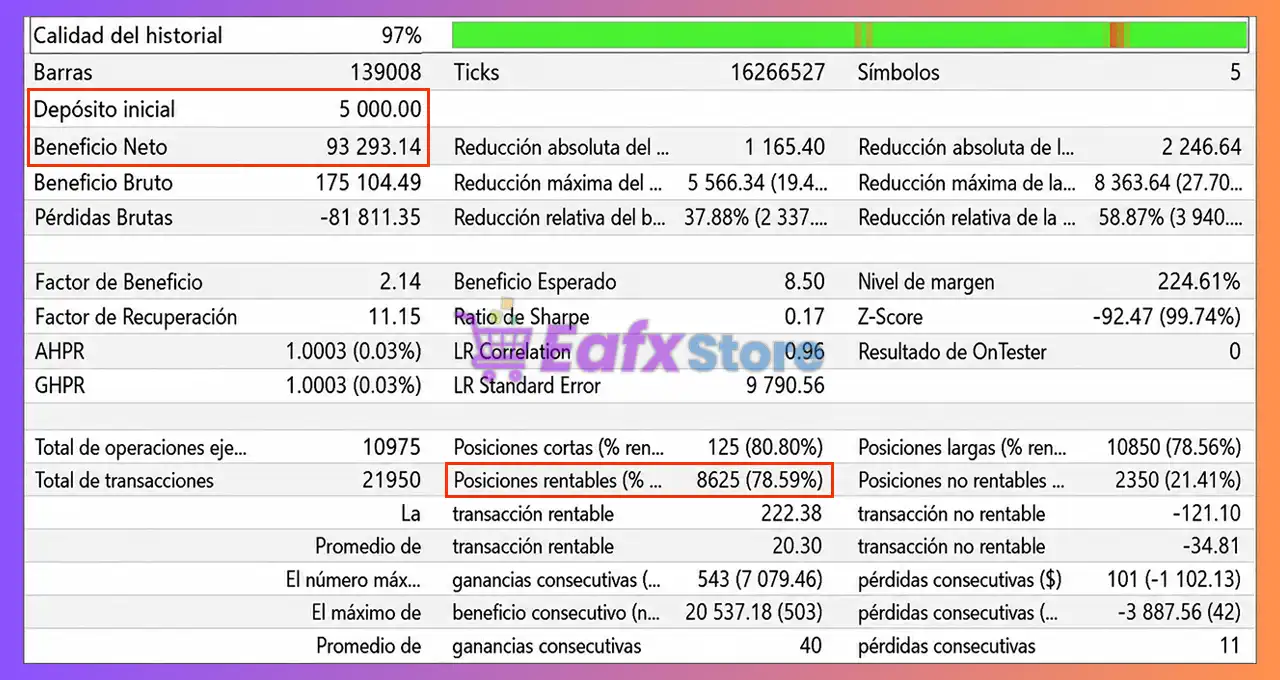
Yes. Quantturbo EA MT5 has been tested using MetaTrader 5 real tick data, providing more realistic backtesting conditions for strategy evaluation.
-
 Original price was: $500.00.$89.00Current price is: $89.00.
 -
 Original price was: $1,499.00.$199.00Current price is: $199.00.
 -
 Original price was: $3,999.00.$299.00Current price is: $299.00.
 -
 Price range: $60.00 through $599.00
-
 4
4 -
 2
2 -
 5Price range: $89.00 through $599.00
 -
 1Price range: $89.00 through $599.00
There are no reviews yet.