


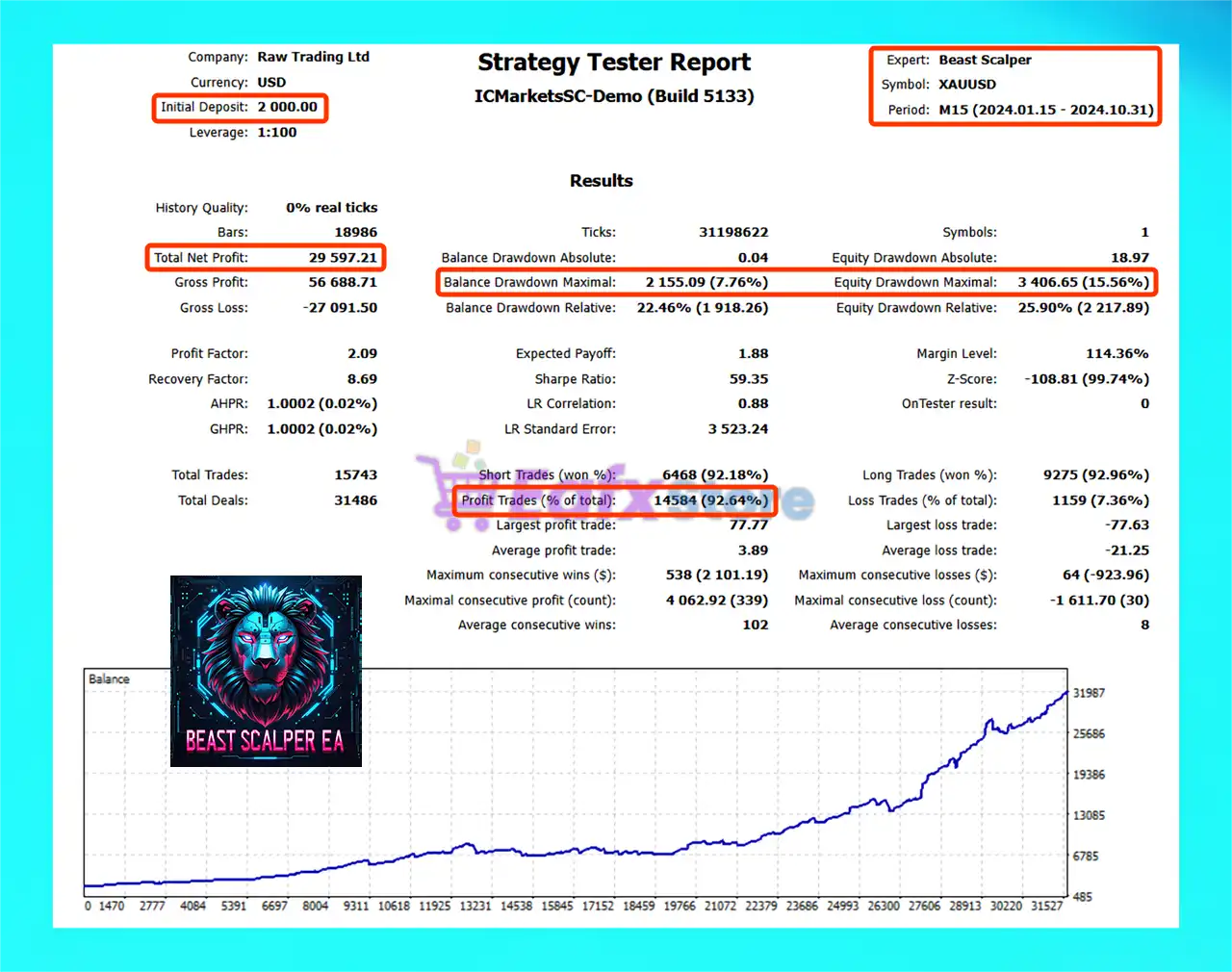
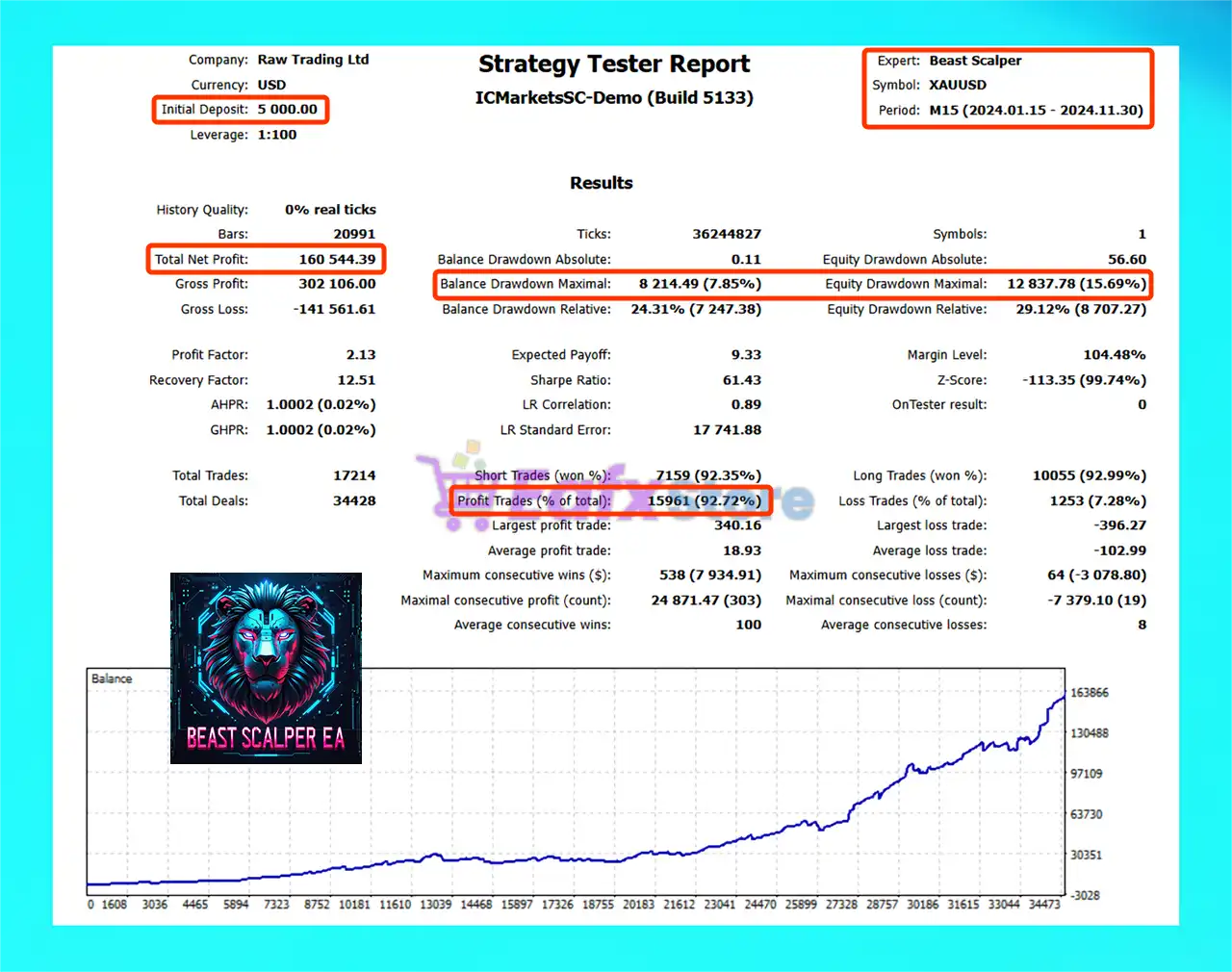
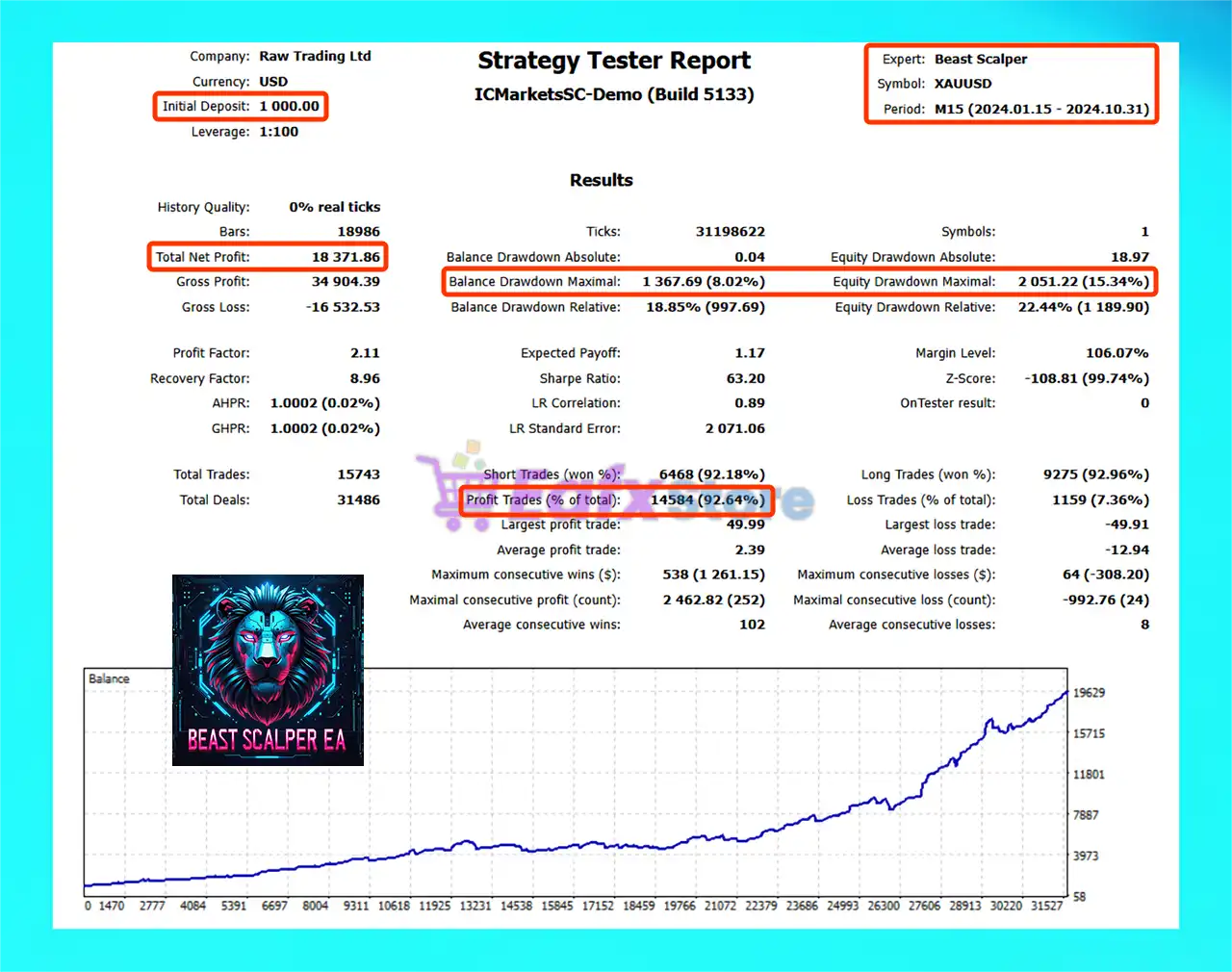
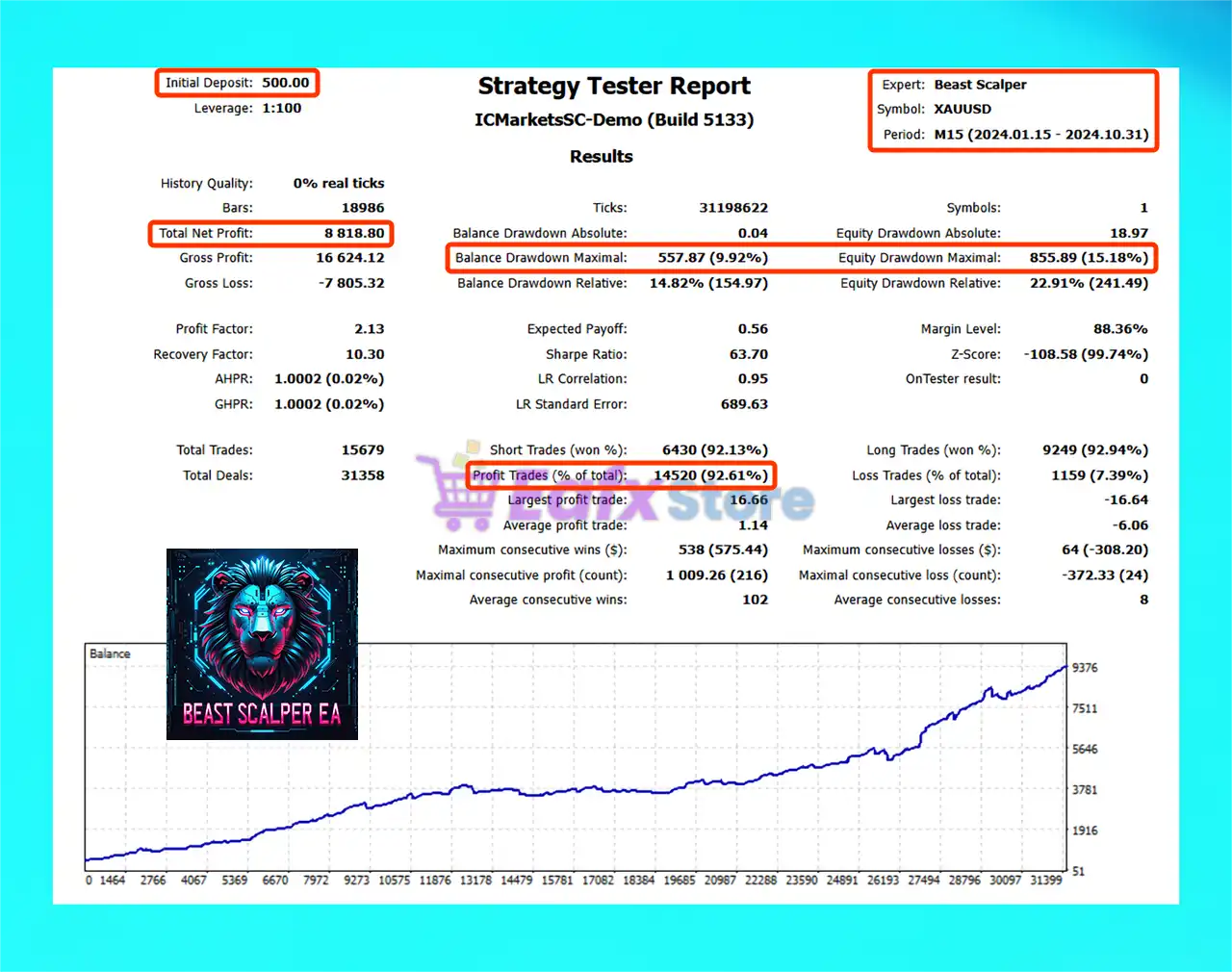
🔢 Beast Scalper EA MT5 – Complete Settings & Input Parameters Guide
Beast Scalper EA MT5 is a powerful automated Forex and multi-asset trading robot designed for MetaTrader 5 traders who want advanced scalping capabilities combined with intelligent risk management.
The EA supports Forex, Crypto, Gold, and Indices trading profiles while offering customizable trailing stops, news filters, RSI filtering, and moving average trend confirmation. Beast Scalper EA MT5 is optimized for traders seeking precision entries, controlled drawdowns, and flexible automated trading strategies.

🔢 Beast Scalper EA MT5 Settings Explained
Below are the details of the parameters in the advisor’s trading system settings table:
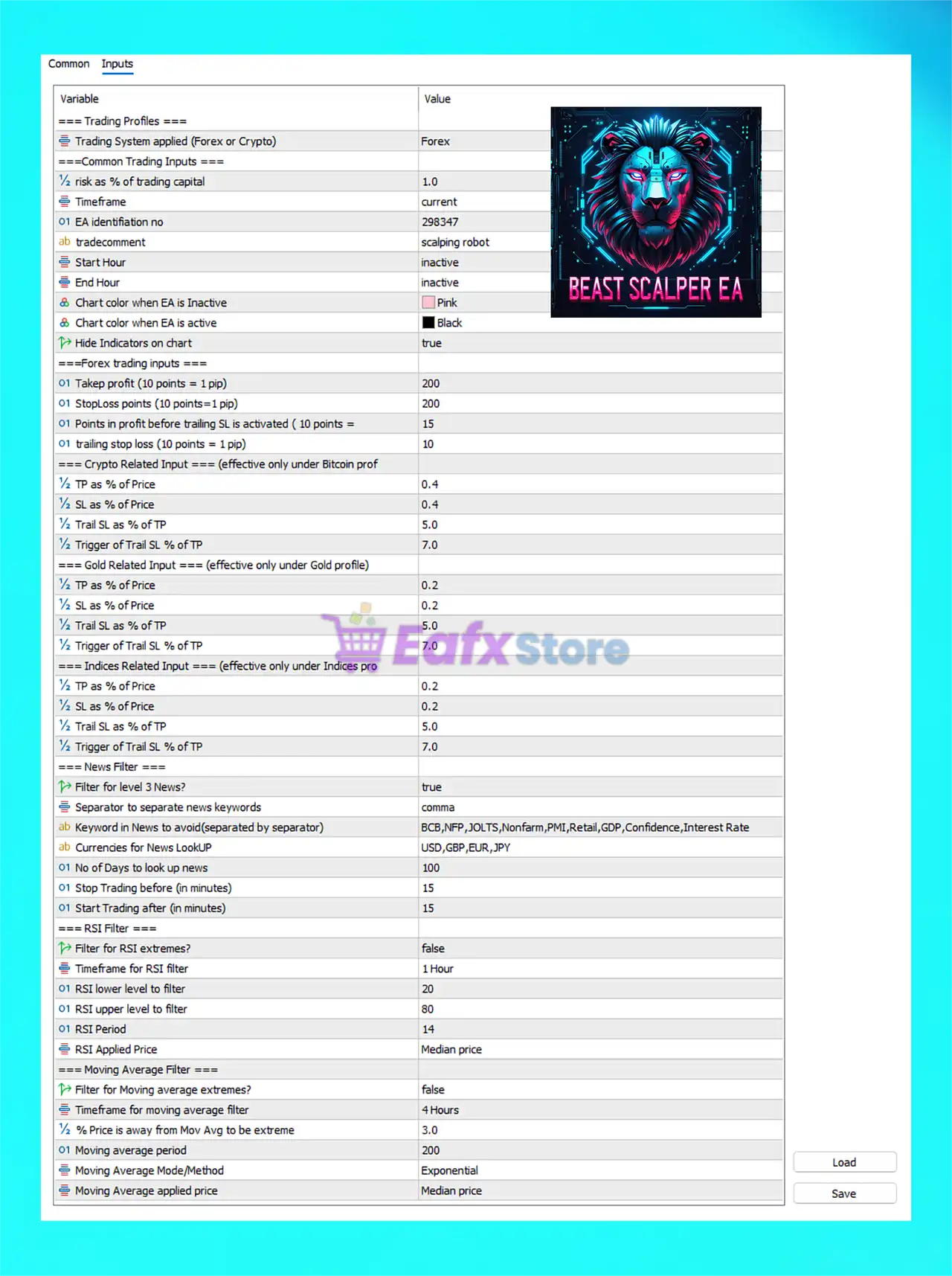
🔶 Trading Profile Settings
🔹 Trading System applied (Forex or Crypto) = Forex: Selects the active trading profile mode, currently configured for Forex.
🔶 Common Trading Inputs
🔹 risk as % of trading capital = 1.0: Risks 1.0% of trading capital per trade.
🔹 Timeframe = current: EA operates on the currently attached chart timeframe.
🔹 EA identification no = 298347: Unique Magic Number 298347 used for trade identification.
🔹 tradecomment = scalping robot: Adds the comment scalping robot to EA trades.
🔹 Start Hour = inactive: Trading session start hour filter is disabled.
🔹 End Hour = inactive: Trading session end hour filter is disabled.
🔹 Chart color when EA is Inactive = Pink: Chart background changes to Pink when EA is inactive.
🔹 Chart color when EA is active = Black: Chart background changes to Black when EA is active.
🔹 Hide Indicators on chart = true: Hides indicators from the chart for a cleaner display.
🔶 Forex Trading Inputs
🔹 Take profit (10 points = 1 pip) = 200: Forex Take Profit is set to 200 points (20 pips).
🔹 Stoploss points (10 points = 1 pip) = 200: Forex Stop Loss is configured at 200 points (20 pips).
🔹 Points in profit before trailing SL is activated (10 points = 1 pip) = 15: Trailing Stop activates after 15 points profit.
🔹 trailing stop loss (10 points = 1 pip) = 10: Trailing Stop distance is 10 points.
🔶 Crypto Related Inputs
🔹 TP as % of Price = 0.4: Crypto Take Profit equals 0.4% of market price.
🔹 SL as % of Price = 0.4: Crypto Stop Loss equals 0.4% of market price.
🔹 Trail SL as % of TP = 5.0: Trailing Stop equals 5.0% of the TP target.
🔹 Trigger of Trail SL % of TP = 7.0: Trailing activates at 7.0% of Take Profit progress.
🔶 Gold Related Inputs
🔹 TP as % of Price = 0.2: Gold Take Profit equals 0.2% of market price.
🔹 SL as % of Price = 0.2: Gold Stop Loss equals 0.2% of market price.
🔹 Trail SL as % of TP = 5.0: Gold trailing stop uses 5.0% of TP.
🔹 Trigger of Trail SL % of TP = 7.0: Gold trailing stop triggers at 7.0% TP progression.
🔶 Indices Related Inputs
🔹 TP as % of Price = 0.2: Indices Take Profit equals 0.2% of price.
🔹 SL as % of Price = 0.2: Indices Stop Loss equals 0.2% of price.
🔹 Trail SL as % of TP = 5.0: Indices trailing stop uses 5.0% of TP.
🔹 Trigger of Trail SL % of TP = 7.0: Trailing activates at 7.0% of TP progress.
🔶 News Filter Settings
🔹 Filter for level 3 News? = true: Enables filtering for high-impact Level 3 news events.
🔹 Separator to separate news keywords = comma: Uses commas to separate news keywords.
🔹 Keyword in News to avoid (separated by separator) = BCB,NFP,JOLTS,Nonfarm,PMI,Retail,GDP,Confidence,Interest Rate: Filters trading around these important economic events.
🔹 Currencies for News LookUP = USD,GBP,EUR,JPY: News filter monitors USD, GBP, EUR, and JPY.
🔹 No of Days to look up news = 100: News events are scanned 100 days ahead.
🔹 Stop Trading before (in minutes) = 15: EA stops trading 15 minutes before news events.
🔹 Start Trading after (in minutes) = 15: EA resumes trading 15 minutes after news releases.
🔶 RSI Filter Settings
🔹 Filter for RSI extremes? = false: RSI extreme filtering is disabled.
🔹 Timeframe for RSI filter = 1 Hour: RSI filter calculations use the 1 Hour timeframe.
🔹 RSI lower level to filter = 20: RSI oversold level is 20.
🔹 RSI upper level to filter = 80: RSI overbought level is 80.
🔹 RSI Period = 14: RSI indicator period is set to 14.
🔹 RSI Applied Price = Median price: RSI uses the Median price calculation method.
🔶 Moving Average Filter Settings
🔹 Filter for Moving average extremes? = false: Moving Average extreme filtering is disabled.
🔹 Timeframe for moving average filter = 4 Hours: Moving Average filter uses the H4 timeframe.
🔹 % Price is away from Mov Avg to be extreme = 3.0: Price is considered extreme if it moves 3.0% away from the MA.
🔹 Moving average period = 200: Moving Average period is 200.
🔹 Moving Average Mode/Method = Exponential: Uses the Exponential Moving Average (EMA) method.
🔹 Moving Average applied price = Median price: EMA calculations use the Median price.
🔢 Conclusion
Beast Scalper EA MT5 is a versatile and highly configurable automated trading system designed for Forex, Crypto, Gold, and Indices trading. With advanced risk management, customizable news filtering, RSI and Moving Average trend filters, and dynamic trailing stop systems, the EA provides traders with a professional-grade scalping solution. Its flexible settings make it suitable for both conservative and aggressive trading strategies.
🔢 FAQs
❓ What is Beast Scalper EA MT5?
Beast Scalper EA MT5 is an automated MetaTrader 5 trading robot designed for scalping Forex, Crypto, Gold, and Indices markets.
❓ Does Beast Scalper EA MT5 support news filtering?
Yes, the EA includes advanced high-impact news filtering with customizable keywords and currency monitoring.
❓ Can Beast Scalper EA MT5 trade cryptocurrencies?
Yes, the EA includes dedicated Crypto trading settings with percentage-based TP and SL calculations.
❓ What timeframe works best for Beast Scalper EA MT5?
The EA works on the current chart timeframe, while RSI and EMA filters internally use H1 and H4.
❓ Is Beast Scalper EA MT5 suitable for risk-controlled trading?
Yes, the EA includes percentage-based risk management, trailing stops, and multiple trade filters for improved safety.



