






Bonnitta EA MT5 (Latest version) - Unlimited

Subscriptions for Special Plan
- 30 EA package is more economical!
- Special package with 99%
- Download 1 EA/Day

Subscriptions for Premium Membership
- Download Unlimited in 1 Year
- Get 100% Discount
- Get free access to all

Subscriptions for Gold Membership
- 1 Year Membership
- Get 100% Discount
- Access EA+Indicator+Course
Frequently bought together 🎁
Add these products to enhance your purchase



What is Bonnitta EA MT5?
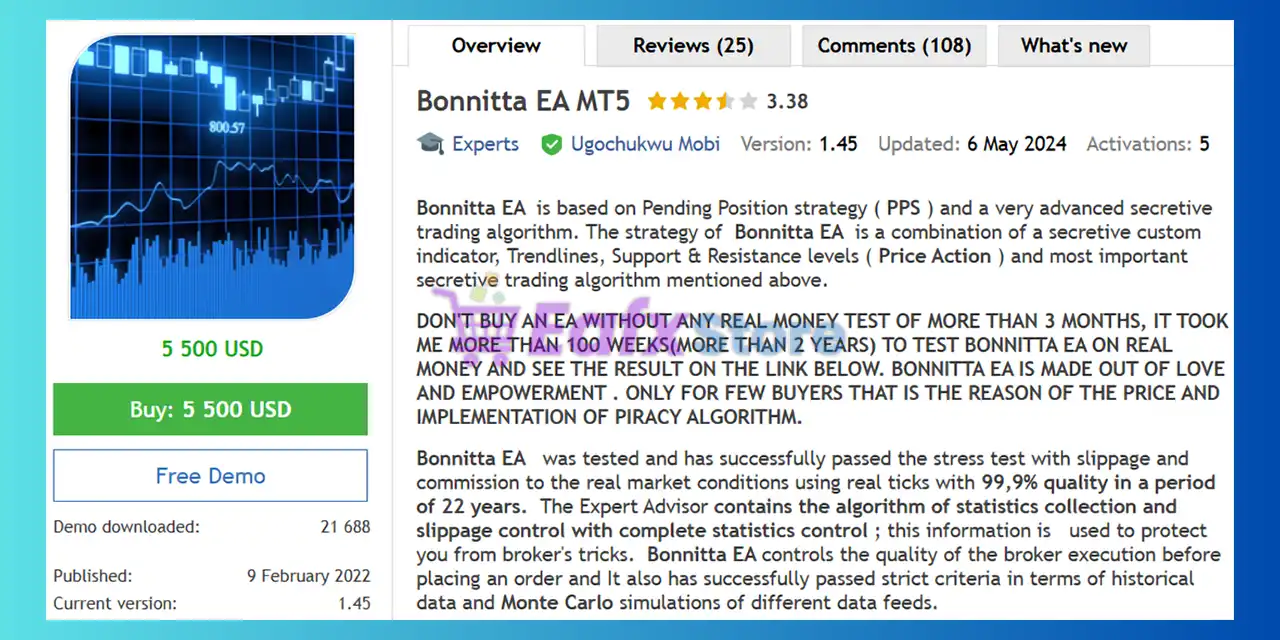
Bonnitta EA MT5 is an advanced Expert Advisor (EA) designed for automated trading using pending order logic and structured price analysis. The system combines custom indicators, trendlines, and support–resistance levels to detect high-probability market opportunities. Built for stability and adaptability, it focuses on disciplined execution, risk management and automated decision-making.
 Vendor Website: Click here
About the Author
This product is compiled by Ugochukwu Mobi. This author has more than +7 years of experience working on MQL5 with many famous products such as Bonnitta EA MT5, Bonnitta Gold MT5, Finvesting EA MT5, AI Nodiurnal EA MT5, Marvelous EA MT5 and other advisors. Among them, Bonnitta EA MT5 is his best performing products.
Delivery time 24h-48h after payment.
Refund if not delivered.
You will receive the current version without any limitations (ID+Time).
Why use Bonnitta EA MT5?
🔹 Structured Automated Trading Framework: Designed for disciplined execution and controlled risk exposure.
🔹 Multi-Pair Trading Flexibility: Enables diversified strategies across several major currency pairs.
🔹 Robust Execution Quality Control: Built-in monitoring helps avoid poor broker execution conditions.
🔹 Adaptive Strategy for Changing Markets: Combines multiple technical analysis approaches.
🔹 Marketplace-Ready Automated EA: Suitable for traders seeking stable algorithmic trading solutions.
Key Features of Bonnitta EA MT5
🔹 Pending Position Strategy Engine: Uses pending orders to capture price movements around key market levels.
🔹 Multi-Currency One-Chart Trading System: Allows trading several currency pairs simultaneously from a single chart.
🔹 Integrated News Filter Protection: Avoids trading during high-impact news to reduce unexpected volatility.
🔹 Execution Quality Monitoring System: Analyzes broker execution conditions before placing orders.
🔹 Automatic Time Synchronization Logic: Auto GMT adjustment ensures accurate trading session timing.
Bonnitta EA MT5 Review
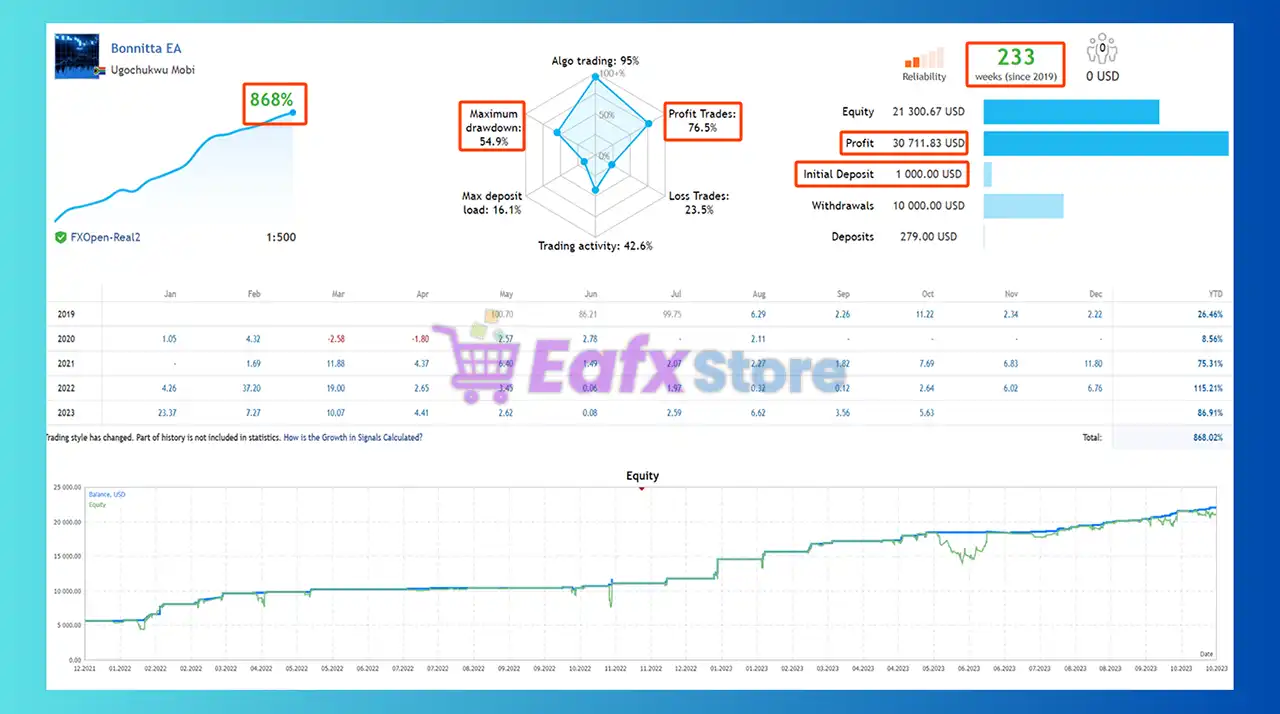
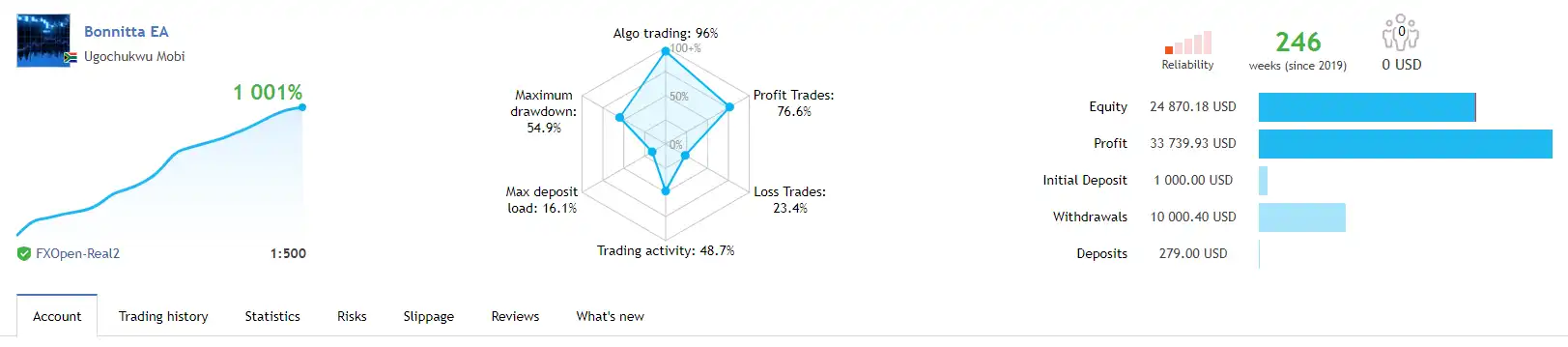
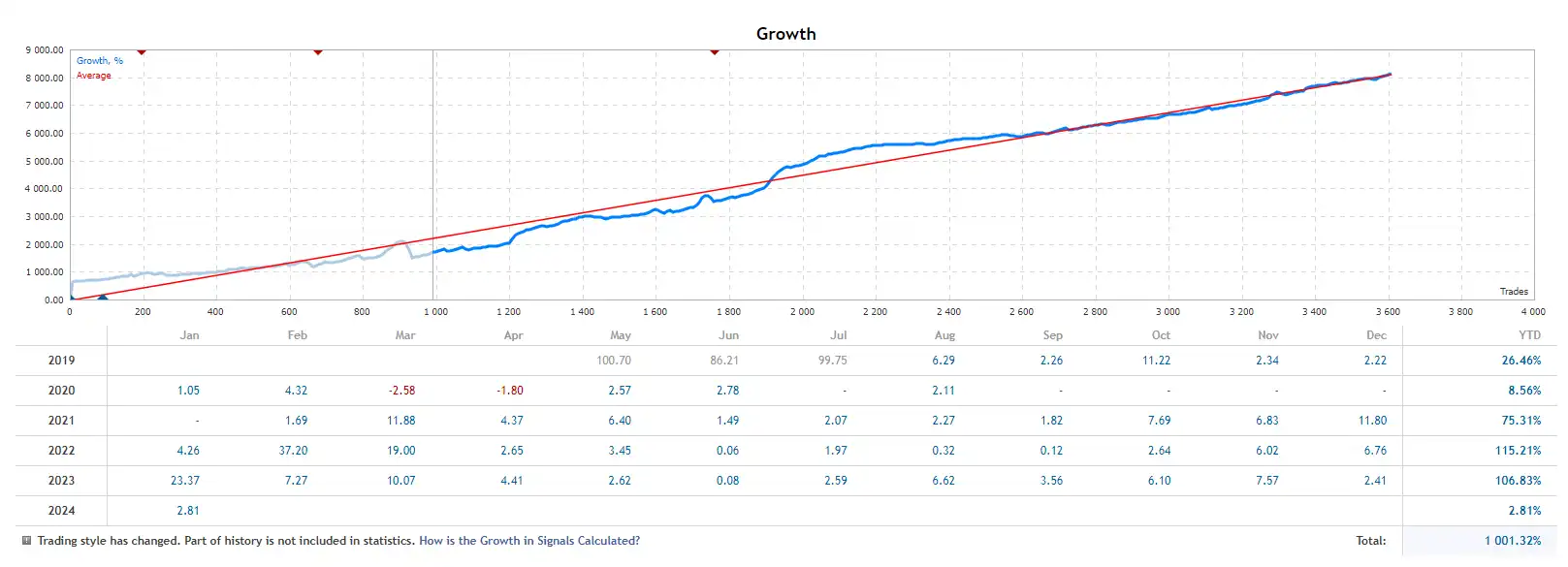
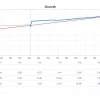
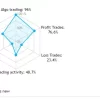
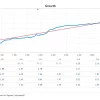
The Bonnitta EA MT5 achieved impressive profit performance when trading with EURUSD, EURCHF, EURGBP pair. Trading results on real account for 233 consecutive weeks of trading:
✅ Initial Deposit: $1,000
✅ Growth Rate: +868%
✅ Win Rate (% of total): 76.5%
✅ Maximum Drawdown: 54.9%
Bonnitta EA MT5 Signal Results
What is the Bonnitta EA MT5 trading strategy?
🔹 Price Action and Trendline Analysis Model: Uses Support & Resistance and Trendlines to identify entry zones.
🔹 Custom Indicator Signal Detection: Proprietary indicators help confirm momentum and price direction.
🔹 Pending Order Breakout Framework: Positions activate when price reaches predefined market levels.
🔹 Market Volatility and News Filtering: Filters unstable periods to maintain consistent strategy behavior.
🔹 Statistical Execution Monitoring Logic: Uses collected data to optimize order placement conditions.
Trading Specifications
Recommended settings and parameters to pay attention to from developers and experts:
| Features | Type |
|---|---|
| Trading platform | MetaTrader 5 (MT5) |
| Minimum / Recommended deposit | $1,000 (0.01 and 3 Pairs and Trading 2 pairs at same time) |
| Minimum / Recommended leverage | 1:50+ |
| Currency pairs | EURUSD, EURCHF, EURGBP |
| Time frames | H1 (60 minute chart) |
| Product type | Original version |
| Additional services | Unlock and Decompile |
| Recommended brokers | Exness Broker, Icmarkets Broker |
| Recommended VPS | MyfxVPS.com ( Blue VPS, Golden VPS). Lowest Latency, 2 week Free Trial, 100% Free for 12-18 Months. |
What’s in the package?
The download package of the product suite includes:
✅ Experts: Bonnitta EA MT5.ex5
➡️ Reviewed by David Easton
Conclusion
In short, Bonnitta EA MT5 stands out as a powerful and time-tested expert advisor built for traders seeking consistent, long-term results in the forex market. Developed by Ugochukwu Mobi, this EA combines a proprietary Pending Position Strategy (PPS), trendlines, support and resistance levels, and a secretive algorithm to deliver precision trading on EURUSD, EURCHF and EURGBP pairs.
🔢 Bonnitta EA MT5 – Complete Settings & Parameters Guide
Bonnitta EA MT5 is an automated multi-symbol trading robot for MetaTrader 5 that combines flexible money management, advanced trade filtering, trailing stop functionality and integrated news protection.
The EA supports automatic lot sizing, multi-timeframe analysis, and customizable risk controls, making it suitable for traders seeking a structured and scalable trading approach.
Bonnitta EA MT5 Settings
🔢 Bonnitta EA MT5 Settings Explained
Below are the details of the parameters in the advisor’s trading system settings table:
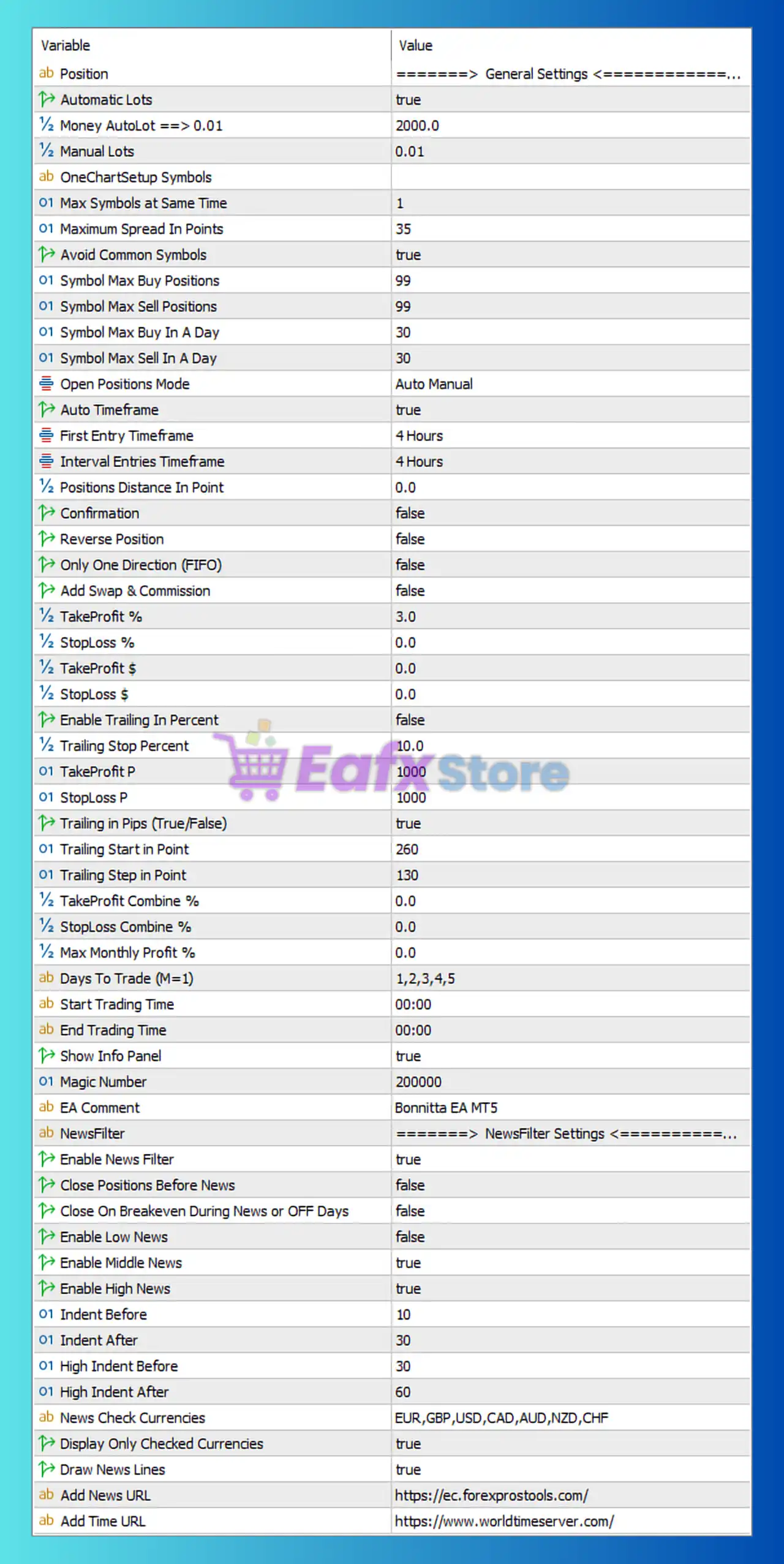
Bonnitta EA MT5 Settings Panel
🔶 General Settings
🔹 Position = General Settings — Main section containing the core trading and money management parameters.
🔹 Automatic Lots = true — Enables automatic lot size calculation based on account balance.
🔹 Money AutoLot => 0.01 = 2000.0 — The EA opens 0.01 lots for every 2000.0 units of account balance when AutoLot is enabled.
🔹 Manual Lots = 0.01 — Fixed lot size used when Automatic Lots is disabled.
🔶 OneChart Setup Symbols
🔹 Max Symbols at Same Time = 1 — Limits the EA to trading only 1 symbol simultaneously.
🔹 Maximum Spread In Points = 35 — The maximum allowed spread is 35 points before trade execution is blocked.
🔹 Avoid Common Symbols = true — Prevents trading correlated or duplicate symbol combinations.
🔹 Symbol Max Buy Positions = 99 — Maximum number of buy positions allowed per symbol is 99.
🔹 Symbol Max Sell Positions = 99 — Maximum number of sell positions allowed per symbol is 99.
🔹 Symbol Max Buy In A Day = 30 — Limits buy entries to 30 trades per day per symbol.
🔹 Symbol Max Sell In A Day = 30 — Limits sell entries to 30 trades per day per symbol.
🔶 Trading Logic Settings
🔹 Open Positions Mode = Auto Manual — Allows the EA to manage both automatic and manual trade entries.
🔹 Auto Timeframe = true — Automatically selects the operational timeframe.
🔹 First Entry Timeframe = 4 Hours — Initial trade signals are generated from the H4 timeframe.
🔹 Interval Entries Timeframe = 4 Hours — Additional entries are evaluated using the H4 timeframe.
🔹 Positions Distance In Point = 0.0 — No minimum point distance is required between positions.
🔹 Confirmation = false — Additional confirmation filters are disabled.
🔹 Reverse Position = false — Reverse trading mode is disabled.
🔹 Only One Direction (FIFO) = false — Buy and sell positions can coexist simultaneously.
🔹 Add Swap & Commission = false — Swap and commission costs are not included in calculations.
🔶 Profit & Loss Management
🔹 TakeProfit % = 3.0 — Basket profit target is set to 3.0% of account value.
🔹 StopLoss % = 0.0 — Percentage-based stop loss is disabled.
🔹 TakeProfit $ = 0.0 — Dollar-based take profit is disabled.
🔹 StopLoss $ = 0.0 — Dollar-based stop loss is disabled.
🔹 Enable Trailing In Percent = false — Percentage trailing stop is disabled.
🔹 Trailing Stop Percent = 10.0 — Trailing percentage level is set to 10.0 if activated.
🔹 TakeProfit P = 1000 — Fixed take profit target equals 1000 points.
🔹 StopLoss P = 1000 — Fixed stop loss level equals 1000 points.
🔶 Trailing Stop Settings
🔹 Trailing in Pips (true/False) = true — Trailing stop operates using pip values.
🔹 Trailing Start in Point = 260 — Trailing begins after 260 points of profit.
🔹 Trailing Step in Point = 130 — Stop loss advances every 130 points of favorable movement.
🔶 Basket Management
🔹 TakeProfit Combine % = 0.0 — Combined basket take profit percentage is disabled.
🔹 StopLoss Combine % = 0.0 — Combined basket stop loss percentage is disabled.
🔹 Max Monthly Profit % = 0.0 — Monthly profit limitation is disabled.
🔶 Trading Schedule
🔹 Days To Trade (M=1) = 1,2,3,4,5 — Trading is allowed Monday through Friday.
🔹 Start Trading Time = 00:00 — Trading begins at 00:00 server time.
🔹 End Trading Time = 00:00 — No specific trading end restriction is applied.
🔶 Interface Settings
🔹 Show Info Panel = true — Displays the EA information panel directly on the chart.
🔹 Magic Number = 200000 — Unique identifier assigned to all Bonnitta EA trades.
🔹 EA Comment = Bonnitta EA MT5 — Custom comment attached to all orders opened by the EA.
🔶 News Filter Settings
🔹 Enable News Filter = true — Activates the built-in economic news protection system.
🔹 Close Positions Before News = false — Existing trades remain open before major news releases.
🔹 Close On Breakeven During News or OFF Days = false — Breakeven closure during news events is disabled.
🔹 Enable Low News = false — Low-impact economic events are ignored.
🔹 Enable Middle News = true — Medium-impact news events are filtered.
🔹 Enable High News = true — High-impact news events are filtered.
🔹 Indent Before = 10 — Trading pauses 10 minutes before medium-impact news.
🔹 Indent After = 30 — Trading resumes 30 minutes after medium-impact news.
🔹 High Indent Before = 30 — Trading pauses 30 minutes before high-impact news.
🔹 High Indent After = 60 — Trading resumes 60 minutes after high-impact news.
🔹 News Check Currencies = EUR,GBP,USD,CAD,AUD,NZD,CHF — Monitored currencies for economic news events.
🔹 Display Only Checked Currencies = true — Displays only selected currencies in the news panel.
🔹 Draw News Lines = true — News event markers are displayed on the chart.
🔹 Add News URL = https://ec.forexprostools.com/ — Data source used for economic calendar events.
🔹 Add Time URL = https://www.worldtimeserver.com/ — Time synchronization source used by the EA.
🔢 Conclusion
Bonnitta EA MT5 is a comprehensive multi-symbol trading system featuring automatic lot sizing, H4-based trade analysis, advanced trailing stop management, basket profit controls and a powerful economic news filter.
With support for both manual and automated trading modes, flexible risk management, and extensive news protection settings, it provides traders with a robust framework for managing positions while adapting to changing market conditions.
🔢 FAQs
❓ What timeframe does Bonnitta EA MT5 use for trading decisions?
The EA uses the 4 Hours (H4) timeframe for both first entries and interval entries.
❓ How does the AutoLot feature work?
When enabled, the EA calculates 0.01 lots for every 2000.0 units of account balance.
❓ Can Bonnitta EA MT5 trade multiple symbols simultaneously?
The current configuration allows only 1 symbol at the same time.
❓ Does Bonnitta EA MT5 include news protection?
Yes, it includes a built-in news filter supporting EUR, GBP, USD, CAD, AUD, NZD, and CHF economic events.
❓ What is the Magic Number used in this setup?
The EA uses Magic Number 200000 to uniquely identify and manage its own trades.
User Reviews
Only logged in customers who have purchased this product may leave a review.
What trading strategy does Bonnitta EA MT5 use?
Bonnitta EA MT5 uses a proprietary strategy based on a Pending Position Strategy (PPS) combined with a secretive algorithm, custom indicators, Trendlines, and Price Action levels like Support and Resistance.
Which currency pairs and timeframes are supported?
The Bonnitta EA MT5 is optimized for EURUSD, EURCHF, and EURGBP on the H1 (1-hour) timeframe.
What is the recommended minimum deposit and trading setup?
A recommended minimum deposit is $1,000, with 0.01 lot size while trading 2 out of 3 supported pairs at the same time for optimal performance.
Is Bonnitta EA MT5 compatible with all brokers?
While it works with most brokers, the EA includes slippage control and broker execution quality monitoring, so choosing a reliable, low-spread broker is recommended.
How does the Bonnitta EA MT5 handle risk management?
It features automatic money management, supports news filtering, and includes adjustable risk controls to minimize drawdown (which was 28% in testing).
Can I backtest the Bonnitta EA MT5 before purchasing?
Yes. A free demo version is available for download, but it can only be tested on a PC, not on mobile devices.
Does it trade 24/7 automatically?
Yes. Bonnitta EA MT5 is a fully automated system capable of running 24/7 without manual intervention, making it suitable for passive trading.
How was the Bonnitta EA MT5 tested and what were the results?
It passed a 22-year backtest using real tick data with 99.9% modeling quality, producing a net profit of $3.8 million from a $1,000 initial deposit between Jan 2020 and May 2021.
What platform is Bonnitta EA MT5 compatible with?
It is developed exclusively for MetaTrader 5 (MT5) and leverages MT5’s advanced features. Versions for MT4 and Gold trading are also available separately.
-
 Original price was: $2,000.00.$199.00Current price is: $199.00.
 -
 Original price was: $30,000.00.$599.00Current price is: $599.00.
 -
 Original price was: $3,750.00.$599.00Current price is: $599.00.
 -
 Original price was: $30,000.00.$599.00Current price is: $599.00.
-
 4Original price was: $499.00.$249.00Current price is: $249.00.
 -
 0Original price was: $1,299.00.$249.00Current price is: $249.00.
 -
 0Original price was: $1,299.00.$249.00Current price is: $249.00.
 -
 0Original price was: $2,288.00.$249.00Current price is: $249.00.
There are no reviews yet.