


FortiFx EA MT4 Settings Explained – Complete Trading Configuration Guide
FortiFx EA is an automated Forex trading Expert Advisor (EA) designed for MetaTrader 4 traders who want structured money management, pending order execution, trailing stop automation and controlled trading sessions.
The EA includes customizable risk settings, spread protection, pending order expiration controls, and trading day filters to help traders optimize performance while managing exposure effectively.

FortiFx EA MT4 Full Settings Explanation
Below are the details of the parameters in the advisor’s trading system settings table:
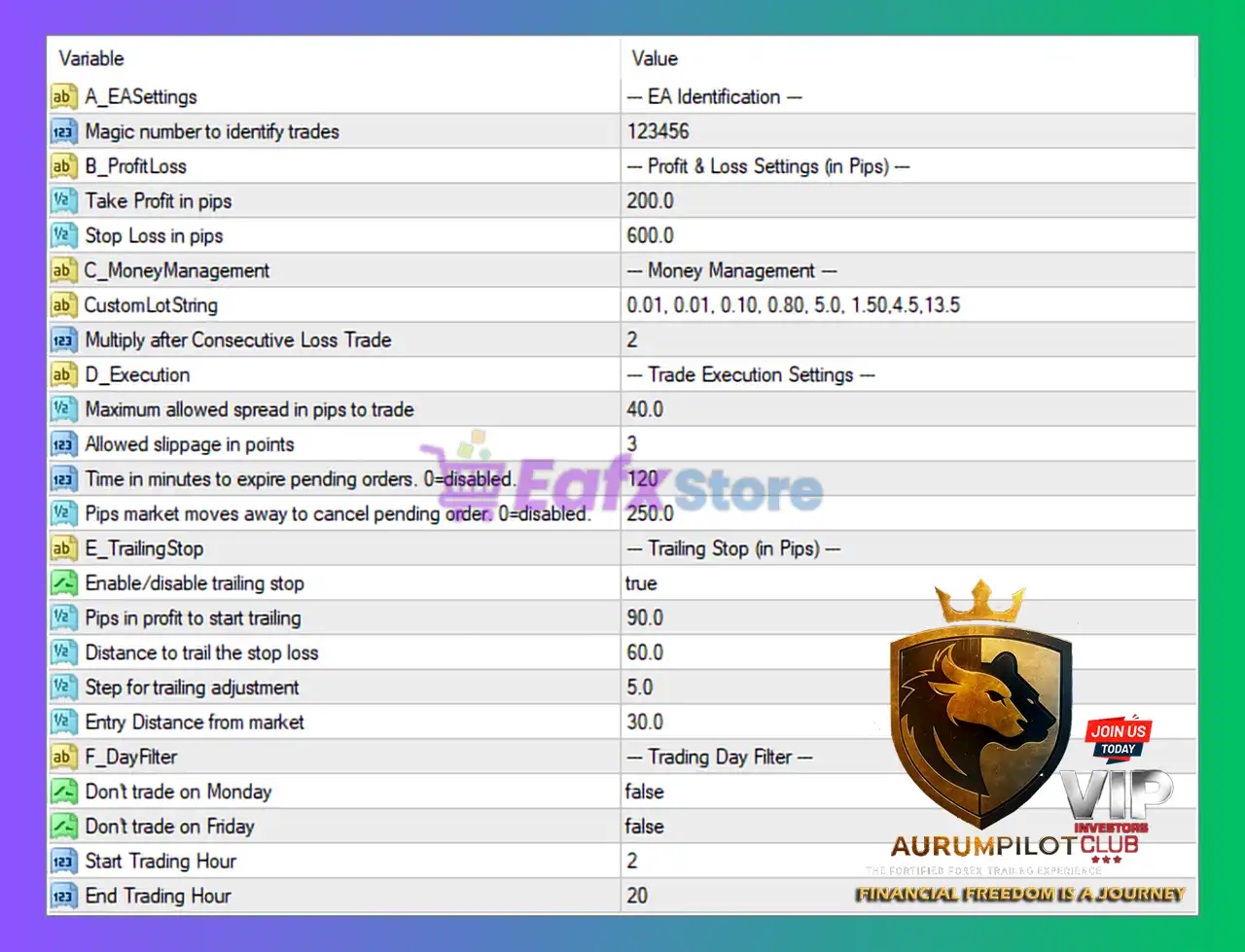
EA Identification Settings
🔹 Magic number to identify trades = 123456: Unique Magic Number used by the EA to identify and manage its own trading positions.
Profit & Loss Settings (in Pips)
🔹 Take Profit in pips = 200.0: Sets the Take Profit target at 200.0 pips for each trade.
🔹 Stop Loss in pips = 600.0: Defines the Stop Loss protection level at 600.0 pips.
Money Management Settings
🔹 CustomLotString = 0.01, 0.01, 0.10, 0.80, 5.0, 1.50, 4.5, 13.5: Custom lot progression sequence used for dynamic trade sizing.
🔹 Multiply after Consecutive Loss Trade = 2: Multiplies the lot size by 2 after consecutive losing trades.
Trade Execution Settings
🔹 Maximum allowed spread in pips to trade = 40.0: Prevents new trades if the market spread exceeds 40.0 pips.
🔹 Allowed slippage in points = 3: Maximum acceptable slippage during order execution is 3 points.
🔹 Time in minutes to expire pending orders, 0-disabled = 120: Pending orders automatically expire after 120 minutes.
🔹 Pips market moves away to cancel pending order, 0-disabled = 250.0: Cancels pending orders if price moves 250.0 pips away from the original setup.
Trailing Stop Settings (in Pips)
🔹 Enable/disable trailing stop = true: Activates the trailing stop management system.
🔹 Pips in profit to start trailing = 90.0: Trailing stop activates once profit reaches 90.0 pips.
🔹 Distance to trail the stop loss = 60.0: Stop Loss trails price at a distance of 60.0 pips.
🔹 Step for trailing adjustment = 5.0: Trailing Stop adjusts every 5.0 pips.
🔹 Entry Distance from market = 30.0: Sets pending order entry distance at 30.0 pips from current market price.
Trading Day Filter Settings
🔹 Don’t trade on Monday = false: Trading is allowed on Monday.
🔹 Don’t trade on Friday = false: Trading is allowed on Friday.
🔹 Start Trading Hour = 2: Trading session starts at 02:00.
🔹 End Trading Hour = 20: Trading session ends at 20:00.
Conclusion
FortiFx EA MT4 provides a balanced combination of automated trade execution, risk management, trailing stop automation and trading session control.
With customizable lot progression, spread filtering, pending order expiration, and dynamic trailing features, this EA is suitable for traders looking for disciplined automated trading strategies on MetaTrader 4.
Its structured configuration allows both conservative and aggressive trading styles depending on user preferences.
FAQs
❓ What is FortiFx EA MT4?
FortiFx EA MT4 is an automated Forex trading Expert Advisor for MetaTrader 4 that includes trailing stop systems, money management tools, and pending order execution features.
❓ Does FortiFx EA MT4 include trailing stop functionality?
Yes, the EA includes a fully customizable trailing stop system with activation, distance, and step controls.
❓ Can FortiFx EA MT4 control trading hours?
Yes, traders can define custom trading sessions using Start Trading Hour and End Trading Hour settings.
❓ How does FortiFx EA MT4 manage risk?
The EA uses Stop Loss, Take Profit, spread filters, slippage controls, and dynamic lot multiplication after losses.
❓ Can pending orders expire automatically in FortiFx EA MT4?
Yes, pending orders can automatically expire after 120 minutes or be canceled when price moves 250.0 pips away.


