


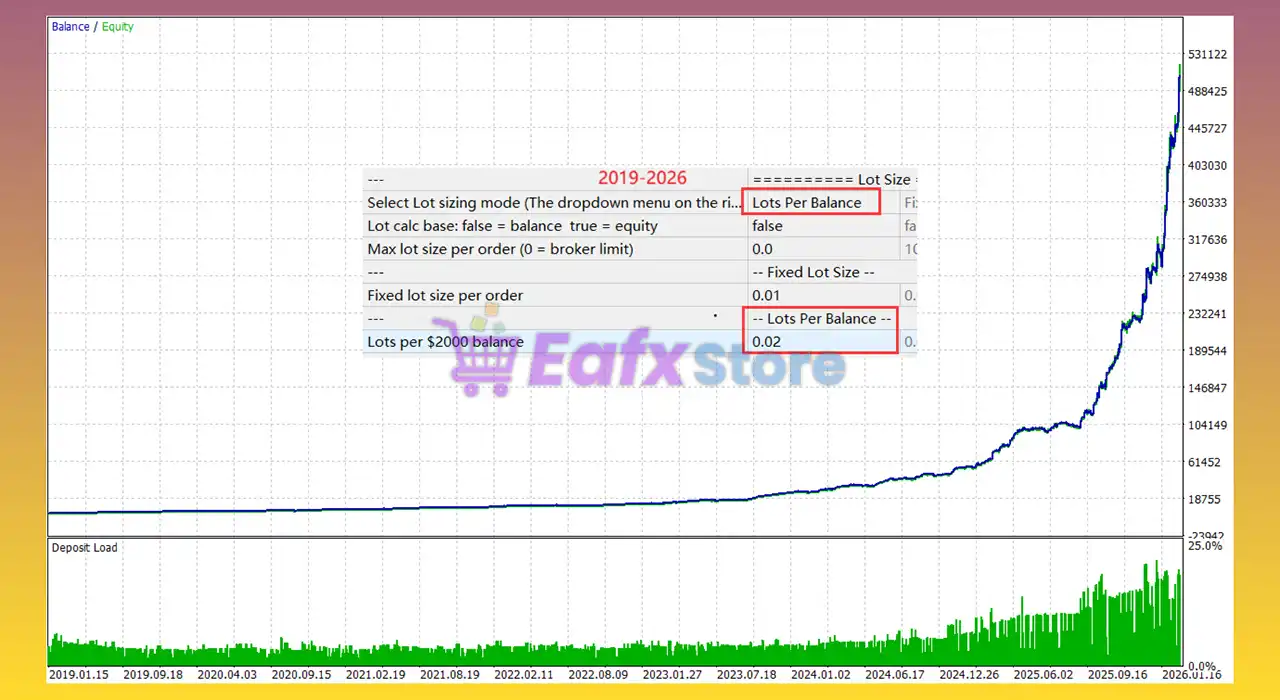
Gold House MT5 – Complete Settings Guide & Explanation
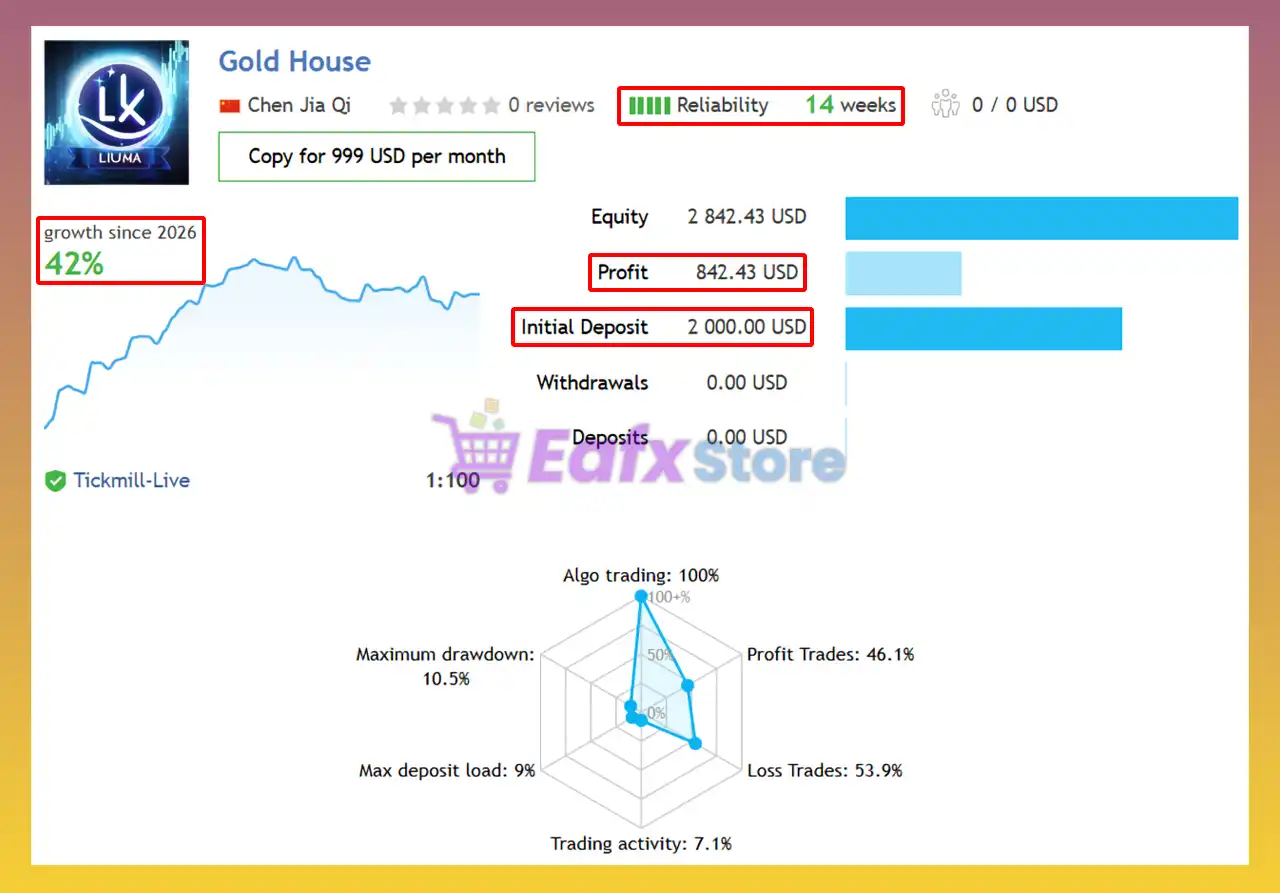
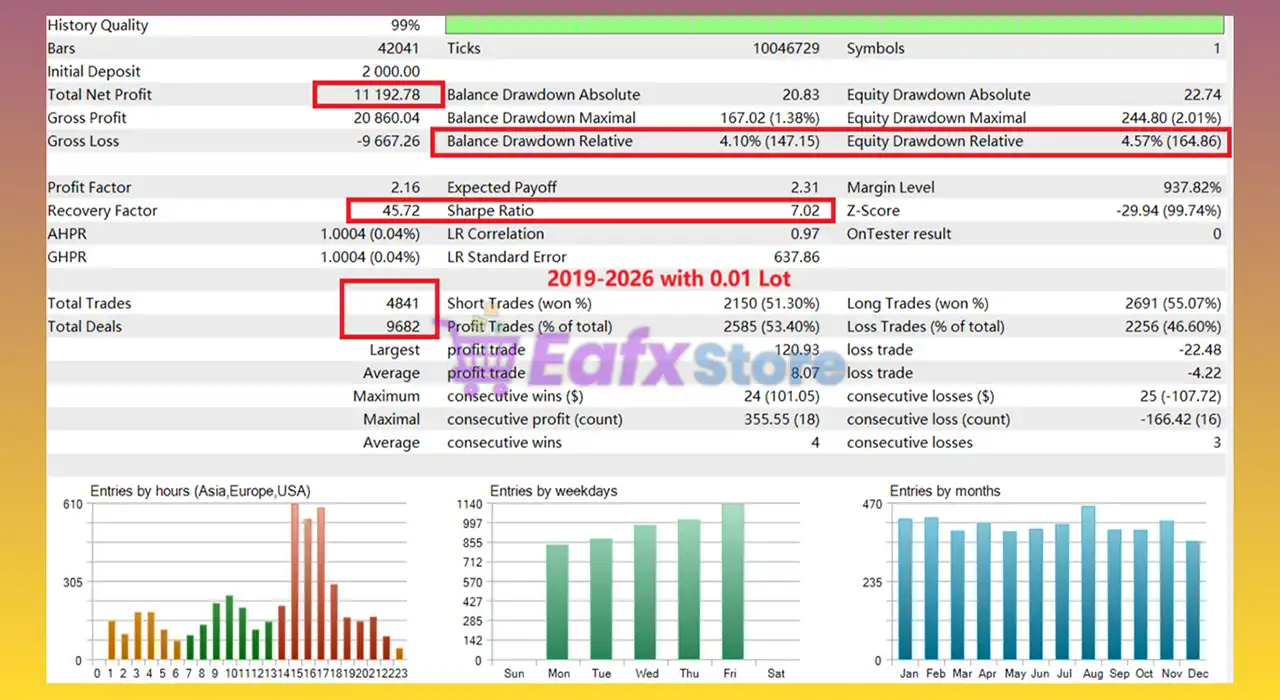
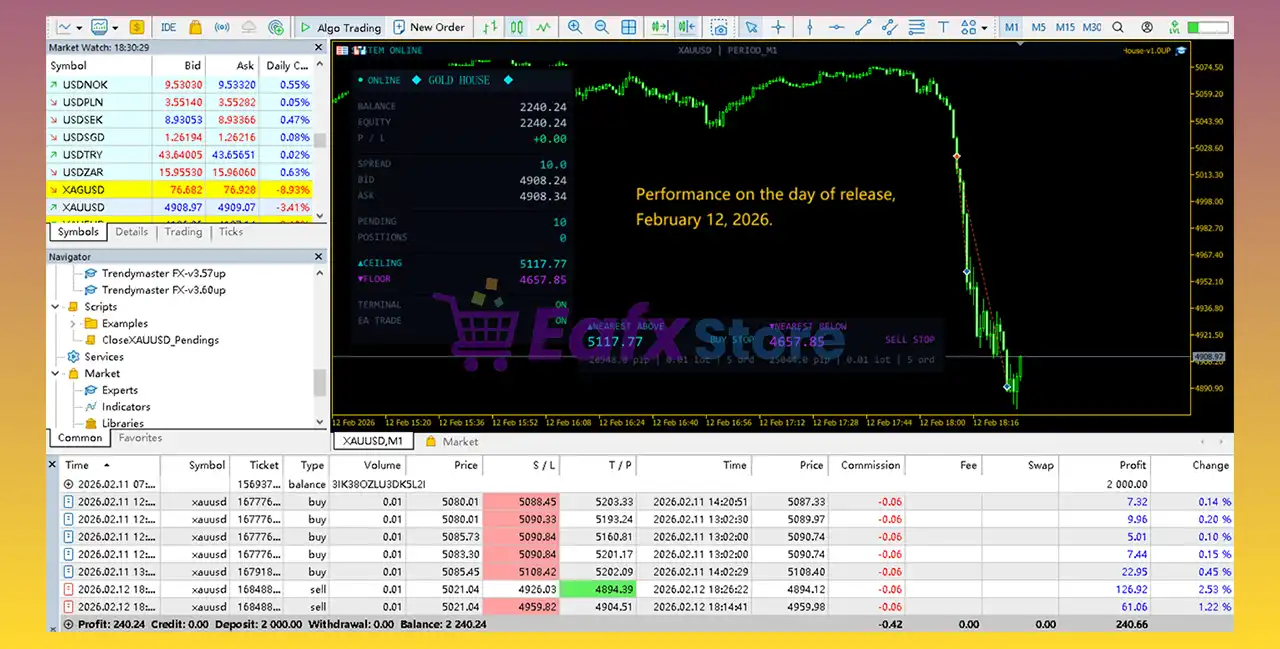
Gold House MT5 is an advanced automated trading Expert Advisor (EA) developed for the MetaTrader 5 platform, primarily optimized for Gold trading and multi-strategy execution.
The EA integrates multiple trading strategies, dynamic lot management, drawdown protection, weekend safety controls and news filtering features.
With flexible money management modes and built-in capital protection tools, Gold House MT5 is designed to help traders automate their trading operations while maintaining strong risk control.

Installation Panel Parameters
Below are the details of the parameters in the advisor’s trading system settings table:
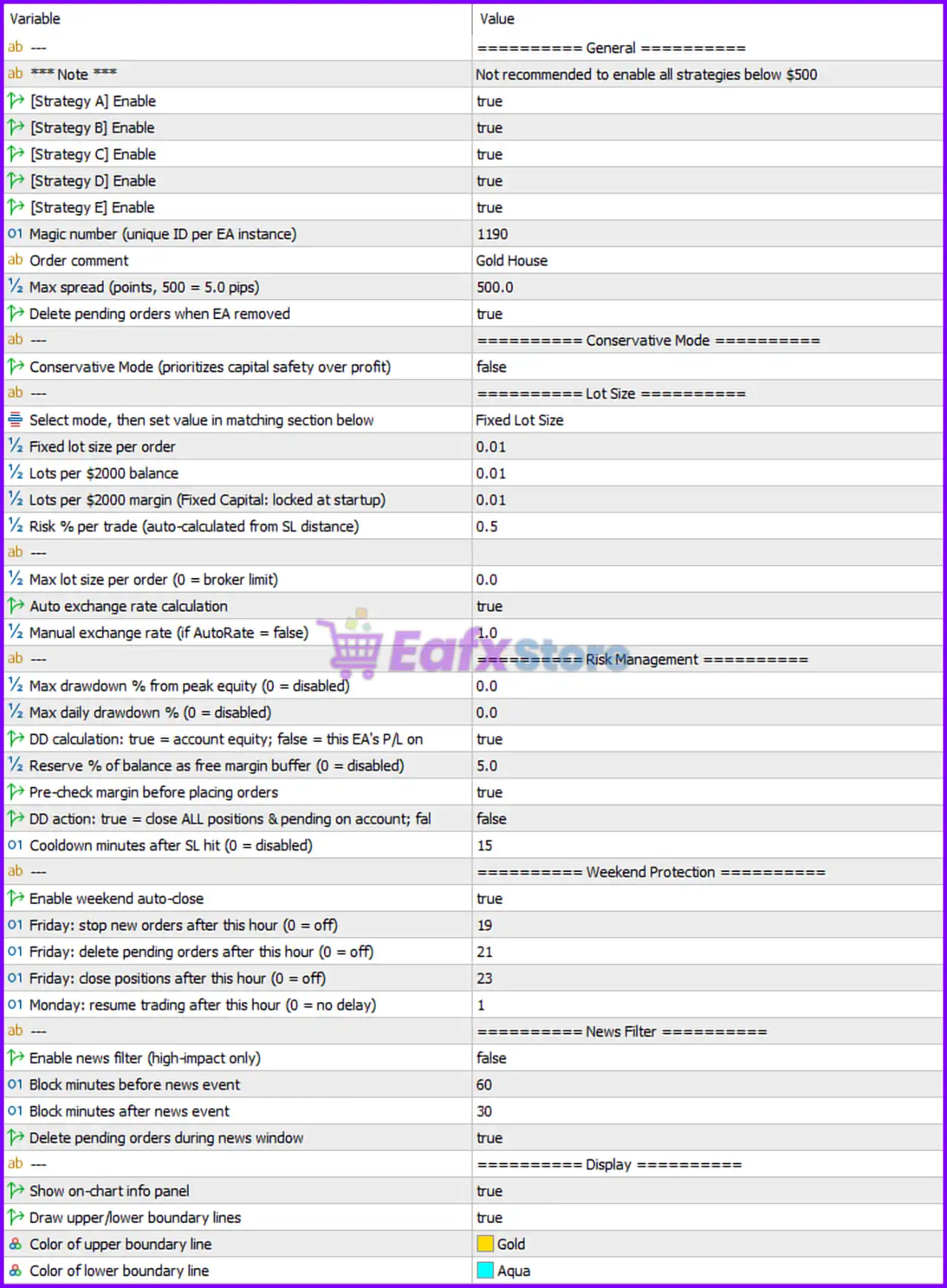
General Settings
🔹 --- = ============ General ============ — Main section header for the general EA configuration settings.
🔹 ***Note *** = Not recommended to enable all strategies below $500 — Warning message recommending traders avoid enabling all strategies with balances under $500.
🔹 [Strategy A] Enable = true — Enables Strategy A trading algorithm.
🔹 [Strategy B] Enable = true — Enables Strategy B trading algorithm.
🔹 [Strategy C] Enable = true — Enables Strategy C trading algorithm.
🔹 [Strategy D] Enable = true — Enables Strategy D trading algorithm.
🔹 [Strategy E] Enable = true — Enables Strategy E trading algorithm.
🔹 Magic number (unique ID per EA instance) = 1190 — Unique identifier used by the EA to manage and track its own trades.
🔹 Order comment = Gold House — Adds the comment “Gold House” to all trades opened by the EA.
🔹 Max spread (points, 500 = 5.0 pips) = 500.0 — Maximum allowed spread before opening trades.
🔹 Delete pending orders when EA removed = true — Automatically deletes pending orders when the EA is removed from the chart.
Conservative Mode Settings
🔹 --- = ============ Conservative Mode ============ — Section header for conservative trading mode settings.
🔹 Conservative Mode (prioritizes capital safety over profit) = false — Disables conservative mode and allows normal trading behavior.
Lot Size Settings
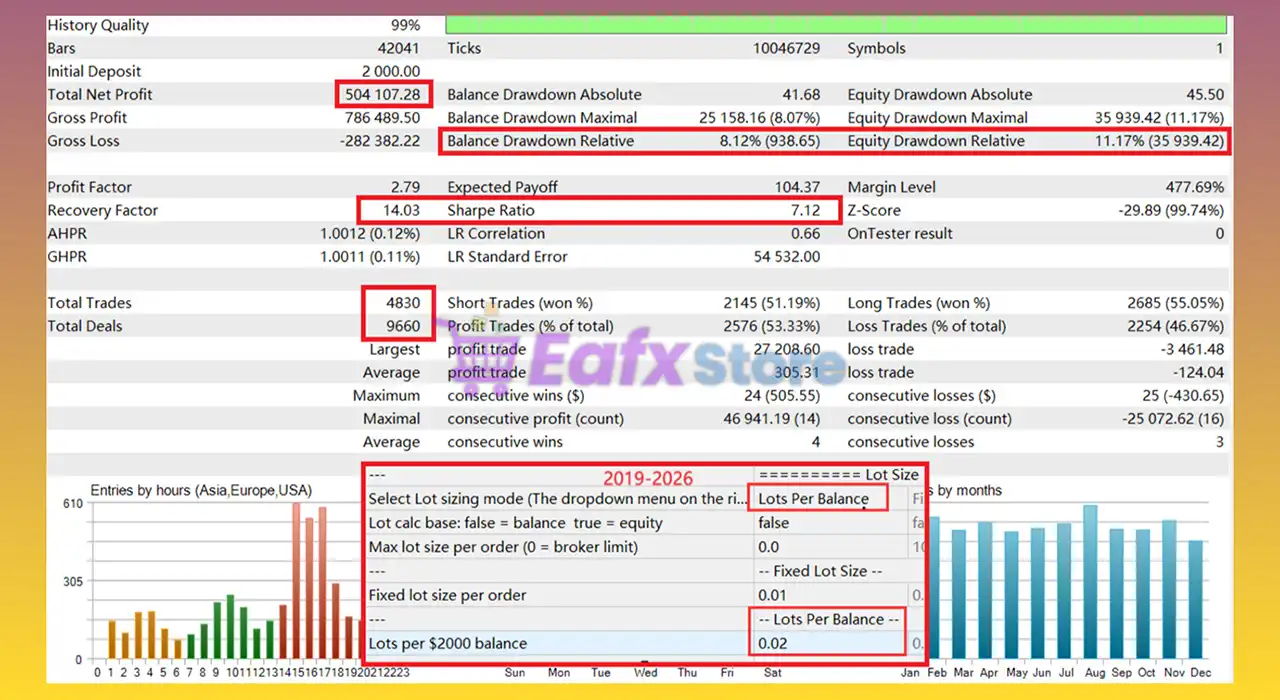
🔹 --- = ============ Lot Size ============ — Section header for lot sizing and money management settings.
🔹 Select mode, then set value in matching section below = Fixed Lot Size — Chooses the Fixed Lot Size mode for trading volume calculation.
🔹 Fixed lot size per order = 0.01 — Uses a fixed lot size of 0.01 for every trade.
🔹 Lots per $2000 balance = 0.01 — Defines automatic lot scaling ratio based on account balance.
🔹 Lots per $2000 margin (Fixed Capital: locked at startup) = 0.01 — Defines lot size based on account margin using fixed capital calculation.
🔹 Risk % per trade (auto-calculated from SL distance) = 0.5 — Risks 0.5% of account balance per trade when risk-based sizing is enabled.
🔹 Max lot size per order (0 = broker limit) = 0.0 — Uses the broker’s maximum allowed lot size because the setting is set to 0.0.
🔹 Auto exchange rate calculation = true — Automatically calculates exchange rates for lot sizing and risk management.
🔹 Manual exchange rate (if AutoRate = false) = 1.0 — Manual exchange rate value used if automatic calculation is disabled.
Risk Management Settings
🔹 --- = ============ Risk Management ============ — Section header for drawdown and capital protection settings.
🔹 Max drawdown % from peak equity (0 = disabled) = 0.0 — Disables maximum equity drawdown protection.
🔹 Max daily drawdown % (0 = disabled) = 0.0 — Disables daily drawdown limitation.
🔹 DD calculation: true = account equity; false = this EA's P/L on = true — Calculates drawdown based on total account equity.
🔹 Reserve % of balance as free margin buffer (0 = disabled) = 5.0 — Keeps 5.0% of account balance reserved as free margin protection.
🔹 Pre-check margin before placing orders = true — Checks margin availability before executing new trades.
🔹 DD action: true = close ALL positions & pending on account; false = false — Disables automatic closing of all positions during drawdown events.
🔹 Cooldown minutes after SL hit (0 = disabled) = 15 — Pauses trading for 15 minutes after a stop loss is triggered.
Weekend Protection Settings
🔹 --- = ============ Weekend Protection ============ — Section header for Friday and weekend protection controls.
🔹 Enable weekend auto-close = true — Enables automatic weekend trade protection.
🔹 Friday: stop new orders after this hour (0 = off) = 19 — Stops opening new trades after Friday hour 19.
🔹 Friday: delete pending orders after this hour (0 = off) = 21 — Deletes pending orders after Friday hour 21.
🔹 Friday: close positions after this hour (0 = off) = 23 — Closes open positions after Friday hour 23.
🔹 Monday: resume trading after this hour (0 = no delay) = 1 — Resumes trading after Monday hour 1.
News Filter Settings
🔹 --- = ============ News Filter ============ — Section header for economic news filtering settings.
🔹 Enable news filter (high-impact only) = false — Disables the economic news filter.
🔹 Block minutes before news event = 60 — Blocks new trades 60 minutes before high-impact news releases.
🔹 Block minutes after news event = 30 — Blocks new trades 30 minutes after high-impact news releases.
🔹 Delete pending orders during news window = true — Automatically removes pending orders during restricted news periods.
Display Settings
🔹 --- = ============ Display ============ — Section header for chart display and visual settings.
🔹 Show on-chart info panel = true — Displays the EA information panel directly on the chart.
🔹 Draw upper/lower boundary lines = true — Enables drawing of upper and lower trading boundary lines.
🔹 Color of upper boundary line = Gold — Sets the upper boundary line color to Gold.
🔹 Color of lower boundary line = Aqua — Sets the lower boundary line color to Aqua.
Conclusion
Gold House MT5 is a highly configurable Expert Advisor that combines multiple trading strategies, advanced lot sizing systems, drawdown protection, weekend safety tools and news filtering into one powerful MT5 solution.
Its flexible risk management features and automated trading controls make it suitable for traders seeking professional-grade automation while maintaining capital protection and efficient trade execution.
FAQs
❓ What is Gold House MT5?
Gold House MT5 is an automated MetaTrader 5 Expert Advisor designed for Gold trading with multi-strategy support and advanced risk management features.
❓ How many trading strategies are included in Gold House MT5?
The EA includes five built-in strategies: Strategy A, Strategy B, Strategy C, Strategy D, and Strategy E.
❓ Does Gold House MT5 include drawdown protection?
Yes, the EA includes multiple drawdown management and capital protection settings, including margin reserve controls and cooldown periods.
❓ What is the purpose of the weekend protection feature?
Weekend protection automatically stops trading, removes pending orders, and closes positions before the market closes to reduce weekend gap risks.
❓ Can Gold House MT5 automatically manage lot sizes?
Yes, the EA supports fixed lot sizing, balance-based lot scaling, and percentage risk-based lot management modes.



