


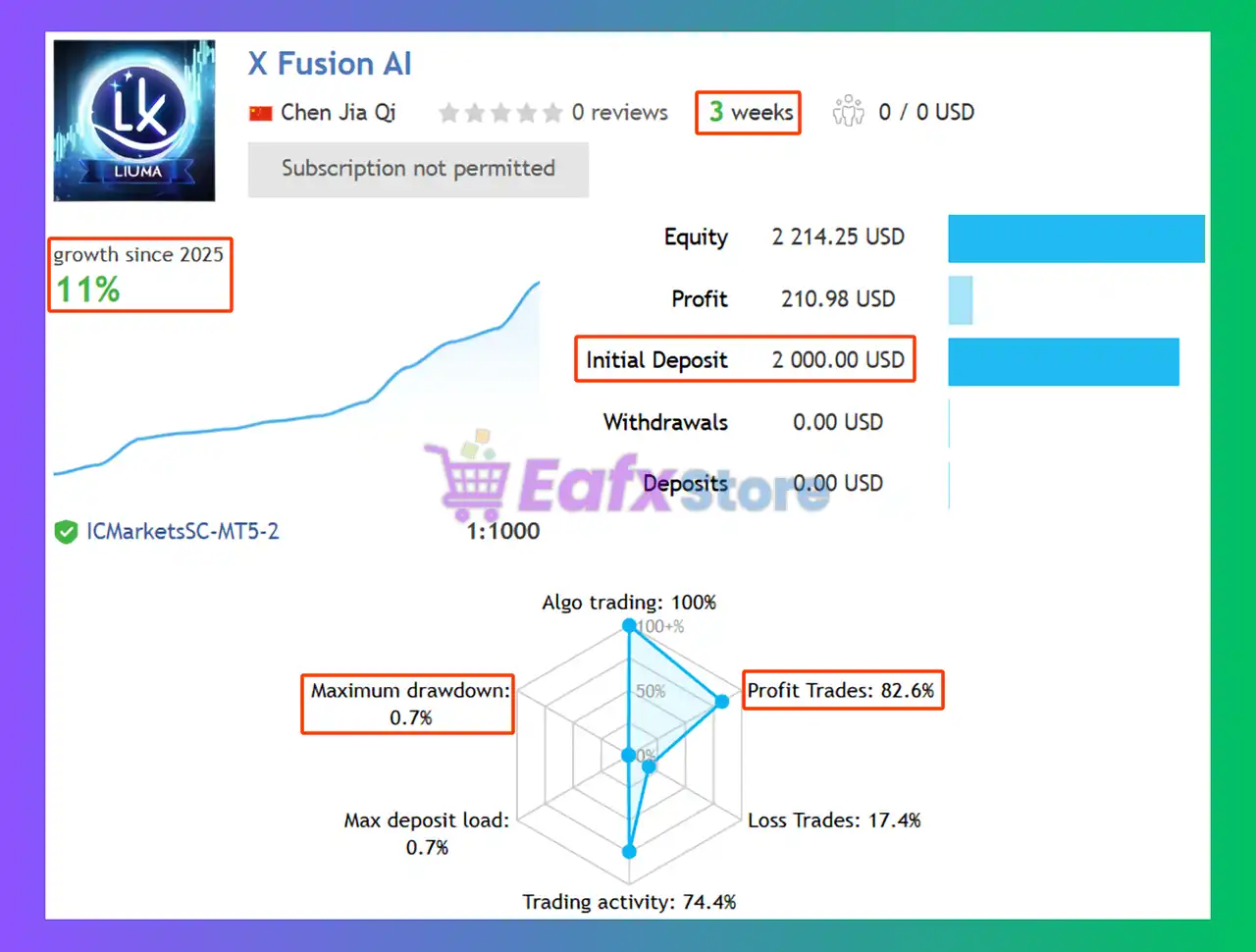
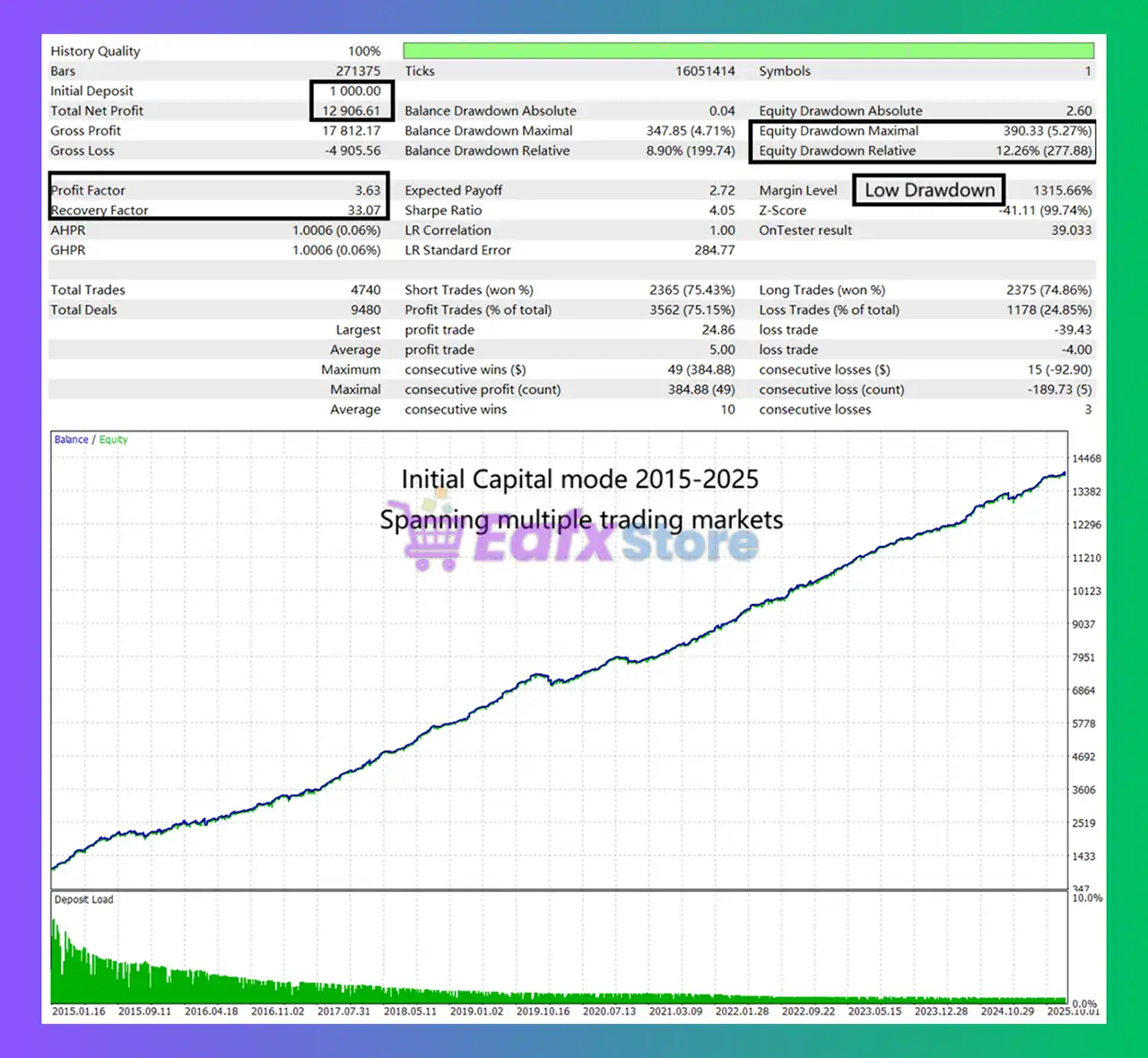
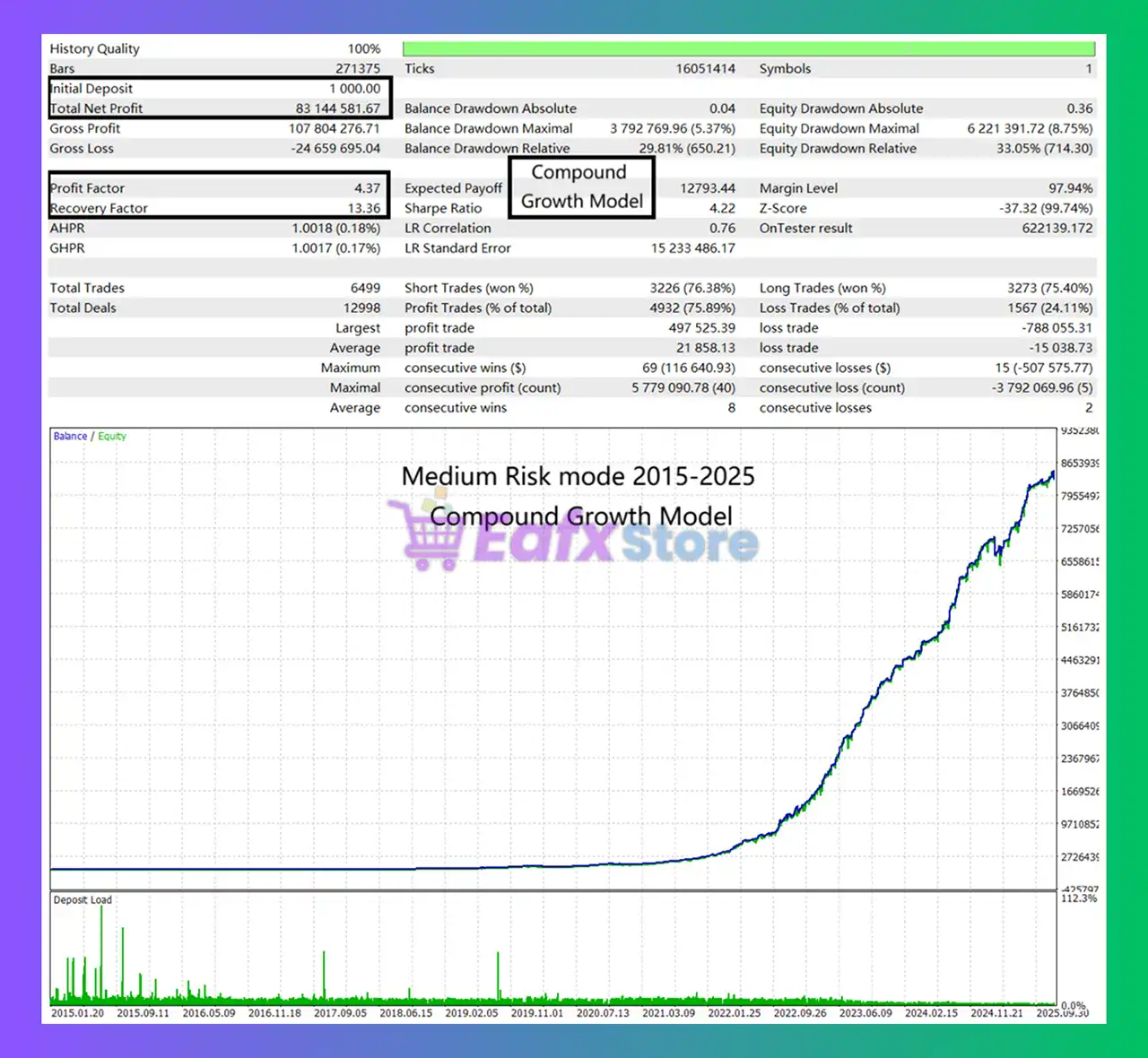
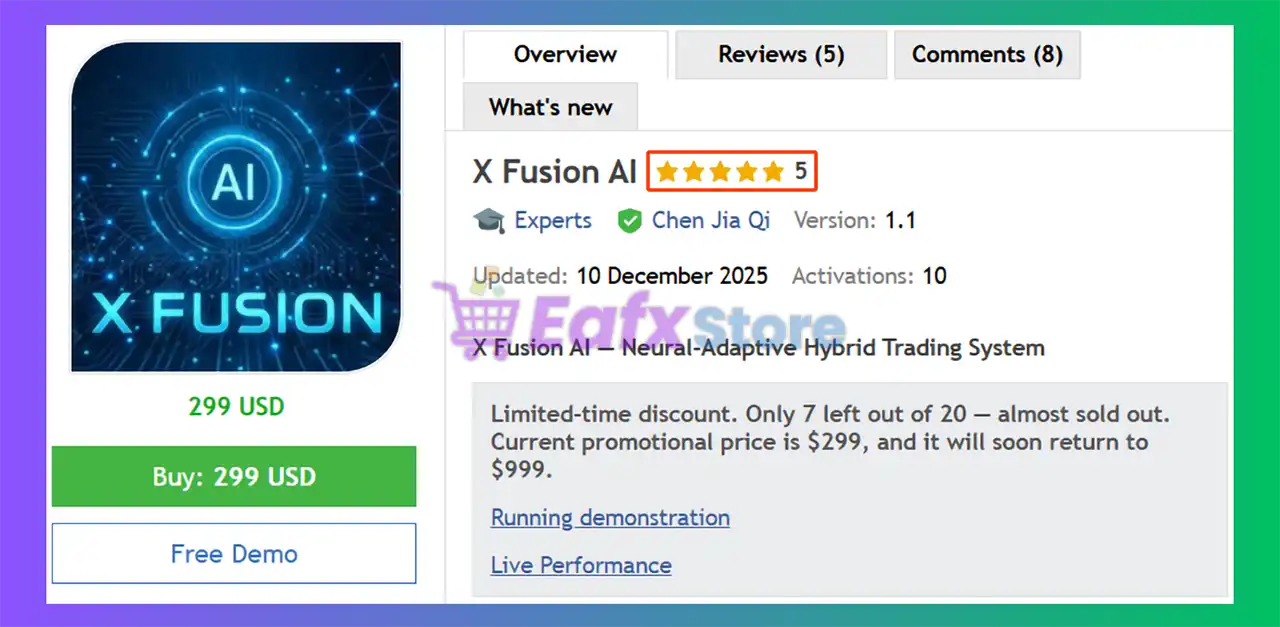
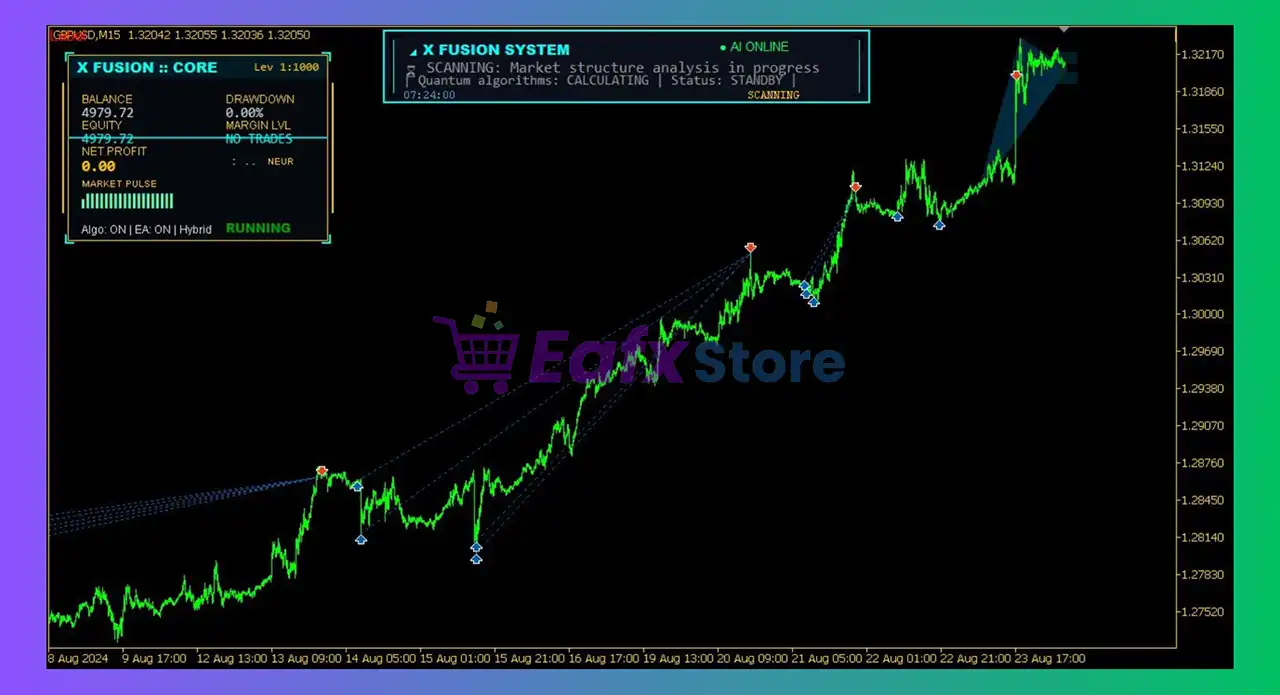
X Fusion AI EA MT5 Settings Explained – Complete Configuration Guide
X Fusion AI EA is an advanced AI-powered Expert Advisor (EA) designed for MetaTrader 5 traders who want intelligent market analysis, automated risk management and flexible multi-strategy trading. The EA integrates built-in AI analysis logic, money management systems, prop firm protection tools and advanced correction trading features.
With customizable trading controls and AI-driven optimization, X Fusion AI EA MT5 is suitable for professional traders, funded account users and algorithmic trading enthusiasts.
X Fusion AI EA MT5 Full Settings Explanation
Below are the details of the parameters in the advisor’s trading system settings table:
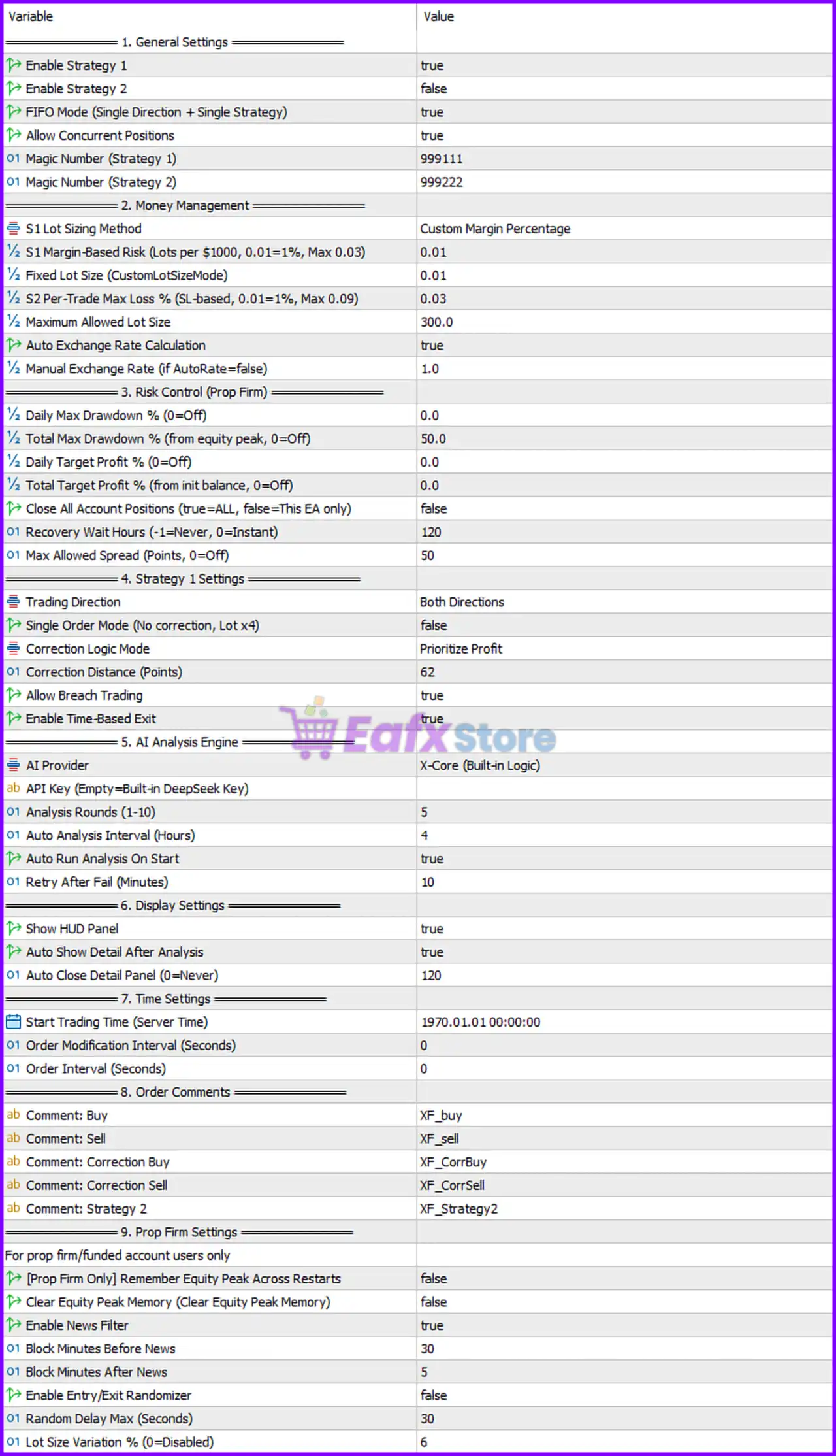
1. General Settings
🔹 Enable Strategy 1 = true: Activates Strategy 1 trading logic inside the EA.
🔹 Enable Strategy 2 = false: Disables Strategy 2 trading functionality.
🔹 FIFO Mode (Single Direction + Single Strategy) = true: Enables FIFO-compatible trading mode using one direction and one strategy at a time.
🔹 Allow Concurrent Positions = true: Allows multiple positions to remain open simultaneously.
🔹 Magic Number (Strategy 1) = 999111: Unique trade identifier assigned to Strategy 1 positions.
🔹 Magic Number (Strategy 2) = 999222: Unique trade identifier assigned to Strategy 2 positions.
2. Money Management
🔹 S1 Lot Sizing Method = Custom Margin Percentage: Uses custom margin percentage calculations for Strategy 1 lot sizing.
🔹 S1 Margin-Based Risk (Lots per $1000, 0.01=1%, Max 0.03) = 0.01: Sets Strategy 1 risk allocation to 0.01 lots per $1000.
🔹 Fixed Lot Size (CustomLotSizeMode) = 0.01: Uses a fixed trading lot size of 0.01.
🔹 S2 Per-Trade Max Loss % (SL-based, 0.01=1%, Max 0.09) = 0.03: Limits Strategy 2 maximum loss per trade to 3%.
🔹 Maximum Allowed Lot Size = 300.0: Restricts maximum lot size to 300.0.
🔹 Auto Exchange Rate Calculation = true: Automatically calculates exchange conversion rates.
🔹 Manual Exchange Rate (if AutoRate=false) = 1.0: Sets manual exchange rate value to 1.0 when automatic mode is disabled.
3. Risk Control (Prop Firm)
🔹 Daily Max Drawdown % (0=Off) = 0.0: Disables daily drawdown limitation.
🔹 Total Max Drawdown % (from equity peak, 0=Off) = 50.0: Sets maximum total drawdown limit to 50.0%.
🔹 Daily Target Profit % (0=Off) = 0.0: Disables daily profit target.
🔹 Total Target Profit % (from init balance, 0=Off) = 0.0: Disables total account profit target.
🔹 Close All Account Positions (true=ALL, false=This EA only) = false: Restricts closures to positions managed only by this EA.
🔹 Recovery Wait Hours (-1=Never, 0=Instant) = 120: Waits 120 hours before recovery trading activates.
🔹 Max Allowed Spread (Points, 0=Off) = 50: Prevents trading if spread exceeds 50 points.
4. Strategy 1 Settings
🔹 Trading Direction = Both Directions: Allows both BUY and SELL trading operations.
🔹 Single Order Mode (No correction, Lot x4) = false: Disables simplified single-order mode.
🔹 Correction Logic Mode = Prioritize Profit: Uses profit-priority correction logic for recovery trades.
🔹 Correction Distance (Points) = 62: Sets correction order spacing distance to 62 points.
🔹 Allow Breach Trading = true: Allows trading during breakout or breach conditions.
🔹 Enable Time-Based Exit = true: Enables automatic trade exits based on time conditions.
5. AI Analysis Engine
🔹 AI Provider = X-Core (Built-in Logic): Uses the internal X-Core AI analysis engine.
🔹 API Key (Empty=Built-in DeepSeek Key): Allows external AI API integration if a custom API key is entered.
🔹 AI Analysis Rounds (1-10) = 5: Performs 5 AI analysis cycles for signal validation.
🔹 Auto Analysis Interval (Hours) = 4: Runs AI analysis every 4 hours automatically.
🔹 Auto Run Analysis On Start = true: Starts AI analysis immediately when the EA loads.
🔹 Retry After Fail (Minutes) = 10: Retries AI analysis after 10 minutes if an error occurs.
6. Display Settings
🔹 Show HUD Panel = true: Displays the EA control and information panel on the chart.
🔹 Auto Show Detail After Analysis = true: Automatically displays detailed AI analysis results.
🔹 Auto Close Detail Panel (0=Never) = 120: Automatically closes the detail panel after 120 seconds.
7. Time Settings
🔹 Start Trading Time (Server Time) = 1970.01.01 00:00:00: Defines the EA server-based trading start time.
🔹 Order Modification Interval (Seconds) = 0: Allows instant order modification with no delay.
🔹 Order Interval (Seconds) = 0: Allows immediate order placement without waiting intervals.
8. Order Comments
🔹 Comment: Buy = XF_buy: Adds XF_buy comment to BUY trades.
🔹 Comment: Sell = XF_sell: Adds XF_sell comment to SELL trades.
🔹 Comment: Correction Buy = XF_CorrBuy: Adds XF_CorrBuy comment to BUY correction trades.
🔹 Comment: Correction Sell = XF_CorrSell: Adds XF_CorrSell comment to SELL correction trades.
🔹 Comment: Strategy 2 = XF_Strategy2: Adds XF_Strategy2 label to Strategy 2 positions.
9. Prop Firm Settings
🔹 [Prop Firm Only] Remember Equity Peak Across Restarts = false: Disables saving peak equity after platform restart.
🔹 Clear Equity Peak Memory (Clear Equity Peak Memory) = false: Keeps stored peak equity values unchanged.
🔹 Enable News Filter = true: Activates economic news filtering to avoid volatile periods.
🔹 Block Minutes Before News = 30: Stops trading 30 minutes before important news events.
🔹 Block Minutes After News = 5: Resumes trading 5 minutes after news releases.
🔹 Enable Entry/Exit Randomizer = false: Disables randomized trade timing.
🔹 Random Delay Max (Seconds) = 30: Maximum random delay value set to 30 seconds.
🔹 Lot Size Variation % (0=Disabled) = 6: Allows lot size variation up to 6%.
Conclusion
X Fusion AI EA MT5 is a powerful AI-enhanced Expert Advisor built for traders seeking intelligent automation, advanced risk management and prop firm compatibility.
The EA combines AI-driven market analysis, correction trading systems, spread protection, news filtering, and dynamic money management into a single professional trading solution.
With highly customizable settings and multi-strategy support, X Fusion AI EA MT5 provides flexibility for both conservative and aggressive trading approaches.
FAQs
❓ What is X Fusion AI EA MT5?
X Fusion AI EA MT5 is an AI-powered automated trading Expert Advisor for MetaTrader 5 with advanced risk and trade management features.
❓ Does X Fusion AI EA MT5 support prop firm trading rules?
Yes, the EA includes drawdown protection, news filters, and recovery systems designed for prop firm requirements.
❓ What does the AI Analysis Engine do?
The AI Analysis Engine performs automated market analysis using the built-in X-Core logic to optimize trading decisions.
❓ Can I run multiple strategies simultaneously?
Yes, the EA supports multiple strategies and concurrent position management.
❓ How does the News Filter work in X Fusion AI EA MT5?
The News Filter pauses trading before and after major economic events to reduce risk during volatile market conditions.


