
PythonX Fictional EA Settings Explained – Complete Configuration Guide
PythonX Fictional EA is an advanced automated trading Expert Advisor for MetaTrader 5 that emphasizes comprehensive risk management, daily loss protection, partial profit taking, break-even automation and floating loss control.
The EA is designed to help traders manage positions intelligently while protecting trading capital through configurable money management and trade exit features. Its flexible settings make it suitable for both conservative and aggressive trading styles.

PythonX Fictional EA Settings
Below are the details of the parameters in the advisor’s trading system settings table:
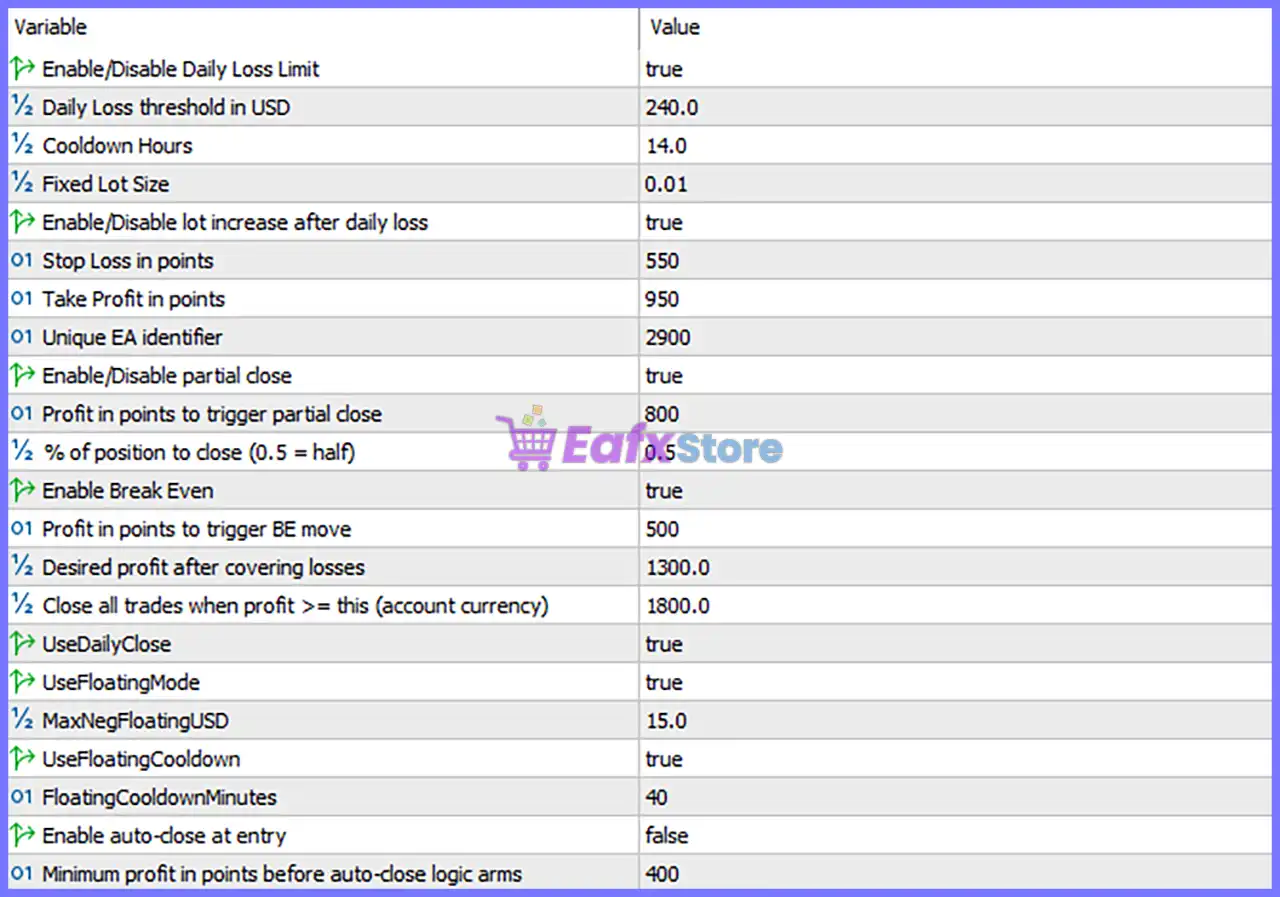
🔹 Enable/Disable Daily Loss Limit = true – Enables the daily loss protection system to stop trading once the predefined daily loss threshold has been reached.
🔹 Daily Loss threshold in USD = 240.0 – Sets the maximum allowable daily loss to 240.0 USD before the EA suspends trading.
🔹 Cooldown Hours = 14.0 – Specifies a 14.0-hour cooldown period before the EA is allowed to resume trading after reaching the daily loss limit.
🔹 Fixed Lot Size = 0.01 – Uses a fixed trading volume of 0.01 lots for every new trade.
🔹 Enable/Disable lot increase after daily loss = true – Enables automatic lot size progression following a daily loss according to the EA's internal recovery logic.
🔹 Stop Loss in points = 550 – Sets a protective Stop Loss of 550 points for every trade.
🔹 Take Profit in points = 950 – Defines a Take Profit target of 950 points to automatically secure profits.
🔹 Unique EA identifier = 2900 – Assigns Magic Number 2900, allowing the EA to distinguish and manage only its own trades.
🔹 Enable/Disable partial close = true – Activates automatic partial position closing once predefined profit conditions are met.
🔹 Profit in points to trigger partial close = 800 – Starts partial profit-taking after the trade reaches 800 points in profit.
🔹 % of position to close (0.5 = half) = 0.5 – Closes 50% of the open position when the partial close condition is triggered.
🔹 Enable Break Even = true – Enables the Break-Even feature to eliminate risk after sufficient profit has been achieved.
🔹 Profit in points to trigger BE move = 500 – Moves the Stop Loss to Break Even once the trade reaches 500 points of profit.
🔹 Desired profit after covering losses = 1300.0 – Sets a recovery profit target of 1300.0 after previous losses have been compensated.
🔹 Close all trades when profit >= this (account currency) = 1800.0 – Automatically closes all open positions when total floating profit reaches 1800.0 in account currency.
🔹 UseDailyClose = true – Enables automatic daily trade closing based on the EA's scheduled exit management.
🔹 UseFloatingMode = true – Activates floating profit and floating loss monitoring for dynamic trade management.
🔹 MaxNegFloatingUSD = 15.0 – Limits the maximum acceptable floating loss to 15.0 USD before protective actions are triggered.
🔹 UseFloatingCooldown = true – Enables a cooldown period whenever the floating loss protection mechanism is activated.
🔹 FloatingCooldownMinutes = 40 – Sets the floating protection cooldown period to 40 minutes.
🔹 Enable auto-close at entry = false – Disables automatic trade closure immediately after a new trade has been opened.
🔹 Minimum profit in points before auto-close logic arms = 400 – Defines 400 points as the minimum profit required before the automatic close logic becomes active.
Conclusion
PythonX Fictional EA is designed with a strong emphasis on capital preservation, automatic recovery, and intelligent trade management. Features such as daily loss limits, Break-Even protection, partial position closing, floating drawdown control, and automatic profit targets help traders reduce risk while maintaining consistent trading discipline. The configurable settings allow users to customize the EA according to different account sizes, trading objectives, and risk tolerance levels.
FAQs
❓ What is the purpose of the Daily Loss Limit feature?
The Daily Loss Limit automatically stops trading after the account loses 240.0 USD in a single trading day, helping protect trading capital.
❓ How does the Break-Even function work?
When a trade reaches 500 points of profit, the EA automatically moves the Stop Loss to the entry price, reducing the risk of turning a winning trade into a losing one.
❓ What does Partial Close do?
The EA automatically closes 50% of the position after reaching 800 points of profit, allowing traders to secure gains while leaving the remaining position to continue running.
❓ Why is Floating Mode enabled?
Floating Mode continuously monitors unrealized profit and loss, allowing the EA to react dynamically to changing market conditions and protect account equity.
❓ Can I customize the Stop Loss, Take Profit, and Lot Size?
Yes. All major money management parameters—including Fixed Lot Size, Stop Loss, Take Profit, Daily Loss Limit, and Profit Targets—can be adjusted to match your trading strategy and individual risk preferences.