



🔢 Sydney MT5 Settings Explained – Complete Parameter Guide
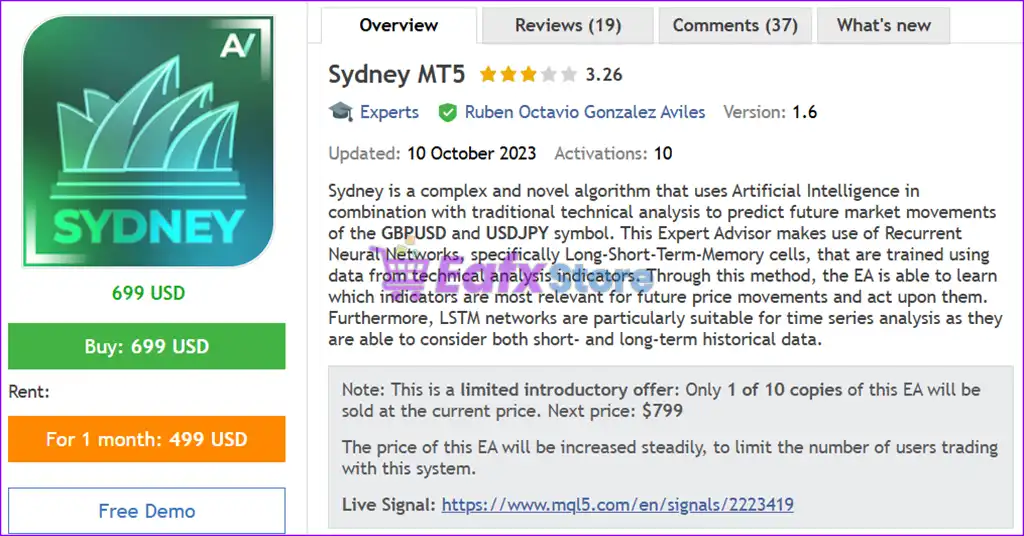
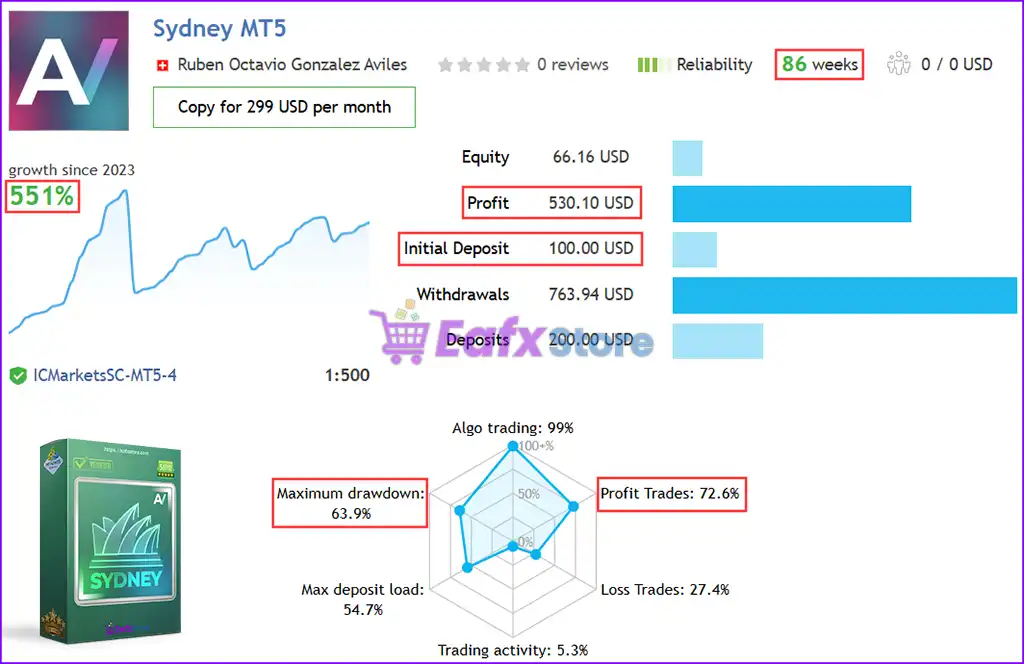
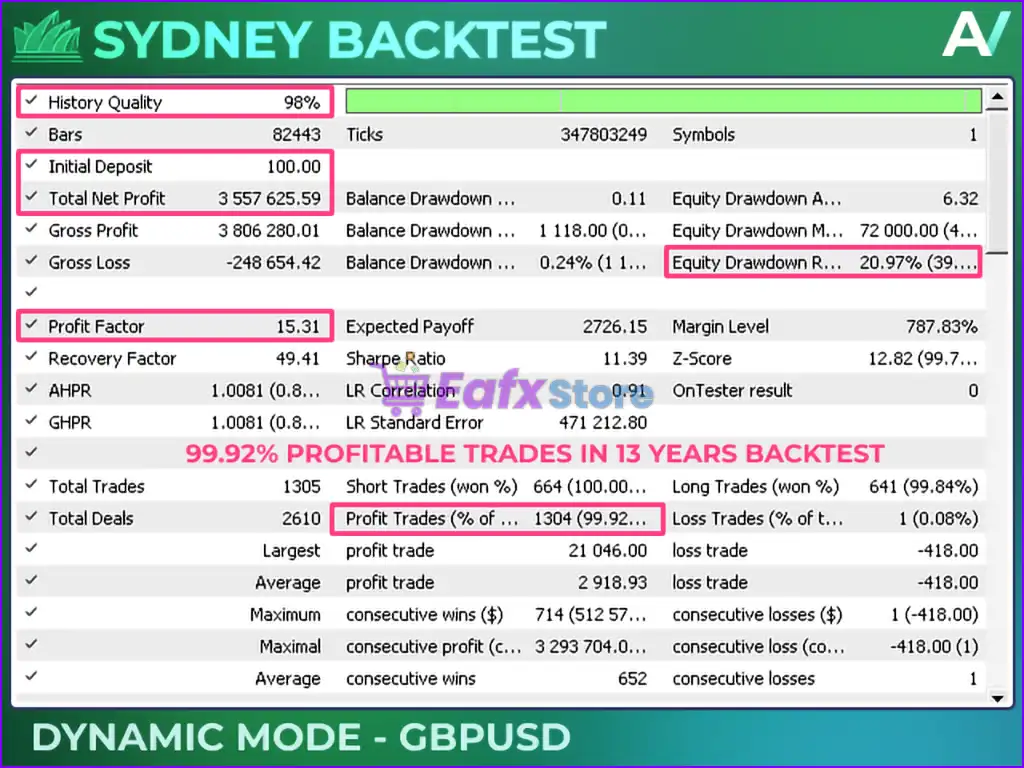
Sydney MT5 is an automated MetaTrader 5 Expert Advisor designed for fast and efficient market execution with dynamic lot sizing, trailing profit management and an integrated recovery system. The EA combines flexible risk management, spread protection, and recovery logic to help traders maintain consistent performance while adapting to changing market conditions.

🔢 Installation Panel Parameters
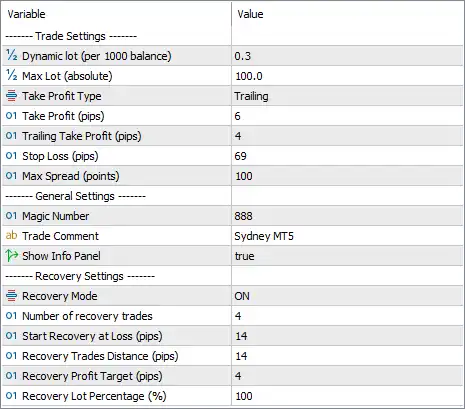
Below are the details of the parameters in the advisor’s trading system settings table:
🔶 Trade Settings
🔹 Dynamic lot (per 1000 balance) = 0.3 – Automatically calculates the trading lot size at 0.3 lots for every $1,000 of account balance.
🔹 Max Lot (absolute) = 100.0 – Sets the maximum allowable trading volume to 100.0 lots, regardless of balance growth.
🔹 Take Profit Type = Trailing – Uses a trailing Take Profit method that follows profitable price movements instead of using a fixed target.
🔹 Take Profit (pips) = 6 – Sets the initial Take Profit target to 6 pips.
🔹 Trailing Take Profit (pips) = 4 – Activates the trailing Take Profit after the trade reaches 4 pips of profit.
🔹 Stop Loss (pips) = 69 – Defines the Stop Loss distance at 69 pips for each position.
🔹 Max Spread (points) = 100 – Prevents new trades from opening when the market spread exceeds 100 points.
🔶 General Settings
🔹 Magic Number = 888 – Assigns the unique identifier 888 to all trades opened by Sydney MT5, preventing conflicts with other Expert Advisors.
🔹 Trade Comment = Sydney MT5 – Adds the comment "Sydney MT5" to every order for easy identification in the trading terminal.
🔹 Show Info Panel = true – Displays the EA's information panel directly on the chart for real-time monitoring.
🔶 Recovery Settings
🔹 Recovery Mode = ON – Enables the built-in recovery system to help manage losing positions.
🔹 Number of Recovery Trades = 4 – Allows a maximum of 4 recovery trades within a recovery sequence.
🔹 Start Recovery at Loss (pips) = 14 – Begins opening recovery positions once the initial trade reaches a loss of 14 pips.
🔹 Recovery Trades Distance (pips) = 14 – Opens each additional recovery trade every 14 pips of adverse market movement.
🔹 Recovery Profit Target (pips) = 4 – Closes the recovery basket when the combined profit reaches 4 pips.
🔹 Recovery Lot Percentage (%) = 100 – Uses 100% of the configured recovery lot calculation for each recovery position.
🔢 Conclusion
Sydney MT5 is a compact yet powerful Expert Advisor that combines dynamic balance-based lot sizing, trailing profit management and an integrated recovery strategy.
With configurable spread protection, automatic position sizing, and flexible recovery parameters, the EA is suitable for traders seeking a systematic trading approach while maintaining control over risk and trade management.
🔢 FAQs
❓ How does Sydney MT5 calculate its trading lot size?
The EA uses Dynamic Lot (per 1000 balance), automatically calculating 0.3 lots for every $1,000 of account balance.
❓ Does Sydney MT5 use a fixed or trailing Take Profit?
By default, it uses a Trailing Take Profit, allowing profits to increase as the market continues moving in the trade's favor.
❓ What happens when a trade moves into a loss?
If Recovery Mode is enabled, the EA begins opening recovery trades after a 14-pip loss, according to the configured recovery settings.
❓ Can I limit trading during high spreads?
Yes. The Max Spread parameter prevents the EA from opening new positions whenever the spread exceeds 100 points.
❓ What is the purpose of the Magic Number?
The Magic Number (888) uniquely identifies trades opened by Sydney MT5, allowing the EA to manage only its own positions without interfering with other Expert Advisors.



