






Smart Machine MT4 v3.4.9 + SetFiles (Platform build 1476+)

Subscriptions for Special Plan
- 30 EA package is more economical!
- Special package with 99%
- Download 1 EA/Day

Subscriptions for Premium Membership
- Download Unlimited in 1 Year
- Get 100% Discount
- Get free access to all

Subscriptions for Gold Membership
- 1 Year Membership
- Get 100% Discount
- Access EA+Indicator+Course
Frequently bought together 🎁
Add these products to enhance your purchase



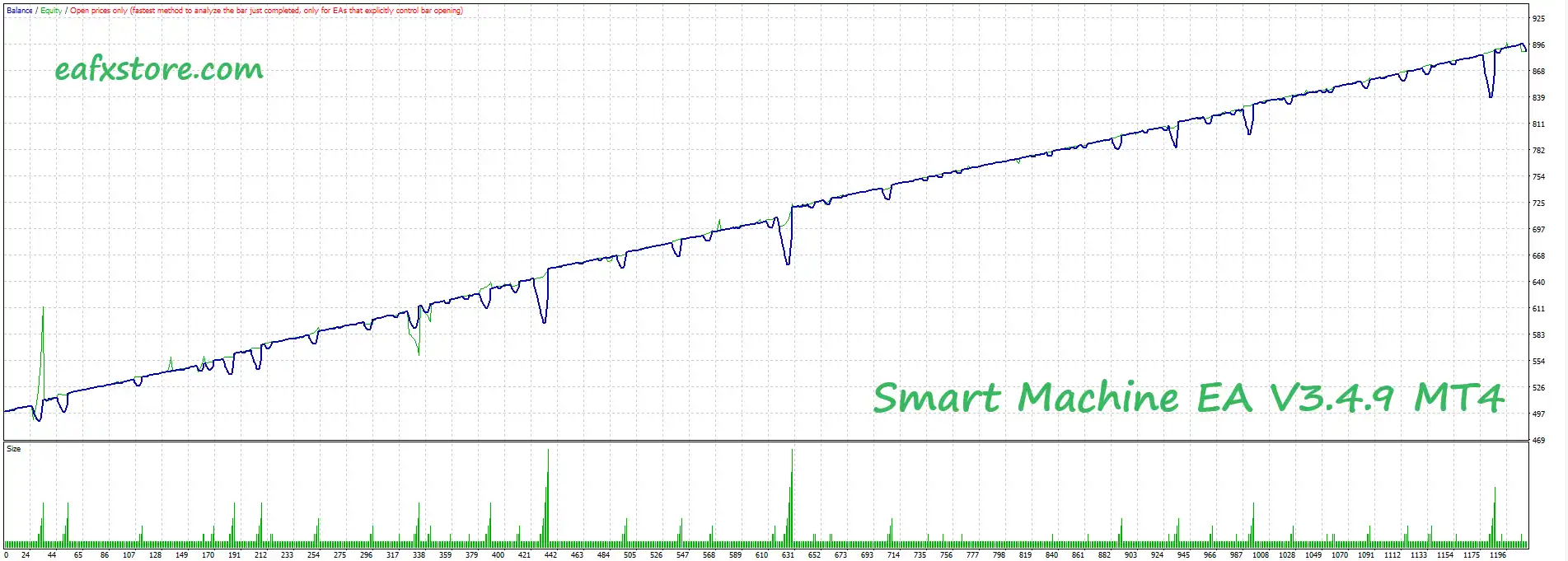
Smart Machine MT4 Settings Guide
Smart Machine EA is an automated Expert Advisor designed around an averaging-based trading strategy, configurable money management, position scaling, Take Profit control, risk restrictions, trade identification, statistics display, and execution-slippage management.
The supplied configuration uses MoneyManagementType = 1, Multiplikator = 1.6, Constant Lot = 0.01, TakeProfit = 28.0, Step = 75.0, and allows up to 100 orders with a maximum lot size of 99.99. The EA also includes a risk-management function designed to close positions when a specified level is reached.
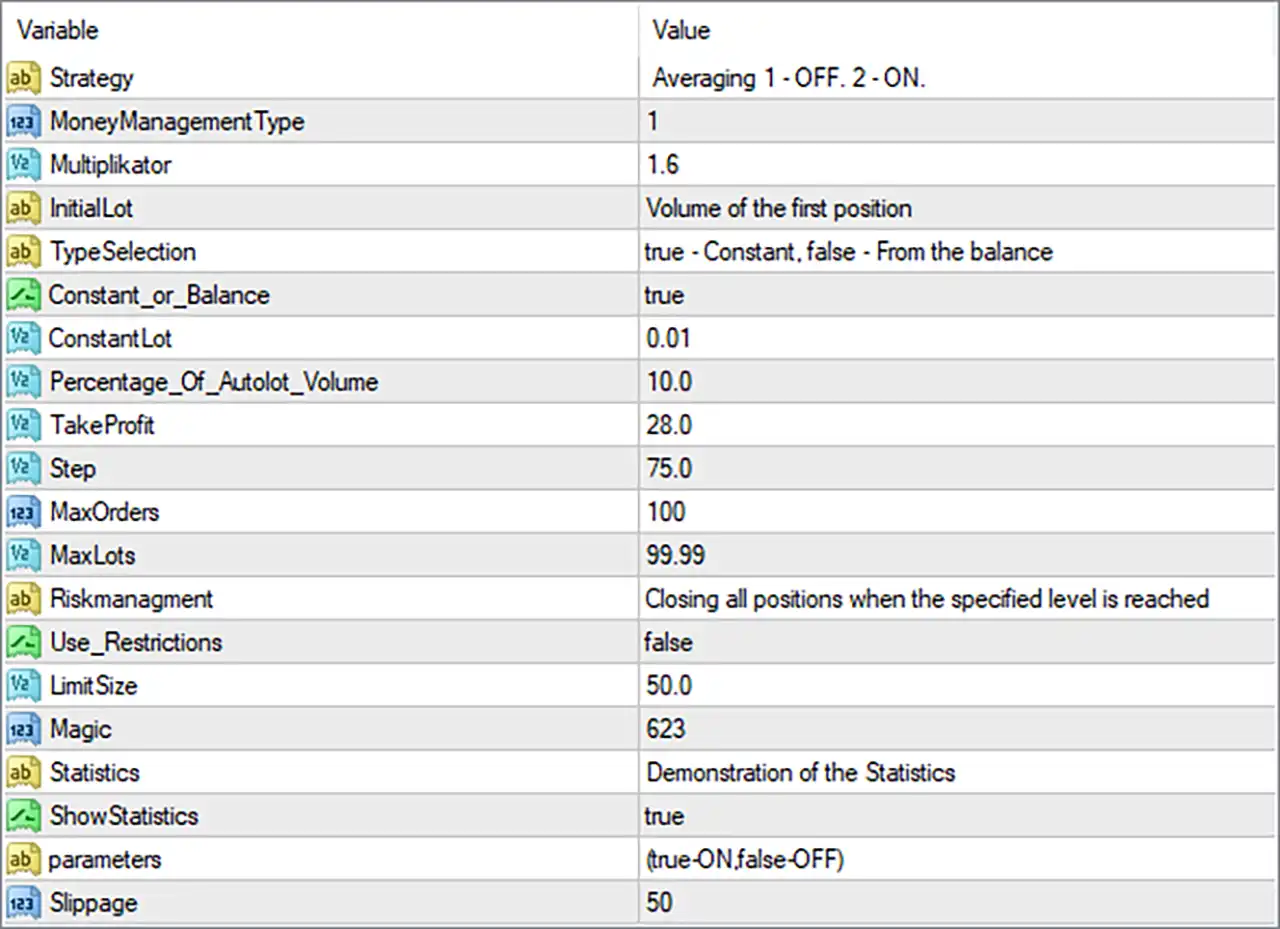
Smart Machine MT4 Settings Panel
Smart Machine MT4 Settings Explained
Strategy Settings
🔹 Strategy: Averaging 1 – OFF. 2 – ON. — Defines the averaging strategy mode, where 1 = OFF and 2 = ON.
🔹 MoneyManagementType: 1 — Sets the money-management mode to 1. The screenshot does not provide a description of the exact calculation associated with this numeric mode.
🔹 Multiplikator: 1.6 — Sets the position-sizing multiplier to 1.6, used by the EA’s internal money-management or averaging logic.
🔹 InitialLot: Volume of the first position — Describes the Initial Lot parameter as the volume of the first position.
🔹 TypeSelection: true – Constant, false – From the balance — Defines how the initial lot type is selected: true = Constant and false = From the balance.
🔹 Constant_or_Balance: true — Selects the Constant option because the value is true, according to the TypeSelection description.
🔹 ConstantLot: 0.01 — Sets the constant initial lot size to 0.01 lots.
🔹 Percentage_Of_Autolot_Volume: 10.0 — Sets the percentage used by the automatic-lot volume calculation to 10.0.
Take Profit & Grid Settings
🔹 TakeProfit: 28.0 — Sets the Take Profit parameter to 28.0 according to the EA’s internal price-distance unit.
🔹 Step: 75.0 — Sets the configured spacing/step between relevant averaging entries to 75.0 according to the EA’s internal calculation.
🔹 MaxOrders: 100 — Sets the maximum number of allowed orders to 100.
🔹 MaxLots: 99.99 — Sets the maximum permitted lot size to 99.99 lots.
Risk Management Settings
🔹 Riskmanagment: Closing all positions when the specified level is reached — Describes the EA’s risk-management mechanism as closing all positions when the specified level is reached.
🔹 Use_Restrictions: false — Disables the configured restriction mechanism.
🔹 Limit Size: 50.0 — Sets the restriction/risk limit size to 50.0. Because Use_Restrictions = false, this restriction is not currently enabled according to the displayed settings.
Trade Identification & Statistics
🔹 Magic: 623 — Assigns 623 as the EA’s Magic Number for identifying Smart Machine MT4 trades.
🔹 Statistics: Demonstration of the Statistics — Identifies the Statistics section and indicates that it is intended to demonstrate trading statistics.
🔹 ShowStatistics: true — Enables the display of trading statistics.
Parameter & Execution Settings
🔹 parameters: (true-ON,false-OFF) — Defines the parameter convention used by the EA: true = ON and false = OFF.
🔹 Slippage: 50 — Sets the configured maximum execution slippage to 50 according to the EA’s internal slippage unit.
Key Configuration Highlights
🔹 Strategy: Averaging 1 – OFF. 2 – ON.
🔹 Money Management Type: 1.
🔹 Position Multiplier: 1.6.
🔹 Initial Lot Description: Volume of the first position.
🔹 Lot Selection: TypeSelection = true, corresponding to the Constant option.
🔹 Constant Lot: 0.01.
🔹 Auto-Lot Percentage: 10.0.
🔹 Take Profit: 28.0.
🔹 Step: 75.0.
🔹 Maximum Orders: 100.
🔹 Maximum Lot Size: 99.99.
🔹 Risk Management: Configured to close all positions when the specified level is reached.
🔹 Restrictions: Disabled with Use_Restrictions = false.
🔹 Restriction Limit: 50.0.
🔹 Magic Number: 623.
🔹 Statistics Display: Enabled with ShowStatistics = true.
🔹 Slippage: 50.
Risk Management Analysis
🔹 Initial Position Size: With TypeSelection = true and Constant_or_Balance = true, the displayed configuration selects the constant-lot approach, using ConstantLot = 0.01.
🔹 Position Multiplier: Multiplikator = 1.6 is an important parameter for the EA’s position-sizing/averaging logic and can increase exposure when applied to subsequent positions.
🔹 Order Capacity: MaxOrders = 100 provides a high maximum order allowance, meaning the EA’s internal strategy can potentially maintain a large number of positions if its conditions permit.
🔹 Maximum Lot Exposure: MaxLots = 99.99 establishes the configured upper lot-size limit.
🔹 Averaging Step: Step = 75.0 determines the configured spacing used by the averaging logic.
🔹 Risk Restriction: Use_Restrictions = false means the Limit Size = 50.0 restriction is currently disabled.
🔹 Global Risk Closure: The Risk Management description states that all positions can be closed when the specified risk level is reached.
🔹 Execution Control: Slippage = 50 provides a configured execution-deviation tolerance.
Conclusion
Smart Machine MT4 provides a flexible automated trading configuration centered on averaging, position sizing, Take Profit management, order limits, risk protection, and execution control.
The supplied settings use a 0.01 constant lot, with Multiplikator = 1.6, TakeProfit = 28.0, and Step = 75.0. The EA allows a maximum of 100 orders and a maximum configured lot size of 99.99.
Risk management is also included, with the configuration specifically describing a mechanism for closing all positions when the specified level is reached. However, the separate restriction function is disabled through Use_Restrictions = false, even though Limit Size = 50.0 is configured.
The EA uses Magic = 623 for trade identification and has ShowStatistics = true, allowing trading statistics to be displayed. The execution configuration also includes Slippage = 50.
Because the setup includes an averaging structure, a 1.6 multiplier, 100 maximum orders, and 99.99 maximum lots, traders should carefully evaluate potential exposure during prolonged adverse market conditions. The exact behavior of MoneyManagementType = 1 and the precise units of TakeProfit = 28.0, Step = 75.0, and Slippage = 50 should be confirmed from the EA’s documentation or through controlled backtesting.
FAQs
❓ What strategy does Smart Machine MT4 use?
The configuration identifies its strategy as Averaging, with the parameter description “1 – OFF. 2 – ON.”
❓ What is the initial lot size?
The EA is configured with TypeSelection = true and Constant_or_Balance = true, selecting the constant-lot approach with ConstantLot = 0.01.
❓ What are the Take Profit and Step settings?
The configured TakeProfit is 28.0 and Step is 75.0. Their exact units depend on the EA’s internal calculation.
❓ How many orders can Smart Machine MT4 open?
The configured MaxOrders = 100, while the maximum lot-size parameter is MaxLots = 99.99.
❓ Does Smart Machine MT4 have risk protection?
Yes. The configuration describes risk management as closing all positions when the specified level is reached. However, Use_Restrictions = false, so the separate Limit Size = 50.0 restriction is currently disabled.
User Reviews
Only logged in customers who have purchased this product may leave a review.
1. What is Smart Machine EA?
Smart Machine EA is a professional Expert Advisor (EA) designed for MetaTrader 4, specializing in automated trading primarily on the EURUSD and GBPUSD pairs.
2. Which currency pairs does Smart Machine EA work best with?
It is optimized for EURUSD and GBPUSD, using advanced algorithms tailored specifically for these major pairs.
3. What timeframes are recommended for using Smart Machine EA?
The EA is built to perform best on the M5 (5-minute) timeframe.
4. How much initial deposit is required to use Smart Machine EA effectively?
The recommended minimum deposit is $200 to start trading safely with Smart Machine EA.
5. What kind of risk management does Smart Machine EA use?
It features flexible risk management that automatically adjusts to market conditions, optimizing the risk-to-reward ratio and protecting trading capital.
6. Does Smart Machine EA use dangerous strategies like martingale or grid?
No, Smart Machine EA focuses on safe trading practices like intelligent lot sizing and fixed Take Profit (TP) setups—no martingale or grid strategies involved.
7. Is Smart Machine EA easy for beginners to use?
Yes, it is built with a user-friendly interface and offers easy installation and simple configuration, making it suitable for both beginners and experienced traders.
8. How is the live trading performance of Smart Machine EA verified?
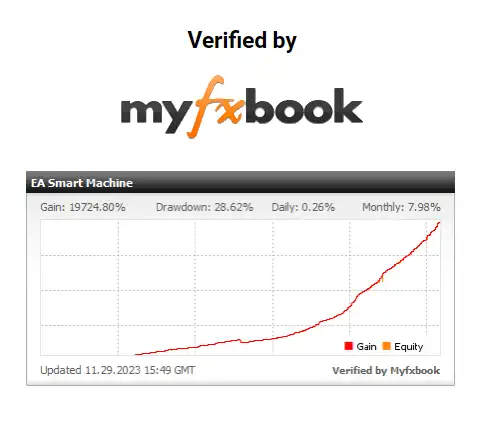
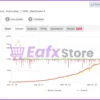
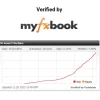
Smart Machine EA’s performance has been independently verified through Myfxbook live tracking, showing consistent profitability from 2020 to 2024.
9. What kind of results can be expected from backtesting?
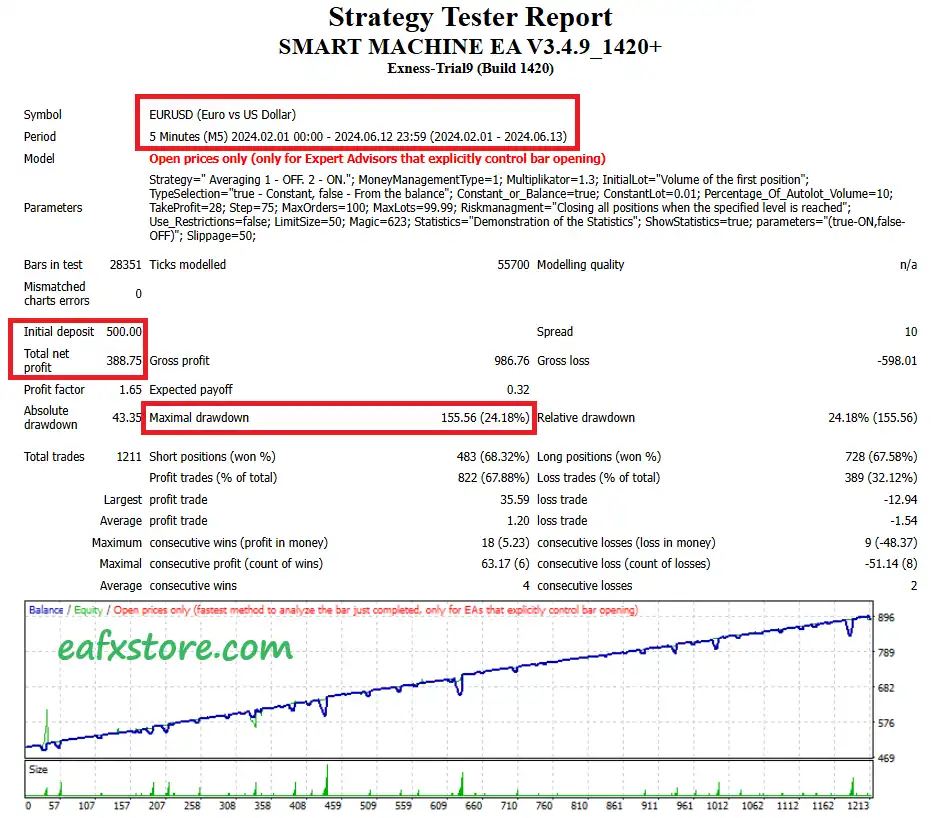
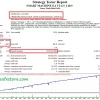
In backtests, Smart Machine EA turned a $500 deposit into $388 profit over 4 months with a maximum drawdown of 24.18%, indicating solid real-world-like performance.
🔥 Get This EA for FREE with Our Membership! 🚀🚀
Unlock access to this EA, premium Indicators, and exclusive trading tools completely FREE with any of our Membership Plans! Thousands of traders already benefit from our VIP library—join them and level up your trading instantly. Choose Your Membership:
- SPECIAL – 1 Month Membership
- GOLD – 1 Year Membership
- PREMIUM – 1 Year Membership
-
 Price range: $89.00 through $599.00
 -
 Price range: $89.00 through $599.00
 -
 Price range: $89.00 through $599.00
 -
 Price range: $70.00 through $599.00
-
 2Original price was: $1,799.00.$69.00Current price is: $69.00.
 -
 10Original price was: $499.00.$69.00Current price is: $69.00.
 -
 1Original price was: $1,599.00.$59.00Current price is: $59.00.
 -
 1Original price was: $950.00.$59.00Current price is: $59.00.
There are no reviews yet.