





Advanced Scalper EA MT4 v1.58 with SetFiles (Build 1471+)

Subscriptions for Special Plan
- 30 EA package is more economical!
- Special package with 99%
- Download 1 EA/Day

Subscriptions for Premium Membership
- Download Unlimited in 1 Year
- Get 100% Discount
- Get free access to all

Subscriptions for Gold Membership
- 1 Year Membership
- Get 100% Discount
- Access EA+Indicator+Course
Frequently bought together 🎁
Add these products to enhance your purchase



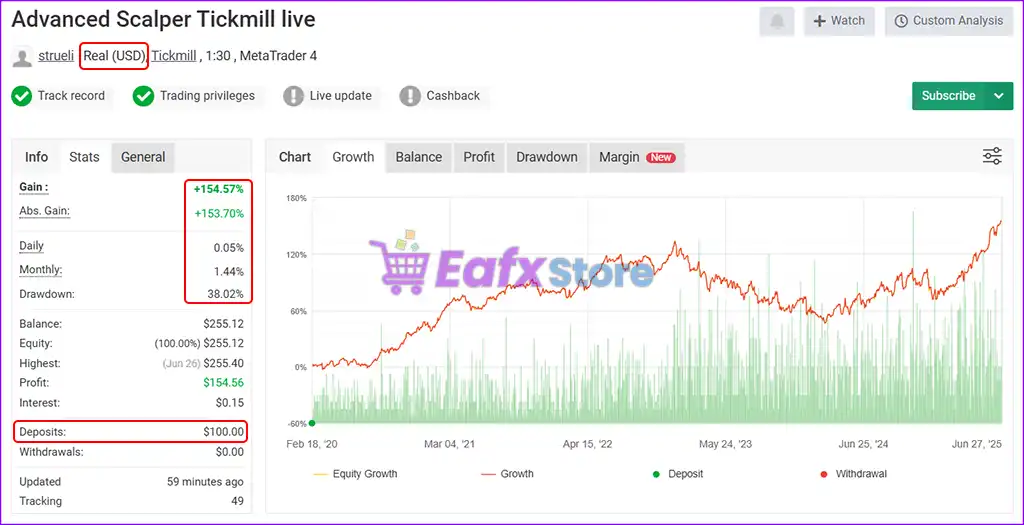
 Initial Deposit: $100
Advanced Scalper EA MT4 Settings Explained – Complete Configuration Guide
Advanced Scalper EA is a professional automated trading robot designed for MetaTrader 4 traders who focus on precision scalping strategies.
The EA includes advanced trailing stop management, break-even systems, spread and slippage filters, recent high/low entry logic, risk-adjusted lot sizing, trading session controls and news protection filters.
Advanced Scalper EA is suitable for traders seeking flexible automation with strong money management and trade protection features.
Advanced Scalper EA MT4 Settings
Advanced Scalper EA MT4 Full Settings Explanation
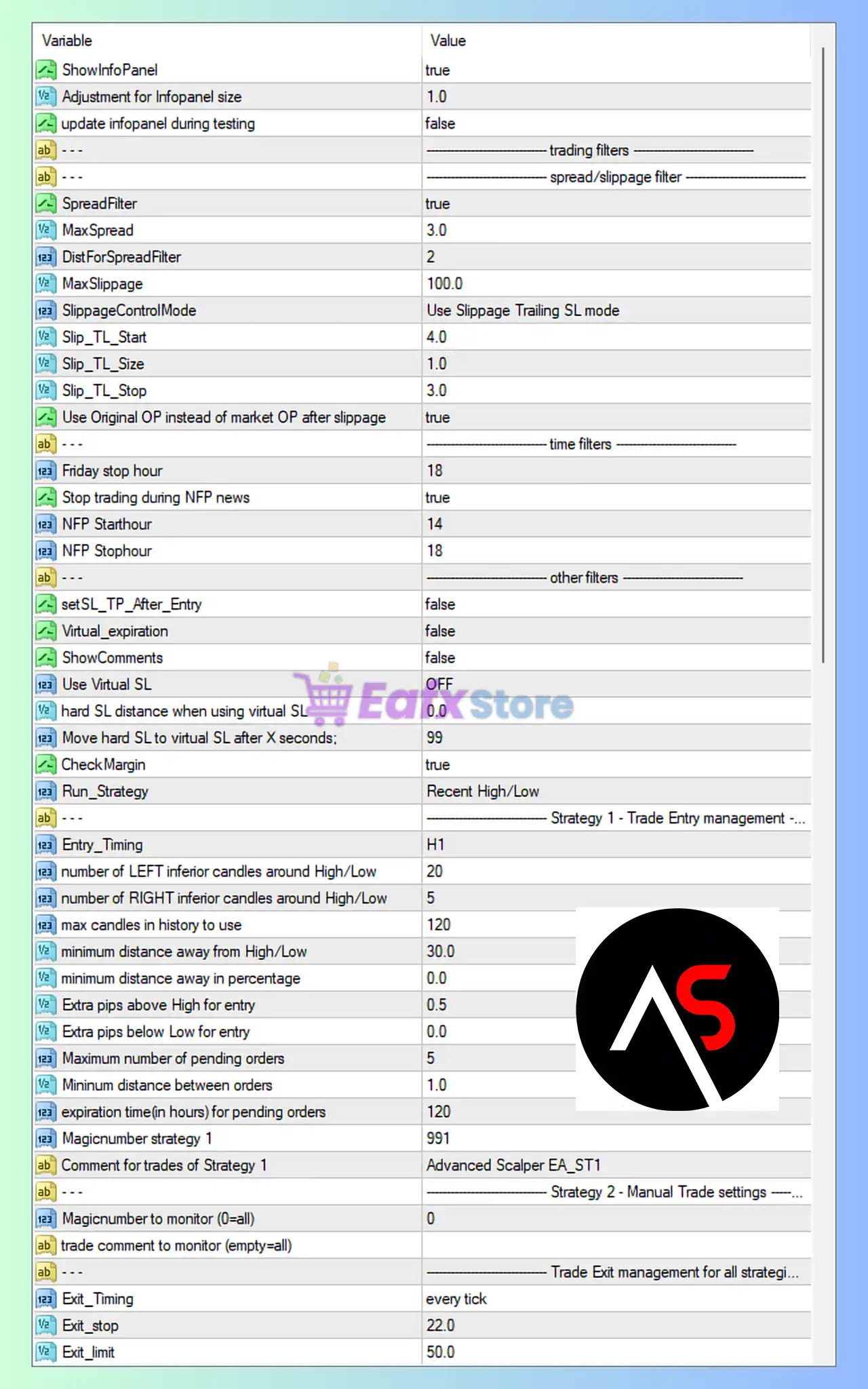
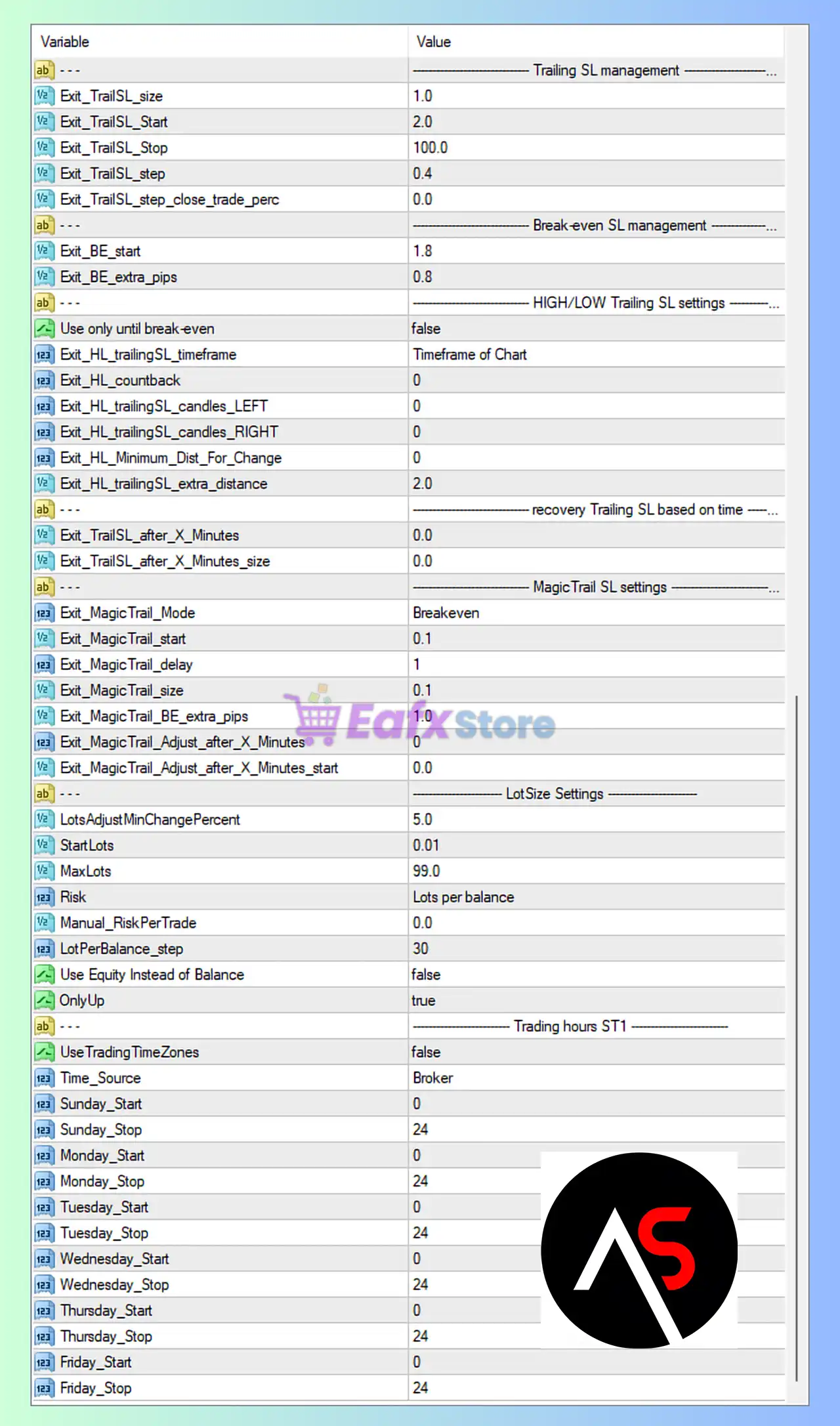
Below are the details of the parameters in the advisor’s trading system settings table:
Advanced Scalper EA MT4 Settings Panel
Advanced Scalper MT4 Settings Panel
Trailing Stop Loss Management
🔹 Exit_TrailSL_size = 1.0: Sets trailing stop size adjustment to 1.0.
🔹 Exit_TrailSL_Start = 2.0: Trailing stop activates after 2.0 pips profit.
🔹 Exit_TrailSL_Stop = 100.0: Maximum trailing stop distance is 100.0.
🔹 Exit_TrailSL_step = 0.4: Trailing stop updates every 0.4 pips.
🔹 Exit_TrailSL_step_close_trade_perc = 0.0: Percentage-based partial close during trailing stop disabled.
Break-even Stop Loss Management
🔹 Exit_BE_start = 1.8: Break-even activates after 1.8 pips profit.
🔹 Exit_BE_extra_pips = 0.8: Adds 0.8 extra pips after break-even activation.
HIGH/LOW Trailing Stop Settings
🔹 Use only until break-even = false: High/Low trailing remains active after break-even.
🔹 Exit_HL_trailingSL_timeframe = Timeframe of Chart: Uses current chart timeframe for trailing calculations.
🔹 Exit_HL_countback = 0: No candle countback applied.
🔹 Exit_HL_trailingSL_candles_LEFT = 0: Left-side candle count set to 0.
🔹 Exit_HL_trailingSL_candles_RIGHT = 0: Right-side candle count set to 0.
🔹 Exit_HL_Minimum_Dist_For_Change = 0: No minimum distance required before trailing updates.
🔹 Exit_HL_trailingSL_extra_distance = 2.0: Adds 2.0 extra pips distance to trailing stop.
Recovery Trailing Stop Based on Time
🔹 Exit_TrailSL_after_X_Minutes = 0.0: Time-based recovery trailing stop disabled.
🔹 Exit_TrailSL_after_X_Minutes_size = 0.0: Recovery trailing stop size set to 0.0.
MagicTrail Stop Loss Settings
🔹 Exit_MagicTrail_Mode = Breakeven: MagicTrail operates in break-even mode.
🔹 Exit_MagicTrail_start = 0.1: MagicTrail activates after 0.1 profit.
🔹 Exit_MagicTrail_delay = 1: MagicTrail delay set to 1.
🔹 Exit_MagicTrail_size = 0.1: MagicTrail size adjustment is 0.1.
🔹 Exit_MagicTrail_BE_extra_pips = 1.0: Adds 1.0 extra pips after break-even.
🔹 Exit_MagicTrail_Adjust_after_X_Minutes = 0: No time-based MagicTrail adjustment enabled.
🔹 Exit_MagicTrail_Adjust_after_X_Minutes_start = 0.0: Adjustment start time set to 0.0.
Lot Size Settings
🔹 LotsAdjustMinChangePercent = 5.0: Lot adjustment requires at least 5.0% balance change.
🔹 StartLots = 0.01: Starting lot size is 0.01.
🔹 MaxLots = 99.0: Maximum lot size allowed is 99.0.
🔹 Risk = Lots per balance: Risk model uses balance-based lot calculation.
🔹 Manual_RiskPerTrade = 0.0: Manual risk percentage disabled.
🔹 LotPerBalance_step = 30: Lot scaling step based on account balance is 30.
🔹 Use Equity Instead of Balance = false: EA uses account balance instead of equity for calculations.
🔹 OnlyUp = true: Lot size only increases upward with balance growth.
Trading Hours ST1
🔹 UseTradingTimeZones = false: Trading time zone filtering disabled.
🔹 Time_Source = Broker: Uses broker server time.
🔹 Sunday_Start = 0: Sunday trading starts at hour 0.
🔹 Sunday_Stop = 24: Sunday trading ends at hour 24.
🔹 Monday_Start = 0: Monday trading starts at hour 0.
🔹 Monday_Stop = 24: Monday trading ends at hour 24.
🔹 Tuesday_Start = 0: Tuesday trading starts at hour 0.
🔹 Tuesday_Stop = 24: Tuesday trading ends at hour 24.
🔹 Wednesday_Start = 0: Wednesday trading starts at hour 0.
🔹 Wednesday_Stop = 24: Wednesday trading ends at hour 24.
🔹 Thursday_Start = 0: Thursday trading starts at hour 0.
🔹 Thursday_Stop = 24: Thursday trading ends at hour 24.
🔹 Friday_Start = 0: Friday trading starts at hour 0.
🔹 Friday_Stop = 24: Friday trading ends at hour 24.
Info Panel Settings
🔹 ShowInfoPanel = true: Displays trading information panel on chart.
🔹 Adjustment for Infopanel size = 1.0: Info panel scaling factor set to 1.0.
🔹 update infopanel during testing = false: Info panel updates disabled during backtesting.
Spread & Slippage Filter
🔹 SpreadFilter = true: Enables spread filtering.
🔹 MaxSpread = 3.0: Maximum allowed spread is 3.0.
🔹 DistForSpreadFilter = 2: Spread filter distance parameter set to 2.
🔹 MaxSlippage = 100.0: Maximum slippage allowed is 100.0.
🔹 SlippageControlMode = Use Slippage Trailing SL mode: Uses trailing stop logic for slippage control.
🔹 Slip_TL_Start = 4.0: Slippage trailing activates at 4.0.
🔹 Slip_TL_Size = 1.0: Slippage trailing size is 1.0.
🔹 Slip_TL_Stop = 3.0: Slippage trailing stop distance is 3.0.
🔹 Use Original OP instead of market OP after slippage = true: Keeps original open price after slippage.
Time Filters
🔹 Friday stop hour = 18: Trading stops on Friday at hour 18.
🔹 Stop trading during NFP news = true: Disables trading during Non-Farm Payroll news.
🔹 NFP Starthour = 14: NFP filter starts at hour 14.
🔹 NFP Stophour = 18: NFP filter ends at hour 18.
Other Filters
🔹 setSL_TP_After_Entry = false: Stop loss and take profit are not modified after entry.
🔹 Virtual expiration = false: Virtual order expiration disabled.
🔹 ShowComments = false: Chart comments disabled.
🔹 Use Virtual SL = OFF: Virtual stop loss disabled.
🔹 hard SL distance when using virtual SL = 0.0: Hard SL distance set to 0.0.
🔹 Move hard SL to virtual SL after X seconds = 99: Hard SL transferred after 99 seconds.
🔹 CheckMargin = true: Enables margin checking before opening trades.
🔹 Run_Strategy = Recent High/Low: Uses Recent High/Low breakout strategy.
Strategy 1 – Trade Entry Management
🔹 Entry_Timing = H1: Entry calculations based on H1 timeframe.
🔹 number of LEFT inferior candles around High/Low = 20: Uses 20 candles to the left for high/low analysis.
🔹 number of RIGHT inferior candles around High/Low = 5: Uses 5 candles to the right.
🔹 max candles in history to use = 120: Maximum historical candles analyzed is 120.
🔹 minimum distance away from High/Low = 30.0: Minimum distance from recent high/low is 30.0.
🔹 minimum distance away in percentage = 0.0: Percentage distance filter disabled.
🔹 Extra pips above High for entry = 0.5: Adds 0.5 pips above high before entry.
🔹 Extra pips below Low for entry = 0.0: No extra pips below low.
🔹 Maximum number of pending orders = 5: Maximum pending orders allowed is 5.
🔹 Minimum distance between orders = 1.0: Minimum spacing between orders is 1.0.
🔹 expiration time(in hours) for pending orders = 120: Pending orders expire after 120 hours.
🔹 Magicnumber strategy 1 = 991: Magic number for Strategy 1 is 991.
🔹 Comment for trades of Strategy 1 = Advanced Scalper EA_ST1: Trade comment identifier.
Strategy 2 – Manual Trade Settings
🔹 Magicnumber to monitor (0=all) = 0: Monitors all magic numbers.
🔹 trade comment to monitor (empty=all): Empty field means monitor all trade comments.
Trade Exit Management
🔹 Exit_Timing = every tick: Exit management processed on every market tick.
🔹 Exit_stop = 22.0: Exit stop level set to 22.0.
🔹 Exit_limit = 50.0: Exit limit target set to 50.0.
Conclusion
Advanced Scalper EA MT4 is a sophisticated automated trading solution designed for precision scalping and breakout trading. The EA combines dynamic trailing stop systems, advanced break-even management, spread protection, NFP filters and Recent High/Low entry logic.
With flexible lot sizing, time controls, and multiple risk filters, Advanced Scalper EA MT4 offers traders a powerful environment for automated MT4 trading.
FAQs
❓ What is Advanced Scalper EA MT4?
Advanced Scalper EA MT4 is an automated scalping Expert Advisor for MetaTrader 4 focused on breakout and high/low trading strategies.
❓ Does Advanced Scalper EA MT4 include trailing stop features?
Yes, the EA includes multiple trailing stop systems including MagicTrail and High/Low trailing stops.
❓ Can Advanced Scalper EA MT4 filter news events?
Yes, the EA can stop trading during NFP news events.
❓ Does Advanced Scalper EA MT4 support automatic lot sizing?
Yes, the EA supports balance-based dynamic lot sizing.
❓ What strategy does Advanced Scalper EA MT4 use?
The EA primarily uses a Recent High/Low breakout trading strategy with advanced trade management tools.
User Reviews
Only logged in customers who have purchased this product may leave a review.
❓1. What is the main strategy used by Advanced Scalper EA MT4?
Advanced Scalper EA is built on a scalping strategy that uses advanced risk management, slippage protection, and smart market condition filtering. It aims for frequent, low-risk trades with consistent profitability over time.
❓2. Which currency pairs and markets does the EA support?
The EA supports major pairs like EURUSD, GBPUSD, USDJPY, and XAUUSD (Gold). It’s designed to be highly adaptable and effective across these instruments.
❓3. What timeframes does Advanced Scalper EA work best on?
While the EA can technically run on any timeframe, it is recommended to use H1 or H4 for optimal performance and signal quality.
❓4. Is Advanced Scalper EA fully automated?
Yes, the EA is 100% automated, but it also allows custom entry/exit customization and works well with manual trades or other EAs, offering hybrid control flexibility.
❓5. What kind of risk management does the EA include?
The EA includes professional-grade risk control with features like stop-loss protection, slippage filters, capital management options, and market volatility filters to minimize unnecessary risk.
❓6. How much is the minimum deposit required to start?
The recommended minimum deposit is $150, though this may vary depending on leverage and broker conditions. A higher deposit may allow for better scaling and risk control.
❓7. What kind of performance can I expect from Advanced Scalper EA?
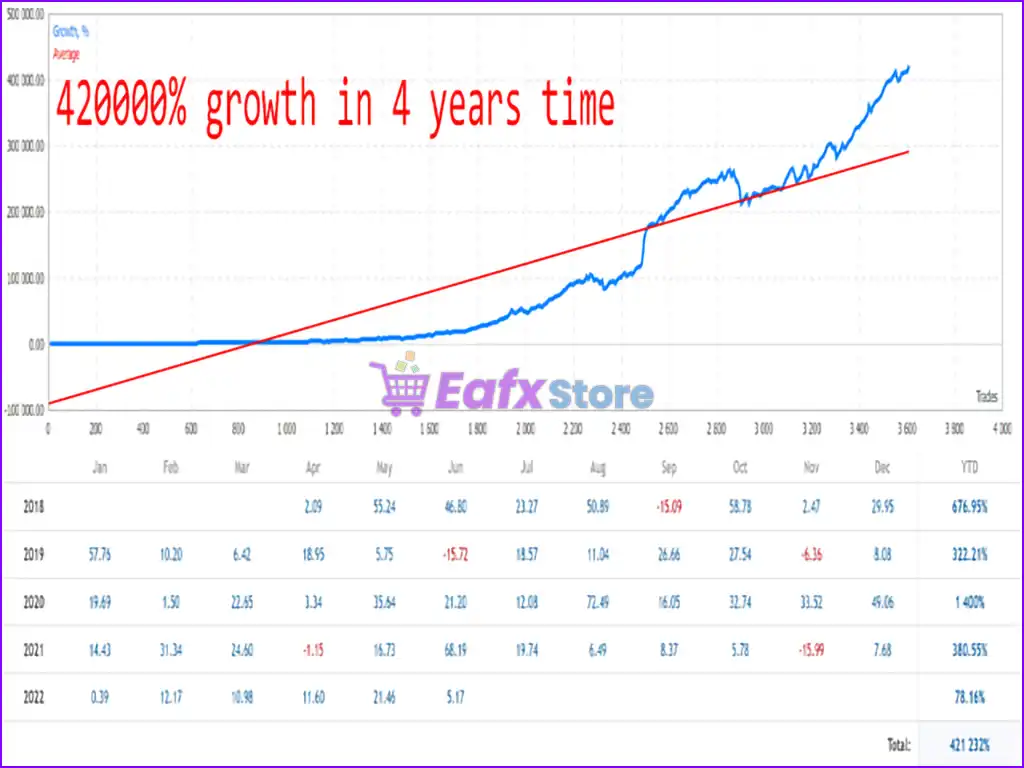
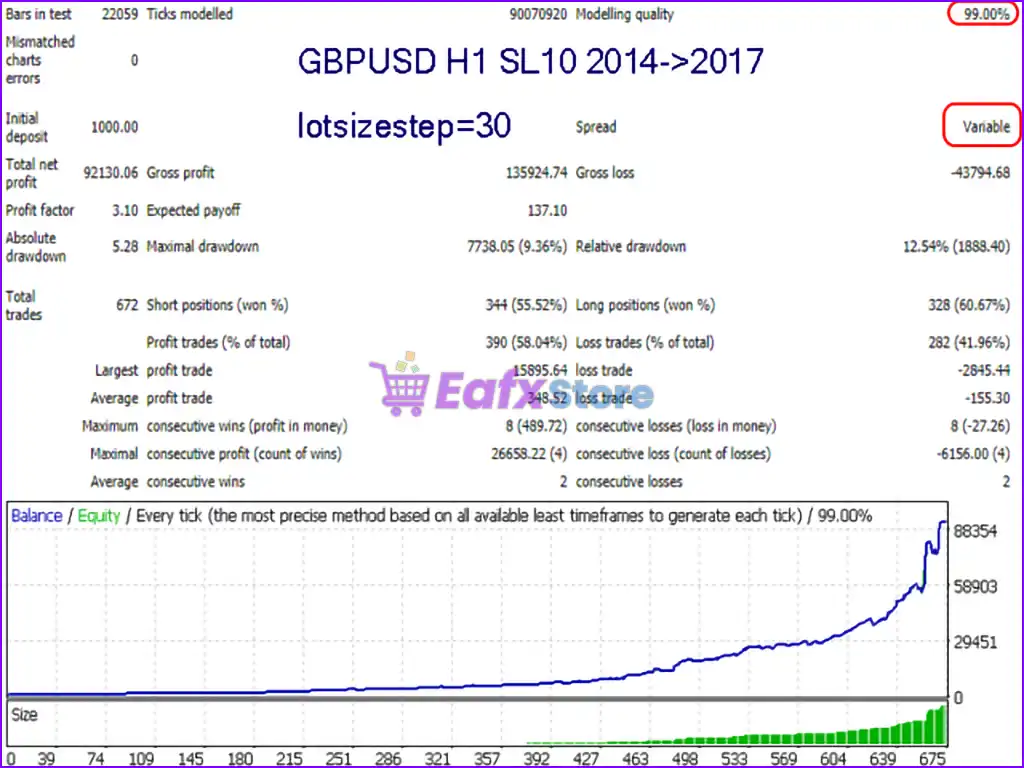
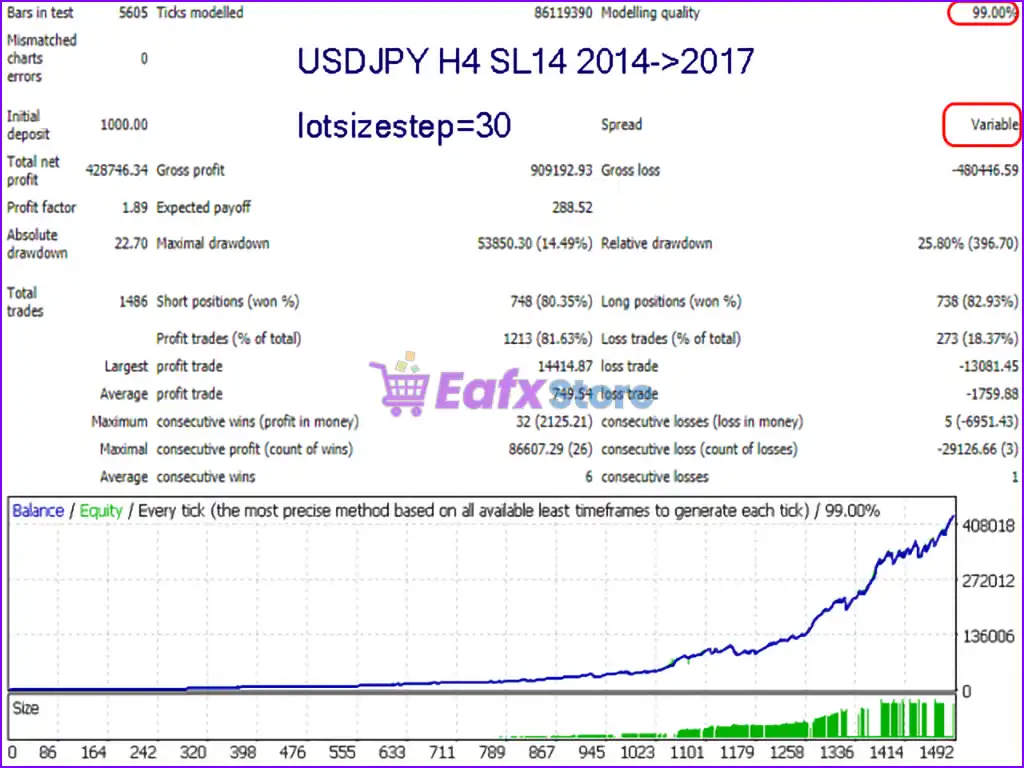
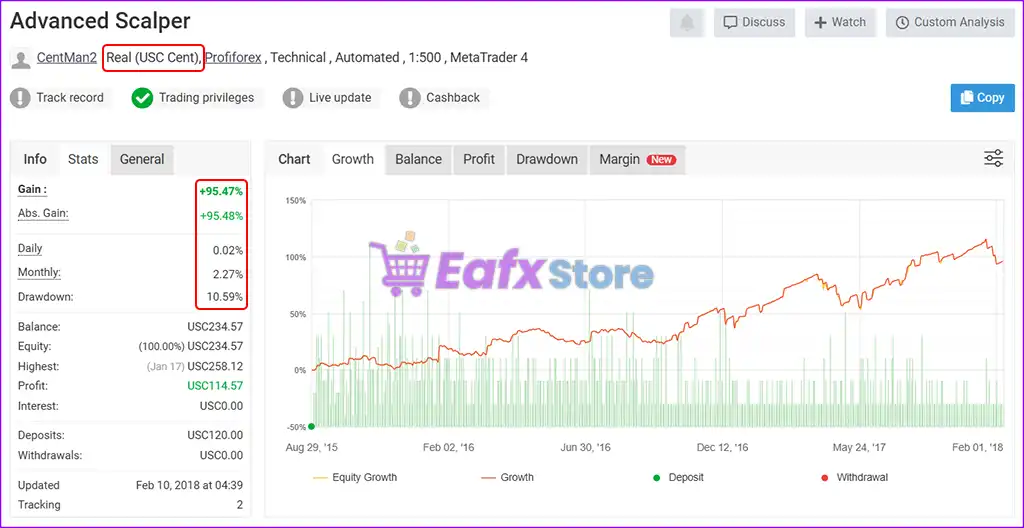
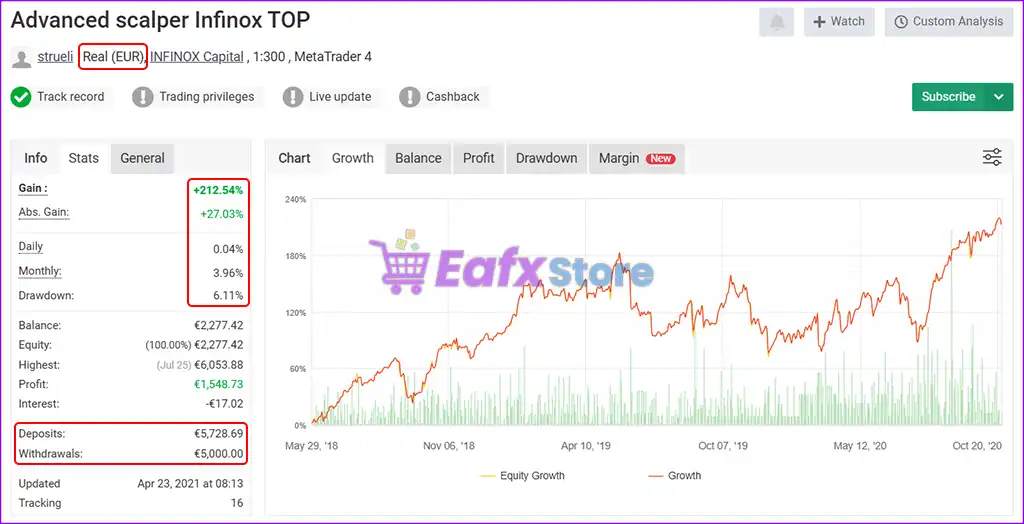
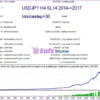
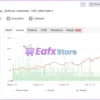
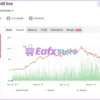
Live and backtest results show steady monthly returns of 2% to 4% with low drawdown (often below 15%). In long-term accounts, it has achieved over 400,000% growth, proving its ability to scale with compounding logic.
8. Does it work with prop firm accounts?
Yes. With its low drawdown, conservative risk management, and consistent profit curve, the EA is ideal for prop firm challenges and funded account programs.
❓9. Can I adjust the EA to fit my trading style?
Absolutely. The EA supports flexible customization including lot sizing, strategy filters, exit logic, and risk settings, making it suitable for both conservative and aggressive traders.
🔥 Get This EA for FREE with Our Membership! 🚀🚀
Unlock access to this EA, premium Indicators, and exclusive trading tools completely FREE with any of our Membership Plans! Thousands of traders already benefit from our VIP library—join them and level up your trading instantly. Choose Your Membership:
- SPECIAL – 1 Month Membership
- GOLD – 1 Year Membership
- PREMIUM – 1 Year Membership




-
 2Original price was: $1,799.00.$59.00Current price is: $59.00.
 -
 3Original price was: $999.00.$69.00Current price is: $69.00.
 -
 3Original price was: $999.00.$69.00Current price is: $69.00.
 -
 2Original price was: $3,500.00.$59.00Current price is: $59.00.
There are no reviews yet.