



Goldbot One MT5 Settings Explained – Complete Configuration Guide
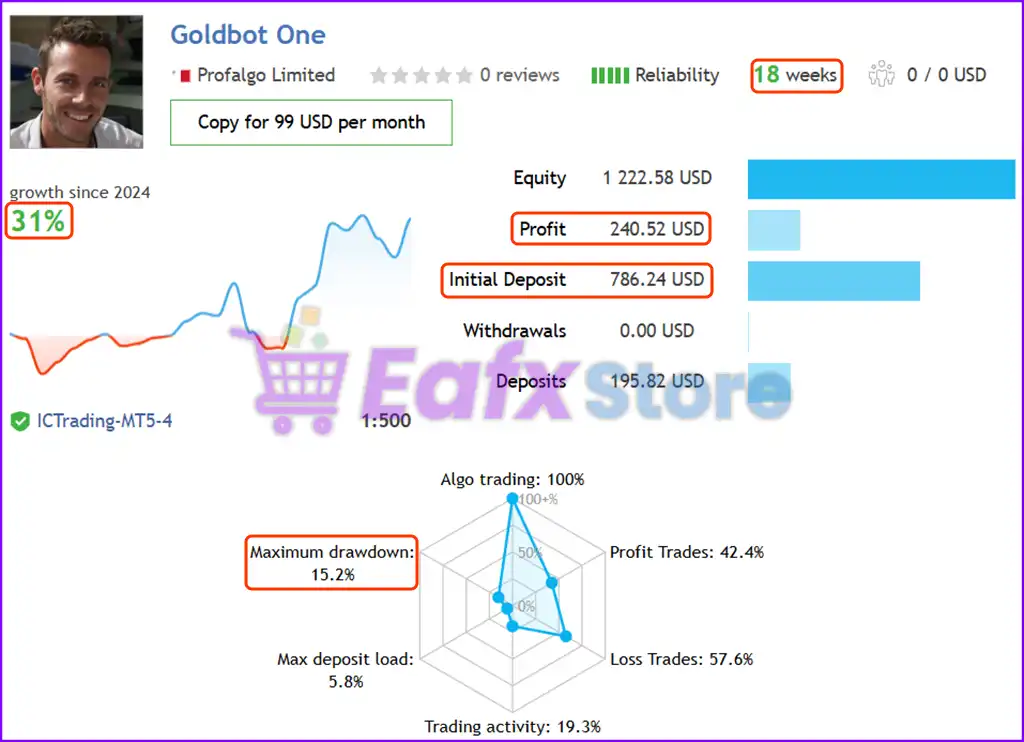
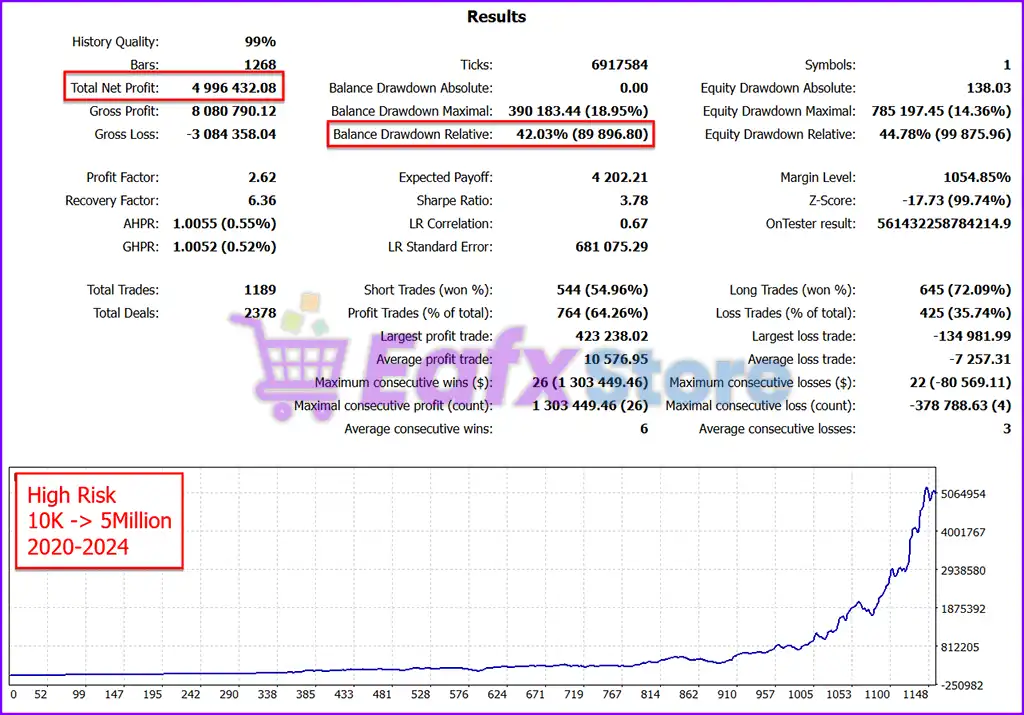
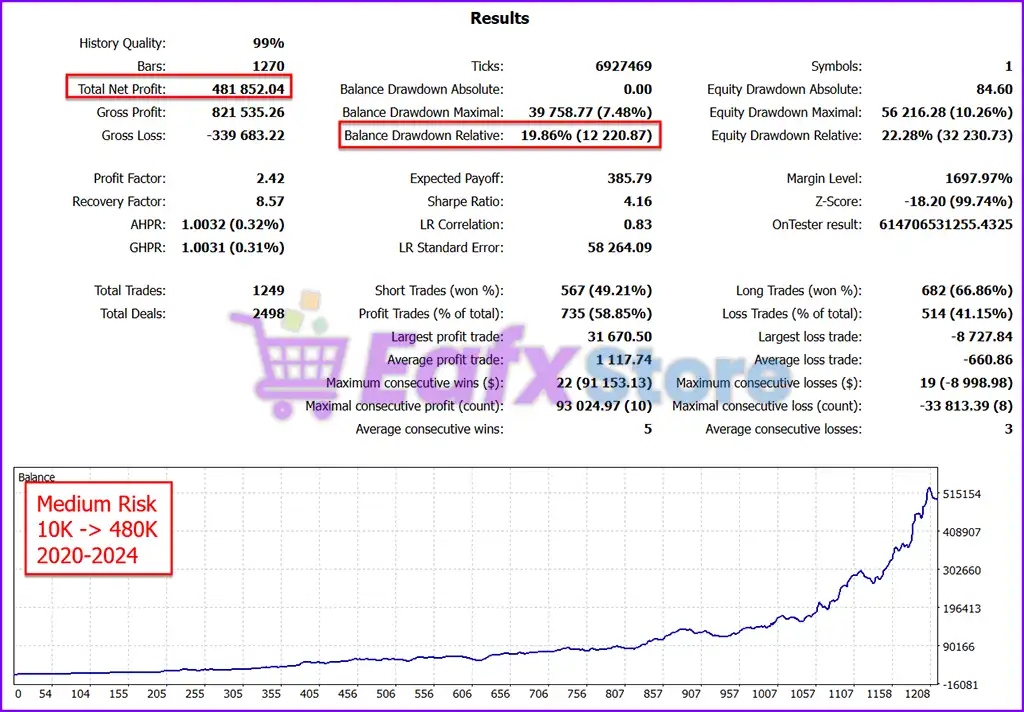
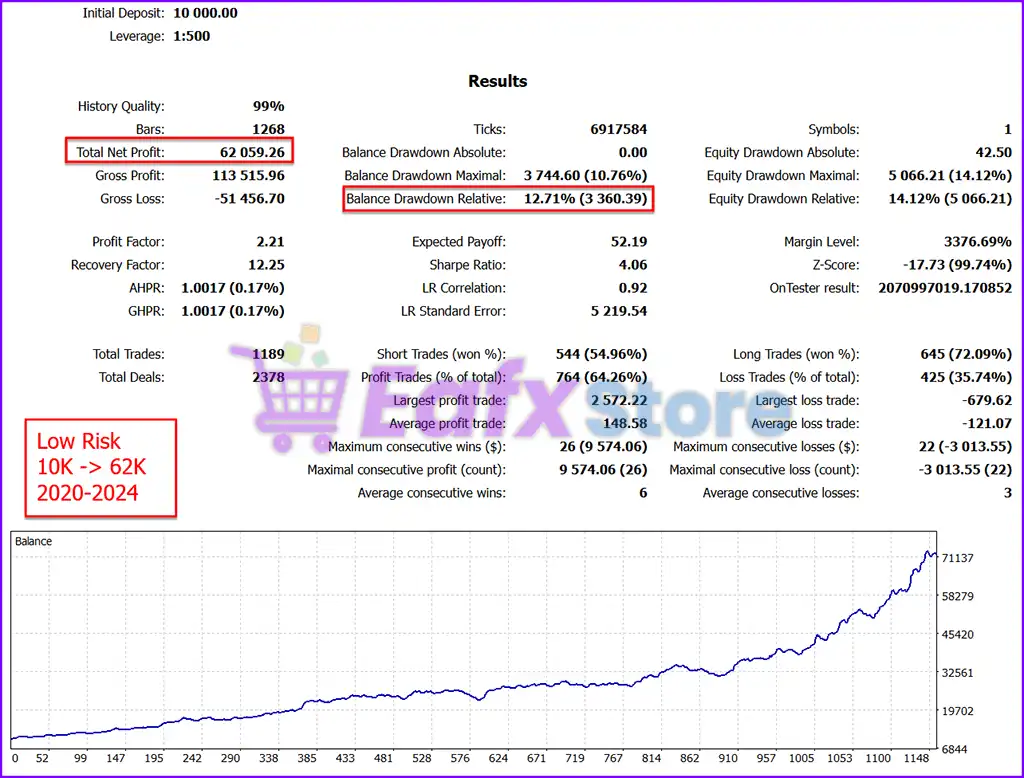
Goldbot One MT5 is a powerful automated trading Expert Advisor designed for the MetaTrader 5 platform. The EA supports multiple built-in trading strategies, advanced NFP filtering, dynamic lot size management, prop firm compatible settings, virtual expiration handling and fake breakout protection. Goldbot One MT5 is optimized for traders looking for a flexible multi-strategy gold trading robot with customizable risk management and automated execution features.

Installation Panel Parameters
Below are the details of the parameters in the advisor’s trading system settings table:

Goldbot One MT5 Full Settings Explanation
🔹 ShowInfoPanel = true: Displays the information panel directly on the trading chart.
🔹 update infopanel during testing = false: Disables updating the information panel during strategy backtesting.
🔹 Adjustment for Infopanel size = 1.0: Sets the scale size of the information panel to 1.0.
🔹 Force Font Size (0=disabled) = 0: Keeps automatic font sizing enabled because manual font size forcing is disabled.
🔹 Allow Buy Trades = true: Allows the EA to open BUY positions automatically.
🔹 Allow Sell Trades = true: Allows the EA to open SELL positions automatically.
🔹 run strategy 1 = true: Enables internal trading Strategy 1.
🔹 run strategy 2 = true: Enables internal trading Strategy 2.
🔹 run strategy 3 = true: Enables internal trading Strategy 3.
🔹 run strategy 4 = true: Enables internal trading Strategy 4.
🔹 run strategy 5 = true: Enables internal trading Strategy 5.
🔹 run strategy 6 = true: Enables internal trading Strategy 6.
🔹 run strategy 7 = true: Enables internal trading Strategy 7.
🔹 run strategy 8 = true: Enables internal trading Strategy 8.
🔹 Max Allowed Spread = 500.0: Defines the maximum spread allowed for opening trades as 500.0 points.
🔹 Friday stop hour (brokertime; close all trades) = 25: Sets the Friday shutdown hour for closing all trades according to broker server time.
🔹 setSL_TP_After_Entry = false: Disables delayed Stop Loss and Take Profit placement after trade execution.
🔹 Use Virtual Expiration = true: Enables virtual expiration management for pending orders or trading logic.
🔹 Randomization (entries and exit) in pips = 0.0: No randomization is applied to entries and exits.
🔹 Fake Breakout Filter = ON: Activates the fake breakout detection filter to reduce false trading signals.
🔹 Base Magicnumber = 2000: Sets the base Magic Number used for trade identification.
🔹 Comment for trades = GoldBot_One: Adds the comment “GoldBot_One” to all trades opened by the EA.
🔹 RemoveCommentSuffix = false: Keeps additional suffixes in trade comments enabled.
NFP Filter Settings
🔹 EnableNFP_Filter = true: Enables Non-Farm Payroll event filtering.
🔹 UseMQL5Calendar = true: Uses the built-in MQL5 economic calendar for news filtering.
🔹 AutoGMT = true: Automatically detects GMT offset based on broker server time.
🔹 GMT_OFFSET_Winter (AutoGMT=false or backtesting) = 2: Uses GMT+2 during winter when AutoGMT is disabled or during testing.
🔹 MT_OFFSET_Summer (AutoGMT=false or backtesting) = 3: Uses GMT+3 during summer when AutoGMT is disabled or during testing.
🔹 NFP_CloseOpenTrades = true: Closes open trades before major NFP news events.
🔹 NFP_ClosePendingOrders = true: Deletes pending orders before NFP announcements.
🔹 NFP_MinutesBefore = 180: Stops trading 180 minutes before NFP events.
🔹 NFP_MinutesAfter = 50: Resumes trading 50 minutes after NFP events.
Prop Firm Unique Trade Settings
🔹 AdjustEntry = 0.0: No additional adjustment is applied to entry price calculations.
🔹 AdjustSL = 0.0: No Stop Loss adjustment is applied.
🔹 AdjustTP = 0.0: No Take Profit adjustment is applied.
🔹 AdjustTrailSL = 0.0: No trailing Stop Loss adjustment is applied.
🔹 AdjustBE = 0.0: No Break Even adjustment is applied.
Lot Size Settings
🔹 Set Balance To Use manually = 0.0: Uses actual account balance because manual balance override is disabled.
🔹 StartLots = 0.01: Sets the starting lot size to 0.01 lots.
🔹 Lotsize calculation method = use StartLots: Uses fixed starting lot size calculation.
🔹 Max Risk Per Strategy = 6.0: Limits maximum risk exposure per strategy to 6.0%.
🔹 Set Max Daily Drawdown (Prop Firms) = 0.0: No daily drawdown limit is configured.
🔹 LotsizeStep = 1000: Increases lot size based on every 1000 units of balance growth.
🔹 OnlyUp = false: Allows lot size adjustments in both increasing and decreasing balance conditions.
🔹 CheckMargin = true: Verifies available account margin before opening trades.
🔹 Use Equity Instead of Balance = false: Uses account balance instead of equity for lot calculations.
🔹 AdjustLotsizeToVariableValues = true: Automatically adjusts lot size according to variable conditions and strategy logic.
Conclusion
Goldbot One MT5 offers a comprehensive automated trading environment with multiple strategies, advanced risk management, NFP protection, and Prop Firm-friendly controls. The EA is highly customizable, making it suitable for both conservative and aggressive traders. By correctly configuring spread limits, lot sizing, and news filters, traders can optimize Goldbot One MT5 for stable long-term performance on MetaTrader 5.
FAQs
❓ What is Goldbot One MT5 designed for?
Goldbot One MT5 is designed for automated multi-strategy trading on the MetaTrader 5 platform, especially for gold and volatile market conditions.
❓ Does Goldbot One MT5 include news filtering?
Yes, the EA includes an advanced NFP filter using the MQL5 economic calendar.
❓ Can Goldbot One MT5 run multiple strategies at the same time?
Yes, Strategies 1 through 8 can run simultaneously when enabled.
❓ What is the purpose of the Fake Breakout Filter?
The Fake Breakout Filter helps reduce false entry signals during volatile market movements.
❓ Is Goldbot One MT5 suitable for prop firm trading?
Yes, the EA includes prop firm-specific settings such as drawdown controls and adjustable trade parameters.



