

Goldbot One MT4 Settings Explained – Complete Configuration Guide
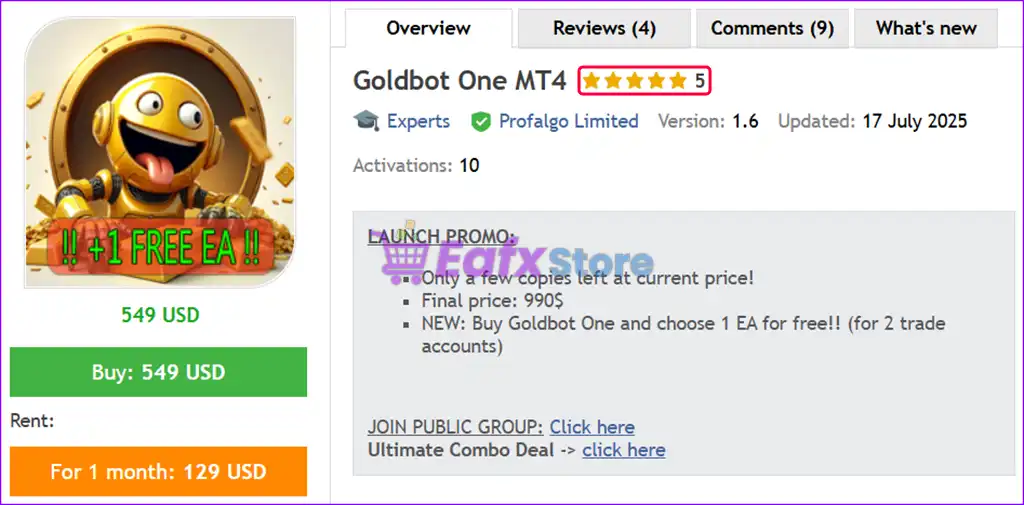
Goldbot One MT4 is an advanced automated trading Expert Advisor (EA) designed for MetaTrader 4 traders who focus on gold trading and high-frequency market opportunities.
The EA combines multiple trading strategies, NFP protection filters, spread management, virtual expiration systems, and advanced lot sizing controls to help traders optimize performance while maintaining risk management.
Goldbot One MT4 is suitable for both prop firm traders and retail forex traders looking for automated gold trading solutions.

Goldbot One MT4 Full Settings Explanation
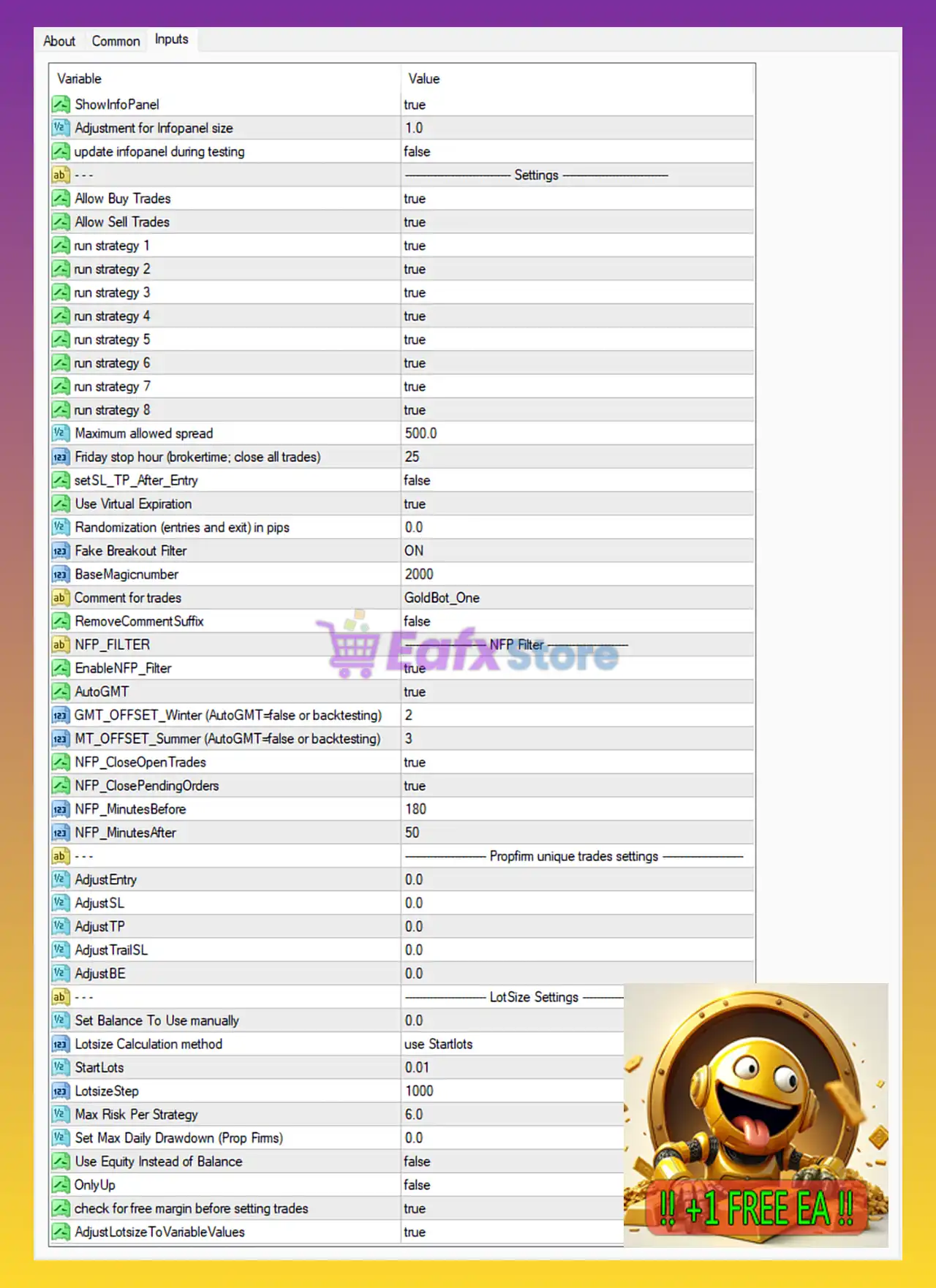
Below are the details of the parameters in the advisor’s trading system settings table:
Info Panel Settings
🔹 ShowInfoPanel = true: Enables the information panel on the MT4 chart.
🔹 Adjustment for Infopanel size = 1.0: Sets the scaling size of the information panel to 1.0.
🔹 update infopanel during testing = false: Disables info panel updates during strategy testing.
Main Trading Settings
🔹 Allow Buy Trades = true: Allows the EA to open buy positions.
🔹 Allow Sell Trades = true: Allows the EA to open sell positions.
🔹 run strategy 1 = true: Enables trading strategy number 1.
🔹 run strategy 2 = true: Enables trading strategy number 2.
🔹 run strategy 3 = true: Enables trading strategy number 3.
🔹 run strategy 4 = true: Enables trading strategy number 4.
🔹 run strategy 5 = true: Enables trading strategy number 5.
🔹 run strategy 6 = true: Enables trading strategy number 6.
🔹 run strategy 7 = true: Enables trading strategy number 7.
🔹 run strategy 8 = true: Enables trading strategy number 8.
🔹 Maximum allowed spread = 500.0: Maximum spread allowed for opening trades is 500.0.
🔹 Friday stop hour (brokertime; close all trades) = 25: Defines the Friday trading stop hour at broker time 25.
🔹 setSL_TP_After_Entry = false: Disables setting stop loss and take profit after trade entry.
🔹 Use Virtual Expiration = true: Enables virtual expiration functionality for trades.
🔹 Randomization (entries and exit) in pips = 0.0: Entry and exit randomization disabled with value 0.0.
🔹 Fake Breakout Filter = ON: Activates fake breakout filtering logic.
🔹 BaseMagicnumber = 2000: Base magic number identifier set to 2000.
🔹 Comment for trades = GoldBot_One: Trade comment label displayed as GoldBot_One.
🔹 RemoveCommentSuffix = false: Keeps comment suffix enabled.
NFP Filter Settings
🔹 EnableNFP_Filter = true: Enables Non-Farm Payroll news protection filter.
🔹 AutoGMT = true: Automatically detects GMT offset.
🔹 GMT_OFFSET_Winter (AutoGMT=false or backtesting) = 2: Winter GMT offset manually set to 2.
🔹 GMT_OFFSET_Summer (AutoGMT=false or backtesting) = 3: Summer GMT offset manually set to 3.
🔹 NFP_CloseOpenTrades = true: Closes open trades during NFP news events.
🔹 NFP_ClosePendingOrders = true: Removes pending orders during NFP events.
🔹 NFP_MinutesBefore = 180: Stops trading 180 minutes before NFP release.
🔹 NFP_MinutesAfter = 50: Resumes trading 50 minutes after NFP release.
Prop Firm Unique Trade Settings
🔹 AdjustEntry = 0.0: Entry price adjustment set to 0.0.
🔹 AdjustSL = 0.0: Stop loss adjustment set to 0.0.
🔹 AdjustTP = 0.0: Take profit adjustment set to 0.0.
🔹 AdjustTrailSL = 0.0: Trailing stop adjustment set to 0.0.
🔹 AdjustBE = 0.0: Break-even adjustment set to 0.0.
Lot Size Settings
🔹 Set Balance To Use manually = 0.0: Manual balance override disabled with value 0.0.
🔹 Lotsize Calculation method = use Startlots: Uses starting lots for lot size calculation.
🔹 StartLots = 0.01: Initial lot size set to 0.01.
🔹 LotsizeStep = 1000: Lot size increases every balance increment of 1000.
🔹 Max Risk Per Strategy = 6.0: Maximum risk allowed per strategy is 6.0.
🔹 Set Max Daily Drawdown (Prop Firms) = 0.0: Daily drawdown protection disabled with value 0.0.
🔹 Use Equity Instead of Balance = false: Uses account balance instead of equity for calculations.
🔹 OnlyUp = false: Allows both upward and downward lot adjustments.
🔹 check for free margin before setting trades = true: Verifies available free margin before opening trades.
🔹 AdjustLotsizeToVariableValues = true: Automatically adjusts lot size to variable trading conditions.
Conclusion
Goldbot One MT4 is a feature-rich automated trading EA built specifically for gold trading and prop firm compatibility. With support for multiple strategies, NFP news filtering, virtual expiration systems, spread protection, and advanced lot management, the EA offers traders a flexible and professional trading solution.
Its customizable risk settings and automated trade controls make Goldbot One MT4 suitable for traders seeking consistent and controlled automated trading performance.
FAQs
❓ What is Goldbot One MT4?
Goldbot One MT4 is an automated Expert Advisor for MetaTrader 4 focused on gold trading and multi-strategy execution.
❓ Does Goldbot One MT4 include NFP protection?
Yes, the EA includes a built-in NFP filter that can pause trading and close trades during major news events.
❓ Can Goldbot One MT4 trade both buy and sell positions?
Yes, the EA supports both buy and sell trading simultaneously.
❓ Is Goldbot One MT4 suitable for prop firm trading?
Yes, the EA includes prop firm risk management settings and drawdown controls.
❓ Does Goldbot One MT4 support automatic lot sizing?
Yes, the EA can automatically calculate and adjust lot sizes based on account settings and risk parameters.