


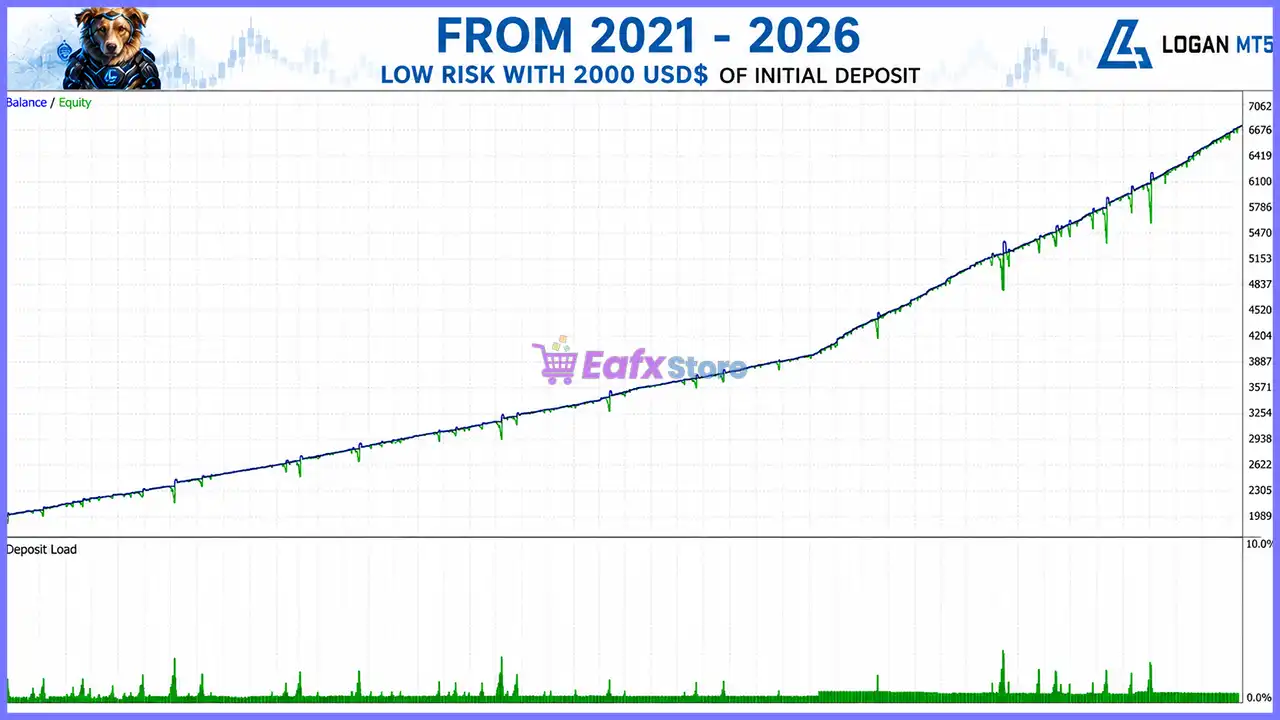



Logan MT5 with SetFiles (Latest version) - Unlimited

Subscriptions for Special Plan
- 30 EA package is more economical!
- Special package with 99%
- Download 1 EA/Day

Subscriptions for Premium Membership
- Download Unlimited in 1 Year
- Get 100% Discount
- Get free access to all

Subscriptions for Gold Membership
- 1 Year Membership
- Get 100% Discount
- Access EA+Indicator+Course
Frequently bought together 🎁
Add these products to enhance your purchase


Product Download Package?
The download package of the product suite includes:
Experts
 Logan MT5.ex5
SetFiles
logan_$750_extreme.set
logan_$1000_very_high.set
logan_$1200_high.set
logan_$1500_medium_high.set
logan_$1700_medium.set
logan_$2000_low_medium.set
logan_$2500_low.set
logan_$3000_very low.set
logan_autolot_medium_exness.set
logan_fixed_exness.set
logan_autolot_$2500_low_exness.set
 Reviewed by David Easton
🔢 Logan MT5 Settings Guide
Logan MT5 is a fully automated Expert Advisor designed for MetaTrader 5 that combines multiple entry strategies, intelligent money management, account protection and built-in news filtering.
With automatic lot sizing, configurable risk profiles, and several trading strategies—including Breakout, Pullback, Support & Resistance, and Momentum Impulse—Logan MT5 provides traders with a flexible and disciplined trading solution suitable for various market conditions.
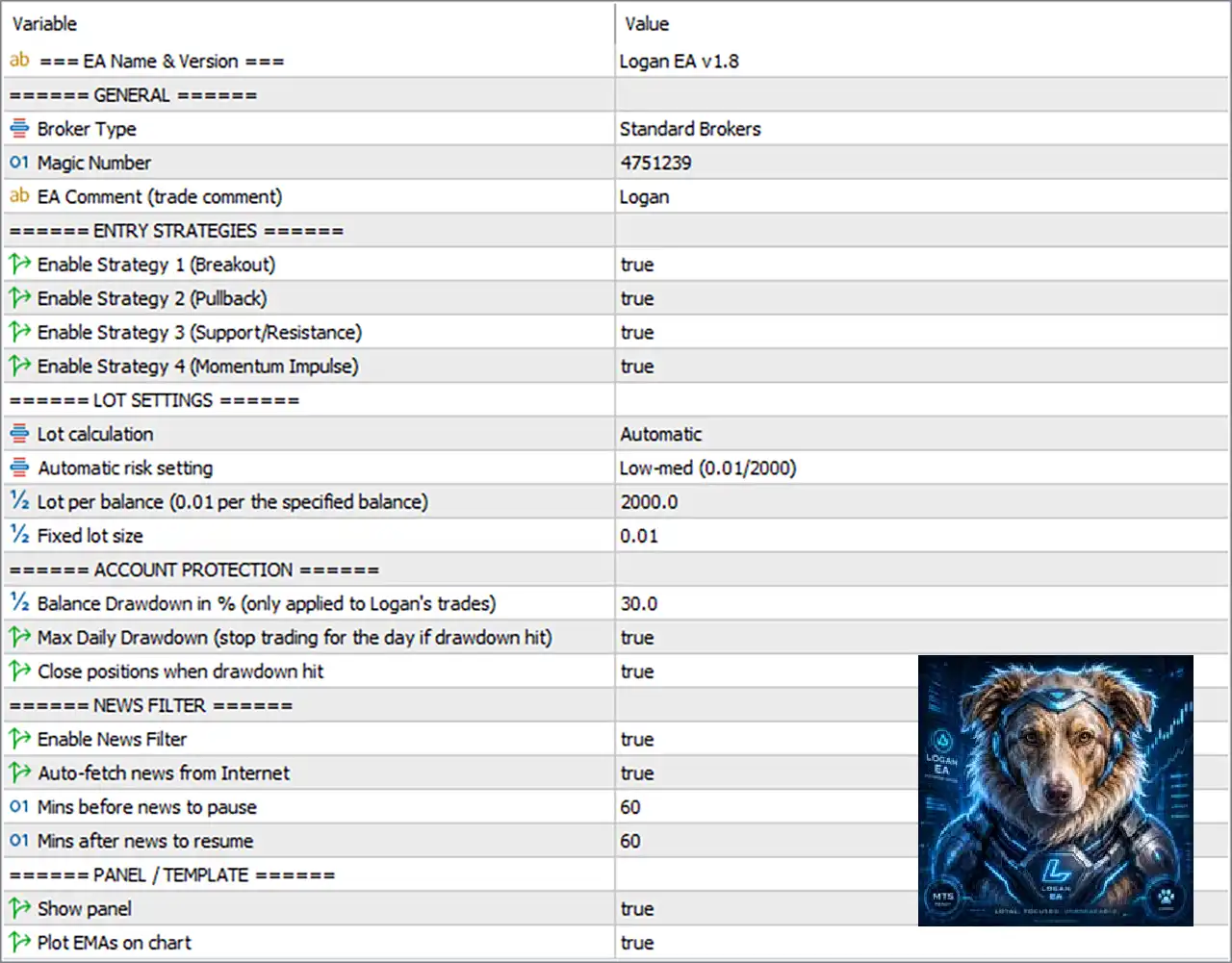
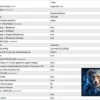
Logan MT5 Settings Panel
🔢 General Settings
🔹 Broker Type = Standard Brokers – Optimizes the EA settings for Standard Brokers trading environments.
🔹 Magic Number = 4751239 – Assigns the unique Magic Number 4751239 to identify all trades opened by Logan MT5.
🔹 EA Comment (trade comment) = Logan – Adds the trade comment “Logan” to every order opened by the EA.
🔢 Entry Strategies
🔹 Enable Strategy 1 (Breakout) = true – Enables the Breakout Strategy to trade price breakouts from key market levels.
🔹 Enable Strategy 2 (Pullback) = true – Enables the Pullback Strategy to enter trades after temporary market retracements.
🔹 Enable Strategy 3 (Support/Resistance) = true – Enables the Support and Resistance Strategy to trade around important price zones.
🔹 Enable Strategy 4 (Momentum Impulse) = true – Enables the Momentum Impulse Strategy to capture strong directional market movements.
🔢 Lot Settings
🔹 Lot Calculation = Automatic – Automatically calculates trading volume based on the selected money management method.
🔹 Automatic Risk Setting = Low-med (0.01/2000) – Uses the predefined Low-Medium Risk profile with 0.01 lot per 2000 balance.
🔹 Lot per Balance (0.01 per the specified balance) = 2000.0 – Opens 0.01 lot for every 2000.0 units of account balance.
🔹 Fixed Lot Size = 0.01 – Uses 0.01 lots whenever fixed lot mode is selected.
🔢 Account Protection
🔹 Balance Drawdown in % (only applied to Logan’s trades) = 30.0 – Limits Logan MT5 trades to a maximum 30.0% account drawdown.
🔹 Max Daily Drawdown (stop trading for the day if drawdown hit) = true – Stops opening new trades for the remainder of the day after reaching the daily drawdown limit.
🔹 Close Positions When Drawdown Hit = true – Automatically closes all Logan MT5 positions when the configured drawdown threshold is reached.
🔢 News Filter
🔹 Enable News Filter = true – Activates the built-in economic news protection filter.
🔹 Auto-fetch News from Internet = true – Automatically downloads the latest economic news events from the Internet.
🔹 Mins Before News to Pause = 60 – Stops opening new trades 60 minutes before scheduled news events.
🔹 Mins After News to Resume = 60 – Resumes normal trading 60 minutes after the news event has passed.
🔢 Panel & Template
🔹 Show Panel = true – Displays the Logan MT5 information panel directly on the trading chart.
🔹 Plot EMAs on Chart = true – Displays the Exponential Moving Average (EMA) indicators on the chart for additional market visualization.
🔢 Risk Level
🔹 Fix Lot – Uses a constant trading volume regardless of account balance, ensuring predictable position sizing.
🔹 Safe – Applies conservative risk management with smaller position sizes to minimize drawdown.
🔹 Balanced – Provides a balanced approach between capital protection and trading performance for most account types.
🔹 Aggressive – Increases trading exposure and position size to maximize profit potential while accepting higher risk.
🔢 Conclusion
Logan MT5 combines four complementary trading strategies with intelligent money management, automatic lot calculation, built-in drawdown protection, and advanced economic news filtering. Its flexible configuration allows traders to adapt the EA to different account sizes and risk preferences while maintaining strong capital protection. Properly configuring these parameters helps improve long-term consistency, reduce unnecessary exposure during volatile news events, and optimize automated trading performance.
🔢 FAQs
❓ What trading strategies does Logan MT5 use?
Logan MT5 combines Breakout, Pullback, Support & Resistance, and Momentum Impulse strategies, all of which can be enabled or disabled independently.
❓ How does Automatic Lot Calculation work?
The EA automatically adjusts the trading volume according to the selected risk profile and account balance, such as 0.01 lot per 2000 balance.
❓ What happens when the daily drawdown limit is reached?
If enabled, Logan MT5 stops opening new trades for the rest of the trading day and can also close existing positions.
❓ Why is the News Filter important?
The News Filter helps reduce trading risk by pausing new entries 60 minutes before and 60 minutes after major economic news releases.
❓ Can I use Logan MT5 with a fixed lot size?
Yes. You can disable automatic lot sizing and trade with the predefined Fixed Lot Size = 0.01 or adjust it to match your preferred risk management strategy.
User Reviews
Only logged in customers who have purchased this product may leave a review.
❓ What market and timeframe is Logan MT5 designed for?
Logan MT5 is built exclusively for XAUUSD on the M15 timeframe, using intelligent entry confirmation and adaptive recovery for Gold trading.
❓ How does Logan MT5 identify trading opportunities?
Logan MT5 combines EMA alignment, ADX trend strength, ATR volatility, tick volume, spread checks, and candle momentum before opening any trade.
❓ Does Logan MT5 use a traditional Grid strategy?
No. Logan MT5 uses an intelligent ATR-based recovery system with adaptive spacing, avoiding the constant overtrading common in traditional Grid EAs.
❓ How does Logan MT5 manage trading risk?
Logan MT5 includes daily drawdown protection, spread filtering, session controls, and optional emergency position closure to help protect trading capital.
❓ Can Logan MT5 calculate lot sizes automatically?
Yes. Logan MT5 supports both Fixed Lot and Automatic Lot sizing based on account balance, allowing flexible money management for different traders.
❓ What happens if the market moves against Logan MT5?
Logan MT5 can open recovery positions using adaptive ATR-based spacing, then closes the entire basket once the predefined profit target is achieved.
❓ Which broker type is recommended for Logan MT5?
Logan MT5 performs best on ECN or Raw Spread accounts, where fast execution and low spreads improve trading efficiency and overall performance.
❓ What is the recommended account balance for Logan MT5?
Logan MT5 recommends a minimum balance of $1,000 for 0.01 lots, while $2,000 or more provides greater flexibility and risk management.
❓ Is a VPS recommended for Logan MT5?
Yes. Logan MT5 is recommended to run on a VPS for uninterrupted operation, reliable execution, and stable automated trading throughout market hours.
❓ Can Logan MT5 stop trading after reaching a daily loss limit?
Yes. Logan MT5 automatically pauses new trades after the configured daily drawdown limit is reached and resumes trading when the next trading day begins.
-
 Original price was: $30,000.00.$599.00Current price is: $599.00.
 -
 Original price was: $3,750.00.$599.00Current price is: $599.00.
 -
 Original price was: $30,000.00.$599.00Current price is: $599.00.
 -
 Original price was: $999.00.$89.00Current price is: $89.00.
-
 0Original price was: $1,299.00.$249.00Current price is: $249.00.
 -
 0Original price was: $2,288.00.$249.00Current price is: $249.00.
 -
 1Original price was: $1,299.00.$249.00Current price is: $249.00.
 -
 27Original price was: $60,000.00.$239.00Current price is: $239.00.
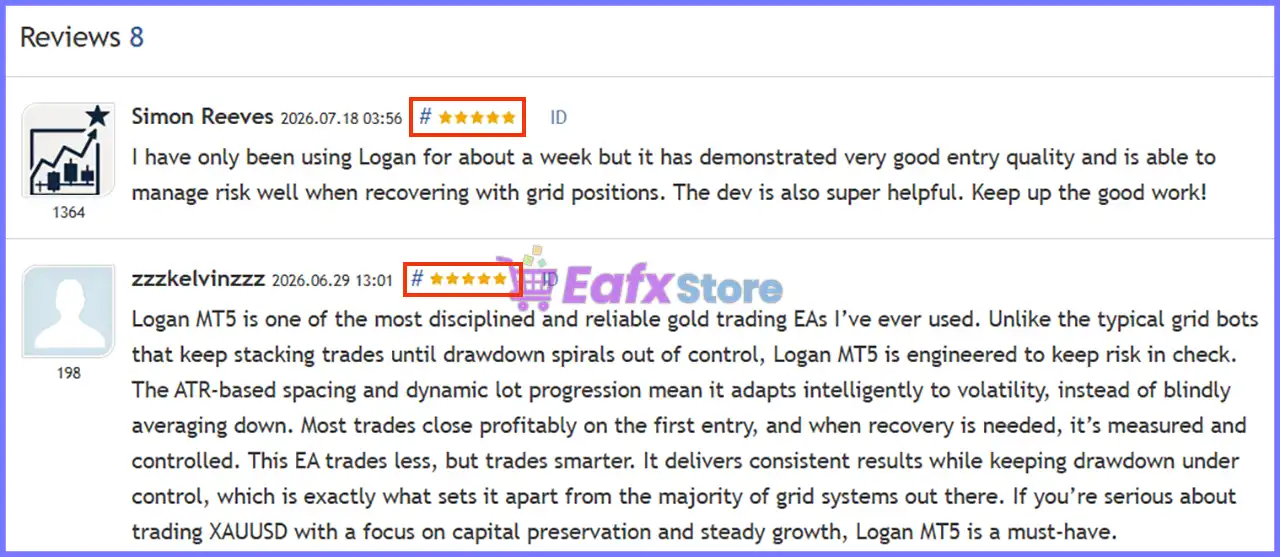
There are no reviews yet.