
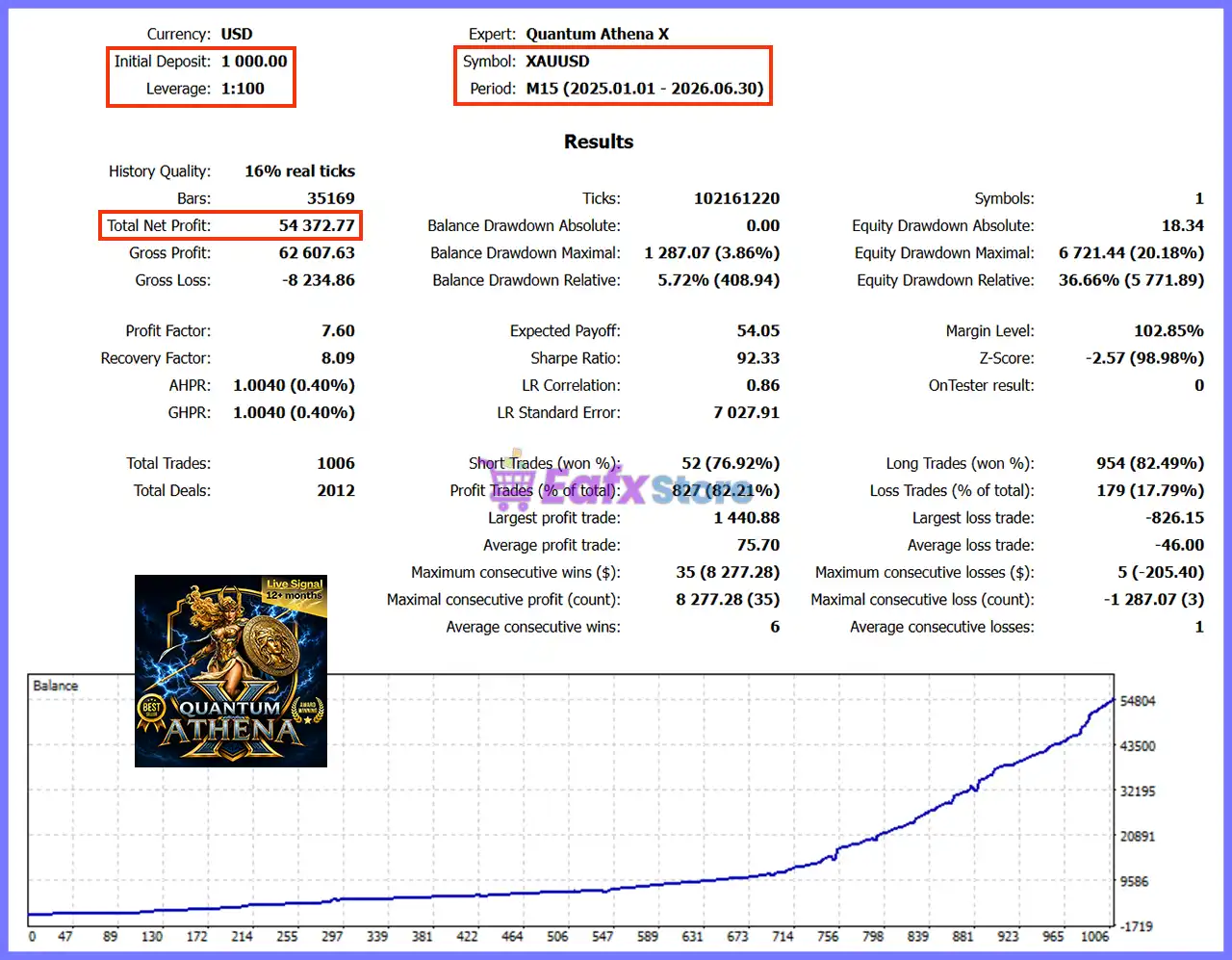
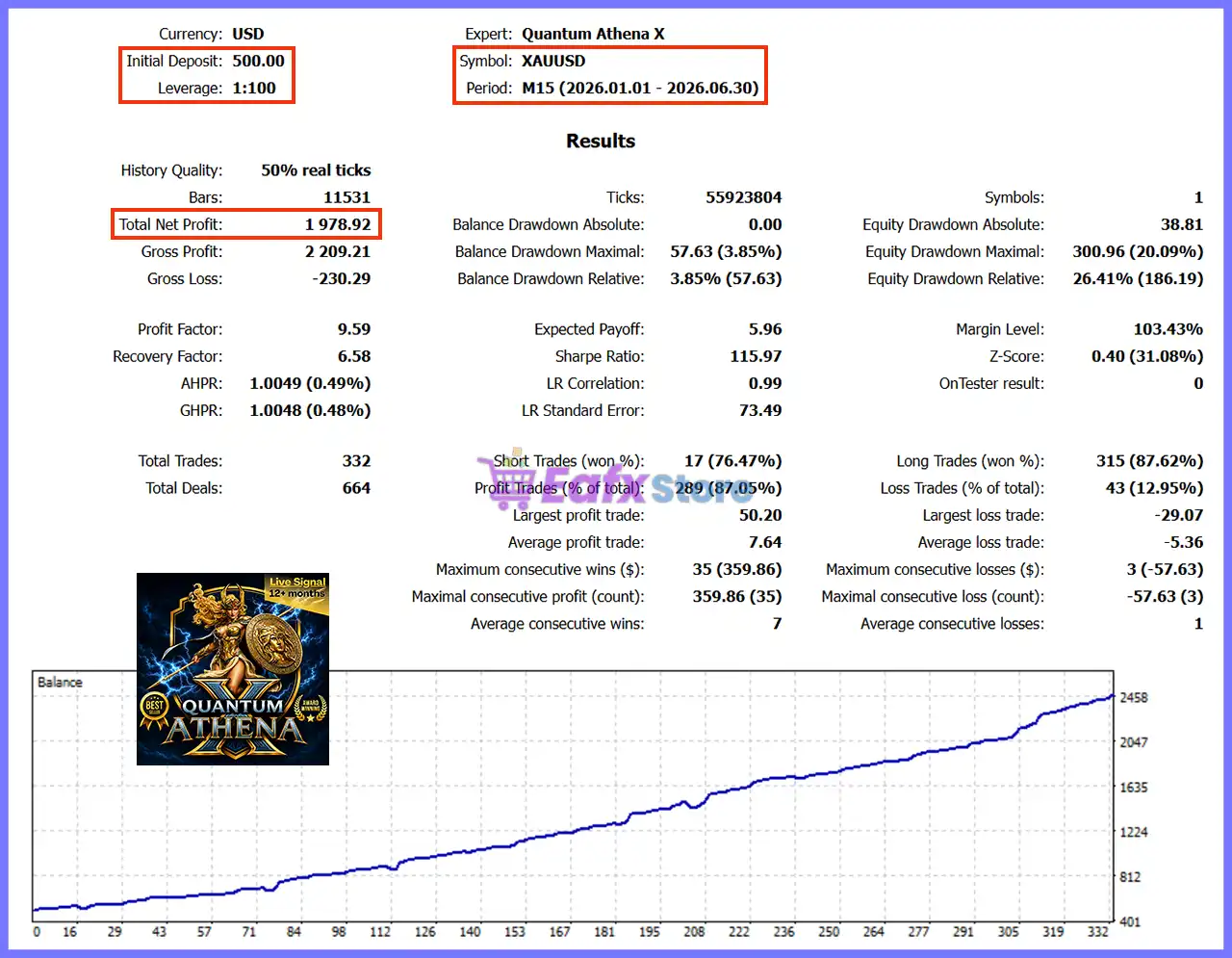
🔢 Quantum Athena X MT5 Settings Guide
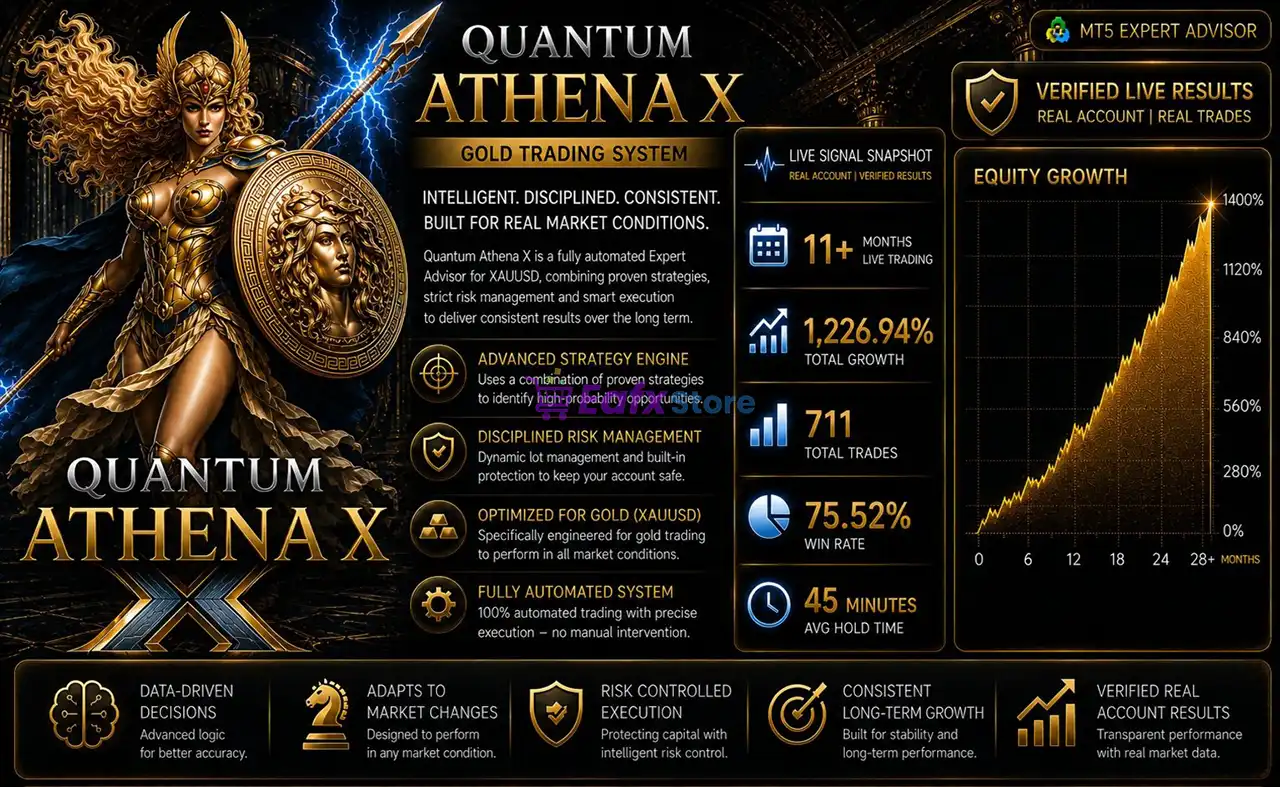
Quantum Athena X MT5 is an advanced multi-strategy Expert Advisor developed for XAUUSD trading. The EA automatically manages timeframe selection internally, allowing traders to attach it to virtually any chart without worrying about timeframe optimization.
It combines automatic lot sizing, multiple built-in trading strategies, flexible risk management, trading day filters, and customizable visual settings to provide a professional and fully automated trading experience on MetaTrader 5.
🔢 Quantum Athena X MT5 Settings Explained
🔄 General Settings
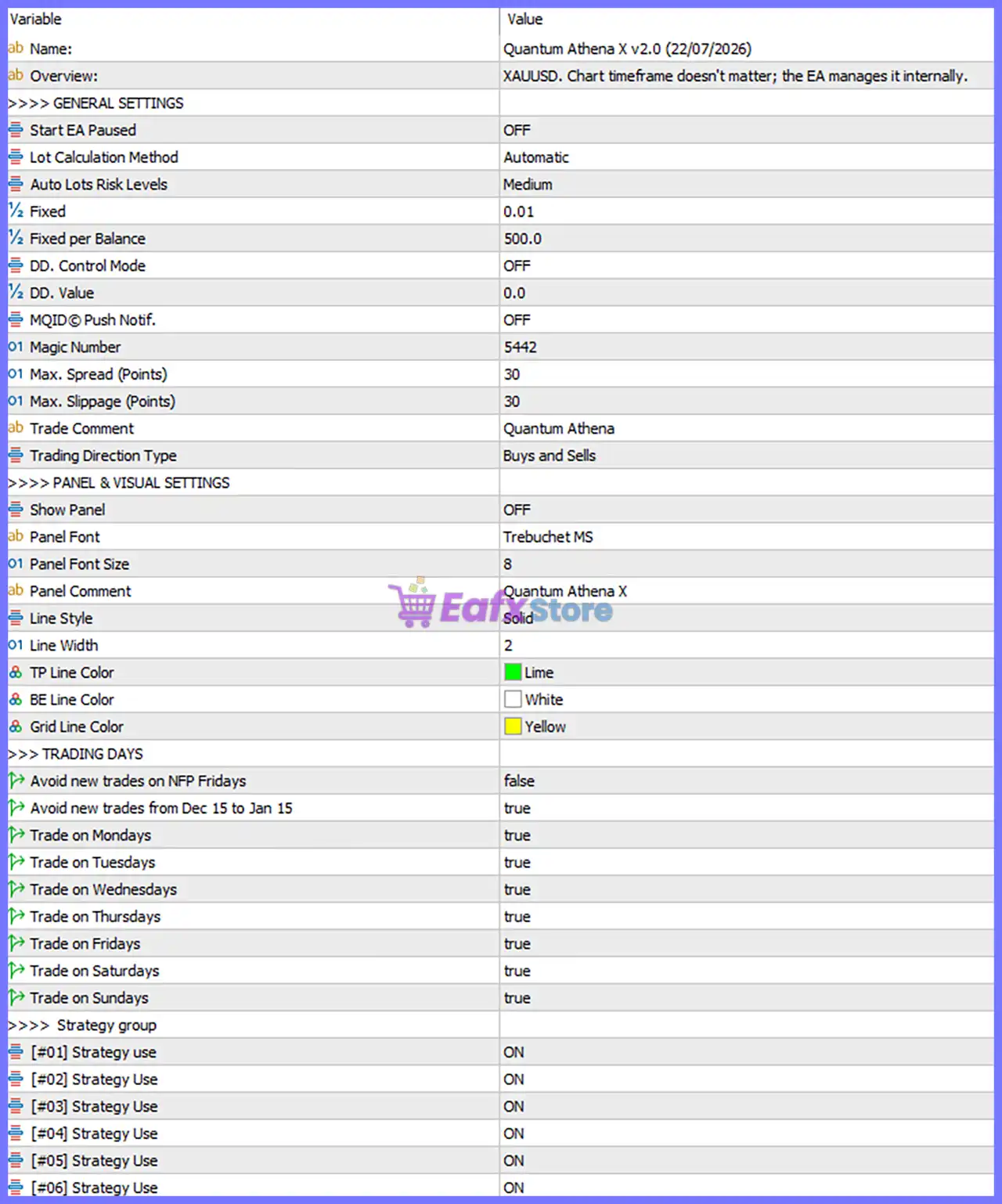
🔹 Name = Quantum Athena X v2.0 (22/07/2026) – Displays the Expert Advisor name and current version v2.0 (22/07/2026).
🔹 Overview = XAUUSD. Chart timeframe doesn't matter; the EA manages it internally. – Indicates the EA is designed for XAUUSD, and timeframe selection is handled automatically.
🔹 Start EA Paused = OFF – Starts the EA immediately after being attached to the chart.
🔹 Lot Calculation Method = Automatic – Automatically calculates the appropriate trading lot size.
🔹 Auto Lots Risk Levels = Medium – Uses the predefined Medium risk profile for automatic lot sizing.
🔹 Fixed = 0.01 – Sets the default fixed lot size to 0.01 lots when fixed lot mode is used.
🔹 Fixed per Balance = 500.0 – Uses 0.01 lots for every 500.0 units of account balance in automatic lot calculation.
🔹 DD. Control Mode = OFF – Drawdown control is currently disabled.
🔹 DD. Value = 0.0 – No drawdown threshold is configured.
🔹 MQID © Push Notif. = OFF – Push notifications to the MetaTrader mobile application are disabled.
🔹 Magic Number = 5442 – Uses 5442 as the unique identifier for all trades opened by this EA.
🔹 Max. Spread (Points) = 30 – Maximum allowed spread is 30 points before new trades are opened.
🔹 Max. Slippage (Points) = 30 – Maximum acceptable execution slippage is 30 points.
🔹 Trade Comment = Quantum Athena – Adds Quantum Athena as the comment on all executed trades.
🔹 Trading Direction Type = Buys and Sells – Enables both Buy and Sell trading directions.
🔄 Panel & Visual Settings
🔹 Show Panel = OFF – Disables the on-chart information panel.
🔹 Panel Font = Trebuchet MS – Uses Trebuchet MS as the panel font.
🔹 Panel Font Size = 8 – Sets the panel text size to 8.
🔹 Panel Comment = Quantum Athena X – Displays Quantum Athena X as the panel title.
🔹 Line Style = Solid – Uses solid lines for graphical objects.
🔹 Line Width = 2 – Sets chart object line thickness to 2.
🔹 TP Line Color = Lime – Displays Take Profit lines in Lime color.
🔹 BE Line Color = White – Displays Break Even lines in White.
🔹 Grid Line Color = Yellow – Displays Grid lines in Yellow.
🔄 Trading Days
🔹 Avoid new trades on NFP Fridays = false – The EA is allowed to open new trades during Non-Farm Payroll Fridays.
🔹 Avoid new trades from Dec 15 to Jan 15 = true – Prevents opening new positions between December 15 and January 15.
🔹 Trade on Mondays = true – Enables trading on Monday.
🔹 Trade on Tuesdays = true – Enables trading on Tuesday.
🔹 Trade on Wednesdays = true – Enables trading on Wednesday.
🔹 Trade on Thursdays = true – Enables trading on Thursday.
🔹 Trade on Fridays = true – Enables trading on Friday.
🔹 Trade on Saturdays = true – Enables trading on Saturday.
🔹 Trade on Sundays = true – Enables trading on Sunday.
🔢 Strategy Group
🔹 [#01] Strategy Use = ON – Activates Strategy #01.
🔹 [#02] Strategy Use = ON – Activates Strategy #02.
🔹 [#03] Strategy Use = ON – Activates Strategy #03.
🔹 [#04] Strategy Use = ON – Activates Strategy #04.
🔹 [#05] Strategy Use = ON – Activates Strategy #05.
🔹 [#06] Strategy Use = ON – Activates Strategy #06.
🔢 Risk Level
🔹 Fixed Lot – Uses a constant trading volume such as 0.01 lots regardless of account balance.
🔹 Safe – Prioritizes capital preservation with lower position sizing and reduced drawdown.
🔹 Balanced – Provides a moderate balance between account growth and controlled trading risk.
🔹 Aggressive – Increases position sizing and trading exposure to maximize potential returns while accepting higher drawdown.
🔢 Conclusion
Quantum Athena X MT5 is a comprehensive automated trading solution for XAUUSD that combines intelligent lot management, multiple built-in trading strategies, flexible trading day controls, spread protection, and customizable visual settings. Its ability to manage timeframes internally and simultaneously enable multiple trading strategies makes it suitable for traders seeking a highly automated and configurable MetaTrader 5 Expert Advisor.
🔢 FAQs
❓ What symbol is Quantum Athena X MT5 designed to trade?
Quantum Athena X MT5 is optimized for XAUUSD (Gold) trading.
❓ Do I need to select a specific timeframe?
No. The EA automatically manages timeframe selection internally, so it can be attached to any chart.
❓ Can I enable or disable individual strategies?
Yes. Each built-in strategy (#01 through #06) can be enabled or disabled independently.
❓ Does Quantum Athena X MT5 support automatic lot sizing?
Yes. The EA supports automatic lot calculation with configurable risk levels as well as fixed lot trading.
❓ Can I restrict trading during certain periods of the year?
Yes. The EA includes an option to prevent opening new trades between December 15 and January 15, along with configurable trading day controls.



