




CeleritasForex EA MT4 (Latest version) - Unlimited

Subscriptions for Special Plan
- 30 EA package is more economical!
- Special package with 99%
- Download 1 EA/Day

Subscriptions for Premium Membership
- Download Unlimited in 1 Year
- Get 100% Discount
- Get free access to all

Subscriptions for Gold Membership
- 1 Year Membership
- Get 100% Discount
- Access EA+Indicator+Course
Frequently bought together 🎁
Add these products to enhance your purchase




Quick Overview
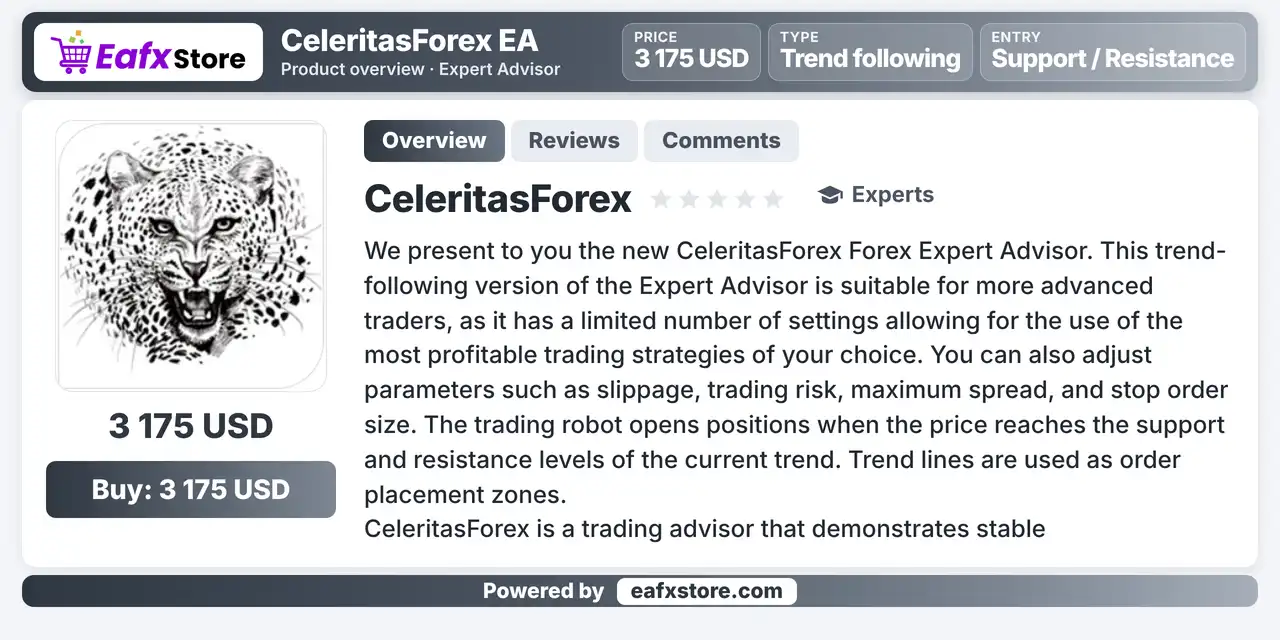
CeleritasForex EA is a Trend following Expert Advisor for MetaTrader 4 with a small number of settings. It opens positions when price reaches support and resistance levels of the current trend, and it uses trend lines as zones for placing orders. It is aimed at more experienced traders who want control over risk and order size.
Best For:
✅ Trend traders on MetaTrader 4.
✅ Experienced users who like few settings.
✅ Traders who use support and resistance.
✅ Users who want adjustable risk and spread.
✅ Traders who work with pending orders.
What is CeleritasForex EA MT4?
CeleritasForex EA is an Expert Advisor (EA) for MetaTrader 4. It is a trend following system for more advanced traders, with a limited number of settings.
It opens positions at support and resistance levels of the current trend and uses trend lines as zones for placing orders.
⭐ Vendor Website: View here
⭐ Delivery time 24h-48h after payment.
⭐ Refund if not delivered.
⭐ You will receive the current version without any limitations (ID+Time).
CeleritasForex EA MT4 Review
How Does CeleritasForex EA MT4 Work?
Trend Following
The EA trades in the direction of the current trend and avoids aggressive scalping.
Level Entries
Positions open when price reaches support and resistance levels of the trend.
Order Zones
Trend lines are used as the areas where orders are placed.
Settings
Volume of market positions and pending orders, order distance, magic number, slippage, risk, maximum spread and stop order size can be adjusted.
Historical Trading Results Performance
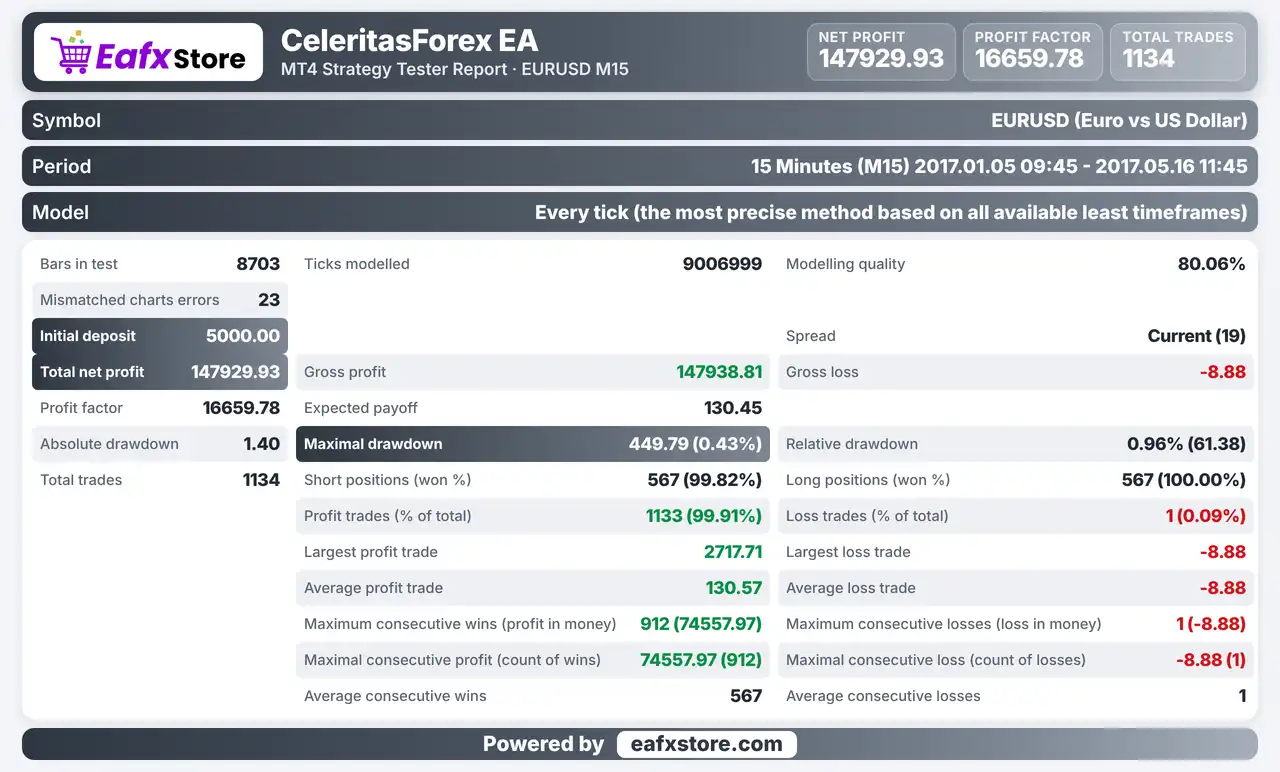
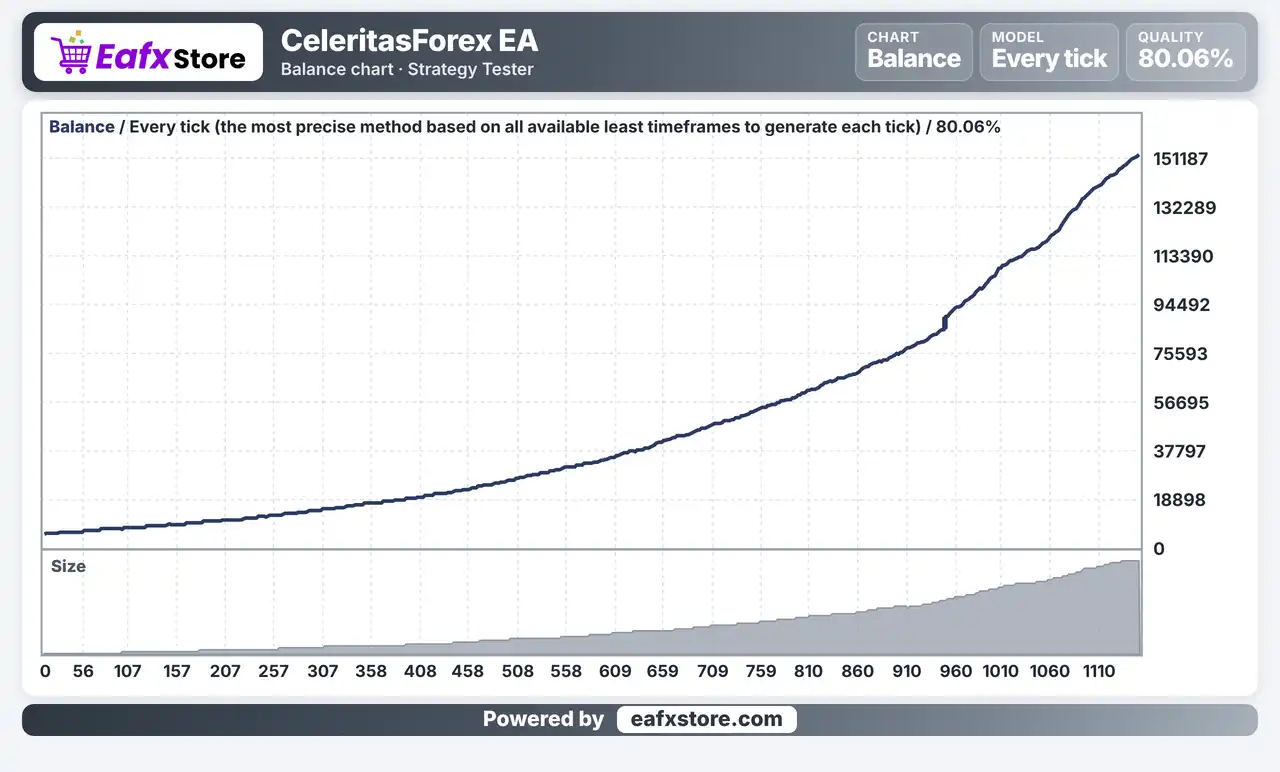
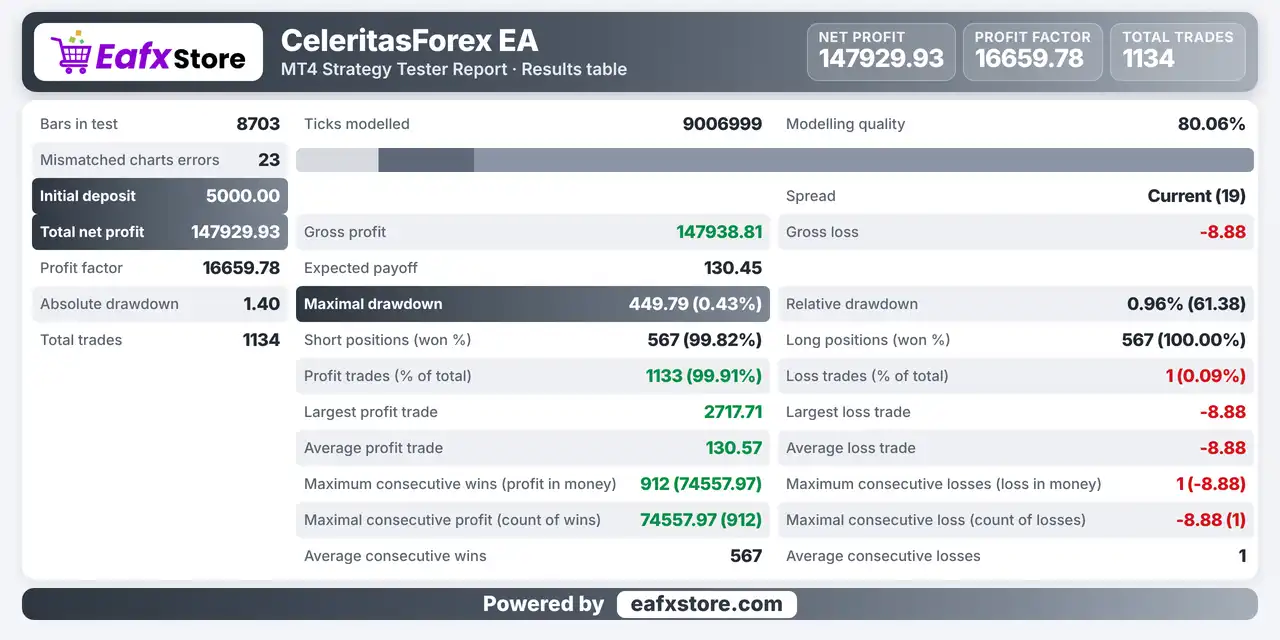
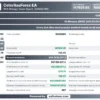
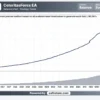
CeleritasForex EA was backtested on XAUUSD (Gold). The report records a net profit of $1,479,929.93 from an initial deposit of $5,000.
CeleritasForex EA Backtest Results
CeleritasForex EA MT4 Results
| Parameter | Results |
|---|---|
| Initial Deposit | $5,000 |
| Total Net Profit | $1,479,929.93 |
| Gross Profit | 147,938.81 |
| Gross Loss | -8.88 |
| Profit Factor | 16,659.78 |
| Total Trades | 1,134 |
| Winning Trades | 99.91% |
| Maximum Drawdown | 0.43% |
Key Features of CeleritasForex EA MT4
Trend Following Logic
The robot works with the direction of the current trend and does not rely on aggressive scalping to find its trades.
Support and Resistance Entries
Orders are tied to support and resistance levels of the trend, so each entry has a visible structure behind it on the chart.
Trend Line Order Zones
Trend lines are used as the zones where orders are placed, which links order placement to the shape of the market on the chart.
Limited Number of Settings
A short list of inputs keeps the EA simple to configure, which suits advanced traders who prefer to choose their own approach to trading.
Adjustable Risk and Lot Size
Trading risk can be set, and automatic lot calculation needs a risk value to be defined in the settings beforehand.
Spread and Slippage Control
A maximum spread and a slippage limit help avoid entries when trading costs are too high or when execution is poor.
Risk Management
Stable Results Are Not Promised
The product describes steady results in many markets, but no report supports this, so losses are still possible.
A Stop Loss Can Still Slip
Gaps and fast moves can pass the stop-loss level, so the real loss can be larger than planned.
Orders at Levels Can Fail
Price can break through support and resistance, and a take-profit order may never be reached in a strong move.
A Large Risk Value Hurts Quickly
The product advises against risking too much per position, because a few losses in a row can reduce the balance fast.
A Weak Broker Adds Risk
High spreads, slippage and poor execution can turn a good setup into a loss, so the broker matters as much as the EA.
Who Should Use CeleritasForex EA MT4?
Experienced Trend Traders
People who understand support, resistance and trend lines and want an EA that works with them.
Hands on Configurators
Users who like a short list of settings and want to choose their own risk and order sizes.
Careful Risk Managers
Traders who will define the risk value, keep each position small and test on a demo account first.
Not for Traders Who
Want a ready made setup with no review, a guaranteed profit or a very high frequency scalping robot.
Recommended Trading Conditions
Recommended settings and parameters to pay attention to from developers and experts:
| Features | Type |
|---|---|
| Trading platform | MetaTrader 4 (MT4) |
| Time frames | Any |
| Currency pairs | Any |
| Minimum / Recommended deposit | $100+ |
| Minimum / Recommended leverage | 1:30+ |
| Account type | Any |
| Additional services | Unlock and Decompile |
| Recommended brokers | Exness Broker, Icmarkets Broker |
| Recommended VPS | MyfxVPS.com (Blue VPS, Golden VPS). Lowest Latency, 2 week Free Trial, 100% Free for 12-18 Months. |
Product Download Package?
The download package of the product suite includes:
✅ Experts: CeleritasForex.ex5
Final Verdict
CeleritasForex EA MT4 is a trend following robot that opens positions at support and resistance levels and uses trend lines as order zones. A short list of settings covers lot size, distance, slippage, spread and risk, which suits experienced traders who like to configure their own approach. The rules are only briefly described, the stable results claim is not backed by published figures and the symbol list is missing, so a demo test on a small size should come before any live trading.
🔢 CeleritasForex EA MT4 Settings Guide: Complete Input Parameters Explained
CeleritasForex EA is an automated trading Expert Advisor with configurable position sizing, order volume, entry distance, trade identification, and slippage tolerance. These inputs help define how much volume the EA uses, how far apart relevant price levels or orders may be placed, and how its trades are identified within MetaTrader 4.
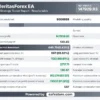
The displayed configuration uses a small lot size of 0.01, a distance setting of 200, a magic number of 100, and a slippage setting of 300. Understanding each parameter is important before testing the EA, particularly because the meaning of distance and slippage values can depend on the broker’s symbol specifications and the EA’s internal implementation.
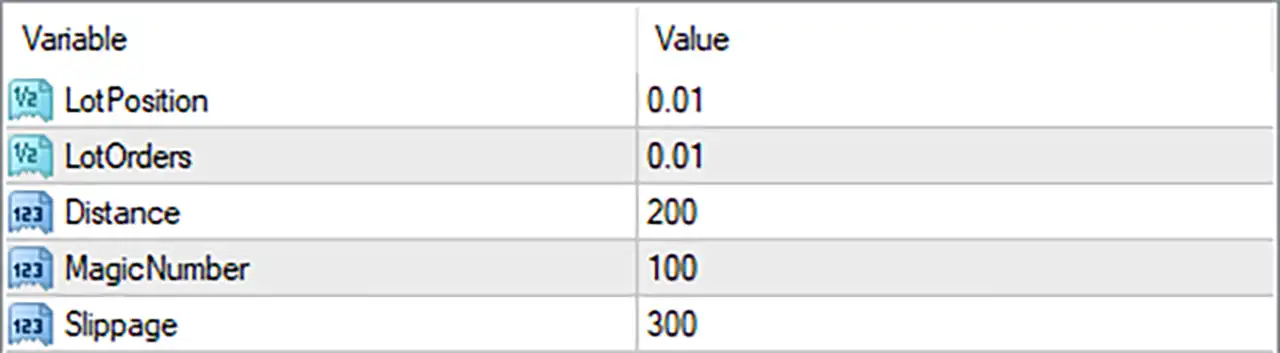
CeleritasForex EA MT4 Settings Panel
⚙️ Position and Lot Size Settings
🔹 LotPosition = 0.01: Sets the position lot size to 0.01 lots, defining the configured trading volume for positions managed by this parameter.
🔹 LotOrders = 0.01: Sets the order lot size to 0.01 lots, which may determine the volume assigned to individual orders. The precise relationship between LotOrders and LotPosition depends on the EA’s order-management logic.
⚙️ Distance Setting
🔹 Distance = 200: Sets the distance parameter to 200, potentially controlling the spacing between entry levels, pending orders, or other price-based actions. The input does not specify whether the unit is points or pips, so the resulting price distance should be verified on the intended trading symbol.
⚙️ Trade Identification
🔹 MagicNumber = 100: Assigns the magic number 100 to identify trades opened or managed by CeleritasForex EA MT4, helping distinguish its orders from manual trades or positions opened by other Expert Advisors.
⚙️ Order Execution Settings
🔹 Slippage = 300: Sets the permitted slippage parameter to 300, defining the configured tolerance for differences between the requested and executed price, subject to how the EA and MT4 trade-execution functions interpret this value. Confirm whether the EA uses points or another unit before live trading.
🔢 Conclusion
The current CeleritasForex EA MT4 configuration contains five inputs: LotPosition = 0.01, LotOrders = 0.01, Distance = 200, MagicNumber = 100, and Slippage = 300.
Both lot-size parameters are set to 0.01, while the distance parameter is 200. The magic number is 100, and the slippage setting is 300.
Before using these settings on a live account, verify the meaning of Distance = 200 and Slippage = 300 in the EA’s implementation. Also confirm that the broker accepts the configured lot size and that the order volume behaves as expected. Testing on a demo account can help establish the EA’s actual order-placement and execution behavior.
User Reviews
Only logged in customers who have purchased this product may leave a review.
❓ What is CeleritasForex EA MT4?
A trend following Expert Advisor for MetaTrader 4 that opens positions at support and resistance levels, using trend lines as order zones.
❓ How does CeleritasForex EA MT4 enter trades?
It opens positions when price reaches support and resistance levels of the current trend, with trend lines as order placement zones.
❓ Is CeleritasForex EA MT4 a scalper?
No. It is described as working without aggressive scalping.
❓ Which settings does CeleritasForex EA MT4 offer?
Lot size for market positions and pending orders, order distance, magic number, slippage, trading risk, maximum spread and stop order size.
❓ How is lot size set in CeleritasForex EA MT4?
Manually, or by automatic calculation, which needs a risk value defined in the settings beforehand.
❓ How much risk does CeleritasForex EA MT4 suggest?
The product advises against risking a large share of the account in a single position on any pair.
❓ Which brokers work with CeleritasForex EA MT4?
Any MetaTrader 4 broker, though the reliability of the broker strongly affects results.
❓ Is CeleritasForex EA MT4 a grid or martingale EA?
The product information describes no grid or martingale logic. A demo test helps confirm this before real money is used.
❓ Which currency pairs suit CeleritasForex EA MT4?
The product text does not name specific pairs, so each pair should be tested on a demo account.
-
 Original price was: $2,000.00.$249.00Current price is: $249.00.
 -
 Original price was: $1,450.00.$249.00Current price is: $249.00.
 -
 Original price was: $2,000.00.$249.00Current price is: $249.00.
 -
 Original price was: $3,175.00.$249.00Current price is: $249.00.
-
 0Original price was: $1,299.00.$249.00Current price is: $249.00.
 -
 1Original price was: $500.00.$249.00Current price is: $249.00.
 -
 0Original price was: $199.00.$179.00Current price is: $179.00.
 -
 2Original price was: $699.00.$249.00Current price is: $249.00.
There are no reviews yet.