





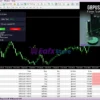
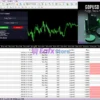
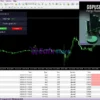
GBPUSD Robot MT4 v7.2 + SetFiles (Platform build 1471+)

Subscriptions for Special Plan
- 30 EA package is more economical!
- Special package with 99%
- Download 1 EA/Day

Subscriptions for Premium Membership
- Download Unlimited in 1 Year
- Get 100% Discount
- Get free access to all

Subscriptions for Gold Membership
- 1 Year Membership
- Get 100% Discount
- Access EA+Indicator+Course
Frequently bought together 🎁
Add these products to enhance your purchase




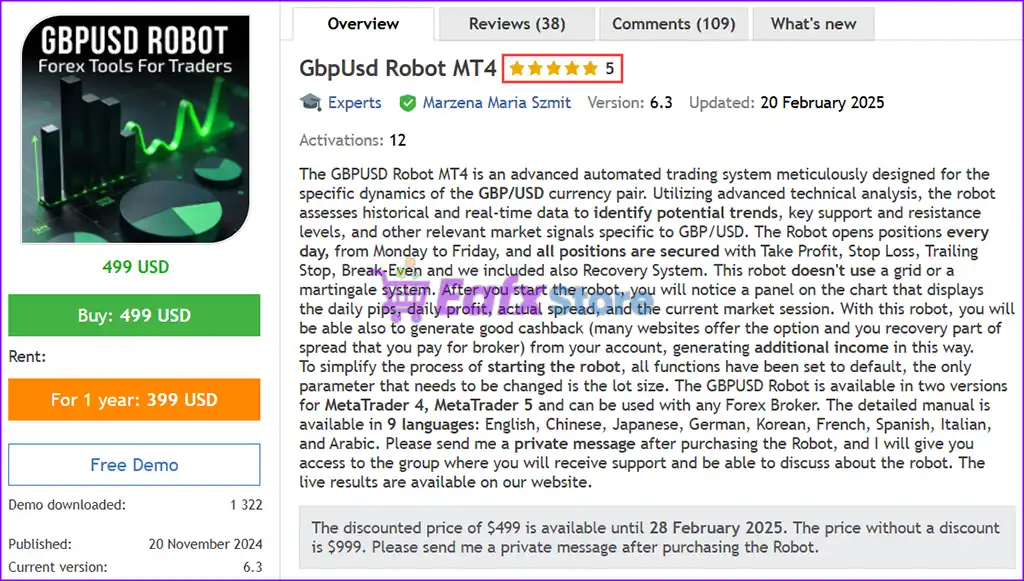
What is GBPUSD Robot MT4?
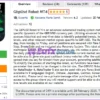
The GBPUSD Robot MT4 is meticulously developed using advanced technical analysis to detect profitable trading opportunities in the GBPUSD currency pair. With real-time data analysis, the EA identifies market trends, key support and resistance levels, and crucial trading signals to maximize profitability.
🔶 Vender Website: View here
About the Author
This product is compiled by Marzena Maria Szmit. This author has more than +3 years of experience working on MQL5 with many famous products such as GBPUSD Robot MT4, Price Action Robot MT5, Scalping Robot MT4, Bitcoin Robot MT5 and other advisors. Among them, GBPUSD Robot MT4 is his best performing products.
GbpUsd Robot MT4 Overview
Key Features of GbpUsd Robot for MT4
🔹 Optimized for GBP/USD: Specifically designed for trading the GBP/USD currency pair using advanced technical analysis.
🔹 Automated Daily Trading: Opens positions daily based on real-time and historical market data.
🔹 Comprehensive Risk Management: Includes Take Profit, Stop Loss, Trailing Stop, and Break-Even for secured trading.
🔹 No Grid or Martingale Strategy: Ensures a safer trading experience without risky trading methods.
🔹 Advanced Trend Confirmation: MA Filter (Moving Average) confirms the GBP/USD trend before executing trades.
🔹 Easy Setup & Customization: The only parameter to adjust is the lot size, making installation quick and straightforward.
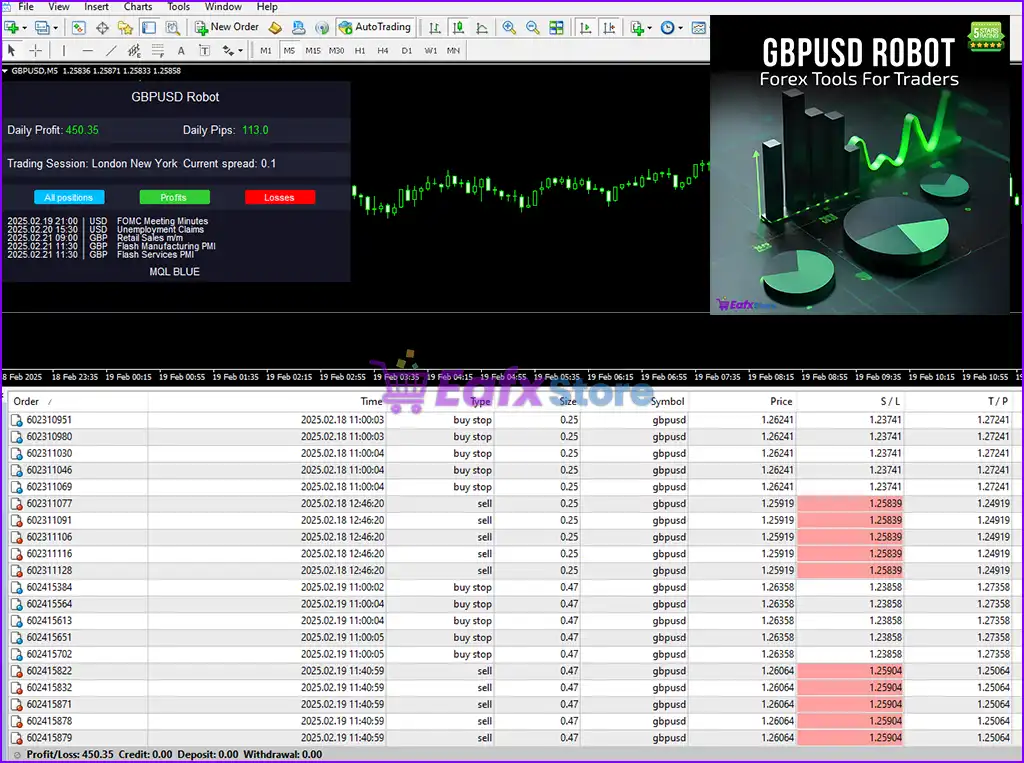
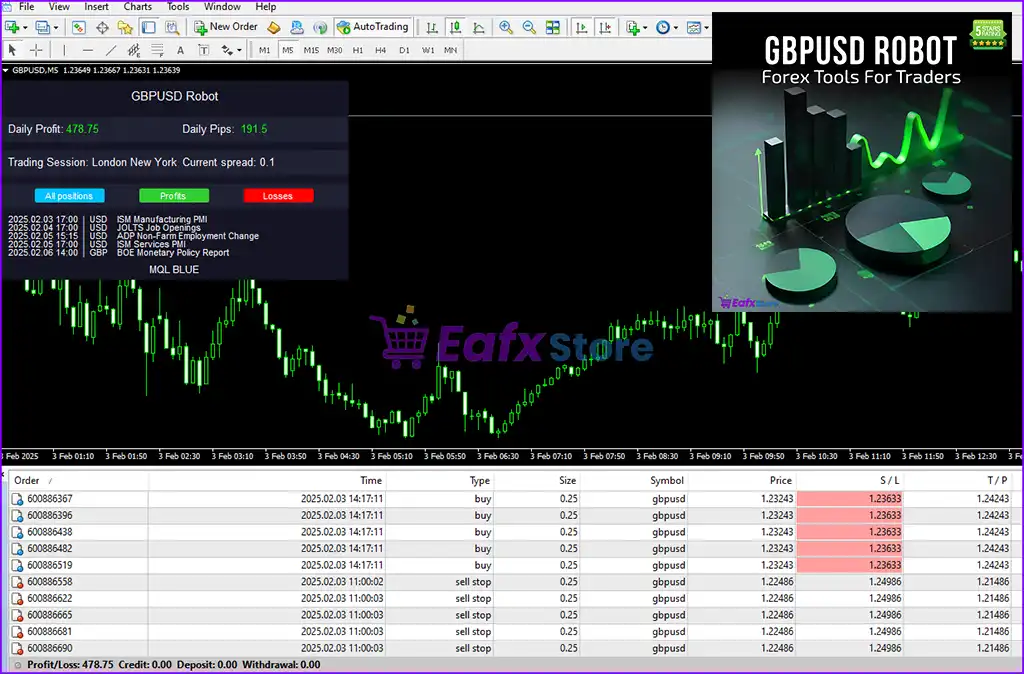
🔹 Real-Time Performance Panel: Displays daily pips, current spread, market session, and Forex calendar on the chart.
Key Benefits
🔹 Maximized Profit Potential: Leverages technical analysis to identify high-probability trades.
🔹 Reduced Trading Risks: Built-in risk management tools minimize potential losses.
🔹 Hands-Free Trading: Fully automated system allows traders to earn without manual intervention.
🔹 Optimized for Low Spread Accounts: Recommended for accounts with low spreads to maximize returns.
🔹 Suitable for All Trading Experience Levels: Simple setup ensures accessibility for both beginner and advanced traders.
GbpUsd Robot MT4 Review
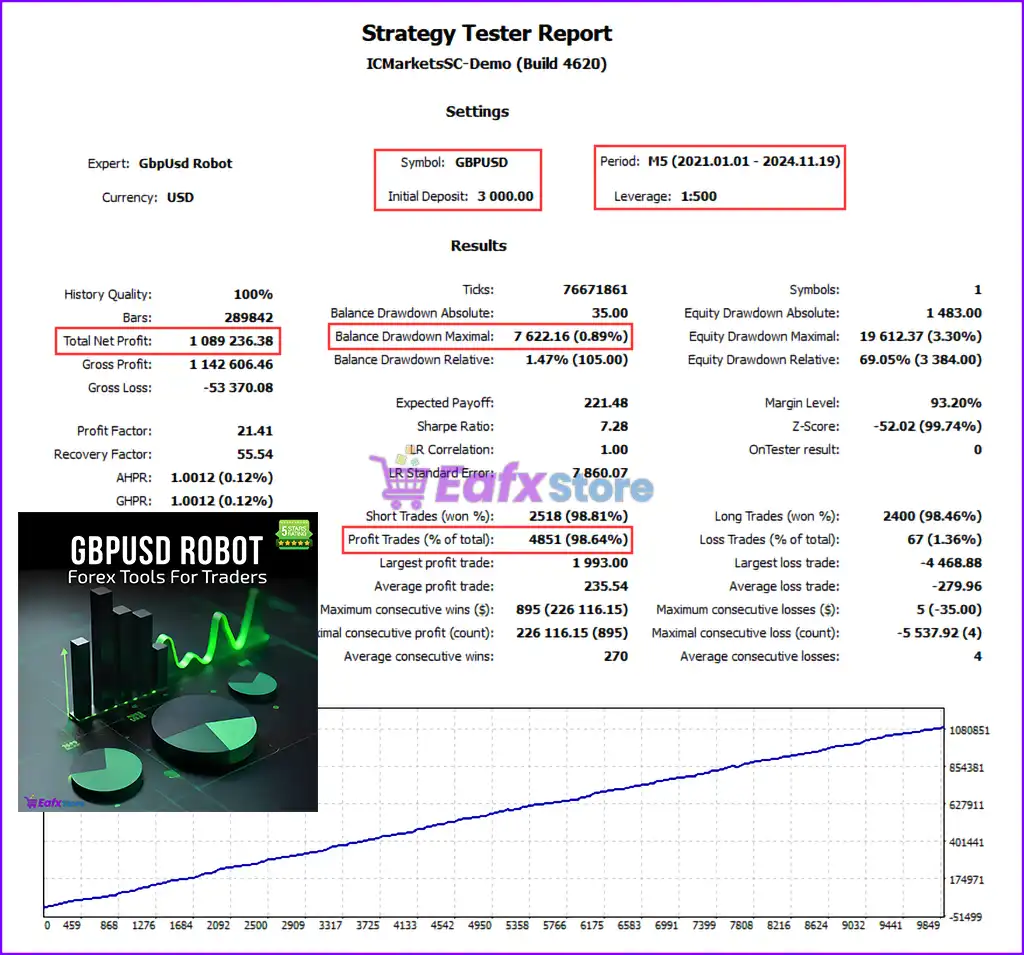
GBPUSD Robot EA is an advanced algorithm designed for trading GBP/USD. This highly accurate trading bot has been tested from 2021 to 2024 with an initial deposit of $3,000 and a leverage of 1:500.
✅ Total Net Profit: $1.09 milion
✅ Win Rate: 98.81%
✅ Max Balance Drawdown: 0.89%
✅ Max Equity Drawdown: 3.30%
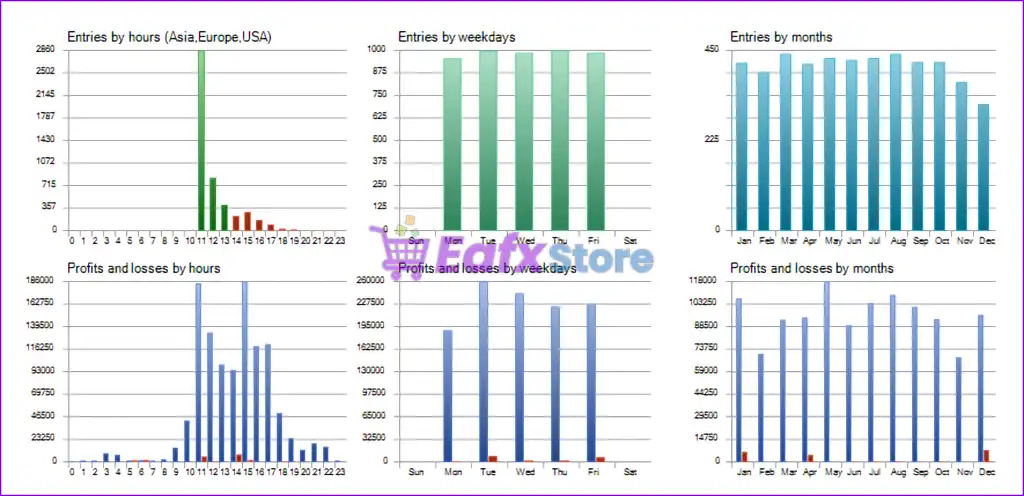
GbpUsd Robot MT4 Backtests Results
GbpUsd Robot EA MT4 Review
GbpUsd Robot EA MT4 Reviews
Is GBPUSD Robot MT4 Safe?
GbpUsd Robot MT4 demonstrates exceptional potential for generating stable and reliable profits, positioning itself as a valuable tool in the forex market. Highly regarded by the MQL5 community for its performance and stability, this expert advisor has won the trust of traders around the world.
➡️ GoldForex (2025.02.28): “Best EA I have ever used in my life. With the right lot size, stress free. I am so happy with my investment.”
➡️ MMrai (2025.02.27): “Great EA, I’ve been using it for a month and I’m satisfied with the results! All weeks are positives.”
➡️ NOriskNOreward (2025.02.26): “I been using on live account for 2 weeks now i can say its very consistent and good stable EA.”
Trading Specifications
Recommended settings and parameters to pay attention to from developers and experts:
| Features | Type |
|---|---|
| Trading platform | MetaTrader 4 (MT4) |
| Time frames | M5 (5 minute chart) |
| Currency pairs | GBPUSD |
| Minimum / Recommended deposit | $1,000 |
| Minimum / Recommended leverage | 1:10 up to 1:1000 |
| Minimum lots | 0.01 |
| Product type | NoDLL / Fix |
| Additional services | Unlock and Decompile |
| Recommended brokers | Exness Broker, Icmarkets Broker |
| Recommended VPS | MyfxVPS.com ( Blue VPS, Golden VPS). Lowest Latency, 2 week Free Trial, 100% Free for 12-18 Months. |
➡️ Reviewed by David Easton
Product Download Package?
The download package of the product suite includes:
1. Experts:
✅ GbpUsd Robot MT4 v7.2_fix.ex4
2. SetFiles:
✅ GBPUSD_maxOrder6.set
✅ GBPUSD_Low Risk_$1K.set
✅ GBPUSD_Medium Risk_$1K.set
✅ GBPUSD_High Risk_$1K.set
✅ GBPUSD_High Risk_$2K.set
✅ GBPUSD_Medium Risk_$2K.set
✅ GBPUSD_Low Risk_$2K.set
Conclusion
In short, The GBPUSD Robot MT4 is the ultimate automated trading solution for traders seeking precision, reliability, and profitability in the GBP/USD currency pair. With cutting-edge technical analysis, robust risk management tools, and an intuitive design, this expert advisor ensures seamless trading while maximizing potential returns. Unlike many other trading robots, it does not rely on risky strategies like grid or martingale, making it a safer choice for both beginners and experienced traders.
🔢 GBPUSD Robot MT4 – Complete Settings Guide for Automated Forex Trading
GBPUSD Robot MT4 is an automated Forex trading Expert Advisor designed specifically for the GBPUSD currency pair on MetaTrader 4 (MT4). The EA combines breakout trading, recovery systems, moving average filters, trailing stop management, and economic news filtering to help traders automate short-term and medium-term Forex trading strategies efficiently.
GbpUsd Robot MT4 setting
🔢 Installation Panel Parameters
Below are the details of the parameters in the advisor’s trading system settings table:
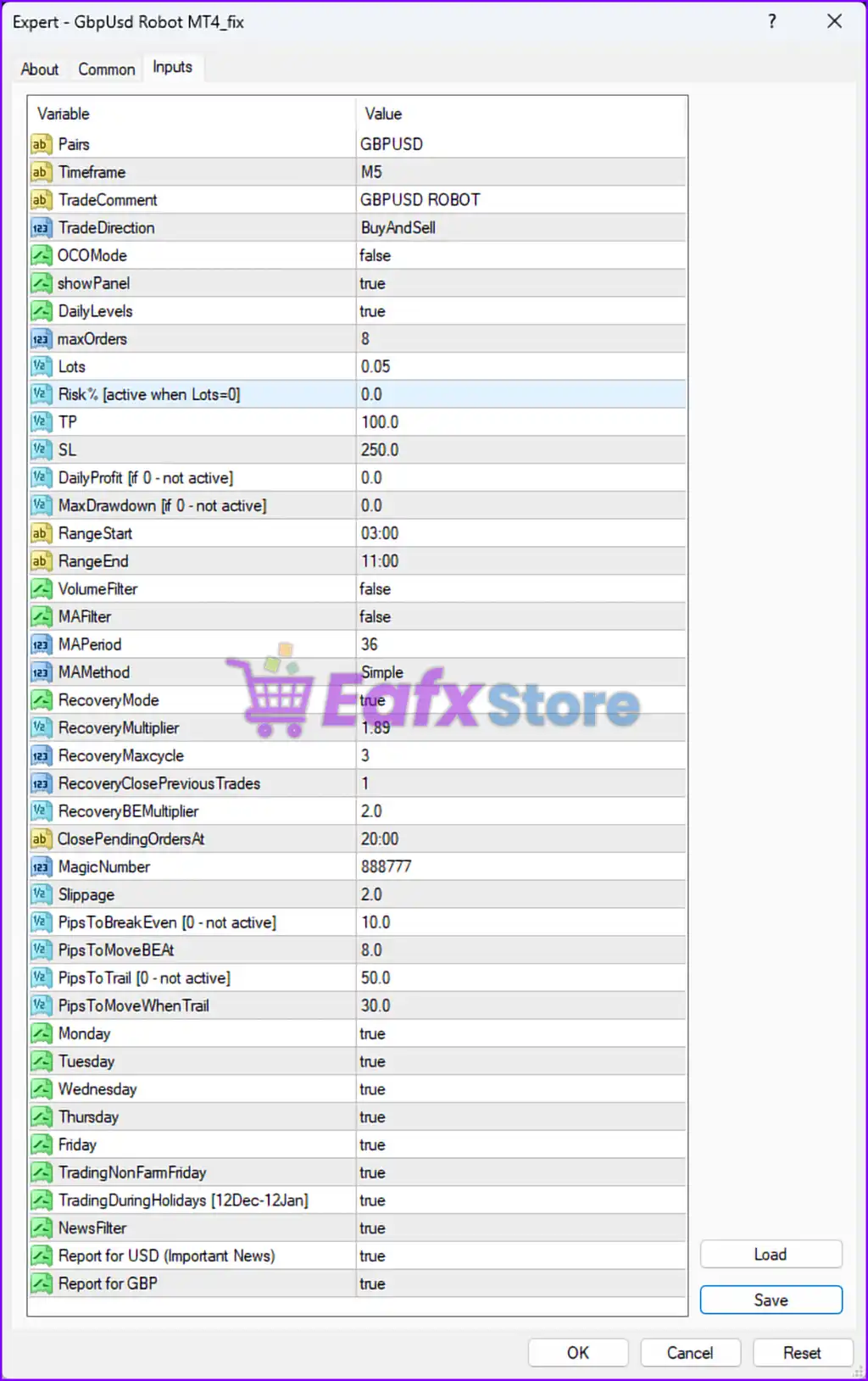
GbpUsd Robot MT4 settings panel details
🔶 General Trading Settings
🔹 Pairs = GBPUSD — Configures the EA to trade only the GBPUSD currency pair.
🔹 Timeframe = M5 — Sets the recommended trading timeframe to M5 (5-Minute chart).
🔹 TradeComment = GBPUSD ROBOT — Adds the comment “GBPUSD ROBOT” to all executed trades.
🔹 TradeDirection = BuyAndSell — Enables both BUY and SELL trading directions.
🔹 OCOMode = false — Disables One-Cancels-Other (OCO) order functionality.
🔹 showPanel = true — Displays the EA information panel on the chart.
🔹 DailyLevels = true — Enables daily support and resistance level calculations.
🔹 maxOrders = 8 — Limits the maximum number of simultaneous open trades to 8.
🔹 Lots = 0.05 — Sets the default fixed lot size to 0.05 lots.
🔹 Risk% [active when Lots=0] = 0.0 — Disables percentage-based lot sizing because fixed lots are enabled.
🔹 TP = 100.0 — Sets the Take Profit target to 100.0 points/pips.
🔹 SL = 250.0 — Sets the Stop Loss protection to 250.0 points/pips.
🔹 DailyProfit [if 0 – not active] = 0.0 — Disables the daily profit target feature.
🔹 MaxDrawdown [if 0 – not active] = 0.0 — Disables maximum drawdown protection.
🔶 Trading Session Settings
🔹 RangeStart = 03:00 — Defines the trading range/session start time at 03:00.
🔹 RangeEnd = 11:00 — Defines the trading range/session end time at 11:00.
🔶 Filter Settings
🔹 VolumeFilter = false — Disables volume-based trade filtering.
🔹 MAFilter = false — Disables Moving Average trend filtering.
🔹 MAPeriod = 36 — Sets the Moving Average period to 36.
🔹 MAMethod = Simple — Uses the Simple Moving Average (SMA) calculation method.
🔶 Recovery Mode Settings
🔹 RecoveryMode = true — Enables the recovery trading system for loss management.
🔹 RecoveryMultiplier = 1.89 — Multiplies lot sizes by 1.89 during recovery trades.
🔹 RecoveryMaxcycle = 3 — Limits the recovery sequence to a maximum of 3 cycles.
🔹 RecoveryClosePreviousTrades = 1 — Closes previous trades during recovery management.
🔹 RecoveryBEMultiplier = 2.0 — Uses a break-even multiplier value of 2.0 for recovery trades.
🔶 Order & Protection Settings
🔹 ClosePendingOrdersAt = 20:00 — Automatically closes pending orders at 20:00.
🔹 MagicNumber = 888777 — Assigns the unique Magic Number 888777 for identifying EA trades.
🔹 Slippage = 2.0 — Sets the maximum allowed slippage to 2.0 points.
🔹 PipsToBreakEven [0 – not active] = 10.0 — Activates break-even protection after 10.0 points/pips profit.
🔹 PipsToMoveBEAt = 8.0 — Moves Stop Loss to secure 8.0 points/pips profit at break-even activation.
🔹 PipsToTrail [0 – not active] = 50.0 — Activates trailing stop after 50.0 points/pips profit.
🔹 PipsToMoveWhenTrail = 30.0 — Moves trailing stop by 30.0 points/pips increments.
🔶 Weekly Trading Settings
🔹 Monday = true — Enables trading on Monday.
🔹 Tuesday = true — Enables trading on Tuesday.
🔹 Wednesday = true — Enables trading on Wednesday.
🔹 Thursday = true — Enables trading on Thursday.
🔹 Friday = true — Enables trading on Friday.
🔹 TradingNonFarmFriday = true — Allows trading during Non-Farm Payroll Fridays.
🔹 TradingDuringHolidays [12Dec-12Jan] = true — Allows trading during the holiday period from December 12 to January 12.
🔶 News Filter Settings
🔹 NewsFilter = true — Enables economic news filtering.
🔹 Report for USD (Important News) = true — Activates filtering for important USD-related economic news events.
🔹 Report for GBP = true — Activates filtering for GBP-related economic news events.
🔢 Conclusion
GBPUSD Robot MT4 is a powerful automated Forex trading robot specifically optimized for GBPUSD trading on MetaTrader 4. The EA combines breakout range analysis, recovery systems, trailing stop management, and economic news filtering to improve trade execution and risk control.
With flexible session settings, Moving Average filters, and break-even protection, GBPUSD Robot MT4 offers traders a reliable solution for automated Forex trading strategies. Proper optimization of lot sizing, recovery settings, and trading sessions is recommended for stable long-term performance.
🔢 FAQs
❓ What is GBPUSD Robot MT4?
GBPUSD Robot MT4 is an automated Forex Expert Advisor for MetaTrader 4 designed specifically for trading the GBPUSD currency pair.
❓ Does GBPUSD Robot MT4 support recovery trading?
Yes, the EA includes a RecoveryMode system with configurable multipliers and cycle limits.
❓ Can GBPUSD Robot MT4 trade both BUY and SELL positions?
Yes, the TradeDirection setting is configured as “BuyAndSell.”
❓ Does GBPUSD Robot MT4 include a news filter?
Yes, the EA includes economic news filtering for important USD and GBP news events.
❓ What timeframe is recommended for GBPUSD Robot MT4?
The recommended trading timeframe for this EA is M5 (5-Minute chart).
User Reviews
Only logged in customers who have purchased this product may leave a review.
1. What is GBPUSD Robot MT4?
GBPUSD Robot MT4 is a fully automated trading system designed specifically for trading the GBP/USD currency pair on MetaTrader 4 (MT4). It uses advanced technical analysis to identify profitable trade opportunities and manage risk effectively.
2. How does GBPUSD Robot MT4 work?
The EA analyzes real-time and historical market data, detects market trends, support and resistance levels, and executes trades based on a smart algorithm. It does not use risky strategies like grid or martingale but instead relies on Take Profit, Stop Loss, Trailing Stop, Break-Even, and a built-in Recovery System.
3. What is the minimum deposit required to use GBPUSD Robot MT4?
The recommended minimum deposit is $1,000 to ensure optimal performance. However, traders can start with smaller amounts using lower lot sizes.
4. What are the key trading results of GBPUSD Robot MT4?
Backtests from 2021 to 2024 with a $3,000 initial deposit and 1:500 leverage show:
✔ Total Net Profit: $1M
✔ Win Rate: 98.81%
✔ Max Balance Drawdown: 0.89%
✔ Max Equity Drawdown: 3.30%
5. Does GBPUSD Robot MT4 use martingale or grid strategies?
No. This EA does not use martingale or grid strategies, making it a safer choice for traders. Instead, it focuses on trend confirmation and controlled risk management to minimize losses.
6. Can I customize the settings of GBPUSD Robot MT4?
Yes. The EA allows customization of lot sizes and offers preset files for different risk levels, including Low Risk, Medium Risk, and High Risk settings for various account balances.
7. Is GBPUSD Robot MT4 suitable for beginner traders?
Yes. The EA is designed for both beginner and experienced traders. It features an easy setup process, requires minimal manual intervention, and includes a Setting Guide for proper configuration.
8. Can I track the live trading performance of GBPUSD Robot MT4?
Yes, the Live Signal is available for users to monitor real-time performance before making a purchase. This allows traders to evaluate its profitability and consistency.
9. What kind of risk management features does GBPUSD Robot MT4 include?
The EA includes a comprehensive risk management system with:
✔ Take Profit & Stop Loss to lock in gains and limit losses.
✔ Trailing Stop to maximize profits by adjusting stop-loss levels.
✔ Break-Even Feature to secure profits when the trade moves in a favorable direction.
✔ Built-in Recovery System to optimize long-term performance.
🔥 Get This EA for FREE with Our Membership! 🚀🚀
Unlock access to this EA, premium Indicators, and exclusive trading tools completely FREE with any of our Membership Plans! Thousands of traders already benefit from our VIP library—join them and level up your trading instantly. Choose Your Membership:
- SPECIAL – 1 Month Membership
- GOLD – 1 Year Membership
- PREMIUM – 1 Year Membership
-
 Price range: $80.00 through $599.00
 -
 Price range: $80.00 through $599.00
 -
 Price range: $80.00 through $599.00
 -
 Price range: $89.00 through $599.00
-
 1Original price was: $11,000.00.$89.00Current price is: $89.00.
 -
 1Original price was: $599.00.$59.00Current price is: $59.00.
 -
 3Original price was: $999.00.$69.00Current price is: $69.00.
 -
 10Original price was: $2,100.00.$59.00Current price is: $59.00.
There are no reviews yet.