




GOLD Scalper PRO MT5 Settings Explained – Complete Setup & User Guide
GOLD Scalper PRO MT5 is an automated gold trading Expert Advisor designed for the MetaTrader 5 platform. The EA combines advanced scalping algorithms, dynamic risk management, ATR-based protection systems, optional grid trading logic, and news filtering features to help traders automate XAUUSD trading efficiently. With flexible trading controls and detailed management settings, GOLD Scalper PRO MT5 is suitable for both conservative and aggressive gold trading strategies.

GOLD Scalper PRO MT5 Full Settings Explanation
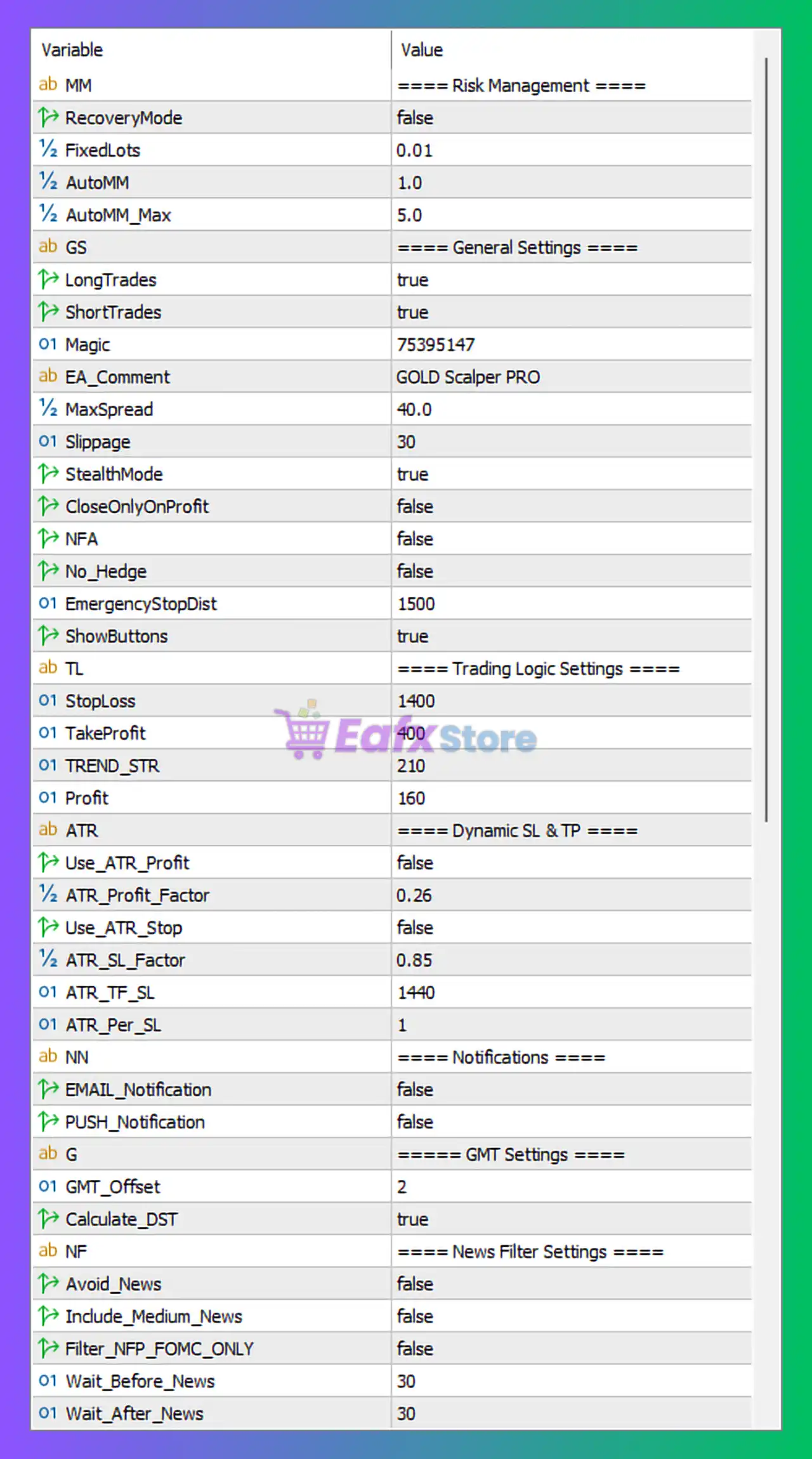
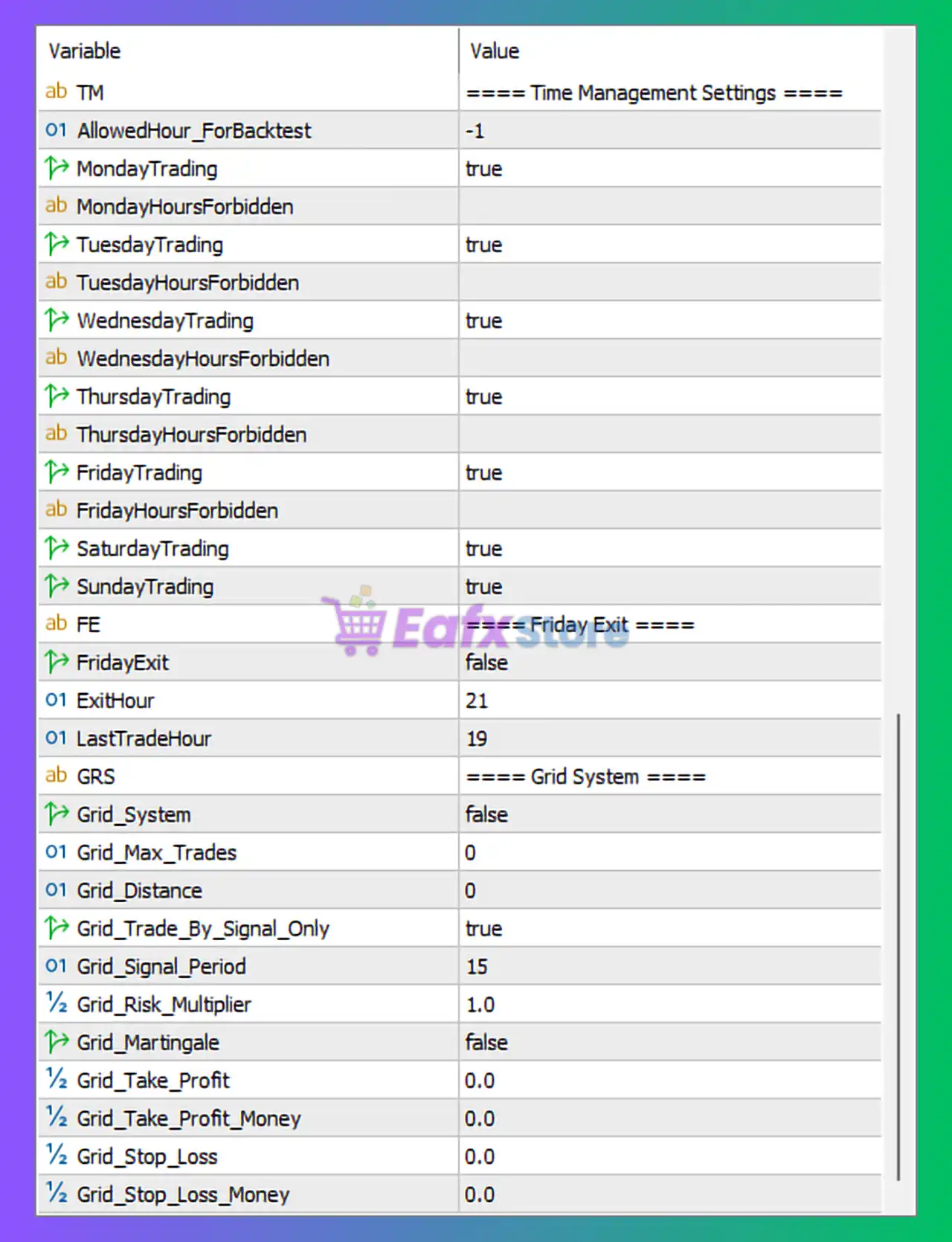
Time Management Settings
🔹 AllowedHour_ForBacktest = -1: Defines the allowed hour for strategy backtesting; value -1 means no restriction is applied.
🔹 MondayTrading = true: Enables trading activity on Monday.
🔹 MondayHoursForbidden: Allows users to define restricted trading hours for Monday.
🔹 TuesdayTrading = true: Enables trading activity on Tuesday.
🔹 TuesdayHoursForbidden: Allows users to define restricted trading hours for Tuesday.
🔹 WednesdayTrading = true: Enables trading activity on Wednesday.
🔹 WednesdayHoursForbidden: Allows users to define restricted trading hours for Wednesday.
🔹 ThursdayTrading = true: Enables trading activity on Thursday.
🔹 ThursdayHoursForbidden: Allows users to define restricted trading hours for Thursday.
🔹 FridayTrading = true: Enables trading activity on Friday.
🔹 FridayHoursForbidden: Allows users to define restricted trading hours for Friday.
🔹 SaturdayTrading = true: Enables trading activity on Saturday.
🔹 SundayTrading = true: Enables trading activity on Sunday.
Friday Exit Settings
🔹 FridayExit = false: Disables automatic position closing before weekend market closure.
🔹 ExitHour = 21: Sets the hour for Friday trade exits when FridayExit is enabled.
🔹 LastTradeHour = 19: Prevents new trades after hour 19.
Grid System Settings
🔹 Grid_System = false: Disables the grid trading system.
🔹 Grid_Max_Trades = 0: Sets the maximum number of grid trades to 0.
🔹 Grid_Distance = 0: Defines the spacing distance between grid orders.
🔹 Grid_Trade_By_Signal_Only = true: Allows grid entries only when valid trading signals are detected.
🔹 Grid_Signal_Period = 15: Sets the signal timeframe or period for grid trade analysis.
🔹 Grid_Risk_Multiplier = 1.0: Controls the lot multiplication factor for grid positions.
🔹 Grid_Martingale = false: Disables Martingale logic inside the grid system.
🔹 Grid_Take_Profit = 0.0: Defines fixed Take Profit for grid trades in points.
🔹 Grid_Take_Profit_Money = 0.0: Defines Take Profit target in account currency for grid baskets.
🔹 Grid_Stop_Loss = 0.0: Defines fixed Stop Loss for grid positions.
🔹 Grid_Stop_Loss_Money = 0.0: Defines monetary Stop Loss protection for the grid system.
Risk Management Settings
🔹 RecoveryMode = false: Disables recovery trading mode.
🔹 FixedLots = 0.01: Uses a fixed lot size of 0.01 lots.
🔹 AutoMM = 1.0: Enables automatic money management using a risk factor of 1.0.
🔹 AutoMM_Max = 5.0: Limits the maximum automatic lot size multiplier to 5.0.
General Settings
🔹 LongTrades = true: Allows BUY trades.
🔹 ShortTrades = true: Allows SELL trades.
🔹 Magic = 75395147: Unique identifier used by the EA to manage its own positions.
🔹 EA_Comment = GOLD Scalper PRO: Adds the comment “GOLD Scalper PRO” to all EA trades.
🔹 MaxSpread = 40.0: Prevents trading when the spread exceeds 40.0 points.
🔹 Slippage = 30: Sets maximum acceptable slippage to 30 points.
🔹 StealthMode = true: Enables hidden trade management to reduce broker visibility of SL/TP levels.
🔹 CloseOnlyOnProfit = false: Allows trades to close even if they are not profitable.
🔹 NFA = false: Disables NFA-compliant trading restrictions.
🔹 No_Hedge = false: Allows hedging positions.
🔹 EmergencyStopDist = 1500: Sets emergency stop distance to 1500 points.
🔹 ShowButtons = true: Displays control buttons on the chart interface.
Trading Logic Settings
🔹 StopLoss = 1400: Sets Stop Loss distance to 1400 points.
🔹 TakeProfit = 400: Sets Take Profit distance to 400 points.
🔹 TREND_STR = 210: Defines trend strength sensitivity used in trade filtering.
🔹 Profit = 160: Sets profit-related internal trading logic value to 160.
Dynamic SL & TP Settings
🔹 Use_ATR_Profit = false: Disables ATR-based dynamic Take Profit.
🔹 ATR_Profit_Factor = 0.26: Defines ATR multiplier for dynamic profit calculation.
🔹 Use_ATR_Stop = false: Disables ATR-based Stop Loss calculation.
🔹 ATR_SL_Factor = 0.85: Defines ATR multiplier for Stop Loss calculation.
🔹 ATR_TF_SL = 1440: Uses timeframe 1440 (Daily chart) for ATR Stop Loss calculations.
🔹 ATR_Per_SL = 1: Sets ATR calculation period to 1.
Notification Settings
🔹 EMAIL_Notification = false: Disables email notifications.
🔹 PUSH_Notification = false: Disables push notifications to mobile devices.
GMT Settings
🔹 GMT_Offset = 2: Sets broker/server GMT offset to +2.
🔹 Calculate_DST = true: Automatically adjusts for Daylight Saving Time.
News Filter Settings
🔹 Avoid_News = false: Disables automatic news avoidance filter.
🔹 Include_Medium_News = false: Ignores medium-impact economic news events.
🔹 Filter_NFP_FOMC_ONLY = false: Disables special filtering for NFP and FOMC events only.
🔹 Wait_Before_News = 30: Stops trading 30 minutes before major news releases.
🔹 Wait_After_News = 30: Resumes trading 30 minutes after news events.
Conclusion
The GOLD Scalper PRO MT5 settings provide traders with a comprehensive automated gold trading framework that includes advanced scalping logic, optional grid systems, dynamic ATR management, news filtering and strict risk controls. With flexible configuration options and strong trade protection mechanisms, this EA is designed for traders who want customizable and automated XAUUSD trading performance on MetaTrader 5.
FAQs
❓ What is the purpose of StealthMode in GOLD Scalper PRO MT5?
StealthMode hides Stop Loss and Take Profit levels from the broker by managing them internally within the EA.
❓ Does GOLD Scalper PRO MT5 support grid trading?
Yes, the EA includes a grid trading module, although it is disabled by default in these settings.
❓ What does AutoMM = 1.0 mean?
It enables automatic money management with a risk scaling factor of 1.0.
❓ Why is Calculate_DST set to true?
It allows the EA to automatically adjust trading schedules for Daylight Saving Time changes.
❓ Can I enable ATR-based Stop Loss and Take Profit?
Yes, traders can activate Use_ATR_Profit and Use_ATR_Stop for dynamic volatility-based protection.



